
Can OBD2 Damage an ECU? Risks, Causes and Safe Use50 characters
Quick Answer
A quality OBD2 scanner will not damage the ECU when it only reads codes and live data. The port and the ECU were made for this kind of check. Risk rises with flashing, coding, actuator tests, weak voltage, and faulty tools. Use a sound tool, keep power steady, and stay on read-only tasks for safe checks.
- Reading codes and live data does not write to the ECU.
- Flashing and coding write to the ECU and carry real risk.
- Weak voltage during a write can leave the ECU unable to start.
- Faulty adapters can send bad signals or short the data bus.
- Plug in and unplug with the ignition off for a safer session.
Can OBD2 damage an ECU? That question worries many drivers before a first scan. You plug a small tool into a port under the dash, and it talks to the main computer in your car. This guide explains when that link is safe, when it can cause harm, and how to scan with care.
In this article
- How does an OBD2 scanner talk to the ECU?
- Can reading codes damage the ECU?
- What actions can damage the ECU?
- How can a cheap or faulty scanner cause harm?
- Can clearing codes damage the ECU?
- How do voltage and battery problems raise risk?
- How can you scan safely?
- What are signs of ECU trouble after a scan?
How does an OBD2 scanner talk to the ECU?
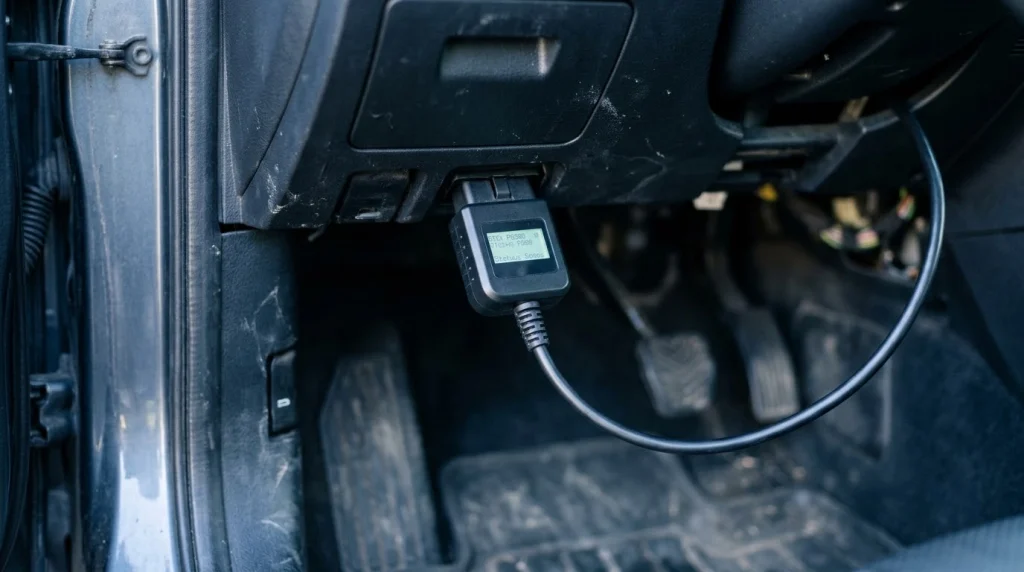
An OBD2 scanner talks to the ECU through a standard 16-pin port under the dash. The scanner sends a request, and the ECU sends back codes or live values. The port, the wiring, and the protocol were made for this exchange.
The ECU is the engine control unit. It manages fuel, spark, idle, and emissions based on sensor input. It also stores fault codes when a value falls outside its expected range. A scanner reads those stored codes and the live sensor values.
The link uses set rules for messages. Common rules include CAN and older ISO protocols. The ECU expects those messages, so a normal request does not confuse it. To learn more, see what a scanner does in plain terms.
The scanner draws power from the port. Pin 16 supplies power, and the ground pins complete the circuit. That power comes from the car battery. A sound adapter draws only a small amount of power for its own screen and chip.
Can reading codes damage the ECU?
Reading codes will not damage the ECU when you use a sound scanner in the normal way. Code reading is a passive task. The scanner asks for stored data, and the ECU answers with no change to its software.
Live data works the same way. The scanner asks for engine speed, coolant temperature, fuel trim, or sensor voltage. The ECU reports each value as it changes. No setting changes, and no actuator moves during a read-only check.
This design is the reason shops use scanners each day. The diagnostic port exists so a tool can check the car without opening the ECU or cutting wires. A guide from Engineer Fix notes that a standard, high-quality scanner used in the normal way is highly unlikely to cause harm to the ECU.
Reading does not erase learned values. It does not change fuel maps or ignition timing. It does not add a code to the ECU. If a code appears after a scan, the fault was already present or the scan found a stored code that was not yet seen.
What actions can damage the ECU?
Writing to the ECU can damage it, while reading alone will not. Flashing, coding, and some active tests send commands that change data or move parts. Those tasks need steady power, the right file, and a clear reason to run them.
Flashing writes new software to the ECU memory. Coding writes settings that tell the ECU how to run a part or a feature. If power drops or the cable comes loose during a write, the software can end up incomplete. An incomplete write can leave the ECU unable to start the car.
Actuator tests also write commands. A test can cycle a valve, run a pump, or fire an injector. Done at the wrong time, a test can stress a part or the engine. A risk guide from OBDLLM states that coding and programming are where real damage happens, and a module bricked mid-flash often needs bench work or a replacement.
Security access can add risk too. Some functions need a seed-key unlock before they run. Repeated failed attempts can lock a module. On parts tied to the immobiliser, a lock can stop the car from starting.
The table below shows the split between safe reading and risky writing.
| Task | What it does | Risk to the ECU |
|---|---|---|
| Read codes | Reads stored fault codes | Very low with a sound tool |
| Read live data | Reads sensor values as they change | Very low with a sound tool |
| Clear codes | Erases stored fault records | Low for hardware, but it erases evidence |
| Actuator test | Commands a part to move | Moderate if run at the wrong time |
| Coding or flashing | Writes settings or software | High if power fails or the file is wrong |
The takeaway is simple. Stay on the reading side for routine checks. Treat any write task as a separate job with its own prep and risk.
Forced regeneration is another write task with risk. A static regeneration runs the exhaust at high heat while the car stays still. It needs open space, the right soot level, and the right conditions. Skip it unless you know the full procedure and the car meets each condition.
How can a cheap or faulty scanner cause harm?
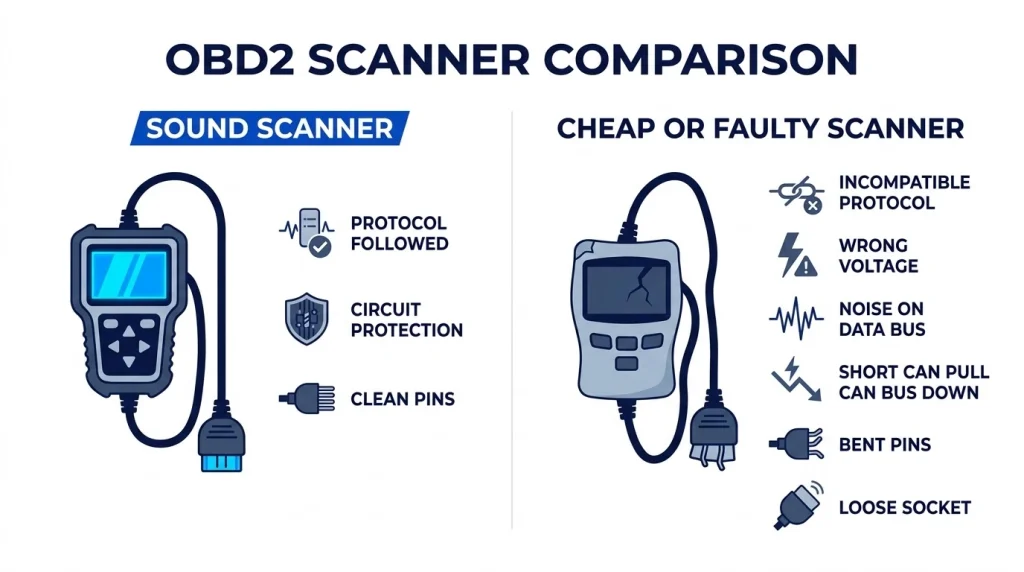
A cheap or faulty scanner can cause harm through bad signals, poor power control, or a short in the adapter. A sound scanner follows the protocol and guards its own circuit. A poor one may not follow those rules.
Poor parts can send the wrong voltage or noise onto the data bus. The ECU may then read a bad message or fail to answer at all. In rare cases, a short can pull the CAN bus down while the adapter stays plugged in. Unplug the adapter first if the car acts odd right after you plug it in.
Clones and unbranded adapters carry more risk. They may use a copied chip with old firmware. They may lack circuit protection for spikes or shorts. A cheap OBD2 adapter can cause trouble in this way, so check the tool before you trust it on your car.
Physical damage is a second path. A loose socket can break contact during a session. Bent pins can touch the wrong pin and send power where it does not belong. A dongle that hangs in the footwell can get kicked and bend the port.
Incompatible tools add a third path. A scanner made for one protocol may fail on a car that uses a different one. It may send requests the ECU does not expect. The result is often no link, but a bad match can also cause erratic behavior.
Choose a tool from a known maker with clear support and updates. Check that it lists your car make, model, and protocol. If the tool feels hot, smells odd, or drops the link, stop the session and unplug it.
Can clearing codes damage the ECU?
Clearing codes will not damage the ECU hardware, but it can hide the fault and reset monitors. The clear command erases stored fault records and freeze frame data. It does not rewrite the main software.
Freeze frame data shows the conditions when the fault set. Once you clear it, that record is gone. A shop then loses a key clue about the fault. Write down each code and the freeze frame before you clear anything.
Clearing also resets readiness monitors to not ready. The car may then fail an emissions test until the monitors run again. That drive cycle can take several trips under set conditions. Do not clear codes just before a test.
Some cars lose learned adaptations after a clear. Idle may feel rough for a short time while the ECU relearns. That rough idle is not ECU damage. It should settle as the car runs through normal driving.
Clear codes only after you know the cause or after a repair. If the same code returns, the fault is still present. A repeat code is a sign to fix the part, not to clear the code again.
How do voltage and battery problems raise risk?
Weak voltage raises risk because the ECU needs steady power during any scan, and far more during a write. A low battery can drop voltage when the scanner draws power or when a write runs. That drop can corrupt data or stop a flash mid-way.
Engineer Fix notes that battery voltage should stay above 12.5 volts for a scan, per its guide on this topic. That value is a useful check before a long session. Test the battery first if the car cranks slowly or the lights look dim.
A battery maintainer helps during a long scan or any coding task. It holds voltage steady while the tool works. Do not rely on the alternator alone for a flash, since the engine may need to stay off for the task.
Warning
Never start a flash or coding job on a weak battery. A power drop mid-write can corrupt the ECU software and leave the car unable to start.
Hot-plugging adds a spike risk. Plugging in or unplugging with the ignition on can send a brief surge through the port. That surge is small in most cases, but a marginal adapter can pass it on to the bus. Plug in and unplug with the ignition off.
Corroded terminals and loose grounds can cause the same issue. They create voltage swings that the ECU must ride through. Clean the terminals and check the ground points if voltage looks unstable during a scan.
A drain from a left-in adapter is a separate issue. Some adapters stay awake after you park. They can drain the battery over days. Unplug the adapter when you park for a long time, and see adapter drains the battery for the signs to watch.
How can you scan safely?
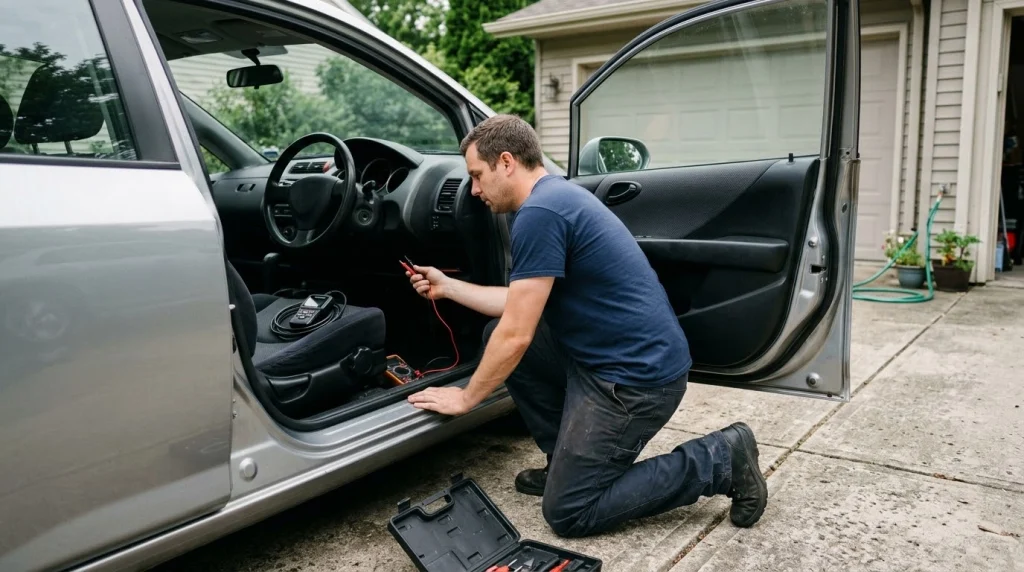
You can scan safely by using a sound tool, checking power first, and staying on read-only tasks. A short routine before each session cuts most of the risk. Follow the same steps each time you scan.
Step 1
Check the battery first
Test voltage and look for slow cranking or dim lights. Charge the battery or use a maintainer if voltage looks low.
Step 2
Inspect the port and plug
Look for bent pins, dirt, or a loose socket. Seat the plug fully with the ignition off.
Step 3
Read codes and freeze frame
Write down each code and the freeze frame data. Check live data only after you save that record.
Step 4
Stop at the write screen
Do not run coding, flashing, or actuator tests without a clear reason. Read the warning on the screen before you confirm any write.
Step 5
Unplug with the ignition off
Turn the ignition off, then remove the adapter. Store it away from feet and pedals.
Use a tool you trust, and keep its firmware up to date. An old app may send the wrong request to a car with new software. Check the app and the adapter for updates before a session.
Do not run tests to see what happens. Each actuator test should answer a set question. If you do not know the test or its result, skip it and ask a shop for help.
A safety guide from ANCEL notes that most scanners are read-only devices and cannot alter vehicle data, settings, or controls. That read-only limit is the key safety line for home users.
Do
- Check battery voltage before a scan
- Plug in with the ignition off
- Save codes and freeze frame first
- Use a known tool with updates
Avoid
- Flashing on a weak battery
- Hot-plugging the adapter
- Clearing codes before a test
- Running tests with no reason
What are signs of ECU trouble after a scan?
Signs of ECU trouble after a scan include a no-start, new warning lights, rough idle, or a dead link to the scanner. A single new code may point to a fault that was already present. A set of new faults at once points to a bad link or a power issue.
Start with simple checks. Unplug the adapter, turn the ignition off, wait a short time, then try again. Check the port for bent pins and the battery for low voltage. If the scanner still cannot link, see ECU communication problems for the next checks in order.
A no-start after a flash needs care. Do not keep cranking the car or retry the flash with a weak battery. That can make the fault worse. Charge the battery, check the connections, and seek a shop with bench programming tools if the ECU stays silent.
Watch for a battery drain after you leave an adapter plugged in. A flat battery the next morning may mean the adapter kept a module awake. Unplug it and charge the battery before you scan again.
If the car runs well but a code returns, fix the fault behind the code. A code is a clue, not the fault itself. Clear it only after the repair, then drive through the normal cycle and check that it stays clear.
For coding tasks, read ECU coding before you start. It explains which tools can run the task and where the limits sit.
OBD2 Scanner
A sound OBD2 scanner helps you read codes and live data without writing to the ECU.
Frequently Asked Questions
Can a cheap OBD2 scanner damage my ECU?
A cheap OBD2 scanner can damage the ECU in rare cases through bad voltage control, poor protocol handling, or a short in the adapter. Most harm comes from faulty hardware, not from normal code reading. Choose a known tool, check the port for bent pins, and stop if the link drops or the car acts odd.
Is it safe to leave an OBD2 scanner plugged in?
Leaving an OBD2 scanner plugged in is safe for a short check, but some adapters stay awake and drain the battery over time. A flat battery can then cause voltage trouble at the next start. Unplug the adapter when you park for a long time, and check that it powers down fully.
Can an OBD2 scanner void my car warranty?
An OBD2 scanner used only for reading codes and live data does not void a car warranty. Warranty friction comes from coding, remapping, or tampering that leaves traces in the car. Stay on read-only tasks if you want to keep the record clean, and keep notes on each scan.
Why does my car not start after a scan?
A car may not start after a scan when a flash was cut off, voltage dropped during a write, or a module locked after failed security access. Check the battery first, then check the port and the adapter. If the ECU stays silent, seek a shop with bench programming tools for recovery.
Can clearing a code fix the fault?
Clearing a code cannot fix the fault behind it, since the clear command only erases the stored record. The code will return if the part still fails or the sensor still reads out of range. Fix the cause first, clear the code, then drive and check that it stays clear.
Does an OBD2 scanner work on all cars?
An OBD2 scanner works on cars with a standard OBD2 port and a supported protocol, which covers most cars built for the OBD2 standard. Some older cars, heavy trucks, and some electric cars need a different tool or adapter. Check the port, the protocol, and the tool list before you buy or borrow one.
Conclusion
Can OBD2 damage an ECU? Reading codes and live data with a sound tool will not, while flashing, coding, and weak power can. If you only need a diagnosis, stay on read-only tasks, check the battery first, and unplug with the ignition off.

I’m Alex Rahman, a car enthusiast and automotive writer focused on practical solutions, car tools, and real-world driving advice. I share simple and honest content to help everyday drivers make better decisions.
