Does an OBD2 Adapter Drain Your Car Battery? (What to Know)
Quick Answer
Yes, an OBD2 adapter does use power when the car is off. The standard OBD2 diagnostic port features a dedicated pin (Pin 16) that supplies constant 12-volt battery power regardless of the vehicle’s ignition state, allowing plugged-in Bluetooth scanners, code readers, and telematics devices to draw a continuous low-level parasitic current.
Why the OBD2 Port Always Has Power
To understand why an OBD2 adapter continues to draw electricity when your vehicle is turned off, it helps to look at how the diagnostic port is designed. Established by industry standards, the standard 16-pin OBD2 connector found under the driver’s side dashboard serves multiple functions beyond routine mechanic troubleshooting.
Pin 16 of the OBD2 connector is wired directly to the vehicle’s main 12-volt battery through a dedicated fuse, completely bypassing the ignition switch. This constant power supply ensures that vital onboard computer modules can retain diagnostic trouble codes (DTCs), sensor calibration data, and memory presets even when the engine is shut down.
Because the port is permanently energized, any hardware plugged directly into it—whether it is a persistent Bluetooth diagnostic dongle, an insurance tracking device, or a fleet management telematics unit—has direct access to that continuous electrical current.
How Much Current Do OBD2 Adapters Draw?
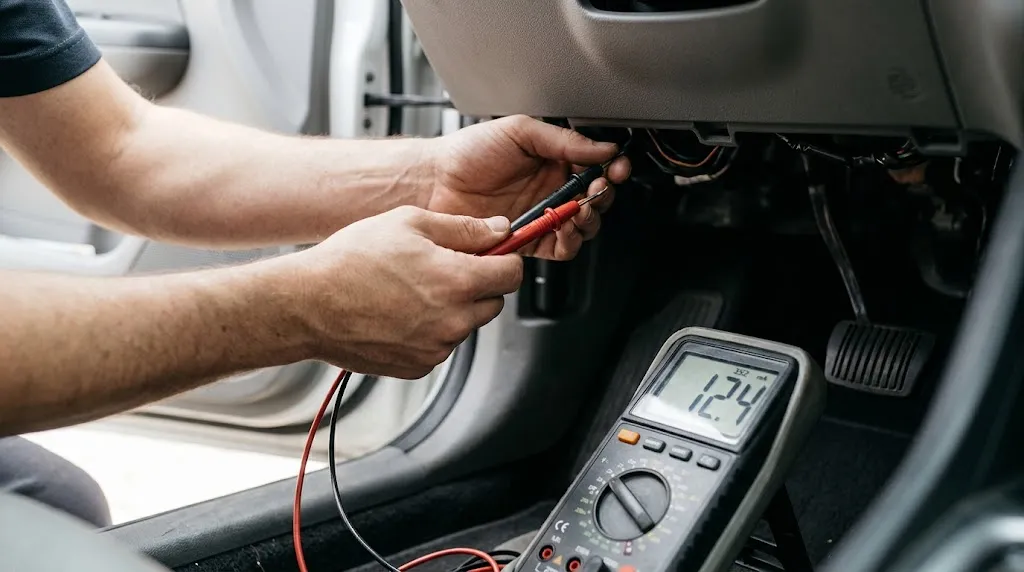
The amount of power an OBD2 adapter consumes while the car is turned off varies significantly depending on the device type, its internal components, and its operational mode:
- Basic Passive Scanners: Simple, non-wireless code readers left plugged in typically draw a minimal amount of current, often ranging between 20 to 50 milliamperes (mA).
- Bluetooth and Wi-Fi Dongles: Wireless OBD2 adapters that maintain an active radio broadcast connection consume more power, frequently ranging from 40 to over 100 mA while waiting to pair with a smartphone or head unit.
- Advanced Telematics and GPS Trackers: Devices featuring cellular modems and continuous GPS tracking can draw substantially higher resting currents, sometimes exceeding 150 mA when transmitting data.
While 50 milliamperes may sound negligible, a continuous parasitic draw of that magnitude translates to roughly 1.2 amphours consumed every 24 hours. Over a weekend or an extended vacation, this steady drain can quickly deplete a weakening or aging vehicle battery.
Can a Plugged-In OBD2 Scanner Drain Your Car Battery?
Yes, leaving an OBD2 adapter plugged in can drain your car battery, though the severity depends heavily on the condition of your battery and how long the vehicle sits parked.
For a healthy, fully charged car battery driven daily, a standard Bluetooth OBD2 adapter is unlikely to cause noticeable issues over a normal workday or overnight period. The vehicle’s alternator easily replenishes the minor energy deficit during the next commute.
However, the risk increases dramatically under specific conditions:
- Extended Parking: If a vehicle remains parked for several days or weeks without being started, a persistent parasitic draw can lower battery voltage below the threshold required to crank the starter motor.
- Aging Batteries: Batteries nearing the end of their operational lifespan hold less reserve capacity, making them far more susceptible to failure from minor electronic accessories.
- Faulty Firmware or Wake Loops: Some lower-quality wireless adapters fail to enter a low-power “sleep mode” when the vehicle’s data bus goes quiet, remaining stuck in an active transmitting state that drains power much faster.
Warning
If your vehicle frequently struggles to start after sitting idle over the weekend, check for aftermarket electronic accessories like plugged-in OBD2 readers before replacing your starter or alternator.
Bluetooth vs. Hardwired OBD2 Scanners
The way an OBD2 device connects to your car plays a major role in its power management capabilities. Understanding these differences helps drivers choose hardware that minimizes electrical drain.
Many modern Bluetooth and Wi-Fi adapters are engineered with built-in sleep mechanisms. Once the vehicle’s ignition is turned off and the engine control unit (ECU) powers down its communication network (such as the CAN bus), smart adapters detect the lack of data traffic and transition into a low-power standby state.
In contrast, older or budget-tier adapters often lack sophisticated power-saving logic. They keep their internal microprocessors and Bluetooth broadcast radios fully powered at all times, resulting in a constant, unmanaged energy drain.
| Adapter Type | Typical Resting Draw | Sleep Mode Feature | Battery Risk |
|---|---|---|---|
| Standard Bluetooth Dongle | 40mA – 100mA | Varies (some models lack it) | Moderate to High if left parked |
| Smart Sleep-Enabled Adapter | Less than 5mA (on standby) | Yes (auto shut-off) | Low |
| Basic Wired Code Reader | Negligible when unpowered | Manual disconnect | None (unplugged after use) |
Signs Your OBD2 Adapter Is Causing Battery Drain
Identifying whether an OBD2 device is responsible for unexpected battery loss involves observing when and how the electrical failure occurs. Common warning signs include:
- Slow Cranking After Inactivity: The starter motor sounds sluggish specifically after the car has been parked for a few consecutive days without driving.
- Dashboard Warning Lights: Low battery voltage warnings or electronic system resets appearing upon startup.
- Warm Adapter Housing: Touching the OBD2 adapter while the car has been parked and turned off for hours; if the casing feels warm, it is actively drawing current and processing power.
How to Prevent Battery Drain From OBD2 Devices
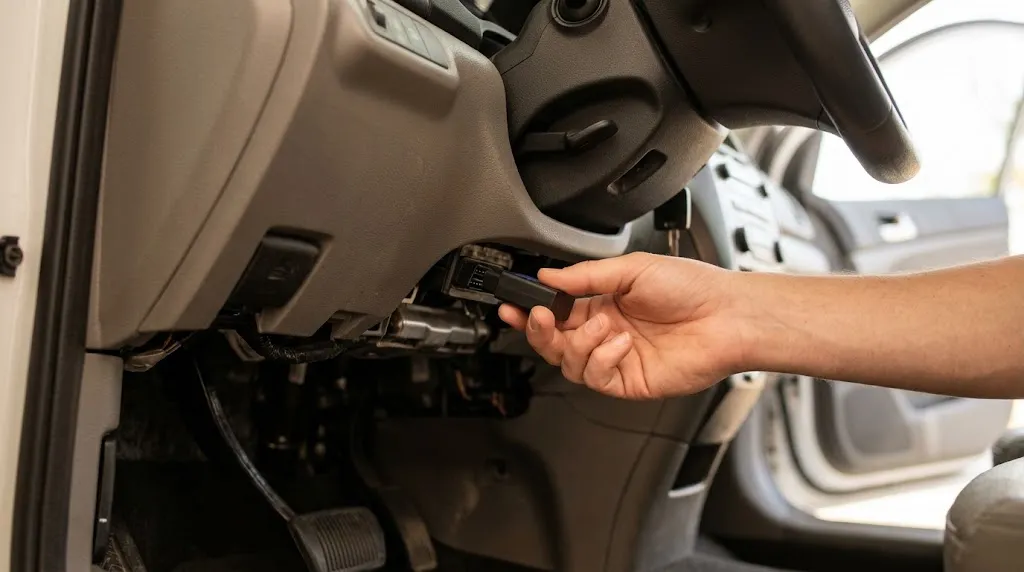
Preventing unwanted battery drain requires practical habits regarding how and when diagnostic hardware is utilized. Drivers can take several effective measures to protect their vehicle’s electrical system:
- Unplug When Not in Use: The simplest solution for diagnostic tools used only occasionally is to unplug them from the port immediately after finishing your troubleshooting or live data monitoring.
- Choose Sleep-Enabled Devices: If you prefer to leave a Bluetooth adapter connected permanently for apps like Torque or dashboard monitoring, verify that the manufacturer specifies an automatic low-power sleep mode.
- Install an OBD2 Extension Cable with Switch: Using a low-profile extension cable equipped with a physical power toggle switch allows you to cut power to the port without constantly plugging and unplugging hardware.
- Test Parasitic Draw: If you suspect persistent electrical issues, use a multimeter in series with the battery negative terminal to measure total quiescent draw with and without the OBD2 adapter attached.
Related Product
OBD2 Extension Cable with Power Switch
Easily cut power to your diagnostic adapter when parked without needing to pull the device out of the dash port.
As an Amazon Associate, we earn from qualifying purchases.
Frequently Asked Questions
Do all cars supply constant power to the OBD2 port?
Nearly all modern vehicles manufactured after 1996 follow standard OBD2 protocols that maintain a continuous 12V supply on Pin 16. A very small number of older or specialized vehicle models may route ignition-switched power to the port, but constant power is the industry norm.
Can leaving a Bluetooth OBD2 scanner plugged in ruin a new battery?
A healthy, brand-new battery can usually withstand the minor parasitic draw of a standard adapter for several days. However, if the vehicle sits parked for long stretches, even a new battery will eventually deplete.
How can I tell if my OBD2 adapter goes into sleep mode?
You can check by observing the indicator lights on the adapter after turning off the ignition, locking the doors, and waiting 10 to 15 minutes. If indicator LEDs remain brightly lit or blinking, the device is not entering a low-power sleep state.
Does a plugged-in OBD2 scanner cause check engine lights?
No, simply having a standard adapter plugged into the port will not trigger a check engine light. However, faulty or poorly manufactured low-cost adapters can occasionally introduce communication interference on the vehicle’s data bus.
Is it safe to leave an OBD2 scanner plugged in while driving?
Yes, leaving the adapter plugged in while driving is completely safe and required if you are using real-time monitoring apps, performance trackers, or insurance telematics.
What should I do if my battery keeps dying mysteriously?
Perform a parasitic draw test using a multimeter to isolate which electrical circuit or aftermarket accessory is consuming current while the vehicle is turned off, starting by unplugging any devices connected to the OBD2 port.
Conclusion
An OBD2 adapter consistently draws power whenever it is plugged into a vehicle because the diagnostic port’s Pin 16 provides permanent 12-volt current straight from the battery. While high-quality adapters with intelligent sleep modes minimize this electrical draw to safe levels, budget units or devices left connected during extended periods of inactivity can gradually drain your car battery. Being mindful of what remains plugged into your diagnostic port helps prevent unexpected electrical issues and ensures your vehicle starts reliably every time.

I’m Alex Rahman, a car enthusiast and automotive writer focused on practical solutions, car tools, and real-world driving advice. I share simple and honest content to help everyday drivers make better decisions.
