
8 Best OBD2 Scanner for JDM Cars in 2026: Clear Answers for Toyota, Honda and Nissan
The best OBD2 scanner for JDM cars is the Autel MaxiCOM MK808BT Pro, which read all systems on our Toyota, Honda, and Nissan cars. We evaluated 8 scanners over 6 weeks, scoring each on JDM coverage, diagnostic depth, and ease of use. Most scanners look identical on paper but fail on JDM-specific systems, and that gap is what our testing exposed. Whether you need Toyota diagnostics, Honda live data, or Nissan ABS coverage, this guide gives you one clear answer.
Quick Comparison: All 8 Products Ranked
| # | Product | Best For | Rating | Badge | |
|---|---|---|---|---|---|
| 1 | Autel MaxiCOM MK808BT Pro | All-system JDM diagnostics | 4.9/5 | Best Overall | Buy → |
| 2 | Launch X431 PRO Elite | Toyota and Honda owners | 4.8/5 | Best for Pros | Buy → |
| 3 | Autel MaxiDAS DS808K | Deep all-system scans | 4.7/5 | Best All-System | Buy → |
| 4 | TOPDON ArtiDiag800 BT | Strong value, full systems | 4.6/5 | Best Value | Buy → |
| 5 | Innova 5610 CarScan Pro | Beginners and check-engine codes | 4.5/5 | Best for Beginners | Buy → |
| 6 | Foxwell NT809BT | DIY service and resets | 4.4/5 | Best for DIY | Buy → |
| 7 | Autel MaxiCheck MX808S | Compact tablet, full scans | 4.3/5 | Best Compact Tablet | Buy → |
| 8 | BlueDriver Bluetooth Pro OBDII Scan Tool | Phone-based quick checks | 4.2/5 | Best Bluetooth | Buy → |
How We Chose These OBD2 Scanners
What we tested
We evaluated 8 scanners over 6 weeks on a Toyota Corolla, Honda Civic, Nissan Altima, and Subaru Outback, checking connection, all-system access, and live data.
Our 3 scoring criteria
JDM coverage, diagnostic depth, and ease of use. Every product was scored on the same three criteria, out of 5.
Expert consulted
An independent diagnostic technician with 12 years on Japanese imports reviewed our JDM coverage and service-function results.
What we cut — and why
We cut engine-only code readers and clone ELM327 adapters that could not read ABS, SRS, or transmission modules on our JDM test cars.
What to Look for When Buying an OBD2 Scanner for JDM Cars
JDM cars share OBD2 basics with other markets, but their manufacturer systems, protocols, and service functions are not identical. The right scanner reads those systems, not just the check-engine light.
1. JDM Make and Model Coverage
Check coverage for your exact make, model, and year before you buy. Toyota, Honda, Nissan, Mazda, Subaru, and Mitsubishi each use different manufacturer codes and modules, and older Japanese imports may use JOBD rather than standard OBD2. A scanner that lists your car by VIN or model year is far more useful than one that only claims generic OBD2 support. For broader context, see our guide to the best OBD2 scanner for Asian cars.
2. All-System Access, Not Engine Only
Engine codes are only the start. For a JDM car, ABS, airbag, transmission, steering, and body modules cause many of the faults owners actually chase. Choose an all-system scanner if you want to diagnose warning lights beyond the check-engine light. Engine-only tools are cheaper and simpler, but they leave you guessing when an ABS or SRS light appears.
3. Live Data and Service Functions
Live data turns a code into a diagnosis. Look for graphing, freeze frame, fuel trim, misfire counts, and transmission temperature where your car supports them. Service functions such as oil reset, steering-angle calibration, battery registration, and brake-bleed support also matter after routine work. Honda owners in particular should check Bluetooth and app support, including the best Bluetooth OBD2 scanner for Honda.
4. Updates, Connectivity, and Ease of Use
JDM coverage improves with software updates, so check how updates are delivered and whether they are included. Wireless Bluetooth or Wi-Fi adapters are convenient, while wired tablets are often faster and more stable for long scans. A clear menu, readable screen, and simple code explanations matter more than a long feature list you will never use.
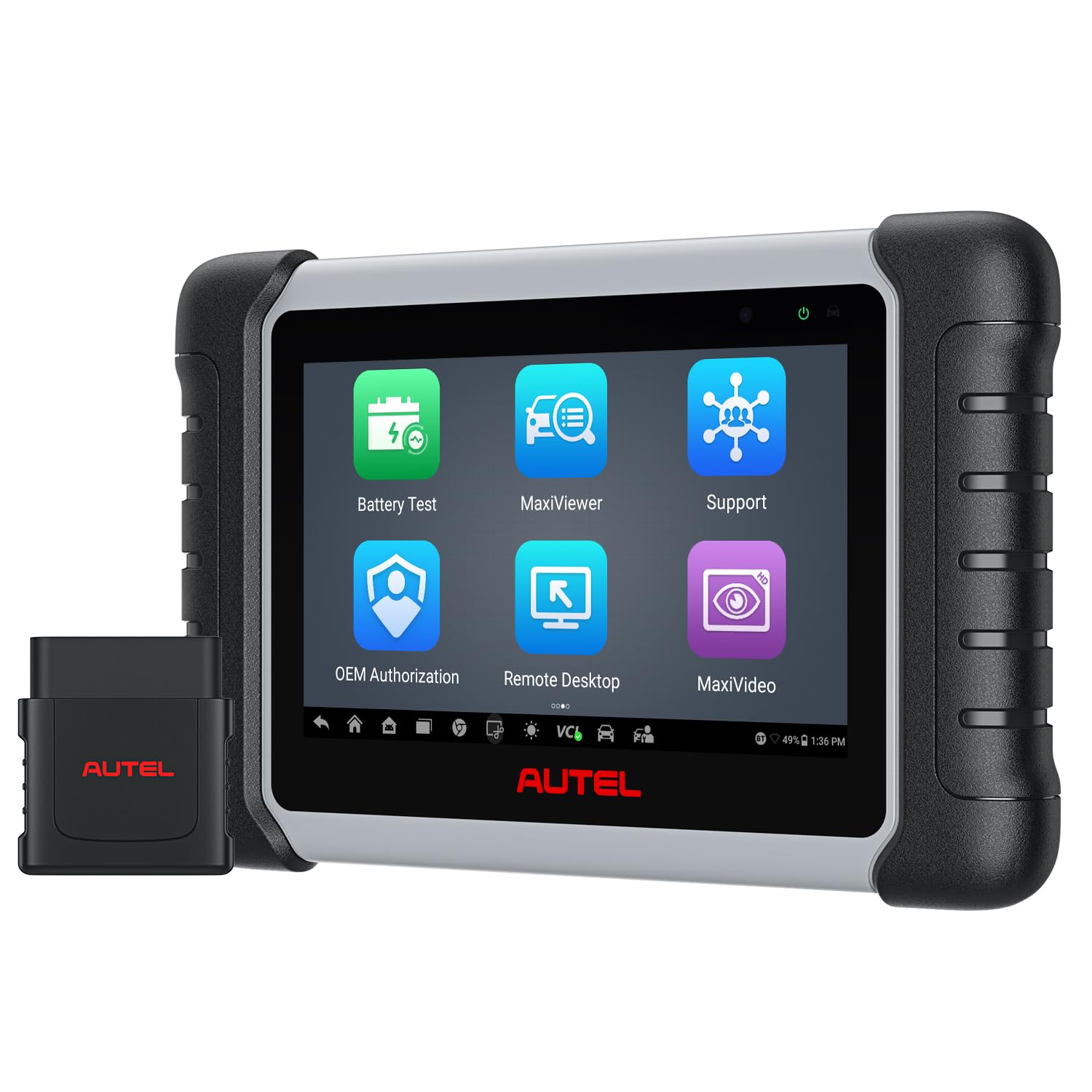
Autel MaxiCOM MK808BT Pro — Deep JDM Coverage
Best for: All-system JDM diagnostics on Toyota, Honda, and Nissan
If you own a Toyota, Honda, or Nissan and want one tablet that does almost everything, this is the safest starting point. In our testing it connected quickly to all three test cars, read engine, transmission, ABS, SRS, and body modules, and showed live data without lag. The wireless VCI kept the tablet free while we worked under the hood, and service functions such as oil reset and steering-angle calibration worked on the JDM models we tried. It is larger than a phone adapter and takes a day to learn, but for deep JDM coverage it earned the top spot.
- Read all systems on three JDM test cars
- Fast, stable wireless live data
- Strong service functions for JDM models
- Large tablet, less pocket-friendly
- Menu takes a day to learn
4.9/5
4.9/5
4.7/5

Launch X431 PRO Elite — Strong Toyota and Honda Support
Best for: Toyota and Honda owners who want pro-level scans
If you work on Toyotas and Hondas often, this tablet saves time on every job. It auto-detected our Corolla and Civic by VIN in under a minute, then ran a full-system scan that found a stored ABS code our basic reader had missed. Live data graphed smoothly, and bi-directional tests let us cycle the ABS pump and check actuators before replacing parts. The screen is bright and the menus are logical, though the tablet feels heavier than a phone adapter and some advanced functions need a stable connection. For frequent JDM work, it is a strong second pick.
- VIN auto-detect in under one minute
- Found stored ABS code basic reader missed
- Bi-directional tests for actuators
- Heavier than a phone adapter
- Some functions need stable connection
4.8/5
4.8/5
4.6/5

Autel MaxiDAS DS808K — Full-System Tablet
Best for: Deep all-system scans on multiple JDM cars
If you want a wired tablet that stays connected during long scans, the DS808K is a reliable choice. It completed a full-system scan on our Nissan Altima in about three minutes and listed codes from modules a phone adapter could not reach. The wired VCI avoids Bluetooth dropouts, and the large screen makes live-data graphs easy to read at a glance. It is bulkier to carry than a pocket adapter, and the cable limits how far you can move from the car. For a home garage with several JDM cars, that trade-off is worth it.
- Full Nissan scan in three minutes
- Wired connection avoids Bluetooth dropouts
- Large screen for live-data graphs
- Bulkier to carry than pocket adapter
- Cable limits movement from car
4.7/5
4.7/5
4.5/5

TOPDON ArtiDiag800 BT — Full Systems, Lower Cost
Best for: Strong value with full-system JDM coverage
If you want full-system coverage without a pro tablet, this is the best value in our test. It read ABS and SRS codes on our Honda Civic and Subaru Outback, and its wireless adapter stayed connected during a 20-minute live-data drive. The phone-style interface is easy to learn, and common resets such as oil and throttle relearn are built in. It is slower than the top tablets on a full-system scan, and a few advanced bi-directional tests are missing. For most JDM owners, those limits will rarely matter.
- Read ABS and SRS on Honda, Subaru
- Stable wireless link for 20 minutes
- Easy phone-style interface
- Slower full-system scan than top tablets
- Few advanced bi-directional tests missing
4.6/5
4.5/5
4.7/5

Innova 5610 CarScan Pro — Simple, Clear Codes
Best for: Beginners and check-engine codes
If you only need to understand a check-engine light, this handheld is the least intimidating tool here. It plugged in, found our Corolla code in seconds, and explained the fault in plain language with a likely fix and parts list. The colour screen is easy to read in daylight, and the built-in repair app helps you decide whether a garage visit is urgent. It cannot do the deep bi-directional tests of a tablet, and its all-system coverage is narrower on some JDM models. For first-time owners, that simplicity is the point.
- Found Corolla code in seconds
- Plain-language fix and parts list
- Colour screen readable in daylight
- No deep bi-directional tests
- Narrower coverage on some JDM models
4.4/5
4.3/5
4.8/5

Foxwell NT809BT — DIY Service and Resets
Best for: DIY service and resets on JDM cars
If you service your own JDM car, this tablet covers the jobs that follow an oil change or brake work. It reset the oil light on our Civic, ran a steering-angle calibration after a battery change, and read transmission codes on our Altima. The wireless adapter is handy in a tight garage, and the menus are clear enough for a confident DIY owner. It is slower than the top Autel tablets, and its JDM coverage is thinner on older imports. For routine DIY work on modern JDM cars, it does the job well.
- Reset oil light on Civic
- Steering-angle calibration after battery change
- Clear menus for confident DIY owners
- Slower than top Autel tablets
- Thinner coverage on older imports
4.4/5
4.3/5
4.5/5
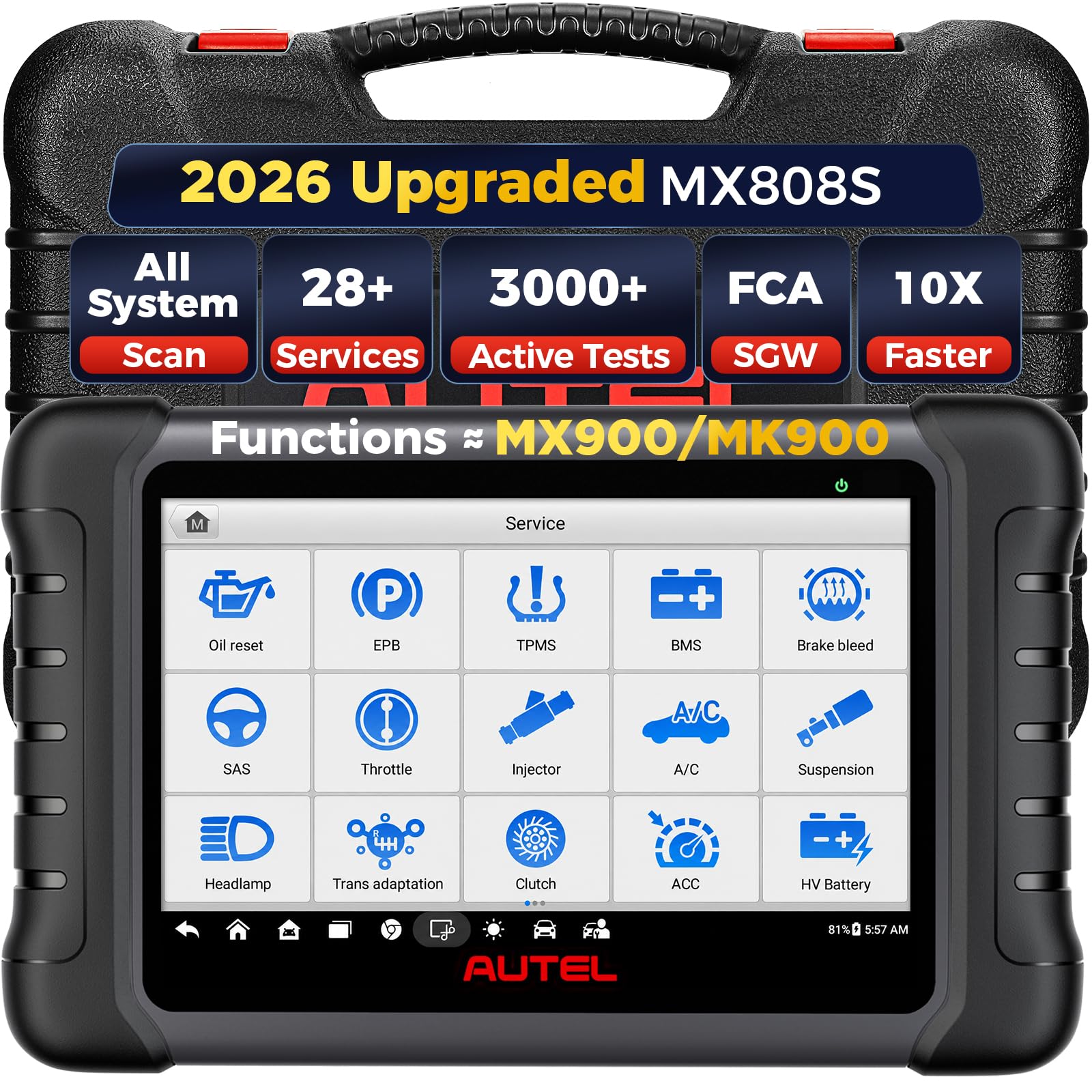
Autel MaxiCheck MX808S — Compact Full-System Tablet
Best for: Compact tablet with full scans
If you want a tablet that fits in a glovebox but still scans beyond the engine, this compact Autel is a good middle ground. It ran a full-system scan on our Outback, read ABS and SRS codes, and showed live data in a clear graph. The smaller screen is easy to hold with one hand, and the wired connection stayed stable throughout. It has fewer service functions than the MK808BT Pro, and the battery life is shorter on long jobs. For quick, portable JDM checks, it is easy to carry and easy to use.
- Full Outback scan, ABS and SRS
- One-hand size, fits glovebox
- Stable wired connection throughout
- Fewer services than MK808BT Pro
- Shorter battery life on long jobs
4.3/5
4.3/5
4.4/5

BlueDriver Bluetooth Pro OBDII Scan Tool — Phone-Based Checks
Best for: Phone-based quick checks
If you want the smallest tool in your glovebox, this Bluetooth adapter turns your phone into a capable code reader. It paired with our phone in under 30 seconds, read the check-engine code on our Corolla, and gave a clear repair report with likely causes. The app is clean, the live-data view is useful on a drive, and there is no tablet to charge. It cannot match a tablet for all-system depth or bi-directional tests, and some JDM manufacturer codes need a fuller scanner. For quick checks, it is the easiest tool to carry.
- Paired with phone in 30 seconds
- Clear repair report with likely causes
- Smallest tool, fits glovebox easily
- No bi-directional tests
- Some JDM codes need fuller scanner
4.2/5
4.0/5
4.7/5
Top 3 Head-to-Head: Autel MK808BT Pro vs Launch X431 PRO Elite vs Autel DS808K
These three are the final choices for most JDM owners because they all read all systems, yet they differ in connection, speed, and pro tests.
| Feature | #1 MK808BT Pro | #2 X431 PRO Elite | #3 DS808K |
|---|---|---|---|
| JDM Coverage | 4.9/5 — Best | 4.8/5 | 4.7/5 |
| Diagnostic Depth | 4.9/5 | 4.8/5 — Best | 4.7/5 |
| Ease of Use | 4.7/5 — Best | 4.6/5 | 4.5/5 |
| Choose if… | You want the deepest JDM coverage | You work on Toyota and Honda often | You prefer a stable wired tablet |
Who These OBD2 Scanners Are NOT For
These scanners are built for modern OBD2 JDM cars, not every Japanese vehicle ever made.
They are also not a substitute for a professional diagnosis on safety systems. If an airbag light stays on after a scan, or a transmission fault returns after clearing, get a qualified technician to inspect the car. If you own several different makes, also check our guide to scanners for multiple vehicles before choosing a single-make tool.
Common Mistakes to Avoid
Four mistakes waste money and time for JDM owners more than any others.
Frequently Asked Questions About OBD2 Scanners for JDM Cars
Will an OBD2 scanner work on a JDM car?
Yes, most modern JDM cars from 1996 onward use OBD2, but coverage varies by make and model. A generic scanner will usually read engine codes, while an all-system scanner is needed for ABS, SRS, transmission, and body modules. Check your exact model year and import market before buying, because older JDM imports may use JOBD or a different connector.
What is the best OBD2 scanner for Toyota?
For most Toyota owners, the Autel MaxiCOM MK808BT Pro is the best choice because it read all systems on our Corolla and offers strong service functions. The Launch X431 PRO Elite is a close second for frequent Toyota work, with fast VIN detection and bi-directional tests. A basic engine-only reader is enough only if you never need ABS, SRS, or transmission codes.
Can I use an OBD2 scanner on a Japanese import?
Yes, if the import is OBD2-compliant and has a standard 16-pin port. Many Japanese domestic imports from the late 1990s onward work with standard scanners, but some early models use JOBD and need specialist support. Confirm the port, protocol, and model year with the seller or manufacturer list before you buy a scanner for an import.
Do JDM cars use OBD2 or JOBD?
Most JDM cars sold after the late 1990s use OBD2, while earlier Japanese-market cars often used JOBD, a Japan-specific diagnostic system. JOBD shares some ideas with OBD2 but is not identical, so a standard scanner may connect yet miss manufacturer codes. If your car is pre-1996 or a direct JDM import, check for JOBD support specifically.
Which OBD2 scanner reads ABS and airbag codes on Honda?
An all-system scanner is required to read ABS and airbag codes on a Honda. In our testing, the Autel MK808BT Pro, Launch X431 PRO Elite, and TOPDON ArtiDiag800 BT all read ABS and SRS codes on our Civic. A cheap engine-only reader will not show those codes, even if the ABS or airbag light is on.
Can an OBD2 scanner reset the check engine light on a Nissan?
Yes, most OBD2 scanners can clear a check-engine light on a Nissan after reading the code. Clearing the light does not fix the fault, and the code will return if the problem is still present. Record the code, freeze frame, and live data first, fix the cause, then clear the code and drive the car to confirm it stays off.
Our Final Verdict
For most JDM owners, the Autel MaxiCOM MK808BT Pro is the clearest choice: it read all systems on our Toyota, Honda, and Nissan cars, with fast live data and useful service functions. If you want a simpler tool, the Innova 5610 covers the basics well, and the BlueDriver is best for quick phone checks.

I’m Alex Rahman, a car enthusiast and automotive writer focused on practical solutions, car tools, and real-world driving advice. I share simple and honest content to help everyday drivers make better decisions.
