Can an OBD2 Device Drain Your Car Battery? Causes & Fixes
Quick Answer
Yes, an OBD2 device can drain your car battery, but it usually happens only if the device lacks an auto-sleep mode, remains plugged in for extended periods without driving, or encounters a vehicle communication bus glitch that keeps car modules awake.
How an OBD2 Port Draws Power
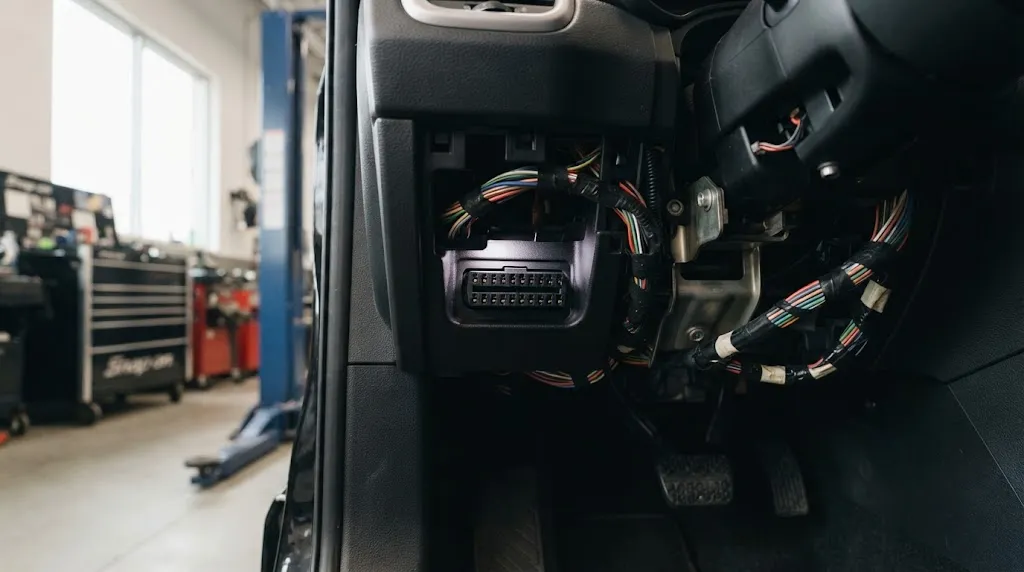
The On-Board Diagnostics (OBD2) port found under the driver’s side dashboard is not merely a data connection. Pin 16 of the standardized 16-pin connector provides constant, unswitched battery power directly from the vehicle’s electrical system, even when the ignition is completely switched off.
This constant power supply is intentionally designed to allow vehicle computers to maintain memory for diagnostic trouble codes, sensor calibrations, and emission readiness monitors without needing to reset every time the engine turns off. However, this same permanent power line means that any electronic device plugged into the port has a direct path to draw electrical current from the battery around the clock.
Standard Power Draw Versus Parasitic Drain
In a healthy modern vehicle, a baseline parasitic draw is completely normal. Various electronic modules—such as the security system, clock, radio presets, and powertrain control module—draw a small amount of quiescent current, usually totaling between 20 to 50 milliamps.
When an aftermarket OBD2 scanner, Bluetooth dongle, insurance tracking device, or fleet telematics unit is plugged into the port, it adds its own electrical load to that baseline. While a high-quality, power-efficient Bluetooth diagnostic adapter might draw only 10 to 30 milliamps, poorly engineered or continuously active devices can draw anywhere from 50 to over 200 milliamps. Over the course of several days of inactivity, that additional draw can easily pull a battery’s voltage below the threshold needed to crank the starter motor.
Why Certain OBD2 Devices Drain Batteries Faster
Not all OBD2 adapters behave the same way when the ignition key is removed. The tendency of a device to cause a dead battery typically comes down to its firmware design, wireless connection status, and power management features.
Lack of Sleep or Low-Power Modes
The primary culprit behind OBD2 battery drain is the absence of an efficient sleep mode. Premium OBD2 adapters are programmed to detect when the vehicle’s engine shuts down and the data bus goes quiet, allowing the adapter to drop into an ultra-low power consumption state. Cheap or generic ELM327-based Bluetooth dongles often lack this intelligent power-saving logic. They remain fully powered on, broadcasting their Bluetooth or Wi-Fi pairing signal indefinitely, continuously draining current.
Continuous Wireless Transmission
Wireless adapters designed for real-time monitoring apps or diagnostic dashboards maintain an active radio frequency link. If a smartphone remains within range of the vehicle—such as when parked in an attached garage close to a living room—the phone and the OBD2 dongle may persistently attempt to maintain their Bluetooth connection. This constant handshake prevents the adapter from entering a dormant state and can even prevent certain vehicle control modules from shutting down.
How OBD2 Devices Keep Vehicle Computers Awake
Sometimes the battery drain is not caused directly by the power consumed by the OBD2 device itself, but rather by how the device interacts with the vehicle’s computer networks.
Modern vehicles use multiplex communication networks, such as the Controller Area Network (CAN bus), to allow different electronic control units (ECUs) to talk to one another. When you turn off the ignition, these computers go through a programmed shutdown sequence, eventually entering a “sleep” state to minimize electrical draw.
Certain OBD2 tools continuously poll the vehicle’s data bus, requesting live parameters or diagnostic trouble codes even when the engine is off. This continuous data traffic tricks the vehicle’s computers into thinking the car is still running or being actively diagnosed, keeping multiple control modules awake and multiplying the overall parasitic draw on the battery.
Warning
Leaving a diagnostic tool plugged in while jump-starting a vehicle can expose the device to voltage spikes that may damage both the adapter and the vehicle’s computer network. Always unplug aftermarket OBD2 devices before performing a jump start or heavy electrical service.
Signs Your OBD2 Device is Causing Battery Drain
Identifying whether an OBD2 accessory is responsible for a dead or weak battery requires observing patterns in how the vehicle behaves over time.
- Intermittent No-Start Issues: The car starts reliably after daily driving, but struggles to crank or goes completely dead after sitting over a weekend or a multi-day trip.
- Warm Battery Drain: The battery tests healthy under load and the alternator charges properly, yet the vehicle consistently loses charge when parked.
- Active Wireless Signals: You notice a persistent Bluetooth or Wi-Fi signal name corresponding to your diagnostic adapter broadcasting inside the vehicle long after the engine has been turned off and locked.
- Warm Adapter Housing: The OBD2 adapter feels physically warm to the touch even after the car has been parked and turned off for several hours, indicating continuous electrical current flow.
How to Prevent OBD2 Battery Drain
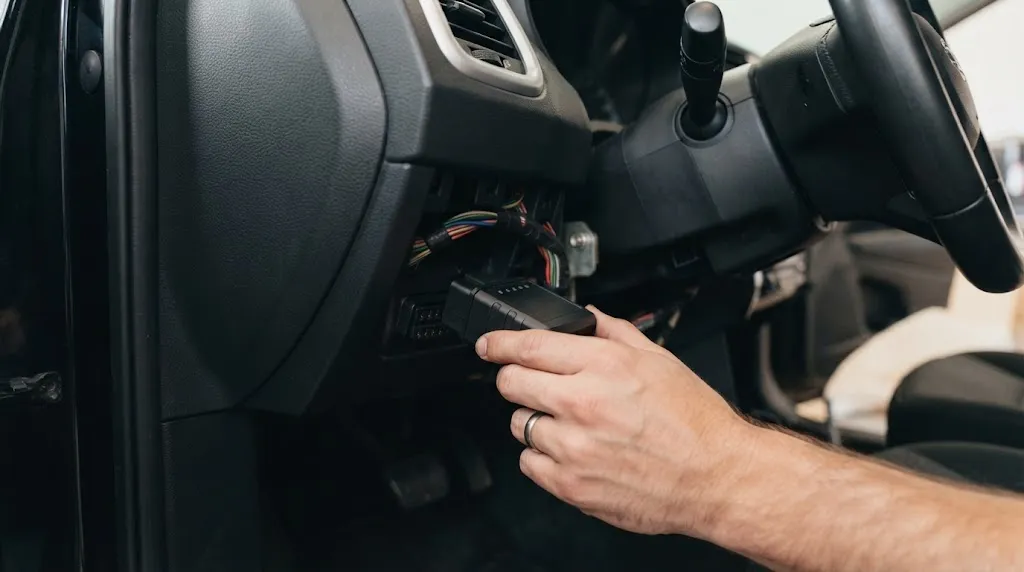
If you rely on an OBD2 scanner for tracking fuel economy, monitoring engine parameters, or fleet management, you can prevent battery drain by implementing a few straightforward operational habits.
Tip
If you must keep a monitoring device plugged in permanently, choose a reputable brand that explicitly features an automated sleep mode or ultra-low standby current draw rated under 10 milliamps.
1. Unplug the Device When Not in Use
The simplest and most foolproof method is to remove the OBD2 scanner from the port whenever you finish driving, particularly if you plan to leave the vehicle parked for more than 24 to 48 hours.
2. Use an OBD2 Extension Cable with a Power Switch
If the OBD2 port is located in an awkward or difficult-to-reach area under the dashboard, you can install a low-profile OBD2 extension cable that features an integrated physical rocker switch. This allows you cut power to the port instantly without physically pulling and reinserting the main connector.
3. Upgrade to an Energy-Efficient Adapter
If your current adapter drains the battery within a couple of days, replace it with a modern unit that includes built-in voltage sensing and automatic sleep technology. Quality units automatically power down into a micro-amp sleep state seconds after the engine stops communicating.
Related Product
OBD2 Extension Cable with Power Switch
An extension cable with a built-in toggle switch makes it easy to cut power to diagnostic devices without constantly wearing out your vehicle’s factory OBD2 port.
As an Amazon Associate, we earn from qualifying purchases.
Frequently Asked Questions
Do all OBD2 scanners drain the car battery?
No. High-quality diagnostic tools and modern Bluetooth adapters with low-power sleep modes draw negligible current when the vehicle is turned off and will not drain a healthy battery during normal parking intervals. Battery drain is primarily an issue with cheap generic adapters or devices designed for continuous tracking.
How long can you leave an OBD2 scanner plugged in?
If the device has an efficient sleep mode, it can usually remain plugged in indefinitely without causing issues. However, if the device lacks power-saving features, it can begin to significantly weaken a standard car battery after sitting parked for just 48 to 72 hours.
Can insurance tracking devices drain my battery?
Yes. Plug-in telematics devices provided by auto insurance companies stay connected to cellular networks and GPS satellites. While they generally feature low-power sleep states, cars that sit parked for extended periods with these devices installed occasionally experience dead batteries.
Does plugging and unplugging the OBD2 port damage it?
Factory OBD2 ports are engineered to withstand multiple insertion cycles, but repeatedly plugging and unplugging bulky adapters can eventually loosen the internal spring pins. Using a short extension cable helps protect the vehicle’s permanent port from wear and tear.
How can I measure the parasitic draw from my OBD2 device?
You can measure parasitic draw by connecting a digital multimeter set to DC milliamps in series between the vehicle’s negative battery terminal and the disconnected negative battery cable, ensuring all doors are closed and modules have gone to sleep.
Will a dead battery caused by an OBD2 scanner ruin the battery?
Deep discharging a standard starting battery can shorten its overall lifespan and sulfate the internal lead plates, but a single occurrence will rarely ruin a relatively new, healthy battery if it is recharged promptly.
Conclusion
An OBD2 device can indeed drain your vehicle’s battery if it lacks proper power management or continuously polls the car’s computer networks while parked. While permanent power supplied to pin 16 is necessary for diagnostic memory, aftermarket dongles without efficient sleep modes can quietly deplete battery voltage over a few days of inactivity. By understanding how these devices interact with your vehicle’s electrical architecture and adopting simple habits like unplugging idle scanners or using switched extension cables, you can easily prevent unexpected no-start situations and keep your electrical system healthy.

I’m Alex Rahman, a car enthusiast and automotive writer focused on practical solutions, car tools, and real-world driving advice. I share simple and honest content to help everyday drivers make better decisions.
