OBD2 Freeze Frame Data Explained: How to Read It
Quick Answer
OBD2 freeze frame data is a saved snapshot of engine operating conditions when a qualifying fault is detected. It can show engine RPM, coolant temperature, vehicle speed, engine load, and fuel-system readings. This information helps explain the conditions under which a trouble code appeared, making it easier to investigate intermittent problems. Always save the freeze frame before clearing diagnostic codes.
A check engine light tells you that your car detected a problem. A diagnostic trouble code identifies the system or condition involved. But neither necessarily explains what the engine was doing when the problem appeared.
That missing context is where freeze frame data becomes useful. It may show that a fault appeared during a cold start, while idling, or when the engine was under heavy load.
Understanding those conditions can help you choose a more relevant diagnostic test instead of replacing parts based on a trouble code alone.
How Does OBD2 Freeze Frame Data Work?
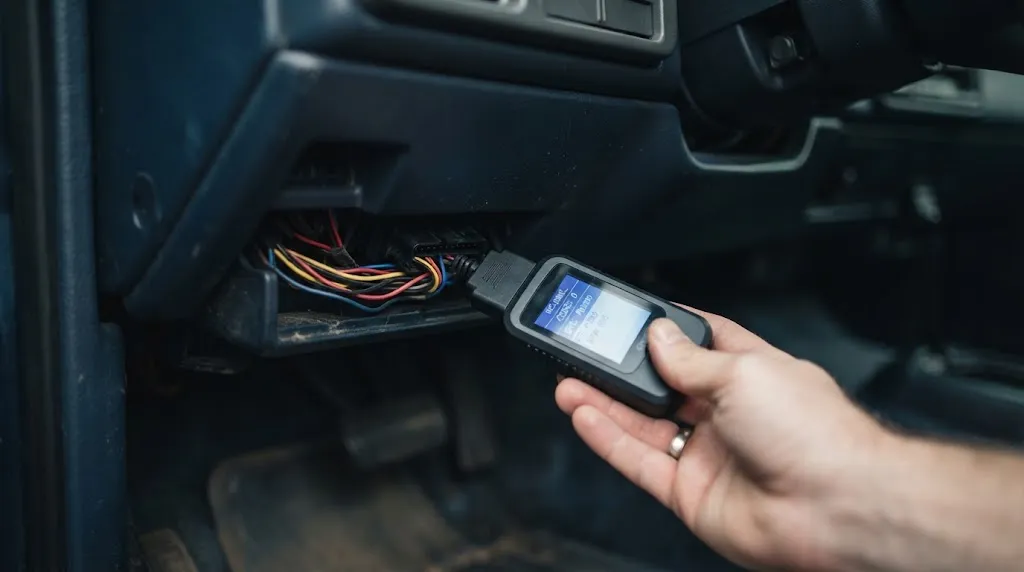
When the vehicle’s onboard diagnostic system detects a qualifying malfunction, the engine control module (ECM) or powertrain control module (PCM) stores selected operating information associated with that fault.
The stored information is called a freeze frame because the readings represent a particular moment rather than the engine’s current operating state.
For example, imagine a vehicle develops a fuel-mixture problem during highway driving. The driver reaches home and connects an OBD2 scanner.
Although the engine is now idling, the freeze frame may still show the RPM, speed, temperature, and load recorded when the fault occurred.
In traditional generic OBD2 diagnostics, freeze frame information is accessed through Service $02, commonly called Mode 02. Current engine information is accessed through Service $01.
The exact timing of snapshot storage depends on the diagnostic monitor and vehicle design. A pending code does not always have an available freeze frame, and a confirmed code does not guarantee that a separate snapshot is accessible.
Key Insight
A trouble code tells you which diagnostic test reported a problem. Freeze frame data adds the operating conditions associated with that event. Neither one proves that a particular component has failed.
What Information Does Freeze Frame Data Show?
Freeze frame records contain selected values called parameter identifiers, or PIDs. Each PID represents a measurement or operating status reported by the vehicle computer.
The available readings depend on the vehicle, the triggering fault, and the scanner. Common examples include the following.
| Parameter | What It Reveals |
|---|---|
| Engine RPM | How fast the engine was turning |
| Vehicle speed | Whether the vehicle was stationary or moving |
| Coolant temperature | Whether the engine was cold or warmed up |
| Calculated engine load | The relative demand placed on the engine |
| Short-term fuel trim | Immediate fuel-mixture correction |
| Long-term fuel trim | Learned fuel-mixture correction |
| Intake air temperature | Temperature of incoming air |
| Fuel-system status | Whether fuel control was operating in open or closed loop |
These readings are most useful when interpreted together. Engine load, RPM, speed, and temperature can help establish the conditions in which a fault appeared.
Not every scanner displays every parameter. A missing field should be treated as unavailable, not automatically interpreted as a zero reading.
How to Read Freeze Frame Data on an OBD2 Scanner
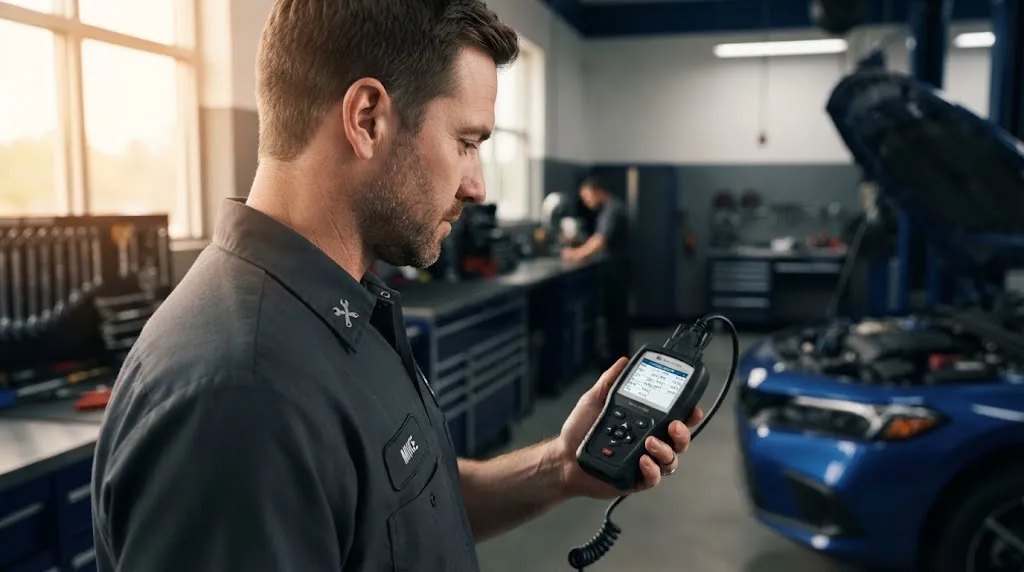
You can usually access freeze frame information with a compatible scan tool or OBD2 adapter and diagnostic application that supports the feature.
- Locate the OBD2 port. It is commonly found beneath the driver’s side dashboard. Consult your vehicle manual if its position is unclear.
- Connect the scanner. Plug it into the diagnostic connector while the vehicle is safely parked.
- Turn on the ignition. Follow the scanner’s instructions. Some procedures use ignition-on, engine-off mode.
- Read the trouble codes. Record each code and its status before making changes.
- Open the freeze frame menu. It may be labeled Freeze Frame, Freeze Data, or Mode 02.
- Identify the associated code. Check which diagnostic trouble code caused the displayed snapshot to be stored.
- Save the readings. Record the values and units using the scanner’s report function, screenshots, or photographs.
Save the information before selecting any erase or reset option. Also record whether each code is pending or confirmed and whether the vehicle’s readiness monitors have completed.
If you are checking a vehicle without an illuminated dashboard warning, understand that a scan can still reveal stored diagnostic information. However, freeze frame availability depends on what the vehicle previously recorded.
How to Interpret Freeze Frame Readings
Start by reconstructing the operating conditions, not by searching for one supposedly bad number.
Check Engine Temperature First
Coolant temperature helps distinguish cold-start problems from faults that appear after the engine warms up.
A fault recorded with a cold engine may justify inspecting systems involved in cold-start fuel control. A fault recorded at normal operating temperature suggests a different testing condition.
Temperature alone does not identify the failed component. Compare it with the vehicle’s actual operating characteristics.
Compare RPM, Speed, and Load
These three readings help identify whether the engine was idling, cruising, or operating under greater demand.
For instance, a fault at low RPM and zero road speed may have occurred while stopped. A fault at higher road speed and greater engine load may require investigation under a different operating condition.
Remember that calculated engine load is not simply throttle position. Its meaning depends on the engine-management system.
Understand Fuel Trim Values
Fuel trims describe corrections the engine computer makes to its fuel-delivery calculations.
Positive trim generally indicates that the computer is adding fuel relative to its calculated baseline. Negative trim generally indicates that it is reducing fuel.
However, fuel trims must be interpreted alongside fuel-system status, operating conditions, and vehicle-specific information.
A positive trim reading does not automatically prove there is a vacuum leak. Possible explanations may involve airflow measurement, fuel delivery, exhaust conditions, or other factors.
Example: Using Freeze Frame Data With a P0171 Code
Consider a hypothetical vehicle with diagnostic trouble code P0171, which indicates that the system is detecting a lean condition on Bank 1.
Suppose its freeze frame shows these illustrative values:
| Reading | Example Value |
|---|---|
| Engine RPM | 750 RPM |
| Vehicle speed | 0 mph |
| Coolant temperature | 194°F |
| Short-term fuel trim | +18% |
| Long-term fuel trim | +12% |
These are hypothetical readings, not results from a tested vehicle.
They suggest that the lean condition was detected while the engine was warm and idling. The positive fuel corrections show that the computer was commanding additional fuel under those conditions.
That creates a useful starting point. A technician might compare fuel trims at idle and at a higher steady engine speed, then inspect possible unmetered air leaks and relevant fuel-delivery or sensor problems.
If the trims improve substantially as engine speed increases, an idle-sensitive air leak may become a stronger possibility. It is still not a confirmed diagnosis.
The important lesson is that freeze frame data helps direct testing. It should not be used as proof that a particular part needs replacement.
Freeze Frame Data vs. Live OBD2 Data
Freeze frame and live data serve different purposes, even though they may display many of the same parameters.
| Freeze Frame | Live Data |
|---|---|
| Stored past operating conditions | Current operating conditions |
| Associated with a qualifying fault | Can be viewed without an active fault |
| A snapshot of selected values | Readings that update during monitoring |
| Useful for identifying past conditions | Useful for checking current sensor behavior |
For an intermittent fault, freeze frame may reveal the conditions to investigate. Live data can then help determine whether the same unusual behavior appears during a controlled diagnostic test.
This distinction is also described in Snap-on’s OBD2 service-mode documentation, which identifies Mode 01 as current data and Mode 02 as freeze frame information.
Does Every Trouble Code Have Freeze Frame Data?
No. A vehicle may show several diagnostic trouble codes but provide only one generic OBD2 freeze frame record.
The amount of available information depends on how the vehicle stores diagnostic events and which features the scanner can access.
Some systems give certain emissions-related faults higher storage priority. A subsequent misfire or fuel-system malfunction may replace a previously stored snapshot.
This priority behavior is documented in the federal OBD diagnostic requirements for vehicles covered by those provisions.
Manufacturer-specific diagnostic systems may also store additional event records for other modules, including transmission or body systems.
Therefore, do not assume that every code has its own generic freeze frame, or that the displayed snapshot belongs to the code you are most interested in.
Why You Should Save Freeze Frame Data Before Clearing Codes
Clearing diagnostic codes can also erase associated freeze frame information. On many vehicles, the same operation resets emissions readiness monitor status.
If the fault was intermittent, losing the snapshot can make it difficult to establish the original operating conditions.
For example, a code that appeared only during a cold morning start may not return during a warm afternoon inspection.
Warning
Do not erase codes simply to turn off the check engine light. Save the fault codes, freeze frame, and readiness status first. Clearing the warning does not repair the condition that caused it.
Once the information has been recorded and the problem properly investigated, code clearing may be part of the manufacturer’s prescribed repair verification procedure.
Why Is My OBD2 Freeze Frame Data Empty?
An empty freeze frame screen does not necessarily mean that the vehicle is fault-free or that the scanner is defective.
Possible explanations include:
- No qualifying fault snapshot is currently stored.
- The available trouble code has no accessible generic freeze frame.
- The associated diagnostic information was previously cleared.
- The scanner does not support the necessary mode or enhanced vehicle functions.
- The selected control module does not contain the requested information.
- Another fault has replaced an earlier snapshot under the vehicle’s storage rules.
Start by confirming that the scanner is communicating with the correct module. Check for stored and pending codes, then review the tool’s supported features.
If an enhanced diagnostic record is needed, consult vehicle-specific service information or use a compatible professional scanner.
Do not deliberately create a vehicle fault just to generate a freeze frame.
Common Mistakes When Using Freeze Frame Data
The most common interpretation mistake is treating one captured measurement as a complete diagnosis.
- Assuming a code identifies a failed part: A sensor-related code may be caused by wiring, airflow, fuel delivery, or other conditions rather than the sensor itself.
- Ignoring the triggering code: The displayed snapshot may belong to a different code than expected.
- Judging values without context: RPM, load, coolant temperature, and fuel status should be considered together.
- Confusing stored readings with live data: Freeze frame values do not change as the engine runs.
- Assuming every missing reading equals zero: Some information simply is not supported or available.
- Clearing information too early: Erasing stored evidence may make an intermittent fault harder to investigate.
One additional limitation is that a freeze frame is not a continuous event recorder. It normally cannot show which sensor changed first, how long the condition lasted, or everything that occurred before the fault was detected.
Use it to select sensible checks, then confirm the cause with appropriate testing.
Frequently Asked Questions
1. Can freeze frame data be read without a check engine light?
Yes. If the vehicle has retained an accessible freeze frame, a compatible scanner may retrieve it even when the check engine light is currently off. A dark dashboard does not guarantee that all diagnostic records are empty.
2. Does freeze frame data show the exact time a problem occurred?
Not necessarily. Generic OBD2 freeze frame data usually emphasizes operating conditions rather than a calendar date and time. Some manufacturer-specific records include timestamps, mileage, or event counters.
3. Can freeze frame data identify a bad sensor?
It can reveal suspicious readings or operating conditions, but it cannot reliably identify a failed sensor on its own. Additional testing is needed to distinguish a defective component from wiring faults, control problems, and normal responses to another malfunction.
4. Will disconnecting the battery erase freeze frame data?
It may, depending on the vehicle’s memory design and the reset performed. Do not disconnect the battery as a diagnostic reset before saving available codes and freeze frame records. Some information may persist, so battery disconnection is not a reliable method of clearing every fault.
5. Does freeze frame data prove when a fault first started?
No. It records conditions associated with a particular diagnostic event, not necessarily the first moment a physical problem developed. The underlying issue may have existed before the diagnostic system detected it.
6. Is freeze frame data available on every OBD2 scanner?
No. Many scanners support generic freeze frame retrieval, but some basic readers display only trouble codes. Check whether the tool supports Mode 02 and any additional manufacturer-specific information your vehicle requires.
Final Thoughts
OBD2 freeze frame data helps turn a diagnostic trouble code into a more useful starting point for troubleshooting. By showing selected engine conditions associated with a fault, it can help explain why a problem appeared during one driving situation but not another.
The most useful habit is simple: read the codes, save the freeze frame, understand the operating conditions, and investigate before erasing anything. That approach preserves valuable evidence and supports more accurate automotive diagnostics.

I’m Alex Rahman, a car enthusiast and automotive writer focused on practical solutions, car tools, and real-world driving advice. I share simple and honest content to help everyday drivers make better decisions.
