Can a Cheap OBD2 Adapter Damage a Car? Risks Explained
Quick Answer
Yes, but usually not by simply reading codes. A cheap adapter is most likely to cause trouble through a flat battery if left plugged in, confused warning lights from poor communication, a bad clear or coding command, a loose or faulty plug, or weak Bluetooth security. A well-made adapter used briefly for reading codes is low risk.
Many drivers buy a low-cost adapter, read a code, and never have a problem. The risk rises when it is a poor clone, stays connected for days, is used while driving, or changes settings it does not handle well.
What “cheap” usually means in practice
Here, cheap does not mean a simple adapter sold at a fair price. It means one that may cut corners on chip, firmware, voltage handling, sleep behaviour, Bluetooth security, or build quality. Many are sold as ELM327 adapters but use cloned or incomplete firmware rather than a genuine chip.
Two adapters that look almost identical can therefore behave very differently. One may connect cleanly and shut down when the car is off. The other may drop out, miss a fault, or stay awake after the ignition is off. Missing specifications, vague branding, no firmware information, and no mention of sleep mode or Bluetooth security are warning clues.
For the chip claim, see how to identify a genuine ELM327 . A clone is not automatically dangerous, but an unverified clone deserves more caution.
Reading codes is not the same as changing the car
Normal reading asks the car for stored codes, freeze-frame information, and live data. In a healthy setup, that is a read-only job, which is one reason a short, careful scan with a decent adapter is generally low risk.
The picture changes when a command changes something. Clearing codes, running a component test, or changing a module setting can have real consequences, even if the adapter is not faulty. Clearing codes also clears freeze-frame data and can reset readiness monitors, which may matter before an emissions test or a repair. With unreliable communication, a command may also fail halfway or be misreported.
The deeper question of engine-computer harm is covered separately in the guide to whether an OBD2 scanner can damage the ECU. The short version is that permanent hardware damage from reading alone is uncommon, while interference, lost data, and bad commands are the more realistic risks.
How a cheap adapter can actually cause damage
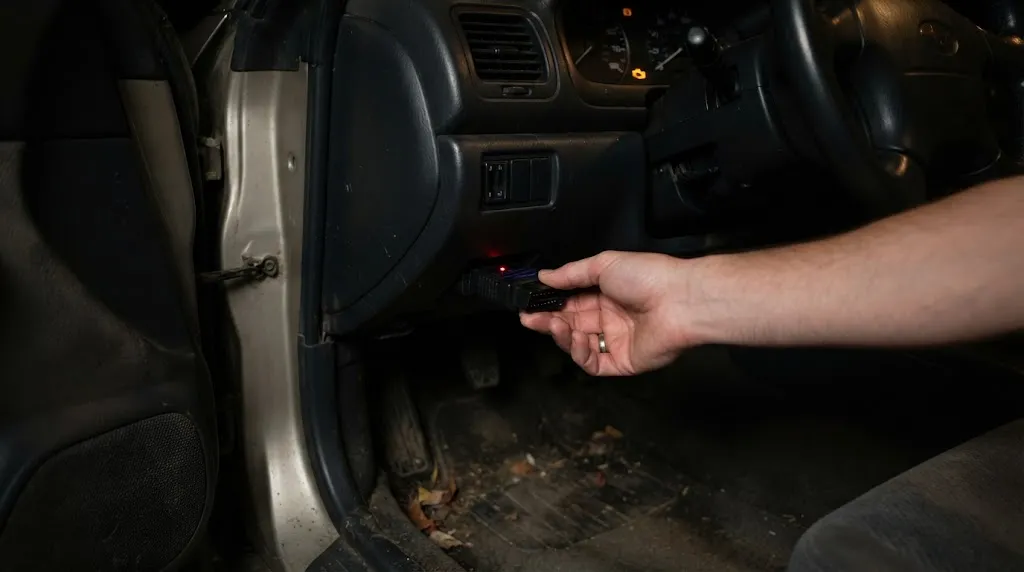
Damage usually falls into a few recognisable paths, each with a different warning sign and fix.
1. Battery drain from an adapter that never sleeps
The OBD2 port has battery power on pin 16 even when the ignition is off, so an adapter can keep drawing power while the car is parked. A well-designed adapter drops into low-power sleep mode when the car is off. A cheap one may stay fully awake, keep Bluetooth discoverable, or keep polling for a connection.
One night on a healthy, regularly driven car will not usually flatten the battery. The risk grows over several days, on a short-trip car, in cold weather, or when the battery is already weak. The result is often a slow crank or a no-start, and repeated deep discharge is hard on a battery over time.
The simplest control is to unplug the adapter when finished, unless it is a documented model with a proper sleep mode.
2. Confused communication on the CAN bus
Modern cars share information on the CAN bus, and a diagnostic adapter joins that conversation. A good adapter sends well-formed requests at a sensible rate. A faulty clone may send malformed requests, repeat them too aggressively, freeze mid-scan, or lose track of the protocol, leaving warning lights or new communication codes.
That does not prove the adapter has broken a control unit. Removing it, restarting the car, and rescanning with a better tool often clears the confusion. The problem is uncertainty: a driver may not know whether a new warning is real, a leftover communication error, or a fault the cheap adapter missed. Lights that appear only while it is connected point strongly to the adapter.
3. Clearing, coding, and other write commands
Clearing a code before a repair removes useful evidence. Freeze-frame data shows engine speed, temperature, and load when the fault was recorded, and once cleared, that snapshot is gone. Clearing can also reset readiness monitors, so a car close to passing an emissions test may suddenly show monitors as not ready.
Coding carries a higher risk. Changing a module setting without a backup, without knowing the original value, or with an app that does not fully support that car can change how a feature behaves, and a dropped link makes it worse. Do not use a low-cost, untested adapter for coding, key work, or any procedure that warns about battery voltage, a stable connection, or a backup.
See whether clearing codes resets readiness monitors for why a cleared car may need a drive cycle before it is ready again.
4. Physical and electrical faults in the plug itself
A poorly moulded plug may fit loosely or protrude far enough to be knocked by a knee or foot. Repeated movement can bend pins, damage the socket, or interrupt a scan, which is a particular concern during a write command.
Electrical faults are less common, but they are why build quality matters. Poor voltage regulation, a short inside a damaged adapter, or overheating should not be ignored. Signs include a hot adapter, a burning smell, a blown OBD2 fuse, or a port that no longer powers a known-good tool. Stop using it and do not keep swapping fuses until the cause is found.
5. Weak Bluetooth security and unwanted access
A Bluetooth adapter creates a wireless doorway to the diagnostic port. Many very cheap adapters use a fixed, well-known pairing code such as 0000 or 1234, stay discoverable while parked, or allow more than one connection. That widens the attack surface, especially if the adapter passes raw commands through without proper checks.
The FBI and NHTSA have warned drivers not to connect unknown or untrusted devices to the diagnostic port. Carnegie Mellon University’s Software Engineering Institute found many aftermarket devices simply passed serial data from a radio interface to the OBD-II port and on to the CAN bus, so unsanitised data could reach vehicle systems. Ford’s owner manual warning says aftermarket devices used during normal driving may interfere with or even damage vehicle systems. Those warnings concern untrusted devices as a category, not a claim that every cheap adapter will be hacked.
Pair only when needed, unplug it when parked for a long period, and avoid one that stays openly discoverable.
Warning
Unplug it at once if it gets hot, smells of burning, blows a fuse, or causes warning lights only while connected.
What a cheap adapter usually will not do
A cheap adapter used briefly to read codes will not normally rewrite engine software or destroy the ECU on its own, and it will not automatically void the entire warranty. Ford’s wording is narrower: the warranty will not cover damage caused by an aftermarket plug-in device. A dealer may still ask whether a plug-in device caused a fault, but that is not losing cover for an unrelated repair.
Cheap versus better: what actually changes
Check five things before trusting a leave-in adapter: a named chip and firmware, a stated sleep mode, stable connections, stronger Bluetooth pairing, and a firm, low-profile fit. If a listing cannot answer the sleep, chip, and pairing questions, treat it as a short-scan tool.
See the comparison of a cheap versus expensive OBD2 scanner, which helps separate a fair budget buy from a false economy.
How to use a cheap adapter more safely
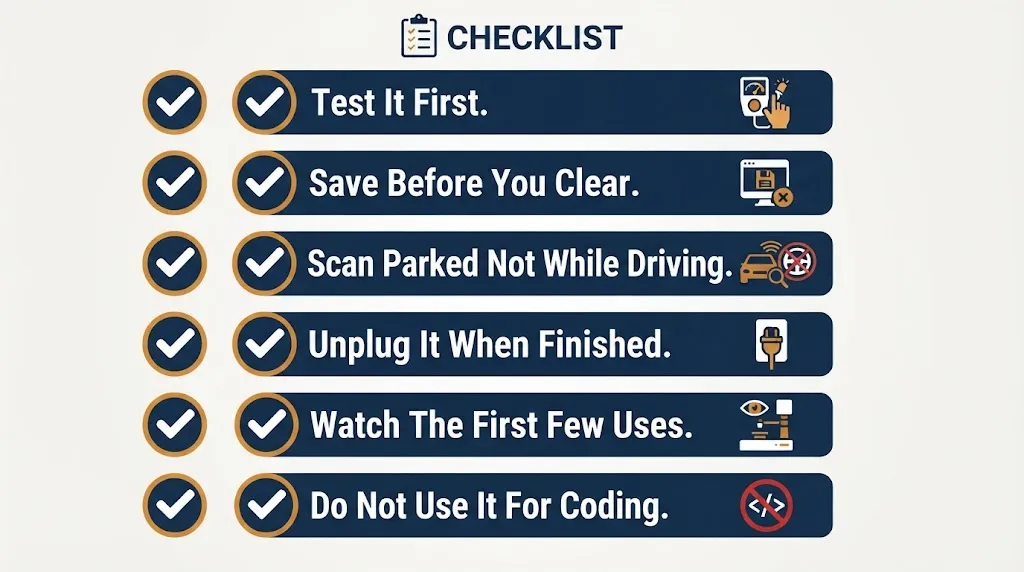
- Test it first. Connect with the ignition on, read codes, and note whether it stays connected. The steps for how to test an ELM327 adapter give a practical check before a roadside or pre-purchase scan.
- Save before you clear. Record codes and freeze-frame details before clearing anything.
- Scan parked, not while driving. Driving adds distraction and keeps an untrusted device active during normal driving.
- Unplug it when finished. This removes most battery-drain and overnight-security risk.
- Watch the first few uses. New warning lights, a car that will not lock normally, a flat battery after a few days parked, or repeated dropouts mean stop using it.
- Do not use it for coding. If a procedure needs a stable link or a backup, use a tool rated for that job.
When to stop using it and get a better tool
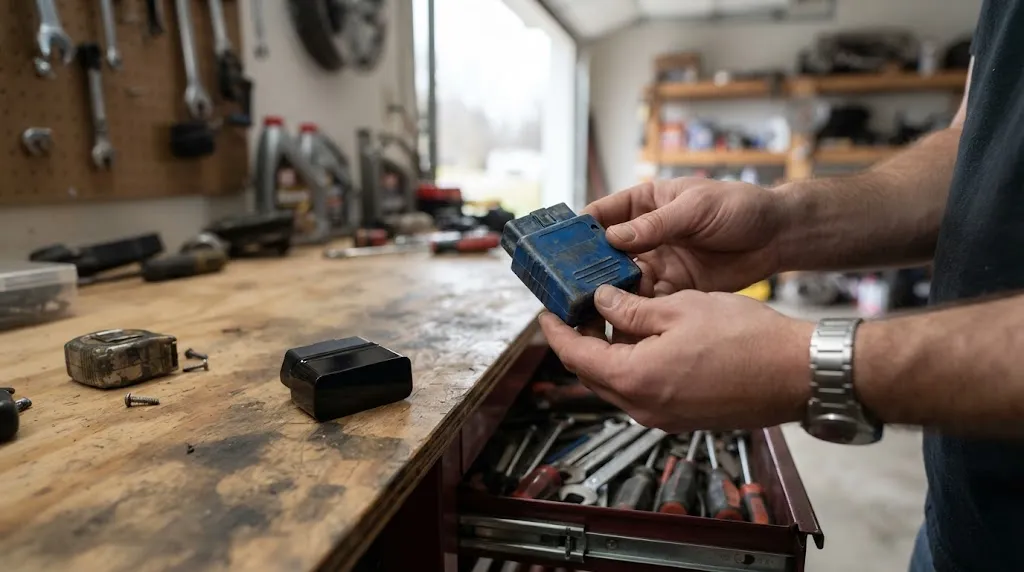
Replace it when it repeatedly disconnects, reports different codes on back-to-back scans, stays hot, fits loosely, or keeps the car awake. The same applies if you need it for a pre-purchase check, an emissions decision, or any write command.
A better tool does not need to be a workshop scanner. It needs a named chip, a sleep mode for leave-in use, stable protocol support, and a firm fit.
Related Product
OBD2 Adapter With Auto Sleep
A documented adapter with a sleep mode is the practical upgrade for leave-in use, without the constant-draw risk of an always-awake clone.
As an Amazon Associate, we earn from qualifying purchases.
Frequently Asked Questions
Can a cheap OBD2 adapter drain my car battery overnight?
Usually not on its own if the battery is healthy, but a no-sleep adapter can drain it over several days parked, especially on a short-trip car or a weak battery. Unplugging the adapter after use removes most of this risk.
Can a cheap adapter damage my ECU just by reading codes?
Permanent ECU damage from reading alone is uncommon. The more realistic problems are communication errors, false warning lights, missing codes, and lost freeze-frame data if codes are cleared carelessly.
Is it safe to leave a cheap OBD2 adapter plugged in while driving?
It is best avoided. Driving with an untrusted plug-in device connected is the use Ford warns against, and a dropout or interference problem is harder to handle safely while moving. Scan while parked when possible.
Does using a cheap adapter void my car warranty?
Not automatically for unrelated repairs. Ford’s manual wording is narrower: the warranty will not cover damage caused by an aftermarket plug-in device. Keep a record of what you used and when, in case a fault is ever disputed.
How can I tell if my cheap adapter is a faulty clone?
Look for repeated dropouts, different results on back-to-back scans, missing freeze-frame data, an unstated chip and firmware version, a loose fit, or a battery that goes flat after a few days parked. Any of those is a reason to test it carefully or replace it.
Should I throw away a cheap adapter or keep it for occasional use?
Keep it only for short, parked reading jobs if it connects reliably, fits firmly, and is unplugged after use. Replace it if it disconnects, overheats, keeps the car awake, or will be used for coding, a pre-purchase check, or an emissions decision.
Conclusion
A cheap OBD2 adapter is not automatically car-damaging, but its risks are specific and avoidable. Battery drain, CAN confusion, careless clearing or coding, a faulty plug, and weak Bluetooth security cause far more trouble than a simple code read. Use it briefly, parked, and unplugged when finished, save codes before clearing anything, and upgrade to a documented adapter with a sleep mode for longer use or important decisions.

I’m Alex Rahman, a car enthusiast and automotive writer focused on practical solutions, car tools, and real-world driving advice. I share simple and honest content to help everyday drivers make better decisions.
