
Best OBD2 Scanner Apps for Android: Pick the Right One
Quick Answer
Best OBD2 scanner apps for Android turn a phone into a code reader, a live gauge screen, and a trip log when paired with a Bluetooth adapter. Car Scanner ELM OBD2 suits most drivers as a free start, Torque Pro suits drivers who want custom gauges, and OBD Fusion suits drivers who want stable charts and reports.
- An app alone cannot scan a car. It needs a matching Bluetooth adapter.
- Torque Pro needs a Classic Bluetooth adapter, not a BLE only adapter.
- Car Scanner ELM OBD2 reads generic codes free and adds brand profiles in Pro.
- Free apps cover code reading. Paid apps add depth, logging, and reports.
You have a check engine light, a phone, and a small adapter. You want to know what the car is reporting before you book a repair. This guide compares Android OBD2 apps by adapter fit, code depth, live data, and cost, so you can pick one that matches your car and your goal.
In this article
- What Is an OBD2 Scanner App?
- How to Choose an OBD2 Scanner App for Android?
- Best OBD2 Scanner Apps for Android Compared
- Torque Pro, Car Scanner, and OBD Fusion in Detail
- Free vs Paid OBD2 Apps for Android
- How to Connect an OBD2 App on Android
- Common Problems With Android OBD2 Apps
- Which App Should You Pick?
- Frequently Asked Questions
What Is an OBD2 Scanner App?
An OBD2 scanner app is phone software that reads data from a car through the OBD2 port. The app shows fault codes, live sensor values, and emissions readiness on a phone screen.
The app does not work alone. A Bluetooth adapter plugs into the port, translates car signals, and sends them to the phone. The app then turns those signals into words, gauges, and graphs.
Most apps read generic powertrain codes, which are the codes tied to the engine and emissions system. Some apps add brand profiles that read transmission, ABS, airbag, and hybrid data on supported cars. To learn what a scanner does in plain terms, start with code reading, live data, and readiness checks.
An app can clear a code, but clearing does not repair a fault. A code that returns after a clear points to a fault that still needs a fix.
How to Choose an OBD2 Scanner App for Android?
Choosing an Android OBD2 app starts with adapter fit, then code depth, then the way you want to see data. An app that cannot talk to your adapter cannot help, even if its feature list looks long.
Check the Bluetooth type first. Classic Bluetooth uses the Serial Port Profile, and some apps need that exact link. BLE, or Bluetooth Low Energy, uses a different link, and some apps connect only through the app, not through system Bluetooth settings. A dual mode adapter removes much of this guesswork.
Check code depth next. A generic app reads engine codes on most cars. A brand aware app adds profiles for Toyota, Ford, Volkswagen, and other makes, and those profiles can show sensors that a generic app misses. If you need ABS or airbag codes, confirm that the app and the adapter support those modules on your car.
Check live data and logging next. Live data shows coolant temperature, engine speed, fuel trim, and other values while the car runs. Logging saves that data, so you can spot a fault that appears only on a drive. Freeze frame data adds the sensor values from the moment a code was set.
Check cost and ads last. Some apps are free with ads, some charge a one time fee, and some use a subscription. A free app can prove that the adapter works before you pay for a Pro version.
What features matter most in an Android OBD2 app?
Adapter fit, code reading, live data, and a clear code definition matter most in an Android OBD2 app. Those four features decide whether a scan is useful or only a list of numbers.
A good app pairs fast, shows a code in plain words, and lets you watch two or three live values at once. A report export, a trip log, and a custom gauge help, but they add little value if the app drops the link or reads only one code.
What is a PID in an OBD2 app?
A PID is a parameter ID, a code that asks the car for one live value. Each PID maps to one sensor reading, such as coolant temperature or engine speed.
Generic PIDs work across most cars. Manufacturer PIDs add brand specific values, such as transmission temperature or hybrid battery data. An app with a wide PID set shows more of what the car knows.
Best OBD2 Scanner Apps for Android Compared
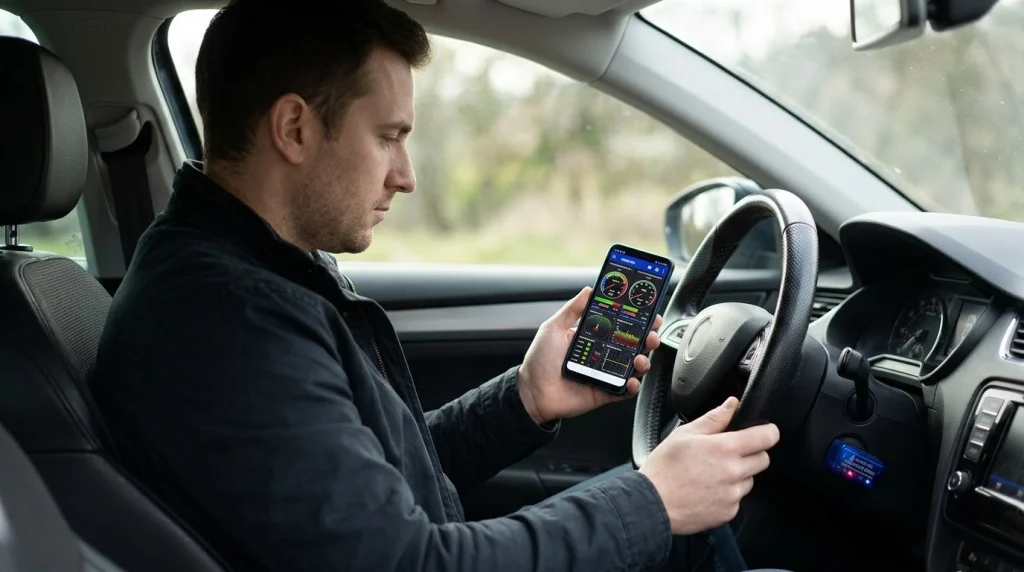
The table below compares six Android OBD2 apps on adapter fit, free use, paid cost, and the strongest use for each app. Prices are approximate and can change in the app store, so check the store listing before you buy.
| App | Adapter fit | Free version | Paid cost | Strong point |
|---|---|---|---|---|
| Torque Pro | Classic Bluetooth | No, Torque Lite is free | About $4.95 one time | Custom gauges and plugins |
| Car Scanner ELM OBD2 | Bluetooth, BLE, Wi-Fi, USB | Yes, generic scans free | About $7 one time for Pro | Brand profiles and depth |
| OBD Fusion | Bluetooth, BLE, Wi-Fi | No free full version | About $9.99 one time | Stable charts and reports |
| Torque Lite | Classic Bluetooth | Yes, ad supported | No paid upgrade in app | Quick first test |
| OBD Auto Doctor | Bluetooth, Wi-Fi | Yes, code reading free | Paid unlock for full PIDs | Guided reports |
| EOBD Facile | Bluetooth, Wi-Fi | Yes, limited faults | About $15 one time | Polished trip logs |
The table shows a clear split. Torque Pro leads on custom gauges, Car Scanner ELM OBD2 leads on free depth, and OBD Fusion leads on stable charts. An Android OBD2 app comparison reaches the same split, with Car Scanner as the first install for most drivers and Torque Pro as the pick for power users.
DashCommand suits drivers who want race style gauges and logging, while FIXD suits drivers who want plain English fault notes. Carly suits drivers who want brand coding on supported German cars, but it needs its own adapter and a subscription. Those apps solve narrow goals, so they fit after the three main picks, not before them.
Torque Pro, Car Scanner, and OBD Fusion in Detail
Torque Pro, Car Scanner ELM OBD2, and OBD Fusion cover most Android needs between them. Each app trades ease of use for depth in a different way.
Torque Pro
Torque Pro is an Android only app for drivers who want to build their own gauge screens. It reads codes, shows live data, logs trips, and lets you place dials, graphs, and maps on a custom dashboard.
The app needs a Classic Bluetooth ELM327 adapter with the Serial Port Profile. A BLE only adapter will pair in some cases, but Torque Pro will not see it as a connection target. That one mismatch causes most Torque Pro failures, so confirm the adapter type before you buy.
Plugins add manufacturer PIDs for Ford, GM, Toyota, Honda, and other makes. A Torque Pro review notes the same point, with a one time price of about $4.95 and no subscription. The interface looks dated, and setup takes time, but the gauge depth still leads the Android field.
Car Scanner ELM OBD2
Car Scanner ELM OBD2 is a free first install for most Android drivers. It reads and clears generic codes, streams live data, shows freeze frame data, and supports brand profiles for many cars.
The app works with Classic Bluetooth, BLE, Wi-Fi, and USB adapters, so it fits more hardware than Torque Pro. Its profile database covers Toyota, Volkswagen group cars, BMW, Renault, Hyundai, Kia, Mazda, and many other makes. Some brand packs and coding features need a Pro unlock.
Car Scanner also supports EV and hybrid battery data on supported cars. The free version covers most daily checks, and Pro adds depth without a subscription. That mix makes it the safest first pick when you do not know which app will suit you.
OBD Fusion
OBD Fusion is a paid app for drivers who want clean gauges, stable logs, and clear reports. It reads codes, shows live data in graphs, checks emissions readiness, and tracks fuel economy.
The app works with most ELM327 adapters over Bluetooth, BLE, and Wi-Fi. It lacks the plugin depth of Torque Pro, but its setup is simpler and its charts are easier to read. Drivers who share a scan with a mechanic often prefer OBD Fusion for that reason.
Free vs Paid OBD2 Apps for Android
Free Android OBD2 apps cover code reading, code clearing, and basic live data. Paid apps add brand depth, full PID sets, logging, and reports.
Torque Lite is a useful free test. It reads generic codes and shows a few gauges, so you can prove that the adapter pairs and the car talks to the phone. It has ads, no plugins, and no deep logging, so it works as a trial, not as a daily tool.
Car Scanner ELM OBD2 gives the most free value. Its free tier reads codes, clears codes, shows live data, and offers dashboards and a head up display mode. Pro removes ads and adds brand packs, so the paid step is small and optional.
OBD Auto Doctor and EOBD Facile use a free tier with a paid unlock. OBD Auto Doctor suits drivers who want a guided report to share. EOBD Facile suits drivers who want polished trip logs and fault history in several languages.
Paid apps make sense when you scan often, track a fault over time, or need a module beyond the engine. A one time fee of about $5 to $15 can pay for itself if it saves one garage visit for a simple code check. A subscription app makes sense only when you use its coding or brand tools often enough to justify the repeat cost.
How to Connect an OBD2 App on Android
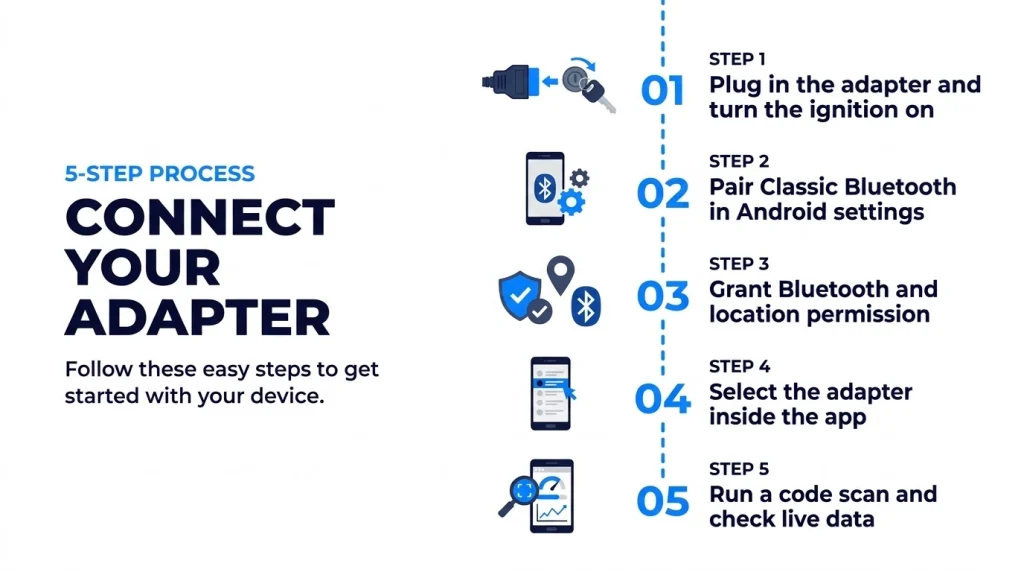
Connecting an OBD2 app on Android follows the same order for most apps. Pair the adapter in the right place, grant the Bluetooth permission, then select the adapter inside the app.
Step 1
Plug in the adapter and turn the ignition on
Plug the adapter into the OBD2 port with the ignition off, then turn the ignition to ON. The adapter needs port power to appear in a scan.
Step 2
Pair Classic Bluetooth in Android settings
Open Android Bluetooth settings, scan for the adapter, and pair it with the code in the manual, often 1234 or 0000. BLE adapters often connect inside the app instead.
Step 3
Grant Bluetooth and location permission
Grant the Bluetooth permission, shown as Nearby Devices on some phones, when the app asks. Some Android versions also need location permission for Bluetooth scanning.
Step 4
Select the adapter inside the app
Open the app, go to adapter or connection settings, choose Bluetooth, and select the paired adapter. Wait for the app to detect the car protocol.
Step 5
Run a code scan and check live data
Run a fault code scan, then open live data and watch coolant temperature and engine speed. Live values confirm a real link, not only a pairing.
Android accepts both Classic and BLE adapters, so Bluetooth OBD2 on Android is a good match when the adapter type and the app agree. A dual mode adapter helps when you plan to try more than one app. For a closer look at hardware, a Bluetooth OBD2 scanner guide can help you pick an adapter that fits your app.
Tip
Test the full chain at home with the engine on before a trip. Pair the adapter, open live data, and clear no codes until you have saved the first scan.
Common Problems With Android OBD2 Apps
Most Android OBD2 app problems come from adapter fit, pairing order, or permission. A fault in one of those three areas looks like an app fault, but the app is often not the cause.
A paired adapter that never shows data often means a Classic app met a BLE adapter, or a BLE app met a Classic adapter. Check the adapter label and the app connection setting, then try a dual mode adapter if the type stays unclear.
A connection that drops when the phone sleeps often means battery saving stopped the app. Set the app and Bluetooth to Unrestricted for a long logging drive, and keep the app in the foreground during a trip log.
A code list that shows only engine codes often means the adapter reads generic codes only. Brand modules need a brand profile, a plugin, or a more capable adapter. A generic adapter is a useful first check, not a full system scan.
Cheap ELM327 clones can also cause wrong readings or failed links. If an app fails on two phones and two cars, the adapter is the likely fault. For other failure patterns, see our guide to scanner connection problems before you replace the app.
Which App Should You Pick?
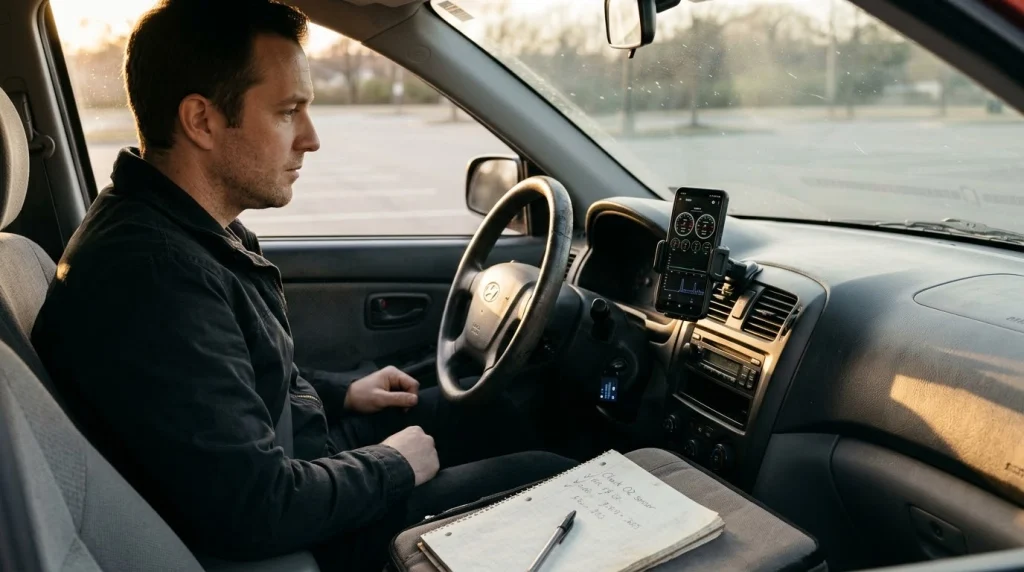
Your goal decides the pick more than any feature list. A free start suits a first scan, a custom gauge app suits a driver who watches live data, and a report app suits a driver who shares scans.
If you
Want a free start and a simple scan
Choose Car Scanner ELM OBD2, because its free tier covers codes, live data, and brand profiles.
If you
Want custom gauges and trip logs
Choose Torque Pro, because its dashboard builder and plugins lead the Android field.
If you
Want a clean report to share
Choose OBD Fusion or OBD Auto Doctor, because their charts and reports read well for a mechanic.
Start with the free app that fits your adapter, then pay only for a feature you will use. An Android diagnostic apps list shows the same order, with Car Scanner as the broad pick and Torque Pro as the enthusiast pick. If the first app fails to connect, change the adapter type before you blame the app.
OBD2 Bluetooth Scanner Adapter
A matching Bluetooth adapter lets an Android OBD2 app read codes and live data from the car.
Frequently Asked Questions
Do I need an adapter to use an OBD2 app on Android?
An OBD2 app needs a Bluetooth adapter to read data from a car on Android. The adapter plugs into the OBD2 port, translates car signals, and sends them to the phone app. Without that link, the app has no car data to show.
Which OBD2 app is free on Android?
Car Scanner ELM OBD2 offers the widest free use on Android for code reading and live data. Torque Lite is also free and works as a quick test for a Classic Bluetooth adapter. Free tiers often add ads or limit brand packs and reports.
Why does Torque Pro not connect to my adapter?
Torque Pro needs a Classic Bluetooth ELM327 adapter with the Serial Port Profile on Android. A BLE only adapter can pair in system settings yet stay invisible inside Torque Pro. Pair in Android settings first, grant Bluetooth permission, then select the adapter in the app.
Can an OBD2 app read ABS and airbag codes?
An OBD2 app can read ABS and airbag codes only when the app and adapter support those modules on your car. Generic apps read engine codes by default and miss other modules. Car Scanner ELM OBD2 adds brand profiles that can reach those systems on supported cars.
Can I leave an OBD2 adapter plugged in?
An OBD2 adapter can stay plugged in for a short drive, but it draws a small amount of power when the car is off. Many cheap adapters lack an auto sleep mode, so they can drain a battery over several days. Unplug the adapter when the car will sit unused.
Do OBD2 apps work without internet?
OBD2 apps work without internet for a basic scan, because the phone talks to the adapter and the adapter talks to the car. Internet helps only for extra features, such as looking up a code online or syncing trip data. Live data and code reading do not need a signal.
Conclusion
Best OBD2 scanner apps for Android differ by adapter fit, code depth, and cost, so the right pick follows your car and your goal. If you want a free start, try Car Scanner ELM OBD2 first, and move to Torque Pro if you want custom gauges.

I’m Alex Rahman, a car enthusiast and automotive writer focused on practical solutions, car tools, and real-world driving advice. I share simple and honest content to help everyday drivers make better decisions.
