Can Bluetooth OBD2 Work With Android? Yes, Explained
Quick Answer
Yes. Bluetooth OBD2 works with Android, and Android is the most compatible phone platform for it. It accepts both Bluetooth Classic and Bluetooth Low Energy adapters, provided your car has an OBD2 port, the adapter matches your app, and you pair it in Android settings first where required.
Most Android failures are not a mystery about Android itself. They come from three mismatches: the wrong Bluetooth type for the app, a pairing step done in the wrong place, or a permission that blocks the scan. Once those three are right, the connection is usually straightforward.
Why Android Works With More Adapters Than Other Phones
Android does not impose the same restriction on the older Bluetooth serial connection that limits some other phones. A Bluetooth OBD2 adapter talks to the car through the OBD2 port, translates the car’s signals with an ELM327-style chip, and sends the result to your phone. Android can receive that result over Bluetooth Classic, using the Serial Port Profile (SPP), and over Bluetooth Low Energy (BLE).
That breadth is useful, but it also creates confusion. An adapter labelled only “Bluetooth 4.0” may be BLE-only, Classic-only, or dual-mode, and the box does not always say which. The app matters just as much as the phone: some apps accept only Classic, others accept only BLE, and some accept both. Check both the adapter specification and the app’s connection setting before you buy or troubleshoot.
Key Insight
“Bluetooth” is not one connection. Classic and BLE are different radios, and an Android phone plus the right app can use either — but the adapter and the app must agree on which one.
What You Need Before You Pair
You need four things, and a missing one explains most early failures. First, an OBD2-compliant car: in the United States, most petrol cars from 1996 onward qualify, with diesel and European dates varying by market. Second, an adapter that fits the port and matches your app’s Bluetooth type. Third, an OBD2 app installed from Google Play, such as Torque, Car Scanner ELM OBD2, or OBD Fusion. Fourth, the phone permissions that app needs, covered below.
Find the port before you start. It is usually under the driver’s side dashboard, near the steering column, though some cars hide it behind a cover or in the centre console. Our guide to where the OBD2 port is located covers the common positions if yours is not obvious. Plug the adapter in firmly: a lit LED shows it has power, but it does not prove a clean data connection.
How to Connect a Bluetooth OBD2 Adapter to Android

Follow this order. Pairing inside the app before pairing in Android settings is the most common reason a Classic adapter seems invisible.
- Plug the adapter into the OBD2 port with the ignition off, then turn the ignition to ON without necessarily starting the engine. The adapter needs power to appear in a scan.
- On your phone, open Settings, then Bluetooth, and scan for new devices. Look for a name such as OBDII, ELM327, V-Link, or the maker’s name.
- Tap the adapter and enter the pairing code if asked. Try 1234 first, then 0000. Other common codes are 1111 and 6789, but check the adapter’s manual when those fail.
- Open your OBD2 app, go to its adapter or connection settings, choose Bluetooth as the connection type, and select the adapter you just paired.
- Wait for the app to detect the car’s protocol. A successful connection usually shows live data or a code list within a few seconds, not a pairing screen.
BLE adapters break this pattern in one respect: many connect from inside the app rather than from Android Bluetooth settings, and they may not ask for a PIN at all. If your adapter is BLE-only and never appears in system settings, that is normal. Follow the app’s own connection screen instead. For a fuller walkthrough, see our guide on how to connect a Bluetooth OBD2 scanner.
Classic vs. BLE on Android: Which Should You Choose?
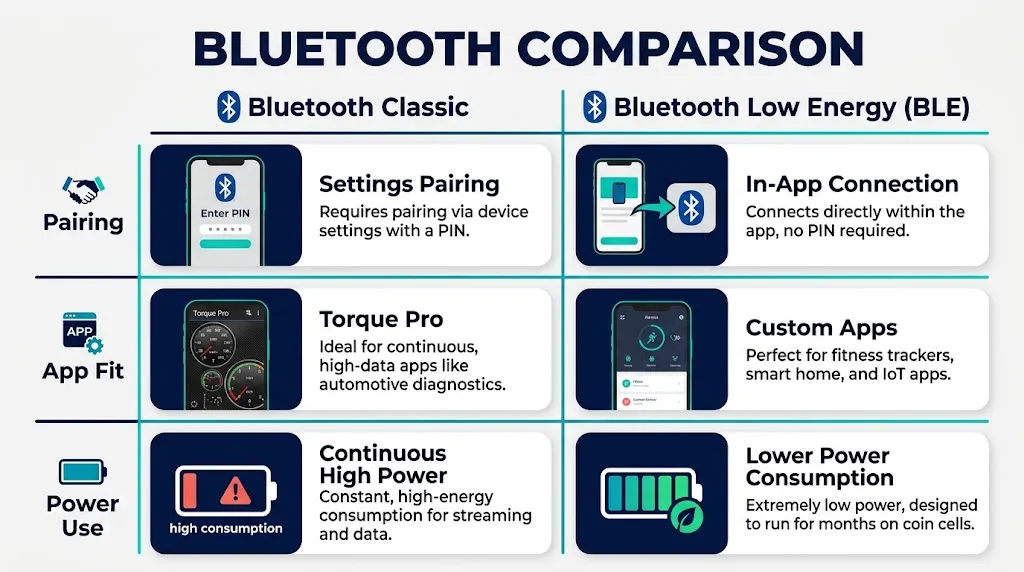
Both work on Android, so choose by app support, not by the Bluetooth version number alone. The table below gives the practical difference.
| Feature | Bluetooth Classic | Bluetooth Low Energy |
|---|---|---|
| Pairing | Usually in Android settings, often with a PIN | Often inside the app, often without a PIN |
| App fit | Required by Torque Pro and some older apps | Required by some newer apps and brand-locked adapters |
| Power use | Higher while connected | Usually lower, which helps if left plugged in briefly |
In practice, a dual-mode adapter removes the guesswork. If you already use Torque Pro, a Classic adapter is the safer choice, since that app requires Classic with SPP.
The Android Permissions That Block a Good Adapter
Since Android 12, Bluetooth access is a runtime permission, not a switch you set once and forget. The app must be granted Bluetooth permission, often shown as Nearby Devices, before it can see a paired adapter. If you denied it during setup, the adapter can pair in settings yet remain invisible in the app. Grant it in Settings, then Apps, then the app’s Permissions.
BLE scanning can also need location permission on some Android versions, because Bluetooth scanning can reveal nearby devices. That does not mean the app needs your GPS position to read codes. Battery optimisation is a third trap: aggressive battery saving can kill a long logging session when the screen sleeps, so set the app and Bluetooth to Unrestricted for a long drive if the connection drops when the phone sleeps.
What an Android Bluetooth Adapter Can and Cannot Read
A generic Bluetooth adapter reads the standard engine and emissions data your car is required to expose: fault codes, live sensor values such as coolant temperature and engine speed, and emissions readiness. It can clear a code, but clearing does not repair the fault, and the code may return if the underlying problem remains.
It cannot reliably read everything. Manufacturer-specific systems such as ABS, airbags, and some transmission or hybrid functions often need a more advanced scanner or the maker’s own software. A cheap generic adapter is a useful first check, not a full-system diagnosis. If a warning light points to brakes or airbags, treat the generic reading as a starting point and get a proper inspection rather than assuming the car is clear because no engine code appeared.
The Bluetooth link itself also needs no internet for a basic scan. The phone talks directly to the adapter, and the adapter talks to the car. Internet helps only for extra features, such as looking up a code definition online or syncing trip data. See our explanation of whether Bluetooth OBD2 works without internet for where that line falls.
When It Will Not Connect: Fix It in This Order
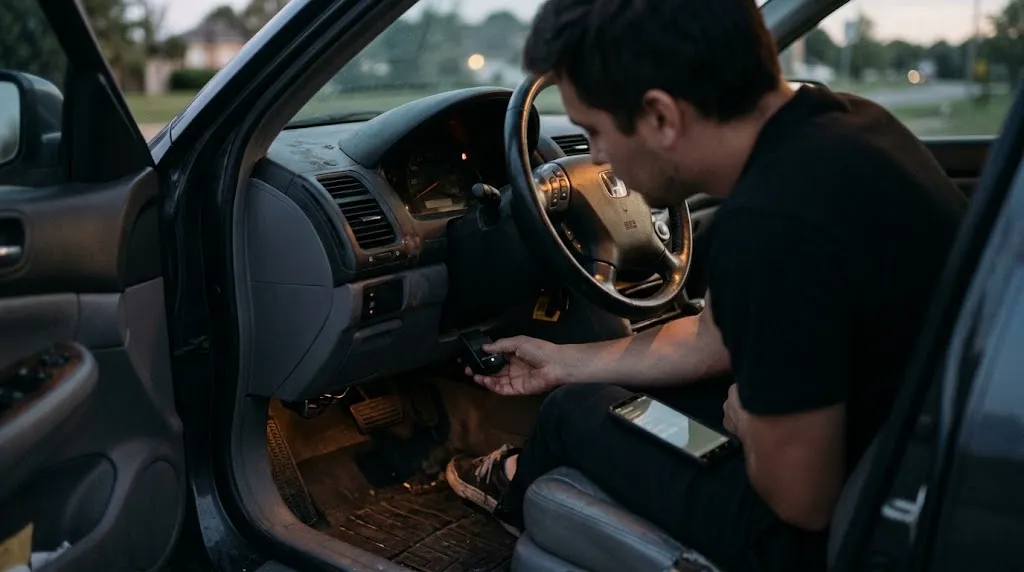
Work from the simplest cause outward. First, confirm the ignition is ON and the adapter’s LED is lit. Second, unplug the adapter for a few seconds, plug it back in, and rescan. Third, forget the pairing in Android settings and pair again from scratch, which clears a stale pairing that many apps cannot recover from.
Fourth, disconnect other Bluetooth devices such as headphones or a watch, and close any other OBD2 app. An adapter normally serves one app at a time, so a second app holding the connection will make the first one fail. The ScanTool support guide makes the same one-app point for its adapters, and it applies to generic adapters too. Fifth, check the app’s connection type: Classic for a Classic adapter, BLE for a BLE adapter. The adapter pairing guide from OBDLink’s documentation project explains why SPP matters for Classic adapters and why a BLE-only adapter will not work with a Classic-only app.
If none of that works, try the adapter on a second Android phone or a second car. That single test separates a phone or app problem from a car or adapter problem. If it fails everywhere, the adapter is the likeliest fault, especially with a very cheap clone. For other failure patterns, our guide on why an OBD2 scanner will not connect covers ignition, port, and protocol checks in more detail.
Tip
Test the full chain once at home, with the engine on and the phone in its normal mount position, before you rely on it on a trip. A connection that works on the driveway but drops through a thick dashboard panel is easier to diagnose there than on the road.
Related Product
Bluetooth OBD2 Adapter for Android
A Classic or dual-mode adapter that matches your app is the practical next step after this guide, so you can read and clear basic engine codes from your Android phone.
As an Amazon Associate, we earn from qualifying purchases.
Frequently Asked Questions
Does every Android phone work with Bluetooth OBD2?
Almost every modern Android phone with Bluetooth can, provided the app supports the adapter type. Very old phones may lack BLE support, and some Android head units handle Bluetooth pairing differently from phones, so a phone is the safer test device.
Do I need to pair in Android settings or inside the app?
Classic adapters usually need pairing in Android Bluetooth settings first, then selection inside the app. BLE adapters usually connect from inside the app. If one route fails, try the other only after confirming which Bluetooth type your adapter uses.
What is the Bluetooth pairing code for an OBD2 adapter?
Try 1234 first, then 0000. Some adapters use 1111 or 6789. If none works and the adapter never asks for a code, it may be a BLE adapter, so connect from inside the app instead of forcing a PIN.
Can I use the same adapter on Android and another phone?
Yes, if the adapter type fits both. A dual-mode or BLE adapter is the best cross-platform choice. A Classic-only adapter that works well on Android will usually not work on an iPhone, even though it works fine on Android.
Why does my adapter pair but the app still says it cannot connect?
Pairing and app connection are separate steps. Check that the app has Bluetooth permission, that its connection type matches the adapter, that no other OBD2 app is holding the adapter, and that you selected the paired adapter inside the app settings.
Is it safe to leave a Bluetooth adapter plugged in?
For a short period, usually yes, but it draws a small amount of power and stays discoverable. Unplug it when the car will sit unused for days, and avoid leaving an unknown cheap adapter plugged in unattended for long periods.
Conclusion
Bluetooth OBD2 and Android are a good match because Android accepts both Classic and BLE adapters. The work is in matching the adapter to the app, pairing in the right place, and granting the Bluetooth permission the app needs. Get those three right, and a basic scan, live data check, or code clear becomes a phone task rather than a garage visit. When it still fails, test on a second phone or car before replacing parts — that one check usually shows whether the phone, the app, or the adapter is at fault.

I’m Alex Rahman, a car enthusiast and automotive writer focused on practical solutions, car tools, and real-world driving advice. I share simple and honest content to help everyday drivers make better decisions.
