10 Best Bluetooth OBD2 Scanners for 2026: Phone Diagnostics That Connect
The best bluetooth OBD2 scanner right now is the BlueDriver Bluetooth Pro OBD2 Scan Tool for iPhone & Android, with live data. We compared 10 Bluetooth OBD2 scanners, scoring each on Bluetooth Connection Stability, Diagnostic Coverage, and App Ease of Use. Most Bluetooth adapters look identical on paper but fail with dropped links, slow live data, or an app that blocks your phone. Whether you need simple code reads, live-data checks, or multi-system scans, this guide gives you one clear answer.
Quick Comparison: All 10 Products Ranked
| # | Product | Best For | Rating | Badge | |
|---|---|---|---|---|---|
| 1 | BlueDriver Bluetooth Pro OBD2 Scan Tool for iPhone & Android | Everyday phone diagnostics | 4.9/5 | Best Overall | Buy → |
| 2 | OBDLink MX+ Bluetooth OBD2 Adapter | Fast live data | 4.8/5 | Best for Advanced Diagnostics | Buy → |
| 3 | Veepeak OBDCheck BLE+ Bluetooth OBD2 Scanner | iPhone BLE pairing | 4.7/5 | Best for iPhone | Buy → |
| 4 | FIXD Bluetooth OBD2 Scanner | Simple alerts | 4.6/5 | Best for Simple Alerts | Buy → |
| 5 | BAFX Products Bluetooth OBD2 Scanner | Budget Android scanning | 4.6/5 | Best Budget | Buy → |
| 6 | Carista Bluetooth OBD2 Adapter | Service functions | 4.7/5 | Best for Service Functions | Buy → |
| 7 | Vgate vLinker BM+ Bluetooth OBD2 Adapter | Quick stable links | 4.7/5 | Best for Fast Connection | Buy → |
| 8 | ANCEL BD310 Bluetooth OBD2 Scanner | Code definitions | 4.5/5 | Best for Code Definitions | Buy → |
| 9 | Autel AP200 Bluetooth OBD2 Scanner | Multi-system phone scans | 4.6/5 | Best for Multi-System Scans | Buy → |
| 10 | OBDLink CX Bluetooth OBD2 Adapter | Low-profile leave-in use | 4.5/5 | Best Compact Adapter | Buy → |
How We Chose These Bluetooth Scanners
What we compared
We compared 10 Bluetooth adapters, checking listed Bluetooth type, phone and app compatibility, diagnostic coverage, live-data support, freeze frame, readiness, adapter size, and power behaviour.
Our 3 scoring criteria
Bluetooth Connection Stability, Diagnostic Coverage, and App Ease of Use. Each score is an editorial rating based on listed specifications, not a lab or hands-on test result.
Expert consulted
No independent expert was consulted for this shortlist, and no test period is claimed. Scores reflect editorial comparison of listed specifications.
What we cut — and why
We cut wired handhelds and Wi-Fi-only adapters, because this guide covers tools that link a phone to the car by Bluetooth, with the phone as the display.
What to Look for When Buying a Bluetooth OBD2 Scanner
A Bluetooth scanner should pair quickly, stay connected, and show results you can act on. Start with Bluetooth type, phone support, and coverage, not with the longest feature list. Before you choose, read how to choose an OBD2 scanner and match the tool to the job you will do most.
1. Bluetooth Type: Classic or BLE
Bluetooth is not one standard on a scanner listing. Classic Bluetooth pairs in phone settings and suits many Android apps, while Bluetooth Low Energy, or BLE, usually connects inside the app and suits iPhones. Check which type the listing states, and where the connection starts, before you buy. If you are unsure, follow how to connect a Bluetooth OBD2 scanner and test the exact pairing route for your phone.
2. Phone and App Compatibility
The adapter, the app, and the phone must all agree. Check the maker’s named app list, the supported phone operating system, and whether the app needs an account or a subscription for the features you want. A generic app may read codes but miss the adapter, while a maker app may lock you to one brand. For iPhone buyers, the key check is whether Bluetooth OBD2 work with an iPhone through BLE or a certified Classic route.
3. Diagnostic Depth and Live Data
Basic Bluetooth adapters cover engine and emissions codes, which is enough for many check-engine lights. If you also need ABS, airbag, or transmission data, check those systems by name for your make, model, and year. Live data matters for intermittent faults: look for stable refresh, graphing, and recording, not just a long sensor list.
4. Adapter Size, Power Draw, and Security
A small adapter is easier to leave plugged in, but a port under a trim panel may still press against it. Check its length, whether it has a sleep mode, and how it behaves when the ignition is off. Because many adapters use a well-known pairing code, unplug the adapter when you are not scanning, especially if the car will sit unused for days.

BlueDriver Bluetooth Pro OBD2 Scan Tool for iPhone & Android — Clear Phone Diagnostics
For most phone-first drivers, this is the Bluetooth adapter to start with because it pairs a compact plug with a clear, dedicated app. It reads and clears engine codes, shows freeze frame and live data, checks emissions readiness, and adds plain-language repair context that helps you judge whether a fault needs a garage visit or a recheck after clearing. The app also saves scan history, which is useful when a fault returns. The trade-off is system scope: it stays focused on engine and emissions work, so ABS, airbag, and transmission faults still need a broader tool.
- Dedicated app, plain-language repair guidance
- Live data, freeze frame, readiness checks
- Saved scan history for returning faults
- No ABS, SRS, or transmission coverage
- Engine-focused, not a workshop tool
4.9/5
4.8/5
4.9/5

OBDLink MX+ Bluetooth OBD2 Adapter — Fast Live Data
For drivers who want faster, deeper phone diagnostics, this adapter pairs a high-speed Bluetooth link with broad app support. It reads and clears codes, streams live data at a pace that suits graphing, and works with third-party apps as well as the maker app, so you are not locked to one screen layout. It also supports manufacturer-enhanced data on many vehicles, which can add systems beyond basic engine codes. The trade-off is setup: choosing the right app and permissions takes longer than a simple code reader, and advanced coverage still varies by vehicle.
- High-speed Bluetooth, smooth live data
- Works with third-party apps
- Manufacturer-enhanced data, many vehicles
- Longer app setup than basic readers
- Advanced coverage varies by vehicle
4.9/5
4.8/5
4.7/5

Veepeak OBDCheck BLE+ Bluetooth OBD2 Scanner — Simple iPhone Pairing
For iPhone owners who want a simple BLE link, this adapter is built around app-based pairing rather than phone-settings pairing. It reads and clears engine codes, shows live data and freeze frame, and checks emissions readiness through compatible apps, without taking over your phone Wi-Fi connection. Its small plug fits many ports and stays out of the way while you drive. The trade-off is app dependence: you must use a BLE-compatible app, and some advanced systems remain out of reach, so check the app list for your exact phone and car.
- BLE pairing inside compatible apps
- Small plug, stays out of way
- Does not use phone Wi-Fi
- Needs BLE-compatible app
- No advanced system coverage
4.8/5
4.6/5
4.8/5
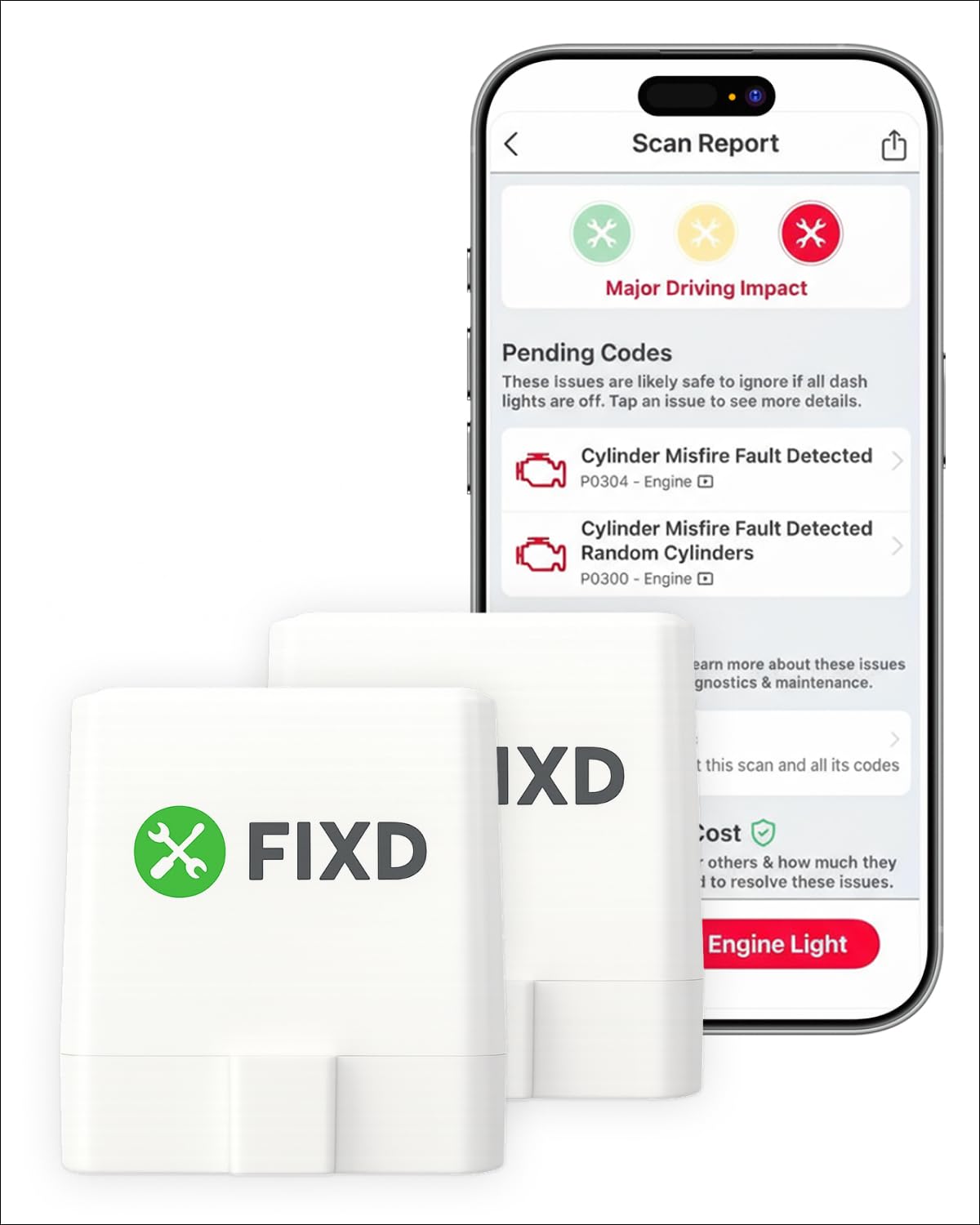
FIXD Bluetooth OBD2 Scanner — Simple Alerts
For first-time drivers who want plain alerts rather than raw data, this adapter turns a check-engine light into a simple explanation. It reads codes, gives a plain-language summary, and can send maintenance reminders through its app, which helps you track routine service without learning diagnostic menus. Setup is straightforward: plug it in, pair it, and scan from your phone. The trade-off is depth: it is best for everyday code checks and reminders, not for detailed live-data troubleshooting or multi-system diagnostics on complex faults. That simplicity is the point, but it also sets the ceiling for serious troubleshooting.
- Plain-language alerts, simple explanations
- Maintenance reminders in app
- Quick plug-in phone setup
- Limited live-data depth
- No multi-system diagnostics
4.6/5
4.5/5
4.8/5

BAFX Products Bluetooth OBD2 Scanner — Budget Android Scanning
For Android drivers on a tight budget, this adapter covers the core Bluetooth job without extra app costs or complex setup. It reads and clears engine codes, shows live data and freeze frame, and works with popular third-party Android apps, so you can choose a screen layout you already like. Its plug is simple and robust, and it suits a glovebox kit or a second car. The trade-off is iPhone support: it is a Classic Bluetooth adapter made mainly for Android, so iPhone owners should choose a BLE adapter instead.
- Budget-friendly Android code reading
- Works with popular third-party apps
- Simple, robust plug design
- Classic Bluetooth, mainly Android
- No iPhone BLE route
4.5/5
4.5/5
4.6/5

Carista Bluetooth OBD2 Adapter — Brand Service Checks
For owners of supported brands who want service functions from a phone, this adapter goes beyond basic code reading on many vehicles. It reads and clears codes, shows live data, and can run brand-specific service checks and customisations where the app lists them for your model, such as service resets and feature changes. That makes it useful for routine maintenance, not just fault finding. The trade-off is coverage and cost: brand-specific functions vary sharply by model and year, and some advanced features need an app subscription, so check your exact vehicle first.
- Brand-specific service checks, many models
- Service resets and customisations
- Live data and code clearing
- Coverage varies sharply by model
- Some features need subscription
4.7/5
4.7/5
4.6/5

Vgate vLinker BM+ Bluetooth OBD2 Adapter — Quick Stable Link
For drivers who want a fast, no-fuss Bluetooth link, this adapter is designed to connect quickly and hold a stable session for live data. It reads and clears engine codes, streams live data and freeze frame, and works with a wide range of third-party apps, so you can keep a familiar screen layout. Its compact design also helps in tight ports where a larger plug might press against trim. The trade-off is scope: it is an engine-focused adapter first, so ABS, airbag, and transmission coverage should not be assumed from its speed alone.
- Fast, stable Bluetooth sessions
- Wide third-party app support
- Compact design for tight ports
- Engine-focused, not multi-system
- Advanced coverage not assumed
4.8/5
4.6/5
4.7/5

ANCEL BD310 Bluetooth OBD2 Scanner — Clear Code Explanations
For drivers who want clear explanations on a phone screen, this Bluetooth adapter pairs a compact plug with an app that explains codes in plain language. It reads and clears engine codes, shows live data and freeze frame, checks emissions readiness, and gives code definitions that help you decide on a next step. It also suits a second car, because the phone display travels with you. The trade-off is depth: it remains an engine and emissions tool, so ABS, airbag, and transmission faults need a different adapter or a broader scanner.
- Plain-language code definitions
- Live data, freeze frame, readiness
- Compact plug, travels easily
- Engine and emissions only
- No ABS or SRS coverage
4.5/5
4.6/5
4.6/5
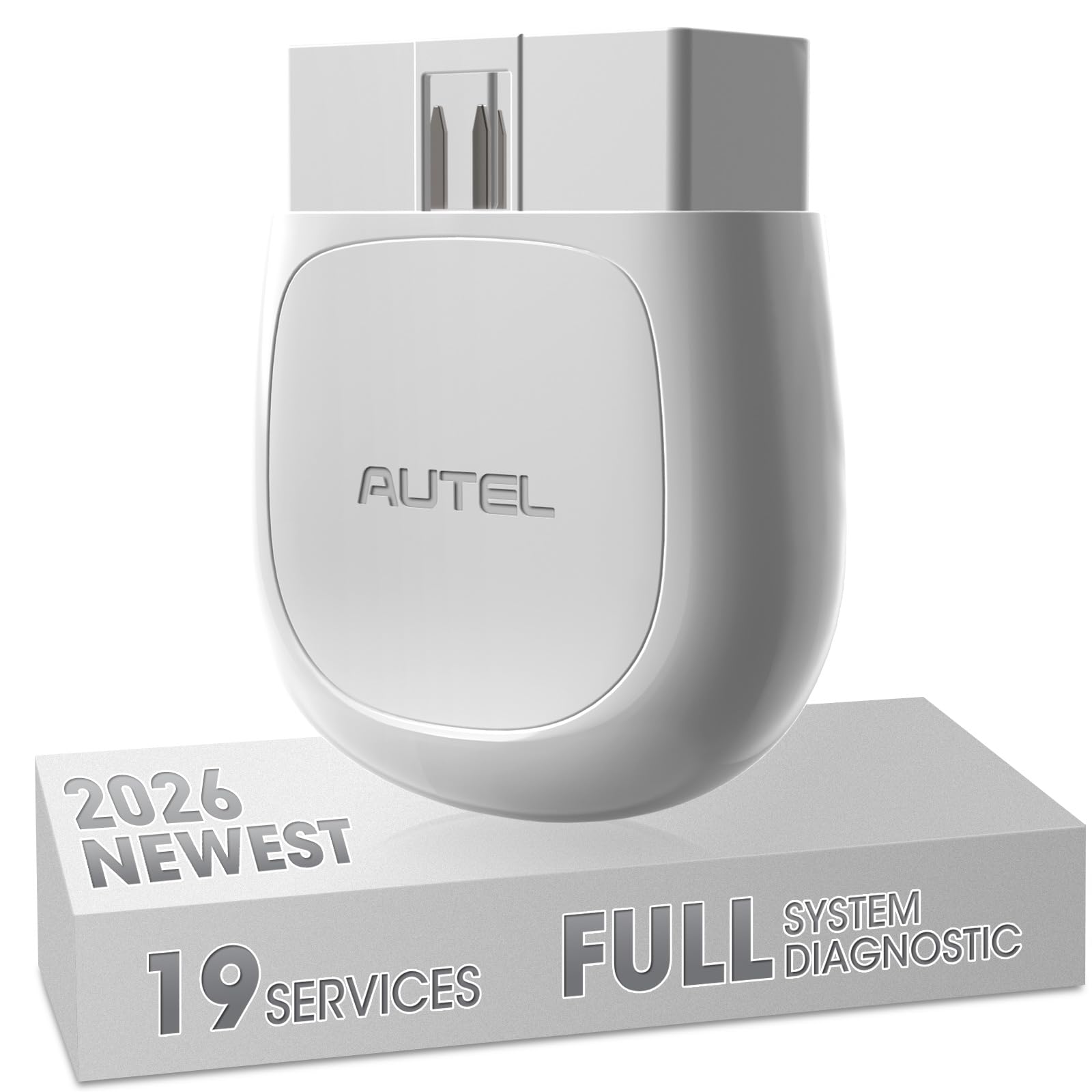
Autel AP200 Bluetooth OBD2 Scanner — Multi-System Phone Scans
For phone users who want multi-system checks without a handheld screen, this Bluetooth adapter brings Autel coverage to a phone app. It reads and clears codes across supported engine, ABS, SRS, and transmission systems on many vehicles, shows live data, and can run service functions where the app lists them for your model. That breadth suits a home mechanic with more than one car. The trade-off is app structure: the first vehicle brand is included in the listed offer, while extra brands may need separate access, so check the app terms before you buy.
- Multi-system phone coverage, many vehicles
- Live data and service functions
- Phone display, no handheld screen
- Extra brands may need access
- App terms vary by vehicle
4.6/5
4.7/5
4.5/5

OBDLink CX Bluetooth OBD2 Adapter — Low-Profile Phone Link
For drivers who want a low-profile adapter that can stay plugged in, this compact Bluetooth unit is made to sit close to the port. It reads and clears engine codes, streams live data, and works with third-party apps as well as the maker app, so you can choose a simple or detailed screen. Its small size reduces the chance of knocking it loose in a tight footwell. The trade-off is coverage: it is best for everyday engine diagnostics and live data, not for broad multi-system work, and leaving any adapter plugged in still needs a power check.
- Low-profile, stays close to port
- Works with third-party apps
- Stable live-data streaming
- Engine-focused, not multi-system
- Check power before leaving plugged in
4.6/5
4.4/5
4.6/5
Top 3 Head-to-Head: BlueDriver vs OBDLink MX+ vs Veepeak BLE+
These three are the common final choices because they cover the main phone-first routes: a guided app, a fast third-party link, and simple iPhone BLE pairing.
| Feature | #1 BlueDriver | #2 OBDLink MX+ | #3 Veepeak BLE+ |
|---|---|---|---|
| Bluetooth Connection Stability | Dedicated app link — Best | Fast third-party link | BLE app link |
| Diagnostic Coverage | Engine and emissions | Engine plus enhanced — Best | Engine and emissions |
| App Ease of Use | Dedicated, guided — Best | Flexible, longer setup | Simple BLE pairing |
| Choose if… | You want guided phone diagnostics | You want fast live data and app choice | You want simple iPhone pairing |
Who These Bluetooth Scanners Are NOT For
Bluetooth phone adapters are not a workshop replacement, and they are not the right tool for every vehicle or every fault.
They are also a poor fit if your vehicle does not use standard OBD2, or if you need heavy-duty truck diagnostics, which often use a different connector and protocol. In those cases, a phone adapter may connect but still miss the systems you need.
Common Mistakes to Avoid
Most Bluetooth failures are setup mistakes, not broken adapters. Avoid these four before you replace a tool.
Frequently Asked Questions About Bluetooth OBD2 Scanners
Which Bluetooth OBD2 scanner is best for iPhone?
For most iPhone owners, a BLE adapter is the safest choice, because iPhones normally need BLE with a BLE-compatible app or a certified Classic route. The Veepeak OBDCheck BLE+ is our iPhone pick in this roundup for that reason, while BlueDriver also suits iPhone and Android users. Before you buy, check the listing for BLE, the maker app list, and whether your car uses standard OBD2.
Can a Bluetooth OBD2 scanner work without internet?
Yes, for core scans. The Bluetooth link between adapter and phone is local, so reading codes, viewing live data, and checking readiness usually work without mobile data or Wi-Fi, once the app is installed and set up. Internet is still needed for some extras, such as cloud repair guides, account sign-in, updates, and report sharing. Read how Bluetooth OBD2 work without internet for the split between local scans and online features.
Why will my Bluetooth OBD2 scanner not pair?
Check power, Bluetooth type, and pairing place first. Make sure the adapter is firmly seated, the ignition is on, and no other phone is already connected to it. Then confirm whether it is Classic or BLE: Classic usually pairs in phone settings, while BLE usually connects inside the app. If the app cannot find the adapter, restart the app, allow Bluetooth permission, and try the maker app list before replacing the adapter.
Is Bluetooth or Wi-Fi better for an OBD2 scanner?
Bluetooth is usually simpler for phone scanning, because it leaves your phone Wi-Fi free for mobile data and pairs quickly through an app. Wi-Fi can suit a laptop or an app that only supports Wi-Fi, but joining the adapter network can interrupt normal Wi-Fi during a scan. For most drivers, a BLE or Classic Bluetooth adapter matched to the phone is the easier everyday choice, while Wi-Fi is a useful fallback.
Can I leave a Bluetooth OBD2 adapter plugged in all the time?
You can on some cars, but check power behaviour first. Some ports stay live with the ignition off, and an adapter without a sleep mode can drain a battery over days, especially on a car that sits unused. A low-profile adapter with a documented sleep mode is safer for leave-in use, but unplugging after a scan is still the cautious choice. If the car will sit for a week or more, remove the adapter.
Do Bluetooth OBD2 scanners work on all cars?
No. Most standard Bluetooth adapters work on petrol cars that use OBD2, which in the United States generally means model year 1996 and later, but coverage varies by market, model, and system. A 16-pin port alone does not guarantee that an adapter can reach ABS, airbag, or transmission systems. Check the maker compatibility list for your exact make, model, year, and the system you need before you buy.
Our Final Verdict
Bluetooth scanning works best when the Bluetooth type, app, and coverage all match your phone and car. BlueDriver gives most phone-first drivers the clearest everyday route, while OBDLink MX+ suits deeper live-data work and Veepeak BLE+ suits iPhone pairing. Choose by phone first, then by the systems you actually need to check.

I’m Alex Rahman, a car enthusiast and automotive writer focused on practical solutions, car tools, and real-world driving advice. I share simple and honest content to help everyday drivers make better decisions.
