How to Choose an OBD2 Scanner: A Practical Guide
Quick Answer
Choose an OBD2 scanner by matching its vehicle compatibility, diagnostic coverage, live-data capabilities, and special functions to what you need to check. A basic code reader is usually sufficient for engine warning lights, while ABS, airbag, transmission, service-reset, and active-test functions require a tool that explicitly supports those systems and functions for your vehicle.
Choosing an OBD2 scanner becomes easier when you start with the problem you want to solve. A driver who only needs to read a check engine light has different requirements from someone diagnosing an intermittent engine fault or servicing multiple vehicle systems.
The key is to look beyond the advertised number of functions. Two scanners can both claim OBD2 compatibility yet offer very different access to vehicle modules, live data, and diagnostic tests.
1. What Do You Need the Scanner to Do?
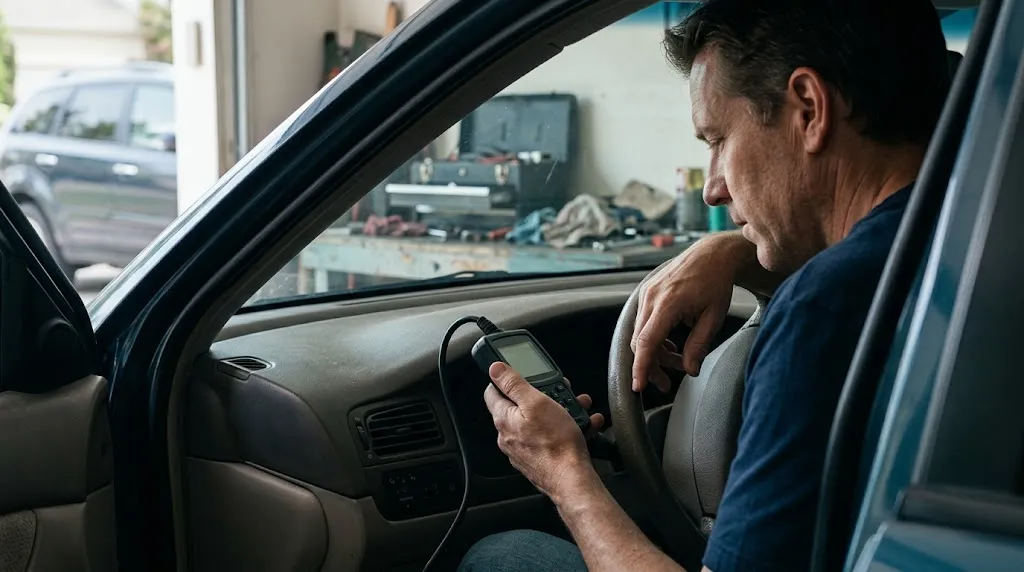
First, decide how you intend to use the scanner. This single decision helps you avoid paying for features you will rarely use or buying a device that cannot perform the job you have in mind.
- Read a check engine light: A basic OBD2 code reader can retrieve supported engine and emissions-related diagnostic trouble codes.
- Investigate recurring engine problems: Look for live sensor data, freeze-frame information, and the ability to view relevant diagnostic monitors.
- Diagnose ABS or airbag warnings: Choose a scanner with explicitly supported anti-lock braking system (ABS) or supplemental restraint system (SRS) diagnostics.
- Maintain your own vehicle: Service functions such as oil-life resets or electronic parking brake maintenance may be useful if your vehicle and scanner support them.
- Work on several vehicles: Prioritize broad vehicle coverage, reliable software updates, data recording, and convenient access to diagnostic information.
Do not assume that a scanner capable of reading engine codes can also access the transmission, airbags, body electronics, or every other control module. These are separate capabilities that must be verified.
2. Check Vehicle Compatibility Before Buying
Vehicle compatibility should be your first technical check. Confirm that the scanner supports your vehicle’s make, model, year, engine, and market, along with the diagnostic system you want to access.
In the United States, OBD-II requirements generally apply to light-duty gasoline vehicles beginning with model year 1996. Other countries, vehicle categories, powertrains, and model years may follow different requirements. Do not apply the US model-year rule universally.
Even when a vehicle has a familiar 16-pin diagnostic connector, that does not guarantee that every aftermarket scanner can communicate with every installed control module.
What should you verify?
- Identify your vehicle’s make, model, model year, engine or powertrain, and sales market.
- Check the scanner manufacturer’s official compatibility information for that exact vehicle.
- Confirm support for the specific system you want to diagnose, such as the engine, ABS, SRS, or transmission.
- Verify individual functions, including service resets, active tests, and special procedures, if you need them.
- Check whether the required features need an app subscription, software update, online account, or additional authorization.
For example, if your vehicle has an illuminated ABS warning light, confirm that the scanner supports ABS fault-code access for your exact vehicle. A general statement such as “works with OBD2 vehicles” is not sufficient evidence of ABS coverage.
The OBDLink compatibility guidance is a useful example of the details to consider when checking protocol support, connection type, and device compatibility.
3. Understand the Different Types of OBD2 Scanners
OBD2 scanners range from simple handheld readers to advanced diagnostic platforms. The right type depends on how much information and control you need.
| Scanner type | Typical capabilities | Best suited for |
|---|---|---|
| Basic code reader | Supported trouble codes, code clearing, and basic emissions information | Occasional check engine light checks |
| Enhanced handheld scanner | Live data, freeze-frame data, and additional supported diagnostic features | DIY troubleshooting and more detailed engine diagnosis |
| Multi-system scanner | Access to supported engine, ABS, SRS, transmission, and other modules | Owners diagnosing several vehicle systems |
| Advanced professional tool | May include bidirectional tests, service functions, coding, or advanced system procedures | Frequent repair work and specialized diagnostics |
These are broad categories, not guaranteed feature packages. Always check the specifications of the individual scanner and its supported vehicle list.
4. Which Diagnostic Features Actually Matter?
Once you know the type of scanner you need, compare the features that will make a practical difference to your work.
Diagnostic trouble codes
Look for a scanner that reads and clearly displays supported diagnostic trouble codes (DTCs). A useful code reader should also help you distinguish stored, pending, and permanent codes when those categories are supported.
A code identifies a detected condition or system fault; it does not automatically prove that a particular part has failed. For example, an oxygen-sensor-related code can have several possible causes, so replacing the named component without further checks may waste money.
Live data and graphing
Live data displays information reported by supported vehicle sensors and control modules while the diagnostic system is communicating with them. Depending on the vehicle, this may include engine speed, coolant temperature, fuel-trim values, or oxygen-sensor readings.
Graphing can make changing values easier to interpret, especially when investigating intermittent symptoms. If you plan to troubleshoot rather than simply read codes, live data is often more useful than a large collection of rarely used extra functions.
Freeze-frame data and readiness monitors
Freeze-frame data records a snapshot of selected operating conditions associated with a qualifying fault. It can help you understand what the engine was doing when the fault was detected, although the available data and recording conditions vary by vehicle.
Readiness monitors indicate whether supported onboard diagnostic checks have completed. This information can be useful after repairs or battery disconnection, particularly when preparing for an emissions inspection in a jurisdiction that uses OBD readiness testing.
ABS, SRS, and transmission diagnostics
These features matter if you need to investigate warning lights or faults outside the engine and emissions system. Verify each system separately rather than relying on a broad claim of “full-system diagnostics.”
Coverage can vary by vehicle, module, model year, and software version. A scanner might support ABS code reading but not an ABS service procedure or active test.
Bidirectional controls and service functions
Bidirectional control allows a compatible scan tool to send supported commands to vehicle systems for testing. Service functions may include tasks such as oil maintenance resets, electronic parking brake service, or steering-angle sensor calibration.
These are not universal features. Confirm that the exact command or service procedure is supported for your vehicle, and follow the vehicle manufacturer’s instructions before performing it. Advanced functions may require additional access, security authorization, or specific operating conditions.
5. Should You Choose a Bluetooth Scanner or a Handheld Model?
A Bluetooth or Wi-Fi OBD2 adapter generally connects to a compatible phone, tablet, or computer through an application. A handheld scanner usually has its own screen and controls, so it can be used without a separate phone for the functions built into the device.
| Consideration | Bluetooth or Wi-Fi adapter | Handheld scanner |
|---|---|---|
| Display | Uses a compatible connected device | Usually has a built-in screen |
| Software | Features depend heavily on the app and adapter | Features depend on the tool’s built-in software |
| Portability | Compact adapter plus phone or tablet | Self-contained diagnostic device |
| Compatibility checks | Verify vehicle, adapter, app, and operating system | Verify vehicle coverage and built-in functions |
Choose a wireless adapter if you prefer using a phone and have confirmed that the app supports your operating system and the required functions. Choose a handheld model if you prefer a dedicated display or do not want to rely on a separate device during diagnosis.
Wireless connectivity alone does not make a scanner more capable. A well-supported basic adapter may be suitable for engine data, while an expensive wireless device may still lack the particular module access you need.
6. How Much Should You Spend on an OBD2 Scanner?
Set your budget according to the functions you actually need. Basic readers generally cost less because they provide fewer diagnostic capabilities, while advanced multi-system tools can cost substantially more due to broader vehicle coverage, software, and specialized functions.
Rather than choosing by price alone, compare the total cost of ownership. Consider whether the scanner requires paid updates, a recurring subscription, a separate app purchase, or additional fees to access enhanced functions.
- Occasional code checks: Prioritize reliable basic code reading and clear instructions.
- Regular DIY maintenance: Consider live data, freeze-frame information, and the service functions you will actually use.
- Multiple vehicle systems: Spend more only if verified ABS, SRS, transmission, or other module coverage is necessary.
- Professional repair work: Evaluate data recording, active tests, software support, vehicle coverage, and the cost of keeping the tool current.
A higher price does not guarantee compatibility with every vehicle or access to every advertised function. Confirm the specific coverage before paying for advanced capabilities.
7. Check the App, Updates, and Long-Term Support
Software support affects how useful a scanner remains as vehicles and diagnostic requirements change. Before purchasing, check how the manufacturer handles updates, fixes compatibility issues, and documents newly supported vehicles and functions.
For app-based scanners, verify the required operating system, supported connection type, permissions, and whether the essential features work without an ongoing subscription. Also check whether the application is actively maintained.
For handheld tools, look at the update process, supported vehicle database, update costs, and any expiration rules that affect access to new coverage. A clear update policy is more valuable than a vague promise of lifetime support without defined terms.
Practical Tip
Before ordering, write down your vehicle details and the exact task you need to perform. Check the manufacturer’s compatibility list for both the vehicle and that function, then confirm any subscription, update, or authorization requirements in writing.
8. What Mistakes Should You Avoid?
Several common buying mistakes can leave you with a scanner that connects to your vehicle but cannot complete the task you purchased it for.
- Assuming OBD2 compatibility means full-system access: Generic OBD2 access does not guarantee ABS, SRS, transmission, or body-module diagnostics.
- Buying based on the number of advertised functions: Check whether the specific functions are supported on your vehicle rather than counting features in a product description.
- Ignoring software costs: Updates, subscriptions, and advanced functions can affect the total ownership cost.
- Choosing an adapter without checking the app: The adapter, application, operating system, and vehicle must work together.
- Assuming a trouble code identifies a failed part: Use the code as a diagnostic starting point and confirm the underlying cause.
- Clearing codes before recording information: Record codes and relevant freeze-frame data first. Clearing codes can erase useful evidence and reset readiness monitors.
For emissions-related diagnostics, the US Environmental Protection Agency’s OBD inspection guidance explains the role of trouble codes and readiness information. Although inspection requirements vary by jurisdiction, the distinction between a stored fault and a completed readiness check is useful when interpreting scanner results.
9. A Simple Checklist for Choosing the Right Scanner
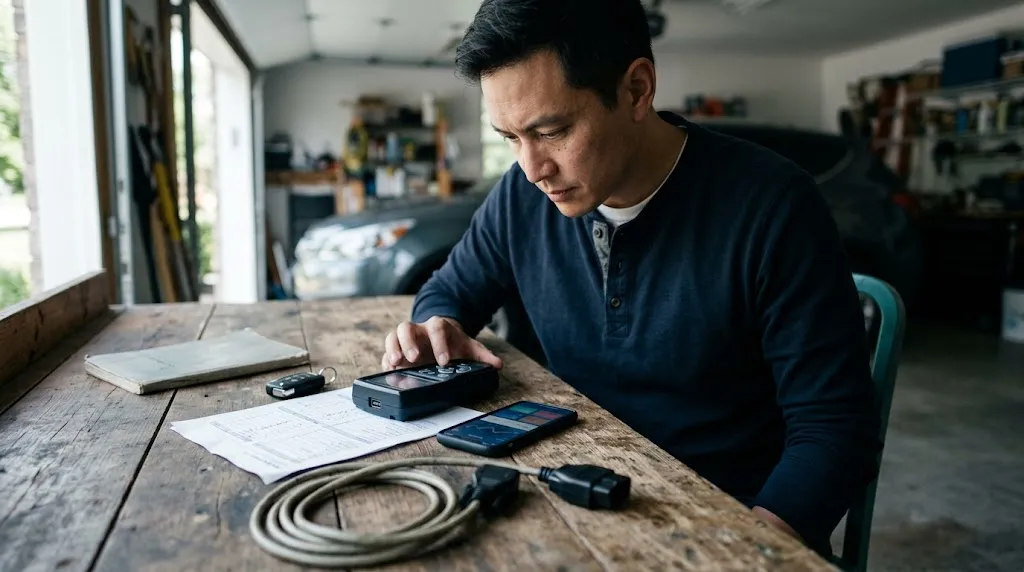
Use this checklist before making your final decision:
- My vehicle’s make, model, year, engine, and market are supported.
- The scanner reads the type of codes I need to investigate.
- It provides live data or freeze-frame information if my diagnostic tasks require them.
- ABS, SRS, transmission, or other modules are explicitly supported when needed.
- Any required service function or active test is listed for my exact vehicle.
- The connection method and app are compatible with my device.
- I understand the update policy, subscription costs, and feature limitations.
- The display and interface are practical for how I intend to use the tool.
If you can confirm these points, you can make a more informed decision without paying for unnecessary features or relying on broad compatibility claims.
Frequently Asked Questions
1. What is the most important thing to check when choosing an OBD2 scanner?
Vehicle compatibility is the first priority. Confirm that the scanner supports your vehicle and the exact diagnostic system or function you want to use.
2. Is a cheap OBD2 scanner good enough for a check engine light?
It can be, if it supports your vehicle’s generic engine and emissions diagnostics and provides the information you need. More advanced troubleshooting may require live data, freeze-frame information, or additional capabilities.
3. Can every OBD2 scanner read ABS and airbag codes?
No. ABS and airbag diagnostics usually require enhanced system coverage. Verify support for the specific module on your vehicle before purchasing.
4. Do I need live data on an OBD2 scanner?
Live data is useful when investigating sensor readings, changing engine conditions, or intermittent problems. If you only need occasional code retrieval, it may not be essential.
5. Is a Bluetooth OBD2 scanner better than a handheld scanner?
Neither type is automatically better. A wireless adapter suits users who prefer a compatible phone app, while a handheld scanner provides a dedicated interface. Diagnostic coverage matters more than the connection method.
6. Can an OBD2 scanner tell me exactly which part is faulty?
Not always. Diagnostic trouble codes identify detected conditions, not necessarily the failed component. Additional tests and interpretation are often needed to confirm the cause.
Conclusion
The right OBD2 scanner is the one that reliably supports your vehicle and the diagnostic work you actually need to perform. Start with compatibility, decide whether basic code reading is enough, and then evaluate live data, additional control-module access, service functions, software support, and ongoing costs. Verify specific capabilities before buying, and treat diagnostic codes as evidence to investigate rather than automatic instructions to replace a part.

I’m Alex Rahman, a car enthusiast and automotive writer focused on practical solutions, car tools, and real-world driving advice. I share simple and honest content to help everyday drivers make better decisions.
