What to Look for in an OBD2 Scanner: Buying Guide
Quick Answer
When choosing an OBD2 scanner, look for compatibility with your vehicle, reliable trouble-code reading, live sensor data, freeze-frame information, and emissions readiness checks. If you need to diagnose ABS, airbags, or transmission problems, confirm that the tool supports those systems on your exact vehicle. Also check software updates, subscription fees, and ease of use. The best scanner is one that performs the diagnostic tasks you actually need, not necessarily the one with the most features.
An OBD2 scanner can help you understand a check engine light, investigate a running problem, or check a vehicle before an emissions inspection. But buying the wrong scanner can be frustrating.
Two tools may use the same diagnostic connector yet provide very different information. One might display a basic engine fault code. Another might access several vehicle computers, graph sensor readings, and run component tests.
The key is to match the scanner to your vehicle and the problems you want to investigate. Here is how to make that decision without paying for functions you may never use.
1. Check Vehicle Compatibility Before Anything Else
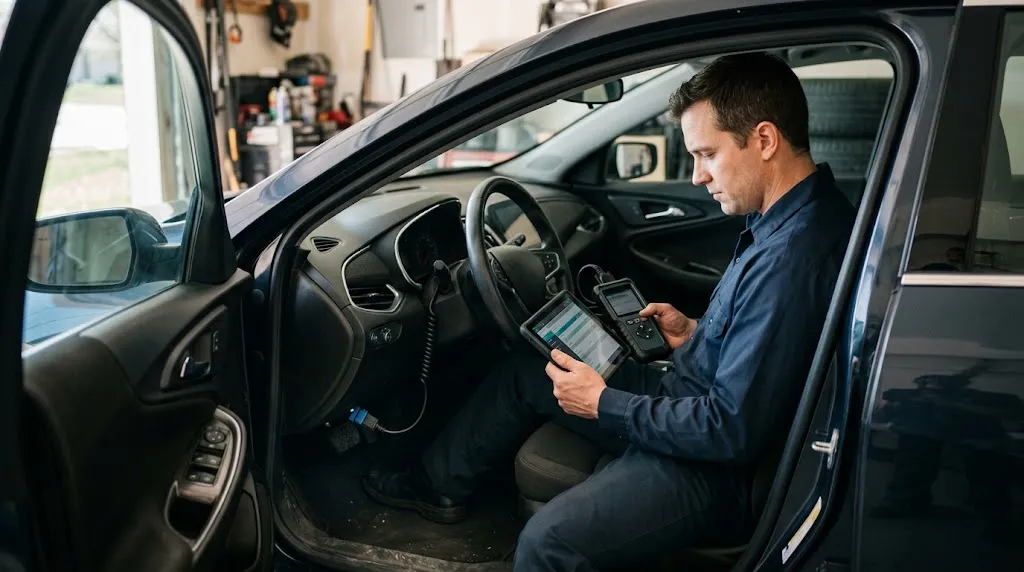
Vehicle compatibility is the first thing to verify. A scanner may support standard OBD2 functions but still lack advanced diagnostic coverage for your particular car.
In the United States, OBD-II became standard on light-duty gasoline vehicles beginning with the 1996 model year. Other markets and vehicle categories have different requirements and adoption dates.
Even when a vehicle has the familiar 16-pin diagnostic connector, that does not guarantee every scanner will access all its electronic systems.
Confirm the exact vehicle details
Before choosing a scanner, check the manufacturer’s vehicle coverage information against these details:
- Make and model: Such as Toyota Camry or Ford F-150.
- Model year: Advanced feature availability can vary between years.
- Engine and fuel type: Gasoline, diesel, hybrid, and electric vehicles can have different diagnostic requirements.
- Vehicle systems: Verify whether engine, transmission, ABS, and airbag functions are supported.
- Specific functions: Confirm any special reset, calibration, or active test you expect to use.
For example, a scanner might read engine codes from a particular SUV but not retrieve faults from its anti-lock braking system.
Also consider communication protocols. Some newer vehicles use technologies such as CAN FD or Diagnostics over Internet Protocol (DoIP). These matter mainly when you need the advanced diagnostic functions supported through those networks.
Do not assume a scanner needs every newer protocol simply because your vehicle is recent. Check the actual vehicle-and-function coverage chart.
Practical Tip
Ask the scanner manufacturer whether the exact function you need works on your vehicle’s make, model, year, and engine. A general claim such as “works with most OBD2 vehicles” is not enough to confirm enhanced diagnostics.
2. Look for More Than Basic Trouble-Code Reading
At minimum, an OBD2 scanner should retrieve standard diagnostic trouble codes (DTCs), display meaningful descriptions, and allow you to clear applicable codes after the problem has been addressed.
However, not all trouble codes provide the same diagnostic value.
Stored, pending, and permanent codes
- Stored codes: Faults that the diagnostic system has recorded.
- Pending codes: Conditions detected that may not yet meet the requirements for a confirmed fault.
- Permanent codes: Certain emissions-related faults retained until the vehicle’s monitoring system confirms the required conditions for clearing them.
A useful scanner should make these categories easy to distinguish where the vehicle supports them.
Also look at the difference between standard and manufacturer-specific fault information.
A generic OBD2 reader usually covers standardized emissions-related information. Enhanced diagnostic scanners may interpret additional codes or access modules outside standard emissions diagnostics.
Importantly, a code does not automatically identify a failed component.
For example, a code indicating a lean fuel mixture may relate to an intake air leak, fuel delivery issue, sensor problem, or another condition. Replacing the component mentioned in a code description without further checks can waste money.
3. Prioritize Live Data and Freeze-Frame Information
Live data is one of the most useful upgrades beyond a basic code reader. It shows available sensor readings while the vehicle operates.
Rather than relying only on a stored fault code, you can examine information that helps explain what the engine is doing.
Useful readings may include:
- Engine speed (RPM)
- Engine coolant temperature
- Short-term and long-term fuel trim
- Oxygen sensor or air-fuel sensor information
- Mass airflow or manifold pressure readings
- Throttle position
- Vehicle speed
The available parameters depend on the vehicle and scanner.
For example, if an engine is running poorly after warming up, comparing coolant temperature and fuel trim readings may help narrow down possible causes.
Graphing is particularly useful because changing readings can be easier to interpret visually than a rapidly updating list of numbers.
Why freeze-frame data matters
Freeze-frame information records certain operating conditions associated with a diagnostic fault. Depending on the vehicle, it may show engine speed, load, temperature, and other values.
This helps answer an important question: What was happening when the vehicle detected the problem?
If a fault occurred during highway driving rather than while idling, that difference can guide the next diagnostic check.
Look for scanners that can display freeze-frame information clearly. Saving reports or recording live data is an additional benefit when investigating intermittent problems.
4. Decide Whether You Need ABS, Airbag, and Transmission Diagnostics
Basic OBD2 support and full-system diagnostics are not the same thing.
A standard code reader focuses mainly on emissions-related engine and powertrain information. A more advanced scanner may communicate with separate electronic control modules.
These can include:
- ABS: Anti-lock braking system fault information.
- SRS: Airbag and supplemental restraint system diagnostics.
- Transmission: Enhanced transmission codes and operating data.
- Body control: Certain lighting, locking, and comfort-system functions.
- Climate control: Supported heating and air-conditioning module diagnostics.
Access varies significantly by vehicle, scanner, and software package.
If your main concern is an occasional check engine light, you may not need full-system capabilities.
But if you maintain an older vehicle with several warning lights, enhanced coverage may be much more useful.
Check exactly which modules can be scanned and whether the scanner can display detailed codes and live data from them.
Do not mistake a product’s “all-system” label for a guarantee that every module or function is supported.
5. Make Sure It Can Check Emissions Readiness
If your vehicle requires an OBD-based emissions inspection, look for an I/M readiness function.
Readiness monitors indicate whether the vehicle’s diagnostic system has completed applicable emissions-related checks.
Depending on the vehicle, these may include monitoring of the catalyst, oxygen sensors, evaporative emissions system, and other components.
A scanner should distinguish between:
- Ready: The relevant diagnostic monitor has completed its evaluation.
- Not ready: The required evaluation has not completed.
- Not supported: The monitor does not apply to that vehicle or system.
This feature can help you understand whether your vehicle is prepared for an inspection, although passing requirements vary by location and model year.
The U.S. Environmental Protection Agency’s emissions inspection guidance explains the role of OBD readiness and fault information in inspection programs.
Important Warning
Clearing diagnostic codes does not repair the underlying problem. It can also reset readiness monitors, leaving the vehicle temporarily unready for an emissions inspection. Record fault information before clearing anything.
6. Understand Bidirectional Controls and Service Functions
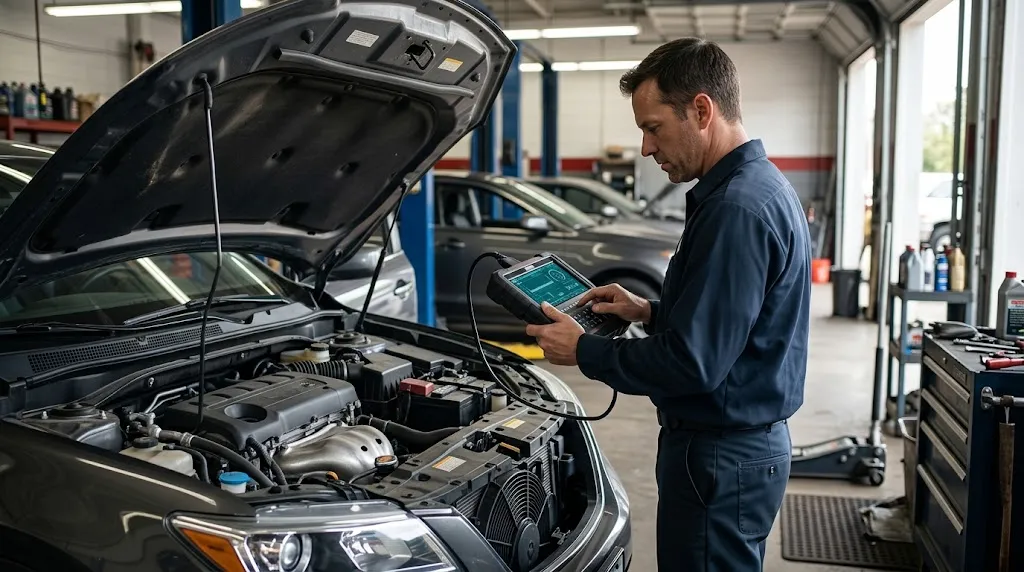
Advanced scanners may do more than retrieve information. Some can send commands to supported vehicle components.
This capability is called bidirectional control, or active testing.
For example, a supported scanner might command a cooling fan or another actuator during a diagnostic procedure.
That can help a technician distinguish a component fault from a control or wiring problem.
Service functions are related but different. They may include:
- Electronic parking brake service mode
- Steering angle sensor calibration
- Battery registration
- Oil maintenance reset
- Diesel particulate filter service functions
- Selected system relearn procedures
These capabilities are useful only when they match your vehicle and the maintenance tasks you perform.
Also, a scanner advertising bidirectional control does not necessarily support every active test on every vehicle. Programming, coding, active tests, and service resets are distinct functions.
Some procedures affect safety-critical systems or require special preparation. Follow the manufacturer’s service instructions rather than experimenting with unfamiliar controls.
7. Choose a Connection Type That Fits Your Routine
OBD2 scanners generally come as standalone wired tools, wireless adapters, or larger tablet-style diagnostic devices.
Each approach has advantages.
| Scanner Type | Main Advantage | Main Consideration |
|---|---|---|
| Wired handheld | Simple, self-contained operation | Screen and interface may be limited |
| Bluetooth or Wi-Fi adapter | Uses a phone or tablet display | Requires compatible software and pairing |
| Diagnostic tablet | Larger display and advanced workflows | Greater cost and software complexity |
A standalone wired scanner is often convenient for quick checks without relying on a phone.
A Bluetooth adapter may suit someone who likes viewing charts and saving diagnostic reports in an app.
Before selecting a wireless scanner, verify Android or iPhone compatibility, the required application, and whether its advertised features need a paid plan.
A larger display is helpful, but it should not take priority over diagnostic coverage.
8. Check Software Updates, Subscriptions, and Hidden Costs
The purchase price does not always represent the total cost of owning an OBD2 scanner.
Some devices include their core functions without recurring payments. Others use subscriptions for enhanced diagnostics, additional vehicle brands, or software updates.
Before paying, find out:
- Which diagnostic functions work without a subscription?
- Are software updates free, time-limited, or paid?
- Does the scanner continue working if a subscription expires?
- Does adding another vehicle brand cost extra?
- Are important functions locked behind app purchases?
- Is technical support available if compatibility problems occur?
These questions matter especially if you expect to use the scanner across several vehicles for years.
For occasional engine-code checks, a device with dependable basic functions and no required subscription may offer better long-term value than a more complicated system.
For advanced diagnostics, ongoing software support may justify some additional expense. The important point is to understand what you are paying for.
9. Match Scanner Features to Your Skill Level
The right scanner depends on the type of diagnostic work you actually perform.
This comparison can help identify the features worth prioritizing.
| Your Main Need | Features to Prioritize |
|---|---|
| Occasional check engine light | Stored and pending codes, clear codes, readiness status |
| DIY engine troubleshooting | Live data, graphing, freeze frame, code reports |
| Multiple warning-light systems | Verified ABS, SRS, transmission, and enhanced module access |
| Regular advanced repairs | Vehicle-specific active tests, service functions, software support |
Someone who only wants to understand a check engine light does not need professional-level active testing.
On the other hand, a home mechanic troubleshooting an intermittent fuel-system issue may find a basic code reader too limiting.
Think about your likely tasks over the next few years, not just the warning light currently on your dashboard.
10. Look for Clear Reports, Reliable Support, and Practical Design
Diagnostic coverage matters most, but everyday usability also makes a difference.
Look for a scanner with readable fault descriptions, straightforward navigation, and an interface that clearly separates stored codes from live data and readiness information.
Useful convenience features include:
- Saving or exporting diagnostic reports
- Recording live sensor data
- Displaying multiple sensor readings together
- Automatic vehicle identification where supported
- Easy access to update instructions
- Clear manufacturer documentation
Do not assume automatic vehicle identification guarantees full support. Confirm coverage separately.
For wireless tools, consider app stability and how easily the adapter connects. For handheld scanners, check screen readability, button layout, and cable length.
Manufacturer support also matters. A published compatibility chart, detailed user manual, and clear explanation of update policies are useful signs when evaluating a tool.
Common Mistakes to Avoid When Choosing an OBD2 Scanner
Many disappointing scanner purchases come from misunderstanding what a feature description actually promises.
- Assuming universal compatibility: Standard engine-code support does not guarantee enhanced diagnostics.
- Choosing by price alone: A cheaper scanner may lack the one feature you need, while an expensive one may offer unnecessary functions.
- Confusing code reading with diagnosis: A fault code is a starting clue, not proof that a named component has failed.
- Ignoring recurring fees: Some advanced functions depend on subscriptions or updates.
- Believing every reset function is universal: Verify exact vehicle and procedure coverage.
- Clearing codes too early: This may erase useful diagnostic context and affect readiness monitors.
One especially important distinction is that an OBD2 scanner reports what the vehicle’s computers can detect and make available. It cannot independently inspect worn mechanical parts, identify every electrical fault, or replace proper diagnostic procedures.
A Simple Checklist Before You Buy
Use this short process to narrow your choices.
- Identify your vehicle: Record its year, make, model, engine, and fuel type.
- Define your tasks: Decide whether you need engine codes, live data, ABS access, or advanced service functions.
- Verify coverage: Check the manufacturer’s exact vehicle-and-feature information.
- Compare useful functions: Prioritize the capabilities your diagnostic work actually requires.
- Check ownership costs: Review updates, subscriptions, app fees, and continued access.
- Evaluate usability: Choose a display, connection type, and reporting system you are comfortable using.
Key Insight
Compare scanners by the diagnostic jobs they can complete on your particular vehicle, not the number of features advertised on the package. Verified coverage is more valuable than a long list of unsupported functions.
Related Product
OBD2 Diagnostic Scanner With Live Data
Compare scanners offering live data, fault-code information, and emissions readiness checks. Confirm your vehicle’s compatibility before choosing one.
As an Amazon Associate, we earn from qualifying purchases.
Frequently Asked Questions
Can an OBD2 scanner detect every problem in a car?
No. An OBD2 scanner can access diagnostic information available through supported vehicle systems, but it cannot identify every mechanical or electrical fault. Some problems do not generate codes, and further testing may be necessary.
Will an OBD2 scanner work on a hybrid or electric car?
Some scanners support hybrid and electric vehicles, but coverage varies. Check the exact vehicle and whether the tool supports battery management, electric drive, or other specialized systems. Standard OBD2 compatibility alone does not establish that coverage.
Can I use the same scanner on multiple cars?
Often, yes. Many scanners support multiple vehicle makes. However, advanced functions may differ between models, and certain tools require additional software licenses. Verify each vehicle before buying.
Do OBD2 scanners need an internet connection?
Not always. Many standalone scanners perform basic diagnostic functions offline. App-based tools may require internet access for activation, updates, cloud reports, or subscription verification. Requirements depend on the scanner.
Can an OBD2 scanner tell me whether a used car is in good condition?
It can reveal some stored faults and readiness information, but a clean scan does not prove that a vehicle is mechanically sound. A used-car inspection should also include physical checks, a road test, maintenance history, and professional evaluation when appropriate.
Is it safe to leave a Bluetooth OBD2 adapter plugged in?
That depends on the adapter and vehicle. Some devices use low-power sleep modes, while others may draw power when parked. Check the manufacturer’s guidance, especially if the car will remain unused for an extended period.
Conclusion
Choosing an OBD2 scanner becomes much easier when you start with your vehicle and the diagnostic tasks you want to complete.
For simple check engine light checks, dependable trouble-code reading and emissions readiness information may be enough. For more detailed troubleshooting, live data and freeze-frame information offer added value. If you work on braking, airbag, transmission, or other electronic systems, verified enhanced coverage becomes especially important.
Before making a final decision, compare the manufacturer’s compatibility details, supported functions, software costs, and everyday usability. A scanner that reliably performs the tasks you need will be more useful than one with an impressive feature list you rarely use.

I’m Alex Rahman, a car enthusiast and automotive writer focused on practical solutions, car tools, and real-world driving advice. I share simple and honest content to help everyday drivers make better decisions.
