Can OBD2 Scanners Read ABS Codes? Explained
Quick Answer
Yes, some OBD2 scanners can read ABS codes, but basic OBD2 code readers usually cannot. Standard OBD2 diagnostics primarily cover engine and emissions-related faults. To retrieve ABS trouble codes, you need a scanner with dedicated ABS diagnostics or manufacturer-specific enhanced system coverage compatible with your vehicle.
Your ABS warning light comes on, so you connect an OBD2 scanner expecting a fault code. Instead, the screen says “No Codes Found.” That result can be confusing, especially when the warning light remains illuminated.
The problem may be scanner capability rather than a missing fault. Understanding the difference between standard OBD2 diagnostics and ABS module access helps you determine which tool can identify the problem and what to check next.
Why Can’t Every OBD2 Scanner Read ABS Codes?
Not every OBD2 scanner can read ABS codes because the standardized OBD2 functions and the anti-lock braking system serve different diagnostic purposes.
Standard OBD2 functionality primarily focuses on emissions-related engine and powertrain information. The U.S. Environmental Protection Agency’s OBD regulations address monitoring and reporting malfunctions associated with vehicle emissions control systems.
ABS diagnostics, however, generally involve a separate electronic control module that supervises wheel-speed information, braking-related sensors, and anti-lock braking operation.
A basic code reader may communicate successfully with the engine computer without having the software or vehicle-specific commands needed to communicate with the ABS module.
Standard OBD2 Versus Enhanced Diagnostics
The distinction is easier to understand when the two diagnostic capabilities are compared directly.
| Feature | Basic OBD2 Reader | ABS-Capable Scanner |
|---|---|---|
| Engine fault codes | Yes | Usually |
| ABS fault codes | Usually no | Yes, on supported vehicles |
| ABS-specific live data | Usually no | Depends on model |
| Clearing ABS codes | Usually no | When supported and permitted |
| ABS actuator tests | No | Only on certain advanced tools |
An ABS-capable scanner is not necessarily a professional bidirectional scan tool. Reading fault codes, displaying sensor data, and commanding ABS components are separate functions.
What Type of Scanner Can Read ABS Codes?
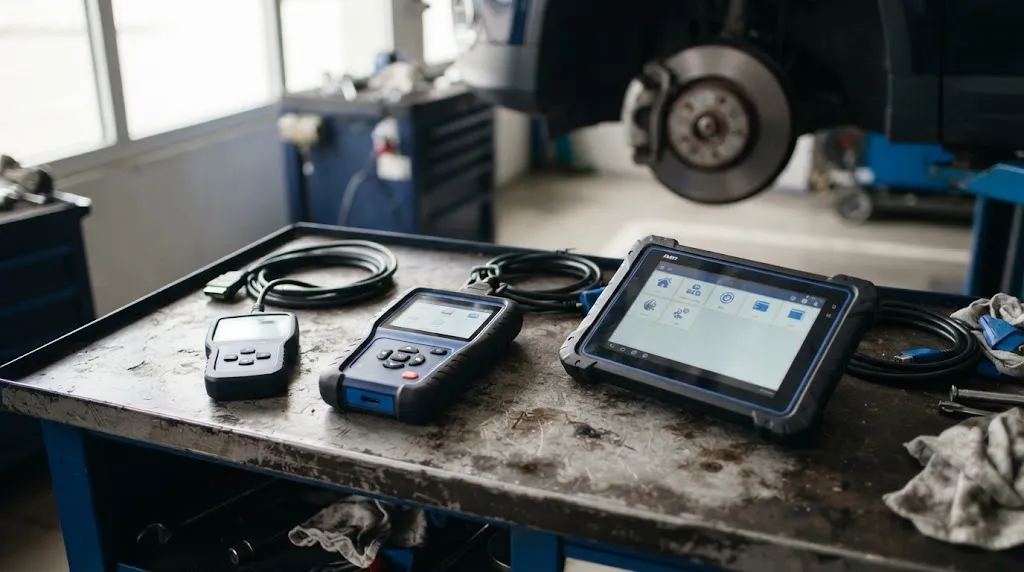
You need a diagnostic scanner that explicitly supports ABS fault-code retrieval for your vehicle’s make, model, year, and applicable market.
There are several common categories of diagnostic tools, but their names alone do not guarantee ABS coverage.
ABS-Specific Code Readers
These scanners combine ordinary OBD2 functions with the ability to communicate with supported anti-lock braking systems.
They can be a practical choice when your main goal is identifying the reason an ABS warning light is illuminated. Some also support airbag-related diagnostics, although ABS support does not automatically guarantee SRS coverage.
Multi-System Diagnostic Scanners
Multi-system scanners can access additional vehicle computers, potentially including ABS, airbag, transmission, and body control modules.
The actual coverage varies. A scanner advertised as an all-system tool may still have limitations for particular vehicles, modules, model years, or diagnostic functions.
Bluetooth Adapters With Enhanced Diagnostic Software
Some Bluetooth OBD2 adapters can retrieve ABS codes when paired with compatible enhanced diagnostic software.
The adapter alone does not guarantee this capability. The app, vehicle profile, supported communication protocols, and available manufacturer-specific features all matter.
For example, OBDLink’s enhanced diagnostics documentation explains that accessing manufacturer-specific ABS trouble codes depends on supported vehicle coverage.
Key Insight
A scanner fitting your vehicle’s OBD2 port does not mean it can communicate with every electronic module. Physical connector compatibility and diagnostic system coverage are different things.
How to Check Whether Your OBD2 Scanner Supports ABS
Before replacing your scanner or purchasing another diagnostic tool, check its actual capabilities.
- Find the scanner’s model number. Look at the tool’s label, settings screen, product documentation, or companion application.
- Check the supported systems. Look specifically for ABS, brake system diagnostics, or manufacturer-enhanced fault-code coverage.
- Verify vehicle compatibility. Confirm the supported make, model, model year, engine or platform when relevant, and sales region.
- Check the available functions. Make sure the tool can read ABS diagnostic trouble codes rather than offering only an unrelated brake maintenance reset.
- Review required updates or add-ons. Some tools require manufacturer-specific software, subscriptions, downloads, or updated vehicle coverage.
A tool that supports ABS on one vehicle may not support it on another. Manufacturer coverage charts and official compatibility checkers provide stronger evidence than a generic “works with OBD2 vehicles” claim.
Also distinguish between an ABS code reader and an ABS bleeding function. The first retrieves diagnostic information. The second may command hydraulic components during a prescribed service procedure and requires separate tool support.
How to Read ABS Trouble Codes With a Compatible Scanner
Once you have confirmed ABS support, retrieving codes is usually straightforward. Exact menu names vary by scanner and vehicle.
- Park the vehicle safely. Use a level surface, secure the parking brake, and follow the vehicle and scanner instructions.
- Locate the diagnostic connector. On many vehicles, the 16-pin OBD2 connector is located beneath the driver’s side dashboard.
- Connect the scanner. Insert its diagnostic plug securely and switch the ignition to the position specified by the tool. Some procedures require the engine to remain off.
- Select the vehicle. Use automatic vehicle identification or manually enter the requested make, model, and year.
- Open the ABS module. Choose ABS, Brake System, or the appropriate electronic brake control module from the diagnostic menu.
- Read and save the codes. Record the full code, description, current or stored status, and any available freeze-frame information.
- Investigate before clearing. Use the fault details, service information, and relevant inspection results to determine the cause.
Some scanners allow you to view individual wheel-speed sensor readings or other ABS-related live data. These additional measurements can help distinguish a sensor signal problem from wiring, communication, or module-related faults.
A fault code identifies what the system detected. It does not always identify the exact component that needs replacing.
Why Does the Scanner Say “No Codes” When the ABS Light Is On?
A “No Codes” message can mean the scanner searched the wrong system, lacked ABS access, or could not retrieve the relevant information.
Start by checking the following possibilities:
- Engine-only scan: The tool checked standardized powertrain diagnostics instead of the ABS control module.
- Unsupported vehicle: The scanner supports ABS generally but not your exact vehicle configuration.
- Incorrect module selection: The ABS computer was not selected from the available system list.
- Software limitation: An enhanced diagnostic package or update may be missing.
- Communication problem: A module power, ground, wiring, network, or connection fault may prevent communication.
- Code-status limitation: The scanner may not display all stored, historical, or manufacturer-specific fault information.
Try a dedicated ABS scan rather than repeating a generic engine-code search. If a supported scanner reports that it cannot communicate with the ABS module, that result deserves its own diagnosis.
Do not interpret the absence of readable codes as proof that the braking system is working correctly.
What Problems Can ABS Trouble Codes Help Identify?
ABS diagnostic codes can direct attention toward several parts of the braking control system. Common fault categories include:
- Wheel-speed sensor signal errors
- Damaged sensor wiring or electrical connectors
- Wheel-speed signal interruptions associated with tone rings or encoder components
- ABS pump motor or control circuit faults
- Hydraulic control unit electrical problems
- ABS module power supply or communication faults
For example, a code referring to a front wheel-speed sensor circuit does not automatically prove the sensor itself has failed. The cause could involve its wiring, connector, power supply where applicable, or the signal-producing components near the wheel.
This is why replacing parts based on a code description alone can waste money and leave the warning light unresolved.
Can an OBD2 Scanner Clear ABS Codes and Turn Off the Warning Light?
Yes, a compatible ABS-capable scanner may clear stored ABS trouble codes, but clearing codes is not the same as repairing the fault.
If the underlying issue remains active, the control module may refuse to clear the fault, immediately restore the code, or illuminate the warning light again after another system check.
Code clearing may also erase useful diagnostic information. Record the original codes and any available supporting data before attempting to erase them.
Safety Warning
An illuminated ABS warning light may indicate that anti-lock braking assistance is unavailable, even when ordinary braking still works. If the red brake warning light also appears, braking feels abnormal, or stopping performance changes, stop in a safe place and arrange appropriate inspection rather than continuing to drive normally.
What If Your Current Scanner Cannot Read ABS Codes?
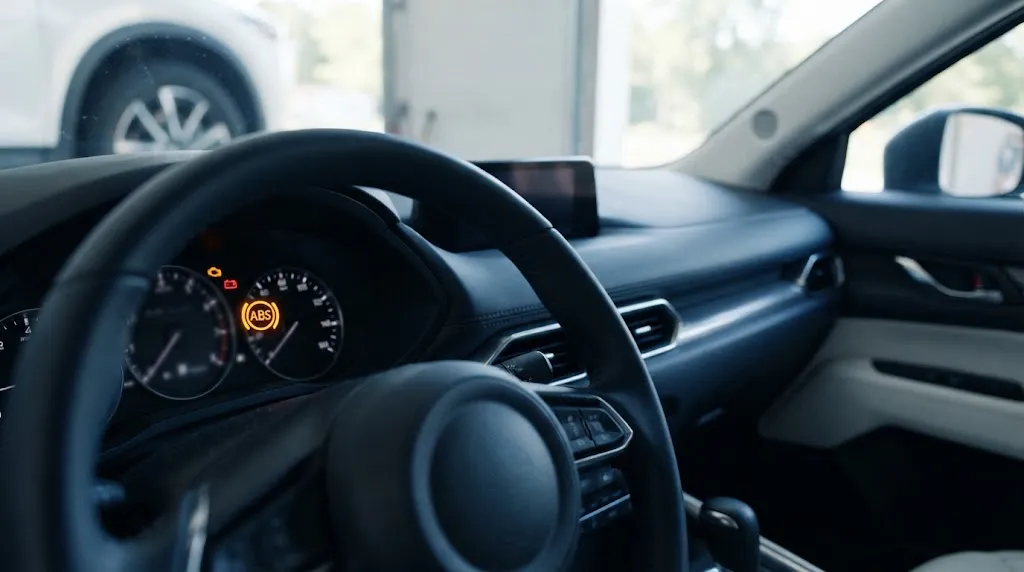
If your scanner is limited to generic OBD2 functions, you have several practical options.
First, check whether its manufacturer offers enhanced ABS diagnostics through a supported app, software add-on, or update. This may provide the necessary coverage without replacing the entire tool.
Second, use a dedicated ABS-capable scanner whose official compatibility information confirms support for your exact vehicle.
Third, consider a repair shop or qualified automotive technician with access to the appropriate manufacturer-level diagnostic equipment. This can be particularly useful when the ABS warning appears alongside other braking or stability-control warnings.
If the system requires advanced troubleshooting, code retrieval may be only the beginning. Electrical measurements, wiring diagrams, sensor inspections, and manufacturer service procedures may be necessary.
For most owners investigating an ABS light, the immediate priority is obtaining an accurate code report, not purchasing the most advanced scanner available.
Related Diagnostic Tool
OBD2 Scanner With ABS Code Reading
Compare scanners with verified ABS module support for your vehicle. Check compatibility and code-reading functions before choosing a tool.
Affiliate disclosure: As an Amazon Associate, we earn from qualifying purchases.
Frequently Asked Questions
1. Can a cheap OBD2 scanner read ABS codes?
Most inexpensive engine-only code readers cannot retrieve ABS codes. However, price alone does not determine capability. Check whether the manufacturer explicitly supports ABS diagnostics for your vehicle.
2. Are ABS codes different from check engine codes?
Yes. ABS codes generally concern the anti-lock braking system, while standard check engine diagnostics focus on emissions-related powertrain faults. They often originate from different electronic control modules.
3. Can a Bluetooth OBD2 scanner detect ABS problems?
Some Bluetooth adapters paired with compatible enhanced diagnostic apps can access ABS modules. A generic Bluetooth adapter and basic engine-code application may not provide that functionality.
4. Does an ABS scanner also read traction control codes?
It may. ABS and traction or stability-control functions often share electronic components, but scanner coverage varies. Verify the exact system functions supported on your vehicle.
5. Can ABS codes be read with the engine off?
Often, yes. Many scanners retrieve ABS codes with the ignition switched on and the engine stopped. Follow the scanner’s instructions because operating conditions vary by vehicle and procedure.
6. Will disconnecting the battery clear ABS codes?
Not reliably. Some fault records remain stored in nonvolatile memory, and active faults can return. Battery disconnection may also reset unrelated vehicle settings, so proper diagnosis is preferable.
Final Thoughts
Some OBD2 scanners can read ABS codes, but standard engine-code readers usually cannot. The essential difference is access to the vehicle’s ABS control module through compatible enhanced diagnostic functions.
Before troubleshooting an illuminated ABS warning light, verify your scanner’s coverage for the exact vehicle and system. Retrieve and document the fault information, investigate the cause, and repair the underlying issue before clearing codes. A compatible scanner provides a useful starting point, but safe braking system diagnosis requires more than simply turning off a warning light.

I’m Alex Rahman, a car enthusiast and automotive writer focused on practical solutions, car tools, and real-world driving advice. I share simple and honest content to help everyday drivers make better decisions.
