
Can I Use My Phone as an OBD2 Scanner? Simple Steps
Quick Answer
Yes, you can use your phone as an OBD2 scanner, but the phone alone cannot talk to your car. You need a small wireless adapter in the OBD2 port and a scanner app on your phone. The adapter reads data from the car, and the app shows codes and live readings.
- Your phone is the screen and controls, not the scanner hardware.
- A Bluetooth or Wi-Fi adapter links the phone to the car port.
- Most phone setups read engine codes, live data, and readiness.
- Many setups cannot reach ABS, airbag, or transmission systems.
A check engine light can feel urgent, and a phone in your pocket can help you learn what it means. This guide is for a driver who wants a clear answer before buying an adapter or opening an app.
Can a phone scan a car by itself?
A phone cannot scan a car by itself because it has no wired link to the car computer. OBD2 is a diagnostic system built into the car, and it sends data through a 16-pin port under the dash. Your phone needs a bridge between that port and its screen.
That bridge is a small adapter, often called a dongle. The adapter plugs into the port and sends data to your phone by Bluetooth or Wi-Fi. The app on your phone then turns that data into codes, words, and gauges you can read.
What do you need to turn a phone into an OBD2 scanner?
You need three parts to turn a phone into an OBD2 scanner: a car with an OBD2 port, a wireless adapter, and a scanner app. Each part has one job, and a weak part can break the whole setup.
First, find the OBD2 port in your car. It sits under the dash on the driver side in most cars, near the steering column or hood release. It has a trapezoid shape with 16 pin slots, and the adapter should fit snugly.
Second, choose an adapter that fits your phone. Android phones work with most Bluetooth adapters, while iPhone models need Bluetooth Low Energy or Wi-Fi in most cases. A cheap clone adapter may drop the link or fail to talk to some cars.
Third, pick a scanner app that works with your adapter and your phone. Some apps work with almost any ELM327 adapter, while some apps work with one adapter brand alone. Read the app notes for adapter support before you install it, and use the right OBD2 app for your setup.
How do you use your phone as an OBD2 scanner?
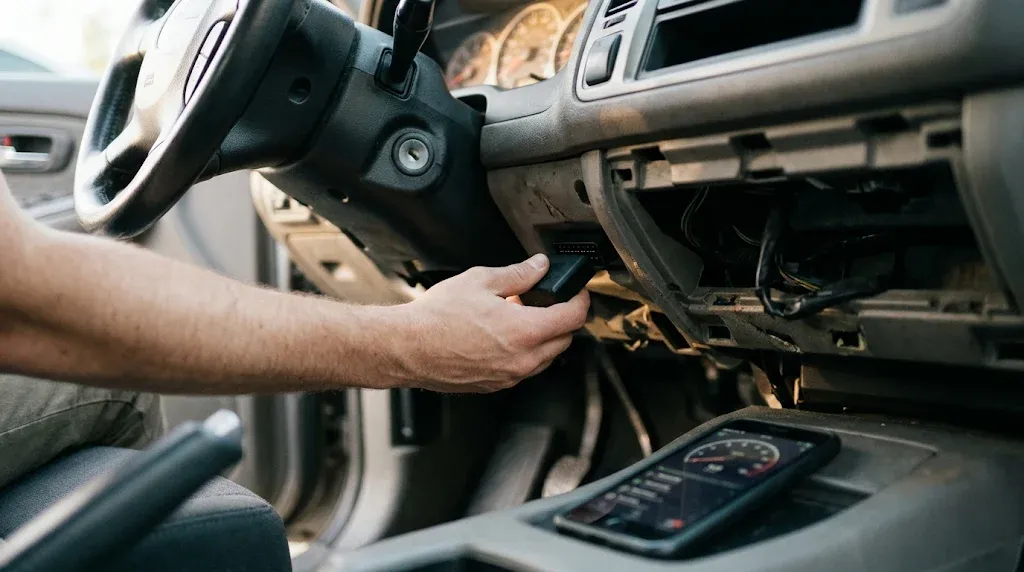
You use your phone as an OBD2 scanner by plugging in the adapter, turning the ignition on, pairing the phone, and opening the app. The order matters, because pairing in the wrong menu is a common cause of a failed link. Follow the steps in order and check each link as you go.
Step 1
Find and plug in the adapter
Find the OBD2 port under the dash on the driver side. Push the adapter in until it seats, and look for its power light.
Step 2
Turn the ignition on
Turn the key to On, or press the start button without the brake on a push-button car. The car computer must be awake to send data.
Step 3
Pair the adapter and phone
Pair inside the app when the app asks for it, unless the adapter guide says to pair in phone settings. For Wi-Fi, join the adapter network in phone Wi-Fi settings.
Step 4
Open the app and connect
Open the app, choose the adapter type, and tap Connect. Wait for the adapter and car computer icons to show a link.
Step 5
Read codes and live data
Tap Read Codes or Fault Codes, then note each code and its plain-word meaning. Check live data and readiness if the app shows them.
These steps match this guide to phone OBD2 scanner steps.
Which connection works on iPhone and Android?
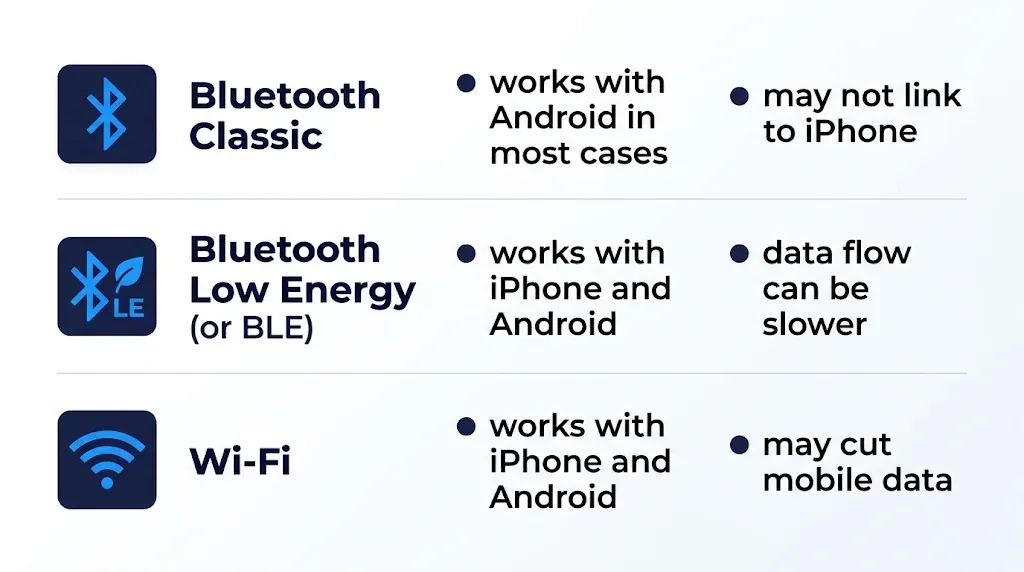
The right connection depends on your phone, because iPhone and Android handle Bluetooth in different ways. Bluetooth Low Energy works on both phone types in most cases, while classic Bluetooth works with Android in most cases. Wi-Fi works on both types, but it can cut mobile data while it is linked.
Android gives you the widest choice of adapters. Most generic ELM327 Bluetooth adapters pair with Android, and many apps support them. Learn more in this guide to Bluetooth OBD2 on Android before you buy.
iPhone needs a closer match. A classic Bluetooth adapter that works on Android may not link to an iPhone at all.
Choose an adapter that lists iPhone support or Bluetooth Low Energy support, and check the app notes for iPhone support. This guide to Bluetooth scanners for iPhone explains the iPhone match in more detail.
The table below compares the three main wireless links.
| Connection | Works with | Watch out for |
|---|---|---|
| Bluetooth Classic | Android in most cases | May not link to iPhone |
| Bluetooth Low Energy | iPhone and Android | Data flow can be slower |
| Wi-Fi | iPhone and Android | May cut mobile data |
What can a phone scanner read and clear?
A phone scanner can read engine and emissions codes, show live sensor data, and check emissions readiness. Those three jobs cover most check engine light cases for a home driver. The app turns each code into a plain-word fault name.
Tip
Save each code and its freeze frame before you clear it, so you keep the fault snapshot for later checks.
You can clear an engine code with most phone apps after you note it. Clearing turns off the light, but it does not fix the fault.
If the fault is still present, the code can return after a drive cycle. Learn how this works in this guide to diagnose a check engine light with a phone.
What can a phone scanner not do?
A phone scanner cannot reach most systems past the engine in a basic setup. ABS, airbag, transmission, and body modules often need a full-system tool or a maker app. A basic adapter and a free app may show no codes for those lights.
That limit explains a common case: the check engine light is off, yet an ABS or airbag light stays on. The phone tool may read the engine fine, while the fault sits in a module it cannot reach. This guide explains why a scanner only reads engine codes in that case.
Phone scanner or handheld scanner: which fits you?
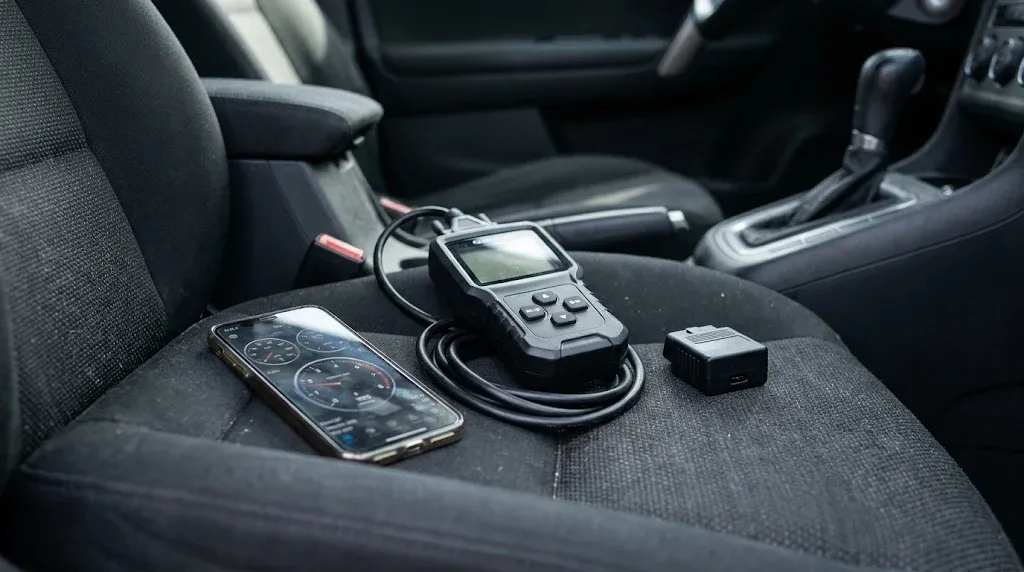
A phone scanner fits a driver who wants a low-cost tool for engine codes and live data. A handheld scanner fits a driver who wants a screen, buttons, and a tool that works with no phone. Both read the same port, but they suit different habits.
Phone scanner
Best for: engine codes on the go
- Screen: phone screen and app gauges
- Cost: adapter plus app, often low
- Use: read codes, live data, readiness
Handheld scanner
Best for: a tool with no phone
- Screen: built-in screen and buttons
- Cost: tool price, no app needed
- Use: read codes, some live data
Why will a phone scanner not connect?
A phone scanner will not connect when the adapter, the phone, or the car link fails at one step. Work through the steps in order, and change one thing at a time. That method finds the fault faster than changing the app and the adapter at once.
First, check power at the port. If the adapter light stays dark, check the fuse for the OBD2 port or the 12-volt socket circuit. A blown fuse can cut power to the port while the car still starts.
Second, check the pairing path. If you paired classic Bluetooth in phone settings, the app may not see the adapter. Forget the device in phone settings, then pair inside the app as the adapter guide directs.
Warning
Clearing codes before an emissions test can cause a fail, because monitors show Not Ready. Note the codes first, then fix the fault.
If the link still fails after those checks, try the adapter on a second car or try a known good adapter on your car.
OBD2 Bluetooth Adapter
This adapter links your phone to the OBD2 port so you can read codes and live data with a scanner app.
Frequently Asked Questions
Can I use my phone as an OBD2 scanner without an adapter?
A phone cannot work as an OBD2 scanner without an adapter, because the phone has no link to the car computer. A wireless adapter plugs into the OBD2 port and sends data to the phone. The app then shows codes and live readings from that link.
Does a phone OBD2 scanner work on iPhone?
A phone OBD2 scanner works on iPhone when the adapter supports Bluetooth Low Energy or Wi-Fi. A classic Bluetooth adapter made for Android may not link to an iPhone. Check the adapter notes for iPhone support before you buy it.
Can a phone scanner clear a check engine light?
A phone scanner can clear a check engine light after you save the code and freeze frame. Clearing the code turns off the light, but it does not fix the fault. If the fault stays, the code can return after a drive cycle.
Can a phone scanner read ABS or airbag codes?
A basic phone scanner cannot read ABS or airbag codes in most cases, because those faults sit in modules past the engine. Some paid apps add those systems for some car models. Check the app notes for your car before you rely on it.
Will leaving the adapter plugged in drain the battery?
Leaving an adapter plugged in can drain a weak battery over days, because some adapters draw power while the car is off. Unplug the adapter after each scan to avoid that drain. Store it in a dry place until the next scan.
Is a phone scanner safe to use while driving?
A phone scanner is not safe to watch while you drive, because the screen can pull your eyes from the road. Use the app data log to record a drive, then review the log after you park. Keep the phone mounted and your eyes on the road.
Conclusion
Yes, you can use your phone as an OBD2 scanner with a wireless adapter and a matched app. Your phone can read engine codes and live data from the car. If your car has a check engine light, plug in a Bluetooth Low Energy adapter, save the code, and check the fault before you clear it.

I’m Alex Rahman, a car enthusiast and automotive writer focused on practical solutions, car tools, and real-world driving advice. I share simple and honest content to help everyday drivers make better decisions.
