Why Does My Scanner Only Read Engine Codes? Explained
Quick Answer
Your scanner only reads engine codes because it was built for standard OBD-II powertrain codes. That system covers generic engine and emissions codes, but not the ABS, airbag, transmission, body, or network modules. If another warning light is on and your scanner shows nothing, the fault is probably stored in a module your tool cannot reach.
An ABS or airbag light can stay on while your scanner reports no codes. That mismatch is frustrating, and it is also normal for a basic tool. Your scanner is not necessarily broken. It is simply looking at a different part of the car from the one that set the warning.
Your Scanner Was Built for One Job
Most basic scanners are code readers, not full diagnostic tools. A code reader has one main job: connect to the engine control module, read the standard codes that turn on the check-engine light, and clear them after a repair.
The words on the box can be misleading. A tool labelled as an OBD2 scanner may still be an engine-only reader. It fits the same 16-pin port, powers up, and reads engine codes, but fitting the port does not mean it can talk to every computer in the car.
What OBD-II Was Actually Designed to Do
OBD-II was created mainly to monitor emissions. In the United States, it became mandatory for cars and light trucks from the 1996 model year, and it standardised the diagnostic connector, the communication protocols, and a shared set of powertrain codes. Any compliant tool could therefore read the same basic engine codes on any compliant car.
The standard diagnostic modes show the same limit. Basic readers typically use Mode $01 for live powertrain data, Mode $03 for stored emissions-related codes, Mode $04 to clear them, and Mode $07 for pending codes. Those modes all point at the powertrain control module. A guide to OBD2 diagnostic modes lists all ten standard modes and notes that basic code readers typically support only Modes $01, $03, $04, and $07, while professional tools add manufacturer-specific modes for transmission, ABS, airbag, and body control.
The 4 Reasons Your Scanner Stops at Engine Codes
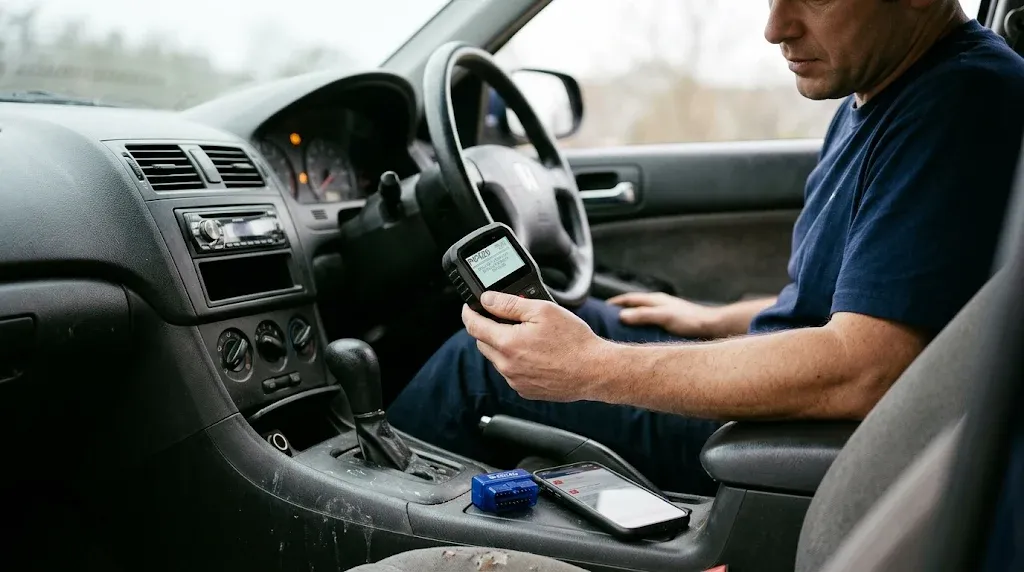
Engine-only reading usually comes down to four causes. They often overlap, so work through them in order.
1. It is a code reader, not a full-system scanner
This is the most common reason. A basic handheld reader, a cheap Bluetooth dongle with a free app, and a parts-store counter tool are all built around the same idea: read the check-engine codes quickly and cheaply. They may show live engine data and readiness monitors, but they have no ABS, SRS, transmission, or body menu to open.
2. It only speaks generic OBD-II
Even within the engine, a basic scanner does not read everything. Generic codes start with P0, and they mean the same thing on every make. Manufacturer-specific codes start with P1, and the same number can mean different things on different brands. A basic tool may read the P0 codes and miss the P1 codes, or show a P1 code with a vague description.
The same split applies to the other families. B codes cover body systems such as airbags and climate control. C codes cover chassis systems such as brakes and suspension. U codes cover network communication between modules. If your tool cannot read B, C, or U codes, a fault in one of those systems will look like no fault at all. Our guide to whether an OBD2 scanner can read manufacturer codes explains why those brand-specific codes need extra software.
3. Other modules speak a different language
A modern car is not one computer. It is a network of modules: an engine control module, a transmission control module, an ABS module, an airbag module, and a body control module, among others. Each one stores its own codes, and each may use a manufacturer-specific protocol or a secure gateway.
That is why an ABS light can stay on while an engine scan is clean. The ABS module has stored a wheel-speed sensor fault, but your scanner never asked that module. The same applies to an airbag light: the SRS module may hold a fault for a seatbelt pretensioner or a crash sensor, and an engine-only tool will never see it. If you want to check that warning, read our guide to whether OBD2 can diagnose an ABS warning light before you assume the brakes are fine.
4. Your car, app, or settings are limiting the scan
Sometimes the tool can do more, but something else holds it back. A Bluetooth adapter may be paired with a free app that hides ABS and SRS behind a paid upgrade. A handheld scanner may need a firmware or vehicle-database update before it recognises a newer model year. A scan run in generic OBD-II mode, instead of vehicle-specific mode, will only ask the standard questions.
Tip
Before you buy a replacement, open your current tool and look for a system list, an Auto Scan option, or an update prompt. If none of those exist, you have your answer in under a minute.
What a Basic Reader Sees, and What It Misses
A basic reader usually covers engine and emissions, and sometimes only the generic powertrain codes that overlap with the transmission. It does not cover ABS, airbag, body, TPMS, or network systems. A full-system scanner does, with live data from those modules. That is also why a parts-store free scan can come back clean while a warning light stays on.
How to Tell in 2 Minutes Whether Yours Is Engine-Only
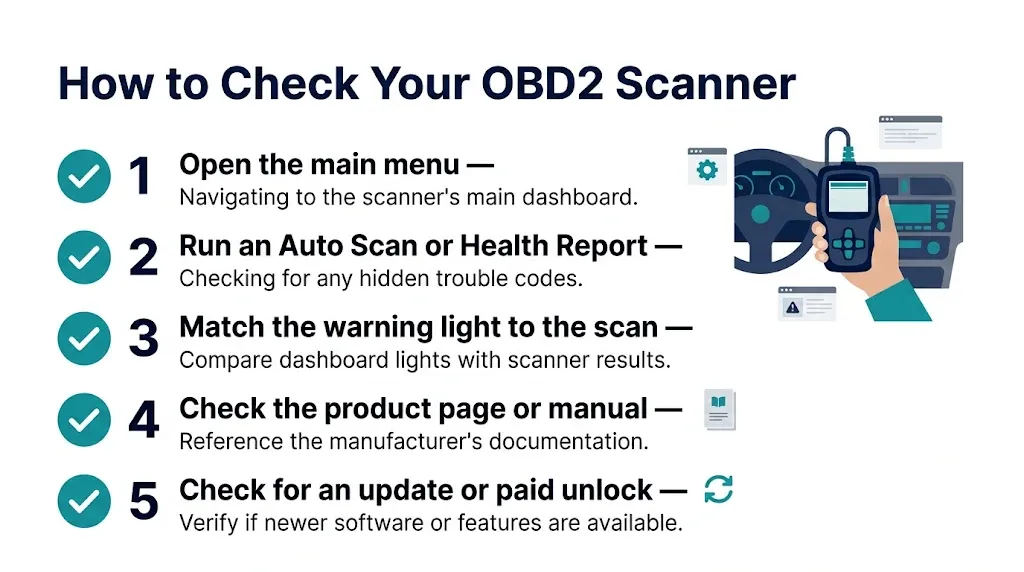
You do not need a second tool to confirm the limit. Run these checks in order.
- Open the main menu. Look for ABS, SRS, airbag, transmission, body, or all-system. If the menu shows only OBD-II, Read Codes, Live Data, and I/M Readiness, the tool is engine-only.
- Run an Auto Scan or Health Report if one exists. A full-system tool will list each module and say whether it communicated. An engine-only tool will finish after the powertrain check.
- Match the warning light to the scan. If the ABS light is on and the scan reports no codes, the tool did not check that module.
- Check the product page or manual. Search for your exact model and the words ABS, SRS, and transmission. If those systems are not listed, they are not supported.
- Check for an update or a paid unlock. Some apps and handheld tools add system coverage through an update, a vehicle pack, or a subscription. Install it and scan again before you replace the tool.
What to Check Before You Replace It
Replacing a working engine reader is wasteful if the real problem is a setting or a missed menu. Start with the simple causes.
First, confirm the connection. The scanner should sit firmly in the OBD-II port, usually under the dashboard on the driver side, and the ignition should be in the position the tool asks for. A loose plug or a blown OBD-II fuse can stop communication altogether.
Then check pending codes and freeze-frame data. A pending code is a fault the car has seen but not yet confirmed, and some basic tools hide pending codes by default. Freeze-frame data shows engine speed, load, and coolant temperature at the moment a code was set. A Mode $03 stored-code list alone is a narrow view, and a guide to OBD-II diagnostic modes explains how Mode $03 returns only the emissions-related codes that have turned on the malfunction indicator lamp.
Finally, do not clear codes just to see what happens. Write them down first, because clearing erases the codes and the freeze-frame snapshot.
Warning
Never clear an airbag or ABS code, and never work on airbag wiring, just because a new tool can read it. Those are safety systems. Read the code, note it, and get professional help if the light stays on.
When Engine-Only Is Enough, and When It Is Not
Engine-only is enough when the problem is a check-engine light and you want the generic code, the freeze-frame snapshot, and the readiness status before an emissions test.
It is not enough when another warning light is on, when the car has a transmission, braking, or airbag symptom, or when the check-engine light is on but the scan shows no codes. In those cases, the fault is likely in a module the basic tool cannot reach, or it is a manufacturer-specific code the tool cannot translate. Our guide to engine problems an OBD2 scanner cannot detect covers the mechanical and sensor limits that apply even to better tools.
What Kind of Tool Reads the Rest?
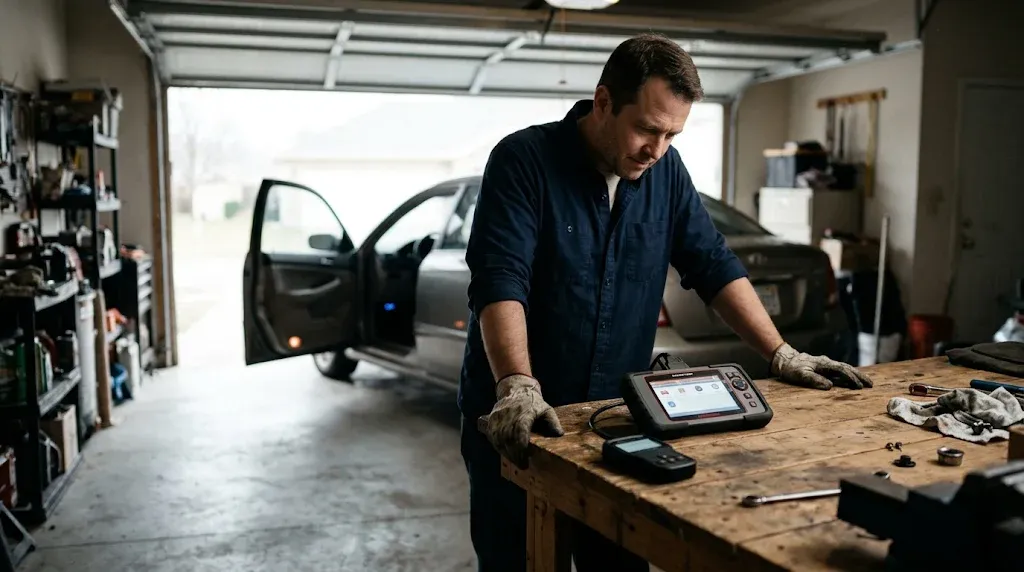
If you need more than engine codes, look for a tool that names the systems you need. A four-system tool usually covers engine, transmission, ABS, and SRS. An all-system tool adds body, TPMS, and other modules, depending on the car. The exact list matters more than the label, so check it against your year, make, and model.
Also check what the tool can do after it reads a code. Some tools read ABS codes but cannot clear them on every car, and some need a subscription for updates after the first year. For many owners, a mid-range handheld or Bluetooth tool with four-system coverage is enough to read the ABS, SRS, and transmission codes a basic reader misses, without paying for workshop features you will not use.
Related Product
All-System OBD2 Scanner with ABS, SRS, and Transmission
If your current reader only shows engine codes, an all-system scanner is the direct next step for ABS, airbag, and transmission faults.
As an Amazon Associate, we earn from qualifying purchases.
Frequently Asked Questions
Why does my scanner show no codes when a warning light is on?
Because the light and the code may belong to different systems. A basic scanner reads engine codes, while an ABS, airbag, or transmission fault is stored in its own module, which your tool never asked.
Can a basic OBD2 scanner read ABS codes?
Usually no. Most basic readers are built for generic powertrain codes only. You need a tool that specifically lists ABS support for your year, make, and model, and even then coverage can vary by trim and system.
Can a basic OBD2 scanner read airbag codes?
Usually no. Airbag faults are stored in the SRS module, outside the engine-only service set. You need a scanner that lists SRS support, and safety faults should not be cleared without professional advice.
Why can my scanner read engine codes but not transmission codes?
Because it may only read the generic powertrain codes that overlap with the transmission, not the transmission module itself. Detailed transmission codes and shift faults need a tool with transmission-module access for your vehicle.
Will updating my scanner add ABS and SRS coverage?
Sometimes. An update can add vehicle coverage, fix a code library, or unlock a system pack, especially on Bluetooth tools and mid-range handhelds. It will not turn a hardware-limited engine-only reader into a full-system scanner if the tool was never built with that access.
Is my scanner broken if it only reads engine codes?
Probably not. If it reads engine codes and clears generic codes correctly, it is working as designed. It is a design limit, unless the product page promised ABS, SRS, or all-system coverage it does not deliver.
Conclusion
Your scanner only reads engine codes because that is the job it was built for. OBD-II standardised generic powertrain codes, but ABS, airbag, transmission, and body faults live in separate modules that need extra software. Check your menu for those systems, confirm coverage for your exact car, and update the tool if you can. If it is still engine-only, that is a design limit, not a broken tool.

I’m Alex Rahman, a car enthusiast and automotive writer focused on practical solutions, car tools, and real-world driving advice. I share simple and honest content to help everyday drivers make better decisions.
