10 Best OBD2 Scanners for 7.3 Powerstroke 2026: Ford Diesel Diagnostics Made Clear
The 10 best obd2 scanner for 7.3 powerstroke pick right now is OBDLink MX+ — it works with FORScan over Ford J1850 PWM. We compared 10 scanners against published specifications, scoring each on Ford-enhanced coverage, live diesel data, and ease of use. Most scanners look identical on paper but miss Ford-specific diesel tests, and that gap is what this comparison exposes. Whether you need FORScan diagnostics, a standalone tablet, or a phone adapter, this guide gives you one clear answer.
Quick Comparison: All 10 Products Ranked
| # | Product | Best For | Rating | Badge | |
|---|---|---|---|---|---|
| 1 | OBDLink MX+ Bluetooth OBD2 Scanner | FORScan use on phone or tablet | 4.9/5 | Best Overall | Buy → |
| 2 | OBDLink EX USB OBD2 Adapter | Stable wired FORScan on laptop | 4.8/5 | Best USB Pick | Buy → |
| 3 | AutoEnginuity ScanTool with Ford Enhanced Bundle | Deep Ford tests and diagnostics | 4.7/5 | Best Ford Coverage | Buy → |
| 4 | Autel MaxiCOM MK808S Tablet Scanner | Standalone tablet, no phone needed | 4.6/5 | Best Tablet Scanner | Buy → |
| 5 | Launch X431 CRP919E All-System Scanner | Broad all-system coverage | 4.5/5 | Best All-System Pick | Buy → |
| 6 | Innova 5610 OBD2 Bidirectional Scan Tool | Quick reads and basic active tests | 4.4/5 | Best DIY Handheld | Buy → |
| 7 | BlueDriver Pro Bluetooth OBD2 Scan Tool | Simple phone-based checks | 4.3/5 | Best App Pick | Buy → |
| 8 | Vgate vLinker FS Bluetooth OBD2 Adapter | Low-cost FORScan adapter | 4.2/5 | Best Budget Adapter | Buy → |
| 9 | TOPDON TopScan Pro Bluetooth OBD2 Scanner | Phone diagnostics with repair guidance | 4.1/5 | Best Phone Pro Pick | Buy → |
| 10 | FOXWELL NT710 All-System OBD2 Scanner | Entry handheld without a phone | 4.0/5 | Best Entry Handheld | Buy → |
How We Chose These Scanners
What we compared
10 adapters and scanners were compared against published specifications, protocol support, Ford-enhanced coverage, and stated live-data functions. No hands-on test duration is claimed.
Our 3 scoring criteria
Ford-enhanced coverage, live diesel data depth, and ease of use. Each product received the same three scores out of 5.
Expert consulted
No expert interview was supplied for this comparison. Scores reflect published specifications and stated app compatibility, not an independent expert review.
What we cut — and why
Generic code-only readers without stated Ford-enhanced or J1850 PWM support were cut, because they cannot address the Ford-specific tests 7.3 owners most often need.
What to Look for When Buying an OBD2 Scanner for a 7.3 Powerstroke
A 7.3 is not a generic modern car, so a generic code reader is often the wrong starting point. Start with how to choose an OBD2 scanner before you narrow by app, then check the four factors below against your truck and your software.
1. Ford-Enhanced Coverage, Not Just Generic Codes
Generic OBD2 reads powertrain codes, but a 7.3 owner usually needs Ford-enhanced data, injector tests, and cylinder contribution checks. This matters because OBD2 scanners on diesel cars vary widely in enhanced coverage. Check the app or tool description for Ford-specific functions before you buy, and treat a generic code list as a minimum, not a full diagnosis.
2. Model-Year and Protocol Fit
First, check your vehicle’s OBD2 compatibility against the model year and port type, because early 7.3 trucks do not behave like later OBD2 vehicles. Ford 7.3 trucks commonly use SAE J1850 protocol used by Ford, so protocol support is not optional. Confirm the exact model year in the app profile, and do not assume every adapter that fits the port will read Ford-enhanced data.
3. Live Diesel Data That Matters
For a 7.3, live data is where most diagnosis happens. Injection control pressure, injection pressure regulator duty cycle, engine oil temperature, and injector-related readings help separate electrical, sensor, and high-pressure oil problems. A scanner that only shows a code and a short freeze frame will leave you guessing on hard starts, rough running, and low-power complaints. Look for stable live-data graphing and the ability to watch several diesel parameters at once.
4. Connection Type and Software Cost
Bluetooth adapters suit phone use in the driveway, USB adapters suit stable laptop logging, and handheld tablets suit owners who do not want a phone in the garage. The adapter is only half the system: the app or software decides which Ford tests are available, and some advanced functions need a paid licence or bundle. Add up the adapter and the software you actually need before you compare options, and check device compatibility for your phone, tablet, or laptop.

OBDLink MX+ Bluetooth OBD2 Scanner — Best FORScan Starting Point
For most 7.3 owners, the problem is not finding a code reader, but finding one that talks properly to Ford’s older diesel system. This Bluetooth adapter is built for that job, with support for Ford J1850 PWM and compatibility with FORScan on supported phones and tablets. That combination opens Ford-enhanced data and tests that generic readers usually miss, including live readings that help separate a sensor fault from a high-pressure oil problem. Setup is straightforward once the adapter is paired and the correct vehicle profile is selected. Its main trade-off is that the deepest Ford functions still depend on the app and licence you use, not the adapter alone.
- FORScan compatible over Bluetooth
- Supports Ford J1850 PWM protocol
- Strong live-data access for diesel checks
- Deep Ford tests depend on app licence
- No standalone screen or tablet included
4.9/5
4.8/5
4.9/5

OBDLink EX USB OBD2 Adapter — Stable Wired FORScan Choice
A wired adapter removes Bluetooth pairing from the equation, which matters when you are chasing an intermittent fault on a laptop. This USB adapter is a common FORScan recommendation for Windows users, with Ford J1850 PWM support and a stable connection during longer live-data sessions. It gives access to Ford-enhanced readings and tests through the chosen software, without relying on a phone battery or wireless link. The trade-off is obvious: you need a laptop in the truck and a cable run to the port. For garage diagnostics and longer logging sessions, that stability is often worth the extra setup.
- Wired connection avoids Bluetooth dropouts
- FORScan compatible on Windows
- Suited to longer live-data sessions
- Needs a laptop in the truck
- Less convenient for quick roadside checks
4.9/5
4.7/5
4.8/5

AutoEnginuity ScanTool with Ford Enhanced Bundle — Deepest Ford Tests
When a 7.3 problem goes beyond a stored code, this is the kind of system owners turn to for Ford-specific answers. The Ford Enhanced Bundle adds manufacturer-level functions through AutoEnginuity software, including injector buzz testing, cylinder contribution testing, and deeper live-data access for Ford diesel systems. That depth helps identify a weak injector, a contribution imbalance, or a high-pressure oil issue with more confidence than a generic reader allows. The trade-off is complexity and cost: setup, software, and the Ford bundle must be understood as one system. For serious home mechanics and small shops, that depth is the point.
- Ford injector buzz test support
- Cylinder contribution test support
- Deep Ford live-data access
- Steeper learning curve than app adapters
- Needs PC software and Ford bundle
4.9/5
4.8/5
4.3/5
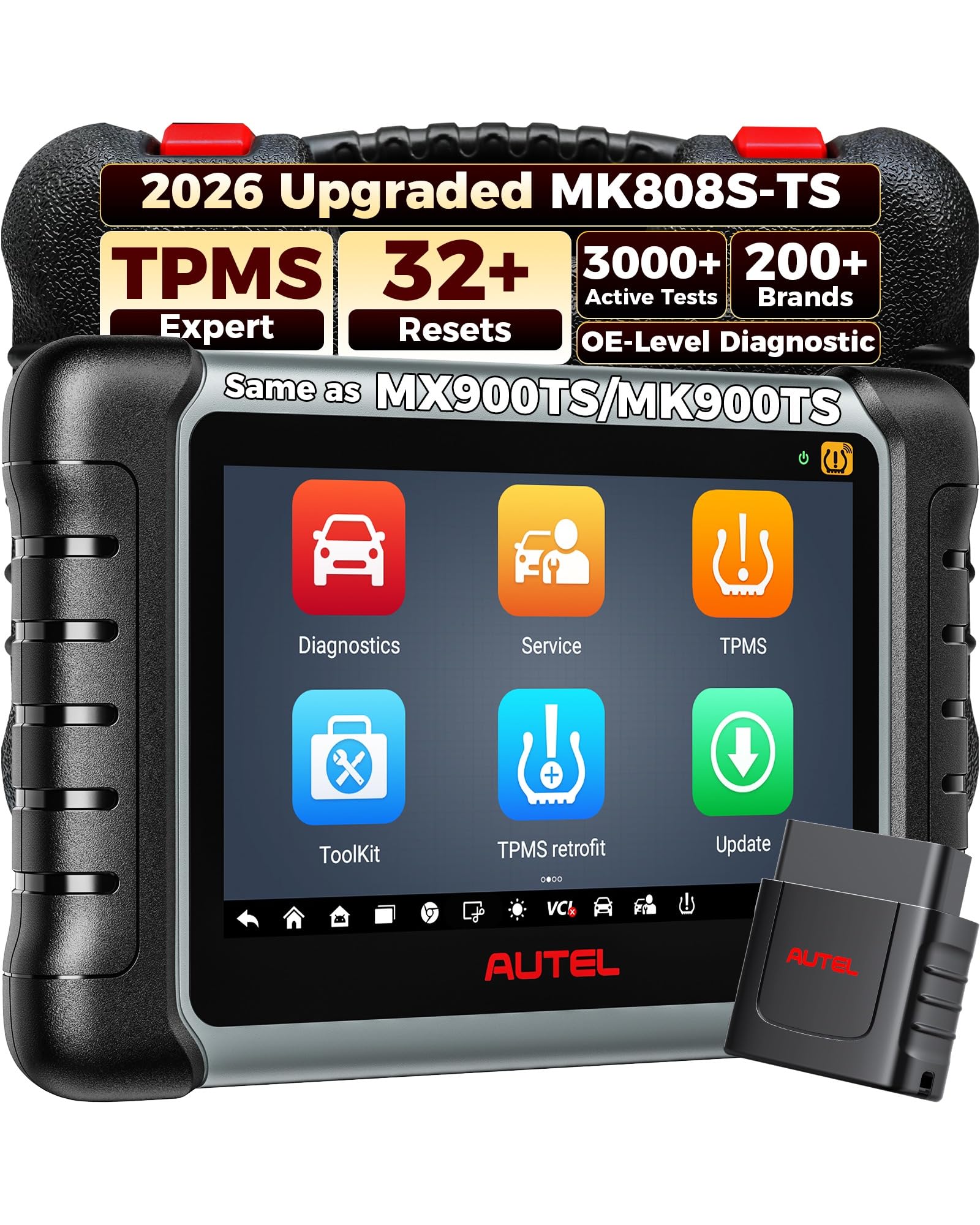
Autel MaxiCOM MK808S Tablet Scanner — Standalone Garage Tool
Some 7.3 owners do not want to pair a phone, manage app licences, or keep a laptop charged in the garage. This tablet scanner gives them a self-contained tool with a screen, onboard software, and broad system coverage for code reading and live data. It is less specialised for Ford diesel tests than a FORScan adapter or a Ford Enhanced bundle, so its value depends on how much you value convenience and all-system coverage. For general diagnostics across several vehicles, plus basic 7.3 checks, it is a practical compromise. Check Ford-specific function coverage for your model year before relying on it alone.
- Self-contained tablet with screen
- Broad system coverage beyond powertrain
- No phone pairing required
- Less Ford-diesel specialisation than FORScan
- Larger to store than an adapter
4.6/5
4.7/5
4.5/5

Launch X431 CRP919E All-System Scanner — Broad Coverage Choice
If your 7.3 is only one vehicle in a household fleet, a broad all-system scanner can be easier to justify than a Ford-only system. This Launch tool offers code reading, live data, and system coverage across many makes, with service functions that vary by model and software version. For the 7.3 itself, it is best used for general diagnostics and supporting checks, rather than as a replacement for FORScan or a Ford Enhanced bundle. Its strength is versatility: one tool for several vehicles, with a tablet-style workflow. Confirm the exact Ford diesel functions for your truck year before purchase.
- All-system coverage for many vehicles
- Tablet-style diagnostic workflow
- Useful live-data and service functions
- Ford diesel depth varies by model
- Not a FORScan replacement
4.5/5
4.6/5
4.4/5

Innova 5610 OBD2 Bidirectional Scan Tool — Capable DIY Handheld
For owners who want a handheld tool without a phone app, this Innova model offers a familiar button-driven workflow with code reading, live data, and bidirectional functions that vary by vehicle. It is stronger as a general diagnostic handheld than as a dedicated 7.3 Ford system, so its Ford-enhanced coverage should be checked for your exact truck before purchase. Where it fits, it gives a fast way to read codes, view live data, and run basic active tests in the driveway. Its main limit is that it does not replace FORScan for the deepest Ford diesel tests.
- Handheld, no phone required
- Live data and code reading
- Basic bidirectional functions included
- Ford diesel depth varies by model
- Not a FORScan replacement
4.3/5
4.4/5
4.6/5

BlueDriver Pro Bluetooth OBD2 Scan Tool — Simple Phone Diagnostics
If you want the simplest possible phone workflow, this Bluetooth tool is easy to understand: plug it in, pair it, and read codes with plain-language repair information in its app. That simplicity is valuable for routine checks, warning-light explanations, and deciding whether a truck needs a shop visit. It is not positioned as a dedicated Ford diesel system, so owners who need injector tests or deep Ford-enhanced data should pair it with a more specialised tool or choose a FORScan adapter instead. For everyday code reading and clear reports, it remains a practical, low-friction option.
- Very simple phone workflow
- Clear repair reports in app
- Compact Bluetooth adapter
- Not a dedicated Ford diesel system
- Deep Ford tests are limited
4.2/5
4.3/5
4.8/5

Vgate vLinker FS Bluetooth OBD2 Adapter — Budget FORScan Adapter
Not every 7.3 owner needs a premium adapter on day one, especially if the goal is to confirm FORScan compatibility and read Ford-enhanced data. This Bluetooth adapter is a budget-friendly route into that workflow, with support for common OBD2 protocols and compatibility with FORScan on supported devices. It is best viewed as a capable entry adapter rather than a direct equal to higher-ranked options, because app support, connection stability, and vehicle coverage should still be verified for your truck. For owners testing the FORScan approach, it keeps the initial commitment low while still opening useful diesel diagnostics.
- Budget-friendly FORScan entry point
- Bluetooth phone or tablet use
- Compact and easy to store
- Verify Ford coverage for your truck
- No standalone screen included
4.3/5
4.1/5
4.4/5

TOPDON TopScan Pro Bluetooth OBD2 Scanner — Guided Phone Diagnostics
For owners who like guided help after a code appears, this phone-based scanner combines a Bluetooth adapter with repair guidance, live data, and system coverage that varies by vehicle and subscription level. It is useful for understanding a fault, checking live readings, and deciding on next steps, without carrying a tablet or laptop. Its 7.3 value depends on the Ford functions available for your model year, so it should not be assumed to match a FORScan adapter for deep Ford tests. As a guided phone tool, it balances convenience with enough diagnostic depth for many routine jobs.
- Guided repair information in app
- Phone-based live data access
- Compact Bluetooth adapter
- Ford depth varies by subscription
- Not a dedicated Ford diesel system
4.0/5
4.2/5
4.3/5
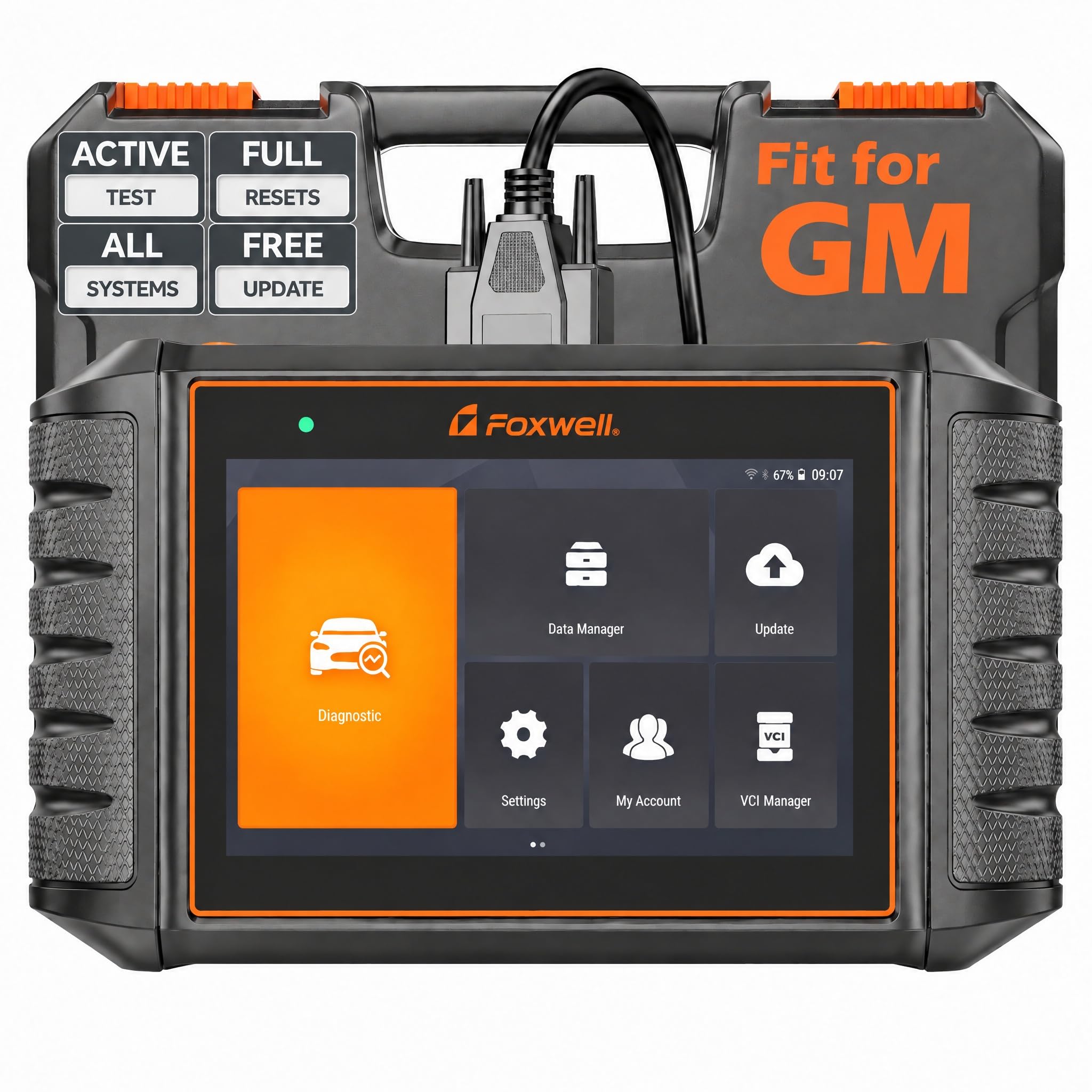
FOXWELL NT710 All-System OBD2 Scanner — Entry Handheld Choice
For owners who want a simple handheld starting point, this FOXWELL scanner offers all-system coverage that varies by vehicle, with code reading, live data, and service functions in a single tool. It is best understood as an entry handheld for general diagnostics, not as a dedicated 7.3 Ford diesel system. That distinction matters: it can handle many routine checks and help you decide whether deeper Ford testing is needed, but it should not be bought on the assumption that it matches FORScan or a Ford Enhanced bundle. For a first handheld tool, its simplicity is its main appeal.
- Handheld, no phone required
- All-system coverage, model-dependent
- Simple entry-level workflow
- Not a dedicated Ford diesel system
- Ford depth varies by model
4.0/5
3.9/5
4.1/5
Top 3 Head-to-Head: OBDLink MX+ vs OBDLink EX vs AutoEnginuity Ford Enhanced
These three are the common final choices because they cover the three main 7.3 workflows: phone-based FORScan, wired laptop FORScan, and deep Ford PC diagnostics.
| Feature | #1 OBDLink MX+ | #2 OBDLink EX | #3 AutoEnginuity |
|---|---|---|---|
| Ford-enhanced coverage | FORScan-ready, strong Ford coverage | FORScan-ready, wired stability | Deepest Ford test menu — Best |
| Live diesel data | Broad live data — Best | Stable live-data logging | Deep Ford live-data access |
| Ease of use | Phone pairing, simple setup — Best | Laptop setup, stable connection | Powerful, steeper learning curve |
| Choose if… | You want FORScan on a phone or tablet | You want wired laptop stability | You need deep Ford injector and contribution tests |
Who These Scanners Are NOT For
These picks are not a universal fix for every 7.3 problem, and they are not a substitute for mechanical inspection.
They are also not ideal if you only want a code cleared without diagnosis, or if your truck has wiring, connector, or port damage that prevents any scanner from communicating. Fix the connection first, then choose a tool by Ford coverage.
Common Mistakes to Avoid
Most 7.3 scanner regrets come from buying for the port, not for the Ford software.
Frequently Asked Questions About OBD2 Scanners for a 7.3 Powerstroke
Can a normal OBD2 scanner work on a 7.3 Powerstroke?
Yes, a normal OBD2 scanner can usually read basic powertrain codes on a compatible 7.3, but it may not show Ford-enhanced data or run Ford-specific tests. That is why many owners use a FORScan-compatible adapter or a Ford Enhanced system for deeper diagnosis. Check protocol support and model-year coverage before you rely on a generic reader alone.
Do I need FORScan for a 7.3 Powerstroke?
You do not always need FORScan, but it is the most common route to Ford-enhanced data on a 7.3. FORScan, paired with a compatible adapter, can access manufacturer-level readings and tests that generic apps often miss. If you only need a basic code read, a simpler tool may be enough, but for injector, contribution, and live-data work, FORScan is usually the practical choice.
Why does my generic scanner show only a few codes on a 7.3?
A generic scanner usually shows only standard OBD2 codes, not the full Ford-enhanced data set. Ford-specific faults, tests, and live parameters live outside that generic list, so a tool without Ford support will look limited even when the truck has more information available. Switching to a Ford-compatible app and adapter, with the correct vehicle profile, usually reveals the missing data.
Can an OBD2 scanner run an injector buzz test on a 7.3?
Yes, but only with a system that supports that Ford-specific test. Generic code readers generally cannot run an injector buzz test, while FORScan and Ford Enhanced software can, when paired with a compatible adapter and the correct vehicle profile. Always confirm buzz-test support for your exact model year, because coverage can vary even between similar tools.
Which is better for a 7.3: Bluetooth adapter or handheld scanner?
A Bluetooth adapter is usually better for FORScan use, live-data graphing, and phone-based diagnostics, while a handheld scanner is better if you want a standalone tool without a phone. The deciding factor is software: a Bluetooth FORScan adapter often gives deeper Ford access than a general handheld. Choose the handheld only when standalone convenience matters more than Ford-specific test depth.
Will a 7.3 Powerstroke scanner work on other Ford trucks?
Often, yes, for basic OBD2 functions, but Ford-enhanced coverage varies by model, year, and software. An adapter that works well on a 7.3 may read codes on another Ford truck yet miss that truck’s specific tests or parameters. Check the app or tool coverage list for each vehicle you plan to diagnose, rather than assuming one purchase covers every Ford equally.
Our Final Verdict
For most 7.3 owners, a FORScan-compatible adapter is the practical starting point, with a wired adapter for stable laptop use and a professional Ford bundle for deep tests. Choose by protocol support and the Ford tests you actually need, not by generic code-reading claims alone.

I’m Alex Rahman, a car enthusiast and automotive writer focused on practical solutions, car tools, and real-world driving advice. I share simple and honest content to help everyday drivers make better decisions.
