How Do I Know If My Vehicle Is OBD2 Compatible?
Quick Answer
To determine whether your vehicle is OBD2 compatible, check its model year, original sales market, emissions label, and diagnostic port. Most cars and light trucks sold new in the United States from model year 1996 onward support OBD2, but vehicles sold in other countries follow different timelines. For confirmation, check your owner’s manual or consult the manufacturer’s compatibility information before buying a scanner.
Five ways to check compatibility
- Check the model year: Most US-market gasoline cars and light trucks from 1996 onward are OBD2 compliant.
- Confirm the market: A vehicle’s original sales country matters more than where it was manufactured.
- Inspect the emissions label: Look under the hood for wording that identifies OBD-II compliance.
- Locate the port: Look for a 16-pin diagnostic connector under the dashboard, often near the steering column.
- Check the manual: Confirm the vehicle supports standard OBD2 diagnostics rather than an older or manufacturer-specific system.
How to verify before buying
- Check your exact make, model, year, engine, and original sales market against the scanner manufacturer’s compatibility list.
- If possible, connect a compatible scanner and confirm that it communicates with the vehicle’s engine computer.
Buying an OBD2 scanner is straightforward until you discover that not every diagnostic port uses the same system. I’ve approached this question by checking the vehicle’s age, market, and connector before considering any scanner purchase.
In this guide, I’ll explain how to check compatibility, what the diagnostic port can tell you, and why some vehicles need a specialized tool. You’ll also learn how to avoid buying a scanner that cannot communicate with your car.
What Does OBD2 Compatibility Mean?
OBD2 (On-Board Diagnostics II) is a standardized vehicle diagnostic system that allows a compatible scanner to communicate with a vehicle’s onboard computer and retrieve emissions-related fault codes and operating data.
OBD2 compatibility means your vehicle supports the standard diagnostic communication and functions that a generic OBD2 scanner expects. It doesn’t automatically mean that every scanner can access every module or feature.
For example, a basic scanner may read an engine fault code and display live engine data, while a more advanced tool may support additional manufacturer-specific functions. Access to transmission, airbag, ABS, or service-reset functions depends on the vehicle and scanner.
Important distinction: A vehicle can support standard OBD2 diagnostics without supporting every advanced feature advertised by a scan tool.
What Model Year Does a Vehicle Need to Be for OBD2?
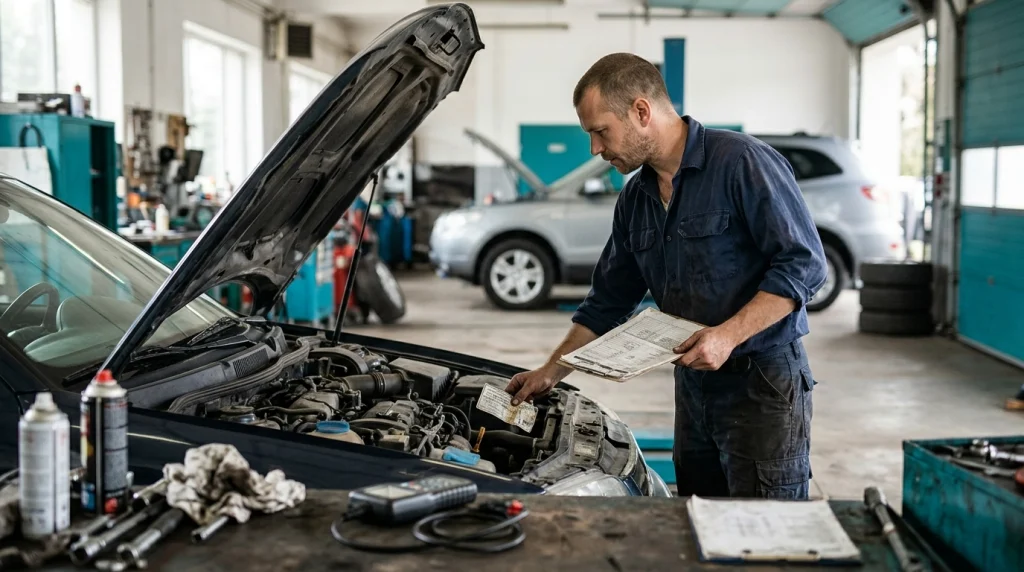
The model-year rule is a useful starting point, especially for vehicles originally sold in the United States. The exact cutoff depends on the vehicle category, fuel type, and country where it was sold new.
| Vehicle category or market | Useful starting point | What to verify |
|---|---|---|
| US-market gasoline cars and light trucks | 1996 model year onward | Vehicle category and standard OBD2 support |
| US-market light-duty diesel vehicles | 1997 model year onward | Vehicle category and diagnostic coverage |
| European-market gasoline cars | Generally 2001–2002 transition period | Exact model year and applicable emissions standard |
| European-market diesel cars | Generally 2003–2004 transition period | Vehicle class, model year, and compliance details |
| Vehicles sold in other countries | Varies by market | Local regulations and manufacturer documentation |
These dates are screening guidelines, not a universal compatibility guarantee. The US model-year requirements are supported by the US Environmental Protection Agency, while European implementation followed a different schedule.
For a vehicle imported into another country, check where the manufacturer originally intended to sell it. A 2005 car built in Japan, for example, may have different diagnostic support depending on whether it was originally sold in Japan, Europe, or the United States.
How Can I Check Whether My Car Has an OBD2 Port?
Most OBD2 vehicles use a standardized 16-pin diagnostic connector, commonly called the diagnostic link connector (DLC). You can often find it beneath the dashboard on the driver’s side.
- Switch off the ignition. Park safely and keep the key or start button off while locating the connector.
- Check below the steering wheel. Inspect the lower dashboard, the area above the pedals, and nearby trim panels.
- Look around the center console. Some manufacturers place the connector near the console or behind a small removable cover.
- Compare the shape. A standard OBD2 port has a roughly trapezoidal opening with 16 pin positions arranged in two rows.
- Confirm its purpose. Check your owner’s manual if you find a connector but cannot identify it confidently.
The port’s shape is a useful clue, but it is not conclusive proof of OBD2 compatibility. Some older vehicles have similar-looking connectors that use different diagnostic systems.
Likewise, a missing or inaccessible port doesn’t necessarily mean the vehicle lacks OBD2; trim, aftermarket modifications, or damage may explain the problem. Verify the vehicle’s documentation before drawing a conclusion.
Where Else Can I Confirm OBD2 Compatibility?
If the model-year rule and port inspection leave you uncertain, check the vehicle itself and its official documentation. These sources can help establish whether the system supports standard OBD2 communication.
- Under-hood emissions label: Look for an emissions-control information label that explicitly mentions OBD-II compliance.
- Owner’s manual: Search for terms such as diagnostic connector, onboard diagnostics, emissions system, or scan tool.
- Manufacturer documentation: Use the official owner’s information or technical documentation for your exact model and engine.
- Dealer or qualified technician: Ask them to confirm standard OBD2 support, especially for imported vehicles or unusual engine configurations.
When checking the label, don’t confuse an emissions certification statement with a direct confirmation of generic scanner compatibility. If the wording is unclear, have the manufacturer or a qualified technician confirm the diagnostic standard.
For additional guidance, the California Air Resources Board’s OBD-II overview explains the system’s emissions-monitoring role and how it relates to vehicle fault detection.
Can I Use an OBD2 Scanner on an Imported or Older Vehicle?
Yes, if the vehicle supports the relevant OBD2 or equivalent regional standard and the scanner supports its diagnostic protocol. Imported vehicles and older models deserve extra checking because connector shape alone doesn’t establish compatibility.
For example, a Japanese-market vehicle imported into Bangladesh may not follow the same compliance timeline as a similar-looking US-market model. The engine, model year, original sales market, and manufacturer specifications all matter.
Before buying a scanner for an imported vehicle, verify these details:
- Original market: Find out where the vehicle was first sold new.
- Engine and fuel: Confirm whether it uses gasoline, diesel, hybrid, or another powertrain.
- Diagnostic standard: Look for OBD-II, EOBD, or JOBD documentation and confirm generic diagnostic support.
- Scanner support: Check the tool’s supported makes, models, years, and protocols.
OBD-II, EOBD, and JOBD refer to related diagnostic standards used in different markets. Their names don’t guarantee identical functionality across every vehicle, so confirm the exact application rather than relying on the label alone.
Will Every OBD2 Scanner Work With My Vehicle?
No. A compatible vehicle and a suitable scanner are two separate requirements, and both must be met before you can retrieve diagnostic data.
A generic OBD2 reader usually handles standardized engine and emissions information. A more advanced scan tool may offer additional functions, but coverage varies by manufacturer, model, year, and software version.
| Scanner type | Typical capability | What to check |
|---|---|---|
| Basic OBD2 code reader | Generic engine and emissions codes | Supported protocol and model year |
| Bluetooth adapter | Supported codes and live data through an app | Vehicle, phone, app, and adapter compatibility |
| Enhanced diagnostic scanner | May access ABS, SRS, transmission, or other modules | Exact module coverage and supported functions |
| Manufacturer-specific tool | Brand-specific data, tests, and service functions | Vehicle generation, software, and required subscriptions |
Don’t assume that an inexpensive Bluetooth adapter will perform every function listed in a diagnostic app. Some features require paid software, an enhanced license, or a different adapter.
If your main goal is to read a check-engine code, a basic reader may be sufficient. If you need to diagnose an ABS warning, airbag fault, or transmission problem, confirm the scanner’s module coverage before purchasing.
What If My Vehicle Has an OBD2 Port but the Scanner Won’t Connect?
A scanner that fails to communicate doesn’t automatically mean your vehicle is incompatible. The problem may involve the ignition position, connector power, wiring, scanner protocol, or a fault in the vehicle’s communication network.
Start with these checks:
- Check the ignition: Follow the scanner’s instructions, usually switching the ignition to ON before attempting communication.
- Inspect the connector: Make sure the plug seats correctly and the pins aren’t bent, corroded, or damaged.
- Check power: If the scanner won’t turn on, inspect the relevant fuse and vehicle battery condition.
- Verify compatibility: Confirm that the scanner supports your vehicle’s model year, protocol, and engine.
- Try a known-compatible tool: If the first scanner still fails, a qualified technician can test the diagnostic connection.
For more troubleshooting steps, see this guide to an OBD2 scanner that has power but won’t communicate.
Keep one distinction in mind: a scanner that powers up has not necessarily established a data connection. Power and communication are different functions, and either one can fail independently.
How Do I Confirm Compatibility Before Buying a Scanner?

The most reliable approach is to verify your vehicle first, then select a tool based on the diagnostic work you want to perform. That helps prevent an unnecessary purchase and avoids confusing standard OBD2 support with advanced system coverage.
Use this checklist before ordering:
- Identify the exact model year, make, model, engine, and original sales market.
- Confirm the vehicle’s OBD2 or equivalent regional-standard compliance.
- Locate the 16-pin connector and compare it with the owner’s manual.
- Read the scanner manufacturer’s vehicle compatibility list.
- Confirm whether you need generic engine codes or access to other control modules.
- Check phone compatibility and app requirements if you’re buying a Bluetooth adapter.
As of 2026, manufacturer compatibility charts and vehicle-specific documentation remain useful checks, particularly for imports, hybrids, and older vehicles. A model-specific confirmation is more dependable than relying on the connector shape or the scanner’s marketing claims alone.
For additional background, read what an OBD2 port looks like and how to use an OBD2 scanner.
Which OBD2 Scanner Should You Choose?
Once you’ve confirmed compatibility, choose a scanner that fits your intended use rather than paying for features you won’t need. The options below illustrate three common approaches; verify current specifications and vehicle coverage before ordering.
🏆 Best for straightforward checks
ANCEL AD310 Classic Enhanced Universal OBD II Scanner
★★★★☆
A handheld wired code reader intended for standard engine diagnostics on supported OBD2 vehicles. I’d consider this style when I want a dedicated screen without relying on a phone app.
📱 Best for phone-based data
OBDLink MX+
★★★★☆
A wireless diagnostic adapter designed to work with compatible apps and vehicles, with enhanced functions available for supported models. I’d check the official compatibility chart first if I needed more than generic engine data.
🧰 Best for broader diagnostics
Autel MaxiCOM MK808S
★★★★☆
A tablet-style diagnostic tool designed for wider system access and selected service functions on supported vehicles. I’d reserve this category for users who need more than basic emissions-code reading and have confirmed model-specific coverage.
Affiliate disclosure: This article contains affiliate links. If you purchase through them, the publisher may earn a commission at no additional cost to you.
Frequently Asked Questions
Can I tell if my vehicle is OBD2 compatible by looking at the port?
The standard 16-pin trapezoidal port is a useful clue, but it doesn’t prove compatibility by itself. Older vehicles may use similar-looking connectors for other diagnostic systems, so confirm the model year, original sales market, and manufacturer’s documentation before purchasing a scanner.
Are all cars made after 1996 OBD2 compatible?
No. The 1996 cutoff applies primarily to US-market gasoline passenger cars and light trucks covered by the regulations. Other countries adopted diagnostic requirements on different schedules, and vehicle class and powertrain can affect applicability, so check the exact vehicle specifications.
Will an OBD2 scanner work on a diesel vehicle?
It can, provided the diesel vehicle supports the required OBD2 or equivalent diagnostic standard and the scanner supports its protocol. US-market light-duty diesel vehicles generally followed a 1997 model-year requirement, while other markets used different timelines. Confirm exact compatibility before buying.
Can an OBD2 scanner read ABS and airbag codes?
Some advanced scanners can read ABS and airbag codes, but many basic OBD2 readers only handle standardized engine and emissions diagnostics. Check the scanner’s supported modules for your exact vehicle because a general claim of OBD2 compatibility doesn’t guarantee access to every system.
What should I do if my scanner doesn’t recognize my vehicle?
Check the ignition position, connector seating, vehicle battery, and scanner compatibility list first. If the scanner still cannot communicate, try a known-compatible tool or have a qualified technician test the diagnostic port and communication circuits before concluding that the vehicle lacks OBD2 support.
Final Takeaway: Verify Before You Buy
To find out whether your vehicle is OBD2 compatible, start with the model year and original sales market, then check the emissions label, owner’s manual, and diagnostic connector. These checks help you distinguish a genuinely compatible vehicle from one that merely has a similar-looking port.
Before spending money, confirm that the scanner supports both your vehicle and the functions you need. If you share your vehicle’s make, model, year, engine, and country of original sale, you can narrow down compatibility much more confidently.

I’m Alex Rahman, a car enthusiast and automotive writer focused on practical solutions, car tools, and real-world driving advice. I share simple and honest content to help everyday drivers make better decisions.
