Why Can’t My OBD2 Scanner Read SRS Codes? | Explained
Quick Answer
Most basic OBD2 scanners cannot read SRS codes because they only ask the powertrain computer for standardised emissions-related codes, while SRS faults live in a separate restraint module that needs manufacturer-specific, or “enhanced,” access. The same 16-pin port does not mean the same access.
That result feels contradictory. The scanner powers up, talks to the car, and may even read engine codes, yet the airbag warning stays lit and no SRS code appears. In most cases, this is not a broken port. It is a boundary between the standardised OBD2 job your basic tool was built for and the manufacturer-specific SRS job it was never given.
Why “No Codes” Does Not Mean “No SRS Fault”
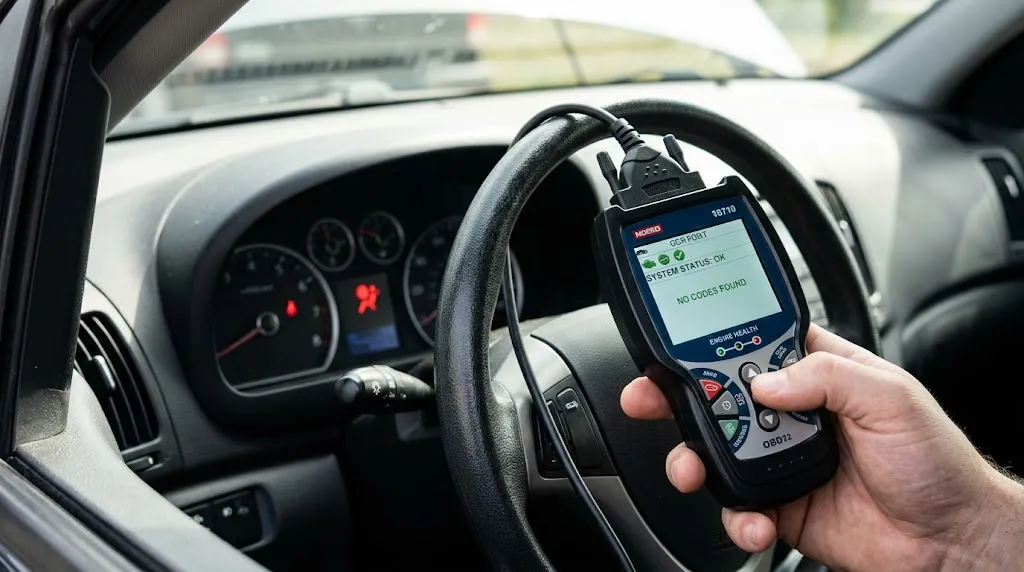
A basic scan usually starts with the powertrain control module, which stores familiar P-codes for engine and emissions-related faults. A generic tool asks for those codes through standardised OBD2 modes, and the vehicle answers in a format the tool already knows.
SRS faults are different. They are stored by the restraint control module, often as B-codes or manufacturer-specific codes. That module monitors airbags, crash sensors, seat-belt pretensioners, occupancy sensors, and wiring. When it finds an out-of-range resistance value, an open circuit, or a short, it stores a code and turns on the SRS warning.
Your generic scanner may never ask that module anything. It can therefore finish a clean-looking engine scan while the restraint fault remains untouched elsewhere in the car. So “no codes” needs a qualifier: no powertrain codes found by a generic scan. It is not proof that the SRS system is healthy.
The Same Port Is Not the Same Conversation
It is easy to assume that plugging into the OBD2 port gives a scanner access to everything in the car. The port is standardised, and that lets many tools connect physically and request the same core powertrain data across brands. But physical access is not the same as permission, language, or software coverage for every module.
Modern vehicles contain many control modules on shared networks, each with its own data, fault codes, and communication requirements. A scanner needs the right software path to address the SRS module and interpret its codes.
The EPA’s scan-tool evaluation makes the split clear: standardised OBD2 modes cover emission-related powertrain data, while enhanced, manufacturer-specific data sits outside that basic set. SRS access belongs on the enhanced side. That is why a tool can be fully OBD2-compliant and still be unable to read an SRS code.
Check What Your Scanner Actually Claims to Do
Before blaming the car, check the scanner’s own description. Marketing language is often broader than the feature list, so look for specific words rather than general promises.
A tool that only says “OBD2,” “EOBD,” or “check engine” is usually a generic powertrain reader. A tool that can reach SRS should say something explicit, such as “SRS,” “airbag,” or “all-system,” and list SRS coverage for your make, model, and year. Also check whether it needs an update, app unlock, or subscription for that coverage.
Five Reasons Your Scanner Misses SRS Codes
Most failures fall into one of five patterns.
1. The tool is generic-only
This is the most common reason. A generic-only reader requests standardised powertrain codes, live data, freeze-frame data, and readiness information. It lacks the manufacturer-specific routines needed to enter the SRS module, and no setting can add a system it was not built to support. The clue is consistency: it reads engine codes normally, but never shows an SRS, airbag, or restraint menu.
2. SRS coverage is missing for your make, model, or year
Some scanners support SRS for one brand but not another, or for older models but not the newest ones. Coverage can also vary by region. Check the coverage list with the exact year, make, model, and region. If your vehicle is not listed for SRS, the scanner is not necessarily broken; it simply lacks that combination.
3. You ran an engine scan, not an SRS scan
Some multi-system tools default to a quick OBD2 scan that finishes before the SRS module is ever selected. Others require you to choose “System Scan,” “All Systems,” or a specific “SRS” entry. If your tool supports SRS, use system selection rather than the first “Scan” button, and check that the vehicle identification is correct.
4. The SRS module is not communicating
A capable scanner can still fail if it cannot reach the restraint module. Common causes include the wrong ignition position, a loose connector, a failed fuse, or a mismatched vehicle selection. If it cannot reach several systems, connection, power, or network access is more likely than a single SRS code. If it reaches other systems but not SRS, the SRS module or its network path deserves closer attention. The same principle explains why a scanner cannot access the transmission module.
5. The fault is stored in a form your tool cannot display or clear
Some faults are active, some are historical, and some are tied to crash data after a deployment or recorded crash event. Many consumer tools cannot erase crash data, and the module may then need replacement or professional reset. If a tool reads a code but cannot clear it, do not keep clearing and re-scanning.
| What you see | Most likely meaning | Next check |
|---|---|---|
| No SRS menu at all | Generic-only tool | Check SRS coverage |
| SRS menu exists, but scan finds nothing | Wrong vehicle or incomplete scan | Select SRS directly and rescan |
| Tool cannot communicate with SRS | Connection, power, or module problem | Recheck ignition and connector |
| Code reads but will not clear | Fault still present or locked crash data | Repair first, then rescan |
First, Make Sure You Are Looking at the SRS Light
On startup, the SRS light normally comes on briefly for a self-check and then goes out. A light that stays on, or comes on while driving, is the warning that needs attention. Do not confuse it with a passenger airbag status indicator, which may say the passenger airbag is off because the seat is empty or a child seat is fitted. If you are unsure which lamp you are seeing, check the owner’s manual for your exact model.
Also note when the light appeared: after seat movement, work under a seat, a battery change, a minor collision, water exposure, or steering-wheel work. Those details help narrow the likely circuit, such as under-seat connectors, pretensioner wiring, a clock spring, or a crash sensor.
What to Check Before Buying Another Scanner
- Confirm the SRS claim. Look for SRS or airbag coverage, not just OBD2 compatibility.
- Confirm coverage for your exact vehicle. Check year, make, model, and region.
- Update the tool and app, then retry the SRS scan.
- Select the SRS module directly, rather than running a generic quick scan.
- Check the basics: ignition position, fully seated connector, and correct vehicle profile.
- Try another system. If it reaches ABS or transmission but not SRS, the gap is more specific than a dead port.
- Write down exactly what happens: no SRS menu, a communication error, or a code that will not clear.
For the broader split, see whether a generic OBD2 scanner can read airbag codes, and for blank results generally, why an OBD2 scanner returns zero codes.
Tip
Before you buy, search the new tool’s coverage list for your exact year, make, and model plus “SRS.”
What a Capable SRS Scan Should Let You Do
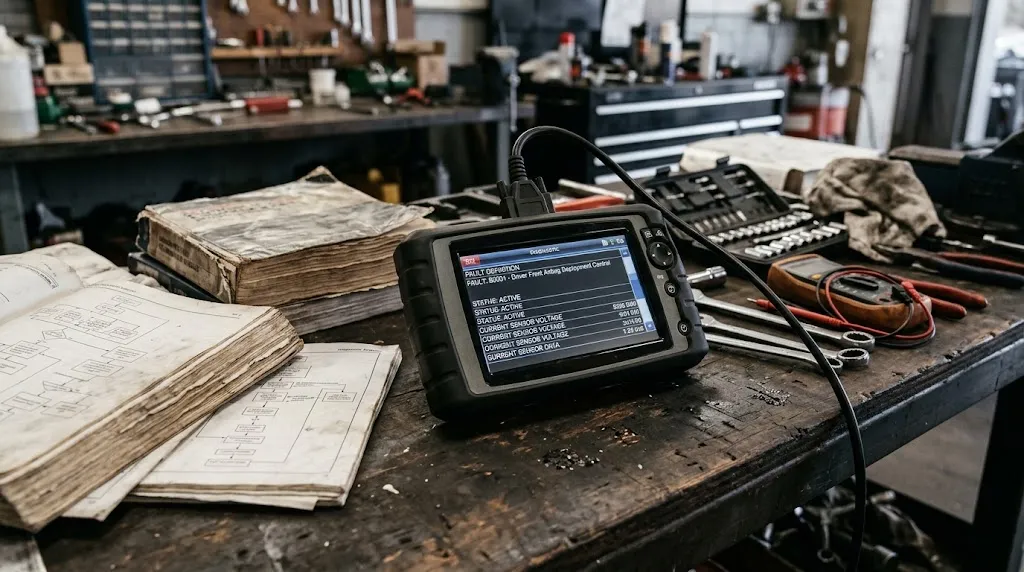
At minimum, a useful SRS-capable tool should identify the SRS module, read stored SRS codes, show a definition for your vehicle, and let you clear codes after a repair so you can verify that the warning stays off. Better tools may also show SRS live data and confirm whether a fault is active or historical.
Do not judge a tool by whether it can clear the light. Clearing without a repair has not restored protection; it has only hidden the warning until the module detects the fault again. The correct sequence is read, repair, clear, and retest. ABS is a useful comparison: the guide to what scanner can read ABS codes shows the same shared-port, separate-access pattern. An SRS code also points to a monitored circuit, not automatically to a failed part. Mode 03 covers emission-related powertrain codes; SRS codes need a different command path.
Warning
Do not probe SRS wiring with a test light or ordinary meter, apply power to an airbag connector, or disconnect restraint components as a trial. Without the correct service information and equipment, leave SRS diagnosis and repair to a qualified technician.
When the Light Stays On After a Repair
Fixing the physical fault does not always turn the light off by itself. In many vehicles, the SRS module keeps the code until it receives a clear command from a compatible tool, followed by a successful self-check. If the light returns immediately after clearing, the fault is probably still present.
Disconnecting the battery is not a reliable substitute: SRS fault memory is designed to persist. Erasing a code before a repair can also hide evidence a technician needs, as explained in whether you can clear diagnostic codes without fixing the problem.
Choosing the Right Next Step
Your next step depends on which reason you found. If the tool is generic-only, decide whether to buy an SRS-capable tool or pay for a single diagnostic scan. For a one-off fault, a shop scan is often cheaper and avoids buying the wrong coverage.
If the tool claims SRS coverage but cannot reach your car, check updates and vehicle selection first, then contact the tool maker with the exact vehicle details and error message. “SRS not supported” and “cannot communicate with SRS module” are different problems. If the code will not clear, treat it as an unresolved fault or locked crash data, especially after a collision or deployment. The car may still drive normally while the light is on, but that does not mean normal crash protection.
Related Product
All-System OBD2 Scanner With SRS and ABS Coverage
A scanner in this category is the next practical step only if its coverage list explicitly includes SRS for your exact year, make, and model.
As an Amazon Associate, we earn from qualifying purchases.
Frequently Asked Questions
Can a cheap OBD2 scanner ever read SRS codes?
Only if it explicitly includes SRS coverage for your vehicle. Check the feature and coverage lists for “SRS” and your exact year, make, and model.
Why does my scanner read engine codes but not SRS codes?
Because it is completing the generic powertrain job while never entering the restraint module. Engine codes use standardised OBD2 requests; SRS codes need manufacturer-specific access.
Does using the same OBD2 port guarantee access to every system?
No. The port is a shared physical connection, but each module still needs compatible software, a supported communication path, and vehicle coverage.
Will disconnecting the battery clear an SRS light?
Usually not for a real SRS fault. SRS fault memory is designed to persist, and the light normally needs a repair, a clear command from a compatible tool, and a successful self-check.
Can I clear an SRS code and keep driving if the light stays off?
Only after the fault has been repaired and the system passes its retest. Clearing without a repair does not restore protection, and the light will usually return.
My scanner says SRS is not supported for my car. What should I do next?
First confirm the vehicle details and software are correct, then check whether another tool version, update, or subscription adds that coverage. If not, a dealer or qualified shop can read the SRS module.
Conclusion
Your scanner is probably not failing at random. It is doing the job it was built for, and SRS sits outside that job unless the tool explicitly includes enhanced, vehicle-specific access. Check the SRS feature and coverage for your exact car, select the SRS module directly, and treat “no codes” as a powertrain-only result. Then repair first, clear second, and retest.

I’m Alex Rahman, a car enthusiast and automotive writer focused on practical solutions, car tools, and real-world driving advice. I share simple and honest content to help everyday drivers make better decisions.
