Why Can’t My Scanner Access the Transmission Module? (Fixes)
Quick Answer
If your scanner cannot access the transmission module, the most common reason is that you are using a basic generic OBD2 code reader designed only for engine emissions, not an advanced all-system or bidirectional diagnostic tool. Other frequent causes include Controller Area Network (CAN) bus communication failures, blown fuses powering the Transmission Control Module (TCM), incorrect vehicle setup on the scanner, or damaged OBD port pins.
Plugging an OBD2 scanner into your car’s diagnostic port is usually the first step when a check engine light or transmission warning illuminates. However, watching your diagnostic tool freeze, display a “linking error,” or fail to communicate specifically with the transmission control module can be frustrating. Modern vehicles rely on complex computer networks to share data between the engine, transmission, brakes, and body modules. When your scanner refuses to read the transmission side of things, it usually points to a limitation in the tool itself or an electrical communication breakdown within the vehicle’s network.
1. Your Scanner Only Supports Powertrain (ECM/PCM) Diagnostics
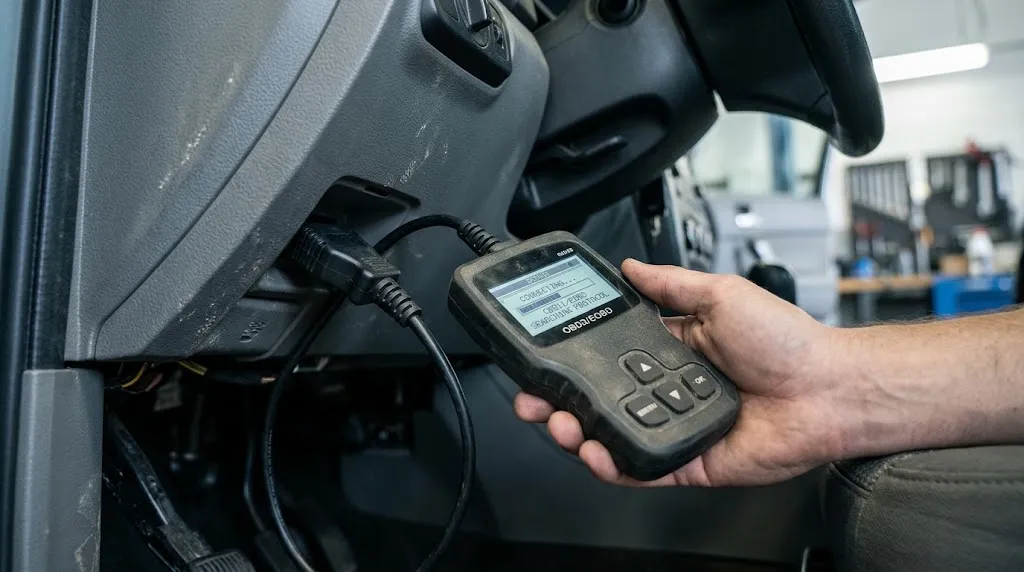
The single most frequent reason a scanner cannot access the transmission module is hardware and software limitations. Standard, entry-level OBD2 code readers—particularly inexpensive handheld units—are strictly mandated by law to read generic powertrain faults related to emissions and engine performance (P-codes). They query the Engine Control Module (ECM) or Powertrain Control Module (PCM).
In many vehicle architectures, the transmission has its own dedicated Transmission Control Module (TCM), or the functions are handled by a separate controller that requires enhanced manufacturer-specific protocols (such as Chrysler’s CHRY, Ford’s MS-CAN, or GM’s Class 2 and CAN protocols). If your tool lacks manufacturer-specific software or all-system diagnostic capabilities, it will simply skip or fail when trying to query the transmission address.
2. Controller Area Network (CAN) Bus Communication Faults
Modern vehicles use a digital network known as the CAN bus to let different computers talk to each other. This network relies on two dedicated wires: CAN High and CAN Low. Data packets travel back and forth continuously between the engine computer, transmission module, ABS module, and instrument cluster.
If there is a break, short, or high resistance anywhere along the CAN bus wiring harness, the scan tool will lose its bridge to the transmission module. You might notice other symptoms alongside transmission access failure, such as erratic gauge behavior, loss of traction control lights, or multiple module communication codes (often starting with “U”, such as U0100 or U0101, which indicate lost communication with the TCM).
Warning
Do not attempt to probe CAN bus wiring with standard test lights or multimeters improperly, as sensitive electronic control units can be damaged by voltage spikes.
3. Blown Fuses or Power Supply Issues to the TCM
Electronic control modules require a steady, clean source of battery power and proper ground connections to operate. If the Transmission Control Module itself has no power, it cannot wake up, broadcast its status, or respond to requests from your diagnostic scanner.
Vehicle manufacturers typically protect the TCM with dedicated fuses and relays located in the under-hood fuse box or the interior cabin fuse panel. If a fuse blows due to a momentary power surge or a minor short circuit, the transmission module will go completely silent during a scan. Always check your vehicle owner’s manual to locate the specific fuses responsible for transmission controls and module power supplies.
4. Incorrect Vehicle Make, Model, or VIN Selection
Advanced diagnostic scanners often require you to manually input or automatically decode the Vehicle Identification Number (VIN) to establish the correct communication protocol. If you select the wrong engine size, model year, or transmission type during the scanner setup menu, the tool will query the wrong memory addresses.
When the scanner sends queries to an address where the transmission module does not reside on that specific vehicle variant, it will time out and report a communication failure. Clearing the vehicle selection, ensuring automatic VIN detection is functioning properly, or manually verifying the exact vehicle configuration can instantly resolve this issue.
5. Damaged, Corroded, or Loose OBD2 Port Pins
The physical diagnostic port underneath your dashboard takes a lot of wear and tear over the years. Mechanics, emissions testers, and DIYers plug and unplug scan tools repeatedly, which can loosen the metal receptacle pins inside the connector.
Standard OBD2 communication relies on specific pins:
- Pin 4 and 5: Chassis and signal ground
- Pin 16: Battery power (12V constant)
- Pin 6 and 14: CAN High and CAN Low communication lines
If Pin 6 or Pin 14 is bent, pushed backward into the housing, or corroded from moisture exposure, the high-speed data stream required to reach secondary modules like the transmission computer will be interrupted entirely, even if the engine computer remains accessible.
6. Aftermarket Accessories and Electrical Interference
Aftermarket electronic installations can occasionally disrupt vehicle communication networks. Devices such as aftermarket remote starters, custom stereo head units, cheap Bluetooth OBD2 dongles left plugged in continuously, or poorly wired trailer brake controllers can inject noise or pull down voltage on the data lines.
If an aftermarket device interferes with the vehicle’s data bus, scanners may struggle to handshake with specific modules. Unplugging any non-factory accessories connected to the diagnostic port or electrical system is a smart troubleshooting step when stubborn communication errors occur.
7. Internal Failure or Dead Transmission Control Module (TCM)
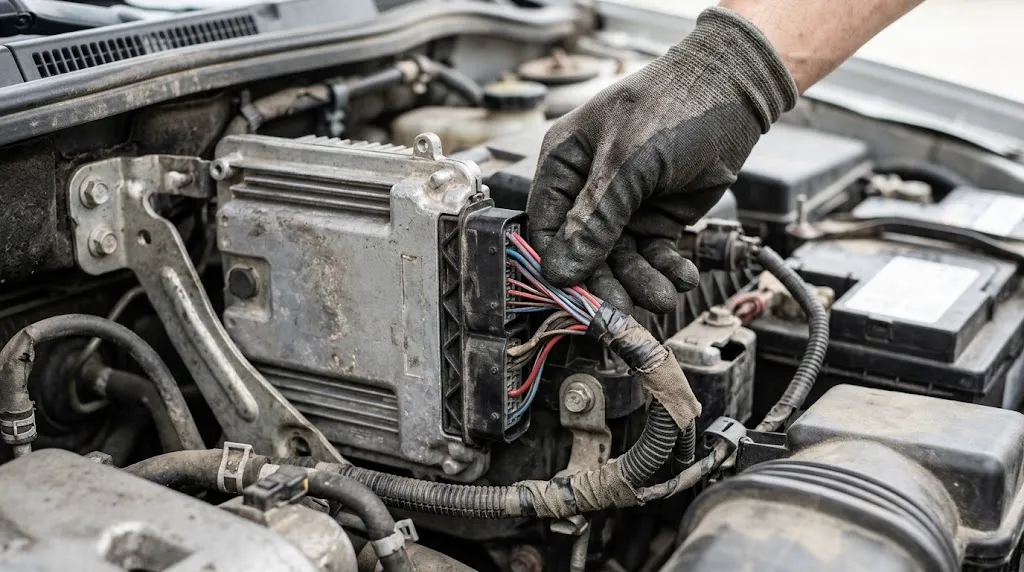
In less common scenarios, the transmission control module itself may have suffered a catastrophic internal failure. Moisture intrusion into the module housing, excessive engine bay heat, internal circuit board solder cracking, or component burnout can render the TCM completely dead.
When a module’s internal processor fails completely, it stops communicating with all network traffic. In these cases, neither a basic code reader nor an advanced professional dealership scanner will be able to access the module, and physical inspection or replacement of the TCM becomes necessary.
Step-by-Step Diagnostic Process to Resolve Scanner Access Issues
If you are struggling to communicate with your vehicle’s transmission computer, follow a structured troubleshooting approach to isolate the root cause:
- Verify your scanner’s capabilities: Confirm whether your tool supports all-system diagnostics or only generic engine codes. If it only reads engine codes, you will need an upgraded scanner.
- Check for power and ground: Test the OBD2 port itself with a multimeter to ensure Pin 16 supplies 12 volts and Pins 4 and 5 have solid ground continuity.
- Inspect the physical port: Look closely inside the under-dash connector for bent pins, debris, or corrosion that might prevent full pin engagement.
- Scan other modules: Try communicating with the ABS or SRS modules. If other non-engine modules fail to respond, suspect a general CAN bus network or power fuse failure rather than a transmission-specific issue.
- Inspect fuses and relays: Check all interior and under-hood fuses related to transmission controls, data links, and ignition switches.
Tip
Cleaning oxidized OBD2 port pins with electrical contact cleaner and a small nylon brush can often restore intermittent communication instantly.
Related Product
All-System Bidirectional OBD2 Diagnostic Scanner
An advanced bidirectional diagnostic tool capable of scanning transmission, ABS, airbag, and engine control modules across multiple vehicle makes.
As an Amazon Associate, we earn from qualifying purchases.
Frequently Asked Questions
Can a standard generic code reader access transmission codes?
No, standard entry-level code readers are usually hard-coded to communicate solely with the engine control computer for emissions compliance. Accessing transmission, ABS, or airbag modules requires an enhanced all-system diagnostic scanner.
What does a “linking error” mean when trying to scan my car?
A linking error indicates that the scan tool cannot establish a digital handshake with the vehicle’s computer network. This can be caused by a blown accessory fuse, a bad connection at the OBD port, or scanner software incompatibility.
Will a bad transmission control module prevent the car from starting?
It depends on the vehicle make and model. In some cars, an unresponsive TCM interrupts communication on the CAN network so severely that the immobilizer or engine computer prevents the engine from cranking or starting.
Are transmission codes different from engine check engine codes?
Yes. Engine codes typically start with the letter “P” followed by numbers (e.g., P0300), while transmission-specific diagnostic trouble codes often reside in manufacturer-specific ranges or are accompanied by specific module identifiers.
How can I test if my OBD2 port has power?
You can check for power by plugging in a scanner to see if its display or indicator lights power on immediately. Alternatively, a multimeter probed between Pin 16 and Pin 4/5 should read steady battery voltage around 12 volts.
Can a dead battery cause communication errors with vehicle modules?
Yes. Low system voltage causes electronic control units to behave erratically or shut down entirely to protect themselves, resulting in widespread communication failure across the vehicle’s data bus.
Conclusion
Failing to access your vehicle’s transmission module during a diagnostic scan usually stems from tool software limitations, blown power fuses, or communication breakdowns along the CAN bus network. By verifying your scanner’s all-system compatibility, checking port voltage, inspecting physical pins, and looking for broader network communication faults, you can systematically identify why the transmission computer is staying silent and get your diagnostic process back on track.

I’m Alex Rahman, a car enthusiast and automotive writer focused on practical solutions, car tools, and real-world driving advice. I share simple and honest content to help everyday drivers make better decisions.
