
How to Use a Bluetooth OBD2 Scanner: Simple Steps That Work
Quick Answer
A Bluetooth OBD2 scanner plugs into the OBD-II port under the dash and sends car data to a phone app over Bluetooth. Plug in the adapter, turn the ignition on, connect inside the app, then tap Read Codes. Pairing is a one-time step, and later scans take a few taps.
- Check that the adapter fits your phone type before you buy it.
- Connect inside the app, not only in phone Bluetooth settings.
- Save every code before you clear a code after a repair.
- Unplug the adapter when the scan is done.
A Bluetooth OBD2 scanner can turn a check engine light from a worry into a clear next step. This guide is for a driver with a phone, an adapter, and a car that has an OBD-II port. You will learn the full setup, the Android and iPhone pairing split, and how to read codes with care.
What Is a Bluetooth OBD2 Scanner?
A Bluetooth OBD2 scanner is a small adapter that plugs into a car OBD-II port and sends data to a phone app by Bluetooth. OBD-II is the on-board diagnostics system in a car. It watches engine and emissions parts and stores a code when a fault appears.
The adapter draws power from the port, so it needs no battery or cable to the phone. The app turns the raw data into codes, plain descriptions, and live readings.
A code names a fault area, not a part to replace. A code such as P0301 points to a misfire on cylinder 1, and the cause still needs a check.
What Do You Need Before You Start?
You need a car with an OBD-II port, a matching adapter, a phone, and an app that talks to the adapter.
- A car with an OBD-II port under the dash.
- An adapter that fits your phone type.
- A phone with Bluetooth turned on.
- An app made for your adapter, or a general OBD2 app.
- A note of each code, with the odometer reading.
If you use Android, start with a short list of Android OBD2 apps that fit your adapter and your car. Check the adapter box or listing for the Bluetooth type. Classic Bluetooth fits many Android phones, while an iPhone needs Bluetooth Low Energy, Wi-Fi, or an Apple MFi adapter.
How to Use a Bluetooth OBD2 Scanner in 7 Steps
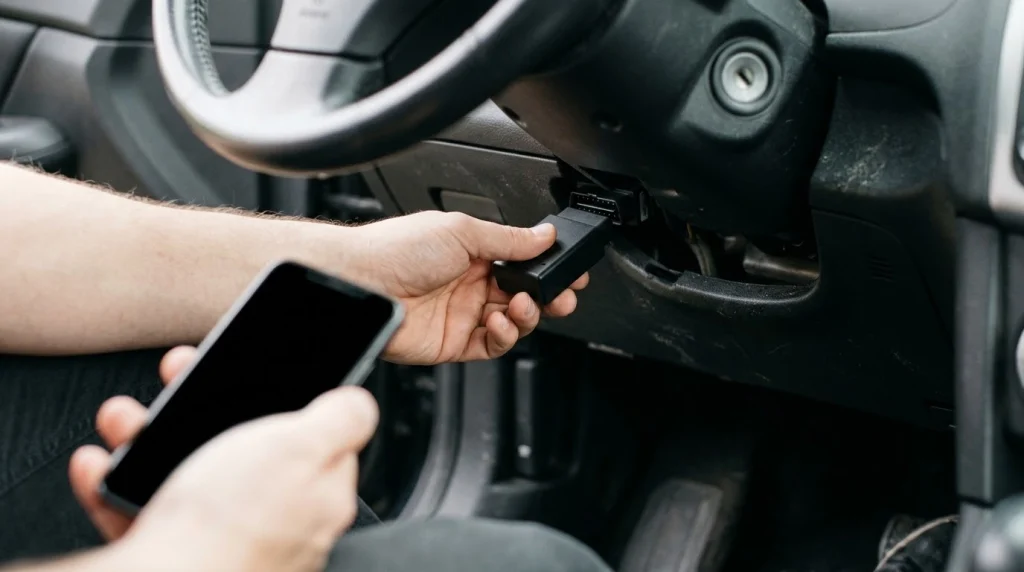
You can finish a first scan in seven steps, and pairing is the only step you do once.
Step 1
Install the app first
Install the app for your adapter and allow Bluetooth access. Keep the phone charged so the scan does not stop part way.
Step 2
Find the OBD-II port
Look under the dash on the driver side, near the steering column. The port is a 16-pin trapezoid shape, and the manual shows the spot if it hides behind a panel.
Step 3
Plug in the adapter
Push the adapter in firmly with the ignition off. A loose fit is a common cause of a blank screen or a failed pair.
Step 4
Turn the ignition on
Turn the key to on without starting the engine. For push-button start, press the button without the brake pedal.
Step 5
Pair and connect in the app
Open the app, set the connection type to Bluetooth, and pick your adapter. Tap Connect and wait for the app to find the car.
Step 6
Read and save the codes
Tap Read Codes and note every code, with stored and pending codes both saved. Open freeze frame to see engine conditions when the code was set.
Step 7
Fix, clear, and rescan
Fix the cause first, then clear the code in the app. Drive the car, rescan, and check if the code comes back.
Pairing is the only step you repeat if you change phones or adapters. Later scans start at step 3, with a tap to connect in the app.
Tip
Save a photo of the code screen with the odometer reading before you clear a code. That record helps a shop see the fault if the light comes back.
How Does Pairing Differ on Android and iPhone?
Pairing differs by phone, because iPhone and Android accept different Bluetooth types.
If you use an iPhone, check the list of iPhone OBD2 apps before you buy an adapter.
The Car Scanner Bluetooth guide shows the in-app steps for Bluetooth Low Energy adapters, with no pairing in iOS settings. On Android, a classic Bluetooth adapter pairs in phone settings with a PIN such as 1234, then connects inside the app.
The table below shows the split in one view.
| Phone | Where to pair | Adapter type |
|---|---|---|
| Android | Phone Bluetooth settings, then inside the app | Classic Bluetooth or Bluetooth Low Energy |
| iPhone | Inside the app only | Bluetooth Low Energy, Wi-Fi, or MFi |
If an iPhone cannot find a classic Bluetooth adapter, the adapter type is the cause, not the app. A Bluetooth Low Energy adapter is the fix for that phone.
What Can You Read After You Connect?
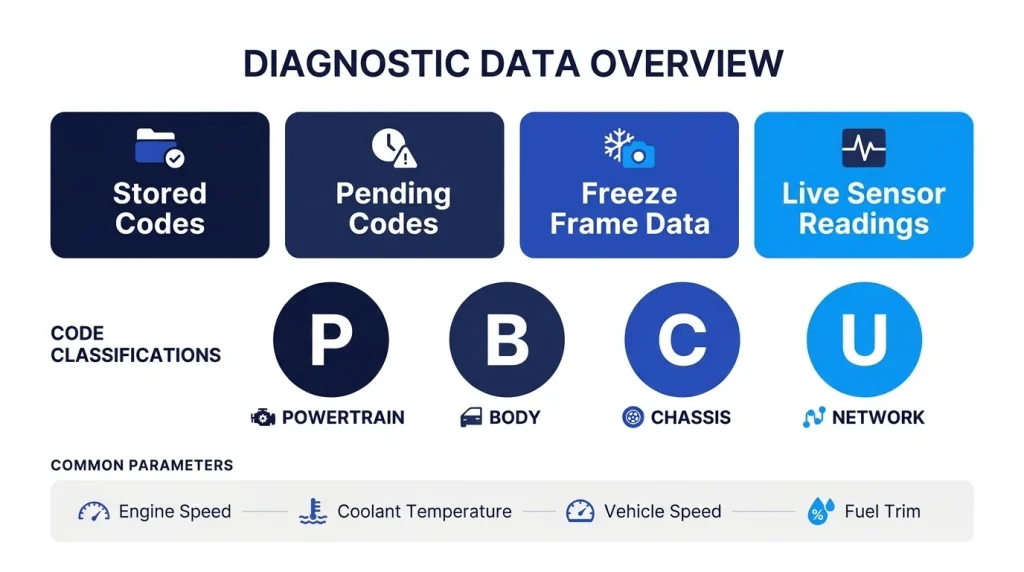
After you connect, the app can show stored codes, pending codes, freeze frame data, and live sensor readings.
Codes start with a letter that names the system. P covers powertrain, B covers body, C covers chassis, and U covers network faults.
The OBD2 code guide explains each letter and shows how a code such as P0301 breaks down by character. Live data shows engine speed, coolant temperature, vehicle speed, and fuel trim while the engine runs.
Some readings need the engine running, while codes can be read with the ignition on and the engine off. A phone app with a basic adapter reads engine and emissions data first. ABS, airbag, and other systems may need an adapter and app with wider coverage.
When Should You Clear Codes, and When Should You Wait?
Clear codes only after you fix the cause, because clearing a code does not fix a fault.
If the fault is still there, the code and the light come back. Save the code, fix the cause, then clear it and rescan after a drive.
Read the guide on the check engine light before you clear a code for a light that keeps coming back. Clearing also resets readiness monitors, which are the self-tests the car runs on emissions systems.
Warning
Never clear codes before an emissions test. Clearing resets readiness monitors, and the car can be turned away. Leave the codes in place until after the test.
Why Will a Bluetooth OBD2 Scanner Not Connect?
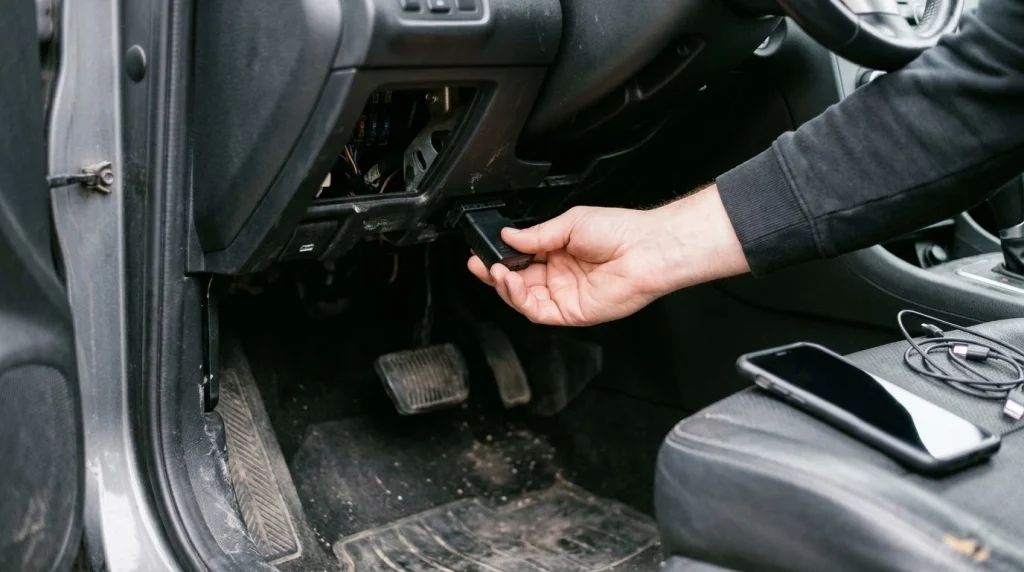
A Bluetooth OBD2 scanner will not connect when power, pairing, or the app choice breaks the link.
- No power: reseat the adapter, turn the ignition on, and check the port fuse.
- Adapter missing from the list: toggle Bluetooth off and on, then scan again.
- Paired but the app will not connect: pick the adapter in app settings, then close and reopen the app.
- Link drops often: unpair headsets and other Bluetooth devices, then try again.
If the fault keeps coming back, use the pairing fault guide to work through power, pairing, and app checks in order. Test one change at a time. A single change shows which step fixed the link.
Can You Leave a Bluetooth OBD2 Scanner Plugged In?
You can leave a Bluetooth OBD2 scanner plugged in for a drive, but you should unplug it when the car sits for days.
The adapter draws power from the port, so a parked car can lose charge over time. Keep the adapter in the glovebox when you have no scan to run, and plug it back in for the next scan.
Do not use the app while you drive. Set up the scan while parked, or let a passenger watch live data.
Bluetooth OBD2 Scanner
This adapter type lets you run a first scan from your phone, so you can check codes at home before you visit a shop.
Frequently Asked Questions
Does the engine need to run to use a Bluetooth OBD2 scanner?
The engine does not need to run for a code scan, because the ignition-on state powers the port and wakes the car modules. Start the engine only for live data that needs it, such as idle speed or fuel trim. Read codes first with the engine off, then start it if a reading needs a running engine.
Why does my iPhone not find my Bluetooth OBD2 scanner?
An iPhone cannot find a classic Bluetooth adapter, because iOS accepts Bluetooth Low Energy, Wi-Fi, or Apple MFi adapters only. Check the adapter type before you try again. If the adapter uses classic Bluetooth, it will not work with an iPhone, and you need a Bluetooth Low Energy adapter instead.
What PIN do I enter to pair a Bluetooth OBD2 scanner?
Many classic Bluetooth adapters accept 1234 as the pairing PIN, and some accept 0000 when the app or manual asks for a code. Try the PIN in the adapter manual first. If neither PIN works, unpair the adapter, restart the phone, and pair it again from the start.
Can a Bluetooth OBD2 scanner read ABS and airbag codes?
A basic Bluetooth OBD2 scanner reads engine and emissions codes first, and it may not reach ABS or airbag modules. Those systems need an adapter and app with wider coverage. Check the app coverage list for your car before you trust a scan with no codes.
Should I clear a code as soon as I read it?
You should not clear a code as soon as you read it, because clearing erases the record a shop needs and does not fix the fault. Save the code, fix the cause, then clear it and rescan after a drive. If the fault is still there, the code will come back.
Can I use a Bluetooth OBD2 scanner while I drive?
You can leave the adapter plugged in while you drive, but you should not use the phone app while you are driving. Set up the scan while parked, or let a passenger watch live data. The driver should keep full focus on the road at all times.
Conclusion
Learning how to use a Bluetooth OBD2 scanner takes one careful pairing and a few taps in the app. If your check engine light is on, plug in the adapter, save the codes, and fix the cause before you clear a code.

I’m Alex Rahman, a car enthusiast and automotive writer focused on practical solutions, car tools, and real-world driving advice. I share simple and honest content to help everyday drivers make better decisions.
