How to Scan a Transmission Control Module (TCM) | Step-by-Step Guide
Quick Answer
To scan a transmission control module (TCM), plug a multi-system OBD2 scan tool into your car’s under-dash data link connector, turn the ignition on, and navigate to the transmission or enhanced diagnostics menu to read active and pending trouble codes. Basic engine-only code readers will not detect transmission-specific module codes.
What Is a Transmission Control Module and Why Scan It?
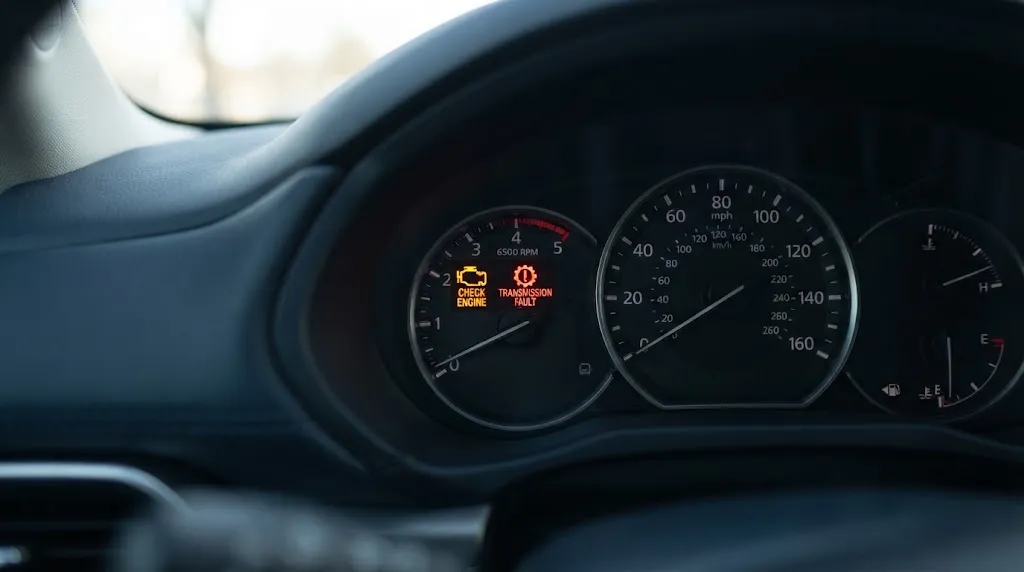
The transmission control module (TCM) is an onboard computer dedicated to managing your vehicle’s automatic transmission. While the engine control module (ECM) oversees fuel injection and ignition timing, the TCM regulates hydraulic fluid pressure, adjusts shift points, controls shift solenoids, and manages torque converter clutch engagement.
When the TCM detects a fault within the electronic or hydraulic controls, it triggers a diagnostic trouble code (DTC) and often illuminates the check engine light or a dedicated transmission warning indicator. Scanning the TCM allows you to move past generic dashboard guesses and pinpoint exact electrical, sensor, or mechanical control issues. Common indicators that warrant a TCM scan include erratic gear shifting, delayed engagement, transmission slipping, or the vehicle locking into a single gear known as “limp mode”.
Tools Required to Scan a TCM
Before beginning the diagnostic process, you need to ensure you have the correct equipment. One of the most common mistakes is attempting to read transmission codes with a basic, entry-level OBD2 code reader.
- Advanced Multi-System OBD2 Scanner: The scan tool must support enhanced diagnostics or manufacturer-specific modules beyond standard powertrain (P0xxx) emission codes. Bidirectional scanners or brand-specific diagnostic tools offer the deepest access.
- Vehicle Service Manual or Wiring Reference: Useful for cross-referencing manufacturer-specific diagnostic trouble code (DTC) definitions.
- Stable Battery Voltage Source: Low system voltage can trigger false communication errors between modules. A battery tender or jumper cables ensure steady voltage during extended diagnostics.
Key Insight
Standard code readers plug into the exact same under-dash port, but they only query the engine computer. Because modern vehicles route data through a Controller Area Network (CAN) bus, your scanner must have software protocols capable of requesting data streams from the transmission node specifically.
Step-by-Step Guide to Scanning Your TCM
Executing a proper diagnostic scan involves a specific sequence to ensure the vehicle’s modules establish stable communication with your scan tool.
- Locate the Data Link Connector (DLC): The OBD2 port is usually located under the driver’s side dashboard, near the steering column or knee bolster.
- Connect the Scan Tool: Plug your multi-system OBD2 diagnostic scanner securely into the DLC port. Ensure the connector pins line up correctly without forcing them.
- Turn the Ignition On: Switch the vehicle’s ignition to the “ON” position without starting the engine (Key On, Engine Off – KOEO). This powers up the electronic control units, including the TCM, allowing the scanner to handshake with the network.
- Input Vehicle Information: Power on the scanner and enter or auto-detect the vehicle’s year, make, model, and engine type. Accurate vehicle identification ensures the tool queries the correct module architecture.
- Select Health Report or System Scan: Choose the “Auto Scan,” “System Health Check,” or manual module selection menu.
- Navigate to the Transmission Control Module: If the tool does not perform an all-system sweep automatically, manually select “Transmission,” “TCM,” or “Transmission Control Unit” from the control module list.
- Read and Record Trouble Codes: Retrieve any active, pending, or historic codes. Write down the precise alphanumeric codes (such as P0700 or manufacturer-specific shift solenoid codes) along with their text descriptions.
Interpreting TCM Scan Results and Live Data
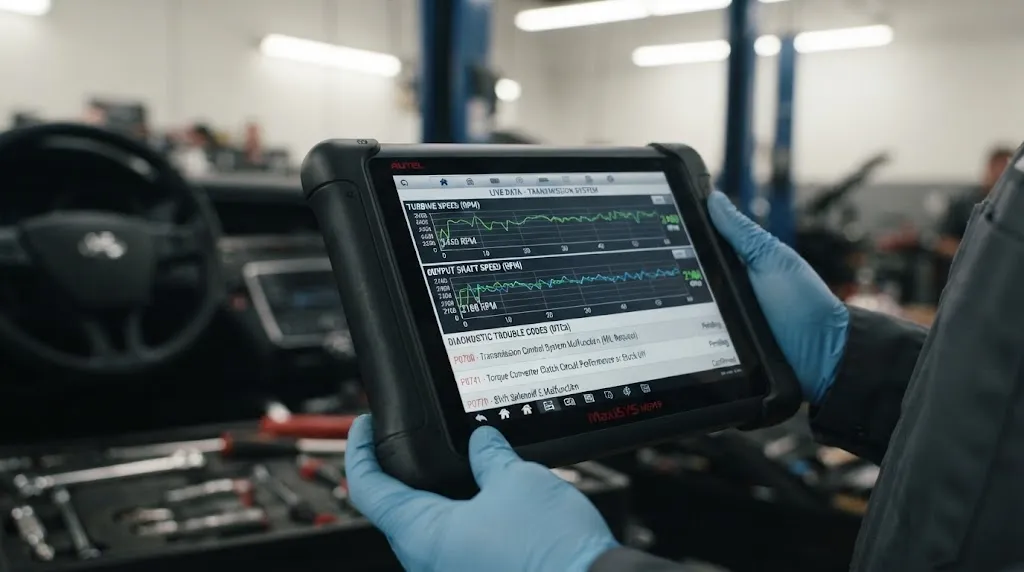
Once the codes populate on your scanner screen, evaluation requires looking beyond the raw code numbers. Transmission codes often fall into two categories: generic powertrain codes indicating a transmission fault (like a general P0700 request code) and deep manufacturer-specific codes pointing to internal electrical or hydraulic issues.
Many advanced scan tools also allow you to view Live Data streams. While observing live parameters, look closely at these key values:
- Transmission Fluid Temperature: Ensure the temperature sensor reading aligns with ambient or operating conditions. An implausible temperature reading can prevent proper shifting or torque converter lockup.
- Input and Output Shaft Speed: Compare engine RPM against transmission input and output speed sensors to check for internal mechanical slipping.
- Commanded vs. Actual Gear: Verify whether the TCM is commanding a specific gear shift and whether the transmission hydraulics are successfully responding.
- Solenoid Control Circuits: Monitor voltage and amperage metrics on shift and pressure control solenoids to check for circuit continuity.
Warning
Do not assume a trouble code points directly to a failed part or a dead control module. Wiring harness chafing, ground corrosion, and low system voltage frequently mimic electronic component failures. Always physically inspect wiring connectors before replacing expensive modules or internal transmission components.
Common Troubleshooting Steps After a Scan
After recording the diagnostic trouble codes, clear steps help isolate the root cause before attempting repairs or clearing the memory.
| Finding / Symptom | Likely Cause | Recommended Action |
|---|---|---|
| Communication loss code (e.g., U-codes) | Blown fuse, dead battery, or CAN bus wiring fault | Check power feeds, ground points, and network wiring integrity. |
| Electrical component code (Solenoid/Sensor) | High resistance, loose connector pin, or failed part | Inspect harness connectors for corrosion; test circuit resistance with a multimeter. |
| Erratic shift quality with low fluid level | Low hydraulic pressure or degraded fluid condition | Check fluid level, condition, and leaks, then retest system behavior. |
Following code retrieval, you can clear the codes using your scan tool if minor or intermittent issues were addressed. However, if an active mechanical or electrical fault remains uncorrected, the code will quickly return once the vehicle is driven under normal operating conditions.
Related Product
Advanced OBD2 Diagnostic Scan Tools
Equip your workspace with a multi-system diagnostic scanner capable of reading transmission control module data streams and clearing adaptation values.
As an Amazon Associate, we earn from qualifying purchases.
Frequently Asked Questions
Can a standard basic OBD2 code reader scan a transmission control module?
No. Standard generic code readers are restricted to the engine control unit and emission-related powertrain codes. To access a transmission control module, your scanner must feature multi-system diagnostic capabilities or manufacturer-specific software coverage.
What does a P0700 trouble code mean?
A P0700 code is a general request code generated by the engine computer indicating that the transmission control module has recorded a fault. This code simply alerts you that transmission codes are present, requiring an advanced scan tool to check the TCM directly for the specific sub-codes.
Should I reset or clear TCM codes after scanning them?
Clearing codes is helpful after performing a repair or verifying an intermittent issue caused by low battery voltage. However, clearing codes without fixing the underlying mechanical or electrical problem will only cause the warning light and shifting issues to return shortly after driving.
Can a bad car battery cause transmission control module errors?
Yes. Modern automotive control modules are sensitive to voltage drops. A weak battery, failing alternator, or corroded ground cable can cause communication failures and erratic module behavior across the CAN bus network.
Where is the TCM usually located if I need to check its wiring?
Depending on the vehicle make and model, the transmission control module may be mounted directly on the transmission housing, inside the engine bay near the fuse box, or tucked underneath the interior dash panels or passenger kick-panels. Consult your vehicle service manual for the exact location.
Do I need to reprogram a replacement TCM after installation?
In most modern vehicles, yes. Replacement transmission control modules typically require flash programming, software calibration, or adaptive relearn procedures tailored to your specific vehicle’s VIN and transmission build before it will operate correctly.
Conclusion
Scanning a transmission control module is an essential diagnostic step when tracking down erratic shifting, slipping gears, or unexpected warning lights. By utilizing a multi-system scan tool capable of reading enhanced network protocols, you can bypass guesswork, pinpoint specific electronic or hydraulic fault codes, and monitor live sensor data. Always verify wiring integrity and battery voltage before jumping to component replacements, ensuring a more accurate and cost-effective repair process.

I’m Alex Rahman, a car enthusiast and automotive writer focused on practical solutions, car tools, and real-world driving advice. I share simple and honest content to help everyday drivers make better decisions.
