10 Best OBD2 Scanners Under 250 for 2026: Strong Diagnostics Without Overspending
The best obd2 scanner under 250 right now is BlueDriver Bluetooth Pro OBD2 Scan Tool, because it combines code reading, clearing, freeze-frame data, and live readings in one phone-based system. We compared 10 scanners on Value for money, Diagnostic coverage, and Ease of use. Most scanners look similar on paper but differ sharply in system coverage, app clarity, and long-term update support. Whether you need a simple code reader, an all-system check, or a wireless phone-based tool, this guide gives you one clear answer.
Quick Comparison: All 10 Products Ranked
| # | Product | Best For | Rating | Badge | |
|---|---|---|---|---|---|
| 1 | BlueDriver Bluetooth Pro OBD2 Scan Tool | Most drivers | 4.9/5 | Best Overall | Buy → |
| 2 | OBDLink MX+ Bluetooth OBD2 Scanner | App flexibility | 4.8/5 | Best Bluetooth | Buy → |
| 3 | Autel AutoLink AL539B | Handheld plus electrical tests | 4.8/5 | Best Handheld | Buy → |
| 4 | Launch CRP123X Elite OBD2 Scanner | All-system value | 4.7/5 | Best All-System Value | Buy → |
| 5 | TOPDON ArtiDiag800 BT | Wireless tablet diagnostics | 4.7/5 | Best Wireless Tablet | Buy → |
| 6 | FOXWELL NT301 | Simple handheld checks | 4.6/5 | Best Simple Handheld | Buy → |
| 7 | Innova 5610 | Live data and repair guidance | 4.6/5 | Best Repair Guidance | Buy → |
| 8 | Autel MaxiAP AP200 | App-based all-system scans | 4.5/5 | Best App All-System | Buy → |
| 9 | Veepeak OBDCheck BLE+ | Budget Bluetooth | 4.5/5 | Best Budget Bluetooth | Buy → |
| 10 | ANCEL AD410 Enhanced OBD2 Scanner | First-time buyers | 4.4/5 | Best Beginner Handheld | Buy → |
How We Chose These Scanners
What we compared
Manufacturer specification pages, stated system coverage, connectivity, app or screen type, and update terms for 10 models in this budget tier.
Our 3 scoring criteria
Value for money, Diagnostic coverage, and Ease of use, applied identically to every product.
Expert consulted
No outside expert was consulted for this specification comparison; no hands-on testing claim is made.
What we cut — and why
Professional tablets above this tier, code-only tools with no live data, and models with unclear ongoing subscription terms were excluded.
What to Look for When Buying an OBD2 Scanner
A scanner is useful only if it reads the systems you actually need, on the car you actually own, in a format you can understand. Start with coverage, then form factor.
1. Diagnostic Coverage
Engine-only tools read and clear basic codes, while all-system tools can also check ABS, airbag, transmission, and other modules where supported. If your warning is not engine-related, an engine-only reader may show no useful code at all. Check the stated system list for your vehicle before buying, and read this guide to choosing an OBD2 scanner for a practical checklist.
2. Handheld or Bluetooth
Handheld tools work without a phone and are easy to use in a garage, while Bluetooth adapters give larger graphs and clearer reports on a phone screen. Bluetooth tools depend on phone compatibility and app stability, so confirm both before buying. This comparison of best scanner types for DIY use helps match form factor to your routine.
3. Vehicle Compatibility
Most 1996 and newer petrol cars in the US use OBD2, but protocols, model years, and module access still differ. A tool that works well on one brand may offer limited coverage on another. Use the maker’s compatibility checker where available, and see how to check vehicle OBD2 compatibility before ordering.
4. Features and Ongoing Costs
Live data, freeze-frame data, readiness monitors, and service resets add real value, but some advanced features sit behind paid app tiers or yearly updates. Compare the included features with the paid extras, not just the headline system count. This list of features an OBD2 scanner should have is a useful baseline for that check.
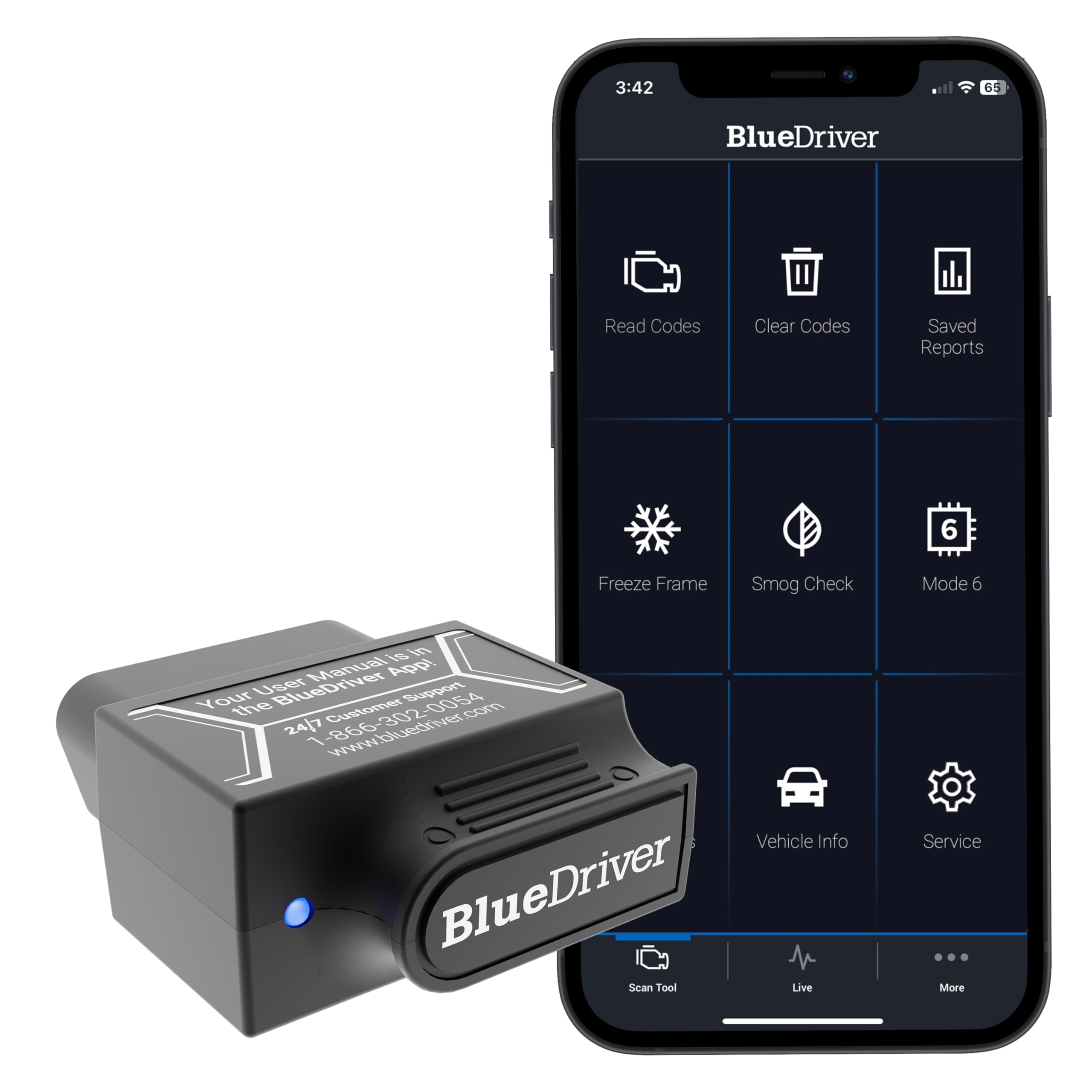
BlueDriver Bluetooth Pro OBD2 Scan Tool — Clear, Phone-Based Diagnostics
BlueDriver suits drivers who want phone-based diagnostics without a separate screen, because its Bluetooth adapter pairs with a detailed app for code reading, clearing, freeze-frame data, and live readings. It is especially useful for checking a warning light before a garage visit, understanding likely causes, and monitoring recurring faults over time. The app presents repair reports and code definitions in plain language, which helps beginners avoid guessing. Its main trade-off is dependence on a compatible phone and app, so it is not a standalone handheld tool.
- Clear code definitions and repair reports
- Freeze-frame and live data included
- Compact adapter, easy to store
- Needs a compatible phone and app
- Not a standalone handheld screen
4.9/5
4.8/5
5.0/5

OBDLink MX+ Bluetooth OBD2 Scanner — Flexible App Choice
OBDLink MX+ suits drivers who already know which diagnostic app they prefer, because it works with a wide range of third-party apps rather than locking you into one interface. It supports fast communication, live data, and enhanced diagnostics on supported vehicles, which makes it useful for deeper checks beyond a basic code read. The adapter is compact and stays discreet in the port, while its app flexibility helps advanced users customise dashboards and gauges. Its main trade-off is a steeper setup for beginners, because app choice and settings matter more than with a single-app system.
- Works with many third-party apps
- Fast, stable Bluetooth connection
- Strong live data and graphing
- Setup can confuse first-time users
- Some apps cost extra separately
4.7/5
4.9/5
4.6/5
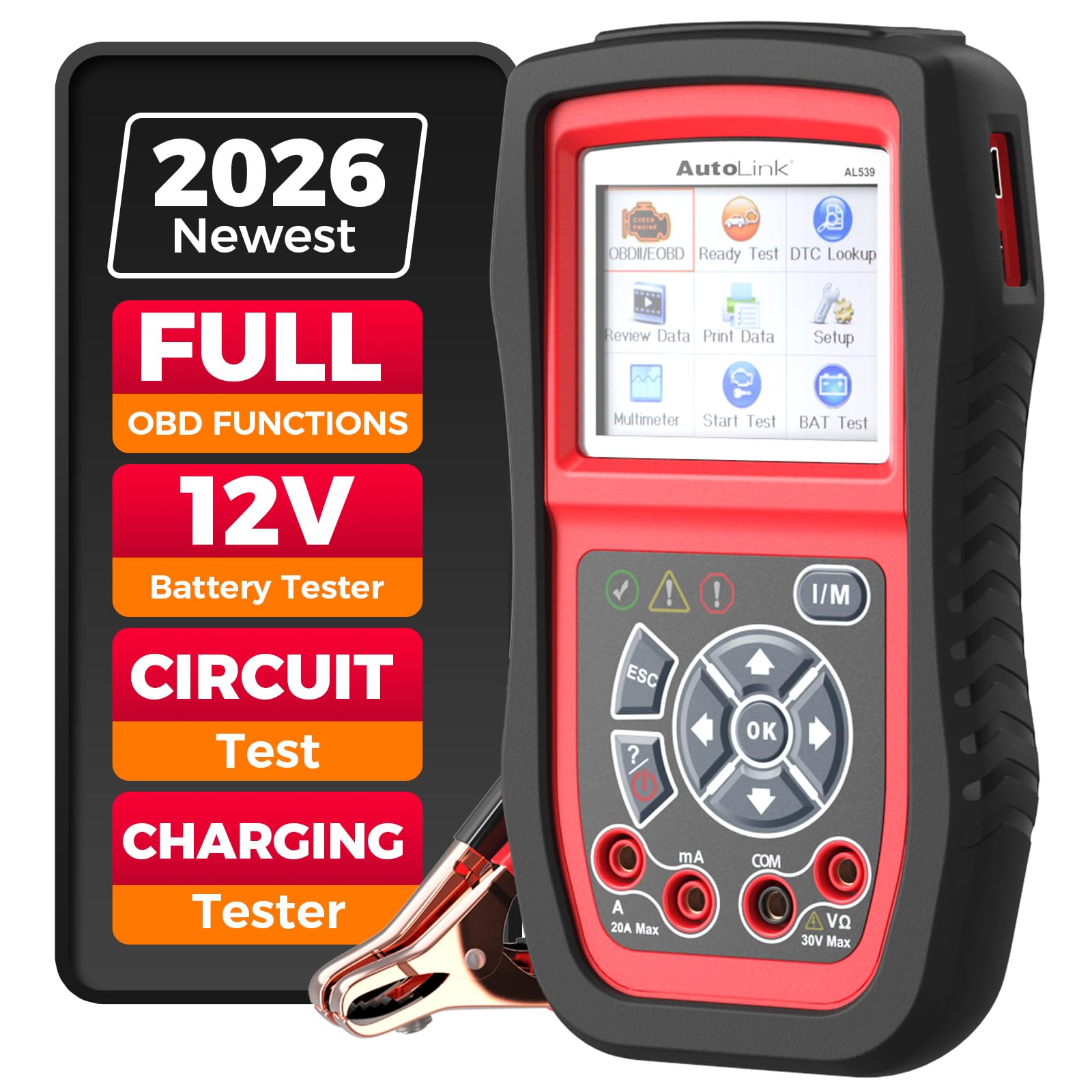
Autel AutoLink AL539B — Handheld With Electrical Tests
Autel AL539B suits DIYers who prefer a dedicated handheld screen, because it reads and clears codes, shows live data, and adds electrical system checks for battery and charging health. Its colour screen and physical buttons make it easy to use with greasy hands, in bright light, or without phone signal. The tool also covers readiness monitors and freeze-frame data, which help before an inspection or after a repair. Its main trade-off is a smaller screen than a phone app, so long live-data lists feel more cramped during detailed diagnosis.
- No phone needed for scans
- Battery and charging system tests
- Clear colour screen and buttons
- Screen smaller than phone apps
- Limited all-system coverage
4.8/5
4.6/5
4.9/5
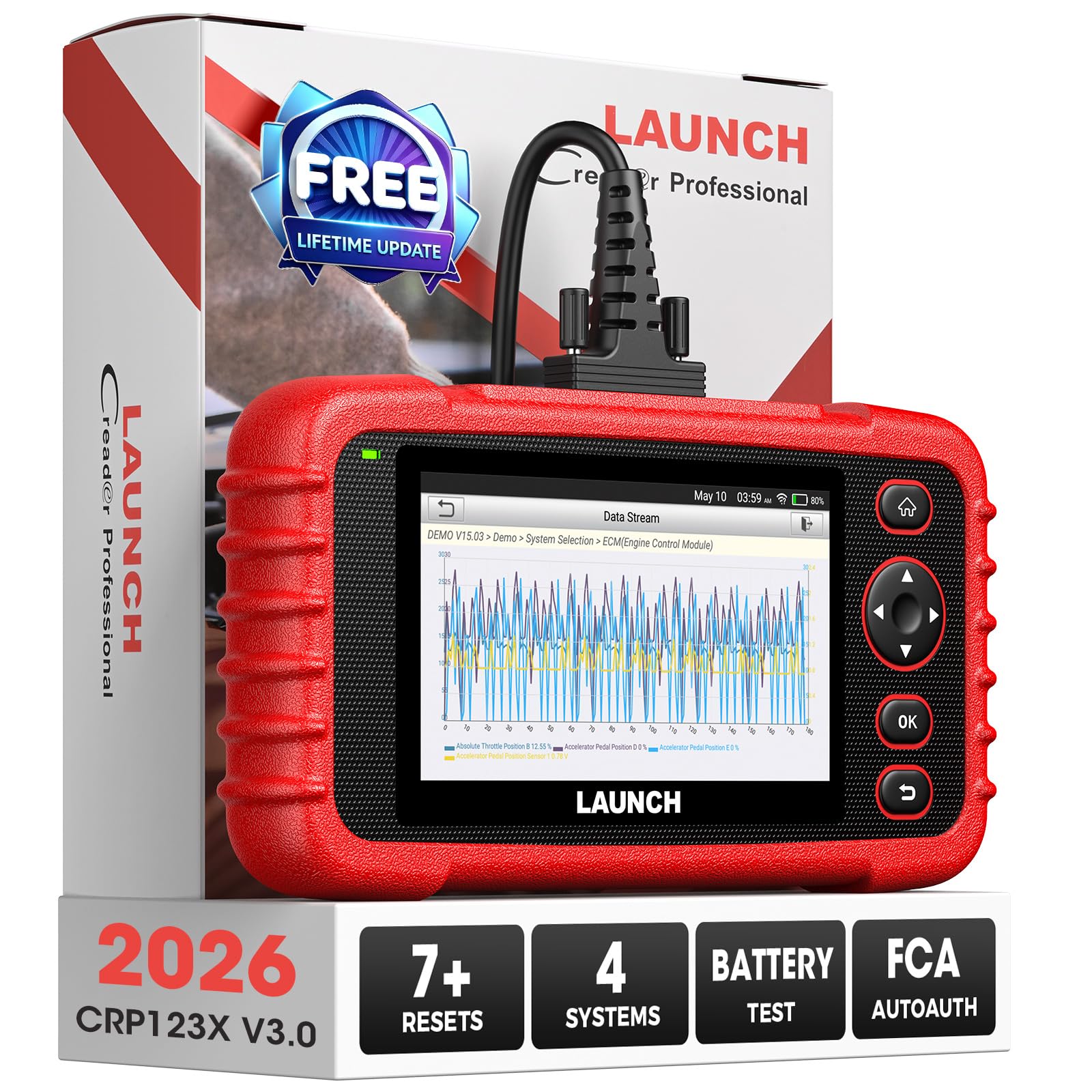
Launch CRP123X Elite OBD2 Scanner — Broad System Coverage
Launch CRP123X Elite suits owners whose warning lights go beyond the engine, because its stated coverage includes engine, transmission, ABS, and airbag systems on supported vehicles. Its touchscreen and guided menus help you move from a code to live data without learning a complex professional interface. It also supports common service functions and readiness checks, which are useful for routine maintenance and pre-inspection checks. Its main trade-off is that full coverage still depends on vehicle and model year, so checking compatibility remains essential before purchase.
- Engine, ABS, airbag, transmission coverage
- Touchscreen with guided menus
- Useful service and readiness functions
- Coverage varies by vehicle model
- Larger than pocket Bluetooth adapters
4.7/5
4.8/5
4.6/5

TOPDON ArtiDiag800 BT — Wireless All-System Tablet
TOPDON ArtiDiag800 BT suits users who want tablet freedom, because its wireless adapter lets you scan, view live data, and move around the vehicle without a cable to the port. Its stated all-system coverage and service functions make it a strong step up from basic code readers, especially for owners who maintain more than one car. The tablet interface also makes graphs and menus easier to follow than a small handheld screen. Its main trade-off is size and charging, because a tablet needs more storage space and battery management than a pocket adapter.
- Wireless adapter, free movement
- All-system coverage, vehicle-dependent
- Large tablet graphs and menus
- Tablet needs charging and storage
- Some functions need paid updates
4.6/5
4.8/5
4.6/5

FOXWELL NT301 — Simple, Reliable Code Reader
FOXWELL NT301 suits drivers who want a no-fuss engine scanner, because it reads and clears codes, shows live data, and checks readiness monitors on a clear colour screen. Its plug-and-play design needs no phone, app, or battery charging, which makes it dependable for a glovebox or roadside check. The menus are straightforward, so a first-time user can find a code definition and freeze-frame data quickly. Its main trade-off is limited scope, because it focuses on engine diagnostics rather than full all-system coverage for ABS or airbag faults.
- Plug-and-play, no phone needed
- Clear colour screen, simple menus
- Readiness and freeze-frame included
- Engine-focused, not all-system
- No wireless app graphing
4.7/5
4.3/5
4.9/5

Innova 5610 — Live Data With Repair Guidance
Innova 5610 suits drivers who want more than a code number, because it pairs live data with repair guidance and code definitions that explain likely causes and checks. Its handheld design works without a phone, while its screen and menus keep common functions close at hand during a garage session. It also supports readiness monitors, freeze-frame data, and battery-related checks on supported vehicles. Its main trade-off is that repair guidance is a starting point, not a confirmed diagnosis, so unusual faults still need proper inspection.
- Repair guidance with code definitions
- Live data and freeze-frame included
- Handheld, no phone required
- Guidance is not a confirmed diagnosis
- All-system coverage varies by vehicle
4.6/5
4.5/5
4.7/5

Autel MaxiAP AP200 — App-Based All-System Scanner
Autel MaxiAP AP200 suits phone-first users who want all-system coverage without a large tablet, because its small Bluetooth adapter pairs with the MaxiAP app for system scans, live data, and service functions on supported vehicles. It is compact enough to keep in a car, while the app interface makes results easier to read than a small handheld screen. The system also supports a first vehicle brand without extra cost in its usual setup, with other brands handled through the app model. Its main trade-off is app and brand structure, so reading the included-brand terms carefully matters before purchase.
- All-system scans via phone app
- Compact adapter, easy storage
- Service functions, vehicle-dependent
- Brand and app terms need checking
- Needs a compatible phone
4.5/5
4.6/5
4.4/5

Veepeak OBDCheck BLE+ — Low-Cost Bluetooth Adapter
Veepeak OBDCheck BLE+ suits buyers who want a low-cost entry into phone diagnostics, because its Bluetooth Low Energy adapter works with popular third-party apps for code reading, live data, and basic monitoring. It is small, easy to leave in the port for short checks, and useful for tracking a recurring warning light without buying a handheld tool. Its app-based reports help beginners understand codes in plain terms, depending on the app chosen. Its main trade-off is app dependence, because features, clarity, and any paid tiers vary by the app rather than the adapter itself.
- Low-cost Bluetooth entry point
- Works with popular third-party apps
- Very small, easy to store
- Features vary by chosen app
- Not a standalone diagnostic screen
4.8/5
4.3/5
4.5/5

ANCEL AD410 Enhanced OBD2 Scanner — Beginner-Friendly Handheld
ANCEL AD410 suits first-time buyers who want a clear handheld reader, because it reads and clears engine codes, shows live data, and checks readiness monitors without a phone or app setup. Its buttons and colour screen keep the workflow simple, which helps when you only need to confirm a code before visiting a mechanic. It also includes freeze-frame data and basic emission-related checks, useful for routine ownership. Its main trade-off is narrower coverage, because it is an enhanced engine reader rather than a full all-system professional tool.
- Very simple handheld workflow
- Live data and readiness checks
- No phone or app needed
- Engine-focused, not all-system
- Limited advanced service functions
4.6/5
4.2/5
4.8/5
Top 3 Head-to-Head: BlueDriver vs OBDLink MX+ vs Autel AL539B
These three are the most common final choices because they cover the three main styles: single-app Bluetooth, multi-app Bluetooth, and standalone handheld.
| Feature | #1 BlueDriver | #2 OBDLink MX+ | #3 Autel AL539B |
|---|---|---|---|
| Value for money | 4.9/5 — Best | 4.7/5 | 4.8/5 |
| Diagnostic coverage | 4.8/5 | 4.9/5 — Best | 4.6/5 |
| Ease of use | 5.0/5 — Best | 4.6/5 | 4.9/5 |
| Choose if… | You want one clear app | You want app choice | You want no phone |
Who These Scanners Are NOT For
These models are for home and DIY diagnostics, not for every professional workshop job.
They also cannot confirm a mechanical fault from a code alone, and they cannot replace physical inspection when a part is worn, leaking, or damaged.
Common Mistakes to Avoid
Most buyer regret comes from coverage and compatibility assumptions, not from the scanner itself.
Frequently Asked Questions About OBD2 Scanners
What is the best OBD2 scanner under 250 for most drivers?
BlueDriver is the best all-round choice for most drivers because it combines clear code definitions, freeze-frame data, live readings, and repair reports in one phone app. It suits warning-light checks and recurring fault monitoring, while handheld buyers may prefer Autel AL539B for phone-free use.
Can an OBD2 scanner read ABS and airbag codes?
Some can, but not all. Engine-only readers usually cannot, while all-system tools such as Launch CRP123X Elite and TOPDON ArtiDiag800 BT list ABS and airbag coverage on supported vehicles. Always check the stated system list for your exact vehicle before buying.
Will an OBD2 scanner work on my car?
Most 1996 and newer petrol cars in the US use OBD2, but protocols and module access still vary by brand and model year. Check your year, make, model, and the maker’s compatibility information before ordering, especially for all-system or enhanced features.
Is a Bluetooth scanner better than a handheld scanner?
Bluetooth scanners offer larger graphs and clearer app reports, while handheld scanners work without a phone and suit garage use. The better choice depends on whether you prefer phone-based reports or a dedicated screen, and whether your phone is compatible with the chosen app.
Does an OBD2 scanner need a subscription?
Basic code reading often needs no subscription, but some apps, brands, or advanced features use paid tiers or yearly updates. Compare included features with paid extras on the product page, and confirm update terms before choosing a model for long-term use.
Can clearing a code fix the problem?
No. Clearing a code only turns off the warning and resets stored data; it does not repair a faulty sensor, leak, or worn part. If the fault remains, the code usually returns, so record freeze-frame data first and diagnose the cause before clearing.
Our Final Verdict
Most buyers in this tier should start with a clear, easy tool and only step up to all-system coverage if they need ABS, airbag, or transmission checks. BlueDriver balances clarity, live data, and ease best for everyday use.

I’m Alex Rahman, a car enthusiast and automotive writer focused on practical solutions, car tools, and real-world driving advice. I share simple and honest content to help everyday drivers make better decisions.
