What Features Should an OBD2 Scanner Have? Essential Guide
Quick Answer
A reliable OBD2 scanner should feature core generic code reading and clearing, live data streaming for real-time sensor monitoring, manufacturer-specific module access (such as ABS, SRS, and transmission), and internet-updatable firmware. The right choice depends on whether you need simple check-engine diagnostics or advanced bi-directional system testing.
Understanding Your Diagnostic Needs Before Buying
Modern vehicles rely heavily on electronic control units (ECUs) to manage everything from fuel injection to braking stability. When a dashboard warning light illuminates, an On-Board Diagnostics (OBD2) port allows a scanner to communicate directly with these computers.
However, not all diagnostic tools are built equal. Basic code readers cost very little but offer restricted visibility, while advanced scan tools approach professional shop capabilities at a higher cost. Knowing which features genuinely matter prevents you from overpaying for capabilities you will never use or buying a restricted tool that leaves you stranded mid-diagnosis.
Core Essential Features Every OBD2 Scanner Needs
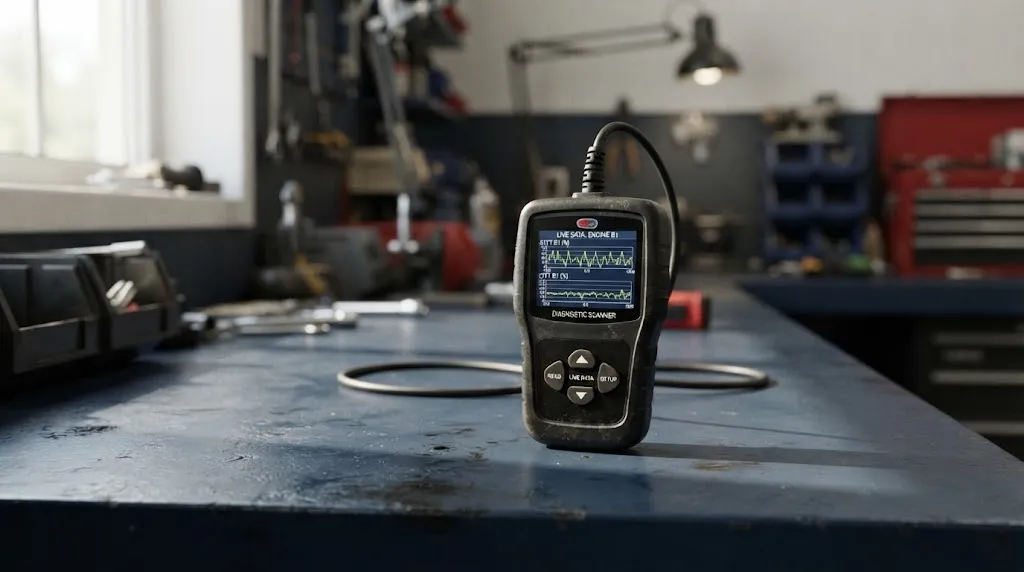
Regardless of your mechanical experience level, certain foundational specifications are non-negotiable for any worthwhile diagnostic tool.
1. Diagnostic Trouble Code (DTC) Retrieval and Clearing
The primary function of any scanner is reading generic powertrain codes (P0-series) and clearing them once repairs are complete. A quality tool provides the actual text description of the code on its screen rather than just a raw numerical code, saving you time from constantly looking up definitions online.
2. Live Data Streaming
Static codes only tell you what triggered a fault, not why it happened. Live data streaming allows you to view sensor metrics in real time—such as oxygen sensor voltage, coolant temperature, fuel trim levels, and engine RPM—while the engine runs or while you drive.
3. Freeze Frame Data
When a fault occurs, the vehicle computer takes a digital snapshot of engine conditions at that exact millisecond. Freeze frame capability lets you see vehicle speed, load, and temperature when the error tripped, which is vital for intermittent issues.
4. I/M Readiness Monitors
If your local area requires emissions testing, I/M readiness status indicators show whether your vehicle’s emission control monitors have completed their self-tests. Trying to pass an inspection with cleared codes and “not ready” monitors results in an automatic failure.
Advanced Features: When Do You Need More Than a Basic Reader?
Basic code readers only access the powertrain computer. If you encounter anti-lock brake (ABS), supplemental restraint system (SRS/airbag), transmission, or body control module issues, you need a more advanced tool.
Key Insight
An affordable code reader can turn off a generic check engine light, but it cannot diagnose an ABS light or airbag fault. Multi-system scanners communicate across all major vehicle computers.
Multi-System Diagnostics (ABS, SRS, Transmission)
Stepping up to a mid-tier scanner unlocks chassis and body control modules. This capability is essential for diagnosing wheel speed sensor failures, steering angle calibration, or airbag deployment history.
Bi-Directional Control (Active Tests)
Advanced diagnostic scan tools offer bi-directional control, meaning they can send commands to the vehicle as well as read data. Instead of just guessing if a cooling fan relay works, the scanner can command the computer to turn the fan on directly, confirming component health instantly.
Special Service Resets
Modern maintenance requires electronic resets after routine jobs. Look for service functions that handle electronic parking brake (EPB) retraction for rear brake changes, oil service light resets, steering angle resets, and battery registration.
Hardware, Connectivity, and Software Considerations
Beyond software capabilities, the physical design and update framework heavily influence your long-term satisfaction with a diagnostic tool.
| Scanner Tier | Best For | Key Capabilities |
|---|---|---|
| Basic Code Reader | Quick check engine checks | Read/clear generic codes, freeze frame, I/M readiness |
| Mid-Tier Multi-System | Comprehensive DIY maintenance | ABS/SRS modules, live data graphing, oil/EPB resets |
| Advanced / Tablet | Deep troubleshooting & repairs | Bi-directional control, ECU coding, all-system diagnostics |
The table above outlines how feature sets scale with scanner complexity, helping match your diagnostic ambitions to the right hardware tier.
Handheld Units vs. Wireless App-Based Dongles
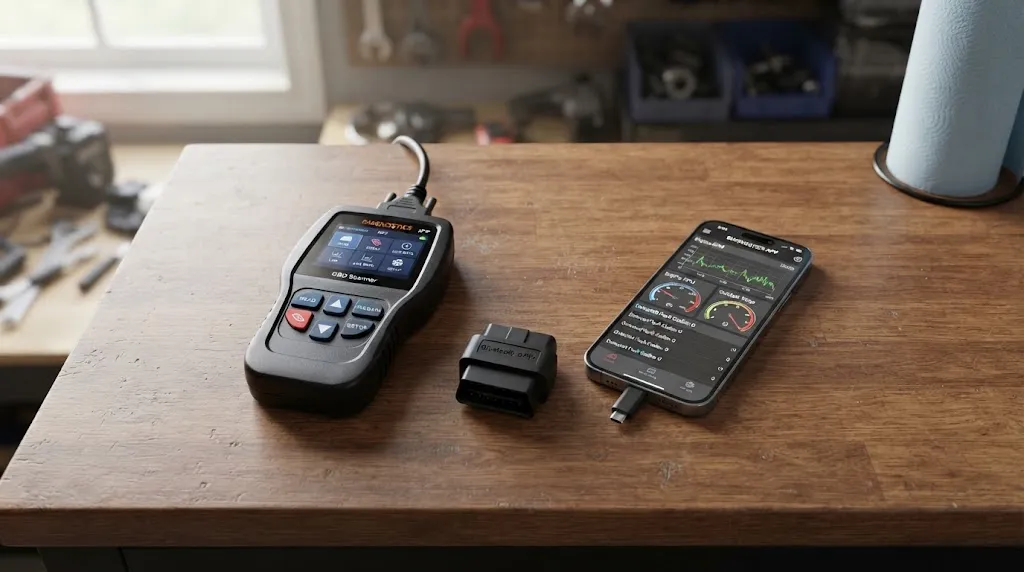
Handheld standalone scanners feature integrated screens and physical buttons, making them instantly ready without phone pairing or battery drain concerns. Wireless dongles plug into the OBD2 port and pair via Bluetooth to a smartphone app, offering great portability and large color displays, though they rely on stable device connectivity.
Update Policies and Subscription Costs
Vehicle computer protocols update regularly. Ensure any scanner you consider offers lifetime free software updates or transparent renewal pricing so your tool does not become obsolete within a couple of years.
Common Mistakes to Avoid When Buying an OBD2 Scanner
Purchasing diagnostic equipment without a clear plan often leads to frustration. Keep these common pitfalls in mind:
- Assuming all scanners read ABS codes: Many budget units under $30 only communicate with the powertrain control module. Always verify system coverage before purchasing.
- Ignoring update compatibility: Buying a cheap tool with locked software or paid annual updates can cost more in the long run than a lifetime-update model.
- Paying for features you will never use: If you only need to check occasional engine lights, an expensive bi-directional tablet is unnecessary.
- Overlooking screen legibility: Small, unlit monochrome screens are difficult to read in bright sunlight or cramped under-dash environments.
Warning
Be cautious of low-cost clone scanners running unverified software versions. Poorly coded firmware can occasionally disrupt communication on the vehicle’s CAN bus network during live diagnostics.
Related Product
Multi-System OBD2 Diagnostic Scanners
Explore reliable multi-system diagnostic scanners featuring live data graphing, ABS/SRS module access, and free lifetime firmware updates.
As an Amazon Associate, we earn from qualifying purchases.
Frequently Asked Questions
Can an OBD2 scanner clear airbag or ABS warning lights?
Basic powertrain code readers cannot clear ABS or airbag lights because those systems operate on separate control modules. To access and clear those codes, you must use a multi-system scanner explicitly rated for ABS and SRS diagnostics.
Do I need an internet connection to use an OBD2 scanner?
No. Standard code reading, live data viewing, and clearing codes function entirely offline by plugging directly into your car’s diagnostic port. An internet connection is only required when downloading software updates or looking up specific repair database links.
Will any OBD2 scanner work on any car?
All cars and light trucks sold in the United States since 1996 use the standardized OBD2 protocol, meaning any basic generic scanner will plug in and read engine codes. However, manufacturer-specific proprietary features or heavy-duty commercial truck protocols may require specialized adapters or higher-end tools.
What is the difference between generic codes and manufacturer-specific codes?
Generic codes (P0xxx) are standardized across all automotive brands, defining common emission and powertrain faults. Manufacturer-specific codes (P1xxx) are defined individually by brands like Ford, Toyota, or BMW to pinpoint brand-specific component failures.
Is live data necessary for a DIY mechanic?
While not strictly mandatory for reading simple fault codes, live data significantly speeds up troubleshooting. Watching sensor values update in real time allows you to verify whether a component is responding correctly rather than guessing based solely on a static code.
Can a scanner damage my car’s computer?
Using a reputable OBD2 scanner correctly will not harm your vehicle computer. The port is designed strictly for communication. However, avoid attempting advanced ECU programming or unauthorized module flashing unless you are experienced with professional-grade equipment.
Conclusion
Choosing the right OBD2 scanner comes down to matching its capability to your diagnostic goals. While basic code readers easily handle simple check-engine lights and inspection readiness, investing in a multi-system tool with live data streaming and service resets pays off quickly for DIY maintenance. Evaluate your vehicle needs, check update policies, and select a reliable tool that gives you accurate insight before turning a single wrench.

I’m Alex Rahman, a car enthusiast and automotive writer focused on practical solutions, car tools, and real-world driving advice. I share simple and honest content to help everyday drivers make better decisions.
