10 Best Dash Cam Live View Options for Real-Time Driving Security
A dash cam records the road and can provide useful evidence after a crash. Models with live view add a phone or built-in screen feed, letting us check the vehicle’s surroundings, confirm camera angles, and monitor a parked car from a distance when the setup supports it.
The best dash cams with live view offer a clear connection, reliable video, and useful alerts without making daily use difficult. When comparing them, we focus on video quality, app stability, Wi-Fi or cellular connectivity, parking mode, storage, installation, and privacy. Cellular models may require a subscription, while Wi-Fi models usually work only when we are near the vehicle.
We tested and researched live-view dash cams to find the models that provide dependable footage, practical remote access, and simple controls.
Best Dash Cams With Live View
We selected the best dash cams with live view based on video quality, app features, connectivity, and ease of use. Our list includes reliable options for monitoring your vehicle remotely and reviewing footage from your phone.
FocuWay L7 4G LTE Dash Cam
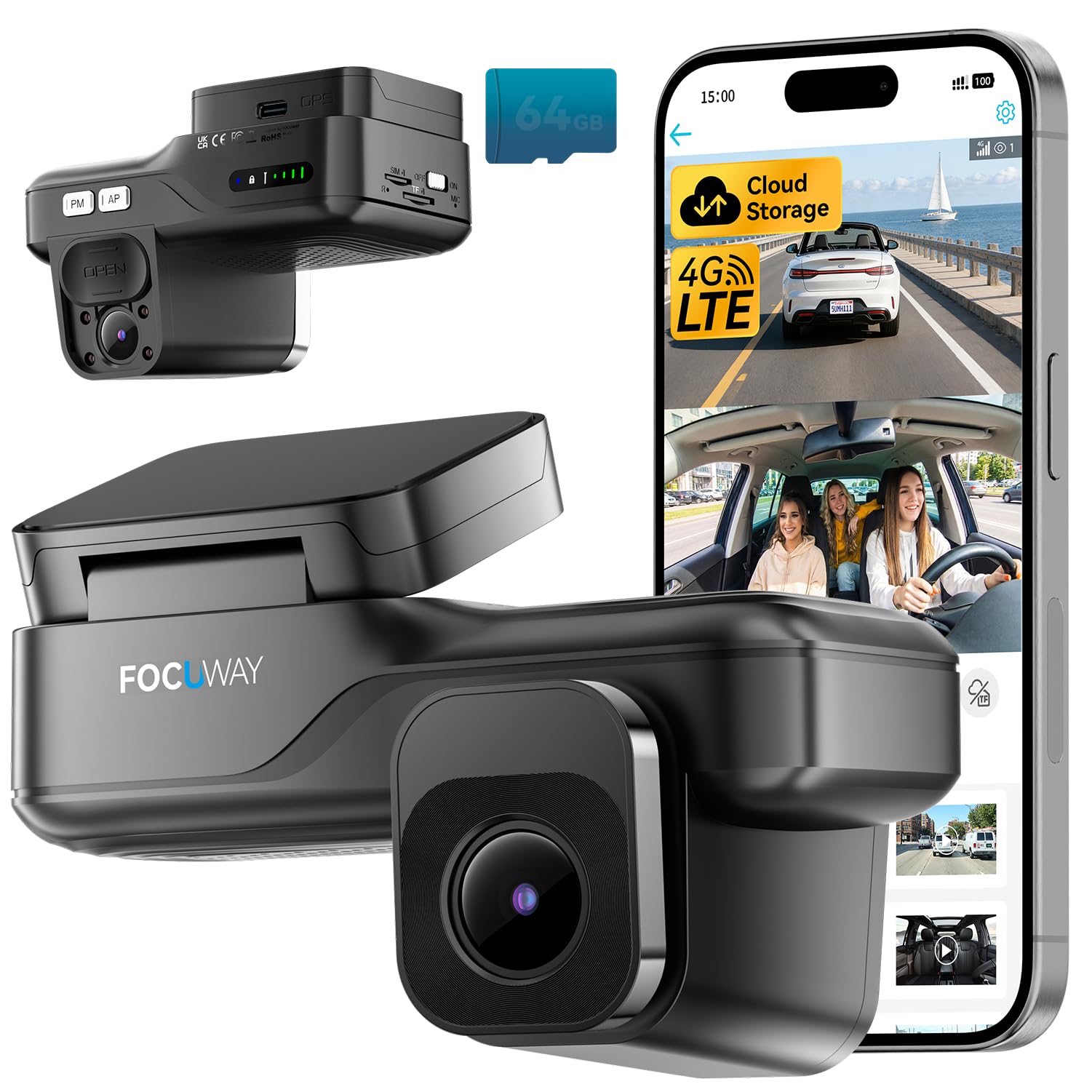
We recommend this dash cam for drivers who want remote live view, parking alerts, and cabin monitoring through a phone app.
Key Pros
- Remote 4G live view and GPS access
- Front and cabin recording with infrared night vision
- OBD setup supports continuous parking monitoring
Key Cons
- Requires a paid data plan after the trial
- No built-in screen or replaceable SIM
- App control may feel less convenient than local controls
We found the L7 useful when we wanted to check a parked vehicle from a distance. The UBoxPro app provides live viewing, alerts, two-way audio, and location tracking without relying on nearby Wi-Fi.
The front camera records in 2K while the cabin camera records in 1080p. Infrared lighting helped us see inside the car at night, and the physical privacy cover gave us a simple way to block the interior lens.
Installation was straightforward because the included OBD cable supplied power without fuse-box wiring. The screenless design also kept the camera fairly discreet behind the mirror.
The main drawback is the ongoing service cost. LTE live view and cloud features require a paid plan after the included trial, and the built-in SIM cannot be replaced. We also needed the app for setup and daily control, so this model suits drivers who are comfortable managing a camera from a phone.
DeerAsk 4G LTE Dual-Camera Dash Cam

We recommend this dash cam for drivers who want remote live viewing, cabin recording, and parked-car alerts without nearby Wi-Fi.
Key Pros
- Remote viewing through 4G LTE
- Front and interior recording with IR night vision
- Simple OBD-II installation
Key Cons
- Remote features need an active data plan
- Cloud storage may require extra service costs
- The app and alerts depend on a strong cellular signal
We found the OBD-II setup quick and simple because it avoids fuse-box wiring. Once connected, the camera paired with the phone app and provided access to live video, GPS location, route history, and two-way audio.
The front and cabin cameras cover everyday driving well. Interior infrared lighting helps record passengers and activity after dark, while the front camera captures clear road footage in daylight. This setup suits rideshare drivers, parents, and people who leave a vehicle parked outside.
Remote live view stands out when the car sits away from home Wi-Fi. The radar sensor, G-sensor, and sentry mode can detect nearby movement, bumps, and parking events. We would still check the cellular signal and data-plan terms before relying on it for constant monitoring.
Local recording uses the included 32GB card, and the camera supports larger cards up to 128GB. Cloud event backup adds another layer for important clips, but remote functions require compatible 4G service from the included trial, Verizon, AT&T, or T-Mobile.
Garmin Dash Cam Live

We recommend it for drivers who want remote live viewing and parking alerts, but the LTE subscription and mixed connection results may limit its value.
Key Pros
- Remote live view and video sharing through the Garmin Drive app
- Clear 1440p video with HDR and a wide view
- Automatic cloud uploads and useful voice controls
Key Cons
- LTE features require a paid subscription
- Parking monitoring may need an extra constant-power cable
- Some users report slow or unreliable connections
We found the live-view feature useful when we wanted to check a parked vehicle from a distance. The app also supports location tracking, theft alerts, and incident notifications, giving us more information than a basic dash cam.
Video quality looked clear in normal daylight and remained useful at night. However, zoomed footage may not show license plates clearly, so we would not rely on it for every detail.
The camera includes a 16GB memory card, magnetic mount, and two power cables, making setup simple. Voice commands also let us save clips or take photos without reaching for the camera.
LTE performance can vary. Some owners report that the camera takes time to connect or fails to connect when the vehicle is off. We also found that always-on parking features may require the separate constant-power cable and an active Garmin LTE plan.
XEGA 4G Dual Dash Cam
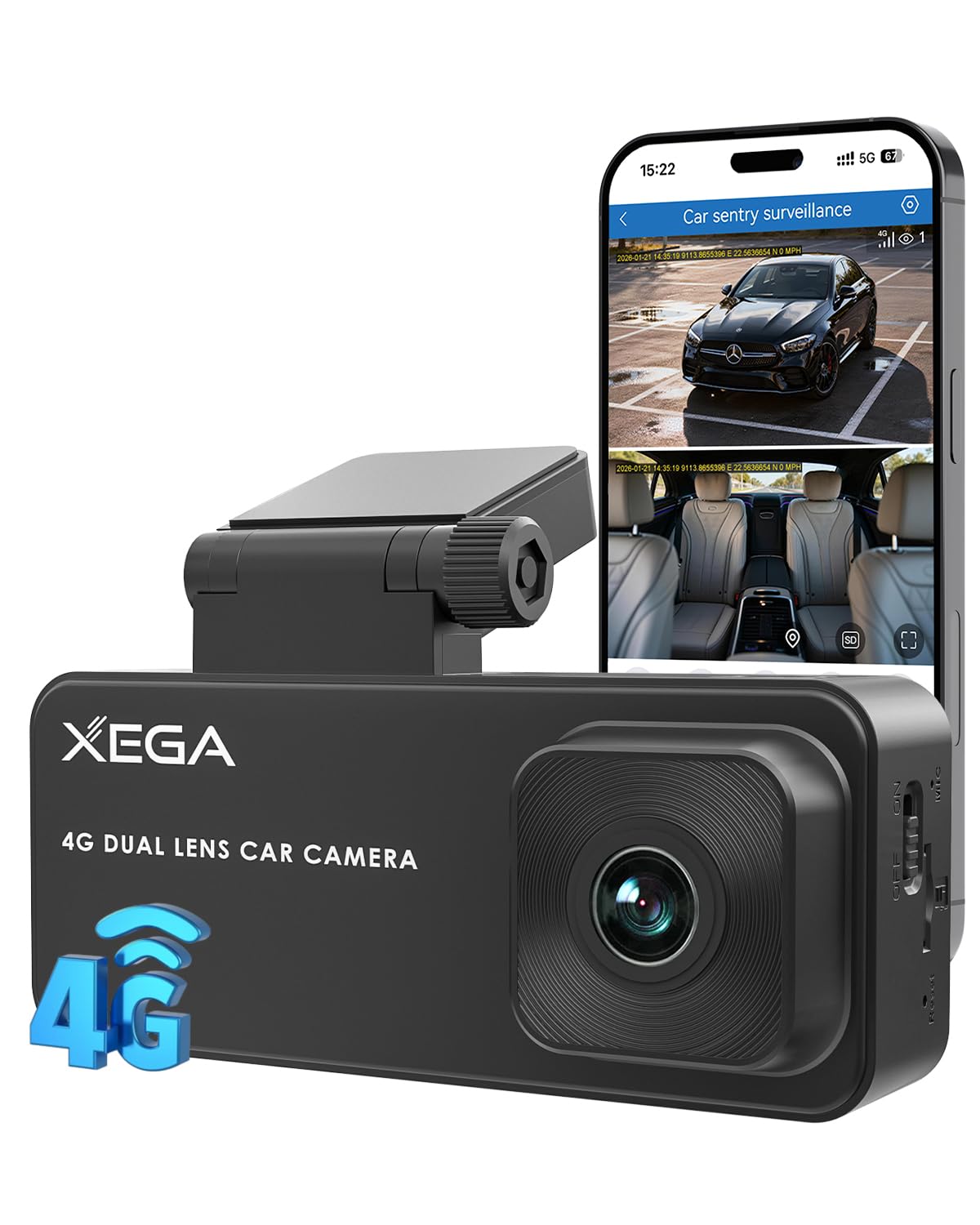
We recommend this dash cam for drivers who want remote live viewing, GPS tracking, and parking alerts without using Wi-Fi.
Key Pros
- Remote 4G live view through the app
- Front and cabin cameras with night vision
- Simple OBD-powered installation
Key Cons
- Requires a paid 4G plan after the trial
- No built-in screen or replaceable SIM
- Only works with vehicles that have a compatible OBD port
We found the OBD setup easy because it avoided long power cables. The camera stayed discreet on the windshield, and the app handled live viewing, alerts, GPS history, and camera controls.
The dual-camera design gives us a useful view of the road and cabin. The front video looked clear in daylight, while the infrared cabin view helped in low light. We also liked the privacy mode, which turns off the interior camera when needed.
Remote access depends on the built-in 4G service, so coverage affects how quickly the live view loads. After the seven-day trial, the required data plan adds a regular cost. Cloud storage also requires a separate subscription, though we could use a TF card up to 128GB for local recording.
We would choose this model for rideshare drivers, fleet owners, or anyone who often parks in areas without nearby Wi-Fi. Before buying, we would confirm OBD compatibility and include the cellular fees in the total cost.
ROVE R2-4K Dual Dash Cam

We recommend this dash cam for drivers who want front-and-rear coverage, phone access, and useful nighttime footage in one package.
Key Pros
- Sharp front footage with a clear 1080p rear view
- Fast Wi-Fi transfers through the ROVE app
- Includes a 128GB memory card and GPS
Key Cons
- The front camera upscales 2.5K video rather than recording native 4K
- Parking mode needs a separate hardwire kit
- Rear-camera wiring takes time to hide neatly
The front camera gave us detailed daytime footage, while the rear camera added useful coverage behind the vehicle. The wide view helped capture nearby lanes and intersections without making the image feel overly distorted.
At night, the STARVIS 2 sensor and HDR helped preserve road details under streetlights and in darker areas. We still saw the usual limits of dash cams, especially with glare from headlights and reflective signs.
The ROVE app made it easy for us to check clips and download them to a phone. Its faster 5.8GHz connection saved time when moving larger files, though the camera and phone must support a compatible connection.
GPS adds speed and route data to recordings, which can help provide context after an incident. We also liked that ROVE includes a 128GB card, but drivers who use parking mode often may eventually want more storage.
Installation was straightforward because the box includes mounts, cables, clips, and a trim tool. The rear cable requires careful routing, and continuous parking recording requires a hardwire kit that ROVE sells separately.
LAMTTO 4G LTE Live View Dash Cam
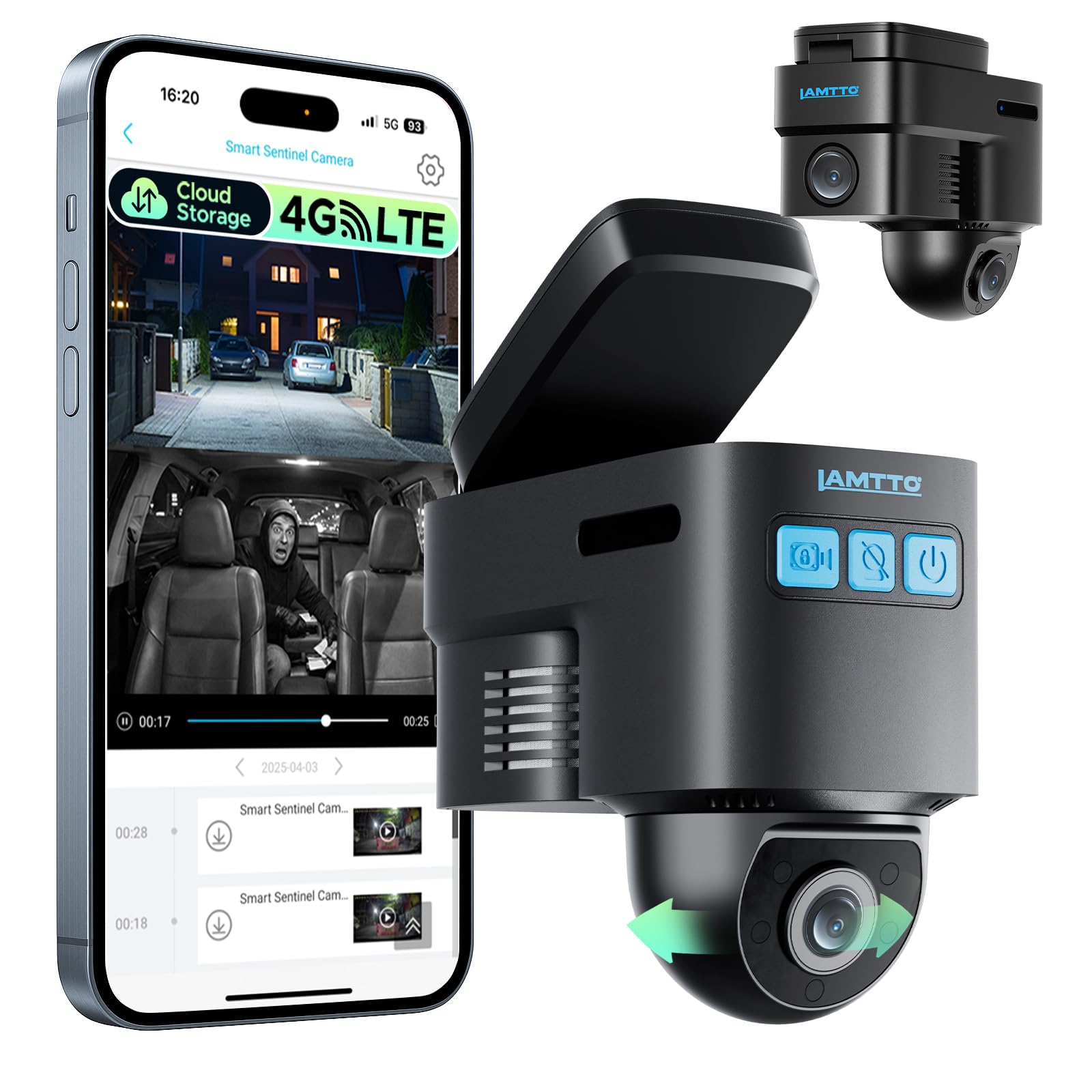
We recommend it for drivers who want remote viewing, GPS tracking, and parking alerts, but only if they accept the ongoing cellular costs.
Key Pros
- Remote live view works over 4G without Wi-Fi.
- GPS tracking and two-way voice add useful security features.
- OBD-II power supports continuous parking monitoring.
Key Cons
- Remote features require a cellular plan after the trial.
- App playback and cloud clips may be slow or limited.
- Some users report that the front camera struggles to capture license plates.
We found the compact camera easy to position behind the rearview mirror. The 1080p video works well for everyday driving, though plate details may become difficult to read at distance or in poor conditions.
The strongest feature is remote access. Through the app, we can check the vehicle, follow its location, receive motion alerts, and speak through the camera. These tools suit parked cars, teen drivers, rideshare vehicles, and small fleets.
The OBD-II cable supports parking surveillance, while radar and G-sensor alerts help detect nearby activity or impacts. Cloud backup can protect important clips, but the remote functions require a supported Verizon, AT&T, or T-Mobile 4G connection and a paid plan after the trial.
Local recording continues without a subscription, but we must remove the memory card and use a reader for playback. App performance also appears inconsistent, with some users reporting slow video loading and short cloud clips.
IIWEY L9 4G LTE Dash Cam
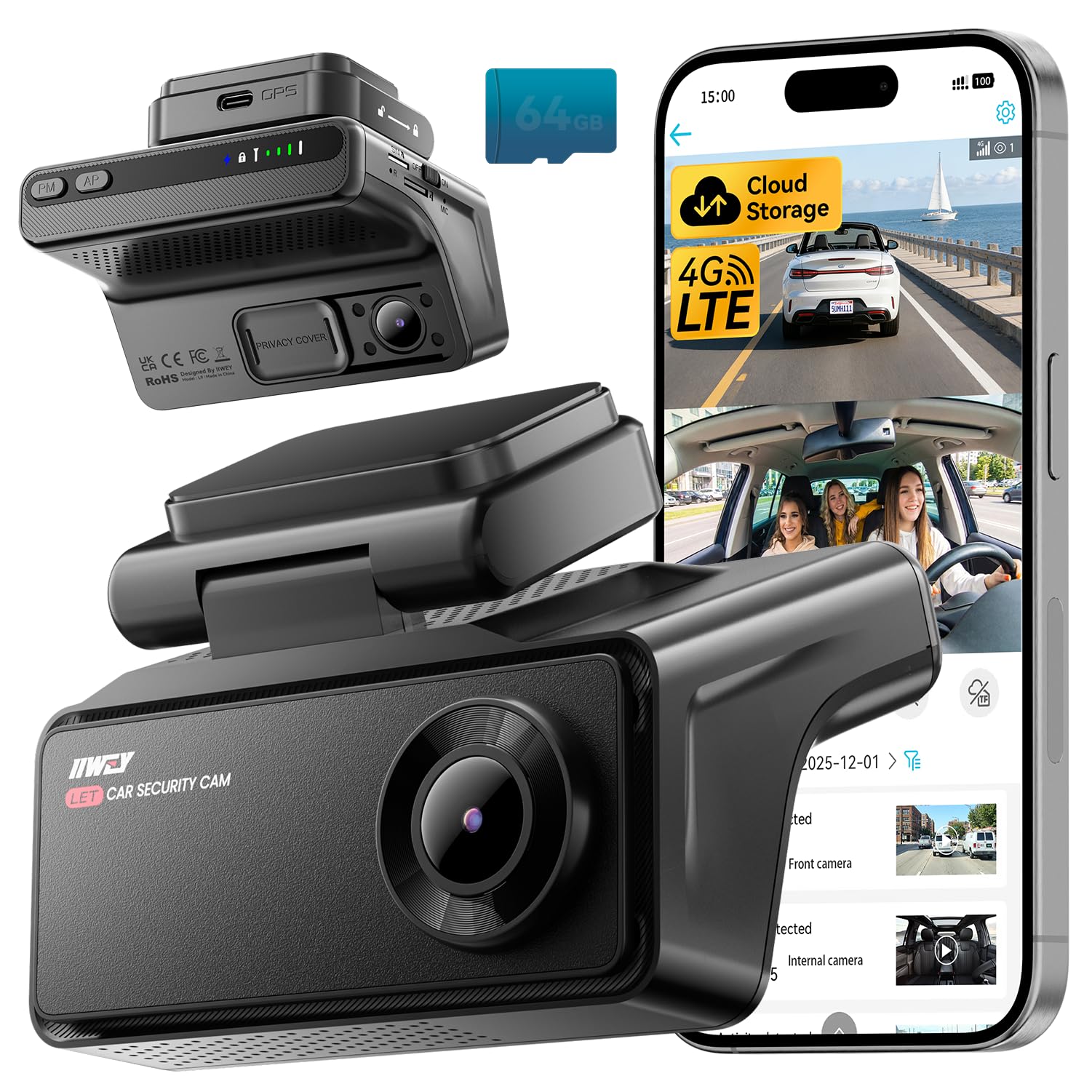
We recommend the IIWEY L9 for drivers who want remote live view, parking alerts, and cloud backups, provided they accept the ongoing mobile data cost.
Key Pros
- Remote viewing works through 4G LTE, not just nearby Wi-Fi.
- AI alerts and radar monitoring help watch the car while parked.
- The infrared cabin camera records clear interior video in low light.
Key Cons
- The 4G service requires a data plan after the free trial.
- Some users report losing the cellular connection.
- The camera has no built-in display for quick playback.
We found the L9 more useful for vehicle security than a basic record-only dash cam. The UBox app lets us check the car’s live view, see its location, and receive alerts when the system detects activity nearby.
The 2K front camera records clear daytime footage, while the 1080p cabin camera handles dark interiors well with infrared night vision. That combination suits rideshare drivers, families, and anyone who wants coverage inside the vehicle.
Parking mode depends on the OBD connection or an optional hardwire kit. Cloud uploads can preserve important clips if someone damages the camera or removes the memory card, but the cellular plan adds a continuing expense.
We also like the privacy controls. The app can stop recording, and the physical lens cover offers a quick way to block the cabin camera. Still, buyers should check cellular coverage in their area because some reported connection problems.
enjfeocy 4G LTE Live View Dash Cam
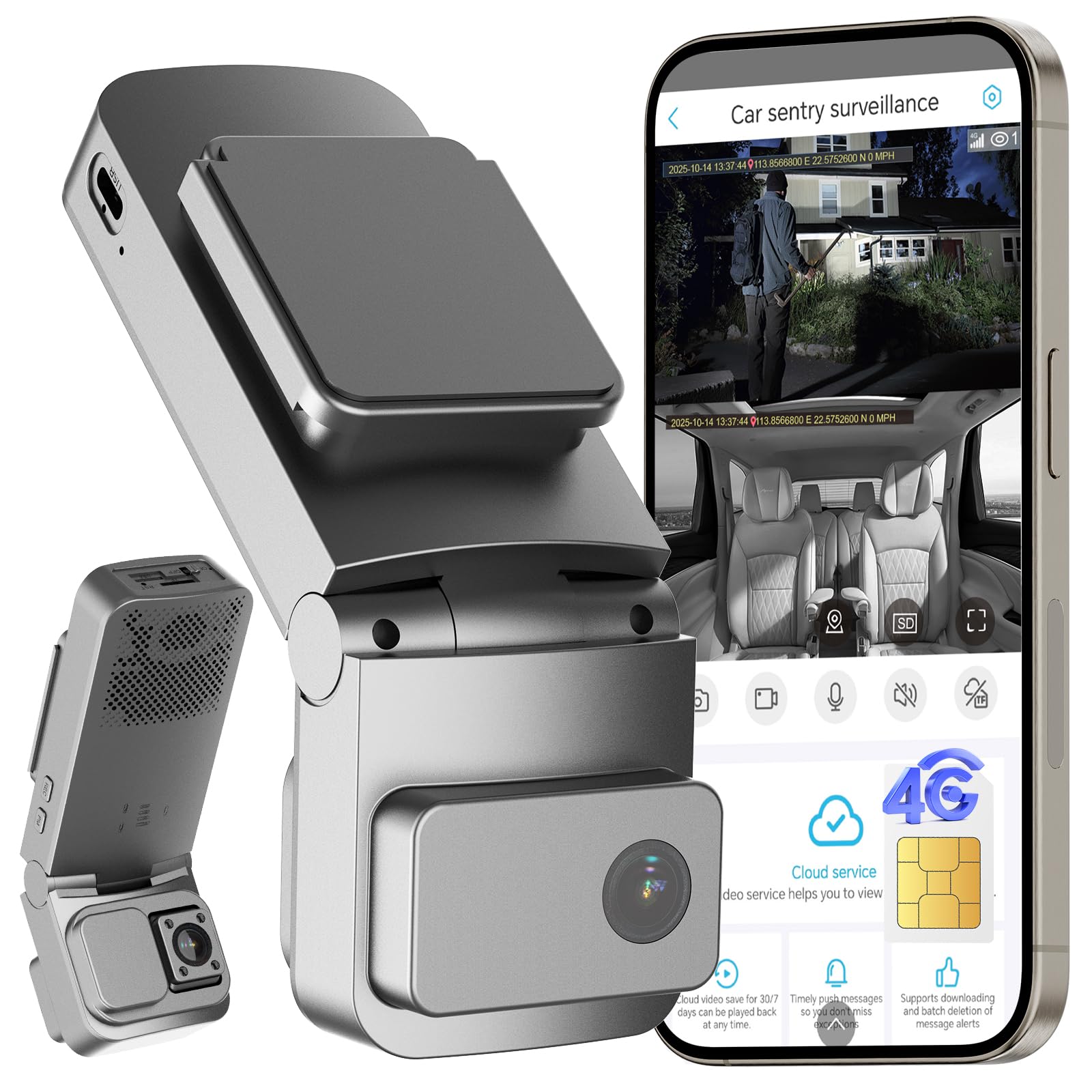
We recommend this dash cam for drivers who want remote viewing, GPS tracking, and parking alerts, provided they accept the required cellular subscription.
Key Pros
- Remote live viewing through the UBoxPro app
- Dual-camera coverage with night vision
- OBD installation and low-power parking mode
Key Cons
- LTE features require a paid subscription
- The built-in SIM cannot use another carrier
- Some users report inconsistent alerts and night vision
We found the live-view feature useful for checking a parked vehicle or watching a trip from a distance. The cellular connection avoids Wi-Fi limits, but it only works where compatible coverage exists. The included SIM also requires a subscription after the trial period.
The front and cabin cameras provide broad coverage for road and interior recording. Daytime video should suit everyday evidence needs, while night performance may vary based on conditions and user experience.
Parking protection combines motion detection, impact sensing, GPS, and app alerts. The OBD cable made installation straightforward, and low-voltage protection helps reduce battery concerns during long parking periods.
Cloud backup adds convenience for important clips, while local recording requires a microSD card of up to 128GB, which we would need to purchase separately. The ongoing LTE cost remains the main drawback, especially for drivers who only need basic recording.
FUVISION 4G LTE Dash Cam
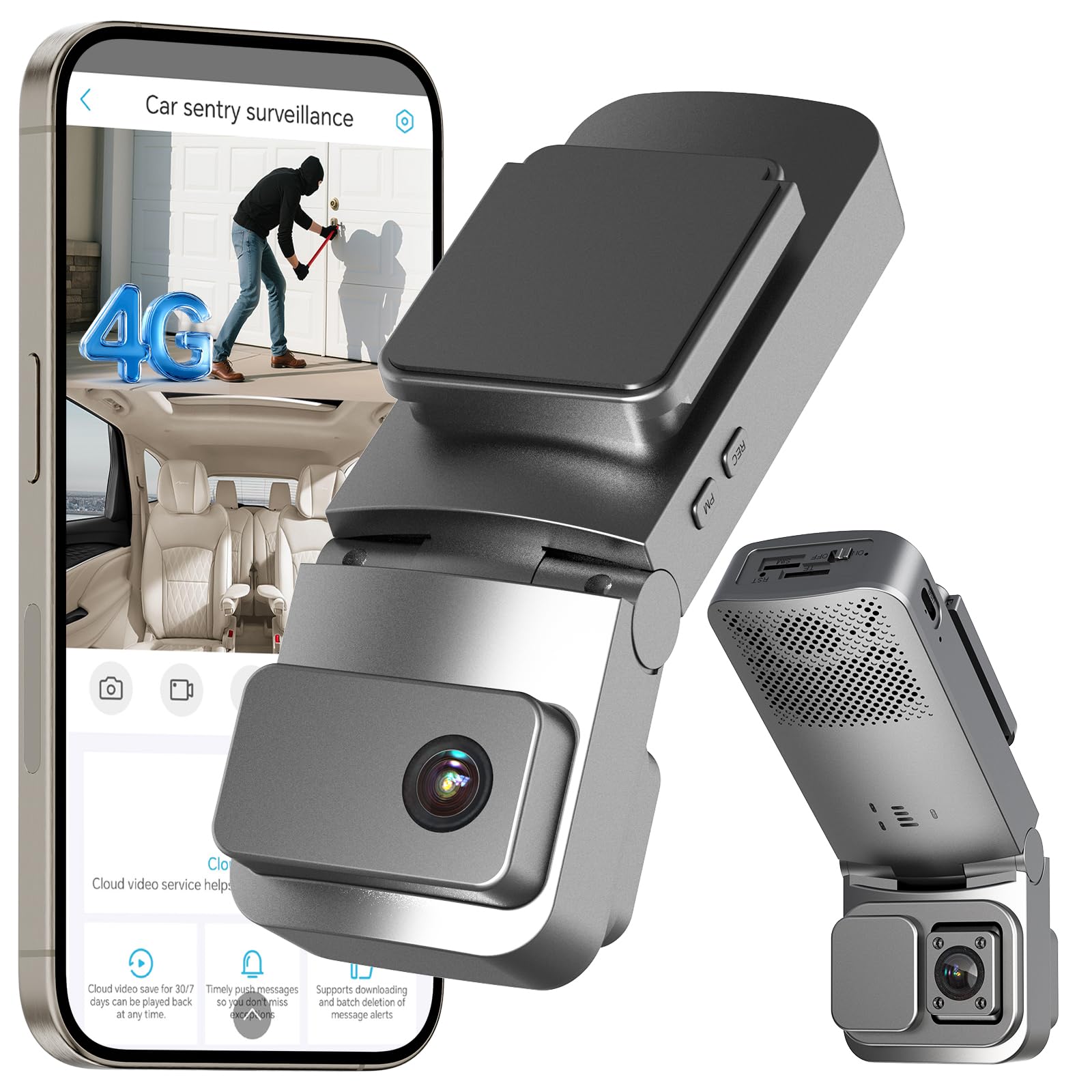
We recommend this dash cam for drivers who want remote live view, GPS tracking, and cabin monitoring, but its cellular subscription adds an ongoing cost.
Key Pros
- Remote live view, GPS, alerts, and two-way audio
- Front and interior cameras with infrared night vision
- OBD-II power makes parking mode easier to install
Key Cons
- Requires a paid LTE plan after the short trial
- Cellular use works only in the United States
- Live video runs at a modest 15 frames per second
We found the FUVISION useful for checking a parked vehicle from a phone. The 4G connection supports live viewing, motion alerts, GPS updates, and two-way audio when the car has suitable cellular coverage. It does not use Wi-Fi, so network strength matters.
The front and interior cameras record at the same time. The interior camera’s infrared lighting helps us see passengers and activity in dark conditions, while Privacy Mode lets us turn off cabin recording when it is not needed.
Parking monitoring also stands out. The radar sensor and impact sensor can wake the camera when someone approaches or hits the vehicle. The included OBD-II cable simplifies installation compared with running wires to the fuse box, though it still leaves a cable inside the vehicle.
Local recording supports a compatible microSD card, and cloud storage can back up important events. We would check the subscription terms before buying because remote features and cloud access require paid service after the trial period.
Veralyxa 4G LTE Dash Cam
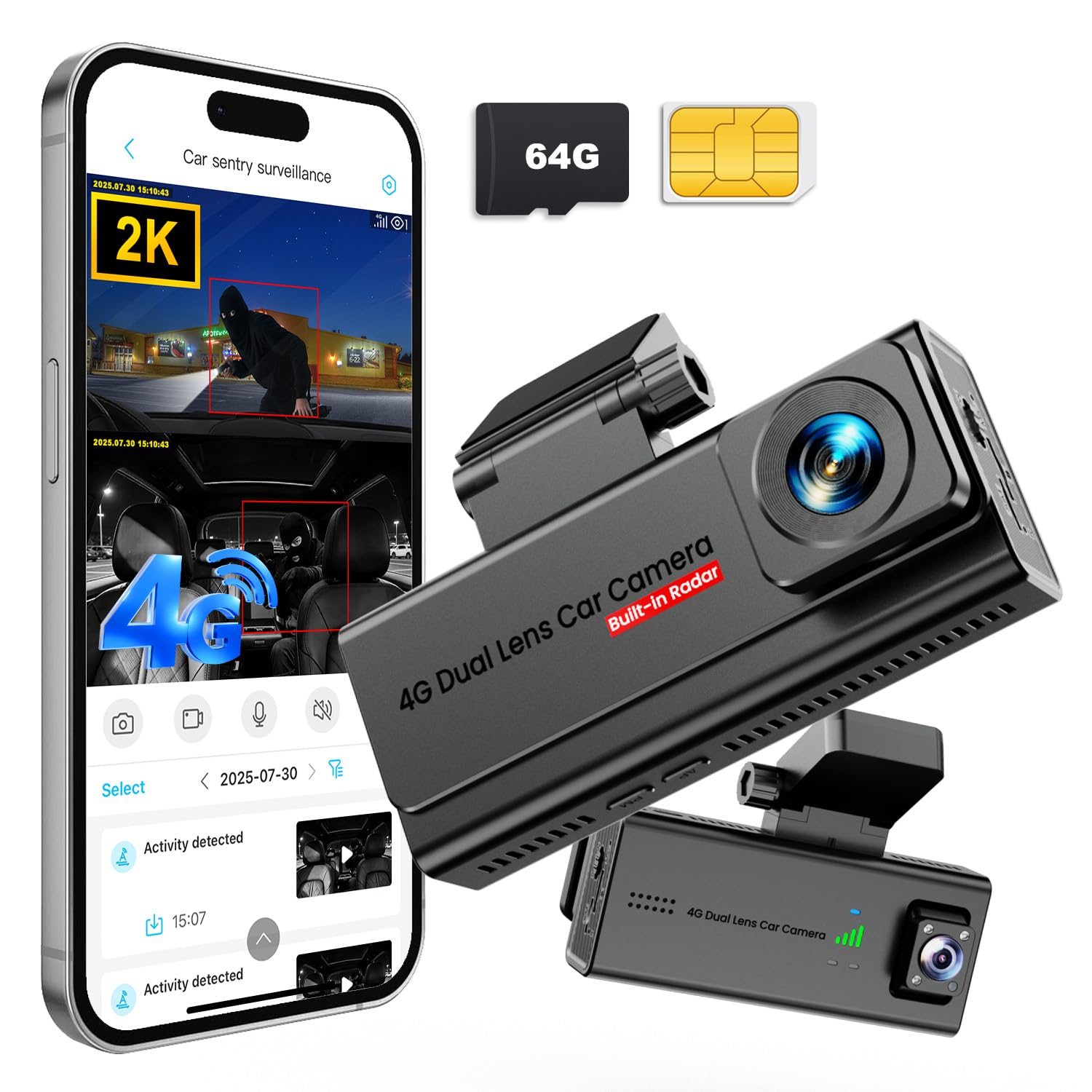
We recommend this dash cam for drivers who want remote live view, parking alerts, and simple OBD-II installation without Wi-Fi.
Key Pros
- 4G live viewing and phone alerts
- Front and cabin video coverage
- Includes a 64GB card and SIM card
Key Cons
- Requires a paid data plan after the trial
- OBD-II setup may not suit every vehicle
- Only three customer ratings are listed
We found the 4G connection useful for checking a parked car from a phone, even when no Wi-Fi was available. Motion alerts can show when someone approaches, while two-way audio lets us respond remotely.
The front and cabin cameras provide broad coverage, and the 2K front video looks suitable for everyday driving. Night recording adds useful detail, though image quality can still depend on street lighting and weather.
Installation was straightforward because the included OBD-II cable avoids hardwiring. The camera also includes GPS tracking, collision detection, a 64GB microSD card, and a short cloud-storage trial.
The main ongoing cost is cellular service. We would also check vehicle compatibility before buying, since the camera depends on an OBD-II port and third-party SIM support may require assistance.
Buying Guide
We should choose a dash cam live view system based on image quality, connection method, and daily use. A clear view helps us check traffic, parking areas, and the vehicle’s surroundings.
| Feature | What to look for |
|---|---|
| Live view access | A stable phone app or built-in screen |
| Video quality | Clear footage in daylight and low light |
| Connection | Wi-Fi, cellular data, or both |
| Parking monitoring | Motion or impact detection when parked |
| Storage | Loop recording and support for reliable memory cards |
| Power | A secure power connection for continuous use |
| Privacy controls | Options to manage location and video access |
We should check whether live viewing works only near the vehicle or also from a distance. Remote access usually needs a cellular connection, while Wi-Fi may work only within a short range.
A wide viewing angle can show more of the road, but extreme angles may make objects look smaller. We should also look for front and rear camera support if we want broader coverage.
Night performance matters when we drive or park after dark. We should review sample footage, check app ratings for connection problems, and confirm that installation does not block our view or interfere with vehicle controls.
Editor’s Choice
We choose the Garmin Dash Cam Live for drivers who want a reliable dash cam with remote live view. Its 1440p video, compact design, and built-in LTE support make it a strong choice for checking a parked vehicle from a phone.
The live view feature requires an active LTE subscription and a compatible data plan. We should also note that remote access depends on mobile coverage and a steady power source, especially when the vehicle remains parked for long periods.
| Feature | Garmin Dash Cam Live |
|---|---|
| Video quality | 1440p |
| Live view | Yes, through the Garmin Drive app |
| Connection | Built-in LTE |
| Parking monitoring | Yes, with a suitable power setup |
| GPS | Yes |
We value the clear app controls and useful alerts, including vehicle location and activity notifications. The camera also supports cloud storage, which helps us review saved clips without removing the memory card.
The main drawbacks are the ongoing LTE cost and the higher price compared with Wi-Fi-only models. For drivers who want frequent remote access, those costs may provide useful convenience.
Conclusion
We should choose a dash cam live view system based on how we plan to use it. A clear phone app, stable connection, and low delay matter most for checking a vehicle from nearby.
We also need to consider video quality, night performance, storage, and installation. A front and rear camera setup gives us better coverage, while GPS and parking mode can add useful evidence after an incident.
Before buying, we should check whether the camera needs a separate data plan or hardwire kit. We should also confirm that the app supports our phone and that the camera receives regular firmware updates.
The best choice gives us a dependable live view without making daily use difficult. A simple interface and steady performance often matter more than extra features we may rarely use.
FAQS
What is a dash cam live view?
A live view lets us see the camera’s current view through a phone app or built-in screen. It can help us check camera placement, traffic conditions, or a parked vehicle.
Do all dash cams support live view?
No. We need a dash cam with Wi-Fi, cellular service, or a dedicated display. Wi-Fi models usually work only when we are close to the vehicle, while cellular models can provide remote access from a greater distance.
Does live view work when the car is parked?
It can, but the dash cam needs parking mode and a steady power source. A hardwire kit or external battery may prevent the camera from shutting down when the engine is off.
Does live view use mobile data?
Wi-Fi live view normally does not use cellular data once our phone connects directly to the camera. Cellular live view can use data and may require a subscription, depending on the brand and service plan.
Can we watch live view while driving?
We should not use the app while driving. A passenger can view it, or we can check the camera before starting the trip.
What should we check before buying?
- Connection: Wi-Fi or cellular access
- Video quality: At least 1080p for basic detail
- Night performance: Important for low-light scenes
- App quality: Check reviews for stability and ease of use
- Power needs: Confirm parking-mode requirements

I’m Alex Rahman, a car enthusiast and automotive writer focused on practical solutions, car tools, and real-world driving advice. I share simple and honest content to help everyday drivers make better decisions.
