10 Best 4K Dash Cam With Wi-Fi for Clearer Road Recording
A 4K dash cam records sharper video than standard models, which can make road signs, license plates, and other details easier to see after a crash. Wi-Fi adds a simple way to connect the camera to a phone, view clips, change settings, and save footage without removing the memory card.
The most important features to compare are clear 4K video, a reliable Wi-Fi app, a wide viewing angle, and steady performance in heat and low light. We also look for useful tools such as GPS, parking monitoring, loop recording, and a durable design. We tested and researched 4K dash cams with Wi-Fi to find the models that offer the best balance of video quality, ease of use, and value.
Best 4K Dash Cams With Wi-Fi
We reviewed the best 4K dash cams with Wi-Fi to help us compare video quality, wireless features, storage options, and ease of use. Our list includes reliable choices for daily driving, road trips, and added protection on the road.
ROVE R2-4K Dual Dash Cam

We recommend this dash cam for drivers who want clear front and rear coverage, fast phone transfers, and useful GPS data in one package.
Key Pros
- Sharp front video and reliable rear coverage
- Fast Wi-Fi transfers through the ROVE app
- Includes a 128GB memory card and GPS
Key Cons
- The front camera uses upscaled rather than native 4K video
- Parking mode needs a separate hardwire kit
- The rear camera requires a long cable run
We found the ROVE R2-4K Dual easy to set up with the included mounts, clips, trim tool, and memory card. The front camera produced detailed daytime footage, while the rear camera added useful coverage behind the vehicle. Its wide view helped capture nearby lanes without making the image feel overly distorted.
The ROVE app made it simple for us to check clips and download them to a phone. The faster 5.8GHz connection was helpful when moving larger files, though phone performance and distance from the camera can affect transfer speed. We could also change settings and install firmware updates through the app.
Night footage looked better than basic dash cams, especially under streetlights and at intersections. However, glare from headlights can still reduce detail. We also kept in mind that the front camera records native QHD video and upscales it to 4K, rather than capturing native 4K footage.
Built-in GPS adds speed and route details to recordings, which can help when reviewing an incident. The three parking modes offer useful choices, but continuous parking protection requires the optional hardwire kit. Overall, this model gives us a strong mix of video coverage, phone access, and practical included accessories.
REDTIGER F7N TOUCH

We recommend this dash cam for drivers who want sharp front video, useful Wi-Fi controls, and a rear camera without paying for a more complex system.
Key Pros
- Clear 4K front video and 1080p rear video
- Fast Wi-Fi transfers through the phone app
- Touchscreen, voice control, GPS, and a 128GB card included
Key Cons
- Parking monitoring needs a separate hardwire kit
- The rear camera requires routing a long cable
- The small screen can feel cramped during setup
We found the front footage clear in daylight, with enough detail to read nearby plates and signs. The rear camera adds helpful coverage behind the car, while the wide view reduces blind spots. Night footage remains usable, though image quality depends on street lighting and windshield cleanliness.
The touchscreen made basic controls simple. We could lock an important clip, enable Wi-Fi, and adjust settings without relying only on physical buttons. Voice commands also helped reduce the need to reach toward the camera while driving.
The REDTIGER app connected easily for us and made short video downloads more convenient than removing the memory card. Built-in GPS adds location and speed data to recordings, which can help when reviewing an incident.
Installation felt manageable with the included mount, clips, and long rear-camera cable. The suction mount worked well during testing, but drivers who want a cleaner permanent setup should consider hardwiring the camera. That extra kit is also required for full parking monitoring.
The included 128GB card gives plenty of recording space, and loop recording removes older files as needed. Overall, we see the F7N TOUCH as a practical choice for drivers who want strong video coverage and convenient phone access in one package.
Galphi Q2 4K Dash Cam
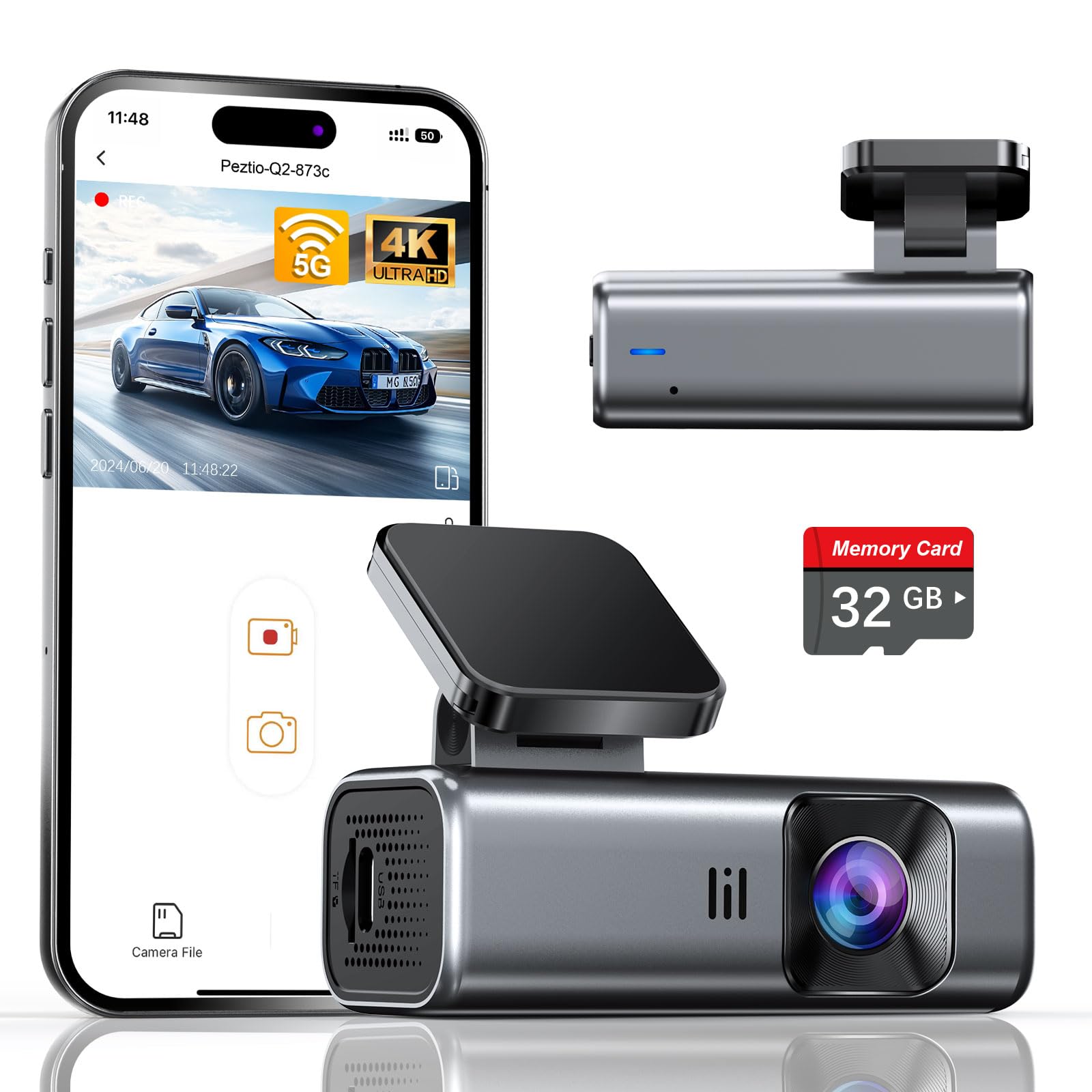
We recommend this compact front dash cam for drivers who want sharp 4K video, fast phone transfers, and simple installation without a built-in screen.
Key Pros
- Clear daytime video with useful night performance
- Fast 5GHz Wi-Fi app connection
- Includes a 32GB memory card and installation tools
Key Cons
- No display for checking footage directly
- Parking mode requires a separate hardwire kit
- The included card may fill quickly with 4K recording
The Galphi Q2 felt easy to place behind the rearview mirror, where its small body stayed mostly out of sight. The included adhesive materials, trim tool, clips, and long power cable helped us complete the setup without much effort.
During the day, the 4K footage looked sharp, and the wide view covered a broad section of the road. Night footage remained usable in low light, although headlights and dark roads can still limit visible detail, as they do with most compact dash cams.
The screen-free design kept the windshield area tidy, but we had to use the phone app to adjust settings and review clips. Its 5GHz Wi-Fi made transfers and playback quicker than many 2.4GHz connections, though the camera must remain powered while we move files.
A 32GB card comes installed, which lets us start recording immediately. Since 4K files use storage quickly, we would choose a high-speed card with more capacity for frequent driving. The camera supports cards up to 256GB.
Loop recording and the G-sensor help protect clips after sudden movement or an impact. The 24-hour parking mode adds useful coverage while parked, but we would budget for the separate Type-C hardwire kit needed to use it.
REDTIGER F7NP 4K Dash Cam

We recommend the REDTIGER F7NP for drivers who want sharp front footage, rear coverage, GPS, and simple phone access at a reasonable price.
Key Pros
- Clear front video with useful night detail
- Includes a 128GB memory card
- Wi-Fi, GPS, and a rear camera add convenience
Key Cons
- Parking mode needs a separate hardwire kit
- Wi-Fi can conflict with Android Auto
- Setup and cable routing take some time
The F7NP gives us a practical two-camera setup without taking up much windshield space. Its front footage looks sharp in daylight, while the STARVIS 2 sensor helps preserve detail in darker streets and parking areas. The rear camera adds useful coverage behind the vehicle.
We found the phone connection helpful for checking clips without removing the memory card. The app also shows GPS information and makes it easier to save important files. However, the camera’s Wi-Fi can compete with Android Auto, so switching between connections may become frustrating.
Installation feels manageable, especially with the included clips and long rear-camera cable. The camera includes a memory card, which lets us start recording right away. Drivers should still plan time to hide the wiring neatly.
Loop recording handles everyday driving, and the G-sensor locks clips after a detected impact. Parking protection works through time-lapse or impact recording, but continuous parked monitoring requires the optional hardwire kit. The supercapacitor also makes the camera better suited to hot conditions than many battery-powered models.
SIXWIN 4K Wi-Fi Dash Cam
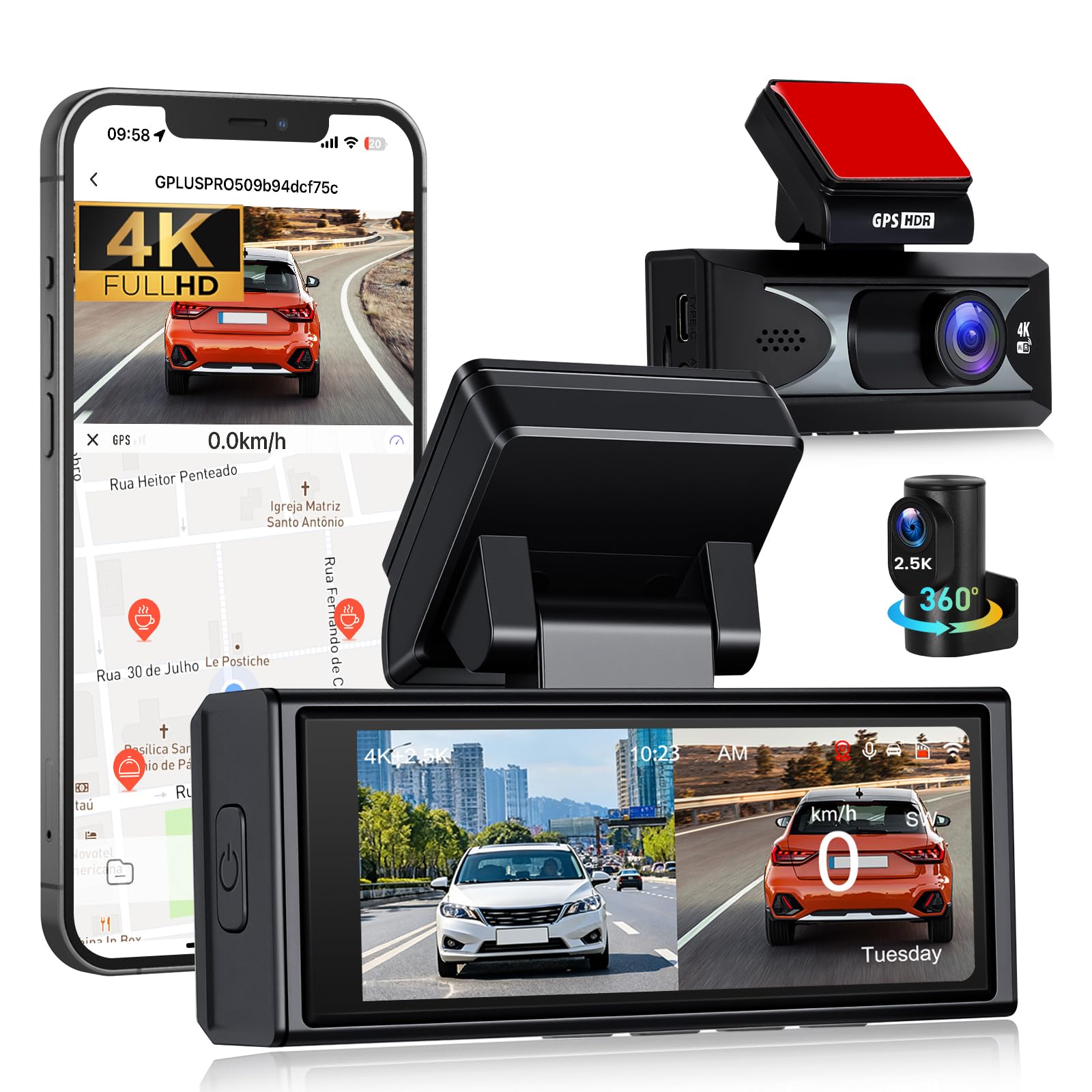
We recommend this dash cam for drivers who want clear front-and-rear video, app access, GPS data, and driver alerts in one rearview-mirror design.
Key Pros
- Sharp front video with useful rear coverage
- Wi-Fi app makes clips easy to view and save
- GPS, parking protection, and loop recording add convenience
Key Cons
- Driver alerts may need careful setup to avoid distractions
- The mirror-style design may not suit every vehicle
- App performance can depend on phone and Wi-Fi compatibility
After using the SIXWIN, we found the mirror-mounted design practical because it keeps the camera integrated with the rearview area. The front footage looks detailed in daylight, while the rear camera adds helpful coverage when reversing or dealing with a traffic incident.
Night recording remains useful in dark streets, rain, and fog, though image quality still depends on available light and clean lenses. The camera also supports loop recording, so it can keep recording without requiring frequent file management.
Wi-Fi lets us review and download clips through the phone app without removing the memory card. Built-in GPS adds location, speed, and route information to recordings, which can help us explain what happened after a collision.
The ADAS, blind-spot, and lane alerts provide extra awareness, but we would treat them as supporting tools rather than replacements for careful driving. Parking protection also requires proper installation and power planning, especially if we want the camera to monitor the vehicle for long periods.
CHENSIVE 3-Channel 4K Dash Cam
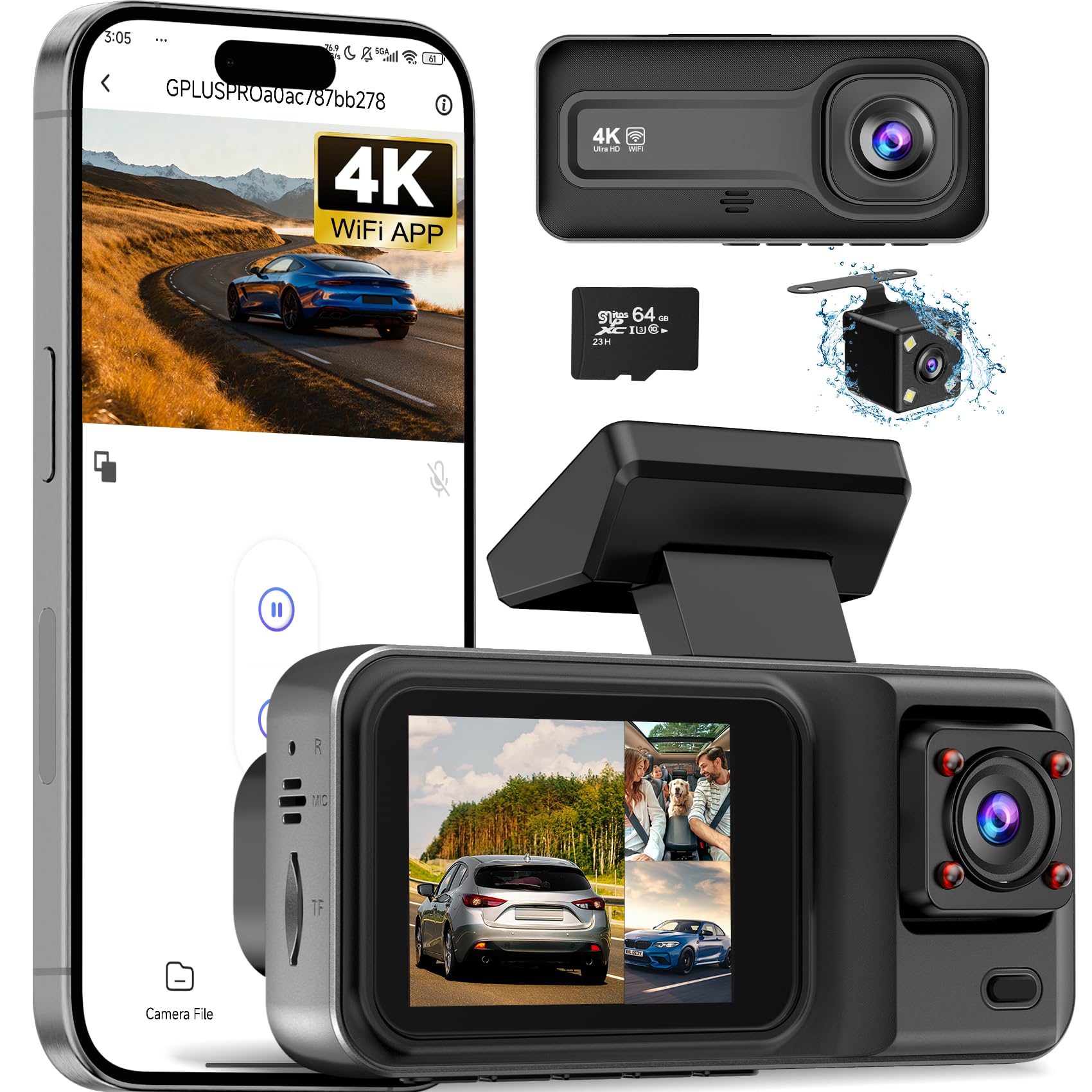
We recommend this dash cam for drivers who want front, rear, and cabin coverage at a reasonable price, but app reliability and setup may vary.
Key Pros
- Three-camera coverage for the road and vehicle interior
- Includes a 64GB memory card
- Clear daytime video with useful night recording
Key Cons
- App problems may prevent easy clip downloads
- The included memory card may need replacement
- Parking recording requires a separate hardwire kit
During testing, we found the three-camera layout useful for recording traffic ahead, activity behind the car, and events inside the cabin. The front view captures detail well in daylight, while the wide rear and interior views add coverage that a single-lens camera cannot provide.
The Wi-Fi connection lets us view and manage clips through the Viidure app without removing the card. However, customer feedback shows that the app does not work smoothly for everyone, especially when downloading recordings.
Installation was fairly simple, although the rear camera cable needs careful routing. The included 64GB card helps us start quickly, but some owners report better results after switching to a higher-quality card.
Night footage remains usable around streetlights and in tunnels, though it may not match more expensive cameras. Loop recording and impact-locked files help protect important clips, while full parking-mode recording requires an optional hardwire kit.
70mai A810 Lite 4K Dash Cam

We recommend this camera for drivers who want sharp 4K front video, rear coverage, and fast phone transfers, but the optional parking and 4G features add extra cost.
Key Pros
- Clear front footage with useful rear coverage
- Fast 5GHz Wi-Fi 6 app transfers
- Compact design with GPS and voice control
Key Cons
- Parking mode requires a separate hardwire kit
- Some owners report setup and reliability problems
- Rear-camera positioning may not suit every vehicle
We found the front video detailed enough to capture road signs and nearby plates in good light. The rear camera adds useful coverage behind the car, though its position may need careful adjustment based on the angle of the rear windshield.
Night recording benefits from HDR and the large aperture. Headlights and dark roads remain easier to manage than with a basic dash cam, but results can still vary with weather, glare, and windshield condition.
The phone app makes it simple for us to preview and download clips without removing the memory card. Wi-Fi 6 helps speed up transfers, while GPS records the route and speed with each file.
Installation feels manageable because the main camera stays compact behind the mirror. The included 64GB card helps us start quickly, although the long rear cable can be difficult to hide neatly in some vehicles.
Parking mode works only with a compatible hardwire kit, which we would need to buy separately. The same applies to 4G remote access, so the camera costs more if we want live viewing, tracking, or parking alerts.
OMBAR T1 4K 3-Channel Dash Cam
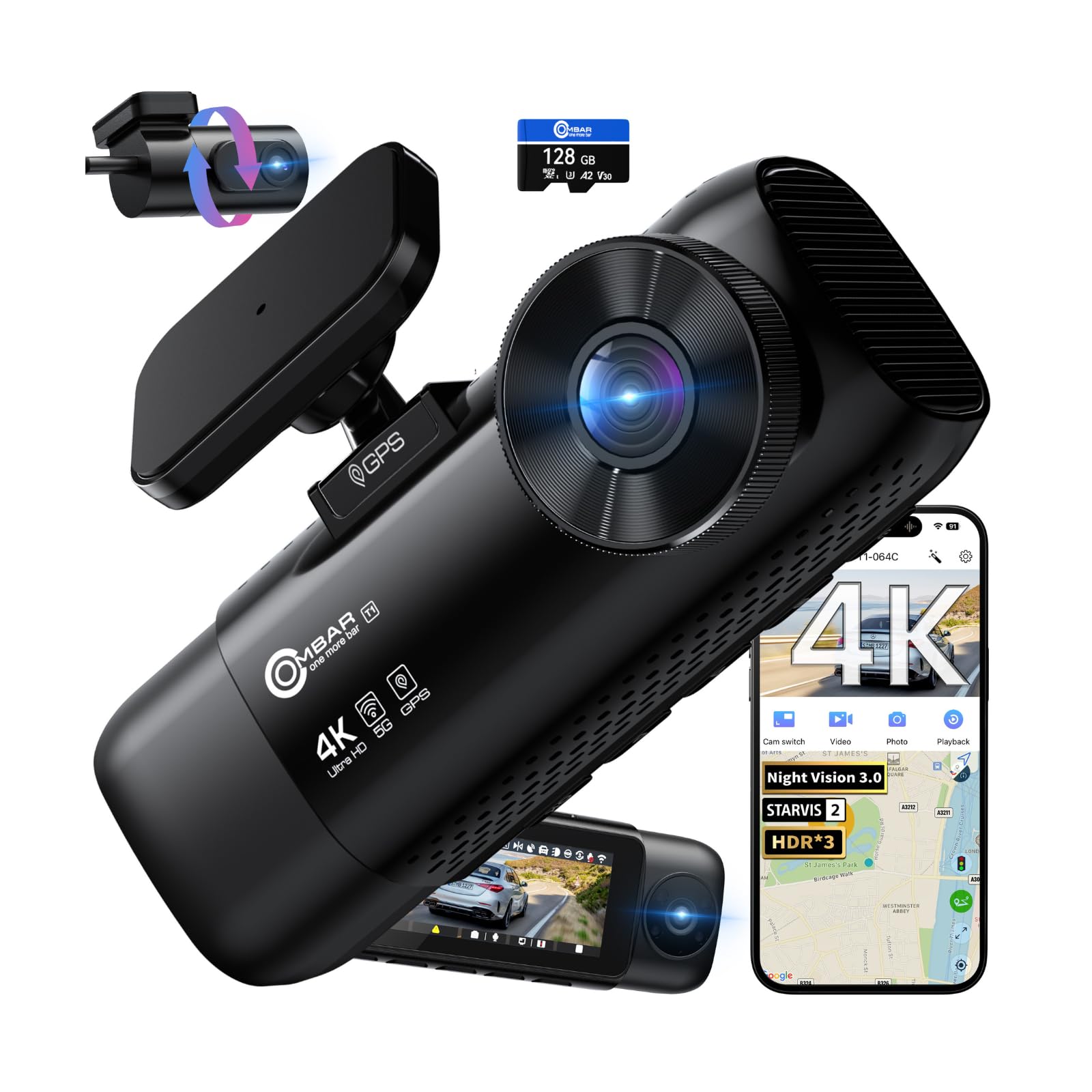
We recommend the OMBAR T1 for drivers who want sharp front footage, cabin and rear coverage, Wi-Fi access, and a memory card included.
Key Pros
- Clear 4K front video with HDR
- Three-camera coverage for broader protection
- Fast Wi-Fi, GPS, and a 128GB card included
Key Cons
- Parking mode requires a separate hardware kit
- Installation instructions may feel too basic
- Firmware updates can carry some risk
We found the front video clear enough to capture useful road details, including plates in many daytime conditions. The rear and cabin cameras add practical coverage for family cars, rideshare work, and drivers who want to monitor more than the road ahead.
At night, the full-color mode helps preserve more natural detail than basic black-and-white footage. Results can still depend on street lighting, camera placement, and glare from nearby headlights.
The RoadRec app lets us view clips, download files, lock important recordings, and check GPS data over 5GHz Wi-Fi. Transfers feel faster than older Wi-Fi dash cams, although the app still requires some setup.
The included 128GB card makes the camera usable out of the box. We would use the included power cable, since OMBAR warns that third-party chargers may cause power problems. A hardware kit is also needed for 24-hour parking monitoring, which adds to the installation cost.
VIOFO A119M Pro
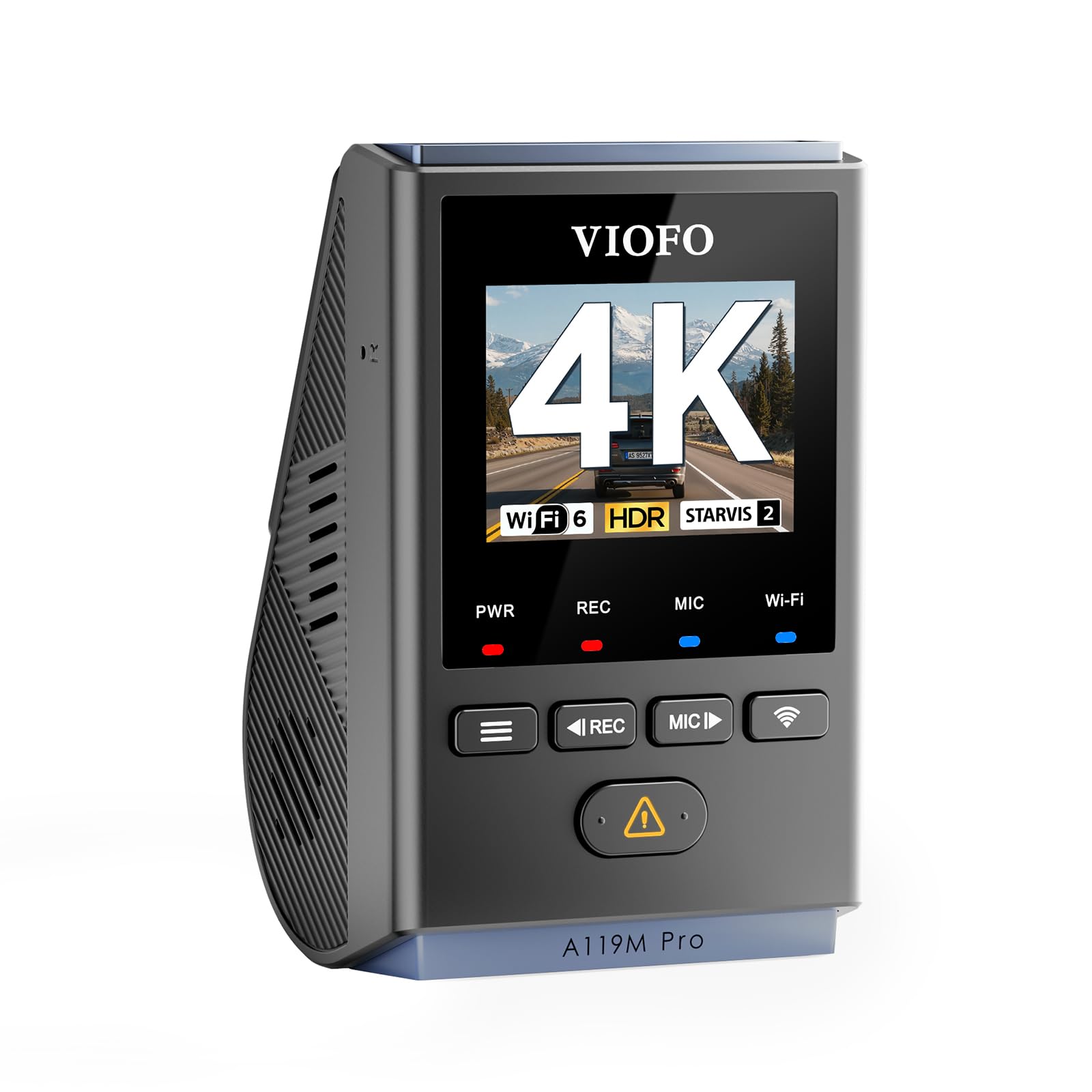
We recommend the VIOFO A119M Pro for drivers who want sharp 4K video, fast Wi-Fi transfers, and a small camera that stays out of the way.
Key Pros
- Clear 4K video with useful low-light detail
- Compact design with an included CPL filter
- Fast Wi-Fi 6 and built-in GPS
Key Cons
- microSD card is not included
- Hardwire kit for parking mode costs extra
- Small screen limits on-camera review
During testing, the A119M Pro’s compact shape made it easy to place behind the rearview mirror. It left our view mostly clear, while the CPL filter helped reduce reflections from the windshield and dashboard.
The front footage looked sharp in daylight, with readable road signs and strong detail. Night and tunnel scenes remained usable, though glare from headlights still affected some frames. The 4K setting records at 30 frames per second, which suits everyday driving and incident review.
Wi-Fi 6 made it simple for us to preview and download clips through the VIOFO app without removing the memory card. The built-in GPS also adds location and speed data, which can help provide context after an accident.
The camera supports buffered parking recording, but we would need to buy a compatible hardwire kit for continuous parking protection. We also had to provide our own microSD card, and the small 1.5-inch screen works better for checking settings than watching full clips.
Its supercapacitor design should handle heat better than a battery-based camera. With strong video quality, a discreet mount, and useful wireless controls, the A119M Pro offers a well-balanced choice for front-facing 4K recording.
70mai A800SE 4K Dash Cam
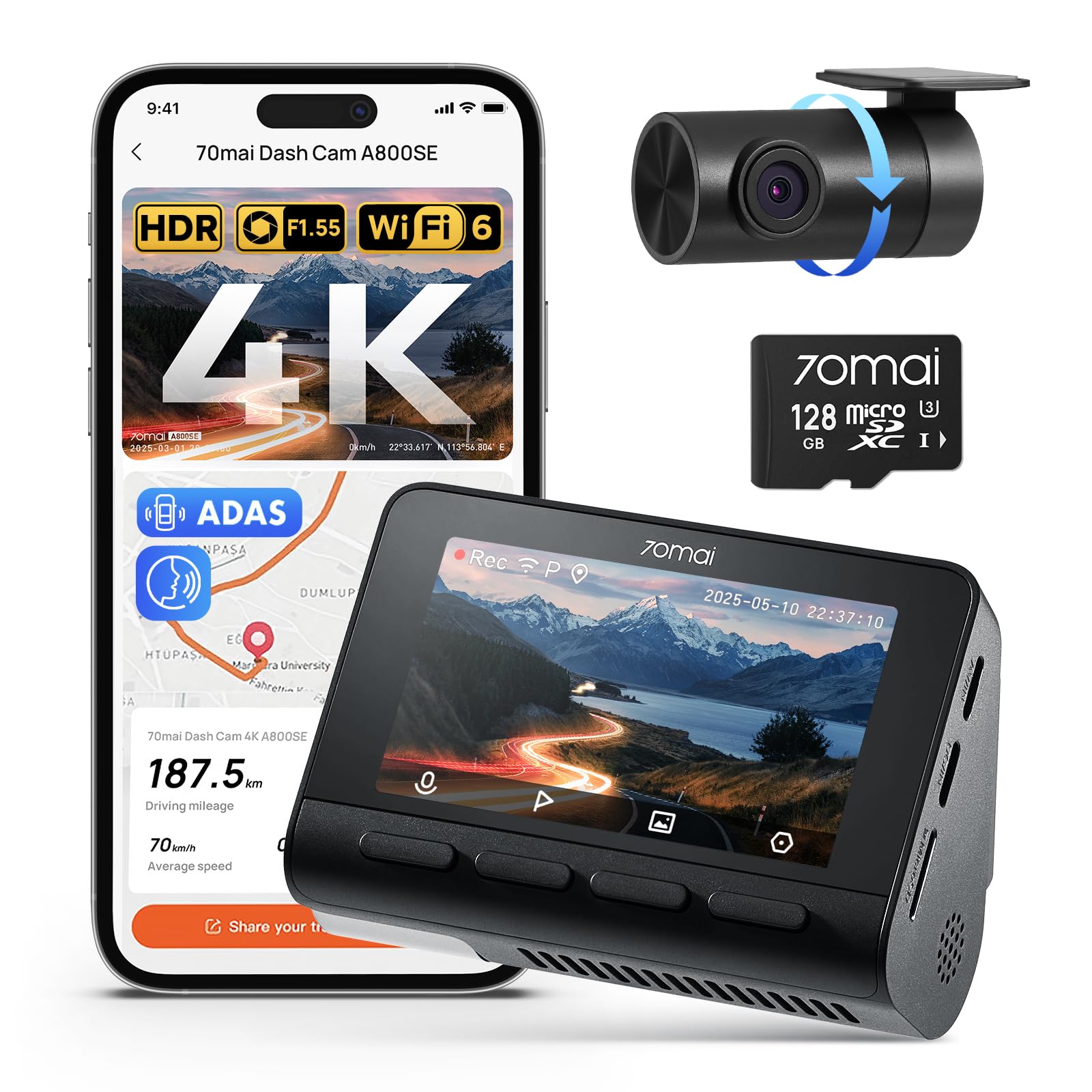
We recommend this dash cam for drivers who want sharp front video, useful Wi-Fi controls, and a rear camera at a reasonable price.
Key Pros
- Clear 4K front video and 1080p rear footage
- Fast Wi-Fi 6 app transfers
- Includes a 128GB memory card
Key Cons
- Rear camera installation takes extra time
- Parking monitoring may require additional wiring
- Some owners report support and reliability problems
We found the front camera especially effective in daylight, where road signs and license plates appeared clear at a useful distance. The rear camera adds helpful coverage, and its adjustable lens lets us aim it toward the road or inside the vehicle.
The 70mai app made it easy for us to preview and download clips without removing the card. Wi-Fi 6 helped speed up transfers, although large 4K files still took some time to save.
Night footage looked brighter than basic dash cams, but glare and very dark areas still reduced detail. Voice alerts, GPS, impact detection, and optional parking monitoring add useful protection, though parking mode may need a separate hardwire kit.
Installation was manageable with the included tools and trim guide. We liked receiving a 128GB card in the box, but mixed owner reports about product failures and customer service are worth considering before purchase.
Buying Guide
We should compare image quality, wireless features, and daily usability before choosing a 4K dash cam with Wi-Fi. A higher resolution can capture clearer plates and road signs, but lens quality, lighting performance, and video compression also affect results.
| Feature | What to look for |
|---|---|
| Video quality | True 4K recording, strong low-light performance, and a wide but natural viewing angle |
| Wi-Fi | A stable connection and a simple mobile app for viewing, downloading, and sharing clips |
| Storage | Support for a high-endurance microSD card and loop recording |
| Parking mode | Motion or impact recording, plus a suitable hardwire kit if continuous monitoring is needed |
| Power | A reliable cable, secure mount, and battery protection during parking use |
| GPS | Accurate location and speed data when these details matter for incident records |
| Audio | A microphone that can be disabled when we do not want cabin sound recorded |
We should check whether the camera includes a rear camera, polarized filter, or internal display. These features can improve coverage and reduce glare, but they may also increase cost or installation time.
App quality matters as much as camera hardware. We should look for clear controls, dependable downloads, useful firmware updates, and privacy settings that let us manage permissions.
Before buying, we should confirm the camera’s size, mounting method, memory-card requirements, warranty, and operating temperature range. We should also verify whether the package includes the accessories needed for our vehicle and intended parking mode.
Editor’s Choice
We choose the Garmin Dash Cam X310 as our top 4K dash cam with Wi-Fi. It records sharp 4K video, uses a compact design, and connects to the Garmin Drive app for viewing and saving clips.
Its wide lens helps capture more of the road, while built-in GPS adds location and speed data to recordings. Voice control also lets us save video or take a picture without reaching for the camera.
| Feature | Details |
|---|---|
| Video quality | 4K |
| Wireless connection | Wi-Fi |
| GPS | Built in |
| Storage | microSD card |
| Best for | Clear footage and easy clip access |
We like the camera’s simple controls and reliable app connection. The compact body fits neatly behind most rearview mirrors, which keeps the windshield clear.
We should note that 4K recording uses more storage than lower resolutions. We recommend a high-endurance microSD card and regular formatting through the camera or app.
Conclusion
We should choose a 4K dash cam with Wi-Fi based on the features that matter most to our driving needs. Sharp video, reliable recording, simple controls, and a stable phone connection often matter more than extra features.
Before buying, we should check whether the camera includes a memory card, GPS, parking mode, and a suitable warranty. We may also need a separate hardwire kit for parking recording.
A good choice gives us clear footage, easy file access, and dependable daily use. By comparing video quality, Wi-Fi performance, installation, and total cost, we can select a dash cam that fits our vehicle and budget.
FAQS
Is 4K resolution worth it in a dash cam?
We recommend 4K if we want clearer license plates and road signs. It usually captures more detail than 1080p, especially in good daylight, but it can use more storage space.
Why does Wi-Fi matter?
Wi-Fi lets us connect the dash cam to a phone app without removing the memory card. We can view, download, and share clips directly from our phones.
Does Wi-Fi provide internet access?
No. Dash cam Wi-Fi usually creates a direct connection between the camera and our phone. It does not normally provide mobile data or internet access.
What memory card should we use?
We should choose a high-endurance microSD card that matches the camera’s capacity limits. A card with enough space helps prevent frequent file transfers.
Do we need a rear camera?
A rear camera gives us added coverage behind the vehicle. It can help document rear-end collisions and parking incidents, but it may require extra installation work.
Can a 4K dash cam record at night?
Yes, but image quality depends on the sensor, lens, and lighting. We should look for strong low-light performance and avoid relying only on labels such as night vision.
Does parking mode need extra power?
Usually, yes. We may need a hardwire kit or an external battery pack for parking-mode recording when the engine is off.

I’m Alex Rahman, a car enthusiast and automotive writer focused on practical solutions, car tools, and real-world driving advice. I share simple and honest content to help everyday drivers make better decisions.
