10 Best 5G Dash Cam Options for Reliable Road Safety
A 5G dash cam records the road while connecting to fast mobile networks. That connection can support remote viewing, location tracking, cloud backups, and alerts when a vehicle moves or detects an impact. These features can add convenience and help drivers check on a parked car without being nearby.
The best 5G dash cams combine clear video, reliable network access, useful safety features, and simple controls. We pay close attention to video quality, night performance, storage options, subscription costs, app reliability, and whether the camera needs a separate data plan. A dependable mount and steady power connection also matter because even a strong camera is less useful if it shifts or stops recording.
We compared leading 5G dash cams to find the models that provide useful connected features without adding unnecessary cost or complexity.
Best 5G Dash Cams
We reviewed 5G dash cams for video quality, connection speed, storage, and ease of use. Our list highlights the best options for different driving needs and budgets.
ROVE R2-4K Dual Dash Cam

We recommend this dual-camera dash cam for drivers who want clear front and rear coverage, fast phone transfers, and built-in GPS.
Key Pros
- Sharp front video with reliable low-light performance
- Includes a 128GB microSD card
- Fast 5.8GHz Wi-Fi and useful GPS data
Key Cons
- Front video uses upscaling rather than native 4K
- Parking mode requires a separate hardwire kit
- Rear-camera installation takes extra time
After testing the ROVE R2-4K Dual, we found the front footage detailed enough for everyday driving. The rear camera adds useful coverage in traffic and parking lots, while the wide views reduce blind areas around the vehicle.
Night footage stayed reasonably clear under streetlights and during dusk driving. The Sony STARVIS 2 sensor, HDR, and wide aperture helped balance headlights and darker road areas, though very dark scenes still showed some grain.
The ROVE app made it simple for us to preview clips and download them to a phone. Its 5.8GHz Wi-Fi connection transferred files faster than many basic dash cams. Built-in GPS also records speed and route data, which can help when reviewing an incident.
Setup felt straightforward because the package includes mounts, cables, clips, a trim tool, and a 128GB card. However, routing the rear-camera cable took some patience. Drivers who want parking surveillance will also need to buy and install the optional hardwire kit.
REDTIGER F7N TOUCH 4K Dash Cam

We recommend this dash cam for drivers who want sharp front video, useful rear coverage, and simple phone controls at a reasonable price.
Key Pros
- Clear 4K front footage and 1080p rear video
- Responsive touchscreen, voice controls, and GPS
- Includes a 128GB memory card
Key Cons
- Parking monitoring needs a separate hardwire kit
- Rear-camera installation requires routing a long cable
- The small screen can feel cramped
During testing, the front camera produced detailed footage in daylight, while the wide viewing angle helped capture more of the road. The rear camera added useful coverage behind the vehicle, although its 1080p image was less detailed than the front recording.
We found the touchscreen easy to use for locking clips, changing settings, and enabling Wi-Fi. Voice commands offered another way to control basic functions without reaching for the camera. The phone app also made it simple to view and download recordings.
The included 128GB card gives us plenty of recording space, and loop recording replaces older files automatically. The G-sensor locked clips after sudden impacts, which helps protect important footage.
Installation was manageable because the package includes a suction mount, cable clips, and a long rear-camera cable. However, drivers who want collision-based parking recording must buy the optional hardwire kit. The 18-month warranty and customer support add useful coverage for long-term ownership.
IIWEY N5 4-Channel Dash Cam

We recommend the IIWEY N5 for drivers who want broad front, rear, side, and cabin coverage with fast phone access over dual-band Wi-Fi.
Key Pros
- Four-camera coverage records around the vehicle and inside the cabin
- Includes a 128GB memory card and supports cards up to 256GB
- Supercapacitor design suits hot and cold conditions
Key Cons
- Requires the included cigarette-lighter charger for power
- No GPS or OBD support
- Parking mode requires a separate hardwire kit
During setup, we found the four-camera layout useful for capturing more than the road ahead. The front and rear views use wide angles, while the side cameras help cover blind spots and nearby activity. The 3-inch screen also makes initial positioning straightforward.
The included 128GB card lets us start recording without buying extra storage. Loop recording replaces older clips when the card fills, while the G-sensor locks footage after a detected impact.
Connecting through the free app gives us wireless video previews and downloads. We had to turn on Wi-Fi manually before pairing, and the camera disables Wi-Fi after five minutes without a connection to help limit heat.
The camera uses the original cigarette-lighter charger and cannot run from a USB or USB-C cable. Its rear camera also needs a wired connection to the front unit, so installation takes more time than a single-camera setup.
We also found the missing GPS important to note because the footage does not include location data. Parking surveillance works through time-lapse or impact detection, but both modes require IIWEY’s separately sold hardwire kit.
Affver A4 4K+2.5K Dash Cam
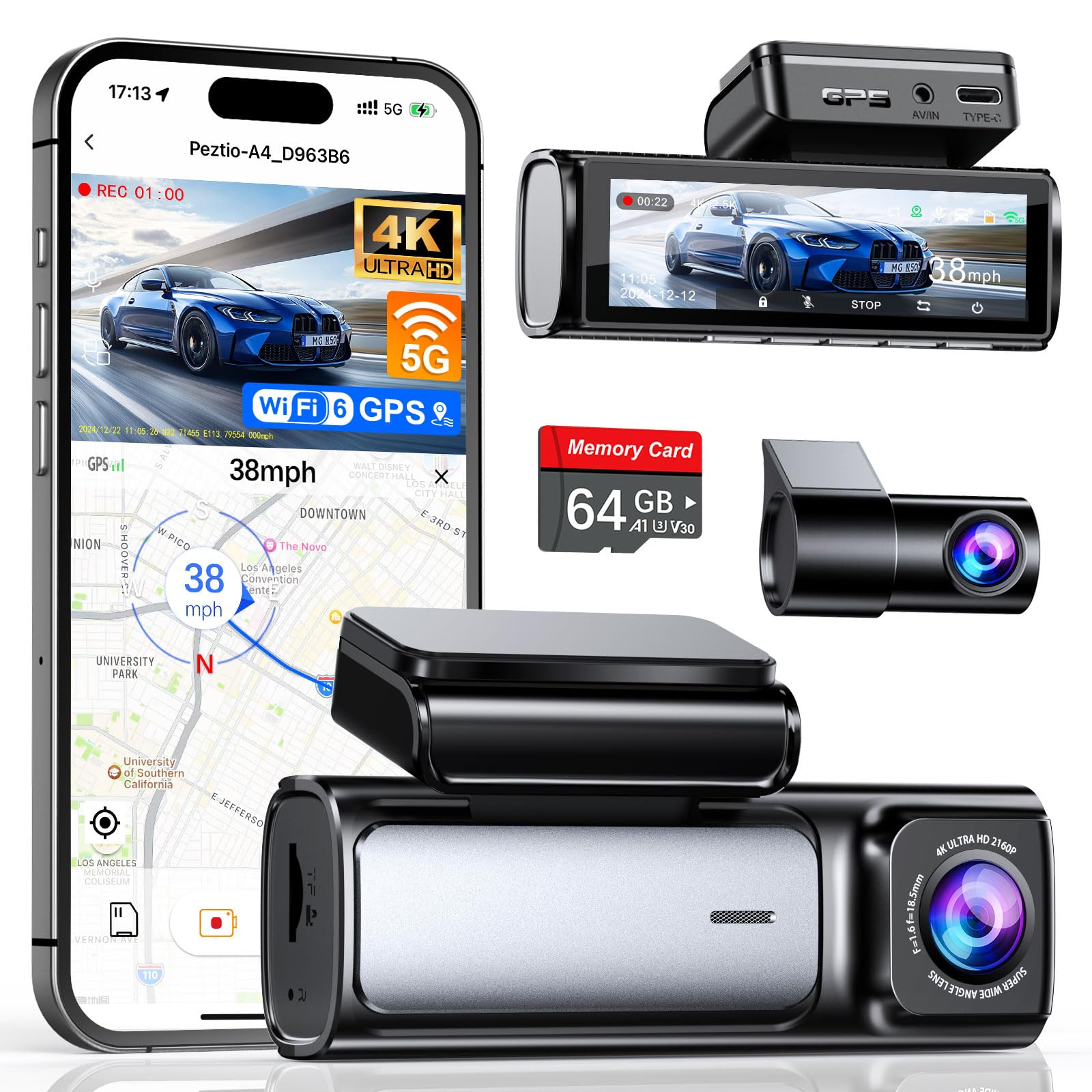
We recommend this dash cam for drivers who want sharp front and rear video, built-in GPS, and quick phone transfers through Wi-Fi 6.
Key Pros
- Sharp 4K front and 2.5K rear recording
- Built-in GPS and a clear 3.59-inch screen
- Includes a 64GB memory card and installation tools
Key Cons
- Rear-camera wiring takes time to hide neatly
- The app requires a compatible smartphone
- Parking monitoring may require additional wiring
We found the front footage clear in daylight, with enough detail to read nearby signs and capture road activity. The rear camera also provides useful coverage, especially in busy traffic or crowded parking areas.
The large screen made setup and menu changes easy. We could also connect the camera to a phone through Wi-Fi 6, though downloading several clips still took some time. GPS added route and speed information to the recordings.
Installation went smoothly because the box included clips, tools, a long rear-camera cable, and a 64GB card. Hiding the cable along the vehicle trim required extra effort, but the low-profile camera stayed out of our main view once installed.
At night, the wide aperture and WDR helped produce usable footage under streetlights and in darker areas. The image remained less detailed than daytime video, but it still captured surrounding traffic clearly.
Loop recording reduces the need to manage storage, while the G-sensor locks clips after a strong impact. We also liked the extra USB port on the car charger, which lets us charge another device while the camera runs.
Galphi 4K Dash Cam
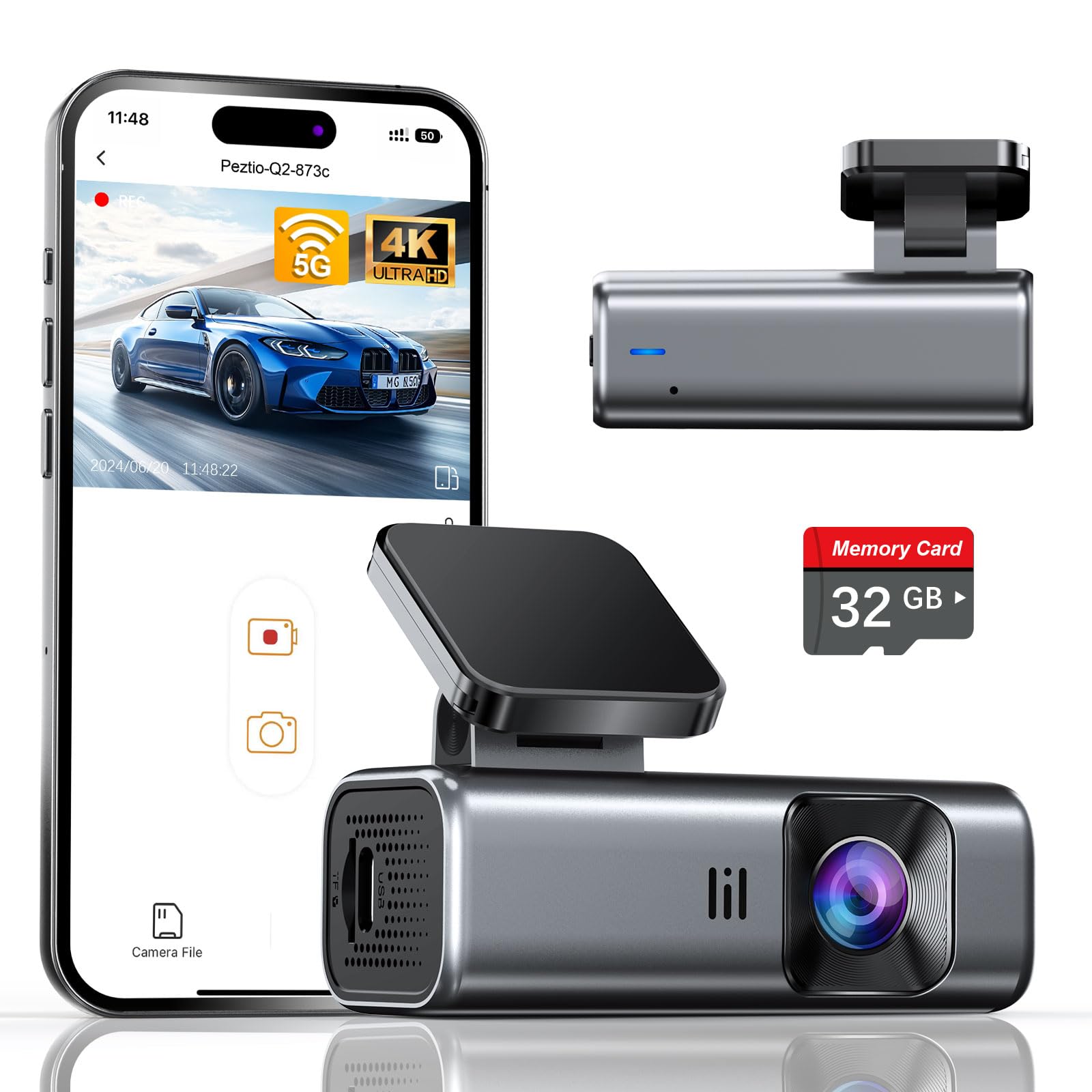
We recommend this compact front-facing camera for drivers who want sharp 4K footage, fast phone transfers, and simple installation without an on-camera screen.
Key Pros
- Clear 4K video with useful night performance
- Fast 5GHz Wi-Fi app connections
- Includes a 32GB memory card and installation tools
Key Cons
- No built-in display for immediate playback
- Hardwire kit for parking mode costs extra
- The included card may fill quickly with 4K recording
We found the Galphi easy to hide behind the rearview mirror. Its small body did not block our view, and the included adhesive pads, trim tool, clips, and long power cable made the initial setup straightforward.
Daytime footage looked sharp, while the wide 160-degree view covered plenty of the road. The F/1.6 aperture and WDR also helped preserve useful detail in darker conditions, though headlights and very dark scenes can still affect clarity.
The 5GHz Wi-Fi connection made short video transfers to our phone quicker than older 2.4GHz dash cams. Since the camera has no screen, we relied on the app to change settings and review clips. That keeps the windshield area tidy but makes phone access necessary.
Loop recording and the G-sensor help protect footage after a sudden impact. The 32GB card lets us start recording immediately, but frequent 4K driving may require a larger Class 10, U3, V30 card. Parking mode also requires a separately purchased Type-C hardwire kit.
TOOXYZ J13 4K 3-Channel Dash Cam

We recommend this dash cam for drivers who want front, cabin, and rear coverage with fast phone access through 5G Wi-Fi.
Key Pros
- Records three views, including 4K front video
- Includes a 64GB card and supports up to 256GB
- Offers loop recording and collision-locked files
Key Cons
- Parking monitoring requires a separate hardwire kit
- The app includes some membership-based features
- Setup may take time for first-time users
We found the three-camera layout useful for covering more than the road ahead. The interior camera can record passenger activity, while the rear unit helps document traffic behind us. The front camera provides the clearest image, but the 1080p cabin and rear views remain suitable for everyday driving.
The 5GHz Wi-Fi connection made it easier to preview and download clips without removing the memory card. The Viidure app handles basic viewing, downloads, sharing, and settings without requiring a membership. Some advanced tools, such as cloud uploads, need a paid plan.
Loop recording kept the camera ready for regular use, and the G-sensor protected clips after detected impacts. We also liked the included 64GB card, although drivers who record often may prefer a larger card. Night footage includes infrared support and WDR, but results can still vary with glare and low-light conditions.
Parking monitoring adds useful coverage when the vehicle sits unattended. However, we would budget for the optional hardwire kit if we wanted that feature to run reliably after shutting off the car. The suction-cup mount and long power cable simplify installation, while the one-year warranty adds basic support.
Navycrest Q7 4K Dash Cam
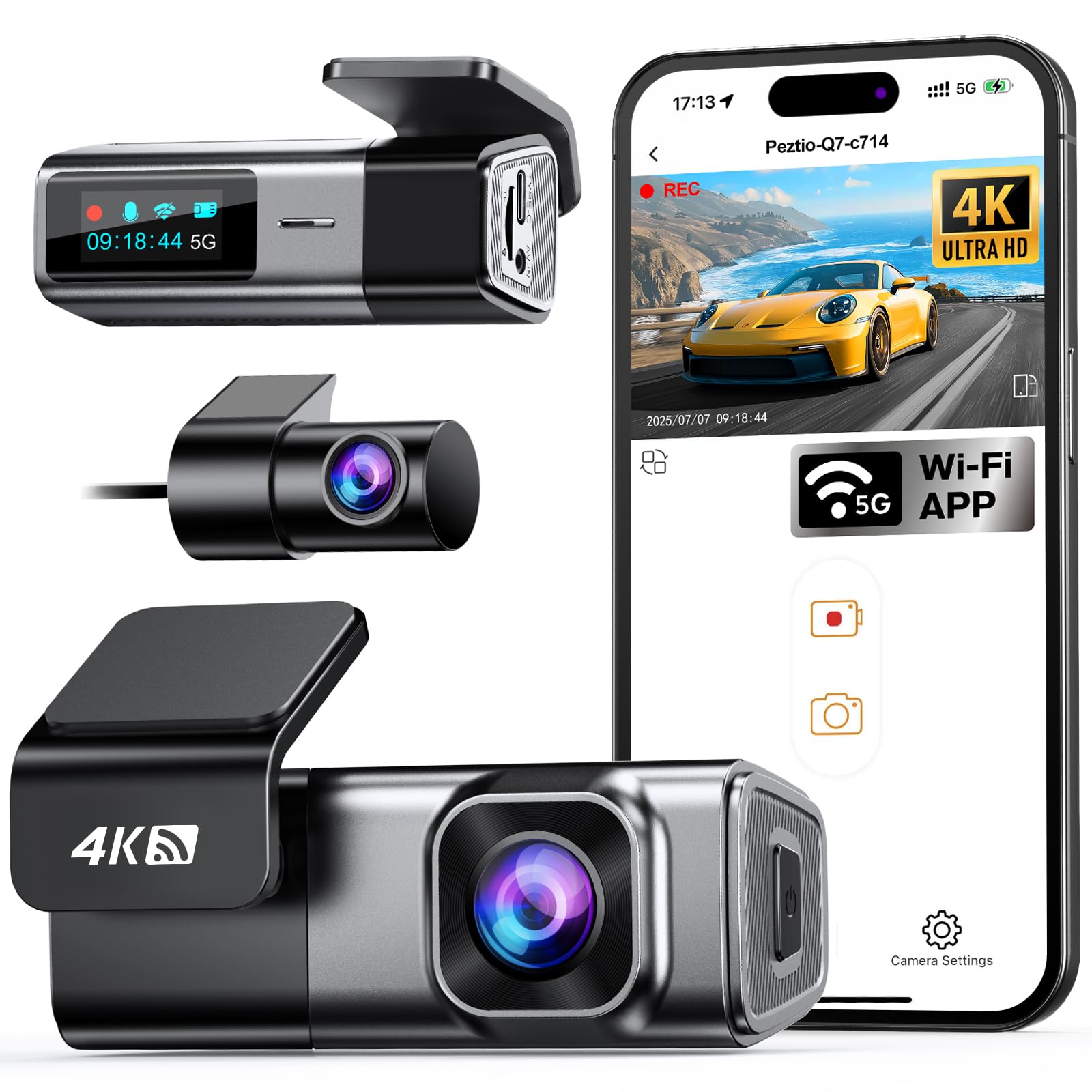
We recommend the Navycrest Q7 for drivers who want sharp front video, a rear camera, and fast app transfers without paying for a premium system.
Key Pros
- Clear 4K front and 1080p rear recording
- Fast 5G Wi-Fi app connections
- Small design and simple installation
Key Cons
- Memory card now sold separately
- Parking mode needs an extra hardwire kit
- Some users report plate-reading and mount issues
During testing, the compact camera stayed out of our view and the included wiring tool helped keep the setup tidy. The front footage looked detailed in daylight, while the rear camera added useful coverage behind the vehicle.
The 5G Wi-Fi connection made it quicker to preview and download clips than older 2.4GHz dash cams. We could also change settings and view both cameras through the phone app without removing the card.
Night footage remained clear enough for general driving, though license plates were not always easy to read. We also noted reports of the mount losing its position and one rear-camera connection failure, so long-term reliability may vary.
The Q7 supports loop recording and locks impact-triggered clips through its gravity sensor. It can also record while parked, but we must buy the compatible hardwire kit separately. The current package does not include a memory card, so we need to add a supported Class 10 U3 card, up to 256GB, before installation.
GEMEK 360° 4-Channel 5G Wi-Fi Dash Cam
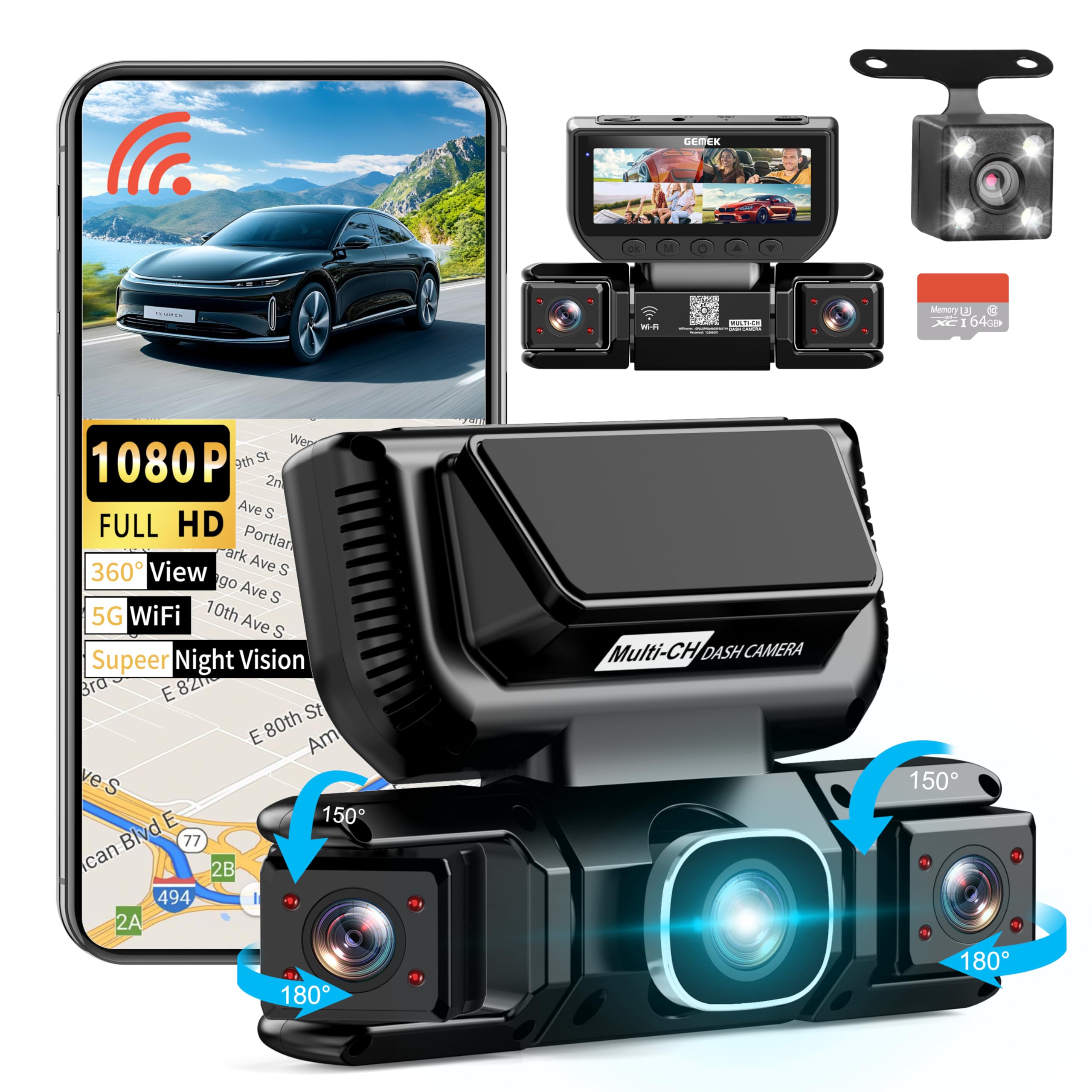
We recommend this dash cam for drivers who want front, rear, cabin, and side coverage in one system.
Key Pros
- Four-camera coverage helps monitor nearly every angle.
- The included 64GB card makes setup easier.
- Wi-Fi app supports video playback and downloads.
Key Cons
- Four video feeds can make the 3-inch screen feel crowded.
- Parking mode needs a hardwire kit or external battery.
- Video quality and controls may require app adjustments.
The GEMEK gives us broad coverage without needing several separate cameras. Its front, rear, left, and right lenses record at the same time, while one camera can point into the cabin. This setup suits rideshare drivers, families, and anyone who wants more than basic front-facing footage.
During use, the small screen helps us check all four views at once, but the display feels busy when we need to inspect details. The camera includes infrared lights for the cabin, which helps capture passengers in darker conditions. Its night footage should remain useful, although drivers should not expect the same clarity as a premium single-channel camera.
The 5GHz Wi-Fi connection lets us review and download clips through the Viidure app instead of removing the memory card. We found this convenient for sharing short files, though app setup can take a few tries. The included 64GB card works out of the box, and the camera supports larger cards after proper FAT32 formatting.
Loop recording replaces older files when storage fills, while the G-sensor locks footage after a detected impact. Parking monitoring adds useful protection, but it requires constant power through a hardwire kit or external battery. The suction mount installs quickly, while the long rear-camera cable gives us flexibility during installation.
Overall, the GEMEK is a practical choice for broad vehicle coverage, especially for commercial and rideshare use. Its main trade-offs are the extra installation work, crowded display, and dependence on the companion app.
IIWEY Q5 4K+4K Dash Cam
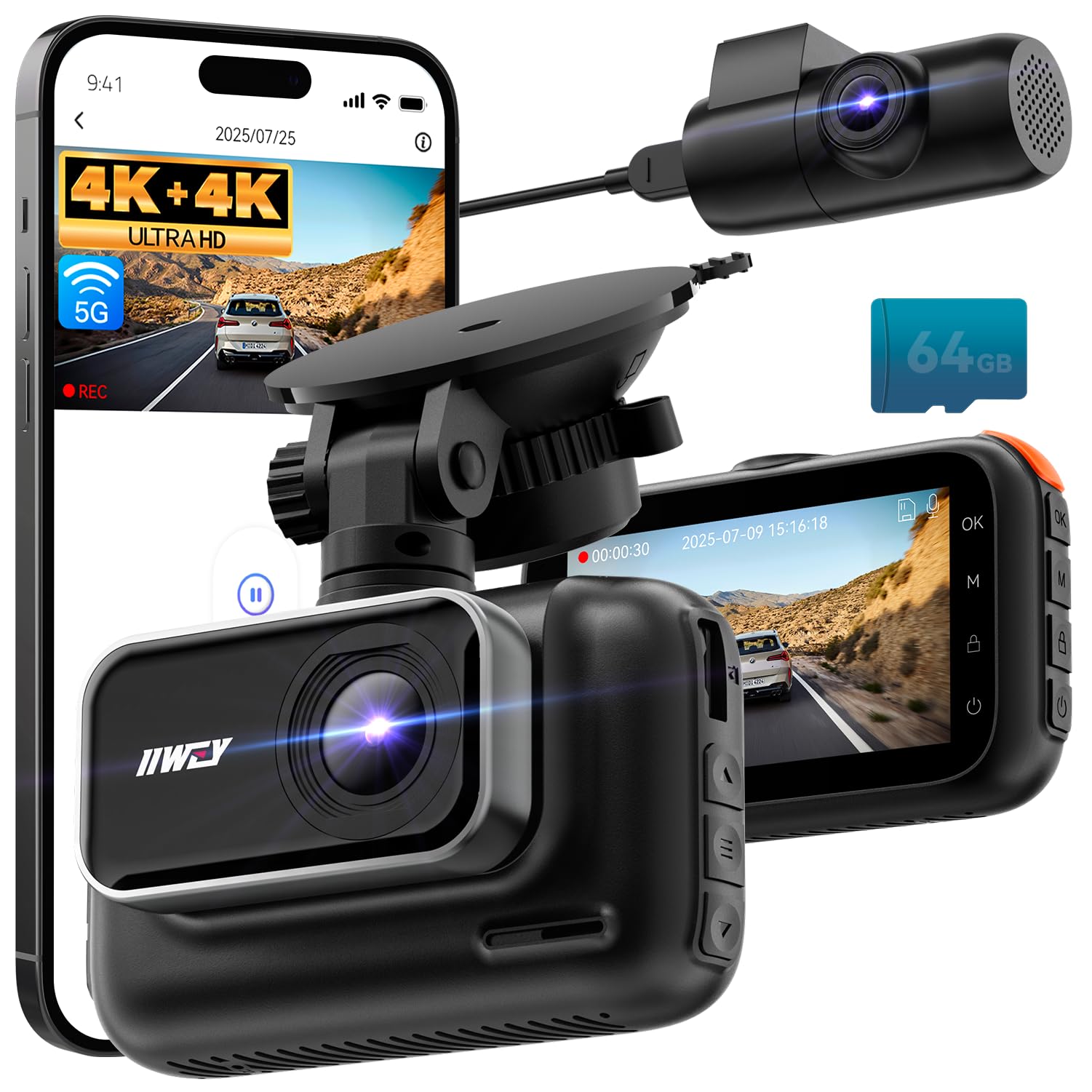
We recommend the IIWEY Q5 for drivers who want sharp front and rear video, fast clip transfers, and useful night recording at a reasonable price.
Key Pros
- Clear 4K video from both cameras
- Fast 5.8 GHz Wi-Fi transfers
- Includes a 64GB memory card
Key Cons
- Parking mode requires a separate hardwire kit
- The screen can look dim in bright daylight
- The mount may shift with strong vibration
We found the dual 4K setup useful because it records strong detail at both ends of the car. The 170-degree view covers a wide area, while HDR and STARVIS sensors help keep nighttime footage clear in streets, rain, and parking lots.
The built-in 5.8 GHz Wi-Fi made it easy for us to move clips to a phone without removing the card. The 3-inch screen and physical buttons kept basic controls simple, though the display was harder to see in bright sunlight and while wearing sunglasses.
Installation felt manageable, even for first-time users, but routing the rear cable takes some time. The suction mount held well overall, although road vibration can cause it to move. Loop recording and impact locking protect important clips, while parking monitoring works only after adding the optional hardwire kit.
With its included 64GB card, 18-month support, and detailed front and rear footage, the IIWEY Q5 offers a well-rounded choice for everyday driving.
Huntermax 3-Channel 5G WiFi Dash Cam
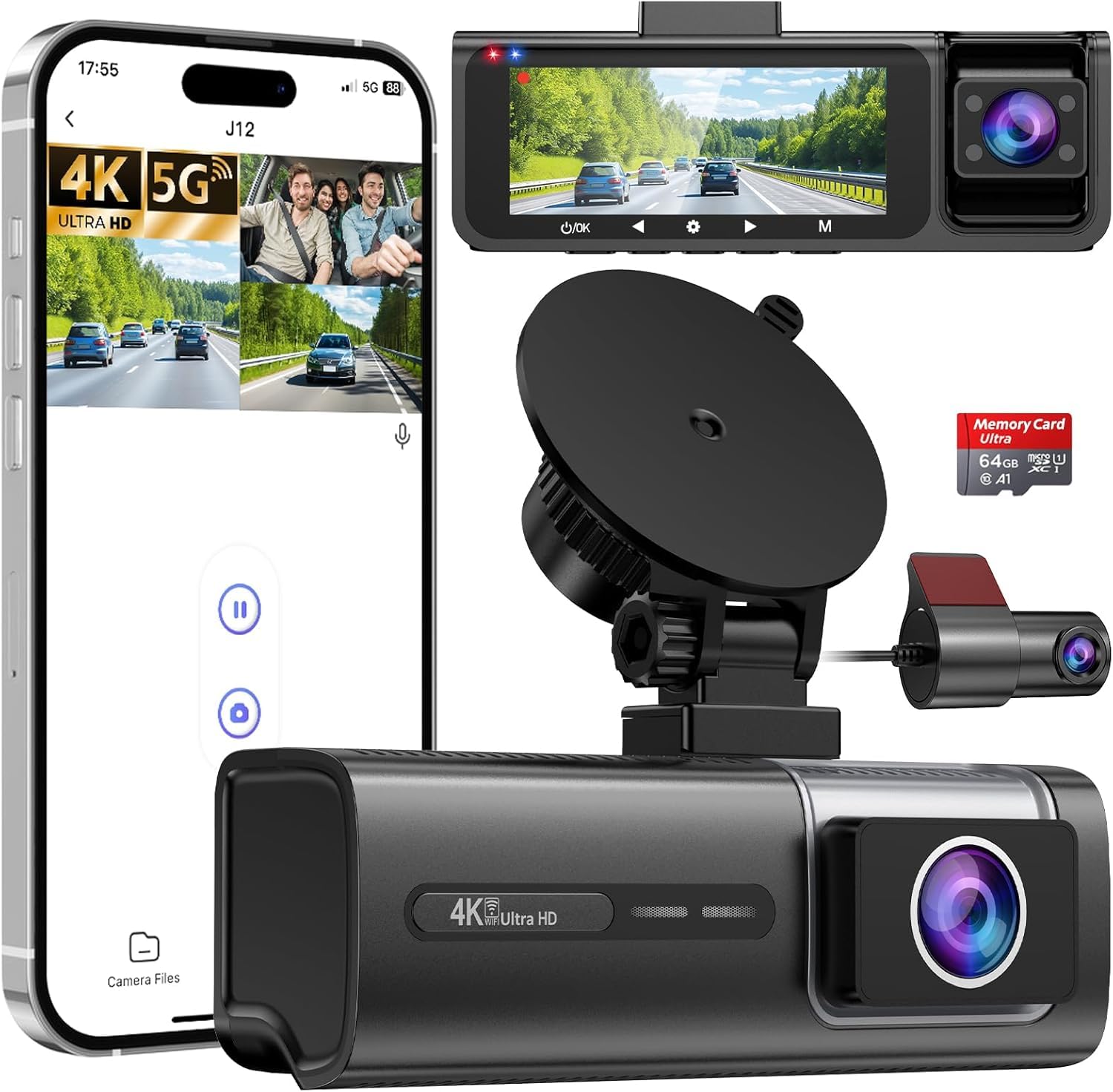
We recommend this dash cam for drivers who want front, rear, and cabin coverage with clear video and simple phone access.
Key Pros
- Sharp front footage with useful rear and interior views
- Easy setup with a 64GB card and mounting tools included
- Fast local file transfers through the phone app
Key Cons
- WiFi cannot run with wireless CarPlay at the same time
- The 64GB card may fill quickly with three cameras recording
- Some owners report recording, audio, or power issues over time
The three-camera layout gives us broad coverage around the vehicle. Front footage looks sharp in daylight, while the infrared cabin camera helps capture passengers and activity inside the car after dark. The rear view adds useful protection in traffic and parking areas.
We found the installation manageable because the kit includes cable clips, trim tools, and a memory card. The suction mount also removes without leaving adhesive behind. The 3.16-inch screen lets us review clips in the car, though the phone app offers a more convenient way to download them.
The built-in WiFi transfers recordings locally, but it does not provide remote viewing. We also need to disconnect wireless CarPlay before connecting the dash cam, which may be inconvenient during regular driving.
Loop recording keeps the newest clips available, and the G-sensor can protect footage after a collision. Still, we should check the locked folder after an incident because protected files may not appear with the standard recordings.
Parking monitoring requires a separate hardware kit, which is not included. We also recommend checking the camera regularly, as some customer reports mention random shutdowns, missing audio, and recording failures after several months.
Buying Guide
We should first confirm that the dash cam supports a reliable 5G connection in our area. A 5G link can support faster remote access, cloud uploads, and alerts, but coverage, data costs, and service plans affect daily use.
We should compare video quality, especially at night. Look for a clear resolution, a wide but natural viewing angle, strong low-light performance, and HDR to help balance bright and dark areas. A front and rear camera setup can provide wider coverage.
| Feature | What we should check |
|---|---|
| Storage | microSD support, cloud storage, and loop recording |
| Power | parking-mode wiring, battery protection, and stable operation |
| Safety | GPS, impact sensors, motion alerts, and tamper alerts |
| Privacy | account security, data controls, and camera access settings |
| Viewing | phone app quality, live view, and simple file downloads |
We should check how the camera handles parking mode. A hardwire kit may provide continuous monitoring, while a separate battery pack can reduce strain on the vehicle battery.
We should also review the data plan before buying. Check monthly limits, activation fees, roaming rules, and whether cloud features require a subscription. Finally, we should confirm that the mount, cables, app, and installation method fit our vehicle.
Editor’s Choice
We choose the Garmin Dash Cam Live as our editor’s pick for drivers who want connected features and strong video quality. Its LTE connection supports remote viewing, location tracking, and theft alerts when paired with an active subscription.
The camera records clear footage in both daylight and low-light conditions. Its compact design takes up little windshield space, while voice control lets us save video without reaching for the device.
| Feature | Garmin Dash Cam Live |
|---|---|
| Video quality | 1440p |
| Connectivity | LTE, Wi-Fi |
| GPS | Built in |
| Storage | microSD card |
| Best for | Remote access and daily driving |
We also value its driver-assistance alerts and automatic incident recording. These features can help us review a collision or check what happened while the vehicle was parked.
The LTE plan adds an ongoing cost, and the camera works best when we install it with a reliable power connection. For drivers who do not need remote access, a less expensive 4G or Wi-Fi dash cam may offer better value.
Conclusion
We should choose a 5G dash cam based on video quality, network coverage, storage, and app features. A strong model should record clear footage, upload alerts reliably, and keep working through heat, cold, and daily driving.
We also need to check the total cost. A camera may require a data plan, cloud storage, a hardwire kit, or extra memory. Reviewing these costs helps us avoid surprises after purchase.
Before installing the camera, we should confirm that our vehicle supports the required power setup and that the 5G network works in the areas we drive. With these points checked, we can select a dash cam that fits our needs and budget.
FAQS
Does a 5G dash cam need a phone plan?
Yes. We need an active cellular data plan for live viewing, cloud uploads, remote alerts, and location tracking. Some models support Wi-Fi or memory cards without cellular service.
Does 5G improve video quality?
No. A camera’s lens, sensor, and video settings control image quality. 5G mainly helps us transfer footage faster and access the camera remotely with less delay.
Can we use a 5G dash cam without a subscription?
Often, yes. We can usually save video to a microSD card. However, cloud storage and cellular features may require a monthly plan or a separate data package.
Will a 5G dash cam work everywhere?
Coverage depends on the cellular carrier and network bands supported by the camera. We should check coverage in our area and along our regular routes before buying.
How much storage do we need?
| Recording quality | Suggested card size |
|---|---|
| Full HD | 64GB–128GB |
| 4K | 128GB–256GB |
We should use a high-endurance microSD card. Continuous recording creates heavy write activity, which can wear out standard cards.

I’m Alex Rahman, a car enthusiast and automotive writer focused on practical solutions, car tools, and real-world driving advice. I share simple and honest content to help everyday drivers make better decisions.
