10 Best Dash Cam With GPS Tracking for Reliable Road Monitoring
Dash cams record the road ahead and can provide useful evidence after a crash, traffic dispute, or theft. Models with GPS tracking add location and speed data to video, helping us understand where an event happened and how fast the vehicle was moving. Some also offer route history, geofencing, or phone alerts.
The best dash cams with GPS tracking combine clear video, reliable location data, simple controls, and features that work without distracting the driver. We also pay close attention to night image quality, viewing angle, storage options, mounting, app performance, and whether the camera needs a separate hardwire kit. GPS accuracy and privacy settings matter if the device records vehicle locations over time.
We compared leading models and considered their video quality, GPS features, ease of use, and long-term value to find the dash cams that provide the most useful coverage.
Best Dash Cams With GPS Tracking
We reviewed dash cams with GPS tracking to identify the best options for recording video and logging driving data. Our list compares key features such as video quality, GPS accuracy, storage, night recording, and ease of use.
70mai A810 Lite 4K Dash Cam

We recommend this dash cam for drivers who want sharp front video, rear coverage, GPS tracking, and optional remote access through 4G.
Key Pros
- Sharp 4K front and 1080p rear video
- Built-in GPS with route and speed data
- Fast phone transfers through Wi-Fi 6
Key Cons
- 4G tracking requires a separate hardwire kit
- Parking mode also needs a hardwire kit
- Some users report setup and reliability issues
We found the front camera captured clear daytime footage with useful detail on signs and nearby plates. The rear camera added valuable coverage, though its installation may take extra adjustment in vehicles with steep or angled rear windows.
GPS records our route, speed, and location for later playback. The app also makes it easy to review clips, check GPS data, and download files without removing the 64GB memory card.
Night footage benefits from HDR and the wide F1.55 aperture, but bright headlights can still create glare. The compact body fits neatly behind the mirror, while voice controls help us manage basic functions without reaching for the camera.
Remote live view and vehicle tracking require the optional UP05 4G hardwire kit and a compatible data plan. Parking mode needs a hardwire kit as well, so the included car charger does not provide every advertised feature.
The camera includes a supercapacitor for better heat tolerance and comes with an 18-month warranty. However, customer feedback includes reports of failed units, loose mounts, and rear-camera alignment problems, so buyers should test the system soon after installation.
Optimus DG2 GPS Dash Cam

We recommend this model for drivers who want live GPS tracking, two-channel video, and driving alerts in one system.
Key Pros
- Live location and video access through a phone or computer
- Quick OBD installation with a wired power option
- Includes a 256GB memory card and lifetime warranty with an active plan
Key Cons
- Requires a cellular subscription starting at $24.95 per month
- The inside camera is optional but may need extra setup
- The service depends on cellular coverage
We found the Optimus DG2 easy to add to a vehicle because the OBD connector avoids complicated wiring. The front camera records in 1080p at 30 frames per second, while the optional interior camera adds useful coverage for passengers or business vehicles.
GPS tracking stood out during use. We could check the vehicle’s location, review travel history, set a geofence, and receive alerts for speeding or harsh driving. The system can also upload clips after certain events, including sudden driving changes or power loss.
The cellular connection supports live video and remote playback from a phone, tablet, or computer. That feature adds value for families and small businesses, but the monthly plan raises the long-term cost.
With an average rating of 4.2 stars from 11 ratings, customer feedback remains limited. We like the included memory card, flexible installation, and lifetime device warranty, but buyers should confirm that the subscription cost and cellular service fit their needs.
DeerAsk 4G LTE GPS Dash Cam

We recommend this DeerAsk model for drivers who want GPS tracking, remote access, and front-and-cabin recording in one camera.
Key Pros
- Remote live view works through 4G LTE
- GPS tracking, cloud backup, and motion alerts
- OBD-II setup avoids complex wiring
Key Cons
- Remote features need a paid data plan
- The 32GB card may fill quickly
- Parking monitoring depends on a steady power connection
We found the OBD-II installation simple because it avoids fuse-box wiring. Once connected, the camera records the road and cabin at the same time. The interior camera also uses infrared night vision, which helps when the cabin has little light.
The 4G connection gives us more control than a standard Wi-Fi dash cam. We can check the vehicle remotely, view its location, review route history, and receive alerts for motion or impacts. Two-way audio adds another useful option for checking on people near the vehicle.
GPS tracking works well for families, rideshare drivers, and businesses that need route records. Cloud event backup also helps protect important clips if the camera or memory card gets damaged. However, these remote functions require an active 4G plan, and the included trial will not last forever.
Video quality is suitable for daily driving, with front recording up to 2160p and cabin coverage for added context. The included 32GB card offers a starting point, but frequent drivers may want a larger compatible card, up to 128GB.
enjfeocy 4G LTE GPS Dash Cam
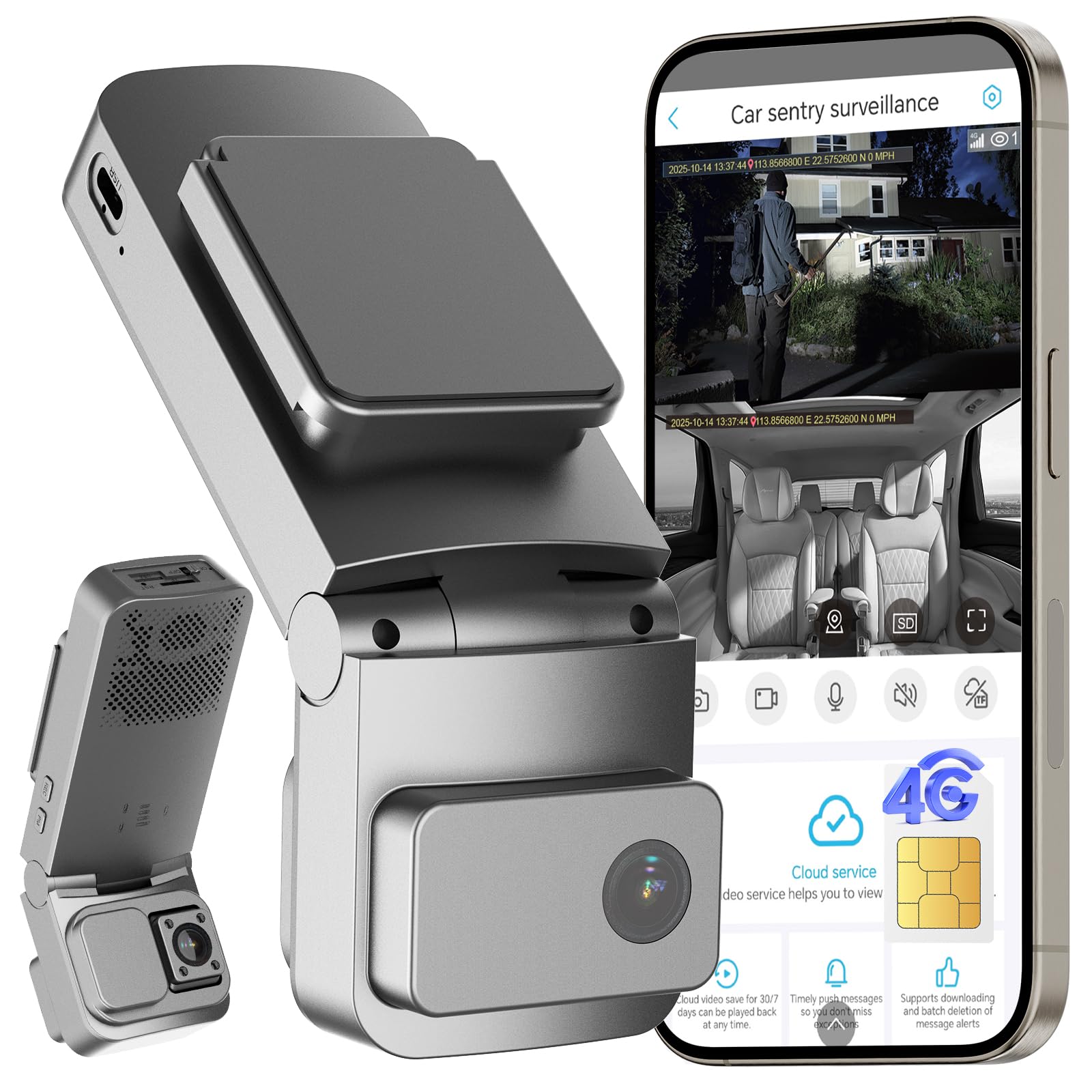
We recommend this dash cam for drivers who want GPS tracking, remote viewing, and interior coverage, but should accept the ongoing cellular subscription cost.
Key Pros
- Live viewing and GPS tracking through the mobile app
- Front and cabin cameras with wide coverage
- OBD installation and parking alerts
Key Cons
- LTE features require a paid subscription after the trial
- Built-in SIM cannot use another carrier
- Some users report unreliable alerts and night vision
We found the OBD installation simple, with no need to route a power cable to the fuse box. Once connected, the camera recorded driving footage locally and offered access to GPS location and remote viewing through the app.
The dual-camera setup suits rideshare drivers, families, and fleet owners. The front lens covers a broad section of the road, while the cabin camera helps record activity inside the vehicle. Video quality looked useful in daylight, though reported user experiences with night vision vary.
Parking protection adds motion and impact alerts, and the low-power mode helps limit battery drain during longer stops. Cloud backup can protect important clips, but the free trial ends, and cellular and cloud features may require separate paid service.
We also found the built-in SIM limiting because it does not support third-party cards or Wi-Fi. App settings and alerts may not work consistently for every user, so we would choose this model mainly for its GPS and LTE features rather than as a simple, low-cost dash cam.
ROVE R2-4K Dual Dash Cam

We recommend this dash cam for drivers who want clear front and rear footage, GPS data, and a memory card included.
Key Pros
- Sharp front video with useful low-light performance
- Built-in GPS records speed, route, and location
- Includes a 128GB microSD card and simple phone app
Key Cons
- Front video uses upscaling rather than native 4K
- Parking mode requires a separate hardwire kit
- Rear-camera wiring takes time to hide neatly
During our setup, the ROVE R2-4K Dual felt manageable for a two-camera system. The included mounts, cable clips, trim tool, and cleaning pads helped us install it without buying extra basic accessories. The rear cable is long enough for most cars, though routing it through the headliner requires patience.
The front camera produced detailed daytime footage, while the rear camera added useful coverage behind us. Night footage remained usable in street lighting, but fine details can still become harder to read in very dark areas. The front image is upscaled to 4K from 2.5K, so buyers should not expect the same detail as a native 4K camera.
GPS worked well for adding speed, direction, routes, and location data to recordings. We could also manage clips through the ROVE app, and the faster 5.8GHz Wi-Fi made phone transfers quicker than basic dash cam connections. The 3-inch screen gave us a convenient way to check settings and framing without using a phone.
Parking mode offers time-lapse, motion detection, and collision detection options. We would budget for the optional hardwire kit if parked-car monitoring matters, since the standard package does not power that feature continuously. Overall, this model suits drivers who want strong everyday coverage and GPS tracking without assembling a separate storage setup.
LAMTTO 4G LTE Dash Cam
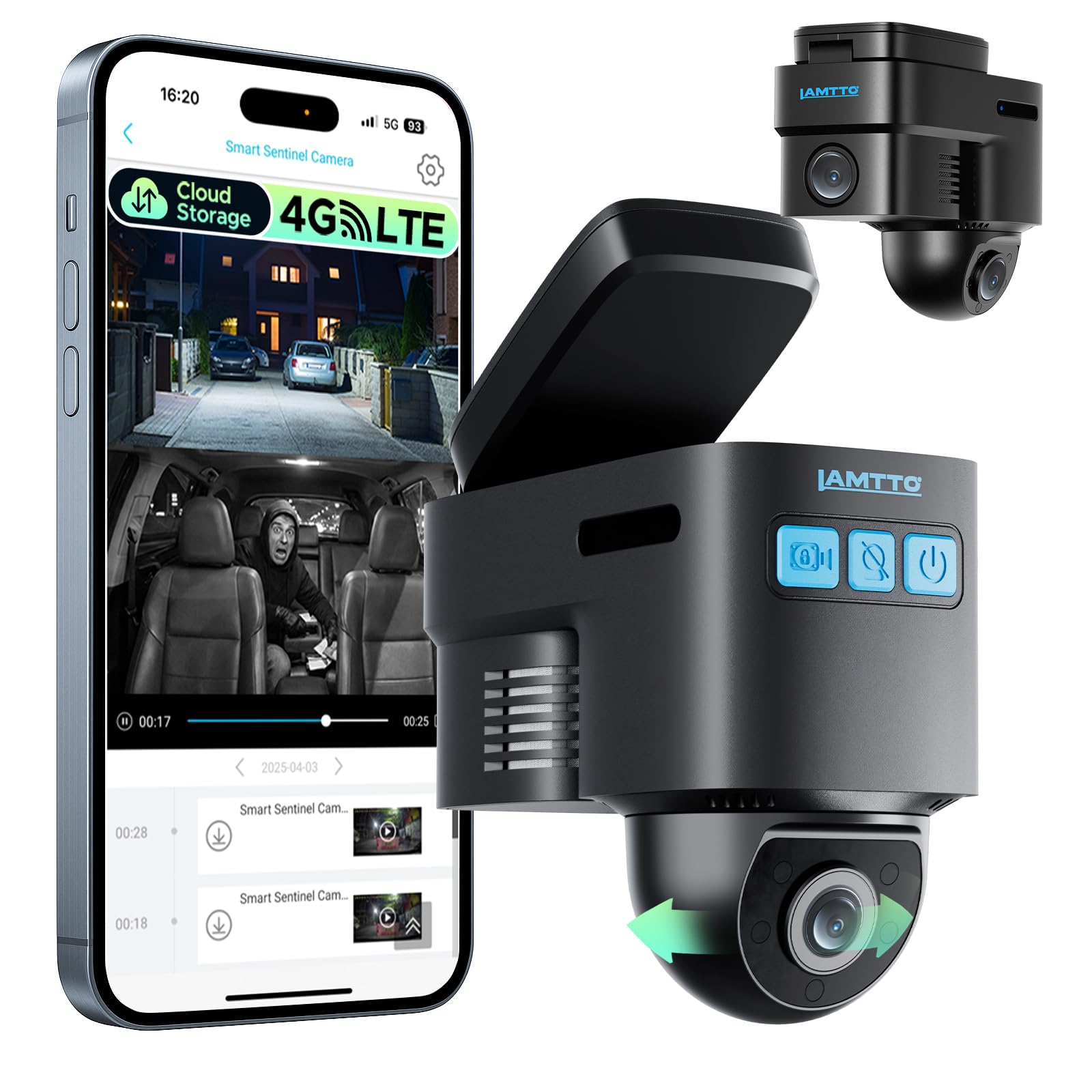
We recommend this dash cam for drivers who want live GPS tracking and remote car monitoring, but only if reliable 4G service and a paid cellular plan are available.
Key Pros
- Live GPS tracking and remote viewing
- Parking alerts with radar and G-sensor detection
- Two-way voice communication through the app
Key Cons
- Remote features require a cellular subscription
- App playback and cloud clips may be limited
- Front footage may not clearly capture license plates
We found the compact camera easy to place behind the rearview mirror. Its 1080p front and inside recording covered the main areas without taking up much windshield space.
The 4G connection adds useful security features. We could check the car remotely, receive motion alerts, view its location, and speak through the camera. These tools suit families, rideshare drivers, and small fleets.
The OBD-II power cable supports parking monitoring, but the setup may use more power than a basic dash cam. We also need a strong 4G signal for remote access, and the service plan adds an ongoing cost.
Local recording works with the included 32GB card, while cloud storage and app-based features require a subscription. Some users report slow app playback and short cloud clips, so we would treat cloud access as a backup rather than the main way to review video.
REDTIGER F7N TOUCH Dash Cam

We recommend this dash cam for drivers who want sharp front video, useful GPS data, and simple phone access in one package.
Key Pros
- Clear 4K front and 1080p rear video
- Built-in GPS and fast 5GHz Wi-Fi
- Includes a 128GB memory card
Key Cons
- Parking mode needs a separate hardwire kit
- Rear-camera wiring takes some effort
- The screen feels small for detailed playback
During setup, we found the suction mount easy to place, and the included tool helped tuck the cables along the trim. The long rear-camera cable gives us plenty of reach, although routing it neatly still takes some time.
The front camera records sharp daytime footage, while the rear camera adds useful coverage behind the vehicle. At night, the image remains clear enough to identify important details, though glare and very dark roads can still affect any dash cam.
GPS tracking adds location, speed, and route data to the recordings. We also found the touchscreen and voice controls convenient when we needed to lock a clip or adjust a setting without handling the phone.
The REDTIGER app lets us connect through 5GHz Wi-Fi and download clips quickly. Loop recording manages storage automatically, and the G-sensor protects footage after a collision. For parking monitoring, we would budget for the optional hardwire kit, since the standard setup does not provide that feature.
Affver A4 4K GPS Dash Cam
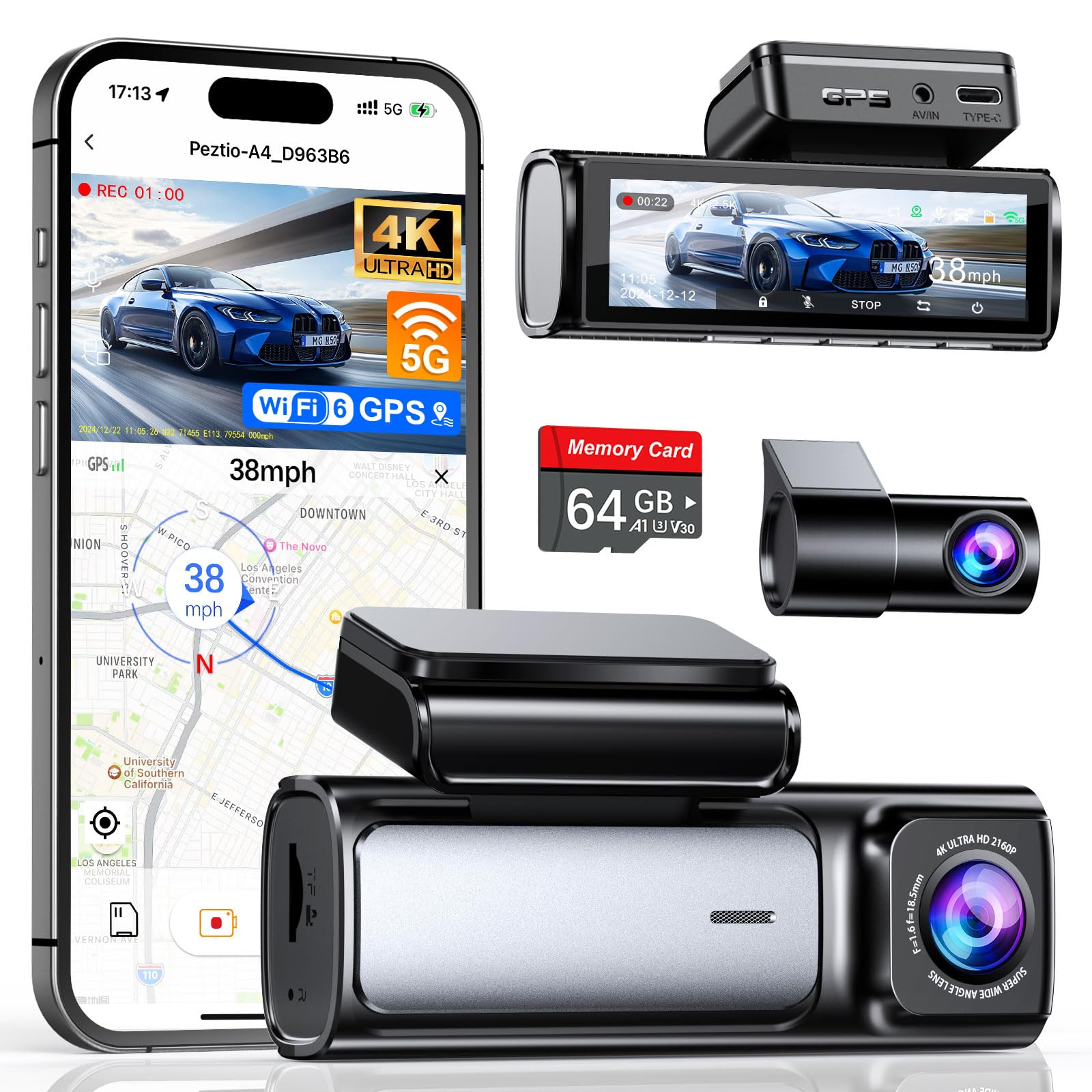
We recommend this dual-camera dash cam for drivers who want sharp video, route tracking, and simple phone access in one affordable package.
Key Pros
- Sharp 4K front and 2.5K rear video
- Built-in GPS records speed and routes
- Includes a 64GB memory card
Key Cons
- Rear-camera wiring takes time to hide
- App transfers still require a phone connection
- Parking monitoring may need extra wiring
We found the Affver A4 straightforward to install, with the front and rear cameras, long cable, tools, and memory card included. The 3.59-inch screen made setup and menu changes easy without relying on the app.
During daytime driving, the front camera captured clear details, while the rear camera gave useful coverage behind the vehicle. Night footage remained readable, though bright headlights and dark roads can still affect visibility like they do with most dash cams.
The built-in GPS adds useful trip details, including speed, route, and location. We could review footage through the phone app or a computer GPS player, and Wi-Fi 6 helped move clips faster than older Wi-Fi connections.
Loop recording handles storage automatically, while the G-sensor locks clips after a strong impact. The included 64GB card helps us start recording right away, but drivers who record often may want a larger card, up to the supported 256GB capacity.
The low-profile design keeps the camera from taking up much windshield space. Overall, the A4 suits families, new drivers, and rideshare users who want front-and-rear coverage with GPS tracking without buying extra accessories at the start.
ZMOPO 4-Channel GPS Dash Cam

We recommend this dash cam for drivers who want broad vehicle coverage, but remember that GPS tracking requires a separate GPS logger.
Key Pros
- Four cameras cover the front, rear, left, and right sides.
- The included 128GB card gives us useful storage right away.
- Wi-Fi makes it easier to transfer clips to a phone.
Key Cons
- The GPS logger costs extra.
- Parking mode needs a separate ACC hardwire kit.
- Installing four camera views takes more time than a basic dash cam.
During setup, we found the coverage more useful than a standard front-and-rear model. The four 1080p cameras record around the vehicle, while the adjustable front cameras let us change the viewing angles for a better fit.
The video looked clear in daylight, and the night-vision system helped in darker areas. WDR also balanced bright headlights and darker road scenes, though buyers should keep their expectations realistic with Full HD footage.
The 5GHz Wi-Fi connection helped us move clips without removing the memory card. The app adds convenience, but reviewing several camera views can take longer than checking footage from a single camera.
GPS is not built into the standard package. We need to purchase the optional logger to save route, speed, and time data. Parking mode also depends on a separately sold hardwire kit, so the complete setup costs more than the camera alone.
Loop recording, incident locks, and the included 128GB card support everyday use. We would still check the camera and card regularly, especially after a long drive or a recorded incident.
Icesky S03 4K GPS Dash Cam
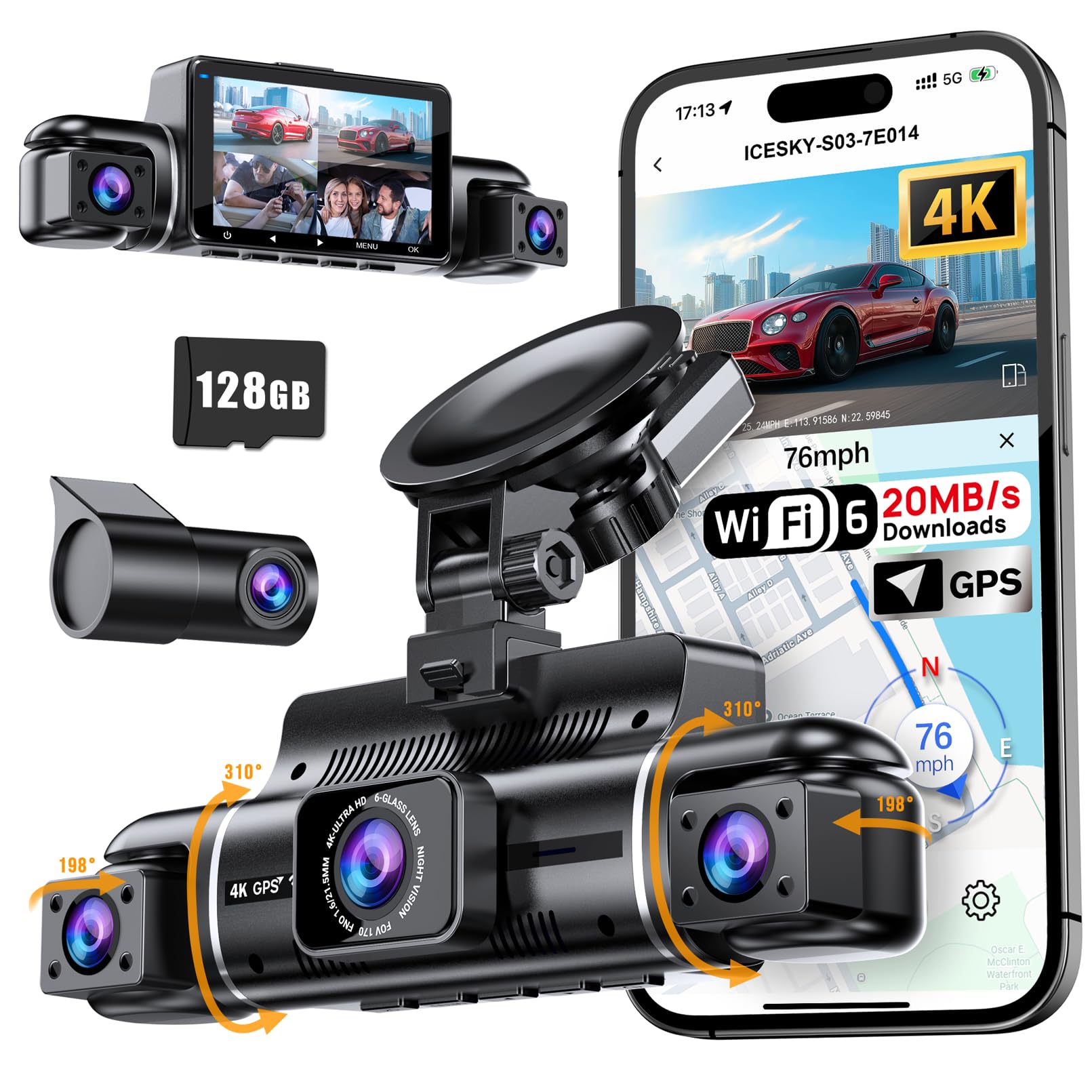
We recommend the Icesky S03 for drivers who want GPS data and broad coverage from four cameras in one system.
Key Pros
- Four-camera coverage helps capture front, rear, and side views.
- GPS records routes, speed, location, and time.
- Fast app downloads make video sharing easier.
Key Cons
- Parking mode needs a separate hardwire kit.
- Side-camera footage is limited to 1080P.
- Installation takes more work than a basic front camera.
We found the front video sharp enough to read many road details, while the rear and side cameras added useful coverage around the vehicle. The four-camera setup can help document lane changes, parking incidents, and side impacts better than a standard front-and-rear model.
The built-in GPS adds helpful context to recorded clips. We could review route and speed information through the app or GPS player, which may help during an insurance claim or roadside dispute.
The Wi-Fi connection made it easier to preview and download clips without removing the included memory card. The small display also lets us check camera views in the car, although the many angles can look crowded on one screen.
Night recording from the side cameras benefits from the infrared lights, but image quality still depends on available light and camera placement. We also found that the installation requires careful adjustment to aim all four lenses correctly.
Loop recording and the impact sensor handle routine recording with little input. For 24-hour parking monitoring, we would budget for the required hardwire kit because it does not come included.
Buying Guide
We should first match the dash cam to our driving needs. A front camera may suit basic use, while front-and-rear coverage gives us more evidence in a collision. Choose a cabin camera if we need to record passengers or activity inside the vehicle.
| Feature | What we should check |
|---|---|
| GPS | Records location, speed, and route data with video |
| Video quality | Look for clear footage in daylight and low light |
| Storage | Check memory card support, loop recording, and file protection |
| Parking mode | Confirm whether it needs a hardwire kit or another power source |
| App or software | Check how easily we can view, save, and share clips |
| Temperature range | Choose a model suited to our local climate |
We should check whether GPS data appears on the video or remains available in the viewing software. We also need to confirm that the speed display can be turned off if we prefer not to show it.
A wide viewing angle can capture more of the road, but an extremely wide angle may make distant details harder to read. We should also look for automatic incident detection, a secure mount, and simple controls.
Before buying, we should review the warranty, return policy, and required accessories. A reliable memory card and a suitable power cable may add to the total cost.
Editor’s Choice
We recommend the Garmin Dash Cam X310 for drivers who want GPS tracking, sharp video, and a compact design. Its 4K recording captures clear details, while built-in GPS adds location and speed data to recorded footage.
We value its simple controls and reliable mobile app. The camera can upload saved clips through the app when connected to a compatible Wi-Fi network, making it easier for us to review or share footage.
| Feature | Details |
|---|---|
| Video quality | 4K |
| GPS | Built in |
| Viewing angle | 140 degrees |
| Smart features | Parking monitoring, voice control |
| Storage | microSD card |
The X310 supports parking monitoring, but we need a constant power source for that feature. We should also buy a high-endurance microSD card because continuous recording can place heavy demands on storage.
Its main drawback is the higher price compared with many 1080p and 1440p models. Still, we consider it a strong choice for drivers who want detailed video and dependable GPS data in one device.
Conclusion
We should choose a dash cam with GPS tracking based on our driving needs, storage preferences, and budget. GPS can record speed, location, and route data, which helps us review incidents with more detail.
For daily driving, we can prioritize clear video, reliable GPS, and simple controls. Drivers who park in public areas may also benefit from parking mode, while frequent road users may prefer a larger memory card and strong night recording.
Before buying, we should check whether the camera includes a GPS mount or requires a separate accessory. We should also confirm its app support, storage limits, warranty, and local recording laws.
The best choice gives us dependable footage without adding unnecessary complexity. By comparing these features carefully, we can select a dash cam that fits our vehicle and protects useful evidence when we need it.
FAQs
What does GPS tracking add to a dash cam?
GPS records our vehicle’s location, speed, and route. It can help us review trips and provide useful details after a collision.
Does GPS tracking work without mobile service?
Yes. A built-in GPS receiver can log location data without a cellular connection. However, live tracking and remote alerts usually require a data plan or Wi-Fi.
Can we track a parked car with a GPS dash cam?
Only some models support live tracking while parked. We should check whether the camera needs a hardwire kit, cellular service, and a subscription.
Does GPS prove who caused a crash?
No. GPS data can show speed and location, but it does not prove fault by itself. We should use it with video, witness reports, and other evidence.
What features should we look for?
- Accurate GPS data
- Clear video in low light
- Front and rear camera options
- Parking mode
- Loop recording
- A reliable smartphone app
- Secure cloud storage, if needed
Do GPS dash cams require a subscription?
Basic GPS logging usually does not. Cloud storage, live vehicle tracking, and cellular alerts may require a monthly or yearly plan. We should review these costs before buying.

I’m Alex Rahman, a car enthusiast and automotive writer focused on practical solutions, car tools, and real-world driving advice. I share simple and honest content to help everyday drivers make better decisions.
