Do OBD GPS Trackers Drain Car Batteries? (2026 Guide)
Quick Answer
Yes, OBD GPS trackers can drain car batteries because they draw power through the OBD2 port, even when the engine is off. However, a tracker with effective sleep mode usually creates a small load that a healthy, regularly driven vehicle can manage. Problems become more likely when a car sits unused, its battery is weak, or the tracker prevents vehicle electronics from sleeping. You can learn more about how OBD2 devices affect car batteries.
Five things that determine battery-drain risk
- Sleep mode: A tracker that reduces power consumption while parked places less demand on the battery.
- Parking duration: A device becomes more concerning when the vehicle remains unused for days or weeks.
- Battery condition: Older or partly discharged batteries have less reserve for additional electronics.
- Reporting frequency: Frequent location updates and network activity may increase average consumption.
- Vehicle communication: An incompatible device may keep other electronic modules awake.
Quick verification tip
- Measure parked current: Compare the vehicle’s electrical draw with and without the tracker after its electronic modules enter sleep mode.
An OBD GPS tracker is convenient until you return to your car and discover a weak battery. It’s natural to wonder whether that small device beneath the dashboard caused the problem.
I prefer looking at actual power consumption rather than trusting claims that a tracker uses almost no electricity. This guide explains the numbers, warning signs, testing methods, and practical ways to protect your battery.
How Does an OBD GPS Tracker Use Your Car Battery?
An OBD GPS tracker is a plug-in vehicle tracking device that uses the On-Board Diagnostics II connector for electrical power and, on compatible models, vehicle data. It typically uses satellite positioning and cellular communication to report vehicle location.
Most standard OBD2 connectors provide unswitched battery power at pin 16. This means the tracker may receive electricity even after you switch off the ignition.
What Happens When the Engine Is Turned Off?
A properly designed tracker detects that the vehicle has stopped and reduces unnecessary activity. Depending on its settings, it may enter standby, suspend location reporting, or activate a deeper sleep state.
Other trackers remain active to provide parking alerts, theft notifications, or frequent location updates. Those features can consume additional electricity.
- Active tracking: The device regularly calculates and transmits its position.
- Standby mode: Some functions remain available while electrical consumption drops.
- Deep sleep: The device disables additional functions to conserve power.
- Wake events: Movement, ignition changes, or scheduled reports may reactivate the tracker.
Sleep mode doesn’t necessarily mean zero consumption. Even a sleeping tracker may draw a small amount of current from the vehicle.
For a deeper explanation of how the connector works, see this guide to OBD2 connector pins and power connections.
How Much Battery Power Does an OBD GPS Tracker Use?
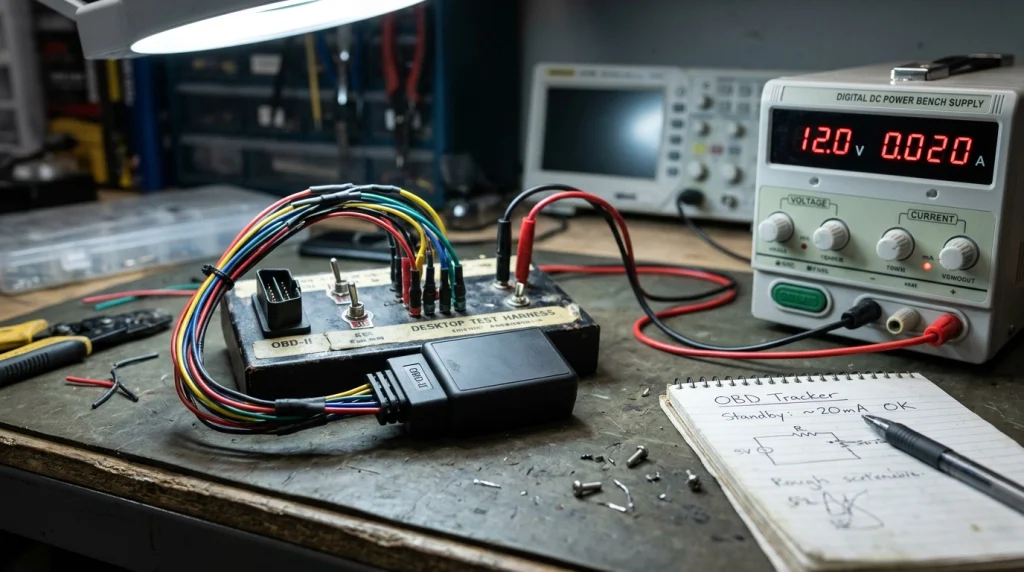
OBD GPS tracker consumption varies by hardware, firmware, signal conditions, and operating mode. The most useful specification is the device’s average current draw after the vehicle is parked.
Current is measured in milliamps (mA). One thousand milliamps equal one amp, and a continuous electrical load adds up over time.
OBD GPS Tracker Battery Consumption Comparison
The table below shows illustrative electrical loads rather than guaranteed specifications for every GPS tracker. Use the manufacturer’s published figures or your own measurements for accurate planning.
| Continuous Current Draw | 24-Hour Consumption | 7-Day Consumption |
|---|---|---|
| 5 mA | 0.12 Ah | 0.84 Ah |
| 20 mA | 0.48 Ah | 3.36 Ah |
| 50 mA | 1.20 Ah | 8.40 Ah |
| 100 mA | 2.40 Ah | 16.80 Ah |
| 200 mA | 4.80 Ah | 33.60 Ah |
Important: These calculations assume constant current. Real trackers often alternate between sleeping, waking, and transmitting, so their average draw can differ.
How Do You Calculate Battery Drain?
Multiply the current in amps by the number of operating hours. The result is the electrical energy consumed in amp-hours (Ah).
Battery consumption (Ah) = Current (A) × Time (hours)
For example, imagine a tracker averaging 30 mA while the vehicle is parked. That equals 0.03 amps.
- After 24 hours: 0.03 × 24 = 0.72 Ah.
- After seven days: 0.03 × 168 = 5.04 Ah.
- After fourteen days: 0.03 × 336 = 10.08 Ah.
These figures describe the tracker’s additional consumption only. The car’s alarm, control modules, and other electronics also draw power.
A 60 Ah battery cannot be treated as 60 Ah of freely usable starting reserve. Temperature, battery age, charging level, and starting requirements all affect when the engine will stop cranking reliably.
Can an OBD GPS Tracker Drain a Battery Overnight?
Yes, but a properly sleeping tracker is unlikely to be the sole cause of an overnight failure in a healthy, fully charged battery. Rapid discharge usually points to a larger electrical load or an already weakened battery.
A tracker drawing 20 mA for twelve hours consumes just 0.24 Ah. By comparison, a continuous 500 mA load consumes 6 Ah during the same period.
What Causes Unusually Fast Battery Drain?
- Missing sleep mode: The tracker continues operating after the ignition is switched off.
- Vehicle modules staying awake: Diagnostic communication prevents normal electronic shutdown.
- Weak starting battery: Limited reserve capacity makes a small additional load more noticeable.
- Other electrical faults: Lighting circuits, aftermarket accessories, or faulty modules draw excessive current.
- Low battery charge: Repeated short drives may not replace the energy used during starting and parking.
Vehicle communication problems deserve particular attention. Some devices may continue requesting diagnostic data from the Controller Area Network, also called the CAN bus.
When this interferes with the shutdown sequence, multiple electronic modules may remain awake. The total vehicle draw can then exceed the tracker’s own electrical consumption.
A manufacturer battery-draw diagnostic bulletin published through the National Highway Traffic Safety Administration describes cases involving aftermarket tracking equipment and excessive parked current.
Do OBD GPS Trackers Drain Batteries When Cars Sit for Weeks?
Extended parking increases the risk because the alternator isn’t replenishing the energy used by vehicle electronics. Even a low-power tracker can become significant when combined with other standby loads.
Consider a vehicle with a normal 30 mA parked draw and a tracker that adds another 20 mA. Its combined continuous current would be 50 mA.
- One day: Approximately 1.2 Ah consumed.
- One week: Approximately 8.4 Ah consumed.
- Two weeks: Approximately 16.8 Ah consumed.
- Four weeks: Approximately 33.6 Ah consumed.
These numbers assume a constant combined load without recharging. They don’t predict an exact date when the car will fail to start.
What About Cold Weather and Older Batteries?
Cold weather reduces available battery performance while increasing the power needed to crank an engine. An aging battery may also have significantly less usable capacity than its original rating.
That combination makes winter storage particularly demanding. I would prioritize a battery condition test before relying on a tracker in a vehicle that rarely moves.
For general battery maintenance guidance, the Interstate Batteries website offers useful educational resources.
How Can You Tell If Your GPS Tracker Is Draining the Battery?
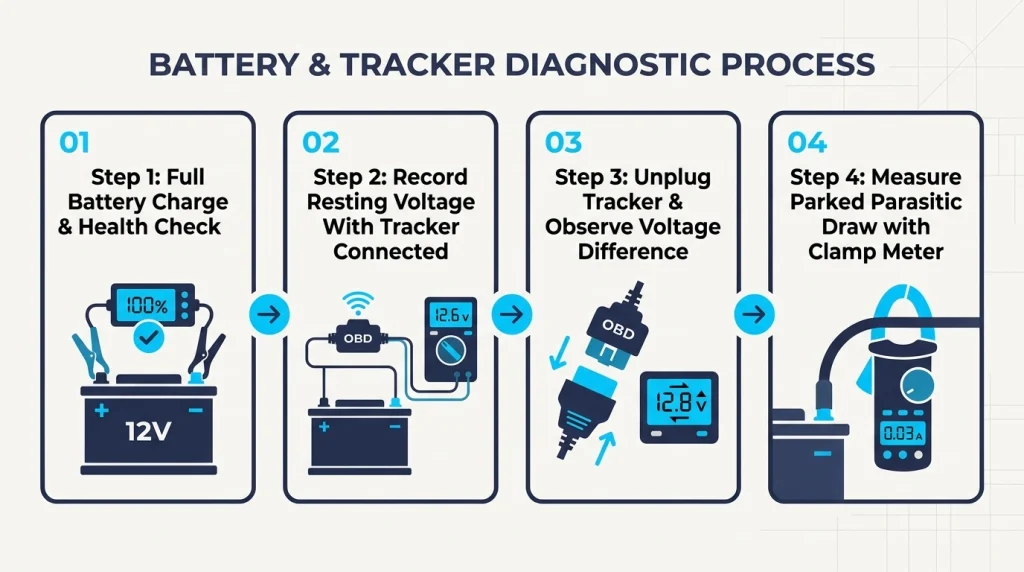
The most reliable approach is to compare parked electrical current with and without the device. A battery that repeatedly dies is not enough evidence to identify the tracker as the cause.
Warning Signs Worth Investigating
- The engine cranks slowly after the car sits overnight.
- The battery requires frequent jump-starts.
- Battery voltage falls unusually quickly while parked.
- The tracking device remains active continuously.
- The problem began shortly after installing the tracker.
- Battery performance improves after removing the tracker.
These symptoms can also result from a failing battery or charging problem. Check those possibilities before purchasing replacement tracking equipment.
How to Perform a Simple Unplug Comparison
- Fully charge the vehicle’s battery and confirm it passes an appropriate battery test.
- Park the car under normal conditions with the tracker installed.
- Record battery voltage after the vehicle has rested and its modules have entered sleep mode.
- Repeat the observation with the tracker disconnected under similar conditions.
- Compare the results while accounting for temperature, parking duration, and vehicle activity.
If voltage falls consistently faster with the tracker connected, investigate its current consumption. A voltage comparison suggests a possible problem but doesn’t prove the exact current draw.
If the tracker is essential for theft recovery, remember that unplugging it temporarily disables its tracking function.
How to Measure Parasitic Draw Safely
A qualified technician can measure total parked current using a suitable low-current clamp meter or another approved testing method. The vehicle must finish its normal shutdown cycle before the reading becomes meaningful.
Disconnecting a battery cable to insert a conventional multimeter may wake vehicle modules or interrupt stored settings. Incorrect meter connections can also damage the meter or cause electrical hazards.
For modern cars, a low-current clamp meter is often a more convenient option. Follow the manufacturer’s testing procedure rather than improvising around battery terminals.
You can find technical service information and diagnostic resources through the National Institute for Automotive Service Excellence.
How Do You Prevent an OBD GPS Tracker From Draining Your Battery?
The best prevention strategy combines a low-power tracking device with a healthy battery and sensible parking habits. You don’t necessarily need to stop using GPS tracking.
1. Choose a Tracker With Effective Sleep Mode
Look for a clearly published standby current specification. A vague statement such as “low power consumption” doesn’t explain how much electricity the device actually needs.
Ideally, the manufacturer should explain when sleep mode activates and what events wake the tracker. Check whether your chosen alert settings affect parked power use.
2. Reduce Unnecessary Location Updates
Frequent reporting can increase power consumption, particularly when the device repeatedly activates its cellular modem. Some trackers let you change parked reporting intervals independently from driving updates.
Choose settings that meet your security needs without generating unnecessary activity. Avoid disabling essential theft alerts merely to save a small amount of electricity.
3. Keep the Car Battery Healthy
Test batteries that show slow cranking, unexpected voltage drops, or repeated starting problems. Also verify that the alternator and charging system work correctly.
For general charging and battery-care information, consult Battery Council International.
4. Use a Battery Maintainer for Extended Storage
A compatible smart battery maintainer can help preserve charge when a vehicle remains parked for several weeks. Select one approved for the vehicle’s battery chemistry and follow its safety instructions.
Some vehicles require specific charging connection points or procedures. Consult the owner’s manual before connecting external charging equipment.
5. Confirm the Tracker Is Compatible
An OBD connector fitting physically doesn’t guarantee full compatibility with every vehicle. Confirm support for the model, year, electrical system, and communication protocols.
Problems may appear as communication errors, unexpected wake-ups, or unstable tracker connections. Our OBD2 scanner disconnection troubleshooting guide explains related connection issues.
OBD GPS Tracker vs Hardwired vs Battery-Powered Tracker
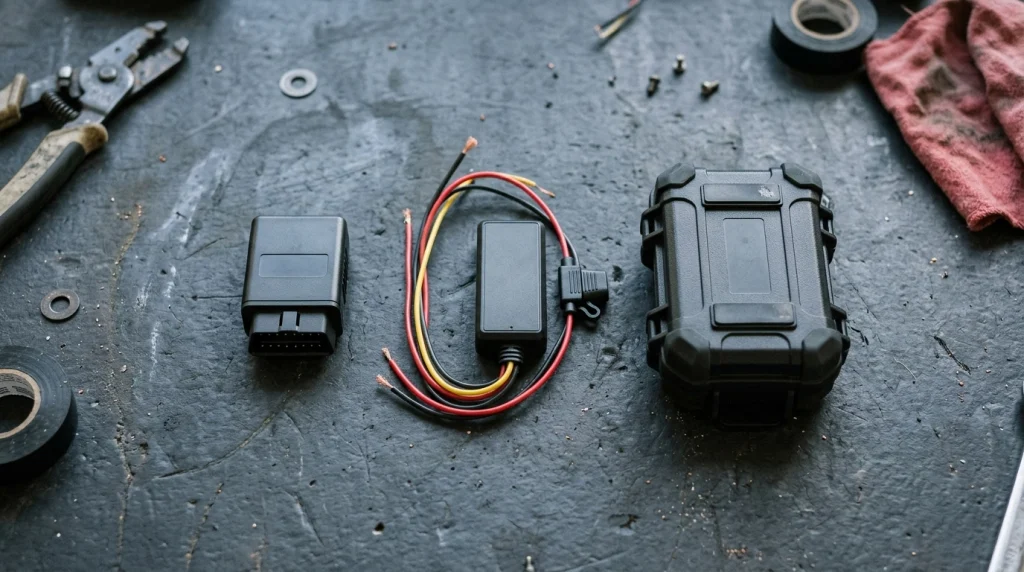
Choosing a tracking system involves more than installation convenience. The power source affects battery-drain risk, maintenance, and available tracking functions.
| Feature | OBD GPS Tracker | Hardwired Tracker | Battery-Powered Tracker |
|---|---|---|---|
| Power source | Vehicle OBD2 port | Vehicle electrical system | Internal battery |
| Installation | Usually plug-and-play | Often professional | Usually portable |
| Vehicle battery load | Yes | Usually yes | No direct load |
| Maintenance | Low | Low | Battery charging or replacement |
| Best use case | Regularly driven vehicles | Permanent installations | Vehicle-independent tracking |
Hardwired trackers aren’t automatically better for battery life. A permanently connected hardwired model can also drain the vehicle battery if it uses excessive standby power.
For infrequently driven vehicles, a self-powered tracker may be worth considering. However, its internal battery needs regular attention, and tracking frequency can affect operating life.
What Should You Check Before Buying an OBD GPS Tracker?
I would compare standby specifications before looking at app features or subscription prices. A reliable tracker should provide useful location information without creating unnecessary electrical problems.
- Sleep current: Look for an actual figure in milliamps.
- Low-voltage protection: Check whether the device warns about or responds to falling vehicle voltage.
- Vehicle compatibility: Verify the manufacturer supports your vehicle.
- Network coverage: Confirm cellular service works in your region.
- Subscription costs: Compare recurring charges as well as hardware prices.
- Tracking controls: Review reporting intervals, alerts, and parking settings.
A tracker with excellent location accuracy can still be inconvenient if it frequently wakes vehicle modules. Battery behavior deserves the same attention as tracking performance.
Recommended Tools for GPS Tracking and Battery Protection
If you’re choosing equipment, the following real products represent three different priorities. These are feature-based suggestions, not claims of hands-on testing or verified customer ratings.
🏆 Best for everyday vehicle tracking
Bouncie GPS Car Tracker
★★★★☆ Editorial feature fit: 4/5
An OBD-powered tracking device offering location information, driving insights, and app-based notifications. I would consider it for a regularly driven car, while checking current subscription terms and standby consumption first.
🚗 Best for driving and vehicle monitoring
Vyncs GPS Tracker
★★★★☆ Editorial feature fit: 4/5
Vyncs offers OBD-based location tracking and vehicle-related monitoring features, depending on the service plan. I would compare its parked reporting behavior and recurring fees before selecting it for long-term use.
🔋 Best for extended vehicle storage
NOCO GENIUS1 Battery Charger and Maintainer
★★★★☆ Editorial feature fit: 4/5
This 1-amp smart charger and maintainer supports compatible 6V and 12V batteries. I’d favor a suitable maintainer for a stored vehicle rather than assuming its battery can support constant tracking indefinitely.
Affiliate disclosure: As an Amazon Associate, this website may earn from qualifying purchases through eligible links, at no additional cost to you. Confirm current features, compatibility, prices, and availability before purchasing.
Frequently Asked Questions
Can I Leave an OBD GPS Tracker Plugged In All the Time?
Yes, many OBD GPS trackers are designed for continuous connection. However, battery safety depends on standby current, vehicle compatibility, battery condition, and driving frequency. A low-power tracker in a regularly driven car usually poses less risk than an always-active device installed in a vehicle stored for weeks.
How Long Can a GPS Tracker Run Before Draining a Car Battery?
There is no universal time limit. A tracker drawing 20 mA consumes approximately 3.36 Ah over seven days, before accounting for other vehicle loads. Starting reliability also depends on battery charge, temperature, condition, and the energy the vehicle needs to crank its engine.
Does an OBD GPS Tracker Work When the Engine Is Off?
Many OBD GPS trackers continue receiving power while the engine is off because the diagnostic connector has a constant battery supply. Whether the device transmits locations, responds to movement, or enters sleep mode depends on its hardware, firmware, settings, and cellular service.
Will Removing the GPS Tracker Stop Battery Drain?
Removing an OBD tracker eliminates that device’s direct electrical consumption and any abnormal activity it was causing. However, the car’s other electronics still use standby power. If battery problems continue without the tracker, investigate battery health, charging performance, and other parasitic electrical loads.
Are Battery-Powered GPS Trackers Better for Parked Cars?
Self-powered GPS trackers avoid drawing directly from the vehicle’s starting battery, making them useful for some stored vehicles. Their disadvantage is limited internal battery life, especially with frequent reporting. Compare charging intervals, coverage, and required tracking features before choosing between portable and vehicle-powered devices.
Final Verdict: Do OBD GPS Trackers Drain Car Batteries?
OBD GPS trackers do consume vehicle battery power, but that doesn’t mean every tracker will cause a dead battery. The real concern is excessive standby current, poor sleep behavior, weak battery condition, or extended periods without charging.
For a healthy car driven regularly, a compatible tracker with effective power management is generally a sensible choice. For vehicles parked for weeks, pay closer attention to combined standby consumption and battery maintenance.
My recommendation: Check the tracker’s sleep-current specification, test your battery, and measure parked current if problems appear. Those steps provide far more useful answers than relying on a claim that a GPS tracker is completely battery-safe.
If you’re considering other plug-in diagnostic equipment, read our guide to leaving OBD2 scanners connected safely before installing another device.

I’m Alex Rahman, a car enthusiast and automotive writer focused on practical solutions, car tools, and real-world driving advice. I share simple and honest content to help everyday drivers make better decisions.
