Can an OBD2 Scanner Display Freeze Frame Data?
Quick Answer
Yes, most OBD2 scanners can display freeze frame data, but only when the vehicle has stored a freeze frame for an emissions-related fault. The scanner does not create the snapshot; it reads the snapshot the vehicle saved when a trouble code was confirmed. If no freeze frame is stored, or the scanner lacks a freeze frame menu, the screen will show no data even though the scanner is working.
A freeze frame reading is often the most useful part of a code scan, because a code alone says what failed, while the snapshot says what the engine was doing when it failed. That difference matters for intermittent faults and faults that happen only under load.
What Freeze Frame Data Actually Is
Freeze frame data is a stored snapshot of engine operating conditions from around the time a diagnostic trouble code was set. In OBD2 terms, it is accessed through Mode $02, sometimes written as Service $02. It uses many of the same parameters as live data, but the values are frozen in memory rather than updating in real time.
The snapshot is normally linked to the code that triggered it. That link is important: the frame is not a general history log, and it is not a recording of the whole drive. Think of it as one photograph taken for one fault, not a video of the journey. A separate guide to what information is stored in freeze frame covers the stored fields in more detail.
For generic OBD2, there is usually only one freeze frame available through the standard menu. A misfire or fuel-system fault can take priority and replace an earlier frame. Some vehicles also keep manufacturer-specific frames, but a basic generic reading may not show them.
Which Scanners Can Display It?
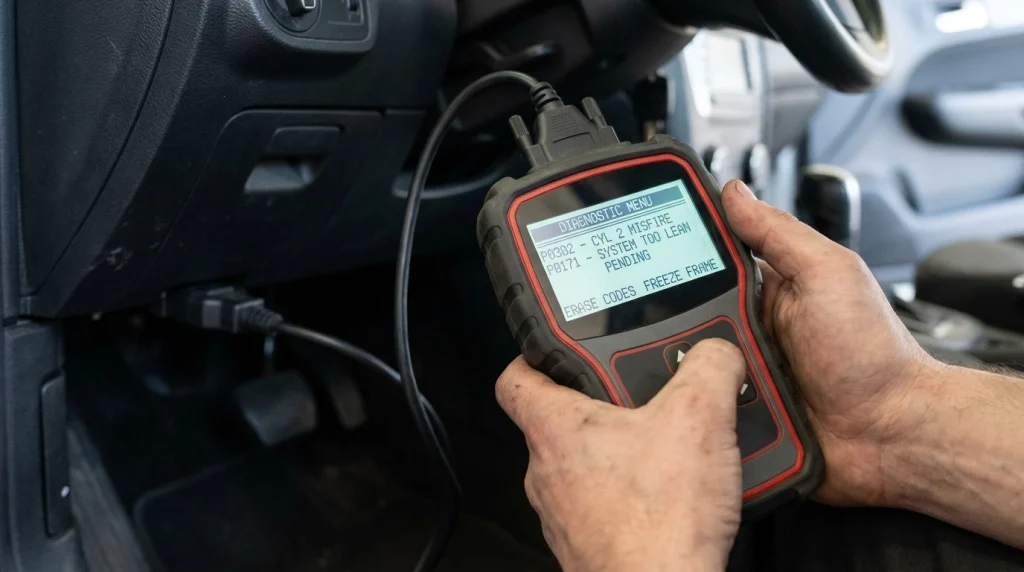
Display capability depends more on the scanner menu than on the vehicle alone. Many mid-range handheld scanners and app-based adapters include a freeze frame view. Very basic code readers are less predictable: some show it, some show only the code, and some hide it behind a code-detail screen rather than a clearly labelled menu.
Before buying or borrowing a tool for this job, check the feature list for “freeze frame,” “Mode $02,” or “view freeze frame.” A scanner that only promises “read and clear codes” may not promise this view. The table below gives a practical expectation, not a guarantee for every model.
| Scanner type | Freeze frame display |
|---|---|
| Basic code reader | Sometimes; may be code-only |
| Mid-range handheld scanner | Usually yes, through a freeze frame menu |
| Bluetooth or Wi-Fi adapter with app | Often yes, but the menu name and detail vary by app |
| Professional or enhanced scanner | Usually yes, plus more manufacturer-specific frames on some vehicles |
Enhanced coverage does not change the basic rule: the vehicle must have stored a frame, and the tool must be able to request it. A more expensive scanner cannot display a snapshot that was never saved or already cleared.
What You Will Usually See
The exact list varies by vehicle and by which parameters that vehicle supports. A generic freeze frame commonly includes the triggering code and a set of engine conditions, not every sensor on the car. Common fields include engine speed, vehicle speed, calculated load, coolant temperature, fuel-system status, fuel trim values, throttle position, and intake air or manifold pressure.
Read the triggering code first. It is labelled DTCFRZF on some tools, meaning the DTC that caused the freeze frame. Without that code, the other numbers lose their context.
Do not expect timestamps, GPS location, or a minute-by-minute history. A generic freeze frame is a diagnostic snapshot, not a trip log.
Key Insight
Freeze frame answers “under what conditions did this fault set?” It does not, by itself, prove which part caused it.
How to Find Freeze Frame on a Scanner
Menu names vary, but the sequence is usually short. Connect the scanner with the ignition on, read the stored codes first, and then look for the freeze frame option. Common labels include “Freeze Frame,” “View Freeze Frame,” “FF,” or “Mode $02.” On some tools, you select a code first and the freeze frame appears as part of that code detail.
- Connect the scanner and let it identify the vehicle protocol.
- Read stored codes and note the code linked to the freeze frame.
- Open the freeze frame menu or select that code, if the tool requires it.
- Scroll through all values before clearing anything.
- Write down or photograph the screen if the tool cannot save the reading.
If more than one code is stored, check whether the tool lets you choose a frame for each code. Many generic tools show only the frame for the highest-priority code. For help turning those numbers into a diagnosis, see the guide on how to read OBD2 freeze frame data.
Why a Scanner Sometimes Shows No Freeze Frame
An empty freeze frame screen does not always mean the scanner is broken. Start with the most likely explanations, in this order.
- No confirmed emissions code is stored. Without a stored frame, there is nothing for Mode $02 to return.
- The codes were cleared. Clearing stored codes normally clears the associated freeze frame as well.
- Only a pending code exists. A pending fault has been detected once but not yet confirmed, so a generic frame may not be available in the standard view.
- The tool has no freeze frame menu. Some basic readers skip this function even when the vehicle has data.
- The frame belongs to another system. Generic freeze frame covers powertrain and emissions-related faults. It is not a general snapshot for ABS, airbag, body, or transmission modules.
- The vehicle replaced the frame. A later misfire or fuel fault can overwrite an earlier frame under priority rules.
Timing also matters. A frame is linked to when the fault was confirmed, not necessarily when the driver first noticed a symptom. The capture timing is explained in the guide on when OBD2 freeze frame is captured.
Freeze Frame Versus Live Data and Stored Codes
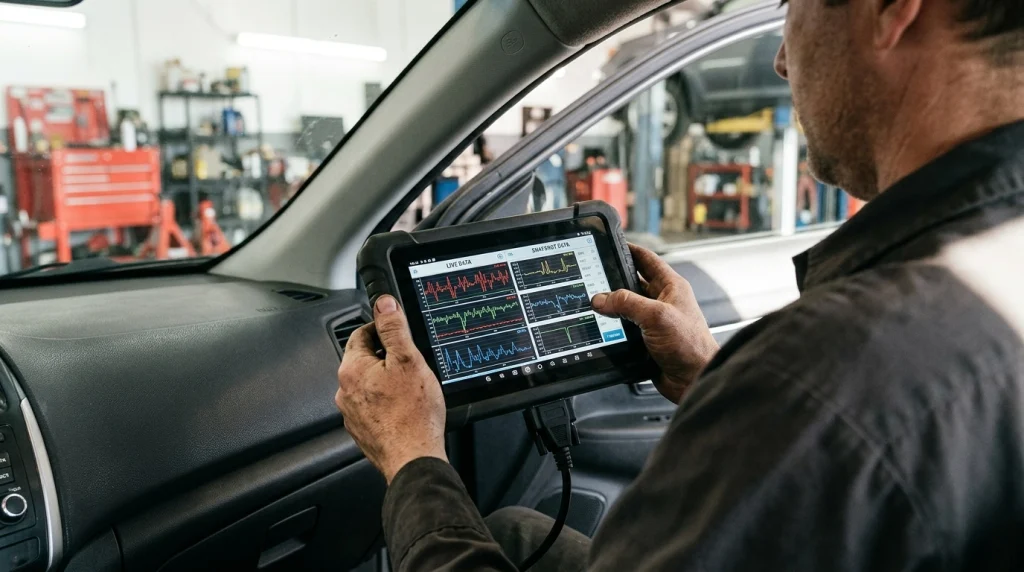
These three outputs answer different questions, and confusing them is a common source of wasted diagnosis. A stored code identifies the fault area. Freeze frame shows conditions when that fault was confirmed. Live data shows what is happening now.
Live data is better for testing a repair or checking whether a fault is active at idle. Freeze frame is better for a fault that only appears under load, at speed, or when cold, and has since disappeared. A comparison of current readings is covered in the guide on how to read OBD2 live data.
A stored code without a freeze frame is still useful, but it is thinner evidence. It tells you the fault was confirmed and saved, which is the starting point for what a stored fault code means. The frame adds the operating context that helps narrow the cause.
What Freeze Frame Cannot Prove
Freeze frame values are useful, but they have limits that should shape how you use them. First, the snapshot may not capture the exact instant a driver felt the problem. Some values are gathered over a short period around fault detection, so treat them as close conditions, not a laboratory-grade instant.
Second, a single abnormal value is rarely proof. High load, for example, may simply show that the fault occurred while accelerating. It does not prove that acceleration caused the fault. Third, missing values are not evidence that a sensor is dead. A vehicle only reports parameters it supports, and a scanner only displays parameters it can decode.
Finally, freeze frame cannot prove that a part is faulty. It can point toward fuel, air, temperature, load, or speed-related causes, but the next step is still a targeted check. Using the frame as a shortlist, rather than a verdict, avoids replacing parts on one frozen number.
Warning
Record the freeze frame before clearing codes. Clearing normally erases the snapshot, and it cannot be recovered by rescanning afterwards.
How to Use the Values Without Overreading Them
Start with the code, then ask what the frame adds. If the code is lean-running and the frame shows high positive fuel trim at high load, a fuel-delivery or unmetered-air problem becomes more plausible than a fault that only appears at idle. If the frame shows the engine still cold, a warm-up or temperature-related condition deserves attention. If speed and load are both low, a fault that needs heavy load is less likely to be the whole story.
Next, compare the frozen values with current live data. If the same parameters look normal now, the fault may be intermittent or condition-dependent. If the same abnormal value is present now, the problem may be easier to reproduce and test.
For intermittent faults, a frame showing high speed and load does not mean you should repeat that exact driving to trigger the fault. It means diagnosis should focus on components stressed under those conditions. According to DieselNet’s summary of US OBD requirements, a pending fault can store a freeze frame before the lamp illuminates, with a confirmed code and frame following if the fault is detected again.
Related Product
OBD2 Scanner With Freeze Frame Display
A scanner with a dedicated freeze frame view makes it easier to capture the code and its stored conditions before anything is cleared.
As an Amazon Associate, we earn from qualifying purchases.
Frequently Asked Questions
Can a basic code reader display freeze frame data?
Sometimes, but not always. Some basic readers include a freeze frame view, while others show only codes and clearing functions. Check for “freeze frame” or “Mode $02” before relying on a basic tool.
Why does my scanner show a code but no freeze frame?
The most common reasons are that no generic frame was stored, the codes were already cleared, only a pending code exists, or the scanner lacks the menu. A manufacturer-specific frame may also exist without being visible through a generic reading.
Is freeze frame the same as live data?
No. Live data updates continuously and shows current conditions. Freeze frame is a stored snapshot from when a fault was confirmed. Live data is better for active testing, while freeze frame is better for faults that have already disappeared.
Can I view freeze frame if the check engine light is off?
Yes, in some cases. A stored code can remain after the lamp goes out, and its frame may still be available until the code is cleared or ages out.
Does clearing codes delete freeze frame data?
Normally, yes. Clearing stored diagnostic information also clears the associated freeze frame. Save or photograph the values first, because rescanning after a clear will not bring the old snapshot back.
Can a scanner display freeze frame for ABS or airbag faults?
Not through generic OBD2 freeze frame. That snapshot is tied to powertrain and emissions-related faults. ABS, airbag, and other modules may store their own fault data, but access depends on enhanced scanner coverage for that vehicle.
Conclusion
Yes, an OBD2 scanner can display freeze frame data when the vehicle has stored a frame and the tool includes that view. Read the codes first, open the freeze frame menu, record every value before clearing, and use the snapshot as context for the code rather than as proof of a failed part. When no frame appears, check whether a stored code exists, whether the codes were cleared, and whether the tool supports Mode $02.

I’m Alex Rahman, a car enthusiast and automotive writer focused on practical solutions, car tools, and real-world driving advice. I share simple and honest content to help everyday drivers make better decisions.
