How to Read OBD2 Live Data: A Step-by-Step Guide
Quick Answer
To read OBD2 live data, plug a compatible OBD2 scanner or Bluetooth adapter into your car’s diagnostic port (usually located under the driver-side dashboard), turn the ignition key to the ON position without starting the engine, and open your diagnostic software or mobile app to select “Live Data” or “Data Stream.”
Modern vehicles are packed with computerized sensors that monitor everything from fuel pressure to exhaust temperatures in real time. While reading standard diagnostic trouble codes (DTCs) tells you what failed, reading OBD2 live data lets you see how your engine performs second by second. This makes it an invaluable skill for diagnosing intermittent problems, checking sensor responsiveness, and verifying repairs before hitting the road.
What You Need to Read OBD2 Live Data
Before you can view live sensor streams, you need the right hardware and software setup. Not all basic code readers support live data streaming; some budget tools only read and clear stored fault codes.
To access live data streams, ensure you have:
- An OBD2 Scanner with Live Data Capability: A dedicated mid-range handheld diagnostic tool or a reliable OBD2 Bluetooth adapter.
- A Display Interface: Either the screen on your handheld scanner or a smartphone app (such as Torque, Car Scanner ELM OBD2, or OBD Fusion) paired with a wireless adapter.
- Vehicle Compatibility: A car, truck, or SUV manufactured in 1996 or later (in the United States) or 2001/2004 onwards in Europe and other regions, featuring a standard OBD2 port.
Tip
If you choose a wireless Bluetooth or Wi-Fi OBD2 adapter, double-check that it supports the specific protocols your vehicle uses (such as CAN, ISO, or PWM) to ensure a stable connection with your smartphone app.
Step-by-Step Guide to Accessing Live Data
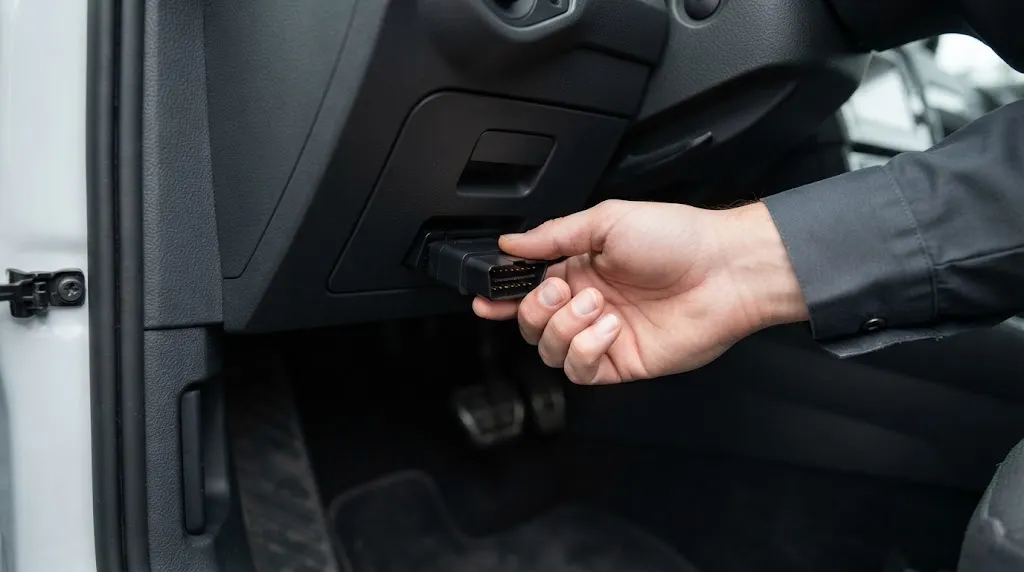
Connecting to your vehicle’s computer system takes only a minute, but following the correct sequence prevents communication errors between your scanner and the Engine Control Unit (ECU).
- Locate the OBD2 Port: Look underneath your vehicle’s dashboard on the driver’s side, usually near the steering column, pedals, or inside the center console fuse box.
- Plug in the Device: Insert your code reader cable or wireless adapter securely into the 16-pin diagnostic port. Ensure it fits snugly.
- Turn on the Ignition: Switch your vehicle’s ignition key to the ON position (engine off), or press the start button twice without holding the brake pedal. The ECU must be powered up to transmit data.
- Power on the Scanner or App: Turn on your handheld diagnostic tool or open your chosen smartphone diagnostic application and establish a connection via Bluetooth, Wi-Fi, or cable.
- Navigate to Live Data: Select “Diagnostics,” then choose “Live Data,” “Data Stream,” or “Sensor Monitoring” from the menu options.
- Select Parameters: Choose either “All Parameters” or manually select specific sensors you want to monitor based on your diagnostic goals.
Key OBD2 Live Data Parameters to Monitor
When you open the live data menu, you will see dozens of abbreviations and acronyms. Monitoring too many at once can cause lag or overwhelm your screen. Focus on the core parameters that directly reveal engine health:
- RPM (Engine Speed): Measures how fast the crankshaft is rotating. Useful for checking idle stability.
- ECT (Engine Coolant Temperature): Shows how warm the engine is. Essential for diagnosing thermostat failures or overheating issues.
- MAF (Mass Air Flow): Measures the volume and density of air entering the engine. A dirty or failing MAF sensor will show erratic values.
- STFT & LTFT (Short Term and Long Term Fuel Trim): Shows how much the computer is adjusting fuel delivery to maintain an ideal air-fuel ratio. High positive or negative numbers indicate vacuum leaks, fuel delivery issues, or failing injectors.
- O2S (Oxygen Sensor Voltages): Tracks oxygen levels in the exhaust stream to help determine if the engine is running rich or lean.
- TPS (Throttle Position Sensor): Tracks the exact angle of the throttle valve as you press the accelerator pedal.
| Parameter Name | Normal Idle Range | What Abnormal Readings Suggest |
|---|---|---|
| Coolant Temp (ECT) | 195°F – 220°F (90°C – 105°C) | Stuck thermostat, failing water pump, or low coolant if running too cold or hot. |
| Long Term Fuel Trim | -10% to +10% | Values above +10% often point to a vacuum leak or weak fuel pump. |
| Mass Air Flow (MAF) | 2 to 7 g/s at warm idle | Low readings at idle often indicate a dirty sensor or partial blockage. |
Reviewing these baseline numbers helps you spot anomalies before they trigger a permanent check engine light or cause drivability problems.
How to Interpret Live Data While Driving
Some diagnostic checks require viewing live data while the vehicle is moving. Having a passenger monitor the screen while you drive safely is the safest way to record dynamic data.
When troubleshooting under load, look for sudden drops in sensor voltage, erratic spikes in fuel trims during acceleration, or misfire counters climbing on specific cylinders. For instance, if an engine hesitates when you step on the gas, watching the Throttle Position Sensor alongside the Mass Air Flow sensor can reveal whether the sensor output drops out or hesitates before the engine responds.
Using Graphical Data Displays
Most modern scanner apps allow you to view data as real-time graphs rather than raw numbers. Graphs make it much easier to spot slow-responding oxygen sensors or intermittent voltage drops that numbers alone might hide. A healthy upstream oxygen sensor, for example, should oscillate rapidly between rich and lean voltages when the engine is warm and running at a steady speed.
Warning
Never attempt to hold a smartphone or diagnostic scanner while operating a vehicle alone in traffic. Always have a passenger monitor the live data stream, or use a secure dashboard mount if testing safely in an empty area.
Common Mistakes to Avoid
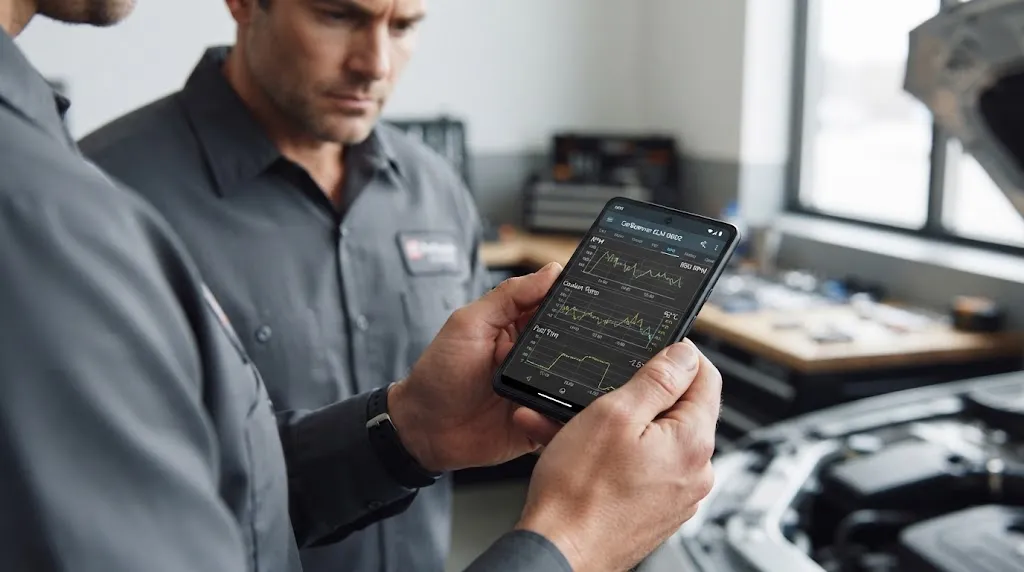
Interpreting live data requires patience and context. Avoid these common diagnostic mistakes:
- Ignoring Operating Temperature: Many sensors do not report accurate baseline data until the engine has reached full operating temperature. Always warm up the vehicle before making final diagnostic conclusions.
- Selecting Too Many PIDs: Requesting all available Parameter IDs (PIDs) simultaneously can slow down the refresh rate, making it look like sensor data is frozen or delayed.
- Confusing Correlation with Causation: A fluctuating sensor reading might be reacting to an underlying mechanical problem elsewhere rather than being the root cause itself.
Related Product
OBD2 Bluetooth Diagnostic Scanner Tool
A reliable wireless OBD2 scanner lets you stream real-time sensor data, check fuel trims, and monitor vehicle performance directly from your smartphone.
As an Amazon Associate, we earn from qualifying purchases.
Frequently Asked Questions
Can any OBD2 scanner read live data?
No. Basic entry-level code readers can generally only read and clear stored Diagnostic Trouble Codes (DTCs). To view live data streams, you must use a scanner explicitly labeled as supporting “Live Data” or “Data Stream,” or use a wireless adapter paired with a compatible smartphone app.
Why is my live data stream lagging or freezing?
Data lag usually happens when the scanner app is trying to poll too many Parameter IDs (PIDs) at the exact same time. Reduce the number of selected parameters to improve the refresh rate and speed up communication with your vehicle’s ECU.
Do I need to start the engine to view live data?
It depends on what you are testing. For basic sensor checks like coolant temperature, throttle position, and battery voltage, turning the ignition key to the ON position with the engine off is sufficient. However, to monitor parameters like RPM, fuel trims, and oxygen sensor activity, the engine must be running.
What are fuel trims and why do they matter in live data?
Fuel trims show how much the vehicle computer is adjusting the base fuel delivery to maintain a balanced air-fuel ratio. High positive numbers indicate the engine is running lean and adding extra fuel, which often points to vacuum leaks or weak fuel injectors.
Can live data help me fix an intermittent engine misfire?
Yes. Many advanced live data menus include misfire counters for individual cylinders. Monitoring these counters while driving helps you identify which specific cylinder is dropping fire, even before a permanent check engine light illuminates.
Why do my oxygen sensor readings stay flat?
Upstream oxygen sensors should constantly fluctuate between rich and lean voltages once the engine is warm. If a sensor reading stays completely flat, the sensor may be cold, faulty, or suffering from a wiring issue.
Conclusion
Reading OBD2 live data transforms basic troubleshooting from guesswork into a precise science. By connecting a compatible scanner, locating your vehicle’s diagnostic port, and focusing on key metrics like fuel trims, coolant temperature, and airflow sensors, you can diagnose complex performance issues and verify repairs with confidence.

I’m Alex Rahman, a car enthusiast and automotive writer focused on practical solutions, car tools, and real-world driving advice. I share simple and honest content to help everyday drivers make better decisions.
