Can OBD2 Calculate Vehicle Range? Explained
Quick Answer
No, standard OBD2 protocols cannot directly calculate or display a vehicle’s remaining driving range. While an OBD2 scanner can read fuel level percentages and instantaneous fuel consumption rates from the vehicle’s computer, calculating actual remaining range requires complex algorithms accounting for historical driving habits, fuel density, and real-time fuel usage that standard generic OBD2 parameter IDs (PIDs) do not output.
Understanding What OBD2 Actually Measures Regarding Fuel
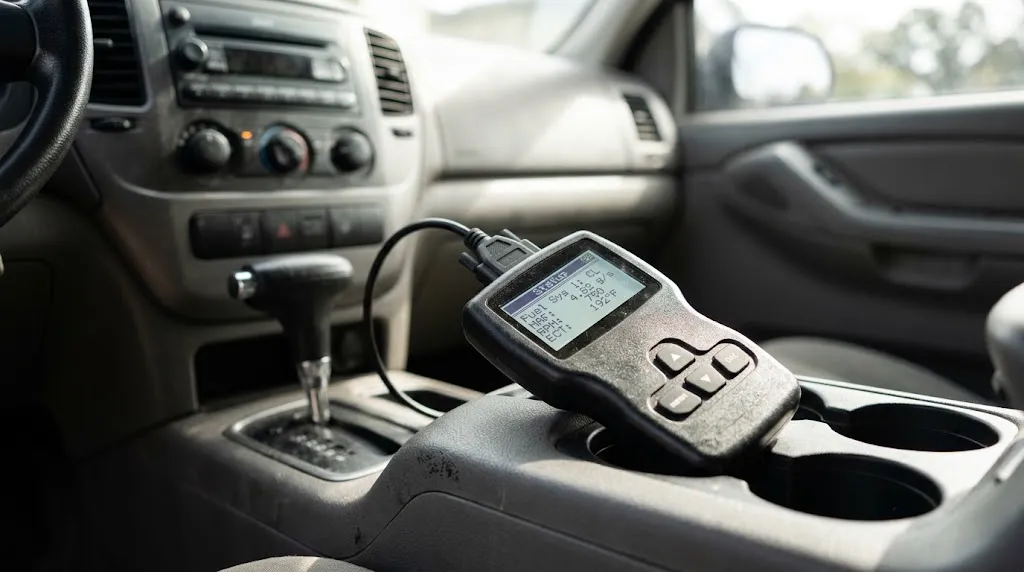
To understand why a basic OBD2 scanner cannot tell you your exact remaining mileage, it helps to examine what data the On-Board Diagnostics system actually exposes. The OBD2 port acts as a window into the Powertrain Control Module (PCM) and Engine Control Unit (ECU).
Standardized OBD2 PIDs provide access to specific live metrics, including:
- Fuel System Status: Whether the engine is operating in open or closed loop.
- Calculated Engine Load: The percentage of maximum available torque currently being used.
- Fuel Tank Level Input: Often reported as a percentage of total tank capacity (0% to 100%).
- Short and Long-Term Fuel Trims: How the computer is adjusting fuel delivery to maintain an optimal air-fuel ratio.
- Mass Air Flow (MAF) Rate: The volume of air entering the engine, which helps compute instantaneous fuel burn.
Notice what is missing from this standardized list: a calculated distance-to-empty value. While your car’s dashboard constantly updates your remaining range, that calculation happens inside specialized instrument cluster software or body control modules using proprietary algorithms that go far beyond standard OBD2 data parameters.
How Vehicle Dashboards Calculate Range vs. What OBD2 Sees
Your vehicle’s dashboard range estimator is a dynamic calculation. It constantly shifts based on how you are driving at that exact moment. If you are cruising downhill on a highway, your estimated range might temporarily increase. If you are stuck idling in heavy city traffic, that number drops rapidly.
The internal computer calculates this using three primary variables:
- Remaining Fuel Volume: Measured by the fuel level sending unit inside the gas tank.
- Recent Fuel Economy (MPG or L/100km): Averaged over a rolling window (usually the last 20 to 50 miles of driving).
- Driving Conditions: Adjustments made for idling, average speed, and throttle position.
While an advanced OBD2 scanner app (like Torque or OBD Fusion) can pull the fuel tank percentage and fuel flow rates, it relies on static math to estimate range. If an app claims to show your remaining driving range, it is usually taking your current fuel tank percentage and multiplying it by an estimated average fuel economy that you manually typed into the app settings. It is a rough estimate rather than a live telemetry calculation from the vehicle manufacturer’s proprietary software.
Key Insight
Generic OBD2 protocols were designed primarily for emissions compliance and standardized engine diagnostics, not comfort and convenience features like fuel range estimation.
Can Advanced Scanners or Manufacturer-Specific PIDs Show Range?
The limitations mentioned above apply primarily to generic OBD2, which all cars sold since 1996 support. However, automotive manufacturers use proprietary communication protocols (such as CAN, ISO 15765, or GM Class II) that contain hundreds of hidden manufacturer-specific PIDs.
High-end diagnostic scan tools or dealer-level software can sometimes query specific modules within the car—such as the Instrument Cluster (IC) or Body Control Module (BCM)—to read the exact data the car uses for the dashboard display. If the vehicle broadcasts distance-to-empty over a proprietary bus network, an advanced bidirectional scanner with the correct software package can read it.
However, standard consumer Bluetooth OBD2 dongles paired with budget smartphone apps cannot access these proprietary network layers without specialized vehicle-specific profile extensions. Even then, the scanner is merely reading what the car’s computer has already calculated, rather than performing the calculation itself.
Limitations of Estimating Range Via OBD2 Apps
If you use a third-party automotive app that attempts to calculate driving range based on live OBD2 data, you should be aware of several inherent inaccuracies:
- Fuel Level Sensor Nonlinearity: Gas tank shapes are irregular to fit around vehicle chassis components. A fuel gauge reading of 50% does not always mean exactly half the fuel is gone; sensors often drop slowly at the top half and quickly at the bottom half.
- Fuel Density Variations: Changes in seasonal fuel blends (winter vs. summer diesel or gasoline) alter energy density, which affects actual fuel mileage.
- Manual Fuel Tracking: Most apps require you to reset your fuel log every time you visit a gas station and enter exact gallon amounts to keep calculations accurate.
Warning
Never rely on third-party OBD2 app range calculations for long trips in remote areas. Always trust your factory dashboard low-fuel warning light and odometer trip meter over smartphone app estimates.
How to Monitor Fuel Economy and Distance Using OBD2
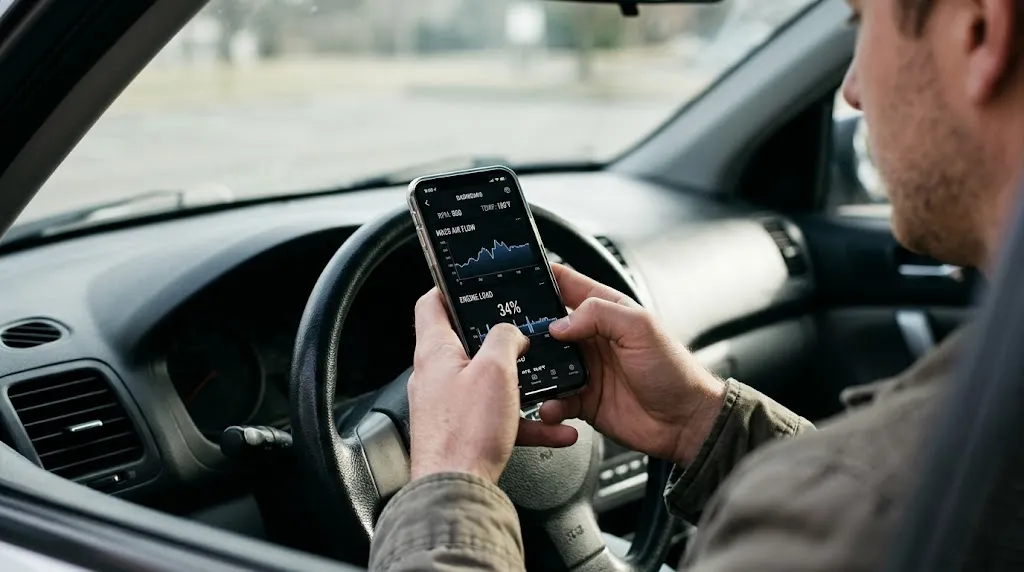
While you may not get an exact distance-to-empty readout from a basic scanner, you can leverage OBD2 data to dramatically improve your real-time fuel efficiency understanding. Monitoring specific live PIDs helps you see how driving habits impact fuel consumption:
- Track Mass Air Flow (MAF) and Engine Load: High load and heavy air volume mean your fuel injectors are working overtime. Keeping these numbers steady during highway cruising maximizes mileage.
- Monitor Short-Term Fuel Trim: Consistent high positive or negative trims can indicate a mechanical issue, such as a dirty fuel injector or a vacuum leak, which silently destroys your fuel range.
- Use Trip Computers: Many modern OBD2 dashboard apps can log fuel usage per trip if calibrated correctly with your vehicle’s engine displacement and fuel tank size.
Related Product
OBD2 Bluetooth Diagnostic Scanner Tool
Monitor live engine data, fuel trim percentages, and sensor readings directly from your smartphone.
As an Amazon Associate, we earn from qualifying purchases.
Frequently Asked Questions
Can an OBD2 scanner read fuel level in gallons?
Most standard OBD2 scanners report fuel level as a percentage (0% to 100%) rather than exact gallons or liters. Converting that percentage into remaining volume requires knowing your vehicle’s exact total fuel tank capacity.
Why does my car’s dashboard range jump up and down?
Dashboard range calculators dynamically update based on your immediate driving style. If you accelerate hard up a hill, your short-term fuel economy drops, causing the estimated range to decrease quickly. Once you level out on a flat highway, the range estimate will often stabilize or increase.
Do all vehicles broadcast fuel level through the OBD2 port?
Almost all vehicles manufactured after 2008 support PID 0x2F (Fuel Tank Level Input). However, some older OBD-II compliant vehicles (especially between 1996 and 2004) did not standardize this PID across all manufacturers, meaning some basic scanners may show fuel level as unsupported.
Can electric vehicles (EVs) calculate remaining range via OBD2?
Electric vehicles use standardized OBD2 ports primarily for compliance, but battery state-of-charge (SoC) and range calculations are managed by specialized Battery Management Systems (BMS). Standard generic OBD2 scanners generally cannot read EV battery range without manufacturer-specific software extensions.
What is the most accurate way to track fuel range on an older car?
The most reliable method is the traditional mileage tracking method: fill your tank completely, reset your trip odometer, and note your mileage. When you fill up next, divide the miles driven by the gallons pumped to find your true fuel economy.
Why don’t app developers include accurate range calculation?
Accurate range calculation requires precise fuel consumption algorithms that account for fuel temperature, injector flow rates, evaporation losses, and tank geometry variables that generic OBD2 streams simply do not provide.
Conclusion
While generic OBD2 systems provide invaluable insight into engine health, emissions, and live sensor telemetry, calculating driving range remains outside their standard capabilities. Because range estimation relies on complex algorithms tied to rolling fuel economy, tank geometry, and driving habits, this task is best left to your vehicle’s factory instrument cluster. Understanding what data your OBD2 scanner can and cannot access helps you use diagnostic tools effectively without relying on unverified estimates.
—

I’m Alex Rahman, a car enthusiast and automotive writer focused on practical solutions, car tools, and real-world driving advice. I share simple and honest content to help everyday drivers make better decisions.
