How Accurate Is OBD2 Live Data? | Explained
Quick Answer
OBD2 live data is usually accurate enough for diagnosis, but it is not a laboratory measurement. The scanner shows what the vehicle computer sees, so a healthy sensor and a sound connection give a trustworthy reading, while a faulty sensor, a calculated value, a slow adapter, or the wrong parameter can make the same screen misleading. Judge trends and relationships between readings, not one number in isolation.
Many drivers expect a direct gauge measurement. In most cases, they are looking at processed information: a sensor signal converted by the engine control unit, packaged into a standard parameter, requested by a scanner, and displayed by an app. Each step can add delay or rounding, even when nothing is broken.
What OBD2 Live Data Actually Shows
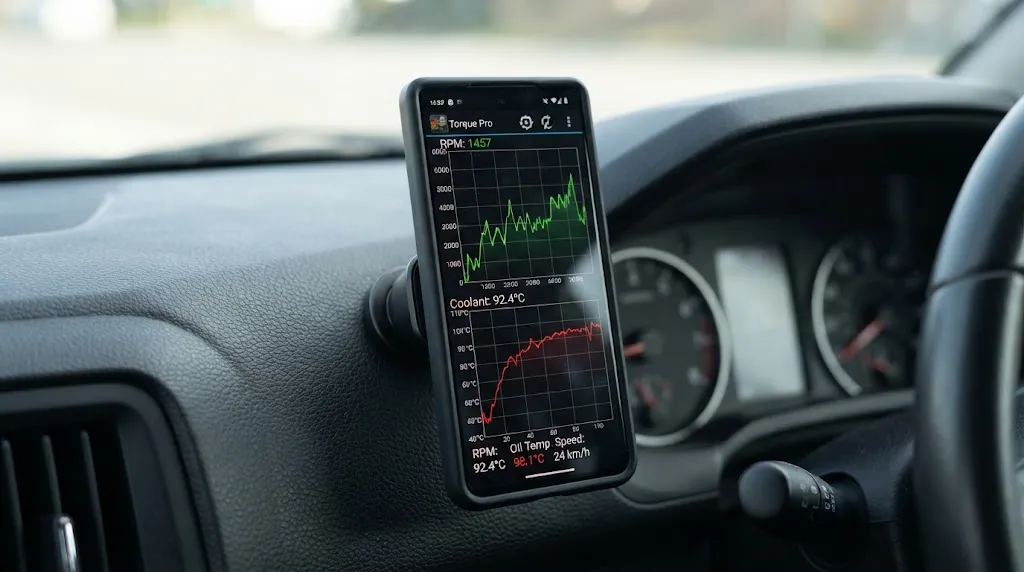
Live data, also called Mode 01 current data, is the stream of values the powertrain computer reports while the engine runs. Common parameters include engine speed, vehicle speed, coolant and intake temperature, throttle position, manifold pressure or airflow, oxygen sensor voltage, and short-term and long-term fuel trim.
Some values come directly from a sensor. Others are calculated: engine load compares current airflow with expected maximum airflow, fuel trim is a correction rather than a single physical measurement, and app fuel economy is usually derived from airflow, speed, and assumed fuel properties rather than a fuel-flow meter. Two screens can therefore both be honest yet look different, because presentation, rounding, and update speed vary.
How Accurate Is Each Type of Reading?
Accuracy varies by parameter: some signals are stable, while others change rapidly or depend on several inputs.
| Parameter | Usually reliable for | Main limitation |
|---|---|---|
| RPM and vehicle speed | Idle checks, driving behaviour, general comparison | Display lag during rapid changes |
| Coolant and intake temperature | Warm-up, overheating checks, cold-start behaviour | Sensor location and 1-degree steps in generic data |
| Fuel trim | Lean or rich trends, vacuum leaks, airflow problems | A correction value, not proof of one failed part |
| Oxygen sensor voltage | Switching pattern, stuck sensors, rich or lean bias | Slow polling can hide fast switching |
| Calculated fuel economy | Rough comparison over similar driving | Assumptions about fuel, injectors, and driving conditions |
Steady-state readings are generally the most trustworthy. A warm-up coolant temperature, idle speed, or fuel trim averaged over a minute tells a clearer story than a single number during a sharp throttle change.
Why Live Data Is Usually Trustworthy
The engine computer depends on the same sensor signals to run the engine. If a major input were wildly wrong, fueling, timing, idle control, or emissions control would usually suffer, and a fault code or symptom would often follow. Live data is not a separate toy gauge.
Standard parameters also follow defined formulas. In the SAE J1979 system, generic coolant temperature is reported in whole degrees and vehicle speed in kilometres per hour, so a competent scanner should decode the same vehicle value consistently. The MOTOR explanation of OBD II generic PID diagnosis notes that generic data may be slower and less complete than manufacturer-specific data, but still covers much of what emissions diagnosis needs.
Where OBD2 Accuracy Breaks Down
Most confusing readings fall into a small set of causes.
1. The sensor itself is wrong
A scanner faithfully reports a faulty sensor. A coolant sensor reading low on a warm engine, a mass airflow sensor under-reporting airflow, or an oxygen sensor stuck at one voltage will all look like real data. If coolant temperature looks cold after twenty minutes of running but the heater works normally, suspect the sensor, wiring, or thermostat before the scanner.
2. The value is calculated or substituted
Not every parameter has a dedicated sensor. Some vehicles estimate a value from related measurements, or use a substitute when a sensor fails. Oil and transmission temperature are common examples. If a value never changes, moves in suspiciously neat steps, or appears on a vehicle that lacks that sensor, treat it as an estimate.
3. Resolution and rounding hide small changes
Generic parameters have limited resolution. A one-degree temperature step or a whole-kilometre speed step may be normal, but it can hide a small drift. A change from 89 to 90 degrees does not necessarily mean the coolant warmed by exactly one degree at that moment.
4. Polling, lag, and too many parameters
Generic OBD2 data is usually requested, not continuously broadcast. The tool asks for a parameter, waits for a reply, then asks for the next one, so watching ten or twenty parameters slows each update. A cheap adapter, busy phone, or older protocol can worsen the delay.
The result is usually a late value, not a wrong steady value. During a quick throttle blip, RPM or oxygen sensor readings may still show the previous moment. For intermittent faults, logging fewer parameters often produces a cleaner record than a crowded dashboard.
5. The app, adapter, or unit conversion adds error
Adapters and apps differ in protocol support, firmware quality, and conversion handling. A cloned or outdated adapter may drop replies, freeze on one value, or report an unsupported parameter as zero. An app may convert units incorrectly or label a parameter loosely. When a reading looks impossible, check the connection, reduce the parameter list, restart the app, and try another reputable app before condemning a vehicle component.
Tip
Watch a parameter move when you change the input. Blip the throttle and RPM should rise, press the accelerator gently and throttle position should follow, and let the engine warm up and coolant temperature should climb steadily. A live value that responds correctly is far more reassuring than a single plausible number.
Generic Data Versus Manufacturer-Specific Data
Generic OBD2 data is standardized for emissions-related diagnosis across brands, but it is not the full internal picture. Manufacturer-specific data can add extra sensors, signal voltages, and system states.
That explains a common frustration: a professional tool may show a transmission temperature or detailed status that a basic generic scanner does not. The generic scanner is not necessarily inaccurate; it works from a smaller list. Its advantage is consistency, while manufacturer data can display the same condition in different units or scales by brand. The VehicleServicePros comparison of generic and enhanced data notes that generic values are shown without substitution, while enhanced presentation varies.
For most owners, generic data is enough to spot a trend or check fuel trim. For deeper transmission, ABS, airbag, or hybrid battery work, the right manufacturer-level access matters more than price alone.
How to Check Whether a Reading Is Trustworthy
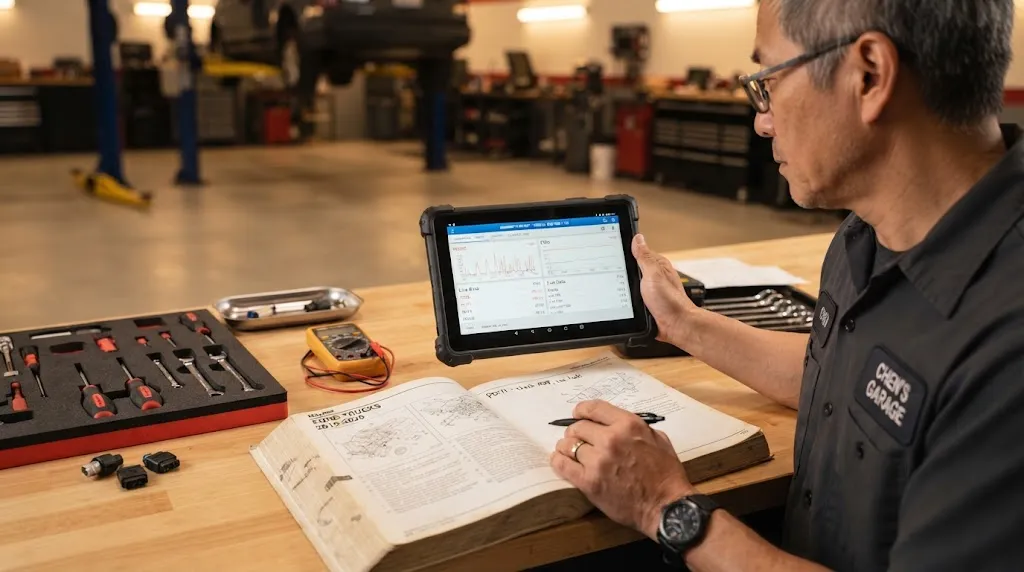
Use this sequence before acting on a surprising value.
- Check the conditions. Many values are only meaningful in the right state; fuel trim at cold start should not be judged by warm-engine expectations.
- Look for movement. A healthy sensor usually changes smoothly. A frozen value, abrupt jump to zero, or value stuck at maximum often points to a connection or sensor problem.
- Compare related parameters. RPM, throttle position, airflow, load, and fuel trim should move coherently. If one contradicts several others, investigate that one first.
- Reduce the list and retest. Display only two or three parameters and repeat the condition. If the reading becomes smoother, polling load was part of the problem.
- Compare with a reference. A dashboard gauge, second app, or GPS speed on a straight road can reveal a major mismatch.
- Check codes and freeze-frame data. A stored or pending code, plus its snapshot, can show whether the strange value occurred during a real fault.
Start with what OBD2 live data can show, then use how to read OBD2 live data to interpret patterns rather than single numbers.
When Live Data Is Good Enough, and When It Is Not
Live data handles most everyday questions well: Is the engine reaching normal temperature? Is fuel trim consistently high on one bank? Does the oxygen sensor switch? Does a value change after a repair? These are trend and behaviour questions.
It is not enough, on its own, for precise measurement work. Do not use a generic scanner as a substitute for a calibrated thermometer, pressure gauge, oscilloscope, or manufacturer test procedure when a small difference decides the repair. A high fuel trim can come from a vacuum leak, low fuel pressure, dirty airflow sensing, an exhaust leak, or a sensor fault. The data narrows the search; it does not finish it.
Warning
Do not replace a part based on one frozen, impossible, or isolated live-data number. Reproduce the reading under the same conditions, check related parameters, and look for codes or symptoms first. A wrong guess is often more expensive than a second check.
Common Mistakes That Make Accurate Data Look Wrong
- Judging fuel trim during warm-up, deceleration fuel cut, or immediately after clearing codes, when the system has not relearned normal behaviour.
- Comparing a generic parameter with a manufacturer-specific parameter as if they used the same scale or sensor.
- Watching too many parameters at once and mistaking display lag for a slow sensor.
- Treating a calculated value, such as fuel economy or load, as if it came from a dedicated meter.
- Ignoring units. A temperature in Celsius, a pressure in kilopascals, and a speed in kilometres per hour can all look wrong after an accidental unit change.
- Assuming no code means no problem, or that a plausible number means a sensor is healthy. Intermittent faults often need logging during the symptom, not a quick idle check.
What OBD2 Mode 01 covers explains the current-data service behind most live readings, while fuel trim diagnosis with OBD2 shows how one set of values can point to several causes. What freeze-frame data stores is a useful companion check.
Related Product
OBD2 Scanner With Live Data Graphing
A scanner with graphing and logging makes trends, stuck sensors, and slow updates much easier to spot than a list of changing numbers.
As an Amazon Associate, we earn from qualifying purchases.
Frequently Asked Questions
Can OBD2 live data be wrong even with a good scanner?
Yes. A good scanner can only report what the vehicle computer provides. If a sensor is faulty, wiring is damaged, or a value is calculated or substituted, the display may be precise but still not reflect the true physical condition.
Why does my OBD2 reading lag behind the dashboard?
Generic OBD2 data is usually requested one parameter at a time, and the delay grows when many parameters are displayed or the adapter is slow. The dashboard often uses internal vehicle signals directly, so it can update sooner during rapid changes.
Is a Bluetooth OBD2 adapter less accurate than a handheld scanner?
Not necessarily for steady readings, because both receive the same vehicle data. A low-quality adapter is more likely to cause lag, dropped updates, frozen values, or missing manufacturer-specific parameters than a small steady-state error.
Should I trust fuel trim or oxygen sensor data more?
Use them together. Oxygen sensor behaviour shows whether the exhaust is rich or lean at that moment, while fuel trim shows how much correction the computer is applying over time. A consistent pattern across both is stronger evidence than either value alone.
Why does one app show a different temperature than another?
The apps may use different parameters, rounding, units, or manufacturer-specific data. One may show generic coolant temperature while another shows a cylinder-head or oil-related value, even if both labels look similar. Check the exact parameter name and unit before comparing.
Can live data prove which part has failed?
Usually it narrows the fault rather than proving it. Live data can show a lean trend, a stuck sensor, or a missing response, but the same pattern can have several causes. Codes, freeze-frame data, related readings, and physical checks are still needed before replacing parts.
Conclusion
OBD2 live data is a window into the vehicle computer, not a laboratory instrument. For steady readings and trends, it is generally accurate and useful. Its weaknesses appear with faulty sensors, calculated values, coarse resolution, slow polling, and poor adapters. Check conditions, compare related parameters, and confirm an important finding before replacing a part.

I’m Alex Rahman, a car enthusiast and automotive writer focused on practical solutions, car tools, and real-world driving advice. I share simple and honest content to help everyday drivers make better decisions.
