How to Connect ELM327 to OBD2: Complete Setup & Connection Guide
Quick Answer
To connect an ELM327 adapter, plug it firmly into your car’s OBD2 port (usually located under the driver’s side dashboard), turn your vehicle’s ignition to the ON position without starting the engine, and then pair your smartphone or laptop via Bluetooth or Wi-Fi using a compatible diagnostic app like Torque or Car Scanner.
What You Need Before You Start
Connecting an ELM327 OBD2 scanner is a straightforward process, but preparing the right components and understanding your vehicle’s setup prevents common pairing frustrations. The ELM327 is a microcontroller chip used to translate data from a vehicle’s On-Board Diagnostics (OBD2) port into readable information for mobile apps or diagnostic software.
Before plugging in the adapter, verify that you have the following ready:
- An ELM327 Adapter: Ensure you have the correct connection type for your device (Bluetooth 3.0/4.0 for Android and Windows, or Wi-Fi for iOS devices).
- A Compatible Diagnostic App: Download an OBD2 app such as Torque Pro, Car Scanner ELM OBD2, or DashCommand onto your smartphone, tablet, or laptop.
- Access to Your Vehicle’s OBD2 Port: Locate the port under the dashboard, typically positioned near the steering column.
Tip
If you are using an iOS device (iPhone or iPad), make sure you purchase a Wi-Fi version of the ELM327 adapter rather than a standard Bluetooth version, as Apple devices generally require Wi-Fi communication for third-party OBD2 readers.
Step-by-Step Connection Guide
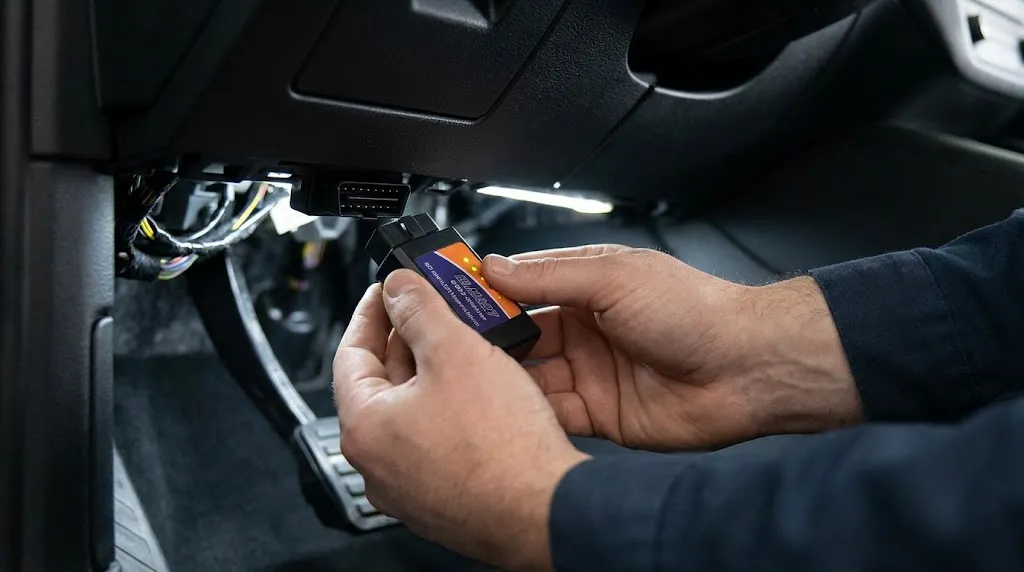
Following a structured sequence ensures the adapter establishes a stable handshake with your car’s computer system.
- Locate the OBD2 Port: Look underneath the driver’s side dashboard, near the pedals or the steering column. Some vehicles place it behind a small removable plastic cover or near the center console fuse box.
- Plug in the ELM327 Adapter: Insert the adapter firmly into the 16-pin trapezoidal port. Ensure it fits snugly. Most adapters feature LED lights that will flash or turn on to indicate power is being supplied from the vehicle battery.
- Turn on the Vehicle Ignition: Turn your car key to the ON position (accessory mode) without cranking or starting the engine. The dashboard warning lights should illuminate, supplying power to the OBD2 data bus. If the ignition is off, the car’s ECU will not transmit diagnostic data.
- Enable Wireless Settings on Your Device: Open your phone or tablet settings. If using a Bluetooth ELM327, scan for nearby devices. If using a Wi-Fi model, open your Wi-Fi settings and connect to the adapter’s broadcast network (often named “OBDII” or similar).
- Pair the Device: If prompted for a PIN code during Bluetooth pairing, enter the standard manufacturer default, which is usually 1234 or 0000.
- Launch and Configure Your Diagnostic App: Open your chosen OBD2 app, navigate to its settings menu, select the correct connection type (Bluetooth or Wi-Fi), and choose the paired ELM327 device. Once connected, the app will read vehicle sensors and display live data or diagnostic trouble codes (DTCs).
Understanding Connection Types: Bluetooth vs. Wi-Fi
Choosing the correct hardware variant determines how easily your phone communicates with the adapter. Performance and compatibility vary significantly between wireless protocols.
| Feature | Bluetooth ELM327 | Wi-Fi ELM327 |
|---|---|---|
| Primary OS Support | Android, Windows | iOS (iPhone), Android, Windows |
| Internet Access | Maintains mobile data connection | May disconnect mobile data unless configured |
| Setup Complexity | Requires PIN pairing | Requires selecting local Wi-Fi SSID |
When selecting an adapter, match the communication protocol to your operating system to avoid frustrating connection dropouts during diagnostic logging.
Troubleshooting Common Connection Failures
Even when following the correct sequence, connection errors can occur due to protocol mismatches, power issues, or app configuration errors. Knowing how to diagnose these glitches saves valuable time.
If your app reports that it cannot connect to the ELM327 or the vehicle ECU, walk through these checks:
- Power LED Check: If the adapter lights do not turn on when plugged into the port, check your vehicle’s cigarette lighter or accessory fuse. Many manufacturers share the OBD2 port power circuit with the interior accessory fuse.
- Ignition State: Ensure the key is turned to the ON position. Simply unlocking the doors or turning on the radio is often insufficient to power the vehicle’s data bus.
- Bluetooth Pairing Conflicts: Disconnect other Bluetooth accessories connected to your phone, as multiple active pairings can interfere with serial communication channels.
- Protocol Settings: If the app connects to the adapter but fails to connect to the car, enter your app’s adapter settings and change the OBD protocol from “Automatic” to the specific protocol used by your vehicle manufacturer (such as CAN ISO 15765-4).
Warning
Never leave a cheap, unbranded ELM327 adapter plugged into your car’s OBD2 port for extended periods while the engine is off. Some low-quality clone units lack proper power management sleep modes and can slowly drain your car battery over a few days.
What to Do Once Connected Successfully
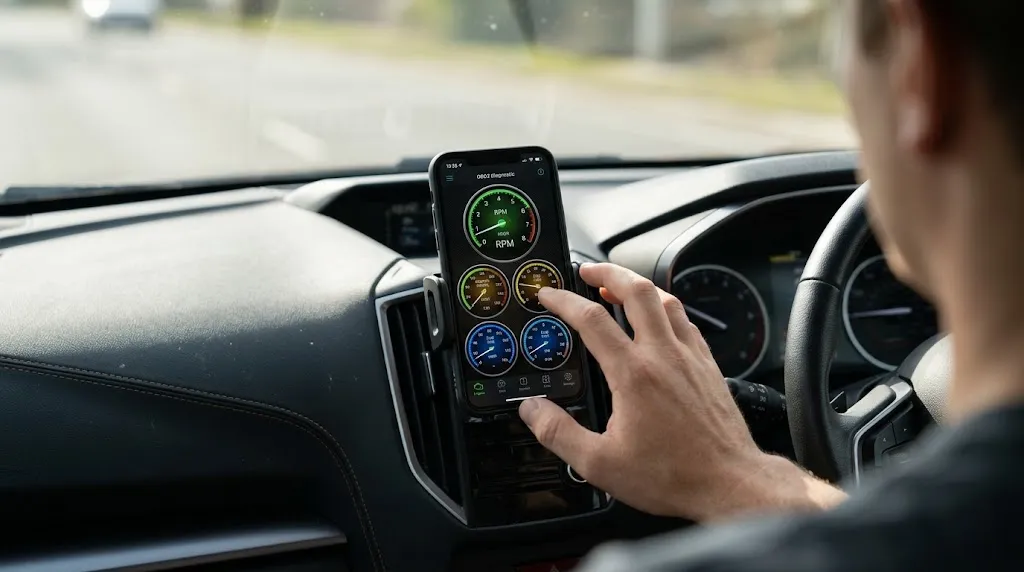
Once the app establishes a green indicator light for both the adapter and the ECU, you can utilize the tool for various maintenance tasks. The most common immediate use is reading and clearing Diagnostic Trouble Codes (DTCs) that trigger the check engine light.
Beyond reading error codes, a connected ELM327 allows you to monitor live sensor streams in real time. Useful parameters to watch include coolant temperature, oxygen sensor voltages, fuel trim percentages, and engine RPM. This data helps isolate intermittent mechanical or electrical issues before they lead to severe component failure.
Relevant Product
OBD2 Code Readers and Diagnostic Scanners
Explore reliable wireless ELM327 adapters and diagnostic tools to easily read live engine data and clear trouble codes from your smartphone.
As an Amazon Associate, we earn from qualifying purchases.
Frequently Asked Questions
Where is the OBD2 port located in most vehicles?
In most modern vehicles manufactured after 1996, the OBD2 port is located under the driver’s side dashboard within arm’s reach of the steering wheel. It is typically a 16-pin trapezoidal connector that may be exposed or hidden behind a small latching dash panel.
Can an ELM327 read all car error codes?
An ELM327 can read standard powertrain (P0xxx) diagnostic trouble codes across all compliant vehicles. However, basic apps and generic adapters may not read manufacturer-specific ABS, airbag (SRS), or transmission codes without specialized software extensions.
Why won’t my phone pair with the ELM327 Bluetooth adapter?
Pairing failures usually stem from attempting to pair the device directly through the phone’s primary Bluetooth settings menu instead of initiating the connection inside the diagnostic app. Open your OBD2 app settings, select connection type, and pair from within the application interface.
Will an ELM327 work on cars older than 1996?
No. OBD2 standards and 16-pin standardized ports were mandated starting in 1996 for vehicles sold in the United States (and later in other regions). Vehicles older than 1996 use proprietary diagnostic ports and protocols that standard ELM327 hardware cannot interface with.
Do I need an internet connection to use the scanner?
No internet connection is required to communicate with your car’s computer. The ELM327 creates a local wireless link between your car and your mobile device. Internet access is only needed if you want to look up specific trouble code definitions online while diagnosing an issue.
Can leaving the ELM327 plugged in kill my car battery?
Yes, budget or clone ELM327 adapters often lack automated power-down sleep circuits. If left plugged into an unswitched OBD2 port continuously, they can draw a minor parasitic current that may drain your car battery after several days of non-use.
Conclusion
Connecting an ELM327 OBD2 scanner to your car is a quick and effective way to monitor vehicle health, analyze sensor data, and diagnose check engine lights without visiting a mechanic. By locating your vehicle’s 16-pin port, turning the ignition to the correct accessory mode, and pairing your adapter with a trusted diagnostic app, you can retrieve valuable engine telemetry in minutes. Always remember to unplug budget adapters when not in use to protect your battery, and match your wireless adapter type correctly to your smartphone operating system for a seamless diagnostic experience.

I’m Alex Rahman, a car enthusiast and automotive writer focused on practical solutions, car tools, and real-world driving advice. I share simple and honest content to help everyday drivers make better decisions.
