What Are OBD2 Service Modes? Modes $01–$0A Explained
Quick Answer
OBD2 service modes are the standardized diagnostic commands defined by SAE J1979 that a scan tool uses to request specific emissions-related information from a vehicle’s control modules. There are nine core modes (Mode $01 through Mode $09) covering live data, freeze-frame snapshots, trouble codes, oxygen sensor tests, onboard monitor results, and vehicle identification. A tenth mode, $0A, was later added for permanent codes that cannot be erased with a standard clear command.
What “Service Modes” Actually Mean in Practice
The term sounds technical, but the underlying idea is simple. When you plug a scan tool into the OBD2 port, the tool and the vehicle’s engine computer need a shared language. The service modes are that language.
Each mode is a distinct request category. Mode $01 asks for current data. Mode $03 asks for stored trouble codes. Mode $04 tells the vehicle to erase certain diagnostic information. The vehicle responds according to the standard, and the scan tool translates the response into something readable.
This standardization is why a generic code reader from one brand can talk to a Ford, a Toyota, or a BMW. The physical connector and the message format are regulated. The modes are the vocabulary.
The Core Modes and What Each One Does
The table below summarizes the emissions-related modes defined in SAE J1979. Not every vehicle supports every mode, and older or simpler scan tools may access only a few.
| Mode | Official Purpose | What It Gives You |
|---|---|---|
| $01 | Request current powertrain diagnostic data | Live sensor readings (RPM, coolant temp, speed, fuel trim, etc.) |
| $02 | Request powertrain freeze frame data | A snapshot of conditions at the moment a fault was stored |
| $03 | Request emission-related DTCs | Confirmed trouble codes that triggered the check engine light |
| $04 | Clear/reset emission-related diagnostic information | Erases stored codes, freeze frame, and resets readiness monitors |
| $05 | Request oxygen sensor monitoring test results | O2 sensor test data, mainly for non-CAN vehicles |
| $06 | Request onboard monitoring test results | Pass/fail test values for specific monitored systems |
| $07 | Request pending DTCs | Codes from the current or last drive cycle that have not yet matured |
| $08 | Request control of onboard system or component | Bidirectional commands (typically on advanced tools only) |
| $09 | Request vehicle information | VIN, calibration ID, calibration verification number |
| $0A | Permanent DTCs | Codes that only clear after the vehicle verifies the repair itself |
The first nine modes are the traditional set defined in the original SAE J1979 recommended practice. Mode $0A appears in later implementations and is widely supported on newer vehicles, though its availability varies by manufacturer and model year.
Mode $01: The Live Data Mode
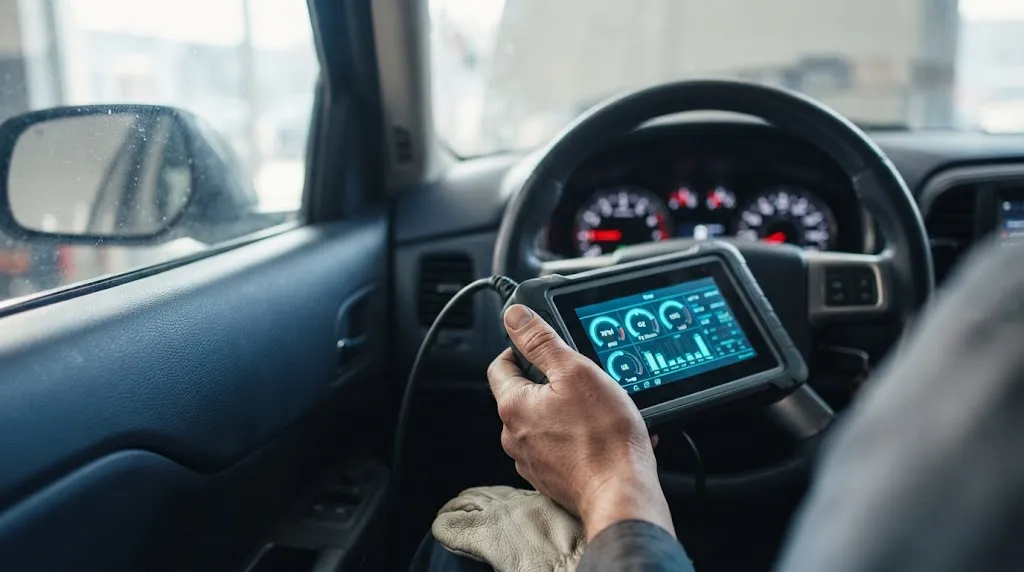
Mode $01 is the workhorse. It returns current values for Parameter IDs, or PIDs. Engine RPM, vehicle speed, coolant temperature, intake air temperature, throttle position, and fuel trim are all requested through Mode $01.
A minimum set of PIDs must be supported by any module that responds to Mode $01. These include PID $00 (which PIDs are supported), $01 (monitor status since codes cleared), $04 (calculated load), $05 (coolant temperature), $0C (engine RPM), $0D (vehicle speed), and $11 (throttle position). The exact list of available PIDs depends on the vehicle and the module being queried.
Practical use: if you want to watch live sensor behavior while the engine runs, you are using Mode $01.
Mode $02: The Freeze Frame Snapshot
When a diagnostic trouble code sets, many vehicles capture a snapshot of operating conditions at that exact moment. Mode $02 retrieves that snapshot.
The freeze frame typically includes engine speed, load, coolant temperature, fuel trim, and vehicle speed at the time of the fault. This is useful because it tells you the conditions under which the problem occurred. A misfire that sets only at high RPM and low coolant temperature points toward a different diagnosis than one that sets at idle when warm.
Mode $02 is often underused. Many basic code readers retrieve stored codes but skip freeze frame data entirely, which removes useful diagnostic context.
Modes $03, $07, and $0A: The Code Family
These three modes deal with diagnostic trouble codes, but at different stages of maturity.
Mode $03 returns confirmed emissions-related DTCs. These are the codes that have matured enough to illuminate the malfunction indicator lamp, commonly called the check engine light.
Mode $07 returns pending codes. A pending code has been detected during the current or last drive cycle but has not yet met the criteria to become confirmed. Catching a fault at the pending stage can be useful because it may indicate an intermittent problem before the warning light appears.
Mode $0A returns permanent codes. These are a newer addition designed to prevent someone from clearing codes to pass an emissions inspection. A permanent code cannot be erased with Mode $04. It only clears after the vehicle’s own monitoring system has run the relevant test and confirmed the fault is no longer present.
Modes $05 and $06: Test Results
Mode $05 returns oxygen sensor monitoring test results. It is primarily relevant for older, non-CAN vehicles. On CAN-equipped vehicles, oxygen sensor test data is typically accessed through Mode $06 instead.
Mode $06 is more broadly useful. It exposes the raw pass/fail test values behind the readiness monitors. A catalyst monitor might show “ready” or “complete,” but Mode $06 can show the actual measured value and the threshold it was compared against. This lets a technician see whether a monitor barely passed or passed with a comfortable margin.
Mode $06 data is often displayed in hexadecimal and may require vehicle-specific reference information to interpret correctly. It is not a plug-and-play mode for casual users.
Mode $08: Bidirectional Control
Mode $08 allows the scan tool to send commands to the vehicle, not just read data. This is used for functional tests, such as commanding a solenoid, relay, or fan on and off.
Mode $08 is typically available only on higher-end scan tools. A basic code reader will not support it. Even among tools that support Mode $08, the available commands vary widely by vehicle and by which module is being addressed.
Mode $09: Vehicle Identity
Mode $09 returns vehicle information that does not change during normal operation. The most commonly requested items are:
- VIN (Vehicle Identification Number), required and limited to one per vehicle
- Calibration ID (CALID), identifying the software calibration in a module
- Calibration Verification Number (CVN), used to verify that the calibration has not been altered
The CVN is particularly relevant for emissions inspection programs because it can reveal whether a vehicle’s software has been modified or tampered with.
Why Some Modes Are Missing on Your Tool
A common frustration is buying a scan tool and discovering that it only accesses Modes $01, $03, and maybe $04. This is not a defect. The OBD2 standard defines what modes exist and what they mean. It does not require every scan tool to implement every mode.
Basic code readers are built to retrieve and clear emissions codes. That means Mode $03 for reading and Mode $04 for clearing. Adding Mode $01 live data is common because it is relatively simple and adds perceived value. Modes $02, $05, $06, $08, and $09 require more complex parsing and often more expensive hardware or software licensing.
A tool that claims “full OBD2 support” may still lack Mode $08 bidirectional controls or Mode $06 detailed test results. The phrase has no standardized minimum beyond the basic code-reading functions.
For a deeper look at how scanner capabilities vary by diagnostic system, the LeadFoot Automotive guide to OBD2 scanner coverage for transmission codes explains why a tool that connects to the port may still be unable to access certain modules. The same principle applies to service modes: connector compatibility does not guarantee full mode support.
Mode Availability Varies by Vehicle, Not Just Tool
Even a professional-grade scan tool cannot force a vehicle to respond to a mode it does not support. The OBD2 regulations require manufacturers to support the modes necessary for emissions inspection and maintenance. They do not require support for every mode in every module.
Mode $05, for example, is largely obsolete on CAN-equipped vehicles. The relevant oxygen sensor data moved into Mode $06. A vehicle may still respond to Mode $05 with a “not supported” message, or the tool may skip it entirely.
Mode $08 availability is even more variable. Some manufacturers expose very few bidirectional commands through the generic OBD2 interface, reserving them for manufacturer-specific diagnostic protocols. Others provide a moderate set. There is no reliable way to know without checking the vehicle’s documentation or testing with a capable tool.
This variability is why diagnostic work on modern vehicles often requires more than a generic OBD2 scan. The standardized modes cover emissions-related data. They do not cover ABS, airbags, transmission controllers, or body modules, which use different protocols and service identifiers.
A Practical Way to Think About the Modes
If you are diagnosing a check engine light, the relevant sequence is usually:
- Mode $03 to see what confirmed codes are stored.
- Mode $02 to see the conditions when the primary code set.
- Mode $01 to watch live data for the affected system.
- Mode $07 if you suspect an intermittent fault that has not fully matured.
- Mode $06 if you need to verify whether a monitor is passing legitimately or barely scraping by.
If you are preparing for an emissions test, Mode $01 monitor status tells you whether the readiness monitors have run. Mode $0A tells you whether any permanent codes are waiting to clear. Clearing codes with Mode $04 resets readiness monitors and can cause an immediate inspection failure if the vehicle has not completed its drive cycles.
The modes are not a hierarchy. They are a toolkit. Which ones matter depends on what question you are trying to answer.
Frequently Asked Questions
What is the difference between Mode $03 and Mode $07?
Mode $03 returns confirmed trouble codes that have illuminated the check engine light. Mode $07 returns pending codes that have been detected but have not yet matured to confirmed status. A pending code may clear on its own if the fault does not recur, or it may escalate to a confirmed code if the fault repeats.
Can I clear permanent codes with an OBD2 scanner?
No. Permanent codes, accessed through Mode $0A, are designed to resist clearing. They only clear after the vehicle’s onboard monitoring system has run the relevant test and determined that the fault is no longer present. A standard Mode $04 clear command does not affect them.
Why does my scan tool show “Mode Not Supported” for some modes?
The vehicle’s control module does not support that mode, or the scan tool does not implement the request format for it. Mode $05, for example, is rarely supported on newer CAN-equipped vehicles. Mode $08 support varies widely by manufacturer and module.
Is Mode $06 useful for a DIY mechanic?
It can be, but it requires interpretation. Mode $06 shows raw test values and limits, often in hexadecimal. Without vehicle-specific reference information, the numbers may not mean much. It is more useful for verifying a repair or checking how close a monitor is to its failure threshold.
What does Mode $09 VIN tell me that the dashboard VIN does not?
The Mode $09 VIN is reported by the engine control module or another emissions-related module. Comparing it to the dashboard VIN can reveal whether a module has been replaced or reprogrammed with incorrect data. Mode $09 also provides calibration IDs and CVNs, which are relevant for emissions inspection and software verification.
Do all OBD2 vehicles support all nine modes?
No. The regulations require support for the modes needed for emissions inspection, but the specific implementation varies. Mode $01, $03, $04, and $09 are widely supported. Mode $02 is common but not universal. Mode $05 is largely obsolete on newer vehicles. Mode $08 is the least consistently supported across makes and models.
Conclusion
OBD2 service modes are the standardized request categories that make generic scan tool communication possible. Modes $01 through $09 cover live data, freeze frames, codes, test results, and vehicle identity. Mode $0A adds permanent codes on newer vehicles. The practical value of each mode depends on what you are trying to diagnose and what your tool actually supports.
The next time a scan tool reports “no codes” or shows limited data, the limitation may not be the tool’s fault. It may simply be that the vehicle does not support the mode you are asking for. Knowing which modes exist, and what each one is for, makes that limitation easier to recognize and work around.

I’m Alex Rahman, a car enthusiast and automotive writer focused on practical solutions, car tools, and real-world driving advice. I share simple and honest content to help everyday drivers make better decisions.
