
Can an OBD2 Scanner Detect the Protocol Automatically?
Quick Answer
Yes, most modern OBD2 scanners can detect the protocol automatically. The scanner tries each supported protocol in turn, sends a test request, and stays with the first one that gets a valid reply. It usually works in seconds on 2008 and newer cars, but it can fail on older cars, on a weak connection, or when the adapter does not support the car’s protocol.
Plug in a scanner, turn the ignition on, and most of the time you do nothing else. The screen shows “searching” for a few seconds, then codes or live data appear. That pause is the scanner working out which language the car speaks. It is testing the wires, not guessing from the make or year.
How Automatic Protocol Detection Actually Works
An OBD2 scanner does not know the car’s protocol when it first powers up. It knows only the protocols it supports, so it runs through them one by one.
For each candidate, it sends a short test message on that protocol’s pins, then waits for a reply. A common test is Mode 01 PID 00, which asks the engine computer which live-data items it supports. If the reply has the expected shape, the scanner locks in that protocol and starts reading codes or live data.
If there is no reply, it moves to the next protocol. That is why the first connection often takes longer than later ones. Some adapters remember the last successful protocol, which speeds up the next visit to the same car but can mislead on a different car.
Which Protocols a Scanner Tries
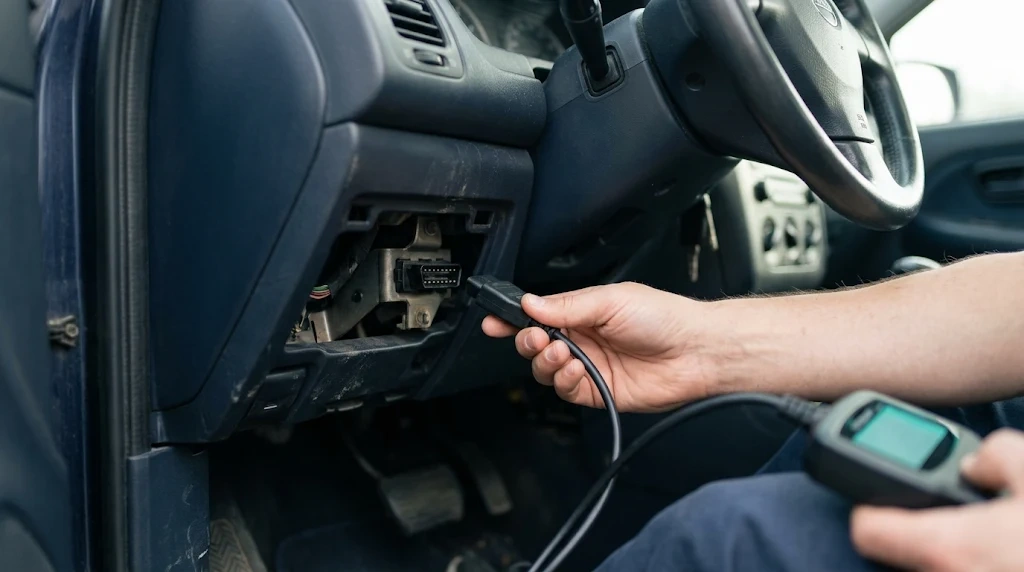
There are five standard OBD2 protocols. A vehicle normally uses one for its main diagnostic link. A scanner can only detect a protocol it supports, so a CAN-only adapter will never find an older K-line car, however long it searches.
| Protocol | Typical cars | Main pins |
|---|---|---|
| ISO 15765-4 CAN | Most cars from 2008 onward in the US | 6 and 14 |
| ISO 9141-2 | Many Asian and European cars before 2008 | 7 |
| ISO 14230-4 KWP2000 | Many Asian and European cars | 7 |
| SAE J1850 PWM | Many Ford cars before 2008 | 2 and 10 |
| SAE J1850 VPW | Many GM and Chrysler cars before 2008 | 2 |
For the full list, see what OBD2 protocols are used. Many tools try CAN first, then fall back to older protocols. Since 2008, ISO 15765-4 CAN has been the required OBD2 protocol for US light-duty vehicles, which is why detection feels instant on a recent car. See also what ISO 15765 CAN is in OBD2.
What Happens Inside an ELM327 Adapter
Many Bluetooth, Wi-Fi, and USB adapters use an ELM327 chip, or a compatible chip, as the translator between the car and the phone or laptop. The app talks to the ELM327, and the ELM327 talks to the car.
In ELM327 terms, automatic detection is protocol 0, set with ATSP0. When the app sends its first request, the chip tries the protocols in its list until one answers. The result may be shown with ATDP. If the adapter was left on a fixed protocol from an earlier session, the search may not run as expected, so resetting it to automatic often restores it. How an ELM327 communicates with a car explains that translator role.
Key Insight
Auto-detection finds a working route, not the best route. A scanner can connect on a basic protocol and still miss faster CAN data or a second module that uses a different protocol.
How to Tell Which Protocol Was Detected
Most handheld scanners show it in a status, vehicle-info, or protocol screen, as “ISO 15765-4 CAN 11-bit 500k,” “CAN,” “ISO 9141,” or “KWP2000.” Some show it only briefly, so check before moving to codes.
In an ELM327 app, look under adapter or connection settings for a protocol line or ATDP result. If there is no such screen, check whether live data updates steadily. A connection that drops or shows only a few PIDs may be on the wrong protocol. Do not rely on year alone: a 2007 car can already use CAN.
When Auto-Detection Works Well
It works best when the car is OBD2-compliant, the scanner supports its protocol, and the connection is clean. That is common on 2008 and newer cars.
It also needs the ignition on and the engine computer awake. Some cars need the key in the “on” position, not just accessory, before they answer. A scanner searching while the computer is asleep will cycle through every protocol and report no connection, even though nothing is broken. The YOUCANIC guide to OBD2 protocols notes the same point: modern professional scanners normally detect all five protocols, while some budget adapters support only CAN and cannot talk to pre-2008 cars that use another protocol.
Why Auto-Detection Sometimes Fails
- The adapter does not support the protocol. A CAN-only adapter cannot detect ISO 9141-2, KWP2000, or J1850. This is the most likely cause on a pre-2008 car with a budget Bluetooth adapter.
- The port has no power or a poor connection. Pin 16 should supply battery voltage, and pins 4 and 5 are grounds. A loose plug, blown fuse, or corrosion can block the data link.
- The ignition is off or the computer is asleep. Some cars need the key on, and some need the engine running, before they answer.
- The timing is too tight for a slow protocol. ISO 9141-2 and KWP2000 use a slower wake-up than CAN. A clone chip or short timeout can miss the reply.
- Another device is using the port. A tracker, a second adapter, or a splitter can load the lines or answer first.
- The car is not fully OBD2-compliant on that link. Some imports, motorcycles, and cars with a gateway module need a different tool or a manufacturer mode, even though the plug looks the same.
Failure can also be intermittent, for example when battery voltage is low or the computer is busy during start-up. Note whether it happens only while cranking, only when cold, or only with one app. That pattern points to power or timing, not to a missing protocol. The guide to an OBD2 scanner that will not connect covers the checks in the order that saves the most time.
How to Set the Protocol Manually When Auto-Detect Fails
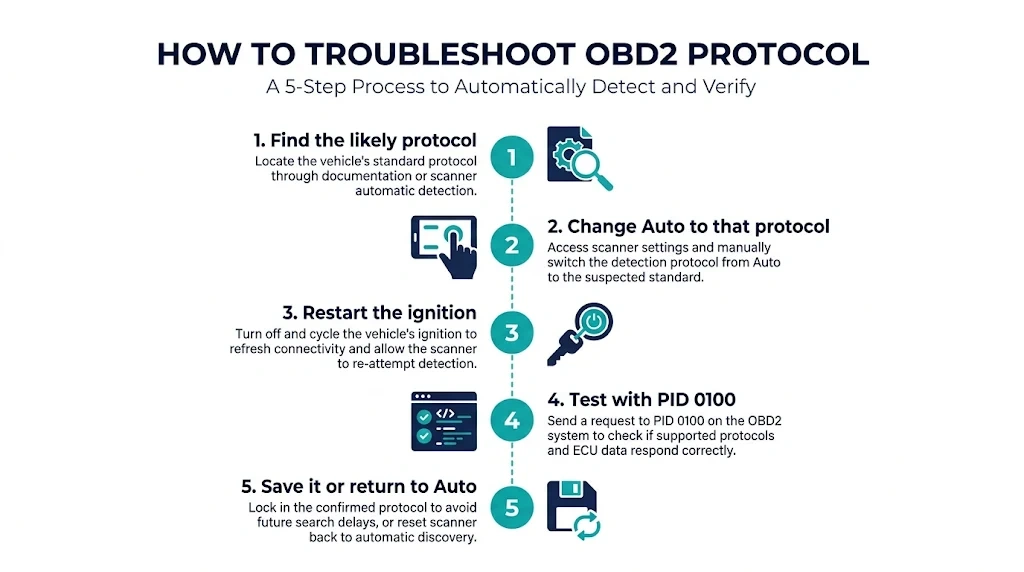
Manual selection tells the tool to skip the search and go straight to the protocol you choose. Use it when auto-detect times out, connects slowly every time, or gives unstable live data.
- Find the likely protocol from the car’s year, make, and pins, or from a previous successful connection. On a pre-2008 Asian or European car, start with ISO 9141-2 or KWP2000; on a pre-2008 Ford, try J1850 PWM; on a pre-2008 GM or Chrysler, try J1850 VPW.
- In the scanner or app, change “Auto” to the protocol you want to test. On an ELM327 app, use the protocol list or a command such as ATSP3 for ISO 9141-2 or ATSP6 for CAN 11-bit 500k.
- Turn the ignition off, wait a few seconds, then turn it back on and reconnect.
- Send a simple request, such as reading codes or PID 0100. A valid reply confirms the choice.
- If it works, save it for that car if the app allows it. If not, return the setting to “Auto” before trying another car.
The ProScan communication settings help states the trade-off plainly: the hardware can usually detect the protocol automatically, but it does not always work, so specifying the protocol is best practice when connection problems appear.
Tip
Before forcing a protocol, check the pins. If only pins 6 and 14 are populated for data, the car is almost certainly CAN. If pin 7 is populated instead, start with ISO 9141-2 or KWP2000. For the older K-line case, see what ISO 9141-2 is in OBD2.
What Auto-Detection Does Not Do
Auto-detection solves one problem: finding a working diagnostic language. It does not add protocols the hardware lacks, read ABS, airbag, transmission, or body modules unless the tool supports them, or turn a generic reader into a manufacturer tool. It also does not guarantee that every PID will be available.
It does not diagnose the car either. A successful detection means the scanner and engine computer can exchange messages. It says nothing about whether a code is current or caused by the part named in its description. That judgement still needs live data, freeze-frame data, and the symptoms. It may also settle on the first protocol that answers, even if CAN would give faster live data.
If Your Scanner Is Stuck on “Searching for Protocol”
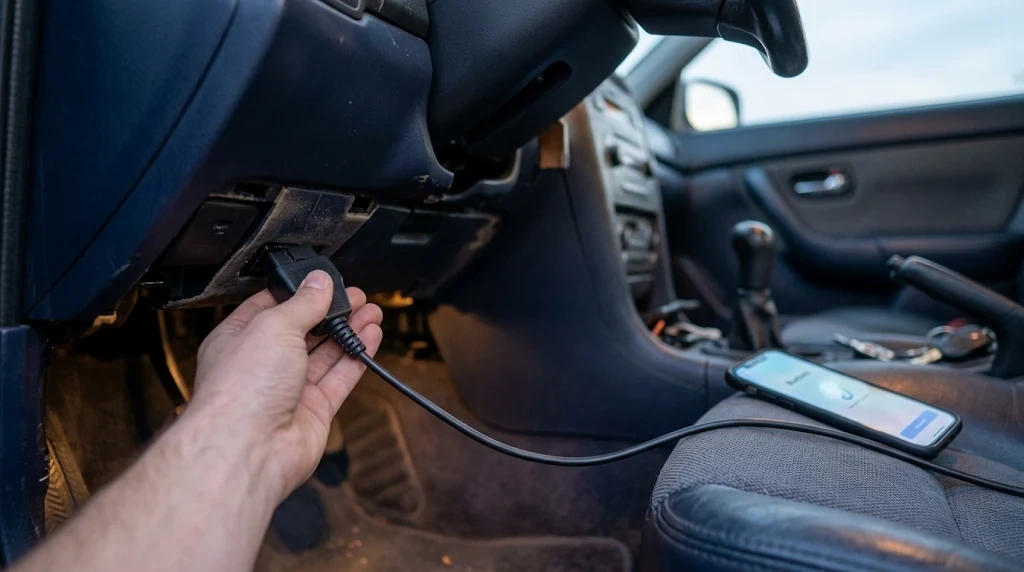
- Check that the plug is fully seated and the scanner lights up. A loose port can break the data pins while power stays on.
- Turn the ignition to “on” with the engine off, then try again with the engine running.
- Unplug any tracker or second device and remove a splitter.
- Close the app, forget the Bluetooth pairing if needed, and reconnect.
- Set the protocol manually to the most likely option for the car.
- Try the scanner on another OBD2 car. If it connects there, the problem is specific to the first car. If it fails on both, suspect the adapter, cable, or app setting.
That last test separates a car problem from a tool problem in a minute.
Related Product
OBD2 Scanner With Automatic Protocol Detection
A scanner that supports all five OBD2 protocols and auto-detect makes the first connection simpler, especially if you work on both newer CAN cars and older pre-2008 cars.
As an Amazon Associate, we earn from qualifying purchases.
Frequently Asked Questions
Do all OBD2 scanners detect the protocol automatically?
No. Most modern scanners and ELM327 adapters do, but not every tool supports every protocol. A CAN-only adapter cannot detect ISO 9141-2, KWP2000, or J1850. Check for auto detection and all five protocols before buying for an older car.
How long should auto-detection take?
Usually a few seconds on a 2008 or newer CAN car, and 10 to 30 seconds on an older car. Longer than a minute usually means no reply at all. Check ignition, seating, and power, then try a manual protocol.
Can I leave the protocol on Auto all the time?
Yes, Auto is the right default for most drivers. It is simplest when you move between cars and avoids forcing the wrong protocol onto a new vehicle. Switch to manual only to fix a failed connection, then return to Auto.
Does auto-detection work on cars before 2008?
It can, if the scanner supports the car’s older protocol. The search takes longer because it must try J1850, ISO 9141-2, or KWP2000 as well as CAN. A CAN-only scanner will not connect to many pre-2008 cars, even though the plug fits.
Why does my scanner detect the protocol but show no codes?
Detection means the scanner can talk to the engine computer, not that a code is stored. No codes can mean no fault is stored, the fault is in a system the generic link cannot reach, or the code was recently cleared. Check live data and readiness monitors.
Will auto-detection find manufacturer-specific protocols?
Not reliably. It finds the standard OBD2 protocol for emissions-related data. Manufacturer systems often use extra modes, a gateway, or a different bus that a generic search does not enter. A professional tool may still be needed for ABS, airbag, or advanced body functions.
Conclusion
Most modern OBD2 scanners can detect the protocol automatically, and on a 2008 or newer car that search is usually quick and invisible. The scanner tries each supported protocol, waits for a valid reply, and stays with the first one that answers. When it fails, the cause is usually a missing protocol in the adapter, a power or seating problem, the ignition being off, or slow timing on an older car. Leave it on Auto, and switch to manual only to fix a connection auto-detect cannot complete.

I’m Alex Rahman, a car enthusiast and automotive writer focused on practical solutions, car tools, and real-world driving advice. I share simple and honest content to help everyday drivers make better decisions.
