What OBD2 Protocols Are Used? 5 Types Explained
Quick Answer
There are five main OBD2 communication protocols: SAE J1850 PWM, SAE J1850 VPW, ISO 9141-2, ISO 14230-4 (KWP2000), and ISO 15765-4 (CAN). Older vehicles may use any of these, depending on their model and market. CAN became mandatory for standard emissions-related OBD-II communication on U.S. light-duty cars and trucks starting with the 2008 model year. Most modern OBD2 scanners automatically identify the supported protocol.
An OBD2 protocol is the communication method that allows a diagnostic scanner to exchange information with a vehicle’s onboard computer.
That sounds simple, but not every vehicle communicates in the same way. Two cars can have identical 16-pin diagnostic connectors while using different electrical signals and message formats.
Knowing the difference is especially useful when an older car refuses to connect to a scanner, a diagnostic app reports an unfamiliar protocol name, or you want to understand what your scan tool actually supports.
The Five Main OBD2 Protocols Compared
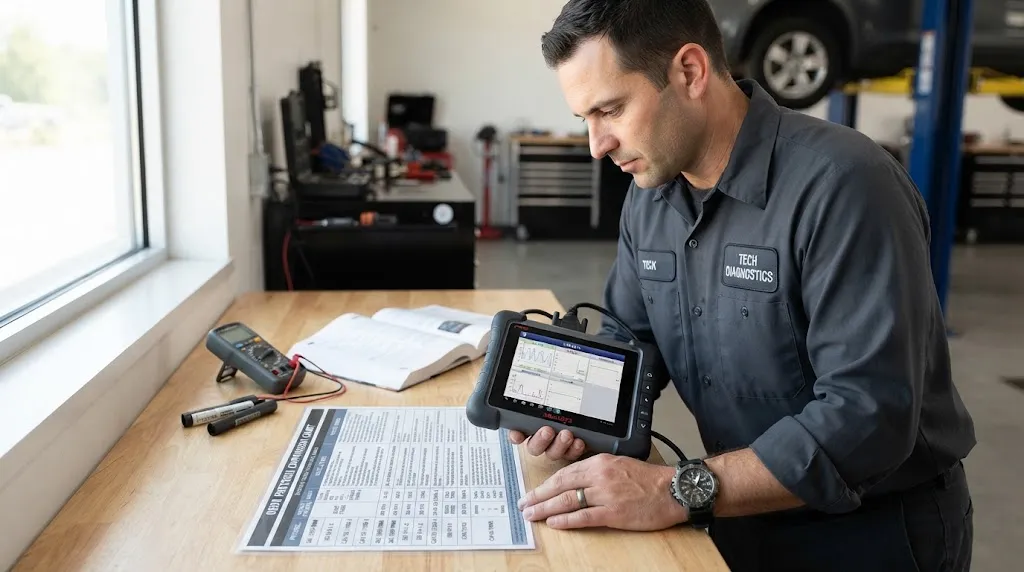
OBD-II supports five commonly recognized communication protocol types. Each provides a way for a compatible scan tool to request standardized diagnostic information from a vehicle.
The table shows their typical applications, communication speeds, and connector pins.
| Protocol | Typical Vehicles | Speed | Data Pins |
|---|---|---|---|
| SAE J1850 PWM | Older Ford-family vehicles | 41.6 kbps | 2, 10 |
| SAE J1850 VPW | Older GM-family vehicles | 10.4 kbps | 2 |
| ISO 9141-2 | Older European, Asian, and Chrysler vehicles | 10.4 kbps | 7; optional 15 |
| ISO 14230-4 KWP2000 | Many later pre-CAN European and Asian vehicles | 10.4 kbps | 7; optional 15 |
| ISO 15765-4 CAN | Modern OBD-II passenger vehicles | 250 or 500 kbps | 6, 14 |
These vehicle associations are historical patterns, not definitive identification rules. Manufacturers introduced newer systems at different times, and the same manufacturer could use different protocols across models or markets.
How Does Each OBD2 Protocol Work?
1. SAE J1850 PWM — Older Ford Vehicles
SAE J1850 PWM uses pulse-width modulation to carry diagnostic messages. It is commonly associated with older Ford, Lincoln, and Mercury vehicles.
The system uses two communication wires connected to pins 2 and 10 of the diagnostic connector. It operates at approximately 41.6 kilobits per second.
This protocol matters most when diagnosing older vehicles. A scanner designed only for modern CAN systems may not communicate with a car that relies on J1850 PWM.
2. SAE J1850 VPW — Older General Motors Vehicles
SAE J1850 VPW uses variable pulse width to transmit information across a single communication wire, typically connected to pin 2.
It is frequently associated with older Chevrolet, Buick, Cadillac, and other General Motors vehicles.
The standard diagnostic communication rate is approximately 10.4 kbps, slower than J1850 PWM.
Although PWM and VPW share the SAE J1850 family name, their electrical signaling is different. A diagnostic interface must support the correct version to establish communication.
3. ISO 9141-2 — Older European and Asian Vehicles
ISO 9141-2 was widely used before CAN became dominant, including in various European, Japanese, Korean, and Chrysler vehicles.
It uses a communication line known as the K-line, connected to pin 7. Some implementations also use an L-line on pin 15 during initialization.
The communication speed is approximately 10.4 kbps.
One practical difference is connection initialization. An older ISO 9141-2 system may take longer to establish communication than a modern CAN connection.
4. ISO 14230-4 KWP2000 — Keyword Protocol 2000
ISO 14230-4 is commonly called KWP2000, meaning Keyword Protocol 2000. It was used by numerous manufacturers during the transition from older K-line systems toward CAN.
Like ISO 9141-2, it normally communicates through pin 7 and may use pin 15 for certain initialization arrangements.
The two systems can therefore look similar from the connector alone, even though their communication and initialization requirements differ.
KWP2000 supports different initialization methods, including five-baud and fast initialization. A compatible tool needs to use the method supported by the vehicle.
5. ISO 15765-4 CAN — The Modern OBD2 Standard
ISO 15765-4 uses Controller Area Network communication, commonly known as CAN bus.
CAN uses a pair of communication lines, CAN High and CAN Low, on connector pins 6 and 14.
Compared with the older OBD-II communication systems, CAN supports faster data transmission and a network architecture suited to communication among multiple electronic control units.
CAN was adopted before 2008 by various automakers. From the 2008 model year, U.S. light-duty vehicles were required to use ISO 15765-4 for standardized emissions-related OBD communication.
The requirement is documented in the federal OBD communication regulations.
Key Insight
CAN is a vehicle networking technology, while ISO 15765-4 specifies how standardized OBD diagnostics operate over CAN. A vehicle can also use CAN for internal systems that a basic OBD2 scanner cannot access.
What Are the Four CAN Protocol Variants?
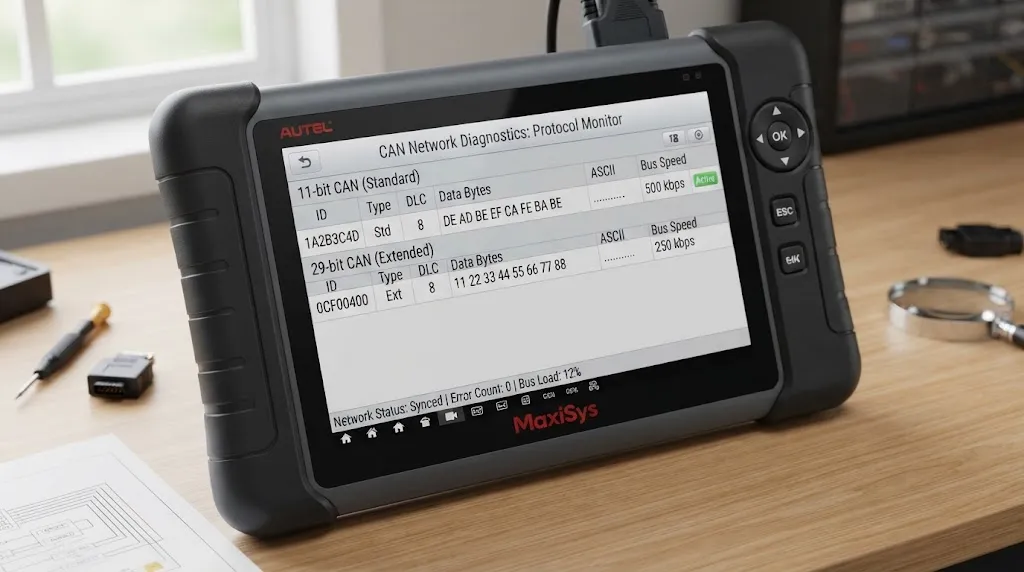
Some scan tools advertise support for nine OBD2 protocols rather than five. This usually happens because they count four CAN configurations individually.
The common ISO 15765-4 configurations are:
- CAN 11-bit, 500 kbps: An 11-bit message identifier with a 500 kbps bus speed.
- CAN 29-bit, 500 kbps: A longer identifier format at the same bus speed.
- CAN 11-bit, 250 kbps: An 11-bit identifier with a lower communication speed.
- CAN 29-bit, 250 kbps: A 29-bit identifier at 250 kbps.
The 11-bit and 29-bit values describe CAN identifier length. They do not describe how many connector pins a vehicle uses.
Similarly, 250 and 500 kbps describe the bus bit rate, not a guaranteed scanner refresh rate. Real diagnostic performance also depends on the vehicle, requested data, adapter, and software.
These four configurations belong to the same general ISO 15765-4 protocol family. Counting them individually explains why some product specifications list more than five protocols.
How Can You Identify Your Vehicle’s OBD2 Protocol?
The most reliable practical approach is to identify the protocol reported by a compatible diagnostic scanner. Connector pins and vehicle information can provide useful clues.
Method 1: Let Your Scanner Detect It
- Locate the vehicle’s 16-pin OBD2 diagnostic connector.
- Connect a compatible scan tool securely.
- Switch the ignition on as instructed by the tool or vehicle manufacturer.
- Select the OBD-II or emissions diagnostics function.
- Allow the scanner to establish communication.
- Check its connection information for the detected protocol.
Some tools show labels such as ISO 15765-4 CAN, ISO 9141-2, or J1850 VPW. Others handle protocol selection automatically without displaying the technical name.
If your scanner does not display a protocol, that does not mean the connection has failed. Successfully reading supported live data or diagnostic trouble codes confirms that communication is working.
Method 2: Check the Connector Pins
The OBD2 connector has 16 possible pin positions, but not every position contains a metal terminal.
Several positions provide clues about the diagnostic communication system:
| Pin | Typical Function |
|---|---|
| 2 | J1850 Bus+ |
| 4 | Chassis ground |
| 5 | Signal ground |
| 6 | CAN High |
| 7 | K-line |
| 10 | J1850 Bus- |
| 14 | CAN Low |
| 15 | Optional L-line |
| 16 | Battery positive |
Pins 6 and 14 suggest CAN. Pins 2 and 10 suggest J1850 PWM, while pin 2 without pin 10 can indicate J1850 VPW. Pin 7 suggests an ISO 9141-2 or KWP2000 system.
However, pin presence alone is not conclusive. Manufacturers can install additional terminals for proprietary functions, and ISO 9141-2 and KWP2000 may use similar pin arrangements.
Method 3: Check Vehicle Documentation
For an older vehicle, the factory service manual or manufacturer diagnostic documentation may identify its communication standard.
Use the exact model year, engine, vehicle market, and sometimes the production date. Guessing from the manufacturer’s name alone can produce the wrong answer.
Warning
Inspect connector terminals visually only. Do not insert test wires, short pins together, or apply external voltage to identify a protocol. Incorrect connections can damage diagnostic equipment or vehicle electronics.
Does Every OBD2 Scanner Support All Five Protocols?
No. Many general-purpose OBD-II scanners support the five standard protocol families, but support is not universal.
Some inexpensive adapters focus on CAN-equipped vehicles and lack the hardware needed for older J1850 or K-line communication.
Before using a scanner on an older vehicle, check its supported protocol list rather than relying only on the words “OBD2 compatible.”
Also distinguish protocol compatibility from diagnostic coverage. A scanner may communicate with a vehicle’s engine computer yet lack access to ABS, airbags, transmission modules, or manufacturer-specific functions.
Another important distinction involves devices that use the OBD2 port for power. For example, some dash cameras use OBD adapters to power their parking features without performing vehicle diagnostics. Our guide to dash cam parking power explains that separate use of the connector.
Why Won’t a Scanner Connect Even When the Protocol Is Supported?
A supported protocol does not guarantee a successful connection. Several other problems can interrupt communication.
- Ignition is off: Some vehicles require the ignition to be on before their control modules respond.
- Adapter lacks working hardware: A scanner may advertise support for a protocol that its interface cannot reliably communicate over.
- Damaged connector: Bent terminals, corrosion, or poor contact can prevent communication.
- Power or ground fault: A scan tool may fail to power on if the diagnostic connector has an electrical supply problem.
- Wrong manual setting: A forced protocol selection may prevent a connection that automatic detection could establish.
- Nonstandard vehicle implementation: Certain older or imported vehicles may have a similar connector without full generic OBD-II compatibility.
Start with the simplest checks: confirm vehicle compatibility, follow the correct ignition procedure, check the tool’s supported protocols, and try automatic detection.
If communication still fails, consult vehicle-specific service information. Avoid probing live diagnostic terminals without the proper wiring diagram and electrical testing knowledge.
Are OBD2 Protocols the Same as Diagnostic Modes or Trouble Codes?
No. The communication protocol is the pathway used to exchange information. Diagnostic services define the information requested and how it is interpreted.
For example, a generic OBD-II scan tool may request diagnostic trouble codes, emission readiness information, or supported live-data parameters.
Those requests can be carried across different supported communication protocols. This is why vehicles using different underlying networks can still provide standardized emissions-related diagnostic information.
A P0300 trouble code describes a detected random or multiple-cylinder misfire. It does not identify whether the car communicates through CAN, KWP2000, or another protocol.
Similarly, UDS (Unified Diagnostic Services), DoIP (Diagnostics over Internet Protocol), and heavy-duty SAE J1939 serve related but distinct diagnostic or networking purposes. They should not automatically be counted as additional members of the traditional five-protocol OBD-II list.
Related Product: Multi-Protocol OBD2 Scanner
For drivers working with both older and newer vehicles, a scanner that explicitly supports all five standard OBD-II protocol families can simplify basic compatibility checks.
Relevant Product
Multi-Protocol OBD2 Diagnostic Scanner
Compare scanners with documented support for CAN, ISO 9141-2, KWP2000, J1850 PWM, and J1850 VPW. Confirm your exact vehicle’s compatibility before choosing.
As an Amazon Associate, we earn from qualifying purchases.
Frequently Asked Questions
Can a vehicle use more than one communication protocol?
Yes. A vehicle may contain several communication networks or diagnostic interfaces. Its standardized emissions-related OBD-II connection can use one required protocol while manufacturer-specific systems use other communication methods.
Is CAN bus the fastest OBD2 protocol?
Among the five traditional OBD-II protocol families, CAN supports the highest listed bus rates. However, a faster bus does not guarantee proportionally faster diagnostic data updates because vehicle and scanner processing also affect performance.
What protocol does a 2007 vehicle use?
It depends on the manufacturer, model, engine, and market. Some 2007 vehicles already used CAN, while others relied on J1850, ISO 9141-2, or KWP2000. The model year alone is not enough to identify the protocol.
Does Bluetooth determine which OBD2 protocol is used?
No. Bluetooth connects a wireless diagnostic adapter to a phone or computer. The adapter separately communicates with the vehicle using its supported OBD-II protocol. Wi-Fi and USB adapters work on the same general principle.
Can I manually change my car’s OBD2 protocol?
Normally, no. The vehicle’s control modules and diagnostic network determine the available communication methods. A scanner may allow manual protocol selection, but selecting another protocol does not change the vehicle’s underlying hardware.
Is an OBD2 connector proof that a vehicle is OBD-II compliant?
No. Some older vehicles have a similar 16-pin connector but do not fully support standardized generic OBD-II diagnostics. The correct vehicle documentation or a successful standards-based diagnostic connection is better evidence of compatibility.
Final Thoughts
The five main OBD2 protocols are SAE J1850 PWM, SAE J1850 VPW, ISO 9141-2, ISO 14230-4 KWP2000, and ISO 15765-4 CAN. The older systems remain relevant when diagnosing pre-CAN vehicles, while CAN handles standardized emissions diagnostics on modern U.S. passenger vehicles.
For most drivers, automatic protocol detection is sufficient. When diagnosing an older car or a connection problem, checking the scanner’s actual protocol support and the vehicle’s documentation is more useful than guessing from its brand or model year.

I’m Alex Rahman, a car enthusiast and automotive writer focused on practical solutions, car tools, and real-world driving advice. I share simple and honest content to help everyday drivers make better decisions.
