10 Best USB OBD2 Scanners for 2026: Stable Wired Diagnostics
The best USB OBD2 scanner is the OBDLink EX USB OBD2 Adapter for FORScan, a wired adapter with automatic HS-CAN and MS-CAN switching. We compared 10 USB adapters, scoring each on USB Connection Stability, Diagnostic Coverage, and Ease of Setup. Most USB adapters look identical on paper but fail on drivers, software, or vehicle coverage. Whether you need Ford diagnostics, basic code reading, or a stable laptop link, this guide gives you one clear answer.
Quick Comparison: All 10 Products Ranked
| # | Product | Best For | Rating | Badge | |
|---|---|---|---|---|---|
| 1 | OBDLink EX USB OBD2 Adapter for FORScan | FORScan on Windows | 4.9/5 | Best Overall | Buy → |
| 2 | OBDLink SX USB OBD2 Scan Tool | Basic Windows diagnostics | 4.8/5 | Best Budget | Buy → |
| 3 | Vgate vLinker FS USB OBD2 Adapter for FORScan | Lower-cost FORScan link | 4.7/5 | Best Value FORScan | Buy → |
| 4 | OHP ELMconfig ELM327 USB OBD2 Adapter for FORScan | Budget FORScan checks | 4.6/5 | Best Budget FORScan | Buy → |
| 5 | BAFX Products USB OBD2 Diagnostic Scan Tool | First-time PC scanning | 4.6/5 | Best for Beginners | Buy → |
| 6 | ELS27 USB OBD2 Adapter for FORScan | Older Ford setups | 4.5/5 | Best for Older Fords | Buy → |
| 7 | ELM327 USB V1.5 OBD2 Adapter with FTDI Chip | Spare generic adapter | 4.4/5 | Best Cheap Spare | Buy → |
| 8 | VXDIAG VCX Nano USB Diagnostic Interface | Workshop software use | 4.4/5 | Best for Workshop Software | Buy → |
| 9 | RLink X3 J2534 USB OBD2 Adapter | Pass-thru diagnostics | 4.3/5 | Best for Pass-Thru Work | Buy → |
| 10 | OBD2 All-In-One USB V2.1 Adapter | Simple backup adapter | 4.2/5 | Best Simple Backup | Buy → |
How We Chose These USB Adapters
What we compared
Listed connection type, chip and driver notes, protocol support, software compatibility, and stated USB and Windows limits for 10 adapters.
Our 3 scoring criteria
USB Connection Stability, Diagnostic Coverage, and Ease of Setup, applied identically to every product as editorial ratings.
What this is not
No hands-on test period is claimed. Scores are editorial ratings based on listed specifications, not lab results.
What we cut — and why
Bluetooth-only and Wi-Fi-only adapters were cut, because this list is for a wired USB link to a laptop or PC.
What to Look for When Buying a USB OBD2 Scanner
A USB adapter is only useful if your laptop, software, and car can all use the same link. Check those three matches before you compare brands.
1. USB Chip and Driver Support
The chip decides whether Windows finds the adapter cleanly. A genuine FTDI or a well-supported branded chip is usually simpler than an unnamed clone chip. Check the listed Windows version, whether a driver download is provided, and whether the adapter appears as a COM port. If you are new to ELM327 hardware, start with the ELM327 adapter basics before you buy.
2. Protocol and Vehicle Coverage
Generic OBD2 coverage is not the same as brand-network coverage. Ford work often needs HS-CAN and MS-CAN switching, while other cars may need a specific CAN or K-Line path. Read the OBD2 protocols explained guide, then match the adapter to your car and your software, not just to the OBD2 port shape.
3. Software Compatibility
Decide the software first. FORScan, OBDWiz, ScanMaster, and generic ELM327 programs do not all accept the same adapters. FORScan is the clearest example: it works best with adapters it recommends, while a generic adapter may only read codes. If you have not chosen a program yet, use this how to choose an OBD2 scanner checklist to narrow the job first.
4. Cable Length and Build
A short cable forces the laptop onto the seat or floor, where it can slide or pull the plug loose. A longer, thicker USB cable is easier to route and less likely to disconnect during a live-data session. Check the connector fit too: a loose OBD2 plug can drop the link even when the software is correct.
5. What USB Cannot Do
USB adapters are laptop tools, not phone tools. They do not pair with an iPhone, they do not work without a compatible Windows program, and they do not turn a generic adapter into a dealer tool. If you need to walk around the car with a phone, a Bluetooth adapter is a better fit than any pick here.

OBDLink EX USB OBD2 Adapter for FORScan — Stable Ford Diagnostics
Best for: FORScan on a Windows laptop
This wired adapter is the clearest choice if you use FORScan on a Windows laptop and want a connection that stays put during longer sessions. It switches automatically between Ford HS-CAN and MS-CAN networks, so you do not need a manual toggle or a separate switch box for many Ford, Lincoln, and Mazda jobs. The USB link avoids phone Bluetooth pairing problems and keeps live data flowing while you sit in the car with a laptop. For stable Ford diagnostics, configuration, and coding preparation, this is the most focused USB pick here.
- Automatic HS-CAN and MS-CAN switching
- Stable wired link for longer sessions
- Recommended for FORScan configuration work
- Windows only, no phone use
- Not the cheapest generic adapter
4.9/5
4.8/5
4.7/5

OBDLink SX USB OBD2 Scan Tool — Simple Wired Scanning
Best for: Basic Windows diagnostics
This is the simpler OBDLink USB cable for readers who want codes, live data, and readiness checks on a Windows laptop. It gives you a stable wired connection without paying for Ford-specific network switching you may never use, and it works well with OBDWiz and other common Windows programs that accept a standard USB adapter. Setup is straightforward once the driver is installed and the COM port is selected. It is not a FORScan coding adapter, and it does not cover the deeper Ford networks. For everyday generic diagnostics on a laptop, it is a starting point.
- Stable wired Windows connection
- Simple generic code and data work
- Works with OBDWiz software
- No Ford MS-CAN switching
- Not for deep module coding
4.8/5
4.6/5
4.8/5

Vgate vLinker FS USB OBD2 Adapter for FORScan — Lower-Cost Ford Link
Best for: Lower-cost FORScan link
This USB adapter is a useful lower-cost route into FORScan for Ford, Lincoln, and Mazda owners who do not want the top-priced cable. It offers automatic HS-CAN and MS-CAN switching, so many Ford jobs do not need a manual switch. The wired USB link keeps the connection steady on a Windows laptop, which matters when you are changing settings or reading several modules. It is a Windows-first tool, and it is not a substitute for checking FORScan compatibility for your model year. For value-focused Ford work, it is a strong alternative to the top pick.
- Automatic HS-CAN and MS-CAN switching
- Lower-cost FORScan route
- Stable wired Windows link
- Check exact model compatibility first
- Windows only, no phone use
4.7/5
4.7/5
4.6/5

OHP ELMconfig ELM327 USB OBD2 Adapter for FORScan — Budget Ford Checks
Best for: Budget FORScan checks
This is the budget ELM327 route for Ford owners who mainly want codes, live data, and simple configuration jobs on Windows. It uses a manual HS-CAN and MS-CAN switch, so you must set the switch correctly for the network you are reading, which is the main trade-off for the lower cost. The USB cable still gives a steady laptop link for routine scans, and it is easy to keep as a second adapter. For occasional Ford checks at a lower cost, it is a sensible, honest compromise.
- Low-cost Ford diagnostic route
- Codes and live data on Windows
- Useful second adapter to keep
- Manual HS-MS switch required
- Not full-function for all programming
4.6/5
4.5/5
4.5/5

BAFX Products USB OBD2 Diagnostic Scan Tool — First PC Scanner
Best for: First-time PC scanning
This is a good first USB adapter if you are moving from a phone app to a laptop and want a simple, no-surprises setup. It is designed for generic OBD2 work, so it covers the codes, freeze frame, and live data most beginners actually need, without brand-specific coding features to learn. The wired connection removes Bluetooth pairing from the process, which helps if you have struggled with wireless adapters on Windows. It will not reach deep brand modules, and it is not a FORScan specialist. For a first laptop scan tool, it keeps the job simple.
- Simple first-time setup
- No Bluetooth pairing needed
- Covers common generic diagnostics
- No deep brand module access
- Not a FORScan specialist
4.6/5
4.5/5
4.7/5

ELS27 USB OBD2 Adapter for FORScan — Older Ford Setup
Best for: Older Ford setups
This modified ELM327-style USB adapter suits older Ford work where a manual HS-CAN and MS-CAN switch is already part of the workflow. It is best for owners who understand which network their job needs and who want a wired Windows link without buying a premium automatic adapter. The USB connection is steady for routine scans, and the adapter is often used with FORScan and related Ford software. It is not a plug-and-play choice for beginners, and setup can vary by seller and firmware. For an older Ford setup you already know, it is a practical specialist pick.
- Manual HS-MS network switching
- Steady wired Windows link
- Useful for older Ford jobs
- Not beginner-friendly setup
- Firmware varies by seller
4.5/5
4.5/5
4.4/5

ELM327 USB V1.5 OBD2 Adapter with FTDI Chip — Cheap Spare Adapter
Best for: Spare generic adapter
This generic ELM327 USB adapter is best kept as a spare for basic code reading on a Windows laptop, especially when you want a low-cost backup. The FTDI chip version is the one to look for, because it is more likely to install cleanly than an unnamed clone chip. It covers generic OBD2 codes, live data, and readiness checks, which is enough for many routine jobs. It does not offer Ford MS-CAN switching or deep brand access, and clone versions can vary widely. For a cheap, simple backup, it earns its place here.
- Low-cost spare adapter
- FTDI chip installs more cleanly
- Covers generic code checks
- Clone versions vary widely
- No Ford MS-CAN switching
4.4/5
4.3/5
4.4/5

VXDIAG VCX Nano USB Diagnostic Interface — Workshop Software Tool
Best for: Workshop software use
This USB interface is for workshop-style work, where the software matters as much as the cable. It is commonly used with brand-specific diagnostic programs rather than a simple generic code reader, so it can reach deeper functions when the right software and licence are in place. The wired USB link keeps that session stable, which is important for longer procedures. It is not a beginner adapter, and setup, drivers, and software versions need careful checking before you buy. For a home workshop with a clear software plan, it is a capable specialist tool.
- Deeper workshop software access
- Stable wired USB session
- Useful for longer procedures
- Not for beginners
- Software and licence checks needed
4.4/5
4.5/5
4.2/5
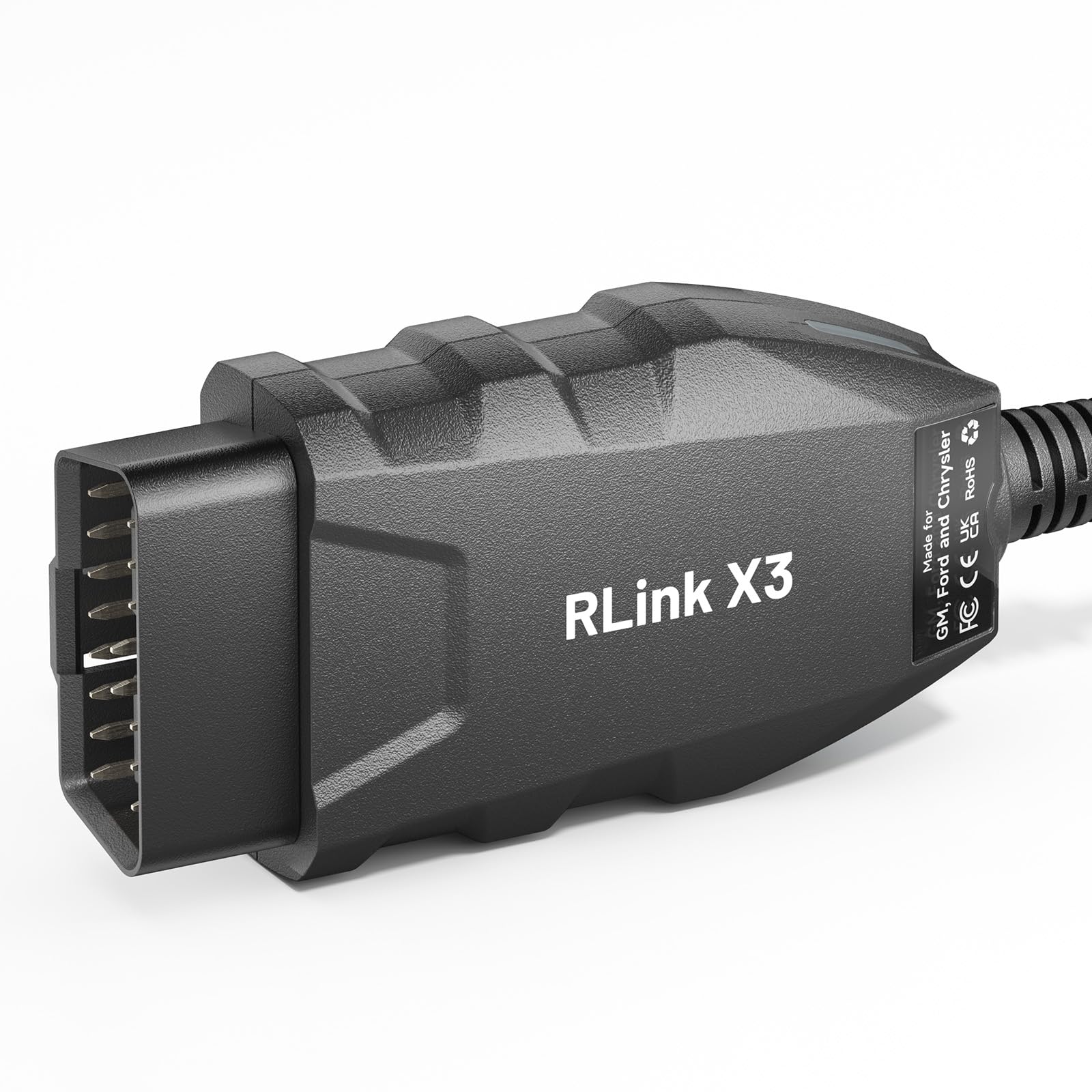
RLink X3 J2534 USB OBD2 Adapter — Pass-Thru Diagnostics
Best for: Pass-thru diagnostics
This J2534-style USB adapter is for readers who need pass-thru access with compatible dealer-level or workshop software, rather than a simple code reader. It is listed for Ford, GM, and Chrysler work, which makes it a broader workshop choice than a single-brand Ford cable. The wired USB link is useful for stable, longer sessions, but software, drivers, and vehicle support must be confirmed before purchase. It is not a beginner pick, and it is overkill for basic code reading. For pass-thru work with a clear software plan, it is a focused specialist option.
- J2534 pass-thru access
- Broader multi-brand workshop use
- Stable wired USB session
- Not for beginners
- Overkill for basic codes
4.3/5
4.4/5
4.1/5

OBD2 All-In-One USB V2.1 Adapter — Simple Backup Adapter
Best for: Simple backup adapter
This generic all-in-one USB adapter is best as a simple backup for basic OBD2 checks on a Windows laptop. It is listed for common protocols and generic software, so it can read codes and show live data for routine checks. It is not a specialist tool, and it will not replace a Ford-specific or workshop adapter for deeper work. Driver and firmware details can vary, so confirm the listed version before you rely on it. For a low-cost second adapter in a toolbox or laptop bag, it is a reasonable, no-frills choice.
- Simple backup for basic checks
- Covers generic OBD2 work
- Easy to carry as spare
- Not a specialist tool
- Version details can vary
4.3/5
4.2/5
4.2/5
Top 3 Head-to-Head: OBDLink EX vs OBDLink SX vs vLinker FS USB
These three are the common final choices: one focused Ford cable, one simple generic cable, and one lower-cost Ford alternative.
| Feature | #1 OBDLink EX | #2 OBDLink SX | #3 vLinker FS USB |
|---|---|---|---|
| USB Connection Stability | 4.9/5 — Best | 4.8/5 | 4.7/5 |
| Diagnostic Coverage | 4.8/5 — Best | 4.6/5 | 4.7/5 |
| Ease of Setup | 4.7/5 | 4.8/5 — Best | 4.6/5 |
| Choose if… | You use FORScan and want automatic switching | You want simple generic Windows diagnostics | You want Ford coverage at lower cost |
Who These USB Adapters Are NOT For
A USB adapter is the wrong tool if your main device is a phone, or if you need a standalone handheld reader.
They are also a poor fit if you have no Windows laptop, if you need heavy-duty truck protocols, or if you want a screen built into the tool. In those cases, a handheld scanner or a brand-specific wireless adapter will save more time than forcing a USB cable to fit.
Common Mistakes to Avoid
Most USB problems are setup problems, not broken adapters.
Frequently Asked Questions About USB OBD2 Scanners
Do USB OBD2 scanners work with Windows 11?
Yes, most listed USB adapters work with Windows 11, but you must install the correct driver and select the right COM port. Check the adapter listing for Windows 11 support, avoid unnamed clone chips when possible, and test with the ignition on before a long session. If Windows does not show the port, the driver is the first place to check.
Can a USB OBD2 scanner work with an iPhone?
No, a USB ELM327-style adapter is not a practical iPhone tool, because iPhones do not support that USB serial link in the same way as Windows. If you need iPhone diagnostics, choose a Bluetooth LE adapter that your chosen app lists as supported. A USB adapter is best kept for a Windows laptop, where the driver and COM port are available.
Is USB better than Bluetooth for FORScan?
Yes, for FORScan on Windows, USB is usually the more stable choice, especially for configuration work and longer module sessions. A wired link avoids Bluetooth pairing drops and keeps data flowing while the laptop stays in the car. Bluetooth is more convenient for quick phone checks, but it is not the best match for writing settings on a laptop.
Why will my USB OBD2 adapter not connect?
The most common causes are a missing driver, the wrong COM port, the ignition being off, or a loose OBD2 plug. Check the driver in Device Manager, confirm the port in your software, turn the ignition on, and reseat the plug. Also confirm that your software supports your adapter type, because a generic program may not accept a specialist interface.
Do I need FORScan for basic OBD2 codes?
No, basic codes, freeze frame, and live data can be read with generic Windows software that accepts a standard USB adapter. FORScan is mainly useful for Ford, Lincoln, and Mazda module access, configuration, and deeper diagnostics. If you drive another brand, choose generic software first, then check whether a brand-specific program adds anything useful.
Can a USB OBD2 adapter read live data?
Yes, a USB adapter can show live data such as engine speed, coolant temperature, and sensor readings, as long as your software supports that view. The adapter only passes the data; the software decides how it is graphed or logged. For a clear explanation of what those readings mean, see the OBD2 live data explained guide before you interpret a single value.
Our Final Verdict
USB adapters win on stability, but only when the driver, software, and vehicle network match. For most Windows laptop users, a focused Ford cable or a simple generic cable beats a vague all-purpose adapter, and the top pick is the safest starting point for FORScan work.

I’m Alex Rahman, a car enthusiast and automotive writer focused on practical solutions, car tools, and real-world driving advice. I share simple and honest content to help everyday drivers make better decisions.
