What Is an ELM327 OBD2 Adapter? Explained
Quick Answer
An ELM327 OBD2 adapter is a small interface that plugs into a vehicle’s diagnostic port and lets a compatible phone, tablet, or computer communicate with the vehicle’s onboard diagnostics system. With suitable software, it can read engine-related trouble codes and display supported live sensor data. ELM327 originally names the interpreter chip and command system, not a guarantee that every adapter sold under that name offers identical features or reliability.
What Does ELM327 Actually Mean?
ELM327 is the name of an OBD interpreter developed by Elm Electronics. Its job is to translate commands between a conventional serial interface and the communication protocols used by onboard vehicle diagnostic systems. The original Elm Electronics ELM327 datasheet describes this bridge function, protocol detection, and the commands software can send to the interface.
In everyday shopping language, however, “ELM327” usually describes an entire plug-in dongle. That dongle includes supporting electronics, an OBD connector, and a USB, Bluetooth, or Wi-Fi connection. Many products described as ELM327-compatible are not made with an original Elm Electronics chip. Their actual command support and hardware quality may differ.
How Does an ELM327 Adapter Work?
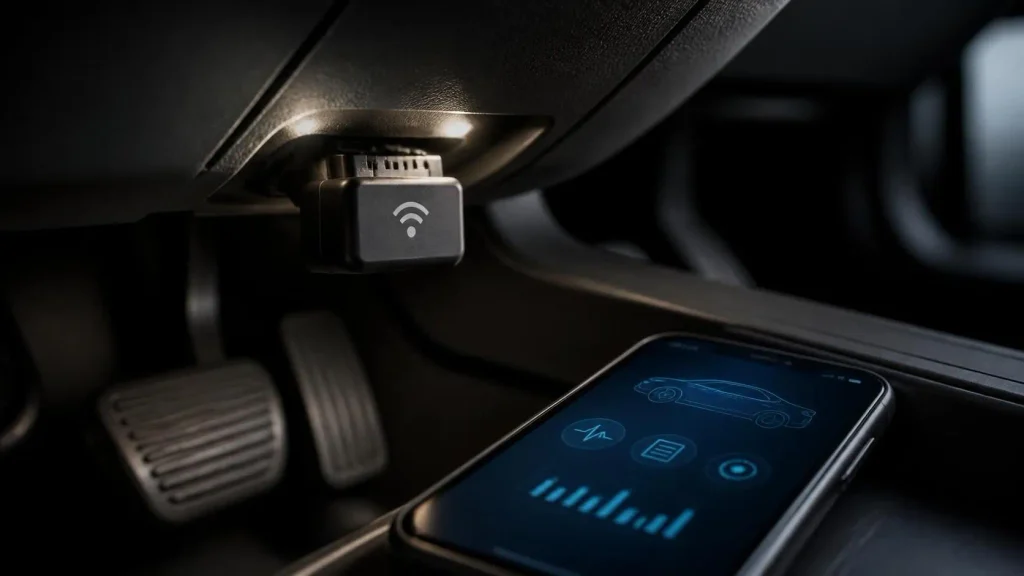
The adapter acts as a translator, not as the car’s main computer. Your vehicle already contains electronic control units that monitor systems and respond to permitted diagnostic requests. The adapter carries those requests and responses between the car and your software.
- Connect to the vehicle. Insert the adapter into the vehicle’s 16-pin OBD diagnostic connector, commonly found under the dashboard.
- Establish communication. A supported app opens the USB, Bluetooth, or Wi-Fi connection to the adapter.
- Find the vehicle protocol. The interface and app establish communication using a diagnostic protocol supported by the car.
- Request information. The app asks for a trouble code, supported parameter, or readiness status.
- Show results. The app turns the returned data into codes, descriptions, gauges, or other readable information.
What Can You Do With One?
For a typical driver, the most useful ELM327 functions concern standardized, emissions-related OBD2 diagnostics. The exact tools available depend on the app and vehicle.
Read and interpret engine trouble codes
A compatible adapter can retrieve supported diagnostic trouble codes, including stored and, where available, pending codes. Codes such as P0301 point toward a particular diagnostic area; they do not automatically prove which component needs replacement. A misfire code, for example, could have more than one underlying cause.
Some apps also show freeze-frame information saved during an emissions-related fault. This can provide useful context, such as engine load or temperature at the time the data was recorded, when the vehicle supports that information.
View live engine data
Depending on the vehicle, you may be able to view engine RPM, coolant temperature, vehicle speed, fuel-system information, calculated load, or oxygen-sensor-related readings. The data is especially useful for observing a change while a symptom occurs, but a value must be interpreted in context rather than judged from one screenshot.
Check emissions readiness
Readiness monitors indicate whether supported onboard emissions tests have completed. That matters before an emissions inspection and after repairs. Clearing codes can reset readiness monitors, so an apparently clear warning light does not necessarily mean the car is ready for a test.
Clear eligible diagnostic codes
Many apps can request that the vehicle clear supported emissions-related codes. However, clearing a code does not repair the underlying problem. It may erase useful freeze-frame information and reset readiness status. Record the findings before deciding whether clearing anything is appropriate.
What Can an ELM327 Adapter Not Do?
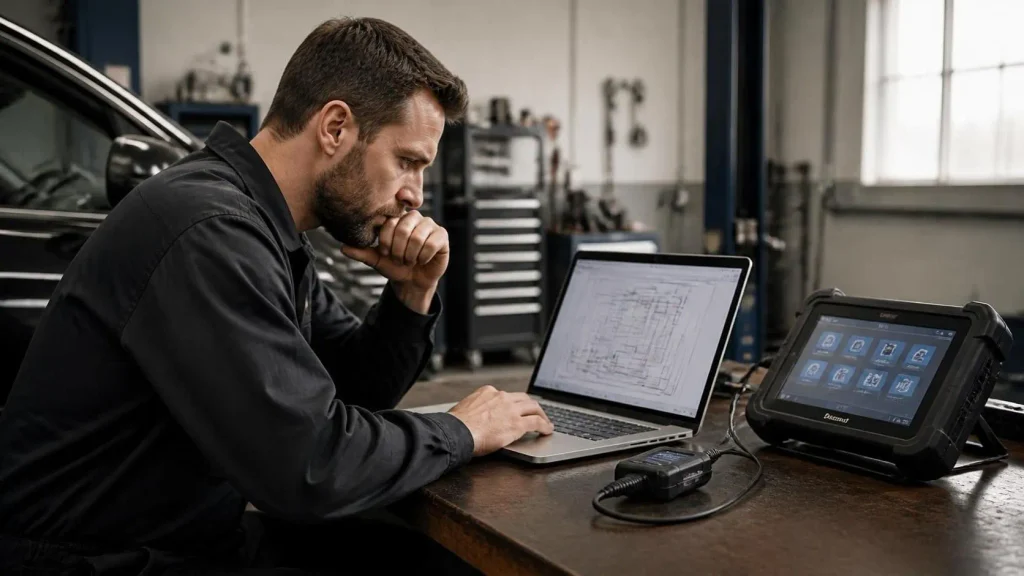
A basic ELM327 adapter should not be confused with a complete professional diagnostic scanner. Standard OBD2 support largely concerns powertrain and emissions information; access to other vehicle systems requires additional capabilities.
- ABS and airbag diagnostics: These usually need the correct manufacturer-specific networks, commands, software, and an adapter capable of supporting them.
- Transmission and body-module functions: Some are accessible with particular combinations, but generic ELM327 compatibility does not promise them.
- Programming or coding: Key programming, module replacement, calibrations, and service procedures are not standard capabilities of an ordinary generic scan app.
- Diagnosis by itself: An adapter retrieves information; it cannot confirm a failed part without appropriate testing and interpretation.
Key Insight
The adapter, the app, and the vehicle each impose limits. An advanced app cannot automatically give a basic dongle access to every control module, and a capable dongle cannot make an unsupported vehicle parameter appear.
Bluetooth, Wi-Fi, or USB: Which Connection Matters?
These labels describe how your phone or computer connects to the adapter, not which vehicle diagnostic protocols it supports. They affect convenience and device compatibility more than the fundamental meaning of OBD2 data.
| Connection | Typical advantage | Main check |
|---|---|---|
| Classic Bluetooth | Convenient wireless setup for many Android devices | Often unsuitable for iPhone apps |
| Bluetooth Low Energy (BLE) | Can support both iOS and Android | App must support the specific adapter |
| Wi-Fi | Wireless option for some iOS-compatible devices | May require joining the dongle’s Wi-Fi network |
| USB | Direct wired link to a compatible computer | Drivers, connector, and software support |
For an iPhone, do not assume that any device advertised simply as “Bluetooth ELM327” will connect. Confirm support for the exact adapter model and the app you intend to use. A compatible BLE or Wi-Fi adapter is often the more practical route.
Will It Work With Your Car?
The first requirement is that the vehicle supports the relevant OBD2 diagnostics. In the United States, 1996-and-newer gasoline passenger cars and light-duty vehicles are the usual starting point, but exceptions and vehicle categories matter. Outside the United States, implementation dates vary by market, fuel type, and regulation.
The second requirement is protocol support. Genuine ELM327 technology was designed to work with several standardized OBD protocols, including CAN, ISO 9141-2, ISO 14230-4, and SAE J1850 variants. That does not prove that every low-cost adapter implements all of them correctly.
How to Use an ELM327 Adapter for the First Time
Set up the device while parked in a safe, ventilated place. Never idle an engine in an enclosed garage, and avoid viewing diagnostic screens while driving.
- Locate the OBD2 port. It is often beneath the steering wheel or near the driver’s footwell; consult the owner’s manual if it is not obvious.
- Plug in gently. Check the connector’s orientation and avoid forcing it. Stop if the plug or socket looks damaged.
- Turn the ignition on. Many initial tests work with the ignition on and engine off; some live readings require the engine to be running.
- Open a compatible app. Choose the supported adapter connection and complete pairing or network setup according to its instructions.
- Connect to the vehicle. Allow the app to detect the OBD protocol automatically if that option is offered.
- Run a simple test. Try reading the vehicle’s supported diagnostic status or engine RPM before exploring more features.
- Save results first. Capture trouble codes and relevant data before clearing anything or disconnecting.
If your app connects to the dongle but reports no ECU connection, the phone-to-adapter link may be fine while the adapter-to-vehicle link is failing. Those are different stages of setup and should be checked separately.
Warning
Use ordinary read-only diagnostics first. Avoid unfamiliar commands that write data, reconfigure modules, or clear information. Remove an unknown adapter after use rather than assuming it has safe low-power standby behavior.
Why Do Cheap ELM327 Adapters Sometimes Fail?
Two dongles with similar cases may contain different internal electronics. Some use partial ELM327-compatible firmware, provide incomplete support for older protocols, or behave inconsistently with particular apps. Even a displayed version string is not proof that the hardware implements every original feature.
Common symptoms have different possible explanations. If the device never appears in the phone’s connection list, inspect wireless mode, phone compatibility, and whether the dongle has power. If pairing works but the app cannot connect, verify the selected adapter profile and make sure a second app is not already using it.
If the app says “unable to connect to ECU,” check the ignition state, vehicle OBD2 compliance, and protocol selection. Automatic protocol detection is usually the best first attempt. An apparently dead diagnostic port may also involve a vehicle electrical issue, such as a blown fuse, which should be checked using vehicle-specific information.
Is an ELM327 Adapter Worth Using?
It makes sense if your goal is to understand a check-engine-light code, check supported readiness monitors, or monitor a few engine readings without buying a standalone scanner. It can also help you collect information before visiting a repair shop. A code and associated conditions give a technician more useful context than a description such as “the light came on yesterday.”
A dedicated scan tool is a better fit when you need consistent coverage across many vehicles, advanced service functions, or reliable manufacturer-specific systems. For someone investigating an airbag warning, steering module, or specialized transmission issue, verifying enhanced coverage matters more than the ELM327 name.
Related Product
ELM327-Compatible OBD2 Adapter
Compare adapters by your phone’s operating system, supported vehicle protocols, and app compatibility before choosing one.
As an Amazon Associate, we earn from qualifying purchases.
Frequently Asked Questions
Does an ELM327 adapter need an internet connection?
Normally, no. Basic OBD2 communication is local between your vehicle, adapter, and app. An app may still need internet access for downloads, updates, cloud features, or extended code descriptions.
Can an ELM327 adapter damage a car?
Normal read-only diagnostic requests are generally low risk with properly made equipment. Risk increases with defective hardware, unsuitable electrical connections, or unsupported write and configuration commands. Avoid untrusted software and unfamiliar advanced operations.
Can I use an ELM327 with the check engine light off?
Yes. A compatible scanner can still request supported live data, readiness information, and available stored or pending codes even if no warning lamp is illuminated.
What does ELM327 v1.5 or v2.1 mean?
Those labels commonly appear in adapter listings as claimed interface or firmware versions. They do not by themselves verify authenticity, protocol completeness, or product quality. Judge the specific unit by documented support and dependable operation.
Does an ELM327 require a paid diagnostic app?
Not necessarily. Free apps can offer basic code reading and gauges, while other apps charge for advanced features or manufacturer-specific coverage. Check the app’s supported adapters and features before paying.
Can I keep the adapter plugged in overnight?
That depends on the dongle’s standby power use, security features, and the vehicle. Some reputable models have documented sleep functions, but an unidentified inexpensive adapter should not be assumed safe for permanent installation.
Conclusion
An ELM327 OBD2 adapter provides an affordable path into basic car diagnostics by linking the diagnostic port to software on another device. Its most practical uses are reading supported engine codes, following live parameters, and checking emissions readiness. The adapter is only one part of the setup: vehicle coverage, communication type, and app compatibility determine what you can actually do. Choose a documented adapter, begin with read-only checks, and remember that a trouble code points you toward diagnosis rather than confirming a repair.

I’m Alex Rahman, a car enthusiast and automotive writer focused on practical solutions, car tools, and real-world driving advice. I share simple and honest content to help everyday drivers make better decisions.
