10 Best OBD2 Scanners for Auto Repair Shops 2026: Pro Picks That Keep Bays Moving
The 10 best OBD2 scanners for auto repair shops list is led by Autel MaxiSys Elite II Pro, with all-system coverage for busy bays. We compared 10 scanners on Diagnostic Coverage, Shop Workflow, and Value for Money. Most shop scanners look identical on paper but slow down on all-system jobs. Whether you run a single bay, a multi-tech shop, or a mobile service, this guide gives you a clear answer.
Quick Comparison: All 10 Products Ranked
| # | Product | Best For | Rating | Badge | |
|---|---|---|---|---|---|
| 1 | Autel MaxiSys Elite II Pro Diagnostic Scanner | Busy multi-bay shops | 4.9/5 | Best Overall | Buy → |
| 2 | Autel MaxiSys MS909 Diagnostic Scanner | High-volume diagnostics | 4.8/5 | Best for Speed | Buy → |
| 3 | LAUNCH X431 PAD VII Diagnostic Scanner | Large shop tablet | 4.8/5 | Best Large Tablet | Buy → |
| 4 | Autel MaxiSys Ultra Diagnostic Scanner | Complex faults | 4.7/5 | Best Advanced | Buy → |
| 5 | LAUNCH X431 V+ Diagnostic Scanner | Pro value | 4.7/5 | Best Value Pro | Buy → |
| 6 | Autel MaxiSys MS906 Pro Diagnostic Scanner | Everyday shop work | 4.6/5 | Best Mid-Range | Buy → |
| 7 | LAUNCH X431 Pro5 Diagnostic Scanner | Growing shops | 4.6/5 | Best for Growth | Buy → |
| 8 | Innova 5610 Bidirectional OBD2 Scanner | Shop backup | 4.5/5 | Best Backup | Buy → |
| 9 | Autel MaxiSys MS906 S Diagnostic Scanner | Routine bay work | 4.5/5 | Best Everyday | Buy → |
| 10 | LAUNCH CRP919X Diagnostic Scanner | Small shop budget | 4.4/5 | Best Budget | Buy → |
How We Chose These Scanners
What we compared
10 shop scanners, 3 scores each, 5 buying factors, and the service functions shops use most often.
Our 3 scoring criteria
Diagnostic Coverage, Shop Workflow, and Value for Money, applied identically to every product.
Editorial ratings note
Scores are editorial ratings based on listed specifications, not lab or hands-on test results.
What we cut — and why
Basic code readers were cut because they lack all-system coverage and service functions a shop needs daily.
What to Look for When Buying OBD2 Scanners for Auto Repair Shops
A shop scanner must do more than read engine codes. It must cover the systems you see daily, run tests without wasting bay time, and keep working after updates.
1. All-System Coverage and Bi-Directional Control
Look for engine, transmission, ABS, airbag, and body systems, plus active tests that let you command a part and watch the response. That is how you confirm a fault instead of guessing at a part. For a plain-language explanation, read what bi-directional control means in practice.
2. Vehicle Coverage and Update Policy
Check the makes and model years you actually service, not just the total brand count. Then check how long updates are included and what renewal costs after that period. A scanner that stops covering new models quickly becomes a second tool. This how to choose an OBD2 scanner guide covers that checklist well.
3. Shop-Floor Hardware, Speed, and Live Data
A shop tablet needs a readable screen, a battery that lasts a workday, and a processor that does not lag on live graphs. Fast refresh matters when you are watching a sensor change in real time. See choosing a scanner for live data before you prioritise screen size alone.
4. Service Functions and Reports
Oil reset, SAS calibration, battery registration, and DPF work come up constantly in a shop. A scanner that handles them in-house saves a trip to a dealer tool. Clear, printable reports also help you explain a diagnosis to a customer without extra paperwork.
5. Durability, Support, and Running Cost
Drops, grease, and heat are normal in a bay, so a rugged case and a replaceable cable matter. Check support hours and update pricing together, because the cheapest tablet can become costly if updates and help are hard to reach.

Autel MaxiSys Elite II Pro Diagnostic Scanner — Best for busy shops
Best for: busy multi-bay shops
For a busy multi-bay shop, this is the scanner that removes the most friction from a diagnostic day. It covers a wide range of vehicle systems, runs active tests and common service functions, and keeps menus fast enough that technicians do not lose time waiting between screens. The large tablet layout makes live data easier to read at a glance, while wireless vehicle communication frees the technician to move around the car. Its main trade-off is size and premium positioning, so it suits a main shop tablet better than a pocket backup tool.
- Broad all-system coverage for shop work
- Fast menus and clear live data
- Strong service functions for daily jobs
- Large tablet, not a pocket tool
- Premium positioning for small shops
4.9/5
4.9/5
4.8/5
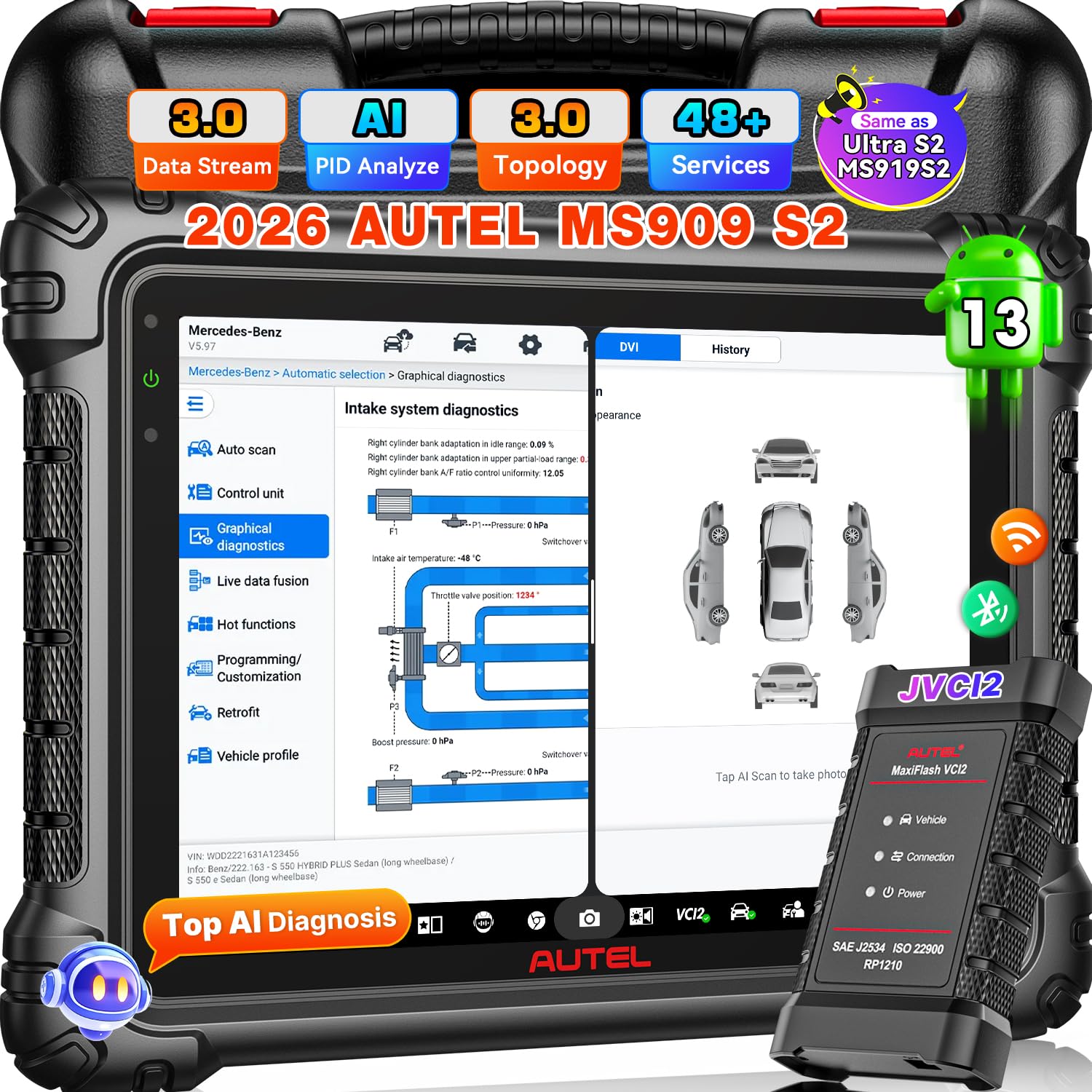
Autel MaxiSys MS909 Diagnostic Scanner — Fastest for high volume
Best for: high-volume diagnostics
When cars stack up, speed is not a luxury, it is how a shop protects its schedule. This tablet is built for that pressure, with a fast processor, quick system scans, and a layout that moves technicians from fault code to live data without extra steps. It handles all-system work and common service functions, so most routine and complex jobs stay on one tool. The trade-off is that its flagship speed comes with flagship positioning, so smaller shops should weigh how many cars they scan each day before choosing it as their main tablet.
- Fast processor for high volume
- Quick all-system scans
- Clear fault-to-live-data flow
- Flagship positioning for small shops
- Large tablet for tight bays
4.8/5
4.9/5
4.7/5

LAUNCH X431 PAD VII Diagnostic Scanner — Large screen, shared shop use
Best for: shops wanting a large tablet
In a shop where several technicians share one tablet, a large screen changes how work gets done. This model gives you a wide display for graphs, all-system coverage, and service functions, with a heavy-duty feel that suits daily bay use. Technicians can read multiple live data streams without squinting, and the tablet format works well for customer explanations at the car. Its size is also its drawback, because it is less convenient in tight interiors, and it is best as a shared shop tablet rather than a personal pocket scanner.
- Large display for live graphs
- Shared-shop tablet format
- All-system and service coverage
- Bulky in tight interiors
- Less convenient as personal tool
4.8/5
4.8/5
4.7/5

Autel MaxiSys Ultra Diagnostic Scanner — For complex fault tracing
Best for: complex faults and oscilloscope work
Complex faults are where a basic shop scanner runs out of answers, and this model is aimed squarely at that work. It combines all-system diagnostics with advanced tools, including oscilloscope capability for signal-level checks, so technicians can test a sensor or actuator directly instead of replacing parts on suspicion. That depth helps on intermittent faults and wiring questions in the shop. The trade-off is complexity and cost, so it is best for shops that regularly handle advanced diagnostics, not for shops that mainly need fast routine scans for everyday cars.
- Oscilloscope for signal checks
- Deep all-system diagnostics
- Helps intermittent fault tracing
- Complex for routine-only shops
- Premium cost and learning curve
4.9/5
4.6/5
4.5/5

LAUNCH X431 V+ Diagnostic Scanner — Pro value without flagship cost
Best for: pro capability without flagship cost
Many shops want pro-level capability without paying for a flagship tablet, and this model hits that middle ground well. It offers all-system scanning, bi-directional tests, and common service functions in a tablet that is easy to carry between bays. For daily diagnostics, oil resets, and ABS or airbag work, it covers the jobs that keep a shop profitable. It is not the fastest tablet in this list, and very large shops may still want a flagship for peak hours, but for balanced value it is a strong main scanner choice.
- Strong pro value balance
- All-system plus bi-directional tests
- Easy to carry between bays
- Not fastest tablet here
- Flagship preferred at peak hours
4.7/5
4.7/5
4.8/5

Autel MaxiSys MS906 Pro Diagnostic Scanner — Dependable everyday shop pick
Best for: everyday shop diagnostics
For everyday shop work, you do not need the biggest tablet, you need the one technicians actually reach for first. This model gives you all-system coverage, active tests, and common service functions in a compact tablet that moves easily from bay to bay. It handles routine diagnostics, resets, and ABS or airbag checks without slowing the day down. It is not built for the deepest oscilloscope work, and very large shops may want a flagship alongside it, but as a dependable everyday shop scanner it earns its place in this list.
- Compact for bay-to-bay work
- All-system everyday coverage
- Common service functions included
- Not for deepest oscilloscope work
- Flagship still helps large shops
4.6/5
4.7/5
4.7/5

LAUNCH X431 Pro5 Diagnostic Scanner — Practical step up for growth
Best for: growing shops adding systems
Growing shops face a moving target, because the cars coming in today are not the same mix as last year. This scanner is a practical step up, with all-system coverage, bi-directional tests, and service functions that cover more of the work a growing team sees. Its tablet layout is straightforward for new technicians, while its coverage keeps senior staff from reaching for a second tool. It is not the fastest flagship here, and shops with very high volume may outgrow it, but for a team adding bays and brands it is a sensible next scanner.
- Practical step up for growth
- Straightforward for new technicians
- All-system plus bi-directional tests
- Not fastest flagship here
- High-volume shops may outgrow it
4.6/5
4.6/5
4.7/5

Innova 5610 Bidirectional OBD2 Scanner — Reliable shop backup
Best for: second bay or backup scanner
Every shop needs a backup that can step in when the main tablet is charging, updating, or in another bay. This handheld scanner fills that role well, with all-system coverage for many vehicles, bi-directional tests, and a simpler layout that technicians learn quickly. It is especially useful as a second scanner for routine checks, ABS or SRS work, and quick fault confirmation. It does not replace a full shop tablet for the deepest diagnostics or large live-data sessions, but as a reliable backup it keeps work moving when the main tool is busy.
- Reliable second-bay backup
- Simpler layout, quick learning
- Bi-directional tests included
- Not full tablet replacement
- Limited for large live-data sessions
4.4/5
4.6/5
4.7/5
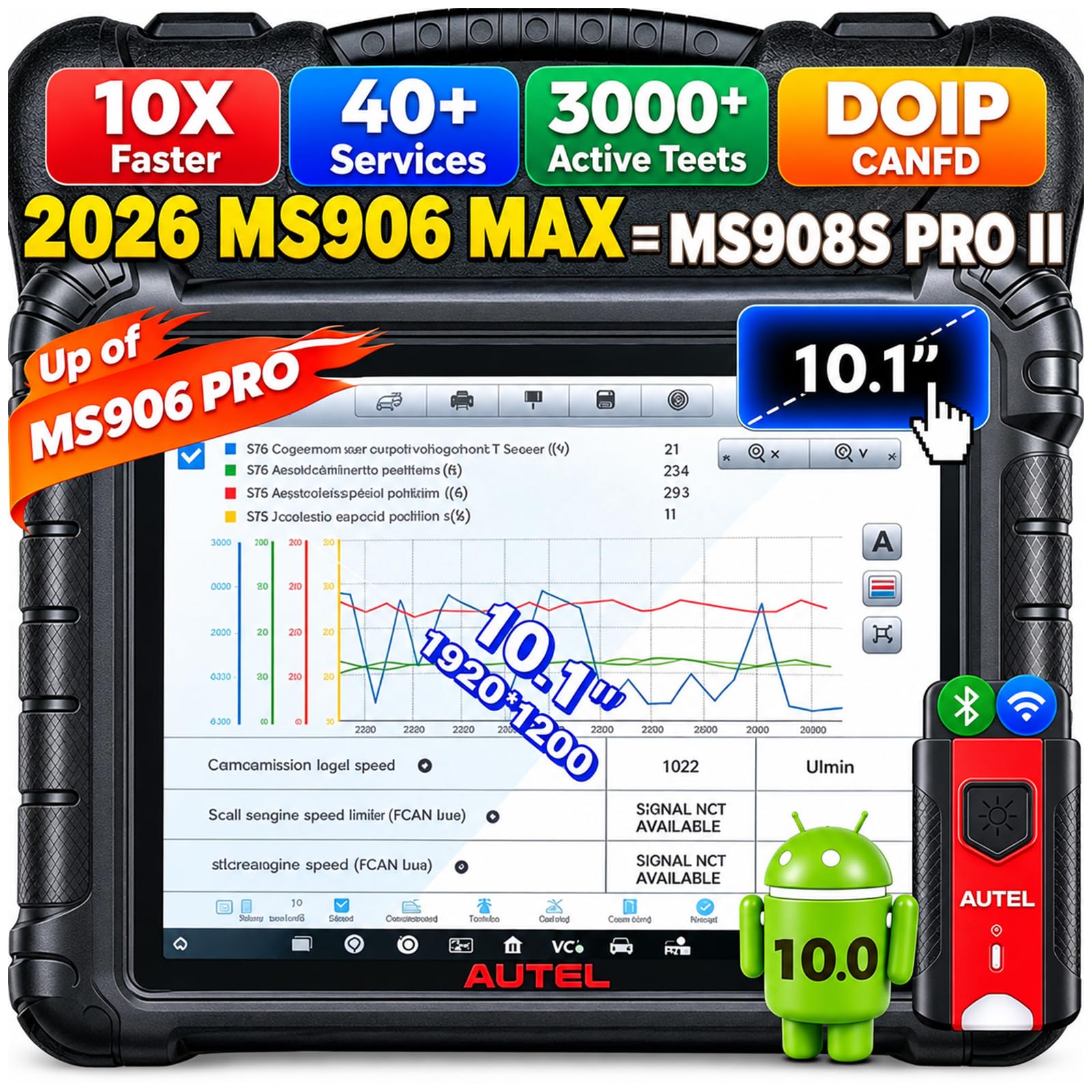
Autel MaxiSys MS906 S Diagnostic Scanner — Steady routine bay work
Best for: routine bay work
Routine bay work rewards a scanner that is fast to start, easy to read, and dependable on the same jobs every day. This model delivers that routine strength, with all-system coverage, active tests, and service functions for common maintenance and fault checks. Technicians can move from a quick scan to a reset without relearning menus, which matters when several cars are waiting. It is not the pick for oscilloscope-level tracing or the largest shared tablets, but for steady, everyday bay work it is a practical and familiar shop tool choice.
- Fast start for routine work
- Familiar menus for technicians
- All-system routine coverage
- Not for oscilloscope tracing
- Not largest shared tablet
4.5/5
4.6/5
4.5/5

LAUNCH CRP919X Diagnostic Scanner — Budget shop capability
Best for: small shops on a budget
Small shops and start-up bays need capability without a flagship budget, and this scanner is built for that balance. It offers all-system coverage, service functions, and a tablet layout that is easy to learn, so a small team can handle engine, ABS, airbag, and routine maintenance work on one tool. It will not match flagship speed or the deepest advanced tools, and very busy shops may need a faster main tablet later. For a first pro scanner, or a budget-conscious shop tablet, it gives strong coverage for the money spent.
- Strong coverage for budget
- Easy to learn tablet
- All-system for small teams
- Slower than flagship tablets
- Limited deepest advanced tools
4.3/5
4.5/5
4.8/5
Top 3 Head-to-Head: Autel Elite II Pro vs Autel MS909 vs LAUNCH PAD VII
These three are the common final choices because they all offer all-system coverage, but they win for different shop reasons.
| Feature | #1 Elite II Pro | #2 MS909 | #3 PAD VII |
|---|---|---|---|
| Diagnostic Coverage | 4.9/5 — Best | 4.8/5 | 4.8/5 |
| Shop Workflow | 4.9/5 | 4.9/5 — Best | 4.8/5 |
| Best use | Main shop tablet | High-volume diagnostics | Shared large tablet — Best |
| Choose if… | You want one balanced main tablet | Speed is your daily bottleneck | Several techs share one tablet |
Who These Scanners Are NOT For
A pro shop scanner is overkill for some readers, and it will not solve every vehicle problem on its own.
They are also not a substitute for physical inspection, wiring checks, or manufacturer-only procedures on some models. A scanner points you to a system, but it cannot prove a mechanical fault by itself. For that boundary, see what OBD2 can actually detect.
Common Mistakes to Avoid
These mistakes cost shops time, money, or repeat visits.
Frequently Asked Questions About OBD2 Scanners for Auto Repair Shops
What OBD2 scanner do most auto repair shops use?
Most repair shops use a professional all-system tablet scanner, not a basic code reader. A shop tablet covers engine, transmission, ABS, airbag, and body systems, runs service functions, and shows live data clearly. That breadth matters because customers arrive with faults across many systems, and a second tool for each system wastes bay time and delays diagnosis.
Do I need bi-directional control in a shop scanner?
Yes, bi-directional control is valuable in a shop because it lets you command a component and watch its response. That helps you test fans, injectors, windows, and other actuators instead of replacing parts on suspicion. Not every job needs it, but shops that diagnose electrical and intermittent faults regularly will use active tests far more than a basic reader allows.
Can a shop scanner do battery registration?
Many professional scanners can perform battery registration, but it is not universal, so check the exact model and vehicle coverage before you buy. Registration tells the vehicle a new battery is fitted, which helps charging control work correctly. If your shop replaces batteries often, confirm this function for your most common makes, and see battery registration with a scan tool for the limits to check.
How often should a shop scanner be updated?
Update a shop scanner whenever a new update is available, and at least before you take on unfamiliar models. Updates add vehicle coverage, fix known faults, and keep service functions working on newer cars. A scanner that is months out of date can miss a system or fail a reset, so build updates into your weekly shop routine rather than treating them as optional.
Is a tablet scanner better than a handheld for a shop?
For most shops, a tablet is better as the main scanner because it shows live data, graphs, and menus more clearly than a small handheld. A handheld still has value as a backup, a second-bay tool, or a quick-check scanner when the main tablet is busy. The best setup for many shops is one strong tablet plus a capable handheld, rather than two basic readers.
Will one scanner cover all car brands?
No single scanner covers every brand and model to the same depth, even when it lists broad coverage. Depth varies by make, model year, and system, so check the vehicles you service most before you buy. If you work on a wide mix, prioritise a scanner with strong coverage for your top makes, and keep a second tool for specialist or older vehicles.
Our Final Verdict
For most shops, the Elite II Pro is the safest main tablet because it balances all-system coverage, service functions, and daily workflow. If speed is your bottleneck, the MS909 is the faster alternative, and if you share one tablet, the PAD VII large screen helps. Choose the tool that fits your bay count, not the biggest spec list.

I’m Alex Rahman, a car enthusiast and automotive writer focused on practical solutions, car tools, and real-world driving advice. I share simple and honest content to help everyday drivers make better decisions.
