10 Best OBD2 Scanners Under 30 2026: Top Budget Picks
The 10 best obd2 scanner under 30 pick now is ANCEL AD310 — a handheld reader with a clear screen and no app needed. We compared 10 scanners on Value for money, Ease of use, and Diagnostic coverage, using published specifications rather than hands-on testing. Most budget scanners look identical on paper but fail on phone pairing, app costs, or basic code coverage. Whether you need a simple handheld, a phone adapter, or a first scanner for occasional checks, this guide gives you one clear answer.
Quick Comparison: All 10 Products Ranked
| # | Product | Best For | Rating | Badge | |
|---|---|---|---|---|---|
| 1 | ANCEL AD310 | First-time code readers | 4.8/5 | Best Overall | Buy → |
| 2 | Autel AutoLink AL319 | Simple handheld use | 4.7/5 | Best Handheld | Buy → |
| 3 | LAUNCH CR319 | Compact handheld buyers | 4.6/5 | Best Value Handheld | Buy → |
| 4 | FOXWELL NT201 | Occasional check-engine checks | 4.5/5 | Best Simple Code Reader | Buy → |
| 5 | MOTOPOWER MP69033 | Spare home scanner | 4.4/5 | Best Budget Handheld | Buy → |
| 6 | Veepeak Mini Bluetooth OBD2 Scanner | Android phone scanning | 4.6/5 | Best Bluetooth for Android | Buy → |
| 7 | Vgate iCar Pro BLE 4.0 | iPhone BLE pairing | 4.7/5 | Best Bluetooth for iPhone | Buy → |
| 8 | BAFX Products Bluetooth OBD2 Scanner | Switching Android apps | 4.5/5 | Best App Flexibility | Buy → |
| 9 | Panlong Bluetooth OBD2 Scanner | Lowest-cost Android scanning | 4.4/5 | Best Ultra-Budget Adapter | Buy → |
| 10 | KONNWEI KW310 | Small handheld checks | 4.3/5 | Best Compact Handheld | Buy → |
How We Chose These Scanners
What we compared
Published specifications for 10 budget scanners: connection type, phone compatibility, code coverage, live data, freeze frame, and readiness support.
Our 3 scoring criteria
Value for money, Ease of use, and Diagnostic coverage, applied identically to every product in this guide.
Limits of this guide
This is a specification comparison only. No hands-on testing, test duration, or expert consultation is claimed, and listings can change.
What we cut — and why
Multi-system and subscription-heavy tools were excluded because they do not fit the everyday, budget-first purpose of this list.
What to Look for When Buying an OBD2 Scanner
A budget scanner should answer one question fast: why is the check-engine light on, and is the car ready for inspection? Start with the basics before you compare models, and read how to choose an OBD2 scanner for a simple checklist.
1. Handheld vs. Bluetooth App
A handheld gives you a screen and buttons, so you can scan without a phone. A Bluetooth adapter gives you a larger phone display and graphs, but only if pairing works and the app supports the feature you need. For a first scanner, the simpler path is usually the safer one, and the best type of OBD2 scanner for DIY use depends on whether you want independence or phone-based detail.
2. iOS vs. Android Compatibility
Classic Bluetooth adapters usually suit Android, while iPhone users generally need Bluetooth Low Energy, often called BLE. WiFi adapters can work across phones, but they may interrupt mobile data and add setup steps. Check the exact phone type, adapter type, and app list before you buy, and compare Bluetooth versus WiFi for OBD2 if you are torn between connection types.
3. Diagnostic Coverage
Most budget picks cover engine codes, which is the main job for a check-engine light. They do not automatically cover ABS, airbag, transmission, or other systems, and some cannot read manufacturer-specific codes. If your warning light is not engine-related, a basic code reader may show no code even though a fault exists, so match coverage to the light you actually have.
4. Live Data, Freeze Frame, and Readiness
Live data shows what sensors report while the engine runs, freeze frame captures conditions when a code was set, and readiness monitors show whether emissions checks are complete. These three features turn a code number into a useful next step, especially before an inspection. A scanner without readiness support can still read codes, but it cannot tell you whether the car is ready for that inspection.

ANCEL AD310 — The Simplest First Scanner
Best for: First-time code readers who want a standalone handheld
If you want the simplest way to read a check-engine code, start here. The ANCEL AD310 is a handheld with its own screen, so you do not need a phone, an app, or a subscription to get a code and a definition. It reads and clears engine codes, shows freeze-frame data, and checks I/M readiness, which covers the most common reason drivers buy a budget scanner. Its small size fits a glovebox, and its buttons are easy to use at home. The trade-off is clear: it is an engine-code tool first, not a multi-system diagnostic station, so do not expect ABS, airbag, or advanced service functions from it.
- Dedicated screen, no phone needed
- Reads and clears engine codes
- Freeze frame and readiness checks
- Engine codes only, limited systems
- Small screen for long live data
4.8/5
4.8/5
4.6/5

Autel AutoLink AL319 — Clear and Simple
Best for: Drivers who want a clear, simple handheld
If a clear screen matters more than phone graphs, the Autel AutoLink AL319 is a strong second choice. It is a handheld reader with a colour screen and simple menus, so reading a code, viewing its definition, and clearing it feels straightforward even for a first-time user. It covers engine codes, live data, freeze frame, and readiness checks, which suits everyday check-engine work and pre-inspection checks. Its size is still easy to store, and it needs no app or account. The limit is the same as most budget handhelds: it is not a multi-system tool, so ABS, airbag, and other system faults may stay outside its reach.
- Clear colour screen, easy menus
- Reads and clears engine codes
- Live data and freeze frame
- No phone app for graphs
- Engine-focused, not multi-system
4.7/5
4.9/5
4.5/5

LAUNCH CR319 — Compact and Practical
Best for: Budget buyers who want a compact handheld
If glovebox space is tight, the LAUNCH CR319 is the handheld to consider first. It is compact, simple to plug in, and focused on the core job: reading engine codes, clearing them after a repair, and checking live data and readiness. Its small form makes it easy to keep in the car, so it is there when a warning light appears on a trip. It does not try to replace a workshop tool, and its screen is basic compared with larger handhelds. For drivers who want a no-fuss code reader that stays in the car, that focused design is a strength, not a flaw.
- Compact size, glovebox friendly
- Reads and clears engine codes
- Live data and readiness checks
- Basic screen, limited detail
- No advanced system coverage
4.9/5
4.6/5
4.4/5
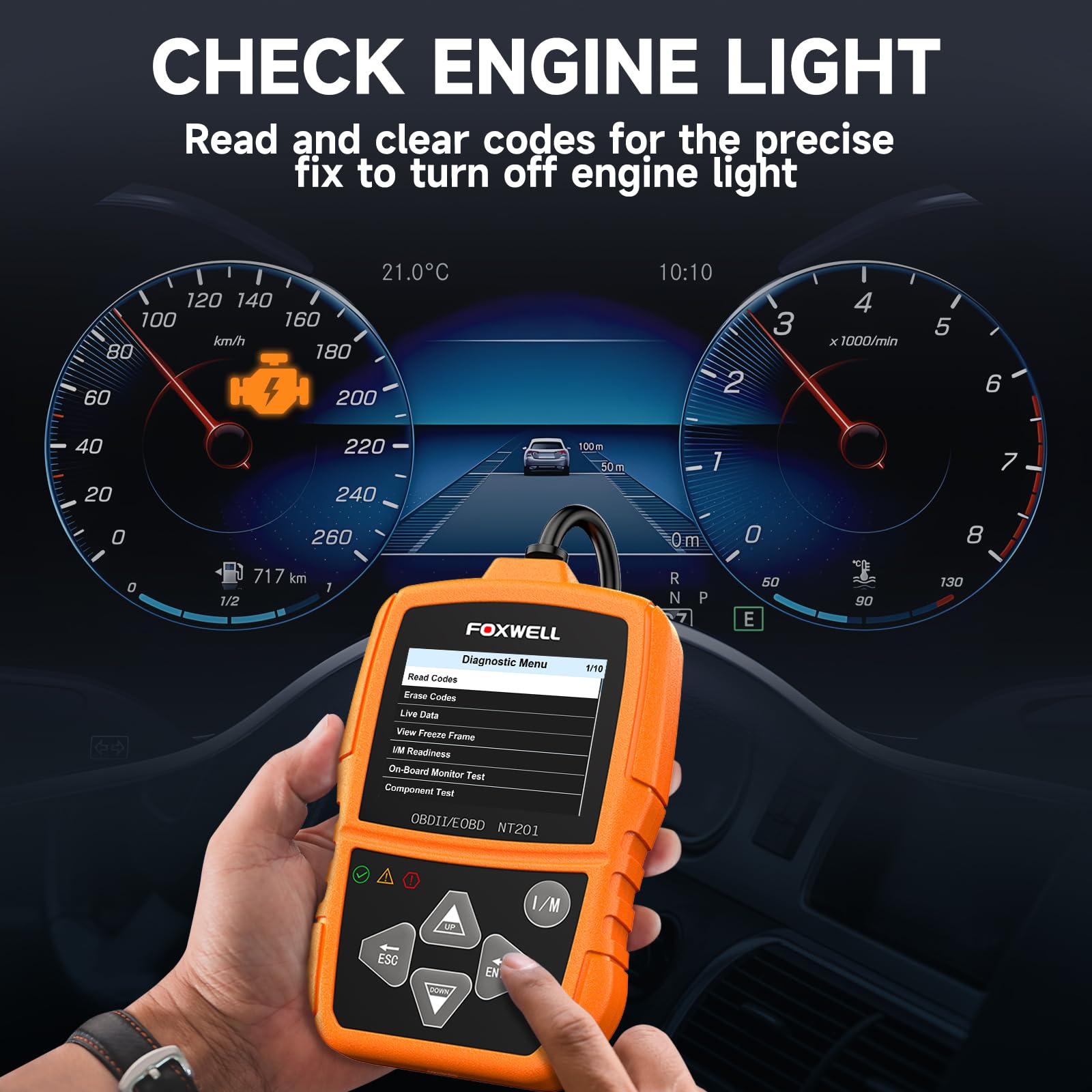
FOXWELL NT201 — Simple and Direct
Best for: Occasional check-engine checks
If you only scan a car a few times a year, the FOXWELL NT201 keeps the job simple. Plug it in, read the code, see a definition, and clear the code after the underlying fault is fixed. It also supports freeze-frame data, which helps you understand the conditions when the code appeared, rather than guessing from the code number alone. Its design is deliberately basic, so there is little to learn and little to set up. That simplicity is also its limit: live-data depth is modest, and it remains an engine-code reader, not a tool for other vehicle systems.
- Simple plug-and-read design
- Clear code definitions on screen
- Freeze frame for context
- Limited live-data depth
- Engine codes only
4.6/5
4.7/5
4.3/5

MOTOPOWER MP69033 — A Spare Scanner
Best for: A spare scanner for home use
If you want a second scanner for the garage, or a first scanner you will not worry about lending, the MOTOPOWER MP69033 fits that role. It is a basic handheld for reading and clearing engine codes, with a simple menu and a compact body that stores easily. It covers the usual check-engine job without asking you to install an app or learn a new interface. Its display is basic, and it offers few extras beyond core code reading, live data, and readiness checks. For a spare tool, that is acceptable, but drivers who want deeper diagnostics should look higher up this list.
- Very simple, beginner friendly
- Reads and clears engine codes
- Compact, easy to store
- Basic display, few extras
- No app or graphing
4.8/5
4.5/5
4.2/5

Veepeak Mini Bluetooth OBD2 Scanner — Phone-Friendly Android Pick
Best for: Android users who want phone-based scanning
If you prefer a phone screen to a handheld screen, the Veepeak Mini Bluetooth adapter is the Android-first option here. It is a small dongle that plugs into the OBD2 port and sends engine data to a compatible Android app, where codes, live data, and readiness can be easier to read. Its size means it can stay plugged in without getting in the way, and its classic Bluetooth link suits many Android phones. The trade-off is app dependence: features, graphs, and code definitions vary by app, and iPhone users should not assume the same classic Bluetooth path will work for them.
- Small dongle, stays plugged in
- Works with popular Android apps
- Live data on phone screen
- Classic Bluetooth, not iPhone-friendly
- App features vary by app
4.9/5
4.4/5
4.5/5

Vgate iCar Pro BLE 4.0 — iPhone-Friendly Adapter
Best for: iPhone users who need BLE pairing
If you use an iPhone, the Vgate iCar Pro BLE 4.0 is the adapter to shortlist first. It uses Bluetooth Low Energy, which is the pairing path iPhone users generally need, rather than classic Bluetooth. Its low-profile dongle is easy to leave in place, and compatible apps can show engine codes, live data, and readiness information on a larger phone screen. The result is more flexible than a basic handheld for drivers who like phone graphs. The limit is still app dependence, and you need a phone to scan at all, so it is not the right pick for drivers who want a standalone screen.
- BLE pairing for iPhone
- Compact, low-profile dongle
- Live data through compatible apps
- App choice affects features
- No screen, phone required
4.6/5
4.7/5
4.7/5

BAFX Products Bluetooth OBD2 Scanner — App Switcher Pick
Best for: Android users who switch between apps
If you like trying different Android apps for codes, graphs, and trip data, the BAFX Products Bluetooth adapter is a practical choice. It is a compact classic Bluetooth dongle that works with many Android apps, so you are not locked into one app layout or one way of viewing live data. That flexibility is useful when one app shows a code clearly and another shows live data better. Its limit is phone dependence and platform fit: it is not the best first choice for iPhone users, and you still need a phone and a compatible app to scan at all.
- Works with many Android apps
- Stable classic Bluetooth link
- Compact dongle design
- Not ideal for iPhone
- No screen, phone required
4.8/5
4.3/5
4.4/5

Panlong Bluetooth OBD2 Scanner — Lowest-Cost Entry
Best for: Lowest-cost phone scanning on Android
If the goal is simply to try phone-based scanning with the least upfront commitment, the Panlong Bluetooth adapter is the lowest-cost entry here. It is a small dongle for Android apps, and it covers the basic job of reading engine codes and viewing simple live data through a compatible app. That makes it a useful trial tool for a first-time user who is not sure whether phone scanning suits them. Its build is basic, support is limited, and app features will decide much of the experience. For drivers who want a more polished or longer-term tool, a handheld or a better-known adapter is a safer choice.
- Very low-cost entry point
- Small, simple dongle
- Basic code reading via app
- Basic build, limited support
- Android-focused, app dependent
4.9/5
4.2/5
4.1/5

KONNWEI KW310 — Small and Straightforward
Best for: A small handheld for basic checks
If you want a handheld that takes up almost no space, the KONNWEI KW310 is a straightforward option. It reads and clears engine codes, shows basic live data, and supports readiness checks, which covers the core needs for a first or spare scanner. Its menu is simple, so starting a scan takes only a few steps, and its compact body is easy to store in a glovebox or tool bag. Its screen is small and its data depth is basic, so drivers who want detailed graphs or wider system coverage should choose a higher-ranked handheld or a phone adapter instead.
- Compact handheld, easy storage
- Reads and clears engine codes
- Simple menu, quick start
- Small screen, basic data
- Engine codes only
4.6/5
4.4/5
3.9/5
Top 3 Head-to-Head: ANCEL AD310 vs Autel AutoLink AL319 vs LAUNCH CR319
These three are the most common final choices because all are handhelds, all cover engine codes, and all avoid phone pairing. The difference is screen clarity, ease of use, and value.
| Feature | #1 ANCEL AD310 | #2 Autel AL319 | #3 LAUNCH CR319 |
|---|---|---|---|
| Value for money | 4.8/5 | 4.7/5 | 4.9/5 — Best |
| Ease of use | 4.8/5 | 4.9/5 — Best | 4.6/5 |
| Diagnostic coverage | 4.6/5 — Best | 4.5/5 | 4.4/5 |
| Choose if… | You want the simplest standalone pick | You want the clearest screen and menus | You want the most compact handheld |
Who These Scanners Are NOT For
These budget picks are best for engine-code checks, not for every warning light on the dashboard.
They are also not ideal if you want guided repairs, wiring diagrams, or workshop-level service functions. A code tells you where to start, not which part to replace, and clearing a code does not fix the fault behind it.
Common Mistakes to Avoid
Most budget scanner regret comes from a coverage or compatibility mismatch, not from the scanner being broken.
Frequently Asked Questions About OBD2 Scanners
Can a scanner under 30 read and clear check engine codes?
Yes, most budget scanners in this list can read and clear engine codes. That is the core job they are built for, and it covers the most common check-engine situation. Clear a code only after noting it and checking freeze-frame data, because clearing does not repair the fault. If the fault remains, the code will usually return, and that return is useful diagnostic information, not a scanner failure.
Do I need a phone app for a Bluetooth OBD2 scanner?
Yes, a Bluetooth adapter needs a compatible phone app to show codes and live data, because the adapter has no screen of its own. The app decides how codes are explained, which live data is shown, and whether graphs or readiness checks are available. Handheld scanners avoid this step entirely, which is why they are simpler for drivers who do not want to manage apps, accounts, or pairing.
Will a cheap OBD2 scanner work on my car?
Most 1996 and newer petrol cars sold in the United States use OBD2, and many budget scanners cover the common protocols used by those cars. Older cars, some diesels, and some regional models may differ, so do not assume universal fit from a generic listing. To reduce mismatch risk, check your vehicle OBD2 compatibility by model year, market, and port type before you buy.
Can a budget scanner read ABS or airbag codes?
Usually no, because most budget scanners in this tier are engine-code tools first. ABS, airbag, transmission, and other systems often need multi-system coverage that basic readers do not advertise. If you have an ABS or airbag light, check the exact system coverage in the listing before buying, rather than assuming a check-engine tool will read every warning light on the dashboard.
Is Bluetooth or WiFi better for a cheap OBD2 adapter?
Bluetooth is usually simpler for everyday phone scanning, especially when the adapter and phone type already match. WiFi can work across more phones, but it may interrupt mobile data and add extra setup steps. For iPhone users, Bluetooth Low Energy is often the cleaner path, while Android users can often use classic Bluetooth. Choose the connection that matches your phone first, then check app support second.
What is the difference between a code reader and a full scan tool?
A code reader mainly reads and clears engine codes, with basic live data and readiness checks. A full scan tool adds wider system coverage, deeper live data, service functions, and often guided diagnostics, but it usually sits in a higher tier. For a first check-engine tool, a code reader is enough for most drivers. For repeated work across several systems, a full scan tool is the more honest long-term choice.
Our Final Verdict
For most drivers, a simple handheld wins at this tier because it works without a phone, an app, or pairing trouble. Choose a Bluetooth adapter only if you want phone graphs and you have already checked phone compatibility. Either way, confirm engine-code coverage and readiness support before you buy, because those two features cover most everyday checks.

I’m Alex Rahman, a car enthusiast and automotive writer focused on practical solutions, car tools, and real-world driving advice. I share simple and honest content to help everyday drivers make better decisions.
