10 Best Bluetooth OBD2 Scanners for Mini Cooper 2026: Clear Phone Diagnostics
The best bluetooth obd2 scanner for mini cooper is Vgate vLinker BM+ — built specifically for BMW-group apps like BimmerCode. We compared 10 Bluetooth adapters, scoring each on Mini App Compatibility, Diagnostic Coverage, and Bluetooth Stability. Most adapters look identical on paper but fail in Mini-specific apps, and that gap is what this guide exposes. Whether you need quick code checks, live data, or Mini coding, this guide gives you one clear answer.
Quick Comparison: All 10 Products Ranked
| # | Product | Best For | Rating | Badge | |
|---|---|---|---|---|---|
| 1 | Vgate vLinker BM+ Bluetooth Adapter for BMW and MINI | Mini owners using BimmerCode or BimmerLink | 4.9/5 | Best Overall | Buy → |
| 2 | BlueDriver Bluetooth Pro OBDII Scan Tool for iPhone & Android | Clear code explanations on iPhone and Android | 4.8/5 | Best for Everyday Use | Buy → |
| 3 | OBDLink MX+ Bluetooth OBD2 Scanner | Fast live data and leaving plugged in | 4.8/5 | Best for Live Data | Buy → |
| 4 | Carly Universal Adapter for BMW and MINI | Mini coding and service functions via Carly | 4.7/5 | Best for Coding | Buy → |
| 5 | Veepeak OBDCheck BLE+ Bluetooth OBD2 Scanner | Budget BLE scanning on iPhone and Android | 4.7/5 | Best Budget | Buy → |
| 6 | OBDLink CX Bluetooth OBD2 Adapter | BimmerCode users wanting a tiny BLE adapter | 4.6/5 | Best Compact Pick | Buy → |
| 7 | Autel MaxiAP AP200 Bluetooth OBD2 Scanner | Owners wanting broader system coverage via app | 4.6/5 | Best for All-System Checks | Buy → |
| 8 | FIXD OBD2 Professional Bluetooth Scan Tool | First-time Mini owners wanting simple explanations | 4.5/5 | Best for Beginners | Buy → |
| 9 | ANCEL BD300 Bluetooth OBD2 Scanner | A second phone adapter with Bluetooth 5.1 | 4.5/5 | Best Value BLE | Buy → |
| 10 | Vgate vLinker MC+ Bluetooth OBD2 Adapter | A second adapter for a second car or phone | 4.4/5 | Best Spare Adapter | Buy → |
How We Chose These Bluetooth Adapters
What we compared
10 Bluetooth adapters, compared by listed specifications, app compatibility lists, and documented features — not by hands-on lab testing.
Our 3 scoring criteria
Mini App Compatibility, Diagnostic Coverage, and Bluetooth Stability, applied identically to every adapter.
How scores work
Scores are editorial ratings based on listed specifications, not measured test results. A higher score means a stronger listed fit for Mini owners.
What we cut — and why
Classic-only adapters were cut for iPhone owners, and generic-only adapters were ranked below Mini-specific options for coding buyers.
What to Look for When Buying a Bluetooth OBD2 Scanner for Mini Cooper
A Mini will accept most standard OBD2 adapters for engine codes, but Mini-specific apps and coding change the choice. Start with your phone, then your app, then the depth you actually need.
1. Pick the Right Bluetooth Type for Your Phone
Your phone decides the Bluetooth type before your Mini does. Android phones normally accept Bluetooth Classic and Bluetooth Low Energy, while iPhones normally need BLE or an MFi-certified Classic adapter. Check how a Bluetooth scanner works with an iPhone before buying for iOS, and connect BLE adapters inside the app rather than pairing first in Settings.
2. Check Mini and BMW App Compatibility, Not Just the Port
A standard 16-pin port does not guarantee Mini-specific functions. BimmerCode, BimmerLink, and Carly each list supported adapters and Mini models, and that list matters more than a generic “for BMW” title. This is also why it helps to review what to look for in an OBD2 scanner before choosing depth over a simple code reader.
3. Diagnostic Depth and Live Data
Generic adapters read engine codes and readiness, but deeper Mini work needs enhanced coverage, live data, and freeze-frame context. A good live-data adapter refreshes readings quickly and graphs several parameters together, which helps you spot a repeating fault rather than a single stored code. Choose a scanner good for live data if you troubleshoot running problems, not just warning lights.
4. Setup, Power Draw, and Leaving It Plugged In
Mini footwells are tight, so a low-profile plug that will not catch your foot matters as much as the app. For daily use, look for documented sleep mode and low standby power, and unplug the adapter before long parking if that behaviour is not documented. The question of whether you can leave an OBD2 scanner plugged in depends on standby power, battery health, and how long the car sits.
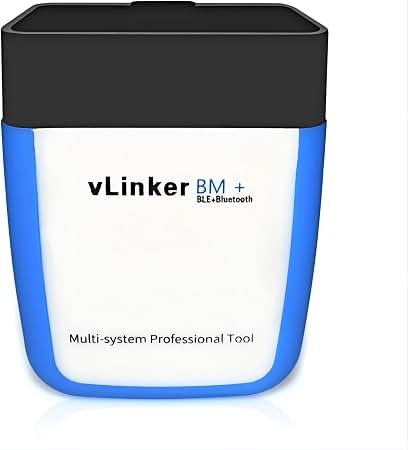
Vgate vLinker BM+ Bluetooth Adapter for BMW and MINI — Best Mini app support
Best for: Mini owners using BimmerCode or BimmerLink
Mini owners who want more than a generic code reader should start here, because this adapter is made for BMW-group cars and works with the apps Mini drivers actually use. It connects to BimmerCode and BimmerLink, so you can read engine codes, check live data, and use Mini-specific functions that a generic adapter may not expose. The compact plug sits low in the Mini footwell, and the low-power design is suited to regular use. The trade-off is clear: coding and service features still depend on the app you choose, and some functions need a separate app licence.
- Made for BMW-group Mini models
- Works with BimmerCode and BimmerLink
- Compact plug fits Mini footwell
- Not a full professional scan tool
- Advanced coding needs separate app licence
4.9/5
4.8/5
4.8/5

BlueDriver Bluetooth Pro OBDII Scan Tool for iPhone & Android — Clearest everyday code explanations
Best for: Clear code explanations on iPhone and Android
If a check engine light is your main worry, BlueDriver keeps the answer readable. Its app explains codes in plain language, shows freeze-frame context, and records live data without forcing you into a separate handheld tool. You can save reports, check readiness before an inspection, and revisit past scans when a fault returns. Mini-specific coding is not its job, and enhanced coverage can vary by model year, so check the app for your exact Mini before relying on a deeper function. For everyday code reading, though, few phone adapters explain themselves this clearly.
- Clear plain-language code explanations
- Live data and freeze-frame reports
- No subscription for core app features
- Mini-specific coding not included
- Enhanced coverage varies by model year
4.7/5
4.8/5
4.9/5

OBDLink MX+ Bluetooth OBD2 Scanner — Fast live data, safe standby
Best for: Fast live data and leaving plugged in
For Mini drivers who watch live data rather than just clearing codes, the MX+ is a strong phone adapter. Its listed fast data rate suits graphing coolant temperature, fuel trim, and other readings while you drive, and it works with several third-party apps instead of locking you into one view. Documented BatterySaver sleep mode also makes it a better choice if you plan to leave it plugged in during daily use. The catch is app-dependent: the features you see depend on the app you pair it with, so choose that app first and confirm it covers your Mini.
- Fast live-data refresh from listed specs
- BatterySaver sleep mode documented
- Works with third-party apps
- App choice affects available features
- No built-in display or buttons
4.8/5
4.9/5
4.8/5

Carly Universal Adapter for BMW and MINI — Best Carly coding route
Best for: Mini coding and service functions via Carly
Carly is the pick for Mini owners who want coding and service checks, not just code reading. Paired with the Carly app, this adapter can support Mini-specific diagnostics, battery checks, and coding options on supported models, plus used-car checks that go beyond a generic scan. That depth comes with a cost: full Carly features need a paid subscription, and coverage still depends on your Mini model and year. If you will use coding more than once, the subscription can make sense. If you only want occasional code reads, a simpler adapter is better value.
- Coding and service functions via Carly
- Battery and service checks included
- Mini-specific diagnostics in app
- Full features need paid Carly subscription
- Coverage depends on Mini model year
4.9/5
4.7/5
4.6/5
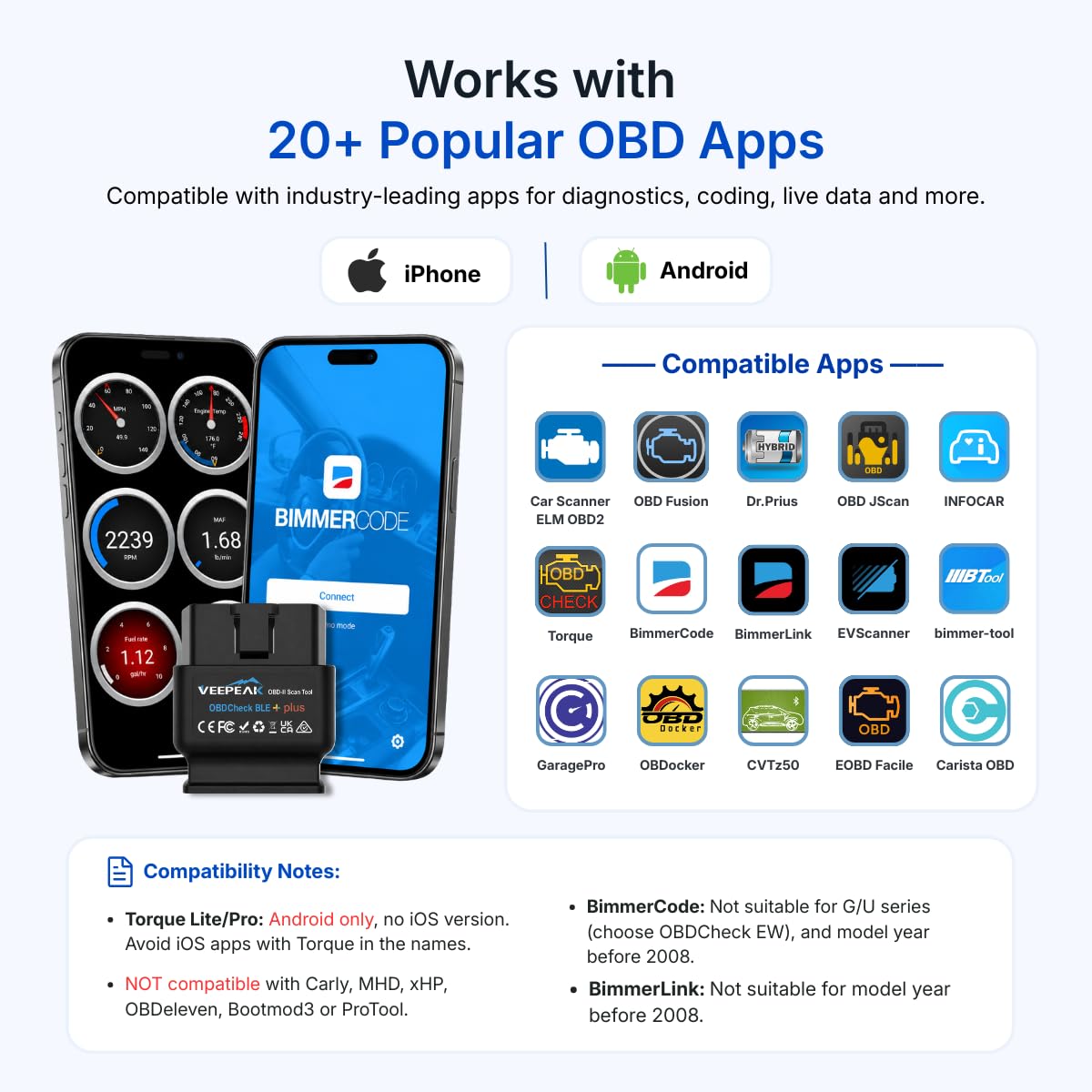
Veepeak OBDCheck BLE+ Bluetooth OBD2 Scanner — Best budget BLE pick
Best for: Budget BLE scanning on iPhone and Android
The Veepeak BLE+ is a budget choice for Mini owners who mainly need code reading and live data on a phone. It uses Bluetooth Low Energy, so it works with iPhone apps that reject Classic-only adapters, and its small plug is easy to leave in place for short trips. Pair it with a good generic app and you get codes, freeze-frame data, and basic live readings without paying for coding features you may never use. Its limits are honest: there is no Mini-specific coding, and enhanced Mini codes are limited. For a first adapter, that balance is hard to beat.
- Low-cost BLE adapter
- Small low-profile design
- Works with many generic apps
- No Mini-specific coding
- Enhanced Mini codes limited
4.5/5
4.5/5
4.7/5

OBDLink CX Bluetooth OBD2 Adapter — Tiny BimmerCode adapter
Best for: BimmerCode users wanting a tiny BLE adapter
If your Mini plan is simple — use BimmerCode, keep the adapter out of the way, and check codes when needed — the CX fits that brief well. It is a tiny Bluetooth Low Energy adapter made for BimmerCode users, with low power draw listed and support for iOS and Android. Its size helps in the Mini footwell, where a bulky dongle can catch a foot or work loose. The trade-off is scope: generic app support is narrower than the larger MX+, and there is no screen or button for standalone use. As a dedicated BimmerCode companion, it is excellent.
- Tiny BLE adapter for BimmerCode
- Low power draw listed
- iOS and Android support
- Generic app support narrower than MX+
- No display or buttons
4.8/5
4.4/5
4.7/5

Autel MaxiAP AP200 Bluetooth OBD2 Scanner — Broadest app system coverage
Best for: Owners wanting broader system coverage via app
The AP200 suits Mini owners who want to look beyond the engine light. Through the Autel app, it can support all-system checks and service functions on supported Minis, with live-data graphing that helps separate a one-off fault from a repeating problem. That breadth is useful when several warning systems are involved, and the phone display keeps reports readable. Setup takes longer than a simple code reader, and extra vehicle brands may need payment after the first included brand. For a Mini you plan to maintain yourself, the extra coverage is worth that setup time.
- All-system coverage via Autel app
- Service functions on supported Minis
- Live data graphing in app
- Extra brands may need payment
- Setup takes longer than simple adapters
4.6/5
4.8/5
4.5/5

FIXD OBD2 Professional Bluetooth Scan Tool — Simplest beginner explanations
Best for: First-time Mini owners wanting simple explanations
FIXD is built for Mini owners who do not want to learn diagnostic jargon first. Its app translates codes into simple explanations, flags severity in plain terms, and adds maintenance reminders that suit a first-time owner. You can read and clear engine codes, check live data in a simplified view, and keep a basic history for your Mini. Advanced Mini functions are limited, and some features sit behind a premium plan, so experienced DIY owners may outgrow it quickly. As a calm first step into phone diagnostics, though, it removes most of the fear from a warning light.
- Simple app explanations for beginners
- Maintenance reminders in app
- Quick code reading
- Advanced Mini functions limited
- Some features need premium plan
4.4/5
4.4/5
4.6/5
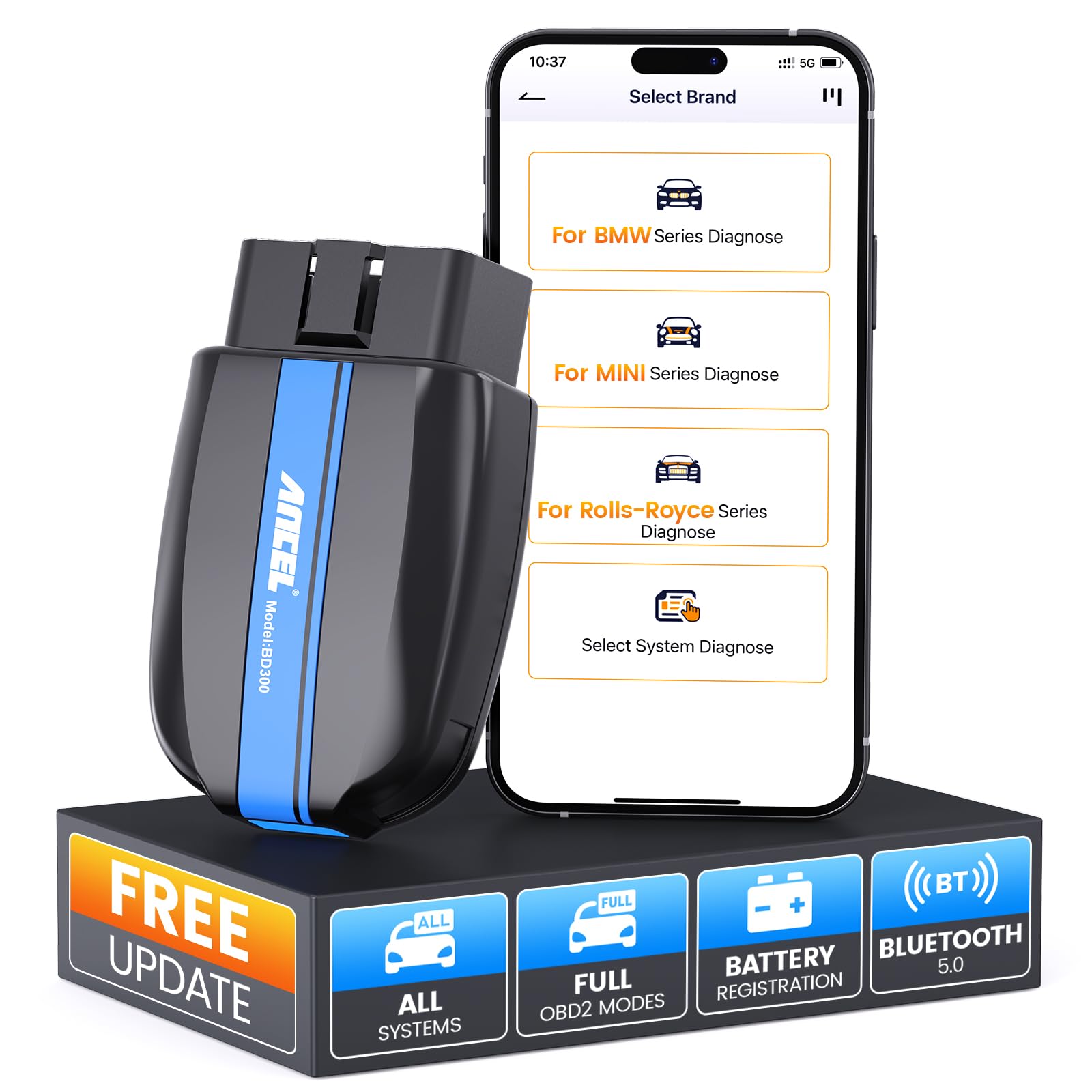
ANCEL BD300 Bluetooth OBD2 Scanner — Good value Bluetooth 5.1
Best for: A second phone adapter with Bluetooth 5.1
The ANCEL BD300 is a good value option for Mini owners who want a modern Bluetooth connection without paying for brand-specific coding. Its listed Bluetooth 5.1 connection suits newer phones, the plug is compact enough for the Mini footwell, and it pairs with popular generic apps for codes, live data, and readiness checks. That flexibility is also its limit: Mini coding is not supported, and the quality of explanations depends heavily on the app you choose. Pick a well-rated generic app first, and the BD300 becomes a dependable everyday reader.
- Bluetooth 5.1 connection listed
- Compact design
- Works with Car Scanner apps
- Mini coding not supported
- App quality varies by chosen app
4.4/5
4.3/5
4.6/5
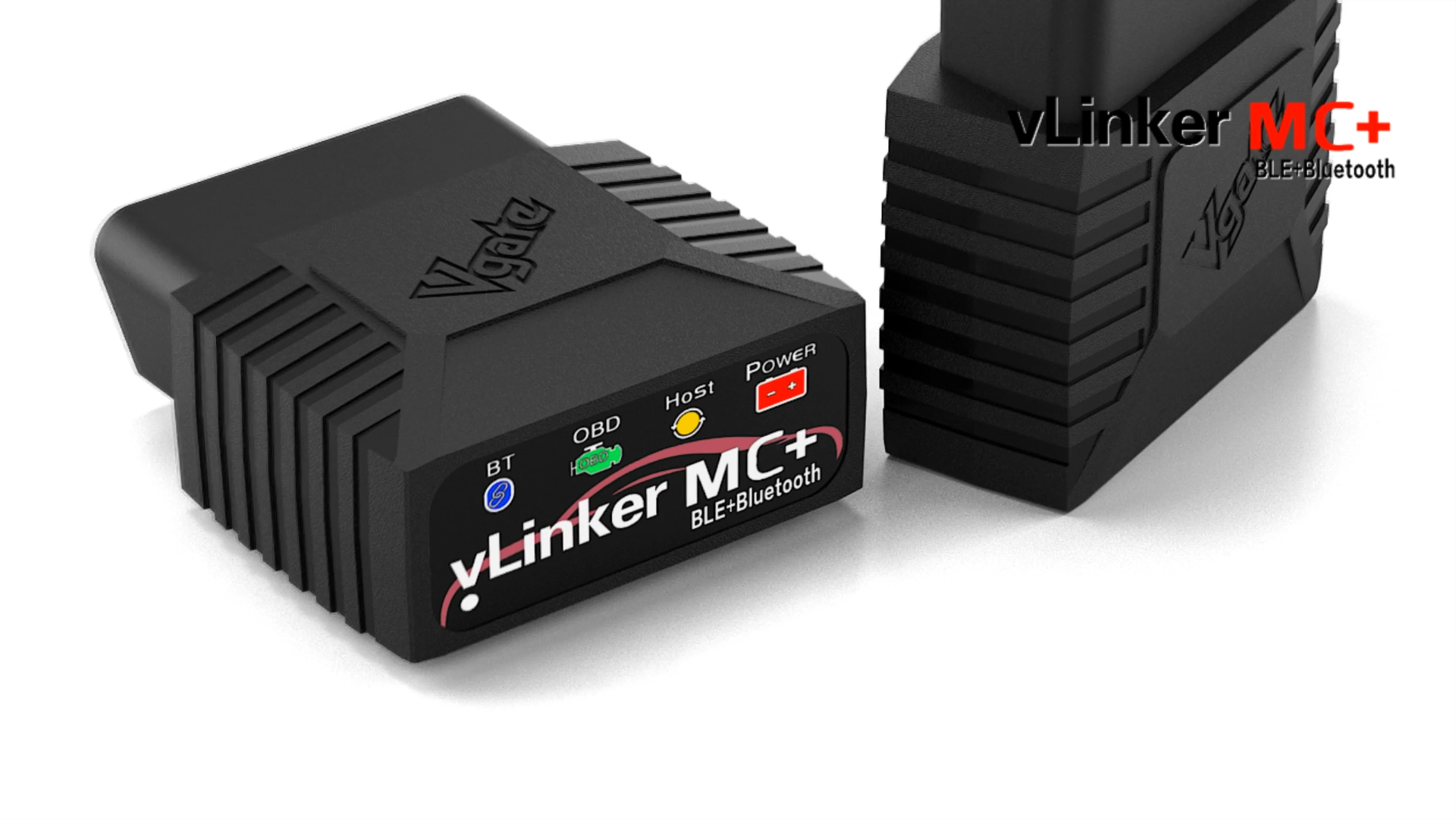
Vgate vLinker MC+ Bluetooth OBD2 Adapter — Dependable spare adapter
Best for: A second adapter for a second car or phone
The MC+ works well as a spare or second-car adapter for a Mini household. It covers the standard OBD2 protocols Mini models use, connects over Bluetooth Low Energy to iOS and Android phones, and keeps a small plug that is easy to move between cars. For quick code checks and basic live data in a generic app, it does the job without fuss. It is not Mini-specific like the BM+, so coding support depends entirely on the app, and enhanced coverage is basic. As a backup adapter, or a first adapter on a tight budget, it is a practical choice.
- Affordable multi-protocol adapter
- iOS and Android via BLE
- Small plug design
- Not Mini-specific like BM+
- Coding support depends on app
4.5/5
4.3/5
4.5/5
Top 3 Head-to-Head: Vgate BM+ vs BlueDriver vs OBDLink MX+
These three are the common final choices because they cover Mini app support, everyday explanations, and live data without forcing a handheld tool.
| Feature | #1 Vgate BM+ | #2 BlueDriver | #3 OBDLink MX+ |
|---|---|---|---|
| Mini App Compatibility | 4.9/5 — Best | 4.7/5 | 4.8/5 |
| Diagnostic Coverage | 4.8/5 | 4.8/5 | 4.9/5 — Best |
| Bluetooth Stability | 4.8/5 | 4.9/5 — Best | 4.8/5 |
| Choose if… | You use BimmerCode or BimmerLink | You want clear everyday explanations | You watch live data often |
Who These Bluetooth Adapters Are NOT For
Phone adapters are excellent for code reading and Mini app work, but they are not the right tool for every job.
Classic Minis without a standard OBD2 port also need a different approach, and owners who never want to use a phone app will be happier with a handheld reader.
Common Mistakes to Avoid
Most Mini Bluetooth failures come from setup or app choice, not from a broken car.
Frequently Asked Questions About Bluetooth OBD2 Scanners for Mini Cooper
Will a Bluetooth OBD2 scanner work on a Mini Cooper?
Yes, a Bluetooth OBD2 scanner will work on most modern Mini Cooper models with a standard 16-pin OBD2 port, which covers Mini models from the early 2000s onward. Plug the adapter into the port under the dashboard, switch the ignition on, and connect through a compatible app. Classic Minis built before OBD2 became standard do not use this port, so check your model year first.
Which Bluetooth adapter is best for BimmerCode on a Mini?
For BimmerCode on a Mini, choose an adapter the app lists for BMW-group vehicles, such as the Vgate vLinker BM+ or OBDLink CX. These adapters are made to work with BimmerCode and BimmerLink, which matters more than a generic Bluetooth label. Check the app compatibility list for your Mini model and year before buying, because coding support varies by vehicle.
Can I use a Bluetooth OBD2 scanner on an iPhone with a Mini?
Yes, but only with the right Bluetooth type. An iPhone normally needs a Bluetooth Low Energy adapter with a BLE-compatible app, or an MFi-certified adapter for Bluetooth Classic. A Classic-only adapter may work on Android yet fail on an iPhone. Connect BLE adapters inside the app, not by pairing first in iPhone Settings, for the most reliable result.
Do I need internet to use a Bluetooth OBD2 scanner on a Mini?
No, you do not need internet for basic scanning. The local link between adapter and phone works offline for reading codes and viewing live data the car provides. Internet may still be needed for code-lookup databases, app updates, cloud backups, or premium app features. If you scan in a garage with poor signal, basic code reading should still work.
Can a Bluetooth scanner code a Mini Cooper?
Some Bluetooth adapters can support coding on a Mini, but only with the right app and a supported model. Adapters made for BMW-group vehicles, paired with BimmerCode or Carly, can offer coding and service functions on supported Minis. A generic code reader cannot code a car, even if it connects successfully. Always confirm coding coverage for your exact Mini before paying for a coding app.
Can I leave a Bluetooth OBD2 scanner plugged into my Mini?
You can leave a scanner plugged in during daily driving if it has documented sleep mode and low standby power, such as adapters with BatterySaver-style power management. Cheap adapters without verified sleep mode may draw power while parked and drain the battery over time. For parking lasting several days or longer, unplug the adapter unless its standby behaviour is clearly documented.
Our Final Verdict
For most Mini owners, the BM+ is the safest first adapter because it matches Mini apps, while BlueDriver suits everyday explanations and the MX+ suits live data. Choose by app first, phone second, and depth third, and you will avoid the most common Bluetooth disappointment.

I’m Alex Rahman, a car enthusiast and automotive writer focused on practical solutions, car tools, and real-world driving advice. I share simple and honest content to help everyday drivers make better decisions.
