Can I Leave My OBD2 Scanner Plugged In All the Time?
Quick Answer
Yes, you can leave an OBD2 scanner plugged in all the time if it supports automatic sleep mode and works properly with your vehicle. However, some scanners continue drawing battery power after you turn off the engine. A poorly designed adapter may also interfere with vehicle electronics. For safer long-term use, choose a scanner with automatic battery-saving technology and unplug it before extended parking.
What You Need to Know
- Battery drain: Some scanners consume electricity even when the engine is off.
- Sleep mode: Quality adapters reduce power consumption automatically.
- Daily driving: Low-power adapters are generally suitable for regularly driven vehicles.
- Long-term parking: Disconnect the scanner when leaving your vehicle unused for extended periods.
- Scanner quality: Cheap Bluetooth adapters may lack reliable power management.
Safest Approach
- Check compatibility: Verify the manufacturer’s standby-power specifications and sleep-mode behavior.
- Monitor your battery: Investigate unexpected slow starts or low-voltage warnings.
Leaving an OBD2 scanner connected seems convenient, especially when you use a Bluetooth diagnostic app every day. But convenience isn’t worth waking up to a dead battery.
In this guide, I’ll explain when permanent installation makes sense, what can go wrong, and how to reduce the risks. I’ll also compare scanner types and recommend practical alternatives.
What Happens When You Leave an OBD2 Scanner Plugged In?
An OBD2 scanner connects to your vehicle’s onboard diagnostics system through a standardized diagnostic port. It can read trouble codes, access supported vehicle data, and help identify problems.
The port typically sits beneath the dashboard near the driver’s knees. Most OBD2-compliant passenger vehicles use a 16-pin diagnostic connector.
When you connect a scanner, it receives electrical power from the vehicle or another specified power source. Many wireless adapters remain connected to battery power after the ignition switches off.
Why the OBD2 Port May Stay Powered
In most conventional OBD2 installations, pin 16 supplies battery voltage. That allows diagnostic equipment to communicate with supported vehicle systems without depending entirely on the ignition switch.
However, the behavior of a particular scanner depends on its electronics and the vehicle’s power management. Some devices enter sleep mode, while others remain active.
- Engine running: The scanner communicates with supported vehicle modules and uses electrical power.
- Engine switched off: The scanner may remain powered through the diagnostic port.
- Sleep mode activated: A compatible scanner reduces its standby current.
- No effective sleep mode: The scanner may continue consuming power unnecessarily.
That final situation deserves attention. Even a small electrical load matters when your battery isn’t being recharged.
Can Leaving an OBD2 Scanner Plugged In Drain Your Battery?
Yes, a plugged-in OBD2 scanner can drain your car battery if it consumes enough power while the engine is off. The actual risk depends on standby current, parking duration, battery condition, and vehicle behavior.
A healthy battery can tolerate some additional electrical load. An aging or partially discharged battery has much less room for error.
How Much Power Does an OBD2 Scanner Use?
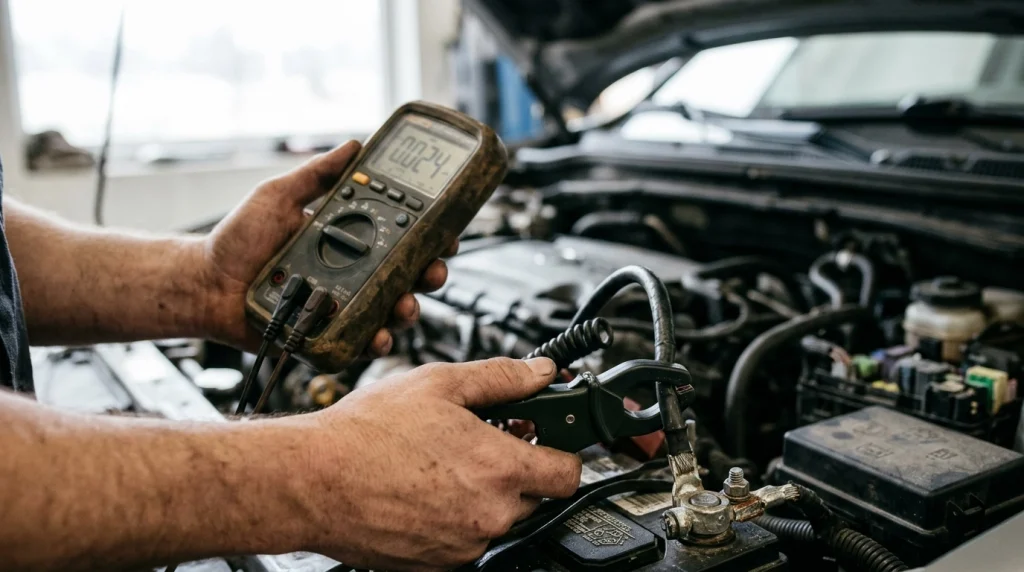
Current consumption varies significantly between scanners. The numbers below demonstrate how different standby loads affect battery use.
| Scanner Current | 24-Hour Consumption | 14-Day Consumption | Practical Meaning |
|---|---|---|---|
| 2 mA | 0.048 Ah | 0.672 Ah | Small additional load |
| 10 mA | 0.24 Ah | 3.36 Ah | Noticeable over long parking periods |
| 30 mA | 0.72 Ah | 10.08 Ah | Significant additional drain |
| 60 mA | 1.44 Ah | 20.16 Ah | High concern during extended parking |
These are mathematical examples using constant current, not measurements of specific scanners. They exclude the vehicle’s existing electrical loads and changes in standby behavior.
For example, a scanner drawing 30 milliamps continuously uses about 10 amp-hours over two weeks. That energy comes from the battery while the vehicle is parked.
This doesn’t mean every 30 mA scanner will cause a no-start condition. Starting reliability also depends on temperature, battery health, and available charge.
What Is Parasitic Battery Drain?
Parasitic battery drain is the electrical current consumed by equipment while a vehicle is switched off. Some drain is normal because electronics must retain settings or respond to commands.
Problems arise when an accessory draws excessive power or prevents control modules from sleeping. A poorly behaved OBD2 adapter can contribute to either issue.
For more background on vehicle diagnostics, visit the U.S. Environmental Protection Agency, which provides resources on onboard diagnostics and emissions systems.
Is It Safe to Leave a Bluetooth OBD2 Scanner Connected?
A Bluetooth OBD2 scanner can be safe to leave connected when its manufacturer supports permanent installation. The device should enter a verified low-power state without keeping vehicle modules awake.
Bluetooth itself isn’t necessarily the main problem. More important factors include electrical design, firmware, and the connected diagnostic app.
Why Sleep Mode Matters
Automatic sleep mode reduces a scanner’s electrical consumption when active diagnostics aren’t needed. Some adapters wake when the vehicle starts or an app reconnects.
For example, the OBDLink MX+ supports BatterySaver technology. Its manufacturer documents low-power operation and explains how to recognize sleep mode.
You can review OBDLink MX+ support documentation for the manufacturer’s instructions.
Why Cheap Bluetooth Adapters Can Be Riskier
Low-cost ELM327-style adapters vary widely in quality. Some offer basic diagnostic communication without dependable power-saving features.
An inexpensive adapter isn’t automatically unsafe. However, I wouldn’t assume a device supports overnight installation simply because it connects successfully.
- Unclear specifications: The manufacturer doesn’t publish standby-current figures.
- No sleep-mode documentation: There’s no explanation of what happens after shutdown.
- Unreliable firmware: The adapter repeatedly disconnects or behaves unexpectedly.
- Persistent communication: The adapter or companion app may continue requesting vehicle data.
- Unknown security: Poorly secured wireless connections can expose diagnostic access.
If I couldn’t verify the adapter’s standby behavior, I’d unplug it after diagnosing the vehicle. That simple habit removes an unnecessary variable.
Can an OBD2 Scanner Damage Your Car If Left Plugged In?
A properly designed, compatible scanner normally shouldn’t damage your vehicle simply because it stays connected. Problems are more likely with defective hardware, inappropriate software commands, or vehicle-specific compatibility issues.
The key distinction is between reading information and changing vehicle settings. Basic monitoring usually presents fewer risks than coding or programming control modules.
Possible Problems Beyond Battery Drain
- Vehicle modules staying awake: Repeated diagnostic communication can interfere with normal sleep behavior.
- Communication errors: An incompatible adapter may disrupt expected network activity.
- Physical interference: A bulky scanner can obstruct the driver’s footwell or become accidentally dislodged.
- Electrical faults: Damaged connectors or poorly designed electronics may create additional risks.
- Unauthorized access: Weak wireless security may make an adapter easier to access without permission.
Most users won’t encounter these problems with reputable hardware. Still, compatibility matters more than an attractive price.
Never let an adapter interfere with pedals, steering components, or your normal driving position. Remove it immediately if it causes unusual vehicle behavior.
How Long Can You Leave an OBD2 Scanner Plugged In?
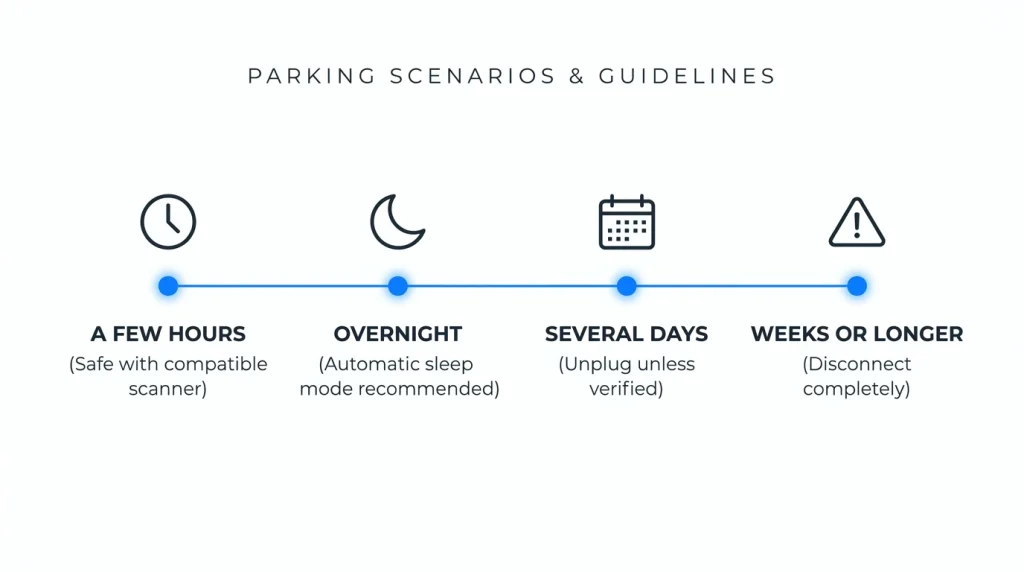
There’s no universal safe time limit for every OBD2 scanner. A device with effective sleep mode may remain installed during daily use, while an always-active adapter deserves more caution.
I recommend thinking about both your driving habits and battery condition. A regularly driven vehicle faces different conditions from one parked for several weeks.
| Parking Situation | Recommended Approach | Reason |
|---|---|---|
| A few hours | Usually acceptable with a compatible scanner | Limited parked time |
| Overnight | Prefer verified automatic sleep mode | Battery isn’t charging |
| Several days | Unplug unless standby behavior is verified | Accumulated current draw |
| Weeks or longer | Disconnect unnecessary adapters | Protects battery reserve |
These are practical precautions rather than guaranteed time limits. A weak battery can discharge sooner, even without an OBD2 scanner attached.
How Can You Tell If Your OBD2 Scanner Is Draining the Battery?
You can investigate scanner-related battery drain by checking standby behavior and measuring electrical current. Repeated slow starts or unexplained low battery voltage are reasons to investigate.
Don’t immediately blame the scanner. A failing battery, charging fault, or another electrical accessory may cause similar symptoms.
Common Warning Signs
- The engine cranks more slowly after overnight parking.
- The battery needs frequent charging or jump-starting.
- The scanner stays visibly active long after shutdown.
- The vehicle reports low battery voltage unexpectedly.
- The problem improves after the adapter is disconnected.
A scanner’s indicator light alone doesn’t prove excessive battery drain. Some low-power devices blink periodically while operating normally.
How to Check for Excessive Current Draw
- Inspect the battery: Check its condition, terminals, and charging-system performance.
- Review specifications: Find the adapter’s documented standby current.
- Allow sleep time: Follow the vehicle manufacturer’s procedure before measuring parked current.
- Measure baseline draw: Use suitable automotive diagnostic equipment to establish the vehicle’s normal parked current.
- Compare with the scanner: Repeat the measurement with the adapter installed under matching conditions.
- Investigate changes: An unexpected increase suggests further testing is needed.
Parasitic-current testing can be tricky because opening doors or disconnecting batteries may wake vehicle modules. Some vehicles require a lengthy sleep period.
Use a suitable low-current clamp or professional test setup. If you’re unfamiliar with automotive electrical testing, ask a qualified technician to perform the measurement.
Should You Unplug Your OBD2 Scanner When the Car Is Off?
Unplugging your OBD2 scanner after each session is the simplest way to eliminate its standby electrical load. It’s especially sensible when you only use diagnostics occasionally.
However, repeatedly removing a manufacturer-approved permanent adapter may be unnecessary. Your decision should reflect how you use the device.
When I Recommend Unplugging It
- You use a basic handheld code reader occasionally.
- Your wireless adapter doesn’t have documented sleep mode.
- Your car battery is old, weak, or partially discharged.
- You’re parking the vehicle for several days or longer.
- The vehicle experiences unexplained electrical problems.
- The manufacturer recommends removing the scanner after use.
When Leaving It Connected Makes Sense
- The manufacturer explicitly supports continuous installation.
- The scanner has verified low standby-current consumption.
- You’re using a supported trip-monitoring or dashboard application.
- The adapter doesn’t interfere with vehicle sleep behavior.
- You regularly drive and maintain your vehicle.
Even a low-power scanner adds some electrical load. Permanent installation is a calculated convenience, not a guarantee of zero battery consumption.
Bluetooth vs. Wi-Fi vs. Wired OBD2 Scanners: Which Is Safer?

Connection technology alone doesn’t determine whether a scanner is suitable for permanent installation. Standby current and power-management design are more important.
A wired handheld reader usually offers the easiest unplug-after-use routine. Bluetooth and Wi-Fi adapters can be more convenient for ongoing monitoring.
| Scanner Type | Primary Advantage | Main Concern | Best Use |
|---|---|---|---|
| Bluetooth adapter | Convenient phone connection | Varies by sleep-mode design | Regular app-based monitoring |
| Wi-Fi adapter | Wireless diagnostics | Standby power and network behavior | Compatible wireless applications |
| Wired handheld scanner | Independent diagnostic display | No automatic permanent-installation assumption | Occasional code reading |
For a scanner that stays installed, I’d prioritize reliable sleep mode over wireless speed. Compatibility and manufacturer support come next.
How to Safely Leave an OBD2 Scanner Plugged In
If you want continuous monitoring, choose a compatible adapter and verify its behavior before relying on permanent installation. A few checks can prevent frustrating battery problems.
- Choose reputable hardware: Look for documented power-management features and clear specifications.
- Confirm vehicle compatibility: Check the manufacturer’s supported vehicles, diagnostic protocols, and operating systems.
- Install carefully: Keep the adapter away from pedals and other moving components.
- Update firmware: Follow official instructions when updates are available.
- Verify sleep operation: Check the manufacturer’s LED indications and recommended testing procedure.
- Check app behavior: Avoid unnecessary background connections that keep the adapter active.
- Watch battery health: Investigate unexpected starting problems promptly.
- Unplug before storage: Remove unnecessary devices when the vehicle won’t be driven for an extended period.
Don’t Assume Every Scanner Sleeps the Same Way
Sleep timing and wake-up conditions differ between products. Some respond to voltage changes, while others use communication inactivity or vehicle-network activity.
OBDLink, for instance, provides a technical support library with adapter-specific explanations and configuration guidance.
A useful real-world example is a Bluetooth app that reconnects repeatedly while the vehicle is parked. Those reconnection attempts may delay sleep on certain adapters.
That’s why I recommend checking the whole setup, not just the scanner’s advertised power rating.
Best OBD2 Scanners for Different Use Cases
If you’re choosing a scanner, focus first on whether you need permanent installation or occasional diagnostics. These models serve different purposes.
My preference for leave-connected use is a model with documented low-power behavior. For occasional troubleshooting, a basic handheld reader is often the simpler choice.
🏆 Best for Regular Connection
OBDLink MX+
★★★★★ Editorial suitability: 5/5
This Bluetooth scanner supports iOS, Android, and Windows, with manufacturer-documented BatterySaver sleep mode. It’s my preferred option here for users who need recurring access to diagnostics and want published standby-power information.
📱 Best for Android Users
OBDLink LX
★★★★☆ Editorial suitability: 4/5
The LX offers Bluetooth diagnostics for Android and Windows, alongside BatterySaver technology. I recommend considering it when you don’t need iPhone support or the additional capabilities of the MX+.
💰 Best for Occasional Diagnostics
ANCEL AD310
★★★★☆ Editorial suitability: 4/5
This handheld OBD2 reader is intended for straightforward fault-code checks and basic emissions-related diagnostics. I’d choose this type if you prefer a dedicated screen and plan to unplug the tool after every session.
Affiliate disclosure: These product links may earn a commission from qualifying purchases at no additional cost to you. Editorial suitability scores are recommendations, not verified customer-review averages.
Frequently Asked Questions
Will an OBD2 scanner drain my battery overnight?
An OBD2 scanner can contribute to overnight battery drain if it consumes excessive standby current or keeps vehicle modules awake. A properly functioning low-power adapter is less likely to cause problems, especially with a healthy battery. Check the manufacturer’s specifications instead of assuming every scanner behaves alike.
Can I leave a Bluetooth OBD2 scanner plugged in for weeks?
Some Bluetooth OBD2 scanners support continuous installation, but leaving one connected for weeks introduces unnecessary risk during vehicle storage. Even low-power devices draw some electricity. Unless there’s a specific monitoring requirement, I recommend unplugging the adapter before extended parking.
Does an OBD2 scanner turn off when the engine is off?
Not necessarily. Many diagnostic ports remain powered after the ignition is switched off. Some scanners automatically enter a low-power sleep state, while others continue operating. Consult the device manual to understand its shutdown behavior and the conditions that trigger sleep mode.
Is it safe to drive with an OBD2 scanner plugged in?
Yes, driving with a compatible, properly installed OBD2 scanner is generally safe when the manufacturer supports that use. The adapter must not interfere with pedals or driver movement. Avoid operating diagnostic apps while driving, and don’t perform programming procedures while the vehicle is moving.
Should I unplug my OBD2 scanner every night?
You don’t necessarily need to unplug a properly designed scanner with verified automatic sleep mode every night. However, removing an occasionally used tool is a reasonable precaution. If your battery is weak or your scanner lacks documented standby specifications, unplugging it is the safer choice.
Final Verdict: Should You Leave Your OBD2 Scanner Plugged In?
Yes, leaving an OBD2 scanner plugged in can be safe when the device supports continuous use and properly enters sleep mode. However, permanent installation isn’t appropriate for every scanner or vehicle.
My recommendation is simple: use a reputable low-power adapter for regular monitoring, and disconnect basic diagnostic tools when you’re finished.
Before buying a scanner, check its standby current, supported vehicle protocols, wireless security, and manufacturer instructions. Those details matter far more than whether the adapter is advertised as convenient.
Bottom line: If you’re unsure whether your scanner sleeps properly, unplug it when your car is parked. It’s an easy precaution that helps protect your battery.

I’m Alex Rahman, a car enthusiast and automotive writer focused on practical solutions, car tools, and real-world driving advice. I share simple and honest content to help everyday drivers make better decisions.
