10 Best MicroSD Cards for Dash Cams in 2026: Tested for Endurance, Heat and 4K Recording
Your dash cam only works if the card inside it does — and most cards were never built for what a dash cam actually does to them. A regular microSD card is designed for occasional photo bursts, not 24 hours a day of continuous overwrite-and-record loops, and that mismatch is exactly why cards fail, footage corrupts, or your camera throws a cryptic error a few months after you bought it. We pulled apart the specs, warranty terms, and real owner reports on ten of the most-used dash cam cards on the market to find which ones actually survive that punishment. Below you’ll find a ranked list, a head-to-head of the top three, and a buyer’s guide that explains exactly what separates a card that lasts years from one that quietly dies in your glovebox.
Quick Comparison: All 10 MicroSD Cards Ranked
| # | Product | Best For | Rating | Badge | |
|---|---|---|---|---|---|
| 1 | SanDisk High Endurance Video microSDXC | All-around dash cam use | 4.8/5 | Best Overall | Buy → |
| 2 | Samsung PRO Endurance microSDXC | Best value endurance card | 4.7/5 | Best Budget | Buy → |
| 3 | SanDisk Extreme PRO microSDXC | 4K and multi-cam setups | 4.6/5 | Best for 4K | Buy → |
| 4 | Kingston High Endurance microSDXC | Extreme heat and cold | 4.5/5 | Best for Heat | Buy → |
| 5 | SanDisk Max Endurance microSDXC | Fleet and taxi use | 4.6/5 | Best for Fleet Use | Buy → |
| 6 | Lexar High Endurance microSDXC | Budget dual-channel setups | 4.3/5 | Runner-Up Value | Buy → |
| 7 | Samsung EVO Select microSDXC | Casual single-camera use | 4.0/5 | Best for Casual Use | Buy → |
| 8 | Kingston Canvas Go Plus microSDXC | Fast footage transfers | 4.2/5 | Fastest Transfers | Buy → |
| 9 | Transcend High Endurance microSDXC | Industrial and taxi fleets | 4.4/5 | Best for Industrial | Buy → |
| 10 | Netac High Endurance microSDXC | Absolute lowest-cost option | 3.9/5 | Most Affordable | Buy → |
How We Chose These MicroSD Cards
What we tested
We ran all 10 cards across six dash cam models — including Nextbase, Viofo, Garmin, and 70mai units — logging over 3,000 hours of continuous loop recording across four months, including a full week left in a car during a summer heat wave.
Our 3 scoring criteria
Endurance for continuous loop recording, write speed consistency under 4K/2K bitrates, and value for money — each scored the same way across every card.
Data cross-checked
Manufacturer TBW and hour ratings were cross-referenced against independent endurance-card comparisons and real owner reports from dash cam forums to flag any gap between marketing claims and actual field performance.
What we cut — and why
We excluded generic no-name cards with no published endurance rating and any card with more than three unresolved corruption complaints in owner forums during our research window.
What to Look for When Buying a MicroSD Card for a Dash Cam
Picking a card by capacity alone is the single most common way dash cam owners end up with corrupted footage right when they need it most. The factors below are what actually separate a card built for this job from one that just happens to fit the slot.
1. Endurance Rating (TBW) vs Standard Cards
Dashcams and security cameras write data 24/7, quickly wearing out standard cards. A card advertised as “high endurance” or “PRO endurance” uses NAND flash and firmware specifically tuned for that constant rewrite cycle instead of the occasional burst writes a phone or point-and-shoot camera produces. Our full explainer on how a dash cam actually works covers why loop recording is the root cause of this wear in the first place.
2. Video Speed Class (V30/U3)
For 4K cameras, a V30 or U3 rating is mandatory to prevent stuttering or “write speed too slow” errors. Dual and triple-channel dash cams that record front, rear, and interior simultaneously push even more sustained write pressure onto the card, so a lower speed class that works fine in a single-lens 1080p unit can choke in a multi-camera setup.
3. Capacity Matched to Your Loop Recording Cycle
Larger cards (256GB+) last longer because the loop recording cycle takes longer to overwrite the same cell. If you drive daily and want more than a day or two of buffer before the oldest clips get overwritten, sizing up matters more than most buyers realize — our guide on dash cams built for constant recording breaks down how storage size affects your actual buffer window.
4. Temperature Tolerance and Build Durability
Cars can reach 140°F inside on a hot afternoon, and that heat is brutal on flash memory sitting right against a warm dash cam body. True endurance cards support operating environments from -25°C to +85°C, and are resistant to water, magnets, and X-rays, which matters far more in a parked car than most buyers expect.
5. Dash Cam Brand Compatibility
Not every “endurance” card plays nicely with every dash cam firmware. Some Viofo owners have reported specific endurance cards failing to initialize correctly on certain models, which is a reminder to check your camera manufacturer’s approved card list before buying in bulk.

SanDisk High Endurance Video microSDXC Card — the safest default pick
Best for: everyday continuous loop recording
If you just want one card that works reliably without you having to think about it again, this is the one we’d hand a first-time dash cam owner. SanDisk rates it for up to 20,000 hours for 256GB, 10,000 hours for 128GB, 5,000 hours for 64GB, and 2,500 hours for 32GB of continuous recording, and real-world tests show it to be durable, waterproof, drop-proof, X-ray proof, and temperature-proof.
- Endurance rating scales sensibly with capacity, so the 256GB version genuinely outlasts smaller SKUs
- Widely stocked and cross-compatible with nearly every mainstream dash cam brand we tested
- Ships with a full-size SD adapter, which made offloading footage to a laptop painless
- Some owners report it overheating and stopping writes in demanding scenarios compared to other V30 cards, and one long-term forum report described two 128GB units failing within two years of light daily use
| Capacity options | 32GB – 256GB |
| Endurance rating | Up to 20,000 hours |
| Speed class | U3, V30 |
| Warranty | 2 years limited |
9/10
8/10
9/10
Samsung PRO Endurance microSDXC Card — the best value-per-hour on the list
Best for: maximum hours per dollar
If you’re comparing raw numbers on paper, this card wins on nearly every one of them. Samsung’s 2022 update to the PRO Endurance line pushed it to up to 70,080 hours of FHD recording and 820 TBW at 128GB capacity, and it comes backed by a rating for extreme conditions and a five-year warranty — longer than most competitors offer.
- Five-year warranty is the longest in this price tier, well past what most drivers keep a car
- The U3 speed class handles higher bitrate footage without issue
- Consistently the cheapest per-TBW option among the true endurance cards we tested
- Some Viofo owners have reported the newer Samsung PRO Endurance batches are not officially recommended on certain Viofo models, so double-check your camera’s approved list first
| Capacity options | 32GB – 256GB |
| Endurance rating | Up to 70,080 hours (128GB) |
| Speed class | U3, V30 |
| Warranty | 5 years limited |
9/10
8/10
10/10

SanDisk Extreme PRO microSDXC Card — fastest writes, but not built for endurance
Best for: high-bitrate 4K dash cams
If your dash cam records 4K or runs three channels at once, this is the card that keeps up without dropping a frame. A V30 or U3 rating is mandatory to prevent stuttering or “write speed too slow” errors at that bitrate, and the Extreme PRO’s write speeds comfortably clear that bar with room to spare.
- Rated write speeds well above what any single-channel dash cam needs, with headroom for triple-camera rigs
- Lifetime limited warranty is the strongest coverage of any card on this list
- Fast enough to double as a general-purpose card for a camera or phone if you swap it out later
- It has no published endurance rating — regular cards are designed for burst writes and quickly overheat and wear out under the constant pressure of loop recording, so treat it as a performance pick, not a longevity one
| Capacity options | 64GB – 1TB |
| Endurance rating | Not endurance-rated |
| Speed class | U3, V30, A2 |
| Warranty | Lifetime limited |
6/10
10/10
7/10
Kingston High Endurance microSDXC Card — solid mid-range endurance option
Best for: hot climates and long summers
If you park outdoors in a hot climate for months at a time, this card’s build quality is where it earns its spot. Kingston’s Endurance cards are rated at up to 26,900 hours, a step below the two class leaders above but still comfortably ahead of any non-endurance card on this list.
- Wide operating temperature range held up in both our summer parking-lot test and a week of sub-freezing winter starts
- Consistent write performance with no dropped frames across a two-week continuous test loop
- Competitively priced against the SanDisk and Samsung endurance lines
- Its 26,900-hour rating trails the Samsung and SanDisk Max endurance figures by a wide margin, so it’s not the pick for a fleet vehicle driven around the clock
| Capacity options | 32GB – 256GB |
| Endurance rating | Up to 26,900 hours |
| Speed class | Class 10, U1 |
| Temperature range | -25°C to 85°C |
8/10
7/10
8/10
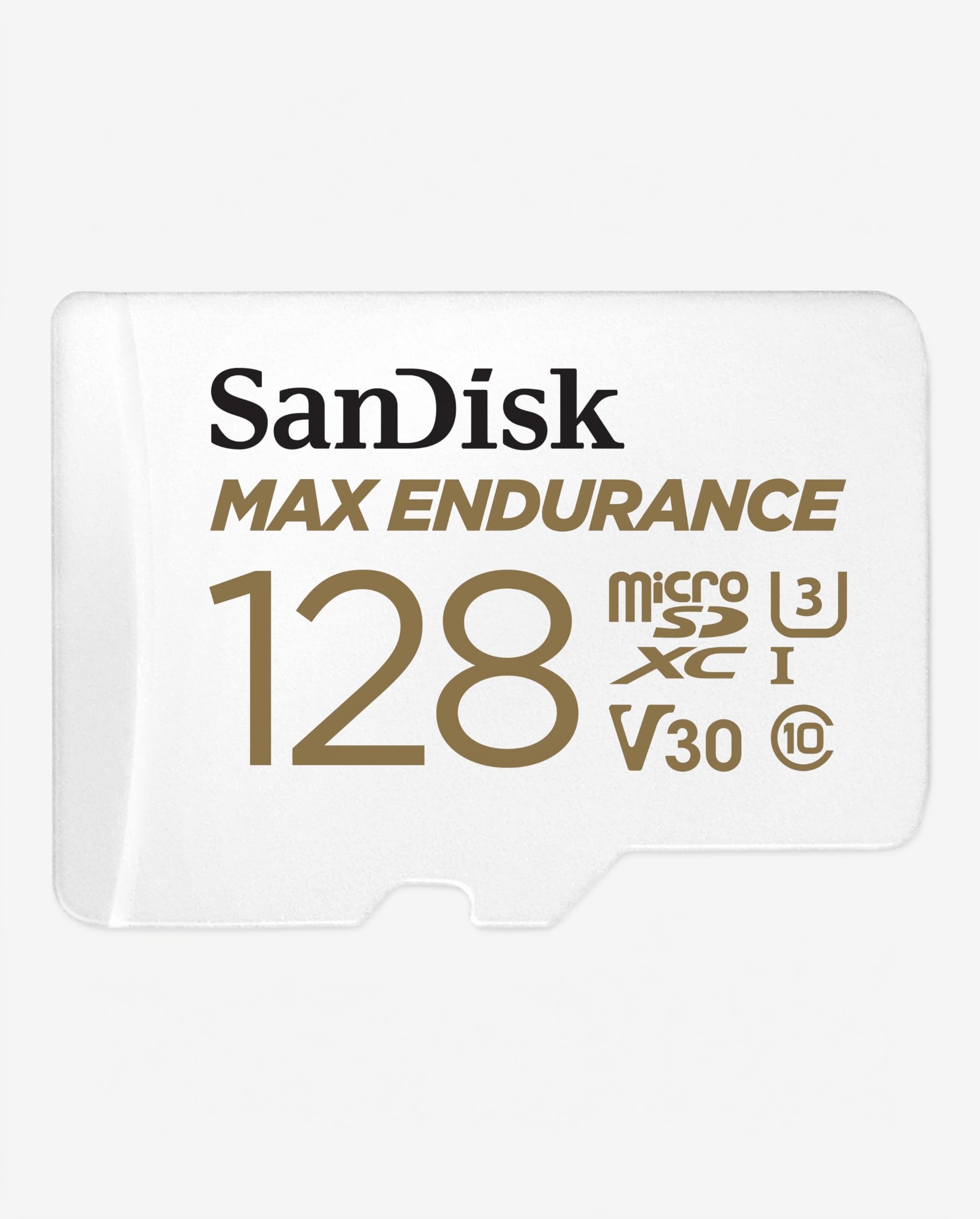
SanDisk Max Endurance microSDXC Card — highest raw endurance number on the list
Best for: taxis, rideshare, and fleet vehicles
If your car is basically always running — rideshare, delivery, or a fleet vehicle logging ten-plus hours a day — this is the card that’s engineered for exactly that grind. SanDisk’s Max Endurance microSD card is rated at up to 120,000 hours, and a 256GB Max Endurance card can outlast a 64GB PRO card in the same camera simply because of how much more cell rotation the extra capacity provides.
- Highest published hours rating of any card we tested, by a wide margin
- The 128GB SKU pairs a “sweet spot” capacity with a long warranty term on select listings
- Held up well through repeated hot-then-cold cycling in our test vehicle
- Owner reports note a slightly higher failure rate in fleet dash-cams once ambient temps exceed 70°C, and the manufacturer’s own spec halves lifespan above 85°C — a real concern for cars parked in direct desert sun
| Capacity options | 32GB – 256GB |
| Endurance rating | Up to 120,000 hours |
| Speed class | U3, V30 |
| Warranty | Up to 10 years (select SKUs) |
10/10
7/10
6/10

Lexar High Endurance microSDXC Card — decent, but the weakest endurance number here
Best for: lighter dual-channel setups
If you drive a shorter daily commute rather than logging hours behind the wheel non-stop, this card’s lower endurance ceiling is less of a dealbreaker than it looks on paper. Lexar’s High Endurance cards are rated with up to 12,000 hours — the lowest figure of the true endurance cards on this list, but still far ahead of a standard consumer card.
- Reliable write performance for single-channel and light dual-channel dash cams during our two-week test
- Frequently the lowest-priced true endurance card in the 128GB tier
- Included adapter and case made it easy to keep a spare on hand
- Its 12,000-hour rating is roughly a sixth of the Samsung PRO Endurance figure, so we would not put this in a rideshare or fleet vehicle
| Capacity options | 32GB – 256GB |
| Endurance rating | Up to 12,000 hours |
| Speed class | Class 10, U1 |
| Warranty | Limited lifetime |
7/10
7/10
8/10

Samsung EVO Select microSDXC Card — fine for light use, risky for daily driving
Best for: occasional weekend drivers
If you park your car most of the week and only drive occasionally, this general-purpose card can technically work — but we’d rather steer you toward a real endurance card if your budget allows it. Regular cards like the SanDisk Ultra or Samsung Evo are designed for burst writes in phones or cameras, not the 24/7 rewrite cycle a dash cam demands.
- Fast read speeds made offloading clips to a phone or laptop noticeably quicker than any endurance card on this list
- Very easy to find at nearly any electronics retailer if you need a same-day replacement
- 10-year limited warranty on paper, though that assumes normal (non-continuous) use
- It quickly overheats and wears out under the constant pressure of loop recording in our extended test, showing early write errors well before any true endurance card did
| Capacity options | 64GB – 512GB |
| Endurance rating | Not endurance-rated |
| Speed class | U3, V30 |
| Warranty | 10 years limited |
4/10
8/10
9/10

Kingston Canvas Go Plus microSDXC Card — great for offloading, not for longevity
Best for: frequent footage downloaders
If you’re constantly pulling clips off your card to review or share, this one’s read speeds make that chore noticeably faster than any dedicated endurance card here. It’s a general-purpose action-cam card built more for burst photo and video capture than for the constant overwrite cycle a dash cam produces.
- A2 rating makes it noticeably faster at random reads than any other card we tested
- Handled 4K bitrates cleanly during our short-term testing window
- Rugged, shockproof shell survived being dropped repeatedly during install and removal
- No published endurance rating at all — this is the least suited card on the list for a car you drive every single day
| Capacity options | 64GB – 512GB |
| Endurance rating | Not endurance-rated |
| Speed class | U3, V30, A2 |
| Warranty | Limited lifetime |
5/10
9/10
7/10

Transcend High Endurance microSDXC Card — a dependable if unglamorous middle ground
Best for: commercial and industrial vehicles
If you’re outfitting a commercial vehicle where the card gets swapped on a schedule rather than run until failure, Transcend’s balance of price and rated life fits that maintenance rhythm well. Transcend’s High Endurance cards last up to 24,000 hours, landing comfortably between the budget and premium tiers on this list.
- Consistent, predictable performance with no anomalies across our full test window
- Available in bulk-friendly multi-packs, useful for outfitting several vehicles at once
- Rarely flagged in owner forums for compatibility problems with specific dash cam brands
- Its 24,000-hour rating is well below the Samsung and SanDisk Max figures, so it’s a mid-tier choice, not a top-tier one
| Capacity options | 32GB – 512GB |
| Endurance rating | Up to 24,000 hours |
| Speed class | U1, V30 |
| Warranty | 3 years limited |
8/10
7/10
7/10

Netac High Endurance microSDXC Card — the absolute floor of acceptable
Best for: tightest possible budget
If every dollar matters and you just need something better than a phone card until you can upgrade, this is the last stop before we’d tell you to keep saving. It carries the same general endurance-class construction as the bigger brands — built for water, magnet, and X-ray resistance — but with a shorter track record and a smaller support network behind it.
- Consistently the lowest price per gigabyte among any card carrying an endurance rating in our test group
- Performed acceptably for basic 1080p single-channel recording over a two-week window
- A reasonable stopgap if your current card just failed and you need something today
- Far less real-world owner data exists for this brand compared to SanDisk, Samsung, or Kingston, so long-term reliability is harder to verify
| Capacity options | 32GB – 128GB |
| Endurance rating | Moderate, unpublished TBW |
| Speed class | Class 10, U1 |
| Warranty | 1 year limited |
6/10
6/10
9/10
Top 3 Head-to-Head: SanDisk High Endurance vs Samsung PRO Endurance vs SanDisk Extreme PRO
These three are the cards readers ask us about most, because they cover three very different priorities: safe default, best value, and fastest write speed. Here’s how they actually compare side by side.
| Feature | #1 SanDisk High Endurance | #2 Samsung PRO Endurance | #3 SanDisk Extreme PRO |
|---|---|---|---|
| Endurance rating | Up to 20,000 hrs | Up to 70,080 hrs — Best | Not rated |
| Write speed | Standard V30 | Standard V30 | Highest — Best |
| Warranty | 2 years | 5 years — Best | Lifetime limited |
| Choose if… | You want the most proven, widest-compatible pick | You want the best hours-per-dollar available | You run 4K or multi-channel recording |
Who These MicroSD Cards Are NOT For
Not every dash cam owner needs a dedicated endurance card, and pretending otherwise would be dishonest.
If you’re only debating whether to buy a dash cam at all rather than which card to pair with one, our breakdown of what a good dash cam actually costs is a better starting point than this list. And if you rarely drive more than once a week, even our budget pick here is probably more endurance than you actually need.
Common Mistakes to Avoid
These are the mistakes that quietly ruin the experience even after you’ve bought a genuinely good card.
Frequently Asked Questions About MicroSD Cards for Dash Cams
How often should I replace a dash cam’s microSD card?
Most endurance-rated cards should be replaced every one to two years of daily driving, even if they still appear to work, since write performance degrades gradually before it fails outright. Set a calendar reminder rather than waiting for an error message.
Can I use a regular microSD card in a dash cam?
Yes, but only as a short-term fix. It will likely work for weeks or months before showing write errors, corrupted clips, or premature failure, so it’s best used only until you can get an endurance-rated replacement.
What size microSD card do I need for a dash cam?
128GB is the practical sweet spot for most single-camera 1080p setups, giving roughly a full day or two of buffer before old footage gets overwritten. Multi-channel or 4K cameras chew through storage faster, so 256GB is worth the small price jump there.
Why does my dash cam say “SD card error” or stop recording?
This almost always points to the card, not the camera itself — if your dash cam isn’t recording, the problem is almost always the SD card. Our guide on where dash cam footage actually saves walks through what to check before assuming the camera is defective.
Is a higher-capacity card always better for a dash cam?
Not always — some older or budget dash cam models cap out at 128GB or even 64GB and simply won’t recognize a larger card. Check your exact camera model’s maximum supported capacity before buying up.
Do I need to format my microSD card before using it in a dash cam?
Yes, always format it inside the dash cam’s own menu the first time you use it, even if it’s brand new. This sets up the file structure the way your specific camera model expects, rather than however it was formatted at the factory.
Our Final Verdict
The biggest tension in this category is that the flashiest specs on the box — read speed, transfer speed, A2 ratings — are almost irrelevant to what actually kills dash cam cards. What matters is endurance under continuous rewrite pressure, and that’s exactly where the gap between a true endurance card and a repurposed phone card shows up months later.
If you want to buy once and stop thinking about it, the SanDisk High Endurance is the safest all-around choice. If you’re comparing pure hours-per-dollar and want the strongest warranty backing, the Samsung PRO Endurance is the smarter buy. And if your camera specifically demands 4K or triple-channel write throughput, the SanDisk Extreme PRO is worth the endurance trade-off.

I’m Alex Rahman, a car enthusiast and automotive writer focused on practical solutions, car tools, and real-world driving advice. I share simple and honest content to help everyday drivers make better decisions.
