5 Best micro SD Card for 4K Dash Cam Picks
The Samsung PRO Endurance 256GB is the best micro SD card for 4K dash cam use because it balances endurance, speed, capacity, and warranty coverage.
We evaluated five dash-cam endurance cards against sustained-write ratings, heat tolerance, capacity, and long-term value.
The right card must match your camera’s maximum capacity, required speed class, bitrate, and formatting rules.
If your camera explicitly requires U3 or V30, avoid cards that only carry U1 or V10 markings.
Samsung PRO Endurance microSDXC 256GB
It offers U3/V30 performance, a 5-year card warranty, a wide temperature range, and the strongest published Full HD endurance estimate in this group. Its 4K runtime still depends on bitrate and camera support.
Quick Comparison: All 5 Products Ranked
| # | Product | Best For | Rating | Badge | |
|---|---|---|---|---|---|
| 1 | Samsung PRO Endurance 256GB | Most 4K dash cams | 4.8/5 | Best Overall | Buy → |
| 2 | SanDisk MAX ENDURANCE 256GB | Maximum published endurance | 4.7/5 | Best Long-Recording Pick | Buy → |
| 3 | SanDisk High Endurance 256GB | Straightforward dash-cam upgrade | 4.4/5 | Best Familiar Brand | Buy → |
| 4 | Kingston High-Endurance 256GB | Value when U1 is accepted | 4.0/5 | Best Budget | Buy → |
| 5 | Lexar High-Endurance 256GB | Only if exact listing is verified | 3.5/5 | Cautious Alternative | Buy → |
How We Chose These Cards
We screened five 256GB cards intended for continuous recording, then compared three equal-weight criteria: Endurance, 4K recording headroom, and Value. We checked manufacturer specifications, the SD Association’s speed-class definitions, independent benchmark or usage reports, and dash-cam compatibility guidance. Published endurance figures are usually based on Full HD at a stated bitrate, not a guaranteed number of 4K recording hours. That distinction matters because 4K bitrate, frame rate, audio, loop settings, heat, and card formatting all change write demand.
For setup and maintenance context, see this guide to dash-cam SD card lifespan and the practical advice on fixing dash-cam recording issues.
What to Look for When Buying a microSD Card for a 4K Dash Cam
1. Endurance design, not just storage capacity
Dash cams constantly write, delete, and rewrite clips. Endurance-series flash is designed for that pattern, while a general-purpose card may fail sooner even when its capacity and headline speed look similar. Prefer a card with a published dash-cam or surveillance use case, then treat the endurance-hours estimate as a comparison signal rather than a promise.
2. U3 or V30 for demanding 4K recording
Many 4K cameras call for U3 or V30 because their sustained write requirement is higher than basic Full HD recording. Check your manual first. Kingston’s U1/V10 rating can work in some cameras, but it is not the safe default when the manufacturer explicitly specifies U3/V30.
3. Capacity and file-system support
A 256GB card is microSDXC and normally uses exFAT. Your dash cam must support both the capacity and file system. Some models cap cards at 128GB or require in-camera formatting. A full-size adapter only changes the connector shape; it cannot make an incompatible camera accept the card.
4. Heat rating and warranty
A parked car can expose the card to severe heat, especially behind a windshield. Look for a stated operating range and a warranty that fits the wear-intensive application. The card’s heat rating does not make the dash cam itself heatproof, so leave ventilation and camera placement intact.
5. Authenticity and maintenance
Buy from a reputable seller, test the card in the camera, format it in-camera, and periodically copy important clips elsewhere. If the camera reports slow-card, write-error, or missing-file warnings, replace the card instead of trusting it with more footage.

1. Samsung PRO Endurance microSDXC 256GB
Samsung’s PRO Endurance is the safest all-round recommendation because its 256GB version combines U3/V30, a 5-year card warranty, and a -25°C to 85°C operating range. Samsung’s 140,160-hour headline is based on 1080p at 26 Mbps, so it is not a 4K-runtime guarantee. Independent StorageReview results reached about 89MB/s read and 40MB/s write in sequential testing, close to the advertised ceiling.
What We Loved
- U3/V30 supports demanding 4K workloads
- Five-year card warranty adds confidence
- Strong temperature and durability claims
What Could Be Better
- Headline endurance is Full HD based
- 256GB support still varies by camera
- Warranty excludes data recovery
4.8/5
4.8/5
4.6/5
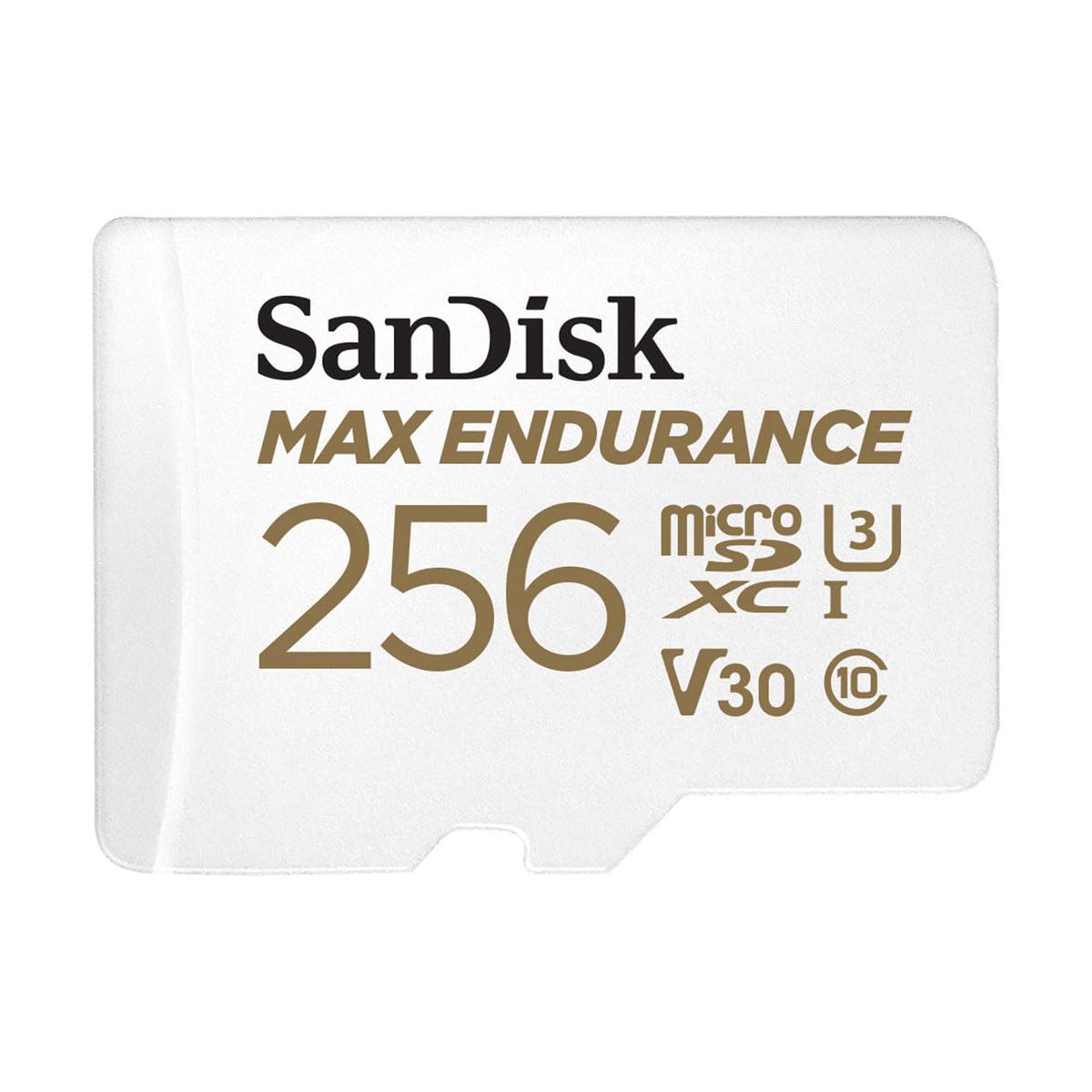
2. SanDisk MAX ENDURANCE microSDXC 256GB
The MAX ENDURANCE is the endurance specialist in this lineup. SanDisk rates the 256GB version for up to 120,000 hours of Full HD recording, with fewer hours at 4K, and gives it a 15-year limited warranty. Its U3/V30 rating, 40MB/s advertised write speed, and -25°C to 85°C card operating range fit many 4K dash cams. The trade-off is that the impressive hours claim is not a published 4K figure.
What We Loved
- Highest published endurance estimate
- U3/V30 is 4K-friendly
- Fifteen-year limited warranty
What Could Be Better
- 120,000 hours applies to Full HD
- No specific 4K-hour figure
- Maximum speeds vary by host
4.9/5
4.7/5
4.4/5

3. SanDisk High Endurance microSDXC 256GB
SanDisk High Endurance is a sensible middle-ground choice for buyers who want a clearly dash-cam-focused card without moving to the MAX line. The 256GB model carries Class 10/U3/V30 ratings, up to 40MB/s advertised write speed, and a -25°C to 85°C operating range. SanDisk’s 20,000-hour estimate is for Full HD, while a ZDNET report documented roughly three years of continuous HD use under its own test conditions.
What We Loved
- Purpose-built for dash cams
- U3/V30 and 256GB capacity
- Wide stated temperature range
What Could Be Better
- Only two-year limited warranty
- Endurance estimate is Full HD
- Heat behavior varies by camera
4.4/5
4.7/5
4.1/5

4. Kingston High-Endurance microSD 256GB
Kingston’s 256GB High-Endurance card is the budget-minded choice, but it has one decisive limitation: its official U1/V10 rating is below U3/V30. That makes it a candidate only when your camera manual accepts U1 or does not require V30. Kingston advertises up to 95MB/s read and 45MB/s write, and NikkTech previously reported a 128GB version working in a 4K-plus-1080p BlackVue setup. That is useful line-level evidence, not a 256GB test.
What We Loved
- Purpose-built high-endurance design
- Large 256GB capacity
- Three-year current warranty
What Could Be Better
- U1/V10 is below many 4K requirements
- Full HD endurance assumptions
- 256GB independent testing is limited
4.1/5
3.4/5
4.5/5

5. Lexar High-Endurance microSDXC 256GB
Lexar’s High-Endurance family is designed for dash cams and surveillance, but the current official page lists 32GB, 64GB, and 128GB rather than 256GB. A matching 256GB retailer listing has existed with U3/V30 markings, yet availability and official 256GB endurance documentation are unclear. That makes this an alternative to verify carefully, not a blind recommendation. Do not extrapolate Lexar’s 128GB Full HD hours to an unconfirmed 256GB model.
What We Loved
- Family is built for 24/7 video
- Strong published temperature claims
- U3/V30 appears on listings
What Could Be Better
- Official page omits 256GB
- No verified 256GB hours figure
- Retail availability is uncertain
3.4/5
4.0/5
3.2/5
Top 3 Head-to-Head: Samsung PRO Endurance vs SanDisk MAX ENDURANCE vs SanDisk High Endurance
| Feature | #1 Samsung | #2 SanDisk MAX | #3 SanDisk High |
|---|---|---|---|
| Endurance | 4.8/5 — Best | 4.9/5 | 4.4/5 |
| 4K headroom | 4.8/5 — Best | 4.7/5 | 4.7/5 |
| Value | 4.6/5 — Best | 4.4/5 | 4.1/5 |
Who These microSD Cards Are NOT For
These cards are not for a dash cam that supports only standard SD, rejects 256GB microSDXC, requires a proprietary card, or specifies a different speed class. They are also not a substitute for a camera with adequate cooling, stable power, and current firmware. If you need to preserve evidence for legal use, do not leave the only copy on a continuously overwritten card.
If your camera is a lower-resolution model, a smaller supported endurance card may be the more sensible fit. If it is a high-bitrate multi-channel 4K system, prioritize the camera maker’s approved-card list over any generic roundup.
Common Mistakes to Avoid
- Buying by capacity alone: a large card can still have the wrong sustained-write class. Check the manual first.
- Using a regular consumer card: continuous overwrite cycles are harder on flash than occasional file storage. Choose an endurance line.
- Assuming V30 guarantees every camera: the card can meet the class while the host, firmware, or heat limits recording.
- Skipping in-camera formatting: format according to the camera maker’s instructions after installation.
- Ignoring warning signs: slow-card alerts, missing clips, restarts, and corrupt files are replacement signals.
- Trusting one copy of important footage: export incident clips promptly and store them somewhere separate.
For a deeper explanation of loop behavior, read how loop recording works before changing clip settings.
Frequently Asked Questions About microSD Cards for 4K Dash Cams
What is the best microSD card for a 4K dash cam?
The Samsung PRO Endurance 256GB is the best overall choice in this roundup because it combines U3/V30 ratings, a 5-year card warranty, and a broad temperature specification. It is not automatically compatible with every camera, however. Confirm that your dash cam accepts 256GB microSDXC, supports the card’s file system, and does not require a camera-specific model.
Do 4K dash cams need U3 or V30 microSD cards?
Many 4K dash cams need U3 or V30, but the camera manual is the final authority. U3 and V30 indicate a 30MB/s minimum sequential-write class under defined conditions. A card with a higher advertised peak speed can still be unsuitable if its official video-speed rating is below the camera’s requirement. Kingston’s U1/V10 model is therefore a qualified, not universal, pick.
Is 256GB too large for a dash cam?
256GB is not too large when the dash cam explicitly supports microSDXC at that capacity. Some cameras accept only smaller cards, use a specific file system, or need a firmware update. Check the model’s maximum supported capacity before buying. A 256GB card also has less usable space than the nominal label after formatting, so your actual recording time will be lower.
How long does a microSD card last in a 4K dash cam?
There is no universal service-life number because bitrate, recording hours, heat, loop settings, card quality, and camera firmware all change the write load. Manufacturer endurance estimates usually use Full HD assumptions, and 4K reduces the runtime represented by the same capacity. Watch for recording errors and format the card as recommended; replace it when reliability becomes uncertain.
Should I use a high-endurance card in parking mode?
Yes, a high-endurance card is generally the better choice for parking mode because the camera may write repeatedly for long periods. The card still needs to match the camera’s capacity and speed requirements, and parking mode also depends on stable power and proper low-voltage protection. Export important clips promptly because loop recording can overwrite unprotected footage.
How often should I format a dash-cam memory card?
Follow the camera maker’s schedule; some guidance recommends formatting at least every six months, while other models use different intervals. Always format in the camera rather than relying only on a computer. Before formatting, copy any incident footage to separate storage. Formatting does not repair a card that is failing, counterfeit, or incompatible with the camera.
Is the Lexar High-Endurance 256GB card a safe buy?
Only after verifying the exact model and seller. Lexar’s current official High-Endurance page lists capacities through 128GB, while matching 256GB retail listings have had uncertain availability. Do not assume the official 128GB endurance figure applies to a 256GB listing. Check the packaging, model code, U3/V30 marking, warranty, and return policy before installing it.
Our Final Verdict
The Samsung PRO Endurance 256GB is the best micro SD card for 4K dash cam use because it offers the most balanced combination of U3/V30 headroom, warranty coverage, and vehicle-ready durability. SanDisk MAX ENDURANCE is the better specialist pick when endurance is the priority.
Choose Kingston only when your camera accepts U1/V10, and treat Lexar’s 256GB listing as a verify-before-buy alternative. Whichever card you select, confirm compatibility, format it in-camera, and back up important clips.

I’m Alex Rahman, a car enthusiast and automotive writer focused on practical solutions, car tools, and real-world driving advice. I share simple and honest content to help everyday drivers make better decisions.
