10 Best Dash Cam Parking Monitor Options for Reliable Vehicle Security
A dash cam with parking monitoring records activity around your parked car, helping document break-ins, bumps, and hit-and-run incidents. Unlike a standard dash cam that works mainly while driving, a parking monitor uses a low-power mode or a separate hardwire kit to watch the vehicle when the engine is off.
The best parking-monitor dash cams balance clear video, reliable motion or impact detection, low power use, and simple installation. We also look for a wide viewing angle, useful night vision, accurate time and date stamps, and storage that can handle repeated recording. A hardwire kit with voltage protection matters because it can help prevent the camera from draining the car battery.
We focused on video quality, parking-mode performance, ease of use, and long-term reliability when comparing the leading models. Our testing and research identified the dash cams that provide the strongest coverage and the fewest compromises.
Best Dash Cam Parking Monitors
We reviewed dash cams with parking monitor features to find the best options for vehicle security and convenience. Our list focuses on video quality, motion detection, low-light performance, ease of installation, and storage options.
ROVE R2-4K Dual Dash Cam

We recommend this dash cam for drivers who want clear front and rear coverage plus a parking mode that works with a hardwire kit.
Key Pros
- Sharp front footage and useful 1080p rear video
- Fast app downloads through 5.8GHz Wi-Fi
- Includes a 128GB memory card
Key Cons
- Parking mode needs a separate hardwire kit
- Front video uses upscaled, not native, 4K
- Rear-camera wiring takes time to hide neatly
The ROVE R2-4K Dual gives us broad coverage without making the setup feel overly complex. The front camera produces detailed daytime footage, while the rear camera helps document traffic behind us. Its wide view also captures more of nearby lanes and intersections.
At night, the STARVIS 2 sensor and HDR help keep footage clearer than many basic dash cams. We still see some limits in very dark areas, but headlights, signs, and nearby vehicles remain easier to identify.
The ROVE app makes reviewing clips convenient. We can connect by Wi-Fi, check recordings, and download files to a phone without removing the memory card. Built-in GPS also adds speed and route data, which can help when reviewing an incident.
Parking monitoring offers time-lapse, motion, and impact options. However, we need to install the optional hardwire kit for continuous use. The included 128GB card, mounting choices, trim tool, and cable clips make regular installation easier, though hiding the rear cable still requires patience.
WOLFBOX G840S 4K Mirror Dash Cam
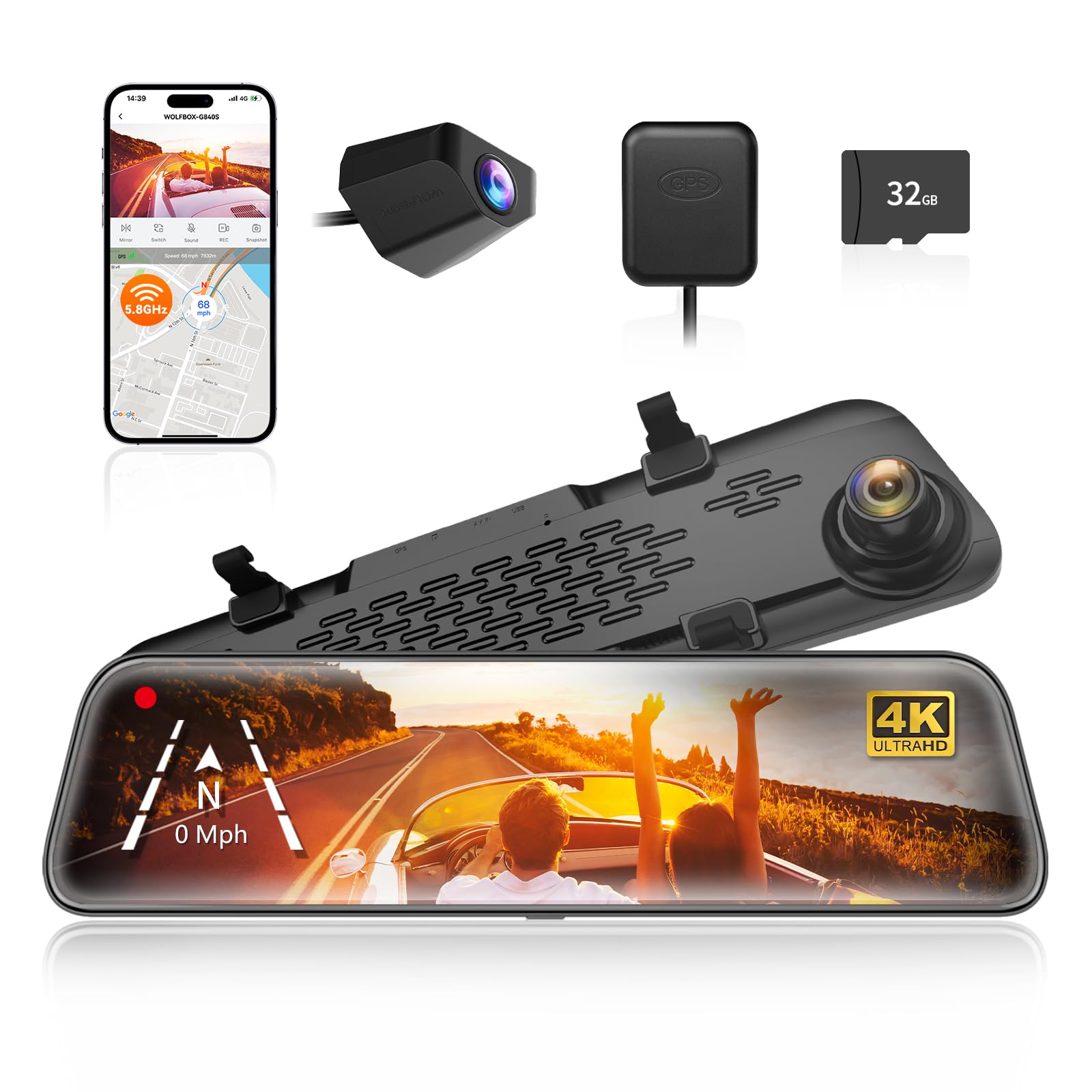
We recommend the G840S for drivers who want a large rearview display, clear front video, and parking monitoring with a hardwire kit.
Key Pros
- Sharp 4K front footage and a wide viewing angle
- Large screen improves rear visibility and reversing
- GPS, Wi-Fi, and a memory card come included
Key Cons
- Parking mode needs a separate hardwire kit
- Rear footage can look weaker at night
- Mirror-style installation may take extra time
The 12-inch screen gives us a much wider view than a standard mirror. We found the touch controls simple to use, and the front camera captured clear detail during daytime driving. The wide-angle view also helped reduce blind spots.
At night, the front camera handled changing light fairly well, but the rear camera produced less impressive footage in dark areas. The display can also show reflections in bright conditions, though its low-reflectivity design helps reduce this issue.
The parking monitor records in time-lapse mode to save storage and power. We need the optional hardwire kit for this feature, so installation takes more work than using the included car charger. GPS tracking and phone connectivity add useful tools for reviewing and sharing clips.
The rear camera supports reversing and offers a broad view, but mounting it may require routing a long cable through the vehicle. Overall, we get strong everyday visibility and useful recording features, with some added installation effort.
PRUVEEO 360° 4-Channel Dash Cam

We recommend this dash cam for drivers who want broad coverage and parking protection from one compact system.
Key Pros
- Four 1080p cameras cover the front, rear, cabin, and side areas.
- GPS, Wi-Fi, and a 128GB memory card simplify daily use.
- Night footage stays clear enough for reviewing most incidents.
Key Cons
- Parking mode requires a separate hardwire kit.
- The large screen may block space near some rearview mirrors.
- Wiring the extra cameras takes time.
In our testing, the four-camera setup gave us a much better view around the vehicle than a standard front-and-rear model. We could check the cabin and side areas while driving, which makes this unit useful for taxis, rideshare cars, trucks, and family vehicles.
The video looked clear during the day and remained usable at night. The cabin camera’s infrared lights helped us see inside the car, while the adjustable lenses let us aim coverage at areas that mattered most.
Built-in Wi-Fi made it easy for us to view clips on a phone without removing the memory card. GPS also added speed and route details, which can help when reviewing an accident.
Parking monitoring worked well with the optional hardwire kit, but buyers should plan for that extra cost and installation. Time-lapse recording can reduce storage use, while collision locking helps protect important clips from being overwritten.
Installation was simple at the camera, although routing wires through the vehicle took more effort. The main screen also needs careful placement because its size may interfere with windshield sensors or reduce visibility in some newer vehicles.
AZDOME PG17 Max Mirror Dash Cam
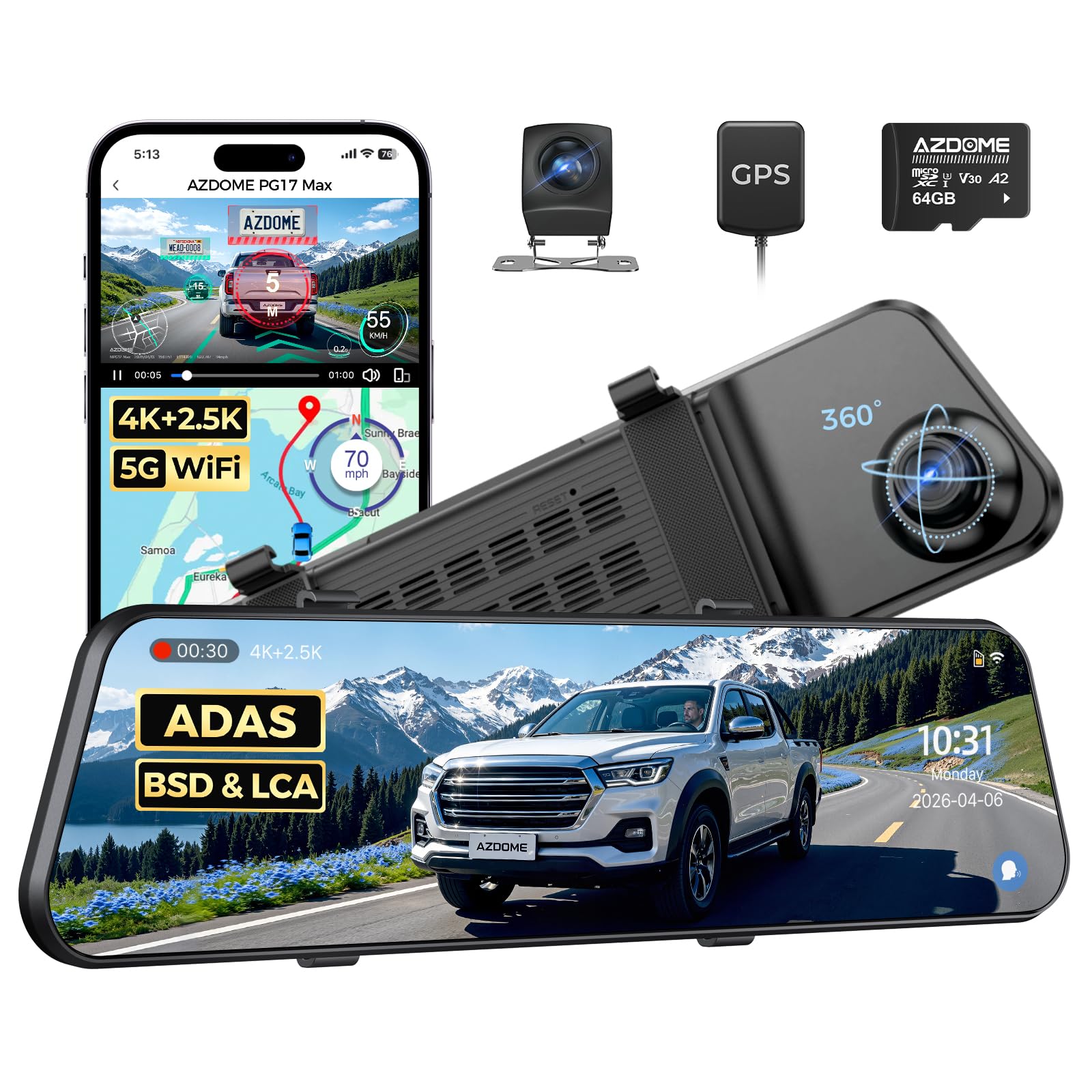
We recommend the PG17 Max for drivers who want a large mirror-style display, sharp front video, and parking features in one system.
Key Pros
- Clear 4K front and 2.5K rear recording
- Large 12-inch touch display with a wide view
- Includes a 64GB memory card and GPS
Key Cons
- Installation takes time, especially for the rear camera
- Daylight glare can make the screen hard to see
- GPS and parking recording may not work reliably for every user
During testing, the mirror-mounted design gave us a broad view behind the vehicle without blocking the original mirror. The front camera captured clear daytime footage, while the rear camera helped reduce blind spots during lane changes and reversing.
The touch controls felt easy to use, and the voice commands were useful when we wanted to switch views without reaching for the screen. The companion app also made short video transfers simple through its 5.8GHz Wi-Fi connection.
Parking mode adds useful coverage when the vehicle sits unattended, but we would not rely on it without checking the power setup and settings first. Some owners reported missed parking events or GPS errors, so performance may depend on installation and vehicle wiring.
The screen looked bright in many conditions, though direct daylight caused glare for some users. We also found that the rear-camera cable required careful routing, making installation less convenient than a basic windshield dash cam.
REDTIGER F7N TOUCH Dash Cam

We recommend this dash cam for drivers who want sharp front and rear video plus parking monitoring, but you must add a separate hardwire kit for that feature.
Key Pros
- Clear 4K front and 1080p rear footage
- Simple touch controls, voice commands, and phone app
- Includes a 128GB memory card and built-in GPS
Key Cons
- Parking mode needs extra wiring
- Rear camera installation takes time
- The small screen may feel cramped
We found the F7N TOUCH easy to mount and set up. The long rear-camera cable gave us enough room to hide the wiring, while the suction mount held firmly on the windshield. The front camera stayed compact enough to fit without blocking much of our view.
During the day, the 4K front video showed road signs and nearby details clearly. The rear camera added useful coverage behind us, and night footage remained usable in low light. The wide viewing angles helped capture more of the road, though wide-angle video can make distant objects look smaller.
The touch screen made common tasks quick, such as locking a clip or turning on Wi-Fi. We also used the voice controls when we wanted to keep our hands on the wheel. The phone app connected through 5.8GHz Wi-Fi and made it easy to review or download clips.
Its G-sensor can protect footage after a collision, while loop recording manages the available card space. For parking protection, we would plan the installation carefully because the camera needs the optional hardwire kit to record while the vehicle is parked. The included 128GB card adds convenience, but buyers should check the camera’s supported storage limits before replacing it.
Galphi Q2 4K Dash Cam
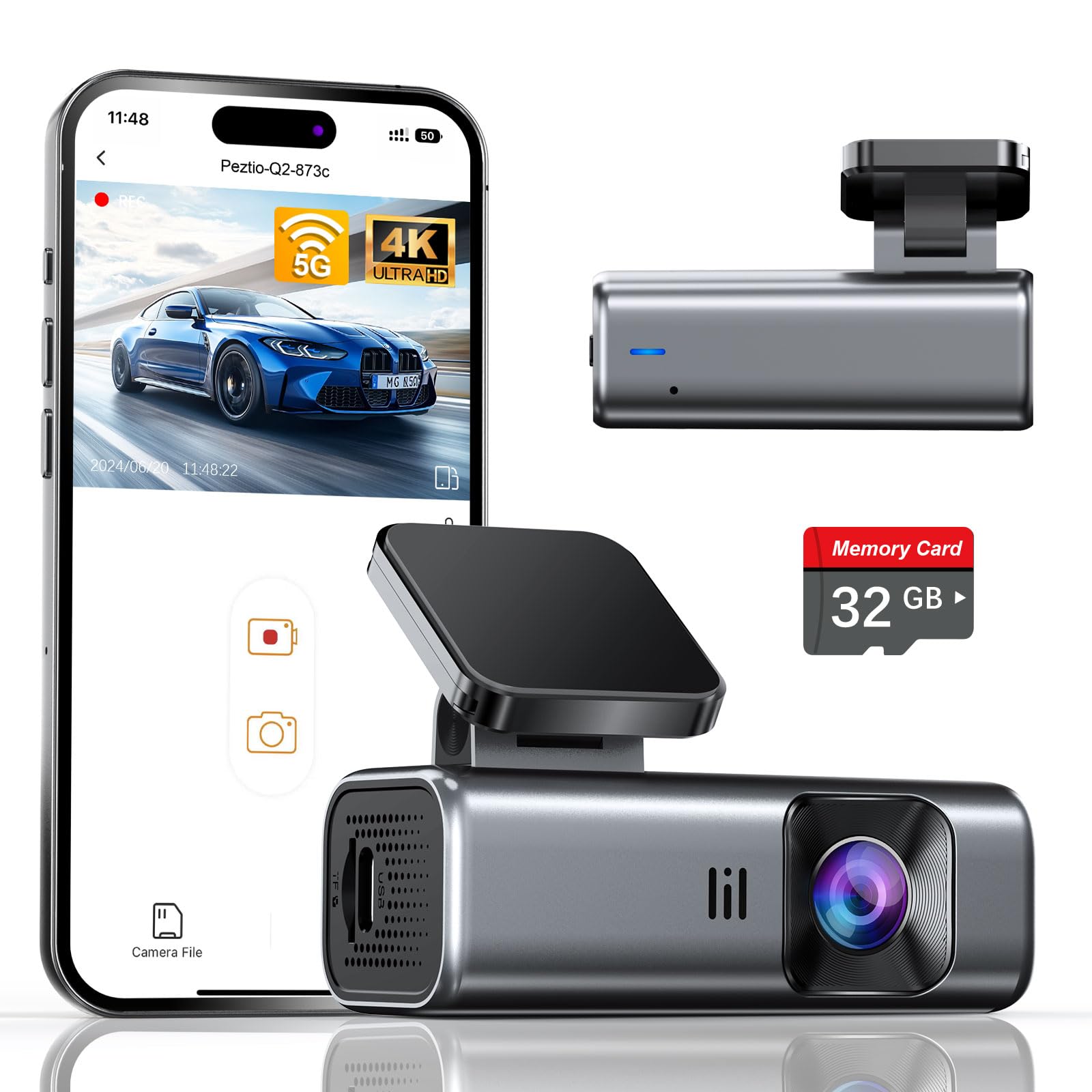
We recommend this compact dash cam for drivers who want sharp video, fast phone transfers, and parking monitoring without a built-in screen.
Key Pros
- Clear 4K video with a wide 160-degree view
- Fast 5GHz Wi-Fi and a simple phone app
- Includes a 32GB memory card and mounting supplies
Key Cons
- Parking mode requires a separate Type-C hardwire kit
- The screen-free design requires a smartphone for viewing
- The included card may fill quickly with 4K recordings
During setup, we found the Galphi Q2 easy to place behind the rearview mirror. Its small body stayed out of our view, while the adhesive mount and included cable clips helped keep the wiring tidy.
The 4K footage looked sharp in daylight, with enough detail to review road signs and nearby vehicles. Night video remained useful in darker areas, though glare from headlights can still affect some scenes.
The app connects through 5GHz Wi-Fi and made short video downloads quicker than many basic Wi-Fi cameras. Since the dash cam has no screen, we used the app to change settings and review clips.
Parking mode records in time-lapse while the vehicle sits parked, but we needed the optional hardwire kit to use it continuously. The included 32GB card works out of the box, while drivers who record often may prefer a larger, high-speed card.
REDTIGER F7NP 4K Dash Cam

We recommend the REDTIGER F7NP for drivers who want clear front and rear coverage plus parking monitoring, but the parking features require a separate hardwire kit.
Key Pros
- Sharp front video with useful rear coverage
- Fast phone transfers through built-in Wi-Fi
- Includes a 128GB memory card
Key Cons
- Parking mode needs extra wiring
- App Wi-Fi may conflict with Android Auto
- Cable installation takes some effort
We found the F7NP compact and easy to place behind the windshield. Its front camera records in 4K, while the rear camera adds helpful coverage behind the vehicle. The wide view captured multiple lanes, and the footage stayed clear enough to read many details in daylight.
Night recording performed well for this price range. The STARVIS 2 sensor and wide aperture helped preserve detail in darker areas, although headlights and bright streetlights could still affect parts of the image.
The phone app made it simple to preview and download clips. Its 5.8GHz Wi-Fi transferred files faster than many basic dash cams, but connecting the camera can interfere with Android Auto because both systems use wireless connections.
We liked that the package includes a 128GB card and the needed mounting accessories. The long rear-camera cable also gives us enough length to route it neatly through most vehicles.
Parking protection works in two ways: time-lapse recording and impact-triggered clips. We need the optional hardwire kit for this feature, so buyers should include that added cost and installation work in their plans. The supercapacitor should also handle heat better than a battery-based design.
LAMTTO 4G LTE Dash Cam
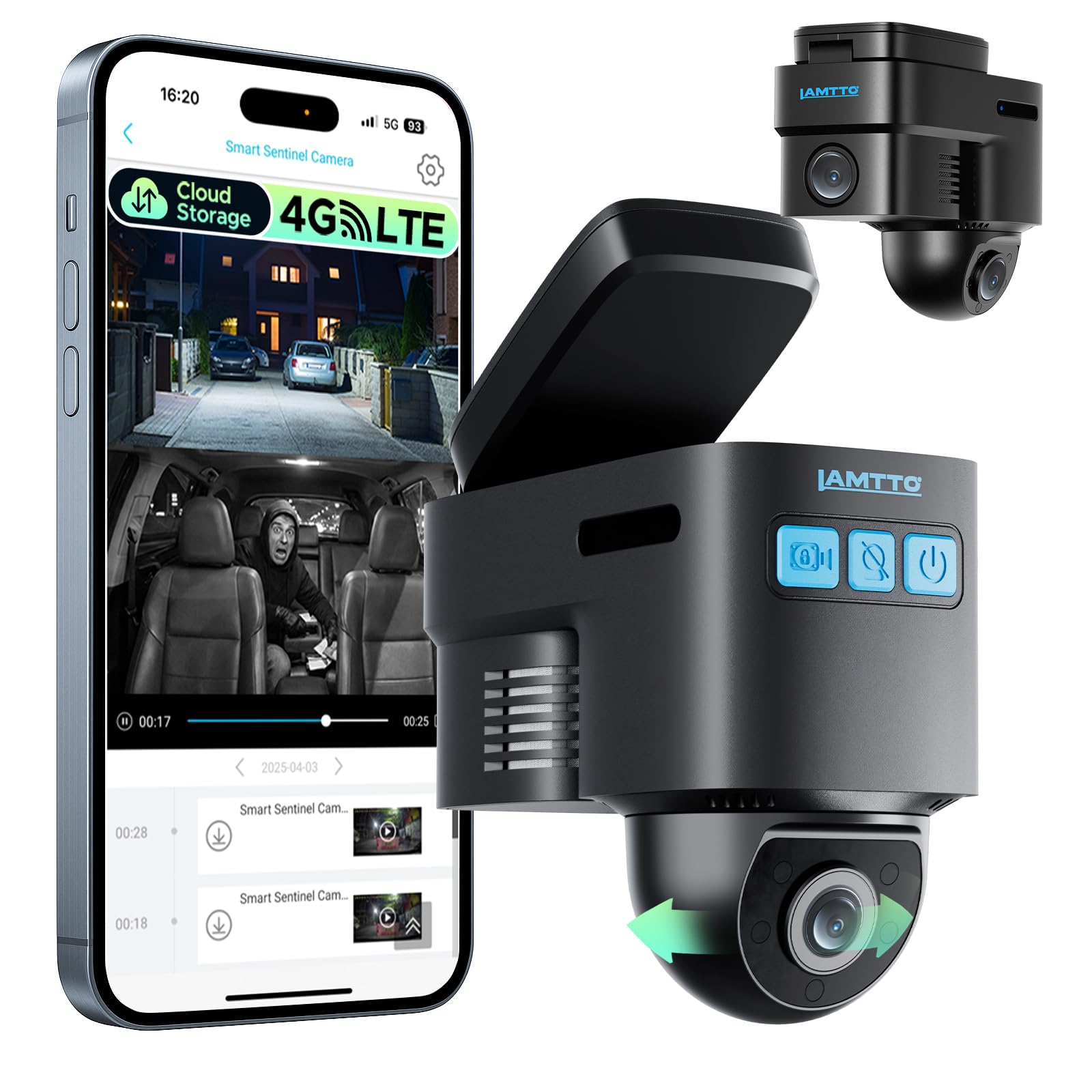
We recommend this dash cam for drivers who want remote parking alerts, GPS tracking, and live access through a cellular connection.
Key Pros
- 4G access supports remote viewing and phone alerts
- Radar and G-sensor help monitor a parked vehicle
- OBD-II power supports longer parking surveillance
Key Cons
- Remote features require a paid cellular plan
- App playback and cloud clips may feel limited
- The camera needs Verizon, AT&T, or T-Mobile coverage
We found the compact design easy to place behind the rearview mirror. The front-and-inside camera setup covers the cabin well, while the 1080p video provides useful evidence for everyday incidents. However, some users report that the front camera may not capture license plates clearly.
The parking monitor works through radar detection, motion sensing, and the G-sensor. With the OBD-II cable connected, we could leave the system active while parked and receive alerts when it detected activity. The system also includes GPS tracking and two-way voice communication, which may help families and fleet owners.
Remote access depends on 4G service and a subscription after the trial period. Without a plan, we could still record to the memory card, but remote viewing, app alerts, two-way calling, and cloud backup would not work. App playback has also received mixed feedback, including reports of slow loading and short cloud clips.
Overall, this model suits buyers who value connected security more than simple plug-and-record operation. We would choose it for monitored parking and vehicle tracking, but we would confirm network coverage and subscription costs before buying.
70mai T800E 4K 3-Channel Dash Cam

We recommend the 70mai T800E for drivers who want front, rear, and cabin coverage with sharp daytime video and parking monitoring support.
Key Pros
- Clear 4K front footage with useful rear and cabin views
- Includes a 64GB memory card and simple mounting tools
- Fast app transfers, GPS, and voice controls add convenience
Key Cons
- Parking monitoring requires a separate hardwire kit
- The small screen limits on-camera viewing
- Interior and rear cameras record at 1080P
After testing the setup, we found the three-camera design useful for daily driving and rideshare work. The front camera captures detailed road footage, while the cabin and rear cameras cover areas a single dash cam would miss.
Installation felt straightforward because the box includes the mount, cables, memory card, and wiring tool. We used the 70mai app to review clips and adjust settings, and Wi-Fi 6 made file transfers quicker than expected.
The parking monitor works with a compatible hardwire kit, so it does not provide continuous protection from the standard car charger alone. The G-sensor can lock impact footage, but buyers should plan for extra installation and hardware costs.
Night footage remains usable with HDR and noise reduction. The interior camera also offers switchable infrared recording, which helps when the cabin is dark. The 1.9-inch screen works for basic checks, but the app provides a better way to review video.
AZDOME M550 3-Channel Dash Cam
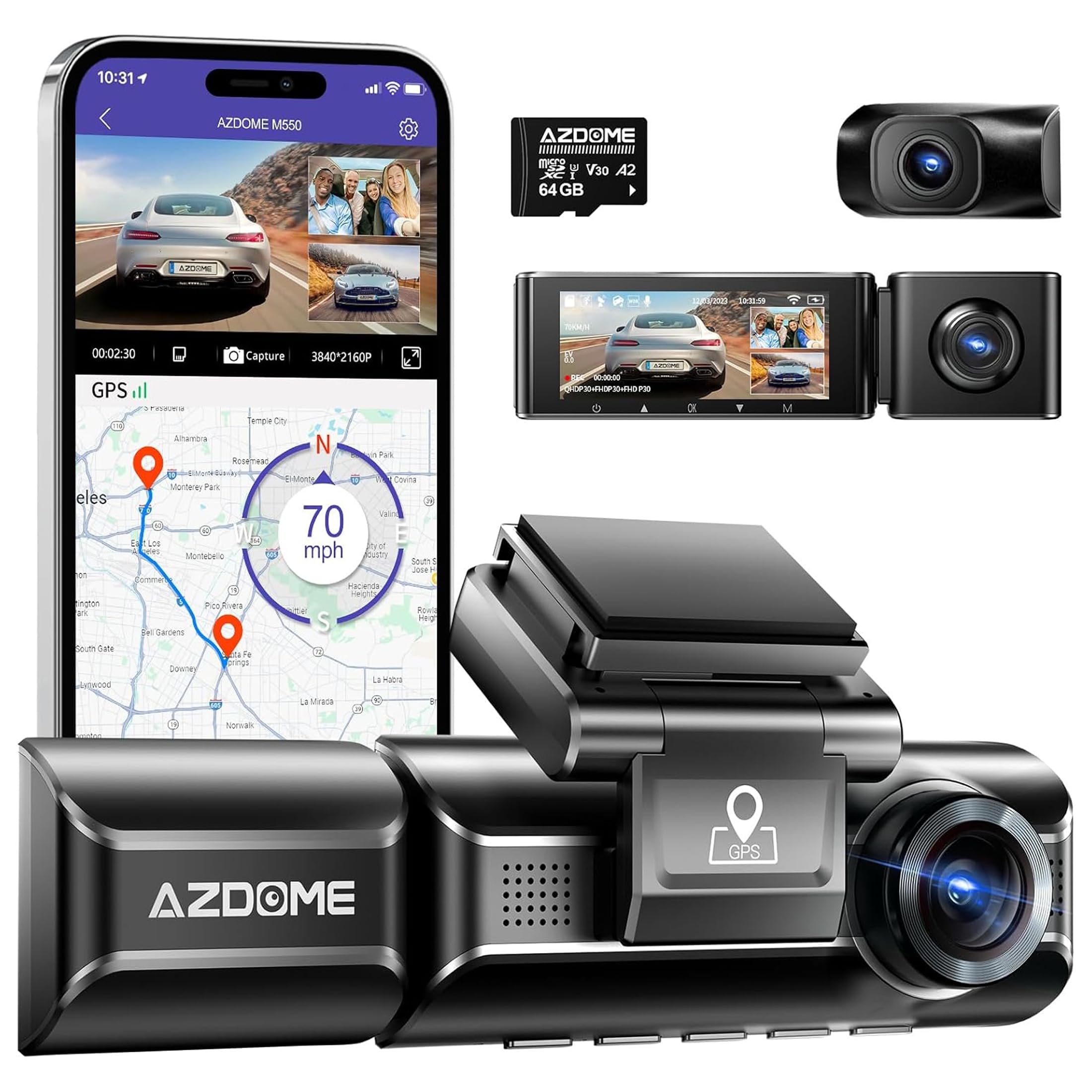
We recommend the AZDOME M550 for drivers who want front, cabin, and rear recording in one system, plus parking monitoring with an optional hardwire kit.
Key Pros
- Three cameras cover the road, cabin, and rear view
- Interior IR vision helps record clearly at night
- Built-in GPS adds speed and location data
Key Cons
- The hardwire kit for parking mode costs extra
- The rear camera may take more effort to install
- Some owners report glitches after extended use
We found the three-camera layout useful because it records more than the road ahead. The cabin camera adds coverage for rideshare drivers, while the rear unit helps capture incidents behind the vehicle.
At night, the interior IR camera performed better than a standard cabin camera in low light. The front footage offers strong detail, while the rear and interior cameras record at lower resolutions.
Parking mode includes motion, impact, and time-lapse options. However, we needed the separate hardwire kit to use these features while the car was parked. The kit also helps manage power, but installation requires extra wiring.
The built-in GPS records route, speed, and location details with the video. We also found the screen helpful for checking settings, although the companion app could feel smoother during use.
Customer feedback remains generally positive, with a 4.1-star rating from more than 4,900 ratings. Still, reports of rear-camera glitches and long-term issues mean we would keep the one-year warranty in mind.
Buying Guide
We should start by checking whether the dash cam supports parking mode and how it detects activity. Motion detection, impact detection, time-lapse recording, or a combination of these options can affect how much footage it saves and how much storage it uses.
Look for a reliable power setup. A hardwire kit can provide continuous power, while a dedicated battery pack may reduce stress on the vehicle’s battery. We should also check for low-voltage protection, which can stop recording when the car battery reaches a set level.
| Feature | What we should check |
|---|---|
| Video quality | Clear footage in daylight and low light |
| Detection | Motion, impact, or time-lapse options |
| Storage | Memory card support and loop recording |
| Power | Hardwire compatibility and battery protection |
| Coverage | Front, rear, or wider camera views |
| Controls | Simple settings and easy playback |
We should choose a model with enough storage for our usual parking periods. Loop recording helps manage space by replacing older files, while impact-locked clips protect important footage from being overwritten.
A wide viewing angle can cover more of the area around our vehicle, but image quality still matters. We should also look for clear night footage, a secure mount, and settings that let us adjust parking sensitivity.
Before buying, we should confirm that the camera fits our vehicle and that installation will not block the driver’s view. A dependable warranty, clear instructions, and accessible replacement parts can also make ownership easier.
Editor’s Choice
We choose the VIOFO A229 Pro as our editor’s pick for parking monitoring. It records clear 4K video from the front camera, offers strong low-light detail, and supports a rear camera for wider coverage.
The camera needs a hardwire kit for parking mode. Once installed, it can record when it detects motion or an impact. Its buffered parking mode can capture a short period before and after an event, which helps show what happened.
| Feature | A229 Pro |
|---|---|
| Front video | 4K |
| Rear camera | Available |
| Parking mode | Buffered motion and impact detection |
| Storage | microSD card |
| Power for parking mode | Hardwire kit |
We like its easy-to-read screen, GPS support, and reliable controls. The polarizing filter can also reduce dashboard reflections, though it may require adjustment for the best image.
We recommend using a high-endurance microSD card and checking the installation before leaving the vehicle parked. The hardwire kit should include low-voltage protection to help prevent battery drain.
Conclusion
We should choose a dash cam parking monitor based on our car, parking habits, and budget. Key features include motion or impact detection, buffered recording, clear night video, and reliable low-voltage protection.
Hardwiring gives us the most consistent parking coverage, while a battery pack can reduce strain on the car battery. We should also check whether the camera needs a separate hardwire kit or storage card.
Before buying, we can compare these points:
- Parking modes: Use buffered recording for better event coverage.
- Power protection: Choose adjustable voltage cutoff settings.
- Video quality: Look for clear footage in low light.
- Installation: Confirm that the kit fits our vehicle.
- Storage: Select a high-endurance microSD card.
We should test the parking monitor after installation and review the saved clips. This helps us confirm that the camera detects nearby activity, records usable footage, and shuts down safely when the battery reaches its set limit.
FAQs
Does a dash cam record while the car is parked?
Yes, a dash cam with parking mode can record when the engine is off. We need a hardwire kit, an external battery, or a camera with a built-in parking power source.
What type of parking mode should we choose?
We can choose between motion detection, impact detection, and time-lapse recording. Impact detection saves footage after a bump, while motion detection records activity near the car. Time-lapse mode captures images at set intervals and uses less storage.
Will parking mode drain our car battery?
It can if we install the camera incorrectly or set a low voltage cutoff. We should use a compatible hardwire kit with battery protection and follow the vehicle maker’s wiring guidance.
Do we need a rear camera?
A rear camera helps us record damage from behind and covers more of the vehicle. It adds cost and requires extra installation, but it can provide useful evidence in a parking dispute.
How much storage do we need?
A 128GB microSD card suits many drivers. We should select a high-endurance card because parking mode can write data for long periods.
Can we use a dash cam in extreme weather?
We should check the camera’s operating temperature range before buying. A model with heat protection, secure mounting, and reliable power management works better in changing conditions.

I’m Alex Rahman, a car enthusiast and automotive writer focused on practical solutions, car tools, and real-world driving advice. I share simple and honest content to help everyday drivers make better decisions.
