How Long Will a 128 GB SD Card Record on a Dash Cam?
A 128GB SD card records approximately 16 hours at 4K, 24 hours at 1440p, and up to 40 hours at 1080p on a single-channel dash cam. Exact time depends on bitrate and compression. Loop recording then overwrites the oldest files automatically, so your card never fills up completely.
I remember the first time I bought a 128GB card for my dash cam. I assumed it would last weeks. Then I checked the footage after a weekend road trip — and the earliest recordings were already gone.
That was my first lesson in how dash cam storage actually works. I’m Alex Rahman, and I’ve spent years testing dash cams, digging into storage specs, and helping drivers figure out exactly what they need.
The short answer is: 128GB holds a lot — but not as much as most people expect. Resolution, bitrate, and whether you run a rear camera all change the numbers dramatically.
By the end of this guide, you’ll know the exact recording hours at every resolution, why loop recording is your best friend, and whether 128GB is actually the right size for how you drive.
- A 128GB card records 16–40 hours depending on resolution and bitrate settings.
- 4K recording fills 128GB in roughly 16 hours; 1080p stretches it to around 40 hours.
- Dual-channel (front + rear) recording cuts available time per camera roughly in half.
- Loop recording automatically overwrites old footage — your card never permanently fills up.
- High-endurance cards like SanDisk High Endurance or Samsung PRO Endurance last far longer in dash cams than standard microSD cards.
What Does 128GB Actually Mean for Dash Cam Recording?
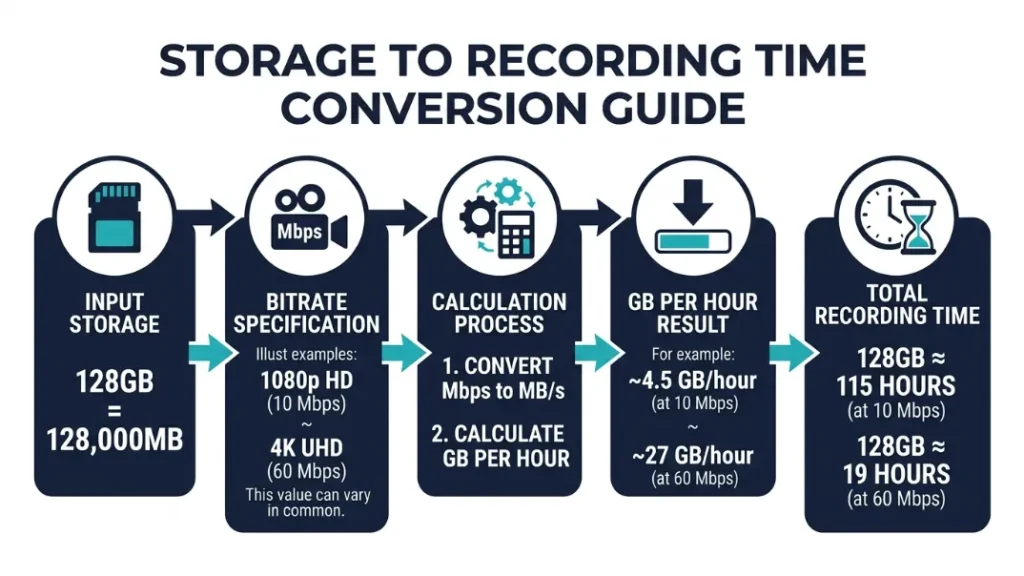
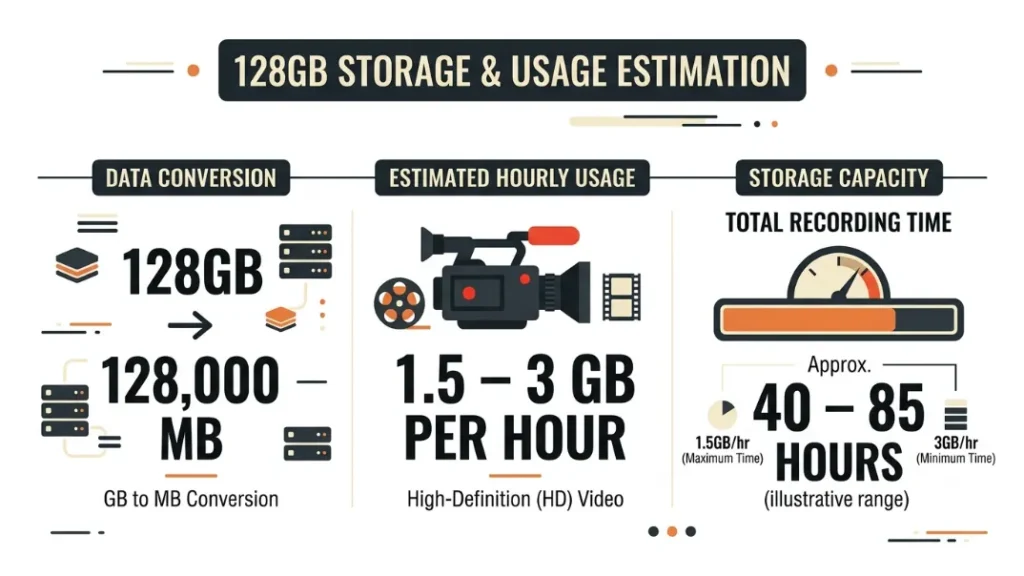
128GB holds roughly 128,000 megabytes of video data. That sounds enormous — and for photos or music, it is. But video is a different story entirely.
Dash cam footage is continuous, compressed video recorded 24/7. Even a modest 1080p camera at a standard bitrate generates around 1.5–3GB of footage every hour. That adds up faster than you’d think.
The key insight here is simple: storage capacity alone doesn’t tell the full story. You need to factor in resolution, bitrate, and compression codec before you can calculate real recording time.
How Video Resolution Changes Everything About Storage
Resolution is the biggest variable in dash cam storage. Higher resolution means more pixels per frame — and more pixels means larger files. Here’s how the math plays out in practice.
| Resolution | Approx. File Size/Hour | 128GB Recording Time |
|---|---|---|
| 4K (3840×2160) | 7–8 GB/hr | ~16–18 hours |
| 2K / 1440p (2560×1440) | 4–6 GB/hr | ~21–32 hours |
| 1080p Full HD (1920×1080) | 3–4 GB/hr | ~32–42 hours |
| 720p HD (1280×720) | 1.5–2 GB/hr | ~64–85 hours |
Most drivers today record at 1080p or 1440p. That puts a 128GB card comfortably in the 24–40 hour range — roughly 3 to 5 full days of commuting time before any overwriting starts.
What Is Bitrate and Why It Matters More Than You Think
Bitrate is the amount of data your camera records per second of video, measured in megabits per second (Mbps). Two cameras shooting 1080p can produce very different file sizes if their bitrates differ.
A budget dash cam might record 1080p at 8 Mbps. A premium model like the Vantrue E1 Lite records 1080p at up to 20 Mbps. That higher bitrate means sharper, more detailed footage — but it also uses roughly twice as much storage per hour.
The rule is straightforward: higher bitrate = better quality = less recording time per GB. Always check your camera’s bitrate spec, not just its resolution label.
Check your dash cam’s manual or settings menu for the exact bitrate. Divide that number by 8 to get megabytes per second, then multiply by 3600 for file size per hour. This gives you a precise storage estimate for your specific camera.
How Many Hours Does a 128GB SD Card Record by Resolution?
The exact recording time on a 128GB card ranges from about 16 hours at 4K to over 40 hours at 1080p — but the real number depends on your camera’s specific bitrate, not just its resolution label.
Let’s go resolution by resolution so you can find exactly where your camera lands.
128GB at 4K — How Long Before the Card Loops?
4K dash cams are becoming more common, with brands like Vantrue and Blackvue offering 4K front cameras in their premium lines. At 4K, file sizes are large — typically 7 to 8GB per hour at standard bitrates.
That means a 128GB card fills in roughly 16 to 18 hours of continuous recording at 4K. For a daily commuter driving 90 minutes a day, that’s about 10 to 12 driving days before loop recording kicks in.
If you’re on a multi-day road trip recording constantly, expect the card to start overwriting within the first full day of driving.
128GB at 1440p and 2K — The Sweet Spot for Most Drivers
1440p and 2K are where most mid-range and premium dash cams live today. Models like the Nextbase 622GW — one of the UK’s best-selling dash cams — default to 1440p, producing crisp footage at a manageable file size.
At 1440p, expect around 4 to 6GB per hour. That gives you 21 to 32 hours of footage on a 128GB card. For a driver commuting 1 hour daily each way, that’s 10 to 16 full commute days of footage stored at any one time.
This is where 128GB really earns its place. You get excellent video quality and enough storage buffer that accidents from several days ago are still recoverable.
128GB at 1080p Full HD — Maximum Recording Time
1080p remains the most common resolution across affordable and mid-range dash cams. It’s sharp enough to read license plates clearly in daylight, and the file sizes are manageable.
At a typical 1080p bitrate of 12–15 Mbps, you’ll store about 3 to 4GB per hour. A 128GB card gives you 32 to 42 hours of continuous footage — roughly 3 to 5 full days of normal driving.
That’s a solid buffer for most people. Even if something happened several days ago, the footage is likely still on the card if you haven’t driven excessively since then.
128GB holds 16–18 hours at 4K, 21–32 hours at 1440p, and 32–42 hours at 1080p on a single-channel dash cam. These are averages — your actual time depends on your camera’s specific bitrate setting.
How Does Loop Recording Work With a 128GB Card?
Loop recording is the feature that makes the card size question less critical for day-to-day driving. When the card fills up, the dash cam automatically deletes the oldest clip and records over it — so your camera never stops recording due to a full card.
Most dash cams save footage in short clips — typically 1, 2, or 3 minutes long. When storage is full, the oldest clip is overwritten first. Your most recent footage is always preserved.
This means 128GB isn’t just 16–40 hours of total storage — it’s a rolling window of your most recent 16–40 hours of driving. That distinction matters enormously.
Does Loop Recording Delete Important Footage You Need?
Loop recording only deletes the oldest, unprotected clips. If an incident is detected — via a G-sensor triggered by sudden braking or impact — that clip is locked automatically and will not be overwritten.
Cameras like the Blackvue DR970X and Nextbase 622GW both use automatic event locking. The G-sensor detects a collision and immediately saves that clip to a protected folder.
The practical result: you don’t need to worry about loop recording deleting crash footage. The camera handles it for you.
How to Protect Footage From Being Overwritten
- Press the manual lock button on the dash cam immediately after an incident.
- Let the G-sensor auto-lock trigger on hard braking or impact events.
- Connect to the companion app (Nextbase, Vantrue, Blackvue all have one) and manually save clips to your phone.
- Remove the SD card and copy protected files to a computer within 24–48 hours of an incident.
- Reformat the card in the camera — not on your PC — every 2–4 weeks to maintain performance.
Does Dual-Channel Recording Cut Your 128GB Time in Half?
Yes — running a front and rear camera simultaneously splits your 128GB storage between two feeds, roughly halving your total recording window per channel. This is one of the most overlooked factors when people calculate dash cam storage.
A dual-channel setup at 1080p front and 1080p rear uses around 6–8GB per hour combined. Your 128GB card fills in 16–21 hours instead of 32–42. That’s a significant reduction.
Front and Rear Cam Storage — What to Expect
| Setup | Approx. Use/Hour | 128GB Lasts |
|---|---|---|
| Front only — 1080p | 3–4 GB/hr | 32–42 hours |
| Front 1080p + Rear 1080p | 6–8 GB/hr | 16–21 hours |
| Front 4K + Rear 1080p | 10–12 GB/hr | 10–13 hours |
| Front 1440p + Rear 1080p | 7–9 GB/hr | 14–18 hours |
If you run a dual-channel setup, consider stepping up to a 256GB card. The added cost is minimal — roughly $10 to $15 more — and it doubles your coverage window back to a comfortable range.
Not all dash cams support 128GB cards. Always check the manufacturer’s maximum supported card size before buying. Some older or budget models cap out at 32GB or 64GB. Using an unsupported card size can cause recording errors or corrupt footage.
How Does Parking Mode Affect Your 128GB Recording Time?
Parking mode records footage while your car is parked — triggered either by motion detection or continuous low-bitrate recording. It adds significant extra footage to your card and reduces how far back your driving recordings go.
Cameras like the Blackvue DR970X and Vantrue N4 Pro are well known for their parking mode capabilities. In continuous parking mode at reduced bitrate, these cameras can add 3–8GB of footage per hour even while the car sits still.
If you park in a busy area overnight for 10 hours, that’s potentially 30–80GB of footage before you even start your morning commute. On a 128GB card, that leaves much less space for your driving recordings.
The practical fix: Use motion-triggered parking mode instead of continuous parking mode. Motion-triggered records only when something moves near your car — cutting parking footage dramatically while still catching what matters.
If you use continuous parking mode regularly, consider a 256GB card instead of 128GB. The extra space means your important driving footage stays on the card longer and doesn’t get pushed out by overnight parking recordings.
H.264 vs. H.265 — Which Codec Makes Your 128GB Last Longer?
H.265 (also called HEVC) is a newer video compression codec that stores the same visual quality as H.264 in roughly half the file size. If your dash cam supports H.265, switching to it can nearly double your recording time on 128GB.
A 1080p clip at 15 Mbps using H.264 might take 3.5GB per hour. The same visual quality in H.265 can fit in 1.8–2GB per hour. Over 40 hours of driving, that difference is enormous.
| Codec | File Size at 1080p | 128GB Recording Time | Compatibility |
|---|---|---|---|
| H.264 | ~3–4 GB/hr | 32–42 hours | Universal |
| H.265 | ~1.8–2.5 GB/hr | 51–71 hours | Newer cameras only |
The catch: H.265 files require more processing power to play back. Older computers or media players may struggle with them. But for pure storage efficiency in a dash cam, H.265 is a clear winner when available.
Check your camera’s settings menu — many newer Vantrue and Blackvue models let you switch between the two codecs manually.
Is 128GB Enough for Your Dash Cam or Do You Need More?
For most single-channel drivers doing daily commutes, 128GB is more than enough. It provides 1.5 to 5 days of continuous footage depending on resolution — enough buffer to recover footage from a recent incident with ease.
But certain driving habits and setups push beyond what 128GB handles comfortably. Here’s how to decide.
64GB vs. 128GB vs. 256GB — Which Size Is Right for You?
| Card Size | Best For | Recording Window (1080p) |
|---|---|---|
| 64GB | Short commuters, 720p recording, budget setups | 16–21 hours |
| 128GB | Most drivers, single-channel, 1080p–1440p | 32–42 hours |
| 256GB | Dual-channel, 4K, heavy parking mode users | 64–85 hours |
My personal recommendation: 128GB is the sweet spot for single-channel 1080p or 1440p recording. Step up to 256GB if you run dual cameras, use heavy parking mode, or shoot at 4K.
How Many Days of Footage Does 128GB Keep Before Overwriting?
This depends on how much you drive each day. Here’s a real-world estimate based on a 1-hour daily commute (2 hours total driving per day) at 1080p on a single-channel setup:
- At 1080p (3–4 GB/hr): 128GB stores 16–21 days of commute footage
- At 1440p (4–6 GB/hr): 128GB stores 10–16 days of commute footage
- At 4K (7–8 GB/hr): 128GB stores 8–9 days of commute footage
That’s a generous window. For most people who discover an incident within a week, 128GB gives you plenty of time to retrieve the footage before it’s overwritten.
The golden rule of dash cam storage: Always pull footage from a significant incident within 24–48 hours. No matter how large your card is, loop recording will eventually reach that clip — and you won’t get a second chance.
What SD Card Should You Use in a Dash Cam for Reliable Recording?
Not every microSD card is built for dash cam use. Standard cards are designed for occasional read-write cycles — taking photos, recording occasional video, storing files. A dash cam writes data constantly, every second of every drive. That’s an entirely different workload.
Why Endurance Cards Beat Standard Cards in a Dash Cam
Standard microSD cards are rated for around 1,000–3,000 write cycles. High-endurance cards like the SanDisk High Endurance and Samsung PRO Endurance are rated for 30,000–100,000 hours of continuous video recording — a fundamental engineering difference.
A standard card used in a dash cam can start failing within 3 to 6 months. Symptoms include corrupt files, missing recordings, or the camera failing to record at all. An endurance card in the same environment lasts 2 to 5 years.
You can learn more about microSD endurance ratings and what they mean for video recording at Kingston’s High Endurance microSD guide.
Speed Class Requirements — V30 and U3 Explained
Speed class determines how fast your card can write data. For a 4K dash cam, you need a minimum V30 or U3 rating — both guarantee 30MB/s sustained write speed. For 1080p and 1440p, a U1 or V10 card technically works, but V30 is the safer choice.
| Speed Class | Min. Write Speed | Suitable For |
|---|---|---|
| U1 / V10 | 10 MB/s | 1080p single-channel only |
| U3 / V30 | 30 MB/s | 1440p, 4K, dual-channel |
| V60 / V90 | 60–90 MB/s | Overkill for most dash cams |
My top recommendations for 128GB dash cam cards are the SanDisk High Endurance 128GB (U3) and the Samsung PRO Endurance 128GB (V30). Both are widely available, well-tested in dash cam environments, and rated for years of continuous use. You can find the full breakdown of recommended dash cam SD cards at B&H Photo’s memory card guide.
Format your dash cam SD card inside the camera — not on your computer — every 4 to 8 weeks. This clears fragmented files and keeps the camera writing smoothly. It takes 30 seconds and prevents most recording errors.
Frequently Asked Questions

I’m Alex Rahman, a car enthusiast and automotive writer focused on practical solutions, car tools, and real-world driving advice. I share simple and honest content to help everyday drivers make better decisions.
