10 Best OBD2 Scanner Tablets for 2026: Big-Screen Diagnostics That Work
The best obd2 scanner tablet right now is Autel MaxiSys MS906 Pro — with an 8-inch tablet, all-system coverage, and active tests. We evaluated 10 tablet scanners, scoring each on Display and Usability, Diagnostic Coverage, and Value for Money. Most tablet scanners look similar on paper but differ in screen readability and vehicle-specific depth. Whether you need workshop diagnostics, home-garage checks, or a pre-purchase scan, this guide gives you one clear answer.
Quick Comparison: All 10 Products Ranked
| # | Product | Best For | Rating | Badge | |
|---|---|---|---|---|---|
| 1 | Autel MaxiSys MS906 Pro | professional-level diagnostics on a fast tablet | 4.9/5 | Best Overall | Buy → |
| 2 | Launch X431 V+ | workshop use with wide vehicle coverage | 4.8/5 | Best Professional Tablet | Buy → |
| 3 | Autel MaxiCOM MK808S | everyday tablet diagnostics without workshop cost | 4.8/5 | Best Value Tablet | Buy → |
| 4 | FOXWELL NT809 | all-system scanning on a compact tablet | 4.7/5 | Best for All-System Scans | Buy → |
| 5 | Topdon Phoenix Plus | fast full-system scans in a busy garage | 4.7/5 | Best for Fast Scanning | Buy → |
| 6 | Autel MaxiCOM MK906 Pro | readability for long diagnostic sessions | 4.7/5 | Best Large Display | Buy → |
| 7 | Launch X431 PROS V5.0 | advanced DIY users moving beyond basic readers | 4.6/5 | Best for DIY Pros | Buy → |
| 8 | Otofix D1 Max | workshop teams needing a rugged tablet | 4.6/5 | Best for Workshops | Buy → |
| 9 | Autel MaxiCOM MK808BT Pro | wireless tablet use around the vehicle | 4.5/5 | Best Wireless Tablet | Buy → |
| 10 | Launch CRP919X | compact tablet diagnostics for home garages | 4.5/5 | Best Compact Tablet | Buy → |
How We Chose These Tablets
What we compared
10 tablet scanners, compared on listed screen, coverage, connection, and service-function specifications.
Our 3 scoring criteria
Display and Usability, Diagnostic Coverage, and Value for Money, applied to every product.
Editorial basis
Scores are editorial ratings based on listed specifications, not laboratory or hands-on test results.
What we cut — and why
Phone-only adapters and small handheld readers were cut, because this list is for tablet-form scanners only.
What to Look for When Buying an OBD2 Scanner Tablet
A tablet should make diagnosis easier, not just bigger. Focus on readability, coverage for your car, and the functions you will actually use.
1. Screen Size and Readability
A larger screen helps when you compare several live-data values at once, but it also adds weight. Look for a bright display, clear graphs, and menus you can follow without constant zooming. If you work outdoors, check glare handling in the listed specifications before you choose.
2. Diagnostic Coverage and Live Data
All-system coverage matters more than a long feature list. Confirm engine, ABS, airbag, and transmission support for your exact vehicle, and check how live data is shown. Clear graphs and freeze-frame details help you trace a fault, while reading OBD2 live data correctly prevents replacing parts on a single value.
3. Battery, Portability, and Updates
Tablet battery life decides whether you can finish a road test or a full scan without a charger. Wireless adapters add freedom, but they also need charging and pairing. Check update terms too, because vehicle coverage for newer models depends on regular software updates.
4. Service Functions and Bi-Directional Control
Service functions such as oil resets, brake resets, and battery registration save repeat garage visits, but only on supported vehicles. Bi-directional control goes further by letting the tool test a component, so learn bidirectional control on scan tools before using an active test. Never run a test in unsafe conditions.

Autel MaxiSys MS906 Pro — Big-screen diagnostics, done properly
For drivers and workshops who want one tablet that covers most jobs, the Autel MaxiSys MS906 Pro is the easiest starting point. Its large screen makes live data, graphs, and fault-code details easier to read than a small handheld unit, while all-system coverage reaches engine, transmission, ABS, airbag, and other modules on supported vehicles. Active tests and service functions help with common resets, and wireless communication keeps the tablet free to move around the car. The trade-off is size and complexity: this is more tablet than a casual code reader, so occasional users may find menus deeper than they need.
- Large tablet screen for live data
- All-system coverage on supported vehicles
- Wireless link frees tablet movement
- Menus feel deep for casual users
- Tablet size exceeds pocket readers
4.9/5
4.9/5
4.7/5

Launch X431 V+ — Wide workshop coverage, tablet style
The Launch X431 V+ suits workshops and serious DIY users who need wide coverage in a tablet form. Its Bluetooth adapter connects quickly, the tablet interface keeps multiple data streams visible at once, and full-system scanning helps trace faults beyond a basic engine code. Online coding and service functions on supported models add depth for maintenance work, while regular updates keep newer vehicles in scope. It is not the simplest pick for a first-time buyer, because setup, registration, and menu depth take time to learn, and some advanced functions remain limited by vehicle, model, and year.
- Wide coverage for workshop work
- Bluetooth adapter for flexible use
- Full-system scan beyond engine codes
- Setup takes time for beginners
- Advanced functions vary by vehicle
4.8/5
4.9/5
4.6/5

Autel MaxiCOM MK808S — Best everyday tablet value
The Autel MaxiCOM MK808S is a strong value tablet for owners who want more than a code reader without moving to a workshop-grade system. Its touchscreen layout is clear, all-system scanning covers the main modules on supported cars, and service functions handle common resets that handheld readers often miss. The tablet is light enough to carry around the vehicle, and the interface keeps code definitions and live data close together. It will not match the deepest professional tablets on advanced coding or heavy-duty coverage, but for routine diagnosis, maintenance resets, and pre-purchase checks, it covers the important ground well.
- Clear touchscreen layout for daily use
- All-system scan on supported cars
- Common service resets included
- Advanced coding depth is limited
- Heavy-duty coverage is limited
4.8/5
4.8/5
4.9/5

FOXWELL NT809 — Compact all-system tablet scanning
The FOXWELL NT809 is a compact tablet option for buyers who want all-system scanning without a large workshop unit. Its touchscreen keeps fault codes, live data, and service menus in one place, and coverage across engine, ABS, airbag, transmission, and other systems helps explain warning lights more completely. Bi-directional control on supported vehicles allows simple component tests, which can save guesswork during diagnosis. The screen is smaller than flagship tablets, so long graph sessions feel more cramped, and some brand-specific functions depend on the vehicle, but the core diagnostic range is broad for its size.
- Compact tablet for all-system scans
- Bi-directional tests, supported vehicles
- Clear code and live-data layout
- Screen smaller than flagship tablets
- Brand functions vary by vehicle
4.6/5
4.8/5
4.7/5

Topdon Phoenix Plus — Fast scanning, simple tablet workflow
The Topdon Phoenix Plus is built for users who value speed and a straightforward tablet workflow. Full-system scanning runs through the main vehicle modules, live data can be viewed in graphs, and service functions cover common maintenance tasks on supported models. Its tablet design keeps results readable while moving between bays or around a driveway, and the wireless adapter reduces cable clutter during checks. It is less familiar to some buyers than the largest brands, so finding model-specific guidance may take extra searching, and advanced functions still depend on vehicle support, but day-to-day scanning feels quick and direct.
- Quick full-system scanning workflow
- Wireless adapter reduces cable clutter
- Readable tablet graphs for live data
- Smaller community guidance than big brands
- Advanced functions vary by vehicle
4.7/5
4.7/5
4.6/5

Autel MaxiCOM MK906 Pro — Clearest screen for long sessions
The Autel MaxiCOM MK906 Pro is the pick for readers who want a larger, clearer tablet during long diagnostic sessions. A bigger screen makes multi-parameter live data, wiring-related test results, and service menus easier to follow without constant scrolling, while all-system coverage supports thorough fault tracing on supported vehicles. Active tests and service functions add workshop depth, and the processing speed keeps menu changes responsive. The larger tablet is heavier to hold for extended periods and takes more storage space than compact models, so it suits a bench or trolley better than a pocket, but visibility is its clear advantage.
- Larger screen for long sessions
- Responsive menus and live data
- All-system coverage, supported vehicles
- Heavier to hold for long periods
- Needs more storage space
4.9/5
4.8/5
4.5/5

Launch X431 PROS V5.0 — Serious step up for DIY
The Launch X431 PROS V5.0 bridges basic code readers and professional tablets for advanced DIY users. Its tablet interface supports full-system scanning, live-data graphs, and service functions that help with brakes, oil resets, battery registration, and other routine maintenance on supported vehicles. Bluetooth communication keeps the tablet portable during tests, and the menu structure is logical once the main diagnostic flow is learned. It is not a replacement for dealer-level tools on every brand, and some functions require careful vehicle selection, but for home workshops it delivers a serious step up in diagnostic depth.
- Full-system scan for home workshops
- Bluetooth tablet for portable tests
- Routine service functions included
- Not dealer-level on every brand
- Menu depth needs learning time
4.7/5
4.7/5
4.6/5
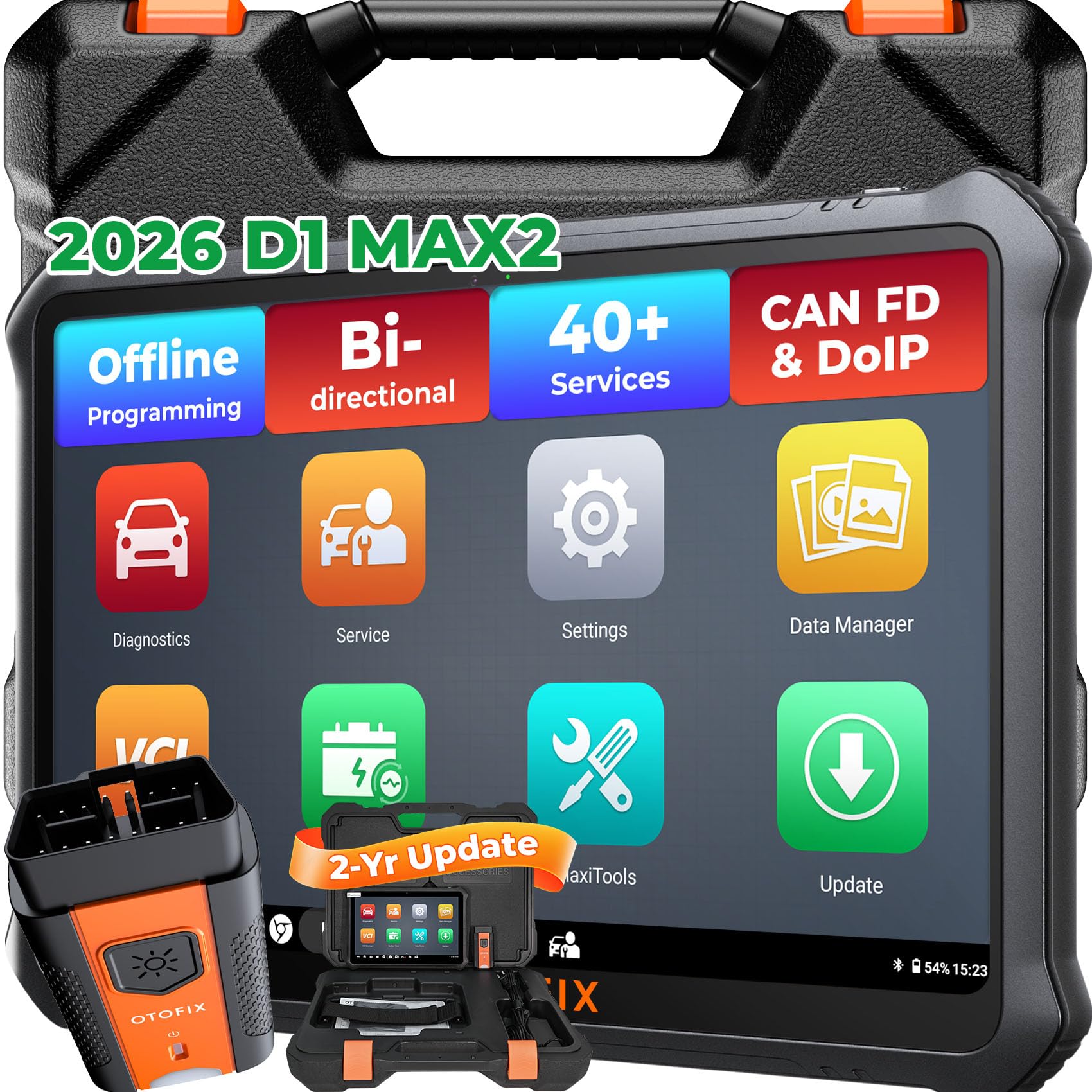
Otofix D1 Max — Rugged tablet for daily shop use
The Otofix D1 Max is a workshop-oriented tablet that pairs a larger display with broad diagnostic coverage. Full-system scanning, live data, and service functions support routine garage work, while bi-directional control on supported vehicles helps test components rather than only reading codes. Its rugged tablet styling suits daily shop use better than a slim consumer tablet, and the interface keeps diagnostic reports organized. It is heavier and more expensive in feel than entry-level tablets, and brand-specific depth still varies, but for teams who diagnose vehicles all day, the durability and screen space are practical advantages.
- Rugged tablet styling for shops
- Bi-directional tests, supported vehicles
- Organized diagnostic reports included
- Heavier than entry-level tablets
- Brand depth varies by model
4.7/5
4.7/5
4.5/5
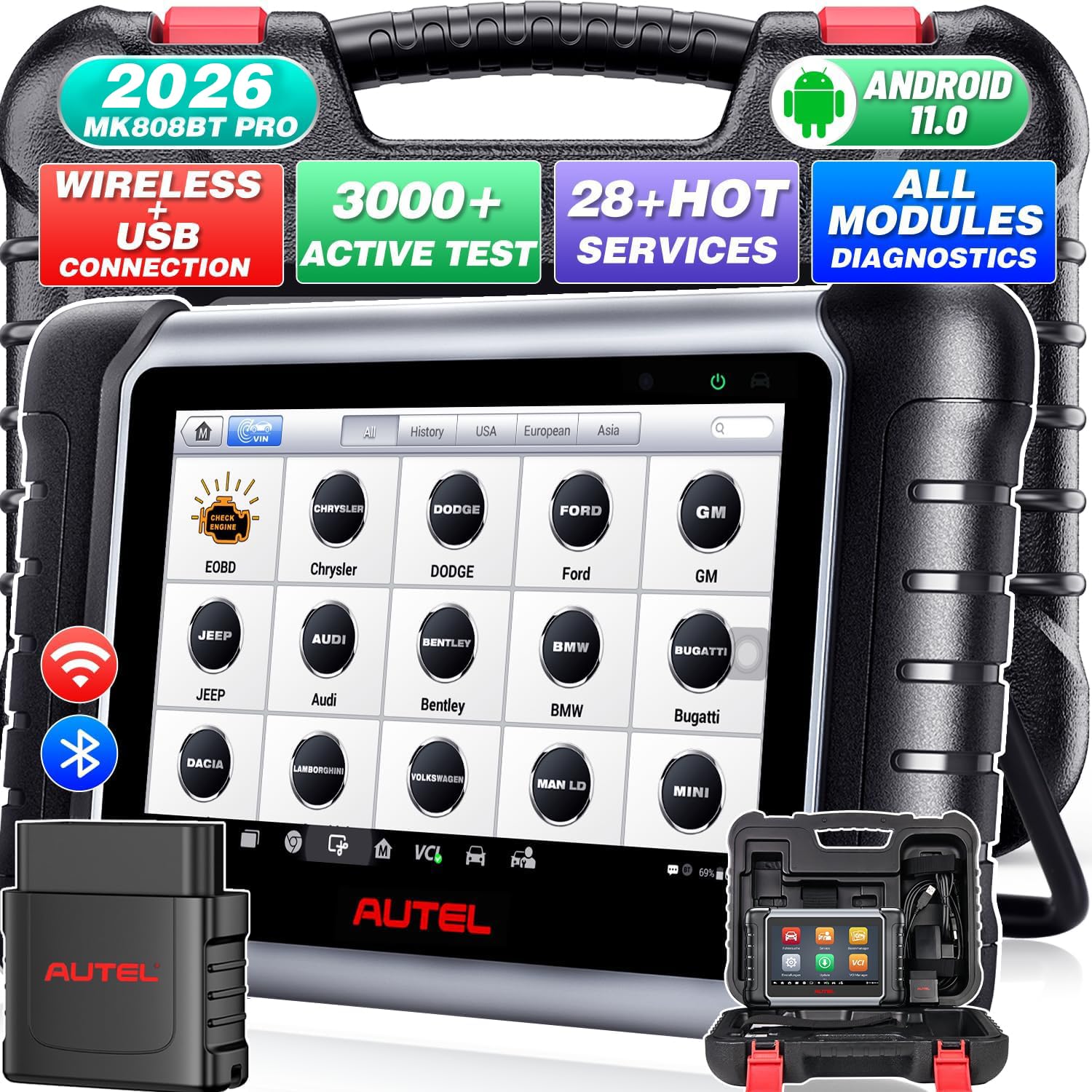
Autel MaxiCOM MK808BT Pro — Wireless freedom around the car
The Autel MaxiCOM MK808BT Pro focuses on wireless freedom for users who move around the vehicle while diagnosing. Bluetooth communication lets the tablet stay in hand during road tests or under-bonnet checks, while all-system scanning and service functions cover the main diagnostic tasks on supported cars. The touchscreen is clear for code reading and live data, and the overall package is easier to carry than larger professional tablets. It does not offer the deepest coding or the largest screen in this list, but for mobile checks, family cars, and small workshops, wireless convenience is a genuine daily benefit.
- Bluetooth freedom around the vehicle
- All-system scan, supported cars
- Easier to carry than large tablets
- Screen smaller than flagship models
- Coding depth is limited
4.7/5
4.6/5
4.6/5

Launch CRP919X — Compact tablet for home garages
The Launch CRP919X is a compact tablet for home garages that want full-system coverage without a full workshop setup. Its touchscreen handles engine, ABS, airbag, transmission, and other systems on supported vehicles, live data can be checked in graphs, and service functions cover common resets. The smaller tablet is easy to store and carry, which helps for occasional use and for checking a second family car. Advanced functions are more limited than on flagship tablets, and some brand-specific features depend on vehicle support, but for routine diagnosis and maintenance, it is a practical, space-saving tablet choice.
- Compact tablet, easy to store
- Full-system scan, supported vehicles
- Common service resets included
- Advanced functions are limited
- Brand features vary by vehicle
4.6/5
4.6/5
4.7/5
Top 3 Head-to-Head: MS906 Pro vs X431 V+ vs MK808S
These three are the common final choices because they balance screen size, coverage, and value differently.
| Feature | #1 MS906 Pro | #2 X431 V+ | #3 MK808S |
|---|---|---|---|
| Display and Usability | 4.9/5 — Best | 4.8/5 | 4.8/5 |
| Diagnostic Coverage | 4.9/5 | 4.9/5 — Best | 4.8/5 |
| Value for Money | 4.7/5 | 4.6/5 | 4.9/5 — Best |
| Choose if… | You want the most complete tablet | You want wide workshop coverage | You want strong value for everyday use |
Who These Tablets Are NOT For
Tablet scanners are not the right choice for every driver.
They are also a poor fit if you only want a pocket code reader, if your car is not OBD2 compliant, or if you need dealer-level access for one specific brand. In those cases, a smaller reader or a specialist service is usually the smarter choice.
Common Mistakes to Avoid
These mistakes are common with tablet scanners, and each one is easy to avoid.
Before you buy, review what to look for in scanners so screen, coverage, and update terms are checked together.
Frequently Asked Questions About OBD2 Scanner Tablets
What is an OBD2 scanner tablet?
An OBD2 scanner tablet is a diagnostic tool with a large touchscreen, rather than a small handheld reader or a phone app. It plugs into the OBD2 port through a wired or wireless adapter, reads fault codes, and shows live data, graphs, and service menus on one screen. That larger display makes multi-system results easier to follow, especially when checking several parameters at once.
Do tablet scanners work on all cars?
No, tablet scanners do not work on every car, even when coverage looks broad. Most cover OBD2-compliant petrol cars from 1996 and diesel cars from later model years in many markets, but brand, model, and year still decide which systems and functions are available. Always check the maker’s vehicle list for your exact car before buying, and confirm whether advanced functions are supported.
Is a tablet scanner better than a phone app?
A tablet scanner is often better when you want a dedicated, larger screen and deeper system coverage in one device. Phone apps can be excellent for basic code reading and live data, but they depend on your phone, adapter, and app subscription. A tablet keeps diagnostics separate, shows more data at once, and usually includes service functions that basic phone tools do not offer.
What should I check before buying a tablet scanner?
Check vehicle coverage, screen size and readability, battery life, update terms, and the service functions you actually need. For guidance on the wider choice, see how to choose an OBD2 scanner for your car and use case. Also confirm whether the adapter is wireless, whether updates are included, and whether the tablet is comfortable to hold during longer checks.
Can a tablet scanner do bi-directional control?
Some tablet scanners can, but only on supported vehicles and systems. Bi-directional control lets a tool send a command, such as cycling a component or running a test, rather than only reading data. To understand the limits, read about bidirectional control on scan tools. Never run an active test unless you understand what it changes and the vehicle is in a safe condition.
How do I read live data on a tablet scanner?
Start with the fault code, then open live data for the related system and watch values while the engine runs. Graphs help you spot a sensor that drops out, lags, or reads outside its normal range. For a fuller explanation, see our guide to reading OBD2 live data. Compare readings with known good values where possible, and do not replace parts on one reading alone.
Our Final Verdict
Tablet scanners suit buyers who want a larger screen, wider system coverage, and service functions in one device. The trade-off is size, learning time, and vehicle-specific limits, so match the tablet to your car and your routine checks. For most everyday and workshop users, the top pick below is the safest starting point.

I’m Alex Rahman, a car enthusiast and automotive writer focused on practical solutions, car tools, and real-world driving advice. I share simple and honest content to help everyday drivers make better decisions.
