What Does Vehicle Speed PID Show? Explained
Quick Answer
The vehicle speed PID shows the car’s current road speed as reported by its powertrain control system, in kilometres per hour. In standard OBD2 terms it is Mode 01 PID 0x0D: one data byte, read directly as km/h, with a range of 0 to 255. It is a live speed reading, not a distance, average speed, speed limit, or wheel-by-wheel measurement.
When a scanner shows “Vehicle Speed” in live data, it is not guessing from GPS or reading the dashboard needle. It is asking the car for one specific value and displaying the answer.
What the vehicle speed PID actually reports
The vehicle speed PID reports how fast the vehicle is travelling at the moment of the request, as calculated by the vehicle itself. The usual source is a speed signal derived from transmission output or wheel-speed information, depending on the design. The scanner receives a number the car has already produced; it does not measure the road itself.
That distinction matters. If the car’s own speed input is wrong, the PID will faithfully report the wrong number. Comparing it with GPS speed on a straight road is often how a mismatch first becomes obvious.
The value is also instantaneous, not a smoothed trip figure. It should rise and fall with the car, and read 0 km/h at a standstill. A reading that stays fixed while the car is moving, or changes in large jumps, is a clue to investigate rather than a number to accept at face value.
The exact PID: Mode 01, PID 0x0D
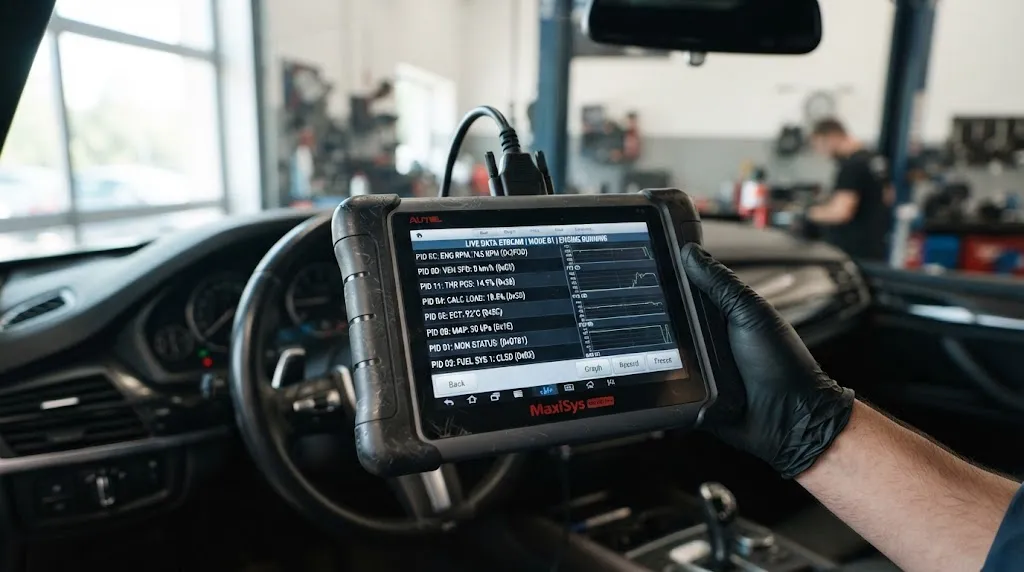
Vehicle speed is a standard current-data parameter: Mode 01, PID 0x0D. Mode 01 means “show current data,” so the answer reflects the present moment rather than a stored snapshot. The guide to what Mode 01 covers and how its PIDs are organised is useful background if PID numbers are new to you.
The decoding is unusually simple. Unlike engine speed, which needs two bytes and a calculation, vehicle speed uses one data byte, labelled A, and the formula is just A. A value of 50 therefore means 50 km/h. That simplicity is also why the range stops at 255 km/h: one byte cannot represent a larger whole number.
| Item | Vehicle speed PID |
|---|---|
| Mode and PID | Mode 01, PID 0x0D |
| Data bytes | 1 byte (A) |
| Formula | A, in km/h |
| Range | 0 to 255 km/h |
| Resolution | 1 km/h steps |
In raw form, a scanner requests Mode 01 PID 0x0D and receives a response beginning 41 0D, followed by the speed byte. A response byte of 0x32 converts from hexadecimal to 50, so the displayed speed is 50 km/h. Most apps hide this exchange, but it helps when a log shows the raw reply. The CSS Electronics OBD2 guide works through the same example.
The 1 km/h resolution also means the PID cannot show fractions: cars at 50.4 and 50.9 km/h may both report 50 km/h, depending on rounding. A 1 km/h difference from the dashboard or GPS is therefore not, on its own, evidence of a fault.
Why your app may show mph instead of km/h
The PID itself is always in km/h. If your scanner shows mph, the app has converted the value for display. The conversion is straightforward: multiply km/h by 0.621371 to get mph. So 100 km/h becomes about 62 mph, and 50 km/h becomes about 31 mph.
Conversion can add small differences: an app may round before or after converting, so two apps fed the same PID value can differ by 1 mph. If you are comparing readings, check the unit setting first. A “wrong” speed is often just an unexpected display unit, especially after an app update resets preferences.
Also check that the app is not showing a similarly named manufacturer-specific wheel-speed or transmission-output value. Those can be useful, but they are not PID 0x0D. When in doubt, use the item labelled as vehicle speed in the standard or generic PID list.
What the vehicle speed PID does not show
The PID does not show any of the following:
- Distance travelled. That is a separate value, and it is not calculated by adding up speed readings in the scanner.
- Average speed. There is no averaging period hidden in PID 0x0D. Each request is a fresh snapshot.
- Acceleration or braking force. You can infer a change in speed by watching successive readings, but the PID itself reports speed only.
- Individual wheel speeds. ABS and stability systems may know each wheel separately, but the standard PID gives one vehicle speed.
- The speed limit. The car does not know the posted limit from this PID, and neither does the scanner.
- True ground speed. If a wheel is spinning, slipping, or fitted with a very different tyre size, the vehicle’s calculated speed can differ from GPS ground speed.
A wrong PID value points to the speed signal chain — sensor, wiring, tone ring, tyre size, or control-module calculation — but it does not, by itself, name the faulty component.
Why it may differ from the dashboard or GPS
A small gap between the PID, the dashboard, and GPS is normal in many cars, for different reasons in each case.
Dashboard speedometers often read slightly high by design, so a driver is less likely to unknowingly exceed a limit. The PID is the control system’s internal figure, not dressed up for the driver in the same way. A dashboard reading a few km/h above the PID at motorway speed does not automatically mean either one is broken.
GPS speed is calculated from position changes over time. It can lag during rapid acceleration and lose accuracy in tunnels or built-up areas. On a steady, straight road it is a useful cross-check; in stop-start traffic or on a winding hill road, short-term differences are expected.
Tyre size is the other frequent cause of a larger, consistent gap. If tyres are much larger or smaller in diameter than the calibrated size, the rotations counted by the speed system no longer correspond to the same road distance. A steady percentage error points toward calibration or tyre size, while an erratic reading points toward a signal or connection problem.
Key Insight
Do not judge the PID from one number. Judge it from its pattern: steady at 0 when stopped, smooth when cruising, consistent in its gap to GPS, or erratic when a signal drops out.
How to read it alongside other live data
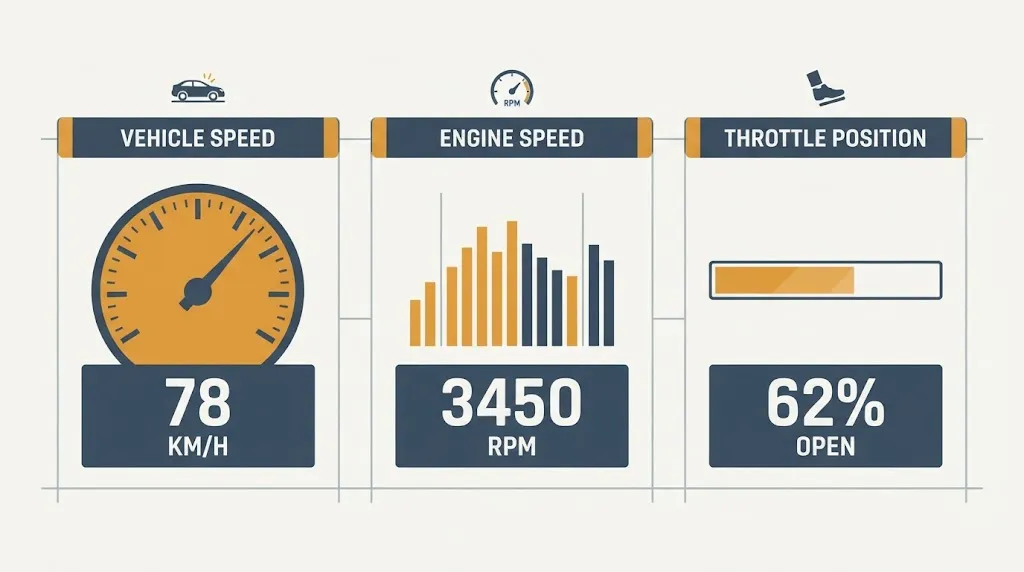
Vehicle speed becomes much more useful with a few neighbouring values. Engine speed and throttle position give it context: speed rising while engine speed stays flat can fit a higher gear, while speed falling with steady throttle can fit a hill, a headwind, or a developing problem.
The guide to how to read OBD2 live data explains how to set up a small, focused screen instead of watching dozens of parameters at once. For speed checks, vehicle speed plus engine speed and throttle position is usually enough; adding more tends to slow refresh and hide the pattern.
Speed also appears in freeze-frame data, but there it means something different. In Mode 02, PID 0x0D shows the speed when a fault code was stored, not the current speed. A freeze-frame speed of 0 km/h does not mean the car is stationary now, only that it was stationary when that code set. The guide to how to read OBD2 freeze-frame data covers that distinction in full.
The overview of which OBD2 PIDs are most useful puts vehicle speed in the core set, because speed, engine speed, coolant temperature, and load together describe what the car was doing when a symptom appeared.
When the reading looks wrong
Start with the simplest explanations before assuming a sensor has failed. A poor connection, an unsupported parameter, and a genuine speed-signal fault can all present as missing or odd speed data, but they need different responses.
| What you see | Most useful check first |
|---|---|
| No vehicle speed item at all | Check whether PID 0x0D is supported; not every model supports every standard PID. |
| 0 km/h while driving | Check the speed signal path and whether other live data is also frozen. |
| Reading jumps or drops out | Look for an intermittent sensor, wiring, or connector fault, and note whether the dashboard behaves the same way. |
| Stuck at 255 km/h | Treat this as a maximum-value or invalid-data clue, not a real speed, and re-check with another tool if possible. |
| Consistently high or low | Compare with GPS on a steady road and check tyre size against the specified size. |
Refresh rate can also mislead. A scanner polling many parameters may update speed only once or twice a second, so fast acceleration can look stepped rather than smooth. Reducing the live parameters usually gives a cleaner trace. If every parameter is slow or frozen, the connection or app is more likely at fault than the speed sensor alone.
A plausible reading is not proof of accuracy, either. The guide to how accurate OBD2 live data is makes the wider point: live data reports what the control system believes, and that belief can be wrong when an input is wrong. Cross-checking against GPS, the dashboard, and the driving situation turns a single number into a trustworthy observation.
Tip
When checking a suspected speed error, drive steadily on a straight, level road and note the PID, dashboard, and GPS figures together.
Related Product
OBD2 scanner with live data display
A scanner that shows live vehicle speed alongside engine speed and throttle position makes it much easier to check the PID pattern described above.
As an Amazon Associate, we earn from qualifying purchases.
Frequently Asked Questions
Is the vehicle speed PID always in km/h?
Yes, at the PID level. Mode 01 PID 0x0D reports kilometres per hour, with one byte giving 0 to 255 km/h. If you see mph, your scanner or app has converted the km/h value for display.
Can the vehicle speed PID go above 255 km/h?
No, not as standard PID 0x0D. One byte can only represent whole numbers up to 255, so a faster car would need a manufacturer-specific parameter to report beyond that limit.
Why does the PID speed differ from my speedometer?
They are not the same presentation of speed. Dashboard speedometers often read slightly high, while the PID is the control system’s internal figure. A small, consistent difference is common; a large or erratic difference is worth investigating.
Does the vehicle speed PID show speed in freeze frame too?
Yes, but with a different meaning. In Mode 02, PID 0x0D shows the speed when the fault code was stored. That frozen figure does not update as you drive.
Why does my scanner show no vehicle speed?
Most likely, the vehicle does not support PID 0x0D, the app is not showing standard PIDs, or the connection is not delivering live data reliably. Check support and connection, and whether other live parameters are also missing, before suspecting a speed sensor.
Can I use the vehicle speed PID to check tyre size problems?
It can support that check, but not prove it alone. A consistent percentage gap to GPS on a steady road fits a tyre-size or calibration issue, while an erratic gap fits a signal fault.
Conclusion
The vehicle speed PID is a simple value with a precise meaning: the car’s current speed, reported as one byte in km/h under Mode 01 PID 0x0D. It is not distance, average speed, a speed limit, or a per-wheel measurement, and its 0 to 255 range and 1 km/h steps explain many small differences from other displays. Read it as a pattern — steady when stopped, smooth when cruising, consistent against GPS — and cross-check it before drawing a diagnostic conclusion.

I’m Alex Rahman, a car enthusiast and automotive writer focused on practical solutions, car tools, and real-world driving advice. I share simple and honest content to help everyday drivers make better decisions.
