Can a Scan Tool Perform ECU Programming? Explained
Quick Answer
Yes, some scan tools can perform ECU programming, but most ordinary code readers cannot. Real programming usually needs a professional tool or a J2534 pass-thru interface, the vehicle maker’s software and access, and stable power throughout the flash. A tool that only reads codes, shows live data, or changes a setting is not automatically able to rewrite an ECU.
That distinction causes most of the confusion. Sellers often use programming, coding, adaptation, and activation as if they meant the same thing, and they do not. A standard scan mainly asks the car what is wrong; programming writes new software or calibration data into a module, which is why the stakes and cost are different.
Why Most Scan Tools Cannot Program an ECU
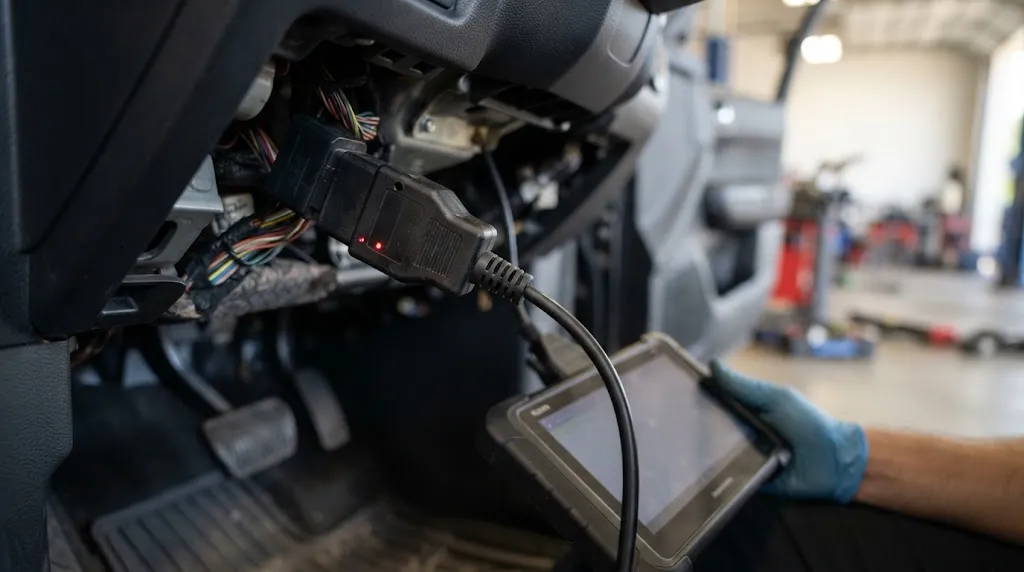
Most consumer scan tools are built for diagnosis, not writing firmware. They can read and clear codes, show live data, and sometimes run a service reset or active test, but they do not replace the software inside the module.
Programming needs a different level of access: a programming session, any required security checks, a complete and correct calibration file, and verification of the write. If any part of that chain is missing, the function may be absent or limited to one brand or module. That is also why a tool can be excellent for diagnosis and still useless for programming. What an OBD2 scanner can tell you depends on generic and enhanced diagnostic data, while programming depends on licensed software, module coverage, and secure access.
Programming, Coding, Adaptation, and Activation Are Not the Same
These terms are often mixed together in product listings. Keeping them apart makes it easier to judge a claim.
ECU programming, or flashing, writes firmware or calibration software to a module, for a software update, a fault fixed by a new calibration, or a replacement module that arrives blank or with the wrong software.
ECU coding changes configuration data inside software already installed, to match a replacement part, enable or disable a fitted feature, or set a variant for a market or equipment level.
Adaptation and learning reset or relearn values after a repair, such as injector values, throttle position, or battery registration, without installing new firmware.
Activation and bidirectional control tell a component to run briefly for testing, such as cycling a fan. This is a diagnostic command, not a software write, which matters because a scan tool that can control vehicle components is not necessarily able to program them.
| Function | What it changes | Typical risk if interrupted |
|---|---|---|
| Programming / flashing | Module software or calibration | High; module may stop working |
| Coding | Configuration settings | Lower, but a wrong setting can cause faults |
| Adaptation | Learned values after repair | Usually low; relearn can often be repeated |
| Activation | Nothing permanent | Low; test simply stops |
If a listing says coding, do not assume it means flashing. Check whether it names programming, reflashing, or J2534 pass-thru, and for which brands and modules.
What a Complete Programming Setup Needs
A capable scan tool is only one part of the setup. In most real cases, three things must line up at the same time.
1. A capable interface
The interface may be built into a professional tablet, or a separate J2534 device connected to a laptop. Either way, it must support the vehicle’s protocol, including CAN FD or DoIP where used, and be validated for the maker’s software where required.
A basic Bluetooth adapter is useful for generic codes and live data, but it is not a programming interface. How an ELM327 adapter communicates with a car explains why its diagnostic role should not be confused with secure module writing.
2. Maker software and access
The calibration file and programming logic normally come from the vehicle maker, not the scan tool maker alone. That usually means a Windows laptop, the maker’s application, an account, and a paid subscription or short-term access period, with coverage varying by brand, model year, module, and region.
A J2534 device on its own is therefore not a complete solution: it acts as the bridge, while the maker’s software decides what can be written. A guide to programming versus coding-only tools makes the same point: the hardware interface does not replace OEM software and access rights.
3. Stable power and an undisturbed connection
Programming must not be interrupted. The battery should be fully charged and supported by a maintainer, unnecessary loads should be off, and cables should not be moved during the write. A wired connection is generally safer than wireless links for a long flash.
Honda’s J2534 reprogramming guidance warns that voltage fluctuation, interruption, or failure to follow the software procedure can cause reprogramming failure or control-module damage. That warning applies in principle across brands, even though exact voltage and procedure details differ.
Warning
Do not start a flash on a weak battery, with a loose cable, or when you cannot leave the car undisturbed until the software confirms completion. A failed write can sometimes be recovered by repeating the procedure, but it can also leave a module inoperable.
What Is J2534 Pass-Thru, and Why Does It Matter?
J2534 is an SAE standard for pass-thru reprogramming. In plain terms, it lets approved maker software talk to a vehicle through a standard interface, rather than requiring a separate dealer-only box for every brand.
J2534-1 covers emissions-related reprogramming, the area regulators pushed to open to independent repairers. J2534-2 extends the approach to other modules, but maker validation and software support still decide what works on a given car.
In practice, some professional tools include a J2534-capable interface for use with maker software on a laptop, while other setups use a dedicated J2534 device that does little ordinary scanning on its own. In both cases, the device is the bridge, not the source of the calibration. Newer vehicles add another limit: secure gateways, encrypted access, and online authentication can restrict a pass-thru session, even when the hardware is compliant.
Which Scan Tools Can Actually Program?
The answer depends less on price alone than on stated function, brand coverage, and software model.
- Basic code readers and phone adapters: diagnosis only in most cases; they do not flash ECUs.
- Mid-range all-system scanners: often add coding, adaptation, service functions, and bidirectional tests. Some offer limited offline programming for selected brands, but not full maker-level flashing across all modules.
- Professional tablets with J2534: the most likely aftermarket route to true programming, though maker software and a subscription may still be required.
- Dedicated J2534 devices: designed as the bridge for maker software; they may not display scan data on their own.
- Dealer tools: combine maker hardware, software, security access, and the latest calibrations, but are not practical for most owners.
Module access is a useful reality check: a tool that cannot reliably reach a transmission, ABS, or airbag module for diagnosis is unlikely to program that module. How to scan the transmission control module and what scanner can read ABS codes show how coverage is module-specific, not universal.
Key Insight
Ask for the exact job, not just the word programming. A tool that can program a BMW engine module may not program a Ford body module, and a tool that can code a feature may not flash a blank replacement ECU.
When Programming Is the Right Step, and When It Is Not
Programming makes sense when a maker has released a calibration update for a known fault, when a replacement module needs its correct software, or when a module has lost its data and the maker procedure calls for a reflash. In those cases, the correct file, module, and procedure matter more than speed.
Programming is not a general fix for a mechanical fault. It will not repair a worn sensor, a leaking injector, damaged wiring, or a failed actuator, so flashing before diagnosis can waste time and add risk. If the car runs normally, there is no maker update for a real symptom, and coverage for that exact model is unclear, diagnosis is usually safer. A shop with the right maker access is often the lower-risk route for a single job, especially on a security-sensitive or very new vehicle.
A Practical Check Before You Buy or Attempt a Flash
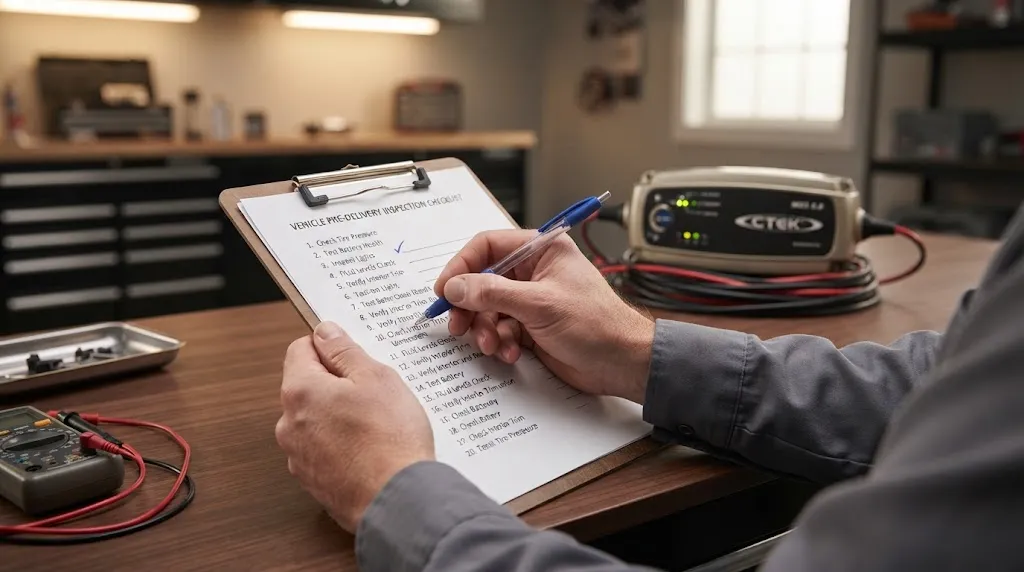
- Write down the exact job: update, blank replacement, or feature coding.
- Confirm the tool names programming or J2534 pass-thru for your brand, model year, and module, not just coding.
- Confirm what else is needed: maker software, account, subscription, Windows laptop, and internet access.
- Check protocol support for your car, including CAN FD or DoIP if applicable, and any secure-gateway limits.
- Plan power and time: a charged battery, a maintainer, a wired connection where possible, and no interruption.
- Read the maker’s procedure first, including setup, coding, or adaptation steps required after the flash.
- If any answer is unclear, price the job at a shop before buying a tool for one use.
This check also prevents paying for a professional programming tool when the actual need was coding, adaptation, or a service reset, which a mid-range scanner often covers at lower risk.
Tip
Save the tool’s coverage page, the maker software requirement, and the subscription cost together before you buy. Programming capability is only useful when all three match your car and your job.
Related Product
J2534 ECU Programming Scan Tool
A J2534-capable tool is the category to compare when the job is genuine ECU programming rather than coding or diagnosis alone.
As an Amazon Associate, we earn from qualifying purchases.
Frequently Asked Questions
Can a cheap OBD2 scanner perform ECU programming?
Usually no. Most cheap readers and basic phone adapters are built for generic diagnosis, not writing firmware. They lack the programming session, security access, and maker software support needed for a flash.
Does a J2534 tool work without maker software?
No, not for a normal maker flash. The J2534 device is the bridge between laptop and car, while the calibration file and programming logic come from the maker’s software and access system, commonly with a subscription or short-term access period.
Is ECU coding the same as ECU programming?
No. Coding changes configuration data in software already installed, while programming writes firmware or calibration software to the module. Coding is generally lower-risk and matches parts or sets features, whereas programming is needed for updates and blank replacement modules.
Can programming fix any check engine light or drivability fault?
No. Programming helps only when the cause is software-related or a maker update addresses the symptom. It does not repair mechanical faults, faulty sensors, damaged wiring, or failed actuators, so diagnosis should come first.
What happens if ECU programming is interrupted?
The flash may fail and the module may become unresponsive. Some failures can be recovered by repeating the maker’s procedure, but the module may need replacement. Stable power, a secure connection, and no disturbance reduce that risk.
Can I program a replacement ECU myself instead of going to a dealer?
Sometimes, with a validated J2534 or professional tool, the correct maker software and access, coverage for your exact brand and module, and stable power. For security-sensitive functions, very new models, or a single job, a dealer or equipped shop is often safer and cheaper overall.
Conclusion
A scan tool can perform ECU programming, but only when it is the right kind for the exact job. What matters is its programming or J2534 capability, coverage for your brand and module, the maker software and access behind it, and a stable, uninterrupted flash. Separate programming from coding first, confirm all three parts of the setup, and choose a shop when the job is security-sensitive, very new, or a single use.

I’m Alex Rahman, a car enthusiast and automotive writer focused on practical solutions, car tools, and real-world driving advice. I share simple and honest content to help everyday drivers make better decisions.
