What Can an OBD2 Scanner Tell You? (Full Guide)
Quick Answer
An OBD2 scanner can tell you what your car’s computer has detected, what it is measuring right now, and whether its emissions self-checks have finished. It can show trouble codes, live sensor readings, freeze-frame data, warning-light status, and vehicle information. It cannot, by itself, name the exact failed part.
Think of an OBD2 scanner as a translator for your car’s onboard computer. The car constantly watches sensors and systems, especially those linked to the engine and emissions. When something moves outside the expected range, the computer records that event. A scanner lets you read that record, rather than guessing from a warning light alone.
The key distinction is between a clue and a conclusion: a scanner points to the system and conditions, but does not replace inspection or electrical testing.
What the Scanner Is Actually Reading
OBD2 is the standardized diagnostic system fitted to most cars and light trucks sold in the United States from model year 1996 onward. Coverage and model-year dates can vary in other markets. When you plug a scanner into the diagnostic port, it asks the vehicle’s computer for stored information using standard service modes.
Each kind answers a different question: a stored code asks what fault was detected, live data asks what is happening now, freeze frame asks what was happening when the fault was recorded, and readiness asks whether emissions checks have run yet.
Trouble Codes: The First Thing Most People See
A diagnostic trouble code, or DTC, is the scanner’s most familiar output. Each code identifies a system or circuit that the computer found outside its expected behavior. A powertrain code beginning with P points to the engine, transmission, or an emissions-related powertrain system. Other letters cover body, chassis, and network systems, although a basic scanner may not reach all of them.
Codes also have different states. A stored code is a confirmed fault. A pending code means the computer saw a possible problem but has not yet confirmed it over enough drive cycles. A permanent code normally cannot be cleared with a scanner alone; it clears only after the computer completes its own checks and sees the fault is gone. Our guide to stored vs pending trouble codes explains how those states affect what you should do next.
A code is not a parts list. An oxygen sensor circuit code, for example, can be caused by the sensor, wiring, a connector, an exhaust leak, or another condition affecting the reading. The scanner shows where to start, not which cause is present.
Live Data: What the Car Is Measuring Right Now

Live data shows sensor and system values while the engine is running. Common readings include engine speed, vehicle speed, coolant temperature, intake air temperature, throttle position, fuel trim, oxygen sensor voltage, and airflow from a mass airflow sensor. The exact list depends on the vehicle and the scanner.
Live data is most useful when a problem is happening now, or when a code alone is too vague. If the computer reports a lean fuel mixture, fuel trim can show whether it is adding a large amount of fuel to compensate. Oxygen sensor readings can show whether a sensor is switching normally or stuck. Coolant temperature can show whether the engine is reaching normal operating temperature.
A single live value without context may look normal or alarming for the wrong reason, so watch how it changes with load, temperature, and throttle. Our guide to how to read OBD2 live data explains that process in more detail.
Freeze-Frame Data: A Snapshot From the Moment of the Fault
When an emissions-related fault is confirmed, the computer often saves a freeze frame: a snapshot of key conditions at that moment. Typical items can include engine speed, vehicle speed, coolant temperature, fuel trim, throttle position, and whether the engine was in open or closed loop.
This snapshot helps with intermittent problems that may not be happening during a later scan. It is a limited set of values, not a full recording of the drive. For what is usually included, see how to read OBD2 freeze-frame data.
Warning-Light Status, Readiness, and Vehicle Information
A scanner can also report whether the malfunction indicator lamp, commonly called the check engine light, is commanded on. That matters when a bulb has failed, a light was cleared recently, or a vehicle is being checked before an emissions test. The scanner reads the computer’s status, not just the dashboard bulb.
Readiness monitors are self-tests the vehicle runs for emissions systems such as the catalyst, oxygen sensors, evaporative system, exhaust gas recirculation, and misfire detection. The New Jersey Department of Environmental Protection’s OBD II guidance describes these monitor states as ready, not ready, or unsupported on that vehicle. “Not ready” does not mean the part has failed. It means the test has not finished yet, often because codes were cleared, the battery was disconnected, or the vehicle has not completed the driving conditions needed for that test.
Many scanners can also retrieve the vehicle identification number and calibration identifiers, which helps confirm the expected vehicle. They do not reveal service, accident, or ownership history. For emissions testing, readiness is often decisive, as explained in our guide on whether an OBD2 scanner can check emissions readiness.
A Quick Map: What Each Output Tells You
Use this table as a shortcut when a scan report contains several kinds of information at once.
| Scanner output | What it tells you | What it does not prove |
|---|---|---|
| Stored trouble code | A confirmed fault in a named system or circuit. | The exact failed part or root cause. |
| Pending code | A possible fault not yet confirmed. | That the problem will return or is serious. |
| Live data | Current sensor values and system behavior. | That a value is wrong without context. |
| Freeze frame | Conditions when a fault was recorded. | The full history before or after that moment. |
| Readiness monitors | Whether emissions self-tests have completed. | That every emissions part has passed. |
| Vehicle information | VIN and calibration identifiers. | Service, accident, or ownership history. |
What an OBD2 Scanner Cannot Tell You
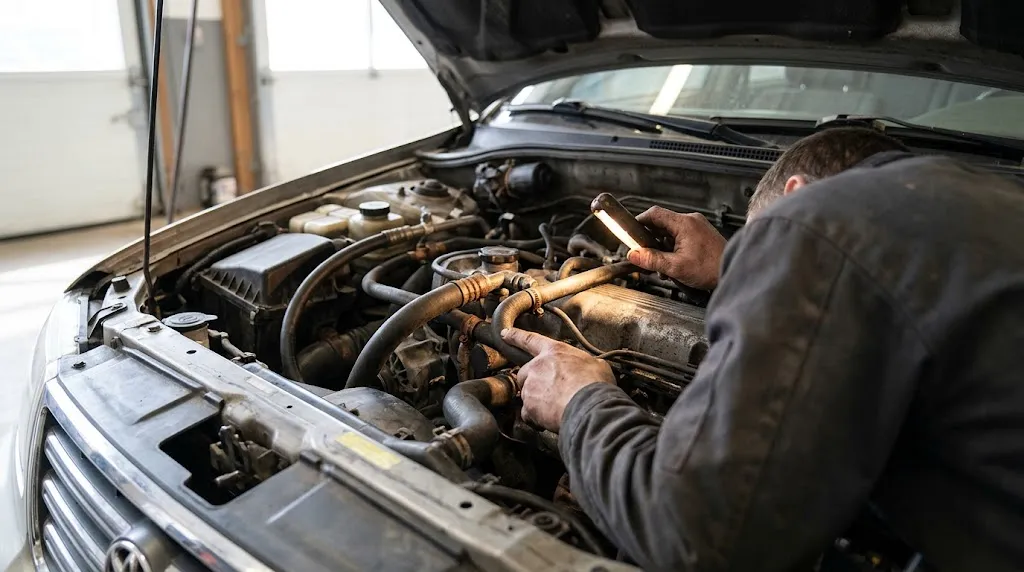
The most important limitation is that a scanner cannot diagnose by itself. It reports symptoms and measurements. It cannot inspect a cracked hose, a corroded connector, a worn bearing, a leaking gasket, or a tire problem unless a monitored system detects an effect from that problem. Some faults also never set a code, especially if they are mechanical, intermittent, or outside the monitored range.
Coverage is another limit. A basic reader focuses on powertrain and emissions data and may not read manufacturer-specific codes or data from anti-lock brake, airbag, body-control, or driver-assistance modules. More capable scanners reach more modules, but access is not universal.
A scanner also cannot judge urgency in every case. A loose fuel cap, a failing catalyst, and a severe misfire can all turn on the same warning light, but a flashing light, loss of power, overheating, or a strong fuel smell should prompt you to stop and get help.
Warning
Clearing a code does not repair the fault, and it resets readiness monitors. If the underlying problem is still present, the code is likely to return, and an emissions test may show monitors as not ready.
Why Two Scanners Can Show Different Results
Not every scanner reads the same amount of information. A simple code reader may show only stored codes and readiness status. A mid-range scanner may add live data, freeze frame, and pending codes. An advanced tool may add graphing, manufacturer-specific codes, service functions, and access to additional modules.
The vehicle matters just as much. Some data is standardized and available on most OBD2 vehicles. Other data is manufacturer-specific, and the scanner must support that make’s system to read it. Clearing codes also changes the starting point: it can remove stored and pending codes and reset monitors, so a later “no codes” result does not always mean the earlier result was wrong.
How to Turn a Scan Into a Useful Next Step
Start with the code and its state. A stored code deserves more attention than a pending code, but a pending code is still worth noting, especially if the symptom is repeatable. Write down the exact code, not just the description, because descriptions can vary between scanners and apps.
Next, check the supporting data before replacing anything. Freeze frame can show the conditions at the time of the fault. Live data can show whether the related sensor is responding, stuck, or reading implausibly. Readiness can show whether the vehicle has had enough driving for its self-tests to complete.
Then match the scan to what the car is actually doing. If the scan and symptoms point to the same system, the next step is narrower and easier to test. If they point in different directions, that mismatch is itself useful information.
Key Insight
A trouble code is a report from the computer, not a verdict on a part. The most reliable use of a scanner is to narrow the system, check the conditions, and then test before replacing anything.
A clean scan is not a full vehicle inspection: brakes, tires, steering, suspension, and lights still need physical checks.
Related Product
OBD2 Scanner
A scanner with live data and readiness checks makes it easier to see codes, sensor readings, and emissions monitor status in one scan.
As an Amazon Associate, we earn from qualifying purchases.
Frequently Asked Questions
Can an OBD2 scanner tell me exactly which part is broken?
No. It can identify the system or circuit where a fault was detected and show supporting sensor data, but it cannot prove which part failed. Wiring, connectors, sensors, and related problems can produce similar codes, so test before replacing a part.
Can an OBD2 scanner tell me if my car will pass an emissions test?
It can give a strong indication, but not a guarantee. It can show stored codes, warning-light status, and whether readiness monitors have completed. Local rules on incomplete monitors vary, so check the readiness result and your area’s requirements together.
What does it mean if my scanner shows no codes but the check engine light is on?
The scanner may not read the relevant code, the code may be manufacturer-specific, the fault may be in a module the scanner cannot reach, or the scan may have been taken under different conditions. Re-check the connection and compatibility, and get a deeper scan if the light remains on.
Can a basic OBD2 scanner read ABS, airbag, or transmission codes?
Sometimes, but not reliably. Basic OBD2 coverage focuses on powertrain and emissions data. ABS, airbag, and some transmission data often require a more capable scanner and vehicle-specific support.
Does live data tell me if a sensor is good or bad?
Live data shows what the sensor is reporting, which can reveal a stuck, slow, or implausible reading. It does not by itself prove the sensor is faulty, because wiring, power supply, vacuum leaks, and other conditions can distort the reading.
Can an OBD2 scanner show my car’s history or previous repairs?
No. It shows data reported by the vehicle’s computers, such as codes, live readings, freeze frame, readiness, and calibration identifiers. It does not show service records, accident history, or ownership history.
Conclusion
An OBD2 scanner tells you what the car’s computer detected, what it is measuring now, and whether its emissions checks have finished. Used well, that information narrows the problem to a system, reveals the conditions around a fault, and helps you avoid replacing parts on a guess. Its limits matter just as much: it cannot name the exact failed part, reach every module on every vehicle, or replace a physical inspection. Treat the scan as the starting point for diagnosis, and let the code, live data, and symptoms guide the next test.

I’m Alex Rahman, a car enthusiast and automotive writer focused on practical solutions, car tools, and real-world driving advice. I share simple and honest content to help everyday drivers make better decisions.
