What Is OBD2 Mode 02? Understanding Freeze Frame Data
Quick Answer
OBD2 Mode 02 is a standardized diagnostic service mode used to request and view powertrain freeze frame data. When an emissions-related fault triggers a Diagnostic Trouble Code (DTC), the powertrain control module (PCM) takes a digital snapshot of critical engine parameters at that exact microsecond. Mode 02 allows a scan tool to retrieve that snapshot so you can see what the engine was doing when the failure occurred.
What Is OBD2 Mode 02?
Modern vehicles use an On-Board Diagnostics system (OBD2) divided into distinct communication modes defined by SAE standards. While Mode 01 streams live sensor data happening right now, Mode 02 is specialized for historical context.
Think of Mode 02 as an aircraft’s flight data recorder for your engine. When a sensor fails or an emissions threshold is crossed, the computer doesn’t just log an error code (such as a P0300 random misfire); it freezes the exact operating environment at that millisecond. Reviewing this data prevents you from guessing why a code tripped, transforming raw diagnostics into precise troubleshooting.
How Freeze Frame Data Works in Mode 02
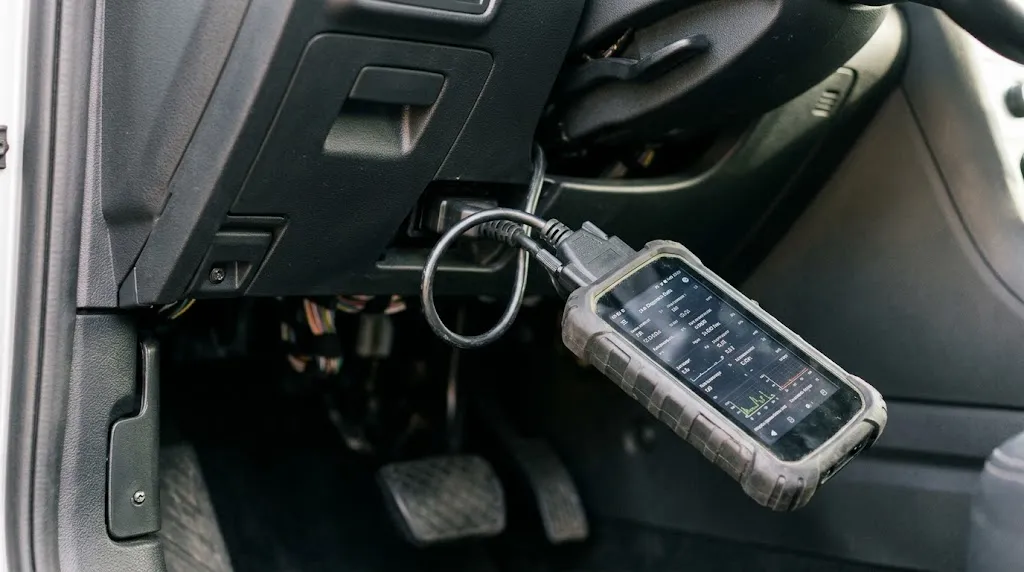
When an intermittent problem occurs—such as a split-second misfire under load or a sudden oxygen sensor drop—recreating those exact conditions in a repair bay can be difficult. Mode 02 captures the parameters live at the moment of failure so you can analyze them stationary.
The PCM allocates a specific memory block for freeze frame data. When multiple DTCs occur, Mode 02 typically locks onto the highest-priority code (usually the first emissions-related code that set the Malfunction Indicator Lamp, or MIL). Subsequent codes might overwrite or fail to store a separate snapshot depending on the vehicle manufacturer’s software architecture.
Key Parameters Captured in a Snapshot
A standard Mode 02 request pulls a collection of Parameter IDs (PIDs) that describe the engine state. Typical captured metrics include:
- Engine Coolant Temperature (ECT): Determines if the fault happened during a cold start or after full warm-up.
- Engine RPM and Calculated Load: Shows whether the engine was idling, accelerating, or cruising at highway speeds.
- Short and Long-Term Fuel Trims (STFT / LTFT): Reveals fuel delivery adjustments at the moment of the fault.
- Vehicle Speed: Indicates whether the car was moving or stationary.
- Manifold Absolute Pressure (MAP) or Mass Air Flow (MAF): Details engine breathing and air intake metrics at failure.
Key Insight
PID 02 within Mode 02 identifies which specific DTC owns the freeze frame data record. If this returns zero or null values, no valid snapshot exists, rendering other Mode 02 parameters inactive.
Mode 01 vs. Mode 02: What is the Difference?
Technicians often confuse Mode 01 and Mode 02 because both access similar Parameter IDs. However, their operational timelines are entirely different.
| Feature | OBD2 Mode 01 | OBD2 Mode 02 |
|---|---|---|
| Data Timing | Real-time live data stream | Historical snapshot captured at fault occurrence |
| Primary Use | Monitoring current sensor behavior and system health | Diagnosing intermittent faults and trigger conditions |
| Persistence | Changes constantly with engine operation | Remains locked until codes are cleared or overwritten |
As shown above, while Mode 01 tells you what a sensor is doing right now, Mode 02 tells you what that exact same sensor was reporting when the computer turned on the check engine light.
Why Mode 02 Matters for Diagnostics
Relying solely on a trouble code tells you the destination component that failed, but not the path that led there. Mode 02 bridges that gap.
Consider a lean code (such as P0171). If you look at live data in Mode 01 while the car idles smoothly in your driveway, the fuel trims might look normal because the vacuum leak changes behavior under different loads. By checking Mode 02, you can see that the code actually triggered when the engine load was at 80% and RPM was at 3,500. This clues you into looking for a high-RPM intake leak or a failing fuel pump under load rather than wasting time inspecting an idle-air control valve.
Warning
Clearing diagnostic trouble codes using Mode 04 or an OBD2 scanner erases stored freeze frame data instantly. Always record or screenshot Mode 02 data before resetting the computer system.
How to Access Mode 02 Data
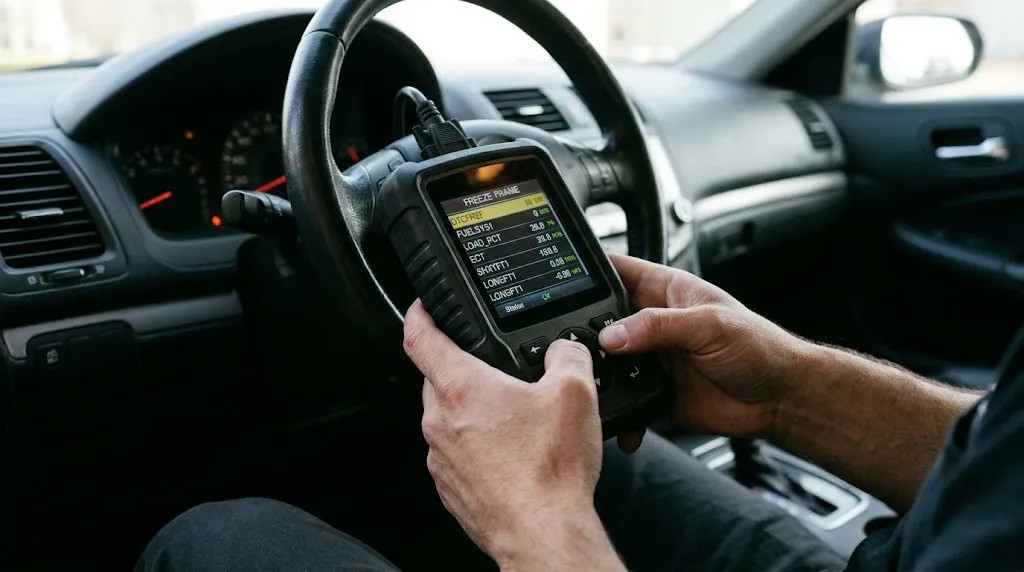
Most consumer-grade OBD2 scan tools and smartphone diagnostic applications abstract these hexadecimal service modes behind user-friendly menus. To read Mode 02 data:
- Plug your OBD2 scan tool or adapter into the vehicle’s under-dash Data Link Connector (DLC).
- Turn the vehicle ignition to the ON position (engine off or running, depending on scanner software requirements).
- Navigate to the diagnostics menu on your tool software.
- Select Freeze Frame Data (sometimes listed under “Trouble Codes” as view freeze frame sub-menus).
- Review the parameter values recorded at the time the fault code was flagged.
Advanced diagnostic scan tools automatically bundle Mode 03 (stored codes) with Mode 02 freeze frame data so they appear side-by-side on your screen.
Related Product
OBD2 Diagnostic Scan Tools
A reliable OBD2 code reader with live data and freeze frame capabilities helps you isolate intermittent engine faults quickly.
As an Amazon Associate, we earn from qualifying purchases.
Frequently Asked Questions
What is the difference between Mode 01 and Mode 02?
Mode 01 displays real-time, live operational data from the vehicle sensors as it happens. Mode 02 displays a historical snapshot (freeze frame) of those exact same parameters captured precisely when an emissions trouble code was set.
Does clearing fault codes delete Mode 02 data?
Yes. Executing a code clear command (Mode 04) or disconnecting the vehicle battery wipes the PCM memory, which erases stored freeze frame data. Always note or save this data before clearing codes for troubleshooting.
Can multiple freeze frames be saved at the same time?
In most standard OBD2 protocols, only one primary freeze frame is locked—usually tied to the first high-priority emissions code that triggered the check engine light. However, some modern manufacturer-specific enhancements store multiple snapshots for comprehensive diagnostics.
Why is my Mode 02 freeze frame data blank or showing zeros?
If trouble codes were previously cleared without driving the vehicle to set a new fault, or if PID 02 reports no active snapshot, the registers will remain blank. A code must actively trigger a fault cycle to log a new frame.
Do all vehicles support Mode 02?
Mode 02 is a mandated global standard for OBD2-compliant vehicles (1996 and newer in the US, 2001+ in Europe for petrol). However, the specific number of parameters and PIDs supported varies based on the vehicle manufacturer’s design.
Can I view Mode 02 data with a basic code reader?
Basic code readers that only display DTC numbers often lack freeze frame viewing capabilities. You generally need an advanced code reader, a bi-directional scan tool, or an app-based ELM327 OBD2 adapter that supports live parameter data stream reading.
Conclusion
OBD2 Mode 02 is an invaluable diagnostic feature that captures the precise operating conditions of your vehicle at the exact moment a fault occurs. By looking beyond simple trouble codes and analyzing engine load, temperature, and fuel trim snapshots, you can diagnose complex or intermittent issues efficiently. Always capture this freeze frame data before clearing codes so you retain the baseline metrics needed for a successful repair.

I’m Alex Rahman, a car enthusiast and automotive writer focused on practical solutions, car tools, and real-world driving advice. I share simple and honest content to help everyday drivers make better decisions.
